
Wan 3.0-promptgids: prompts voor AI-video
Ontdek de Wan 3.0-promptgids met direct kopieerbare voorbeelden, videoresultaten, camerabewegingen, audio-ideeën, creatieve tips en snelle videogeneratie.
Beschrijf je idee en laat AI de perfecte prompt voor je maken
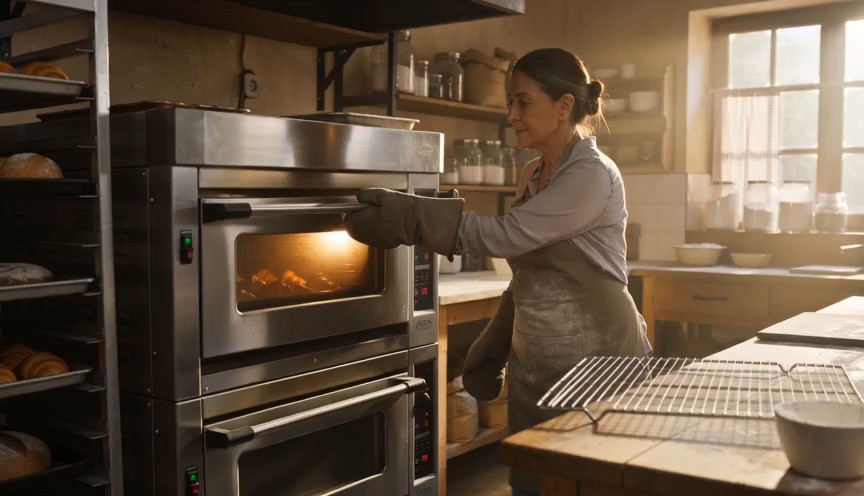
Create a warm, human bakery moment in three clear action beats. 0–3s: Medium-wide shot of a baker standing in front of
Create a warm, human bakery moment in three clear action beats. 0–3s: Medium-wide shot of a baker standing in front of an oven. Show the baker from head to knees, including both complete arms from shoulders to gloved hands. The baker opens the oven door and looks at a tray of baked croissants. 3–6s: The baker carefully removes the tray using both oven gloves and places it on a nearby metal cooling rack. 6–8s: Steam rises subtly from the croissants as the baker looks over the tray with a small, satisfied smile. Natural body mechanics, safe oven handling, stable face, correct fingers inside gloves, realistic heat and steam. No floating tray, isolated hands, extra arms, exaggerated steam, text or logos.
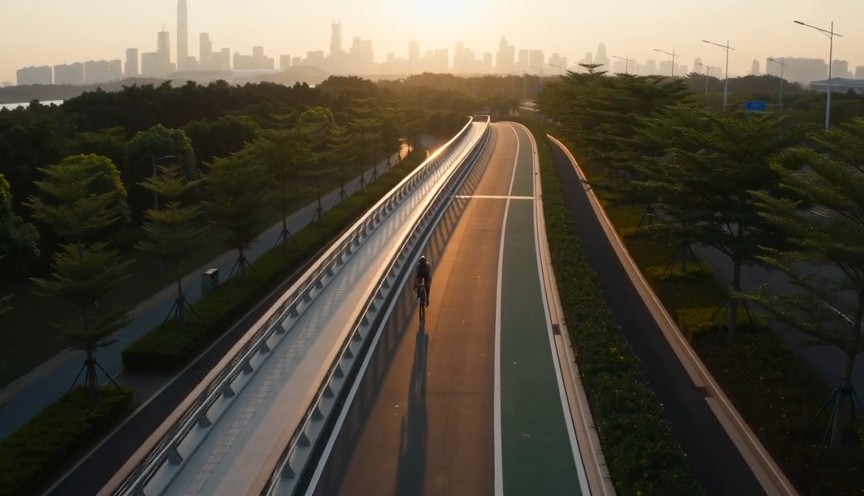
Create a fast but realistic four-shot cycling sequence. 0–2s: Low front three-quarter wide shot of an adult cyclist rid
Create a fast but realistic four-shot cycling sequence. 0–2s: Low front three-quarter wide shot of an adult cyclist riding through a protected city bike lane at sunrise. Show the complete rider, bicycle, helmet, torso, both arms connected naturally from shoulders to hands, and both legs operating the pedals. 2–4s: Side tracking shot at wheel height. The wheels rotate consistently and the cyclist’s pedaling cadence remains natural. 4–6s: Medium-wide shot as the cyclist passes close to the camera, with foreground railings creating fast parallax. 6–8s: High wide shot showing the cyclist continuing along the same lane. Sound: tire hum, chain movement and light city ambience. No riderless bicycle, disconnected hands, racing, stunts, traffic violations, body distortion, text or logos.
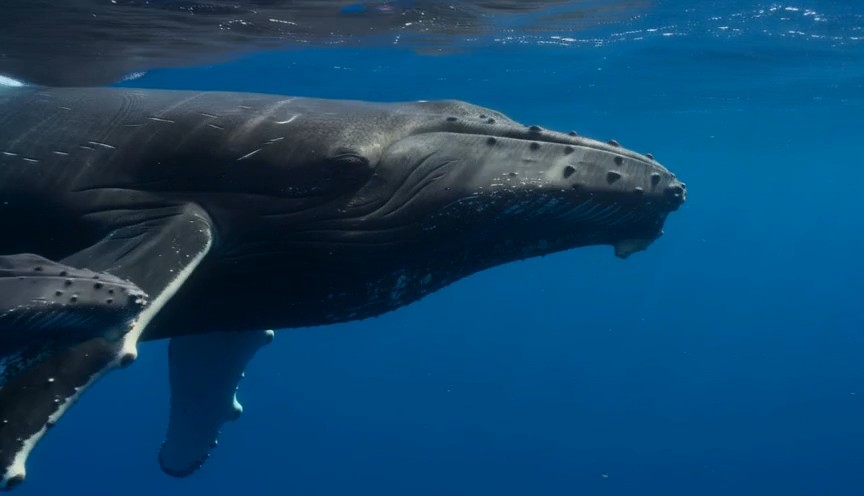
A calm natural-history underwater shot in clear tropical ocean water. 0–3 seconds: An adult humpback whale and its calf
A calm natural-history underwater shot in clear tropical ocean water. 0–3 seconds: An adult humpback whale and its calf swim into view from the left at a slow natural pace. 3–7 seconds: The camera glides parallel to them at a respectful distance. Sunbeams move naturally across their bodies while the calf remains close to the adult. 7–9 seconds: The calf gently rises a short distance toward the brighter surface while the adult continues forward below it. Accurate whale anatomy, realistic swimming mechanics, consistent scale, natural underwater color and suspended particles. No galaxy skin, glowing body, sudden size change, touching camera, text or logos.
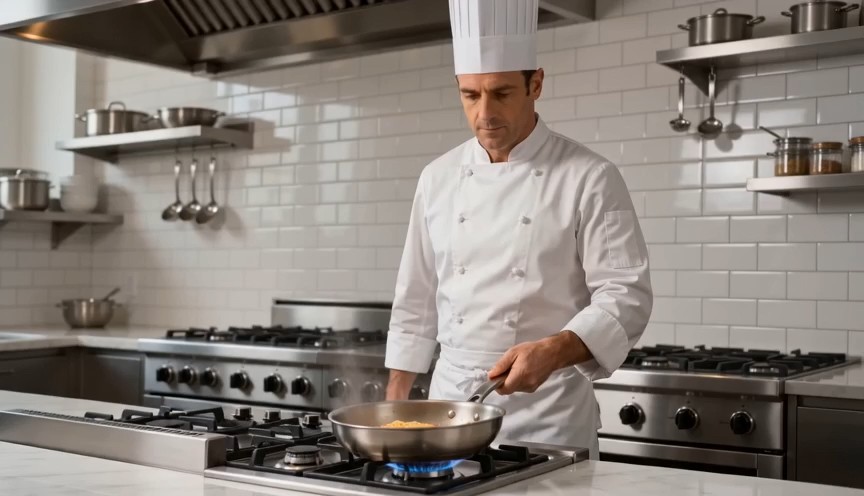
Create a bright restaurant food shot with one controlled cooking action. 0–2s: Medium-wide view of a professional chef
Create a bright restaurant food shot with one controlled cooking action. 0–2s: Medium-wide view of a professional chef standing at a stove. Show the chef from head to hips, with both complete arms visibly connected from shoulders to hands. One hand holds the pan handle; the other remains safely beside the body. 2–4s: The chef performs exactly one small forward-and-back pan motion, causing the pasta to rise a short distance and land back inside the same pan. 4–7s: Cut to a close-up as the chef places the pasta onto a white plate using metal tongs. Real cooking mechanics, modest pasta height, stable pan and natural steam. No floating pasta, endless tossing, isolated hands, leaking pan, oversized flames, extra utensils, text or logos.
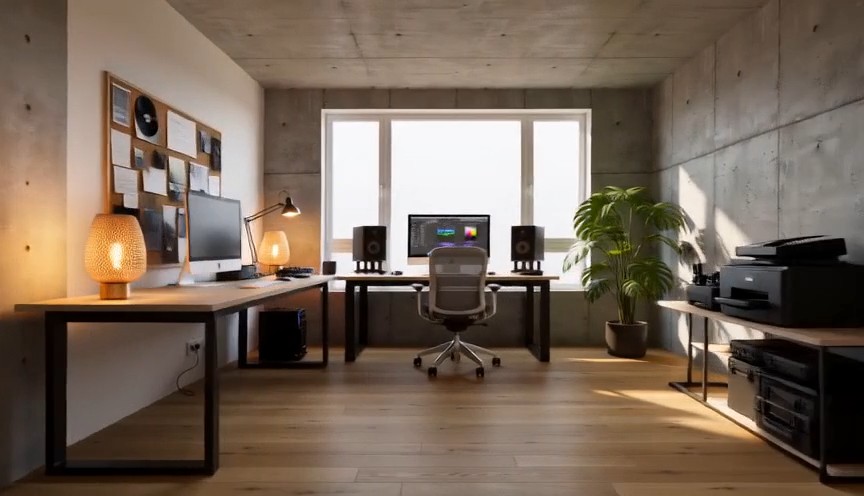
Create one continuous-looking lateral camera move through four realistic stages of the same room renovation. All changes
Create one continuous-looking lateral camera move through four realistic stages of the same room renovation. All changes occur through concealed match cuts. 0–2s: The camera moves slowly from left to right through an empty concrete room. Exposed walls, unfinished floor and one large window are clearly visible. At 2 seconds, a wide foreground column fully covers the frame. 2–4s: After the concealed cut, the same room has finished white walls and a natural oak floor but remains unfurnished. The camera continues at exactly the same speed. At 4 seconds, a second foreground column fully covers the frame. 4–6s: The same room now contains a desk, chair, shelving and ceiling lights, all resting naturally on fixed surfaces. At 6 seconds, a third foreground column fully covers the frame. 6–8s: The completed creative studio appears with warm lamps switched on, a plant beside the window and neatly arranged equipment. The camera settles into a wide final composition. Keep the window, walls, room dimensions and camera height identical. Renovation stages are separated by edits representing elapsed time. No furniture materializing in open view, floating objects, bending walls, spontaneous construction, people, readable screens, text or logos.
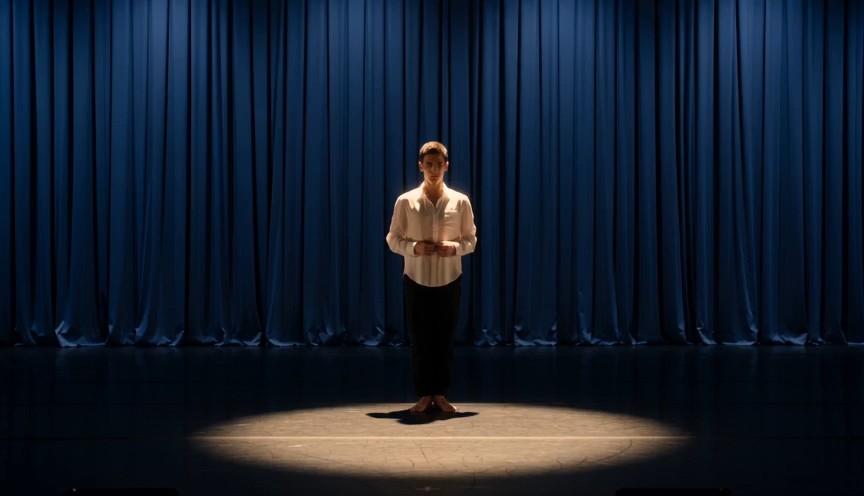
Create a single continuous full-body character-performance shot on a real theater stage. 0–2s: A contemporary dancer st
Create a single continuous full-body character-performance shot on a real theater stage. 0–2s: A contemporary dancer stands just outside a circular spotlight, visibly nervous but composed. Show the complete performer from head to shoes, with both arms naturally connected from shoulders to hands. 2–4s: The dancer hears one clear musical cue, takes a controlled breath and steps forward twice into the center of the light. 4–7s: The dancer performs one smooth 360-degree turn with both feet maintaining believable contact with the stage, then extends both arms into a balanced final pose. 7–8s: Hold the finished pose while the dancer’s clothing settles naturally. Warm spotlight, dark blue stage curtains, restrained facial acting, realistic body mechanics and fabric movement. No floating limbs, cropped hands, extra fingers, impossible rotation, duplicated performer, costume change, text or logos.
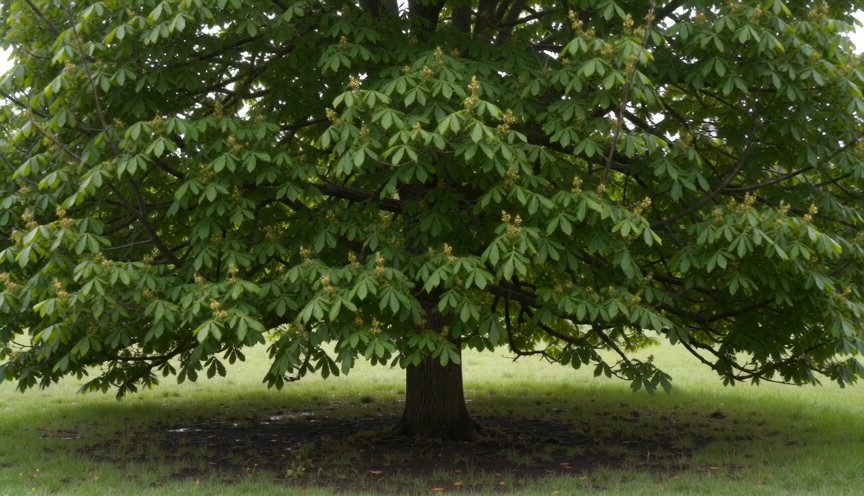
Create four locked-camera seasonal shots of the same mature deciduous tree, joined by clean hard cuts. 0–2s — spring: S
Create four locked-camera seasonal shots of the same mature deciduous tree, joined by clean hard cuts. 0–2s — spring: Sparse fresh green leaves, visible buds, damp grass and soft spring daylight. 2–4s — summer: The same tree has a dense canopy of mature green leaves. The trunk and branches remain identical. 4–6s — autumn: The canopy is thinner, with yellow and amber leaves. Several fallen leaves rest on the ground. 6–8s — winter: The same tree is completely leafless. All major branches are visible, with light snow on the ground and upper branch surfaces. Identical camera position, tree species, trunk, scale and framing. Seasonal changes occur only at cuts. Absolutely no leaves in winter, no snow on a summer canopy, no open-frame morphing, people, text or logos.
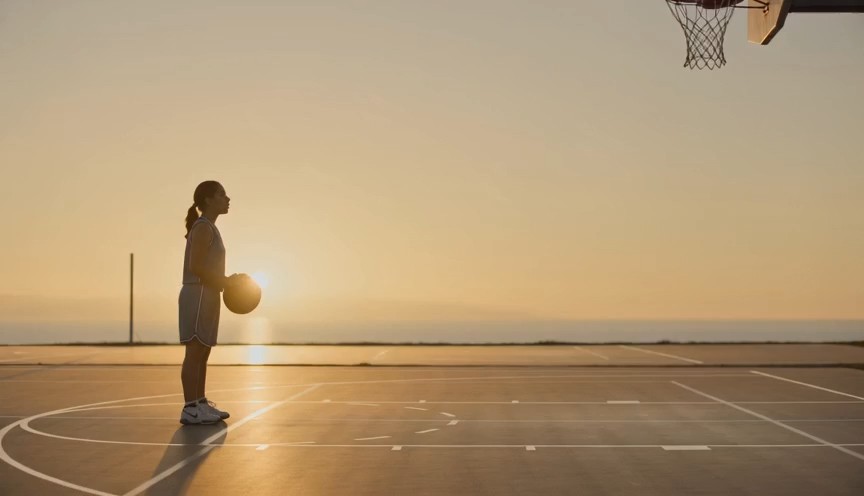
Create a realistic three-shot basketball sequence in a sunlit outdoor court. 0–2s: Full-body side view of one adult pla
Create a realistic three-shot basketball sequence in a sunlit outdoor court. 0–2s: Full-body side view of one adult player standing at the free-throw line. Show the complete body, both arms connected from shoulders to hands, both feet and the full basketball. 2–5s: The player bends the knees, raises the ball with both hands and releases one controlled free throw. The camera tilts upward to follow the ball. 5–7s: Cut to a close three-quarter view of the hoop as the same ball passes cleanly through the net and bounces once beneath it. Natural shooting mechanics, real gravity and consistent ball size. No extra ball, disconnected hands, changing uniform, impossible jump, altered hoop, text or logos.
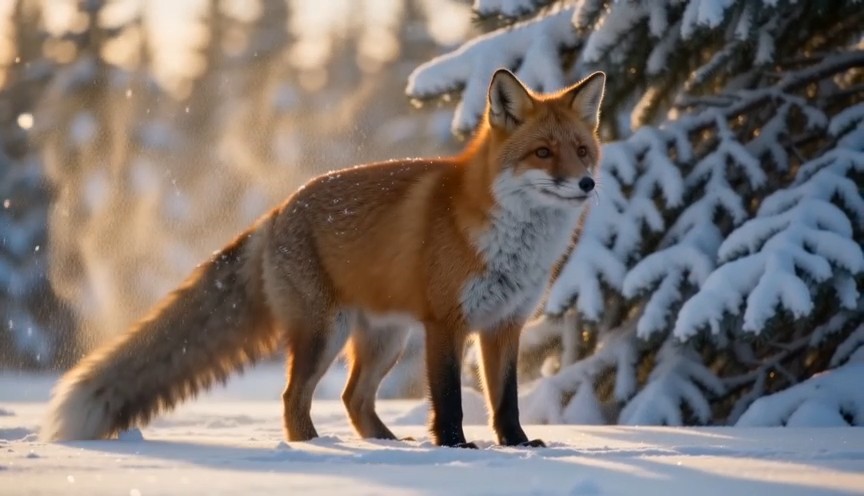
Create a natural wildlife shot at the edge of a snowy forest in soft morning light. 0–2s: A healthy red fox walks out f
Create a natural wildlife shot at the edge of a snowy forest in soft morning light. 0–2s: A healthy red fox walks out from behind a pine tree. Show its complete body, four legs and full tail. 2–5s: The fox stops and performs one natural full-body shake, dislodging a small amount of loose snow from its fur. 5–8s: It raises its ears, looks briefly toward an off-camera sound and then continues walking across the snow. Locked telephoto camera with a gentle focus adjustment, realistic fox anatomy, footprints and winter coat movement. Snow falls downward under gravity. No duplicated legs, oversized tail, human expression, glowing eyes, attacking camera, text or logos.
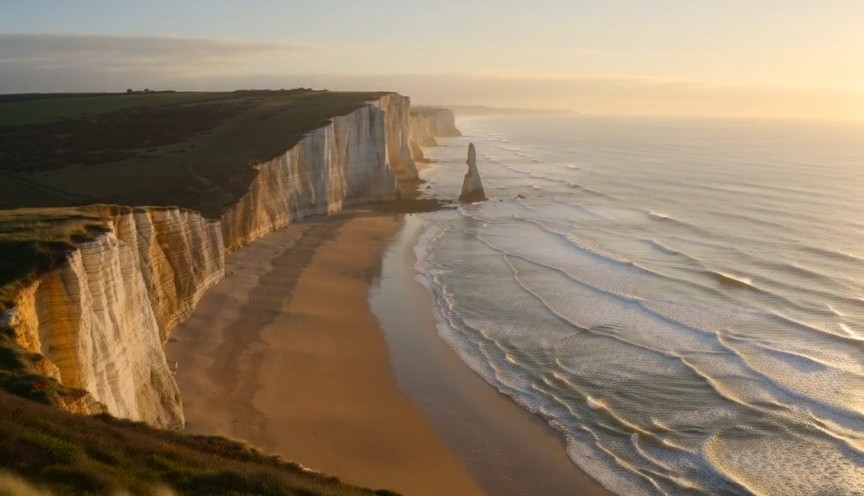
Create one continuous drone reveal over a real coastal landscape at golden hour. 0–3s: The drone moves forward at low a
Create one continuous drone reveal over a real coastal landscape at golden hour. 0–3s: The drone moves forward at low altitude behind a grass-covered dune. Only the dune and moving coastal grass are visible. 3–6s: The drone rises gradually above the dune, revealing a wide beach, limestone cliffs and ocean waves approaching the shore. 6–8s: The drone continues forward and holds the complete coastline in a balanced wide composition. Real wind direction, natural wave cycles, stable horizon and plausible drone movement. The reveal comes only from rising above the dune. No land transforming, reversed waves, floating rocks, artificial portals, people, text or logos.
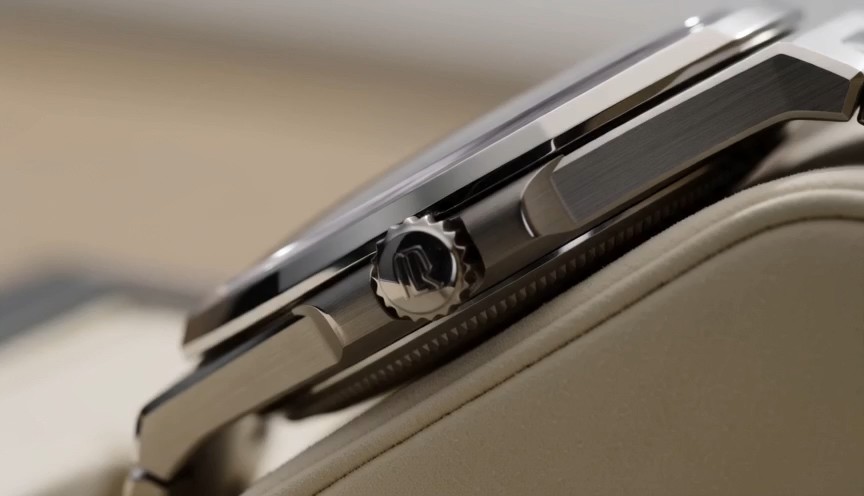
Create one uninterrupted macro product shot of a mechanical wristwatch secured upright on a cream display stand. 0–2s:
Create one uninterrupted macro product shot of a mechanical wristwatch secured upright on a cream display stand. 0–2s: Begin on the polished crown and brushed-steel case. The crown and case remain completely stationary. 2–4s: The camera slides slowly across the crystal, bringing the dial and moving second hand into focus. The second hand advances at a consistent mechanical rate. 4–6s: The camera settles into a centered view of the entire watch face while soft daylight reveals the metal texture. Only the second hand and visible internal mechanism may move. Accurate circular geometry, stable markings and realistic reflections. No melting metal, changing dial, duplicated hands, floating components, liquid, text outside the watch face or logos.
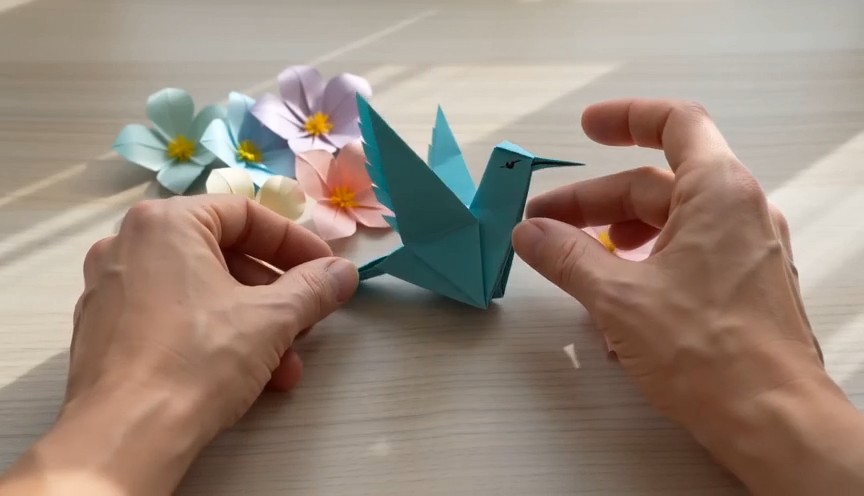
A tactile overhead craft video filmed beside a bright window. 0–2 seconds: Two real human hands place a square sheet of
A tactile overhead craft video filmed beside a bright window. 0–2 seconds: Two real human hands place a square sheet of turquoise paper flat on a pale wooden table and make the first fold. 2–6 seconds: A series of three clean match cuts shows the same hands completing progressively later folding stages. The paper remains the same color, size and material throughout. 6–8 seconds: The hands place the completed origami hummingbird upright beside several paper flowers and move out of frame. Real paper folds, anatomically correct hands, deliberate editing rather than magical self-folding, soft daylight. No floating paper, spontaneous transformation, moving paper bird, extra fingers, text or logos.
Wan AI 3.0-videopromptgids met Wan-videovoorbeelden
Ontdek, kopieer, pas aan en maak Wan AI 3.0-video’s
De Wan 3.0-promptgids is een praktische bibliotheek voor makers die Wan AI 3.0-video willen verkennen zonder elk idee vanaf nul te schrijven. Bekijk Wan-videovoorbeelden voor filmische scènes, productadvertenties, personageactie, camerabewegingen, gestileerde beelden en korte verhalen. Elk Wan AI 3.0-video-item combineert een herbruikbare promptstructuur met een voorbeeld van het effect. Zo kun je de tekst kopiëren, onderwerp, omgeving, actie, lens, belichting en sfeer vervangen en een nieuw resultaat testen. De Wan 3.0-promptgids wordt regelmatig met nieuwe voorbeelden en toepassingen aangevuld.
Zo gebruik je de Wan 3.0-promptgids
Zet inspiratie in drie eenvoudige stappen om in een testbare Wan AI 3.0-videoprompt. De Wan 3.0-promptgids koppelt elk creatief idee aan kopieerbare Wan-videovoorbeelden, zodat je de promptstructuur leert kennen, details aanpast en sneller met videogeneratie begint.

Een Wan-videovoorbeeld bekijken
Verken de Wan 3.0-promptgids op scènetype, cameragedrag, actie van het onderwerp, visuele stijl, belichting of creatief doel. Bekijk de bijpassende Wan-videovoorbeelden en kies een Wan AI 3.0-videoprompt die aansluit op het resultaat dat je wilt maken.

Kopiëren en aanpassen
Kopieer de volledige prompt uit de Wan 3.0-promptgids en wijzig het onderwerp, de locatie, kadrering, beweging, lens, sfeer, timing of stijl. Wan-videovoorbeelden zijn opgezet als herbruikbare structuren, zodat elk Wan AI 3.0-video-idee een nieuwe, originele variant kan worden.

Wan AI 3.0-video openen en maken
Open via de actieknop Pixomi AI Video Generator, kies Wan AI 3.0-video, plak de geselecteerde prompt en controleer je generatie-instellingen. Vergelijk het resultaat met de Wan-videovoorbeelden, verfijn één instructie per keer en keer terug naar de Wan 3.0-promptgids voor meer ideeën.
Wan-videovoorbeelden voor Wan AI 3.0-videoworkflows
Deze Wan 3.0-promptgids ordent herbruikbare ideeën rond praktische videodoelen. De Wan-videovoorbeelden tonen hoe onderwerpdetails, actievolgorde, camerataal, belichting, omgeving, timing en beperkingen samenwerken in één Wan AI 3.0-videoprompt. Kopieer een voorbeeld, behoud de bruikbare structuur en vervang de creatieve variabelen.
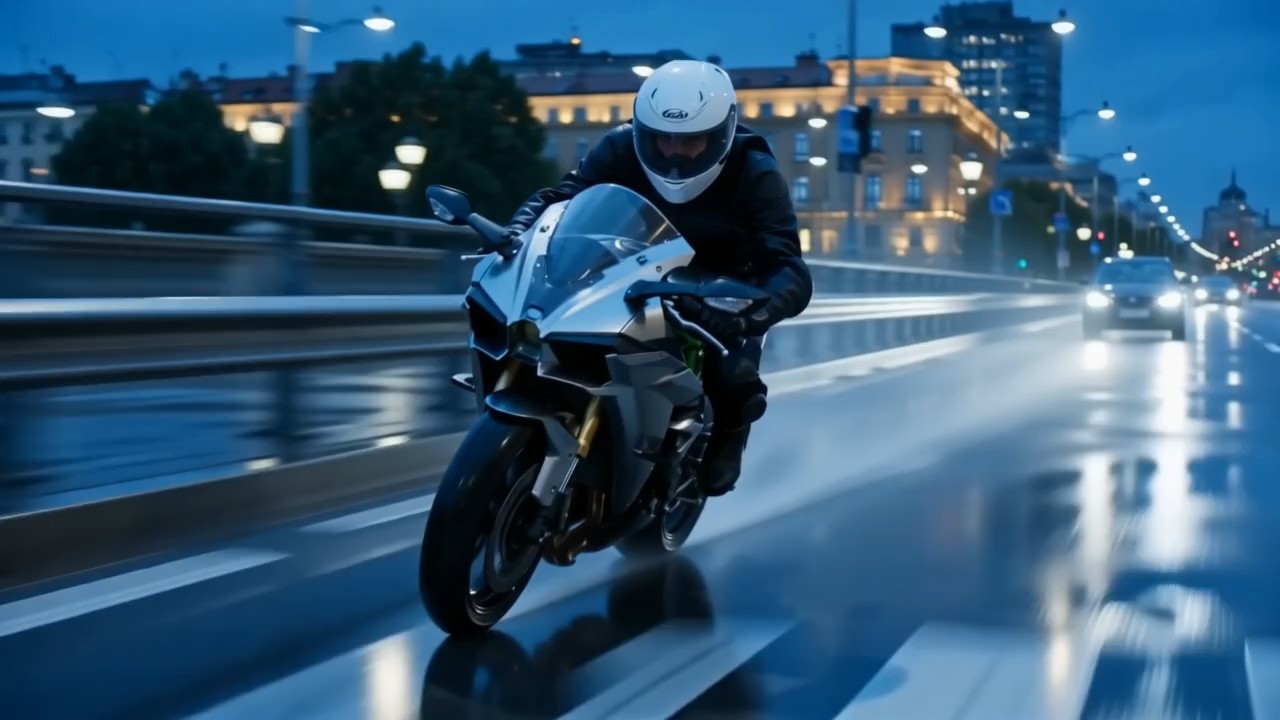
Filmische volgopname met gelaagde beweging
Gebruik dit item uit de Wan 3.0-promptgids om de beweging van het onderwerp, cameratracking, voorgrondbeweging, achtergronddiepte en lichtveranderingen op elkaar af te stemmen.
Geef voor Wan AI 3.0-video aan waarheen het onderwerp beweegt, hoe de camera volgt en wat visueel stabiel moet blijven. Zulke Wan-videovoorbeelden zijn nuttig voor filmische loopshots, reissequenties, sportmomenten en dynamische openingsshots. Een sterke prompt geeft de actie een duidelijk begin, midden en einde.
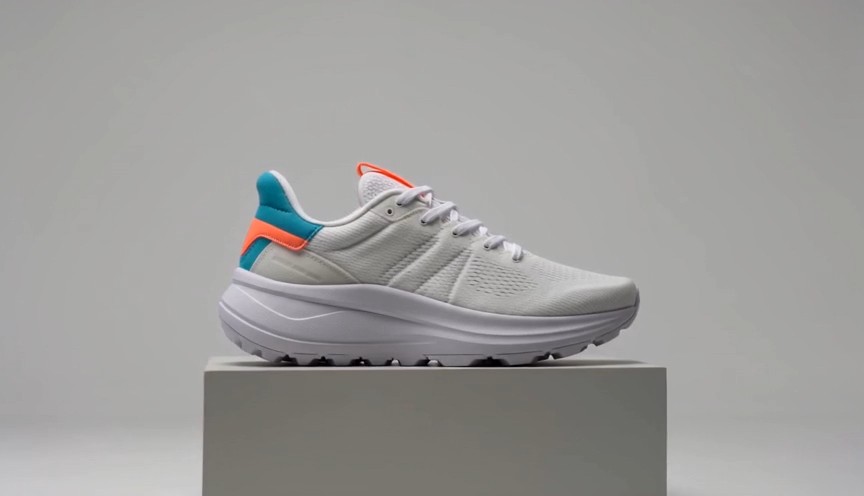
Productreclame met gecontroleerde onthulling
Dit voorbeeld uit de Wan 3.0-promptgids is gemaakt voor strakke, productgerichte beweging en reclamecompositie.
Beschrijf voor Wan AI 3.0-video het materiaal, de volgorde van de onthulling, het camerapad, oppervlaktereflecties, een rustige achtergrond en het laatste hoofdbeeld. Wan-videovoorbeelden zijn aan te passen voor cosmetica, elektronica, mode, voeding of merkobjecten. Gebruik concrete transformatiestappen in plaats van een vaag verzoek om een dramatische commercial.
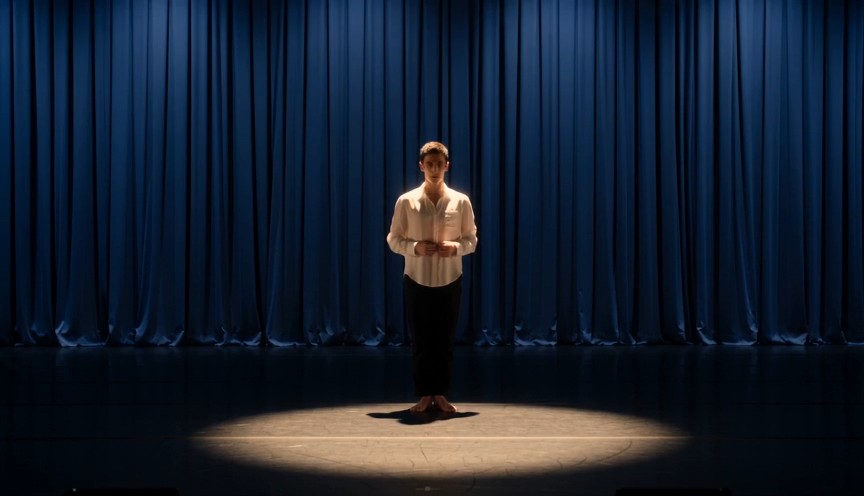
Personageperformance met duidelijke actiemomenten
Kies dit item uit de Wan 3.0-promptgids wanneer lichaamstaal, expressie, beweging en cameratiming samen moeten werken.
Bepaal voor Wan AI 3.0-video wie handelt, wat het personage eerst doet, hoe de pose verandert en waar de camera staat. Deze Wan-videovoorbeelden helpen bij het plannen van modeclips, lifestylescènes, korte vertelmomenten en social content. Houd elke actiereeks leesbaar in plaats van losse gebeurtenissen op elkaar te stapelen.
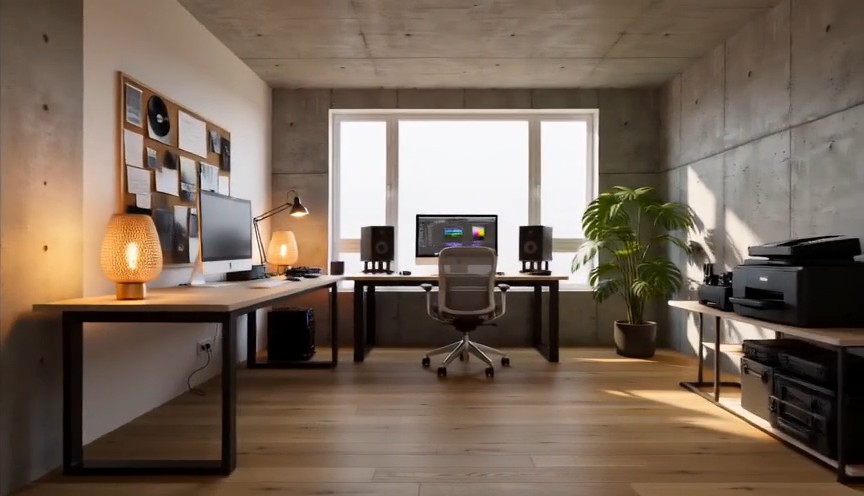
Gestileerde camerabeweging met visuele transformatie
Gebruik deze aanpak uit de Wan 3.0-promptgids voor creatieve overgangen, gestileerde camerabewegingen of scènetransformaties.
Een Wan AI 3.0-videoprompt kan het stabiele onderwerp scheiden van een veranderende omgeving, belichting, textuur of camerahoek. Wan-videovoorbeelden tonen hoe je de volgorde van de transformatie en de eindcompositie duidelijk beschrijft. Bepaal voor een strakker resultaat wat verandert, wat vast blijft en hoe het laatste shot eruit moet zien.
Veelgestelde vragen over de Wan 3.0-promptgids
Vind praktische antwoorden over de Wan 3.0-promptgids, het aanpassen van Wan-videovoorbeelden, duidelijkere Wan AI 3.0-video-instructies, camerabeweging en consistente prompts.
De Wan 3.0-promptgids is een samengestelde bibliotheek met kopieerbare prompts, visuele resultaten en praktische aanwijzingen. Makers kunnen Wan AI 3.0-video verkennen met herhaalbare structuren voor onderwerp, omgeving, actie, camera, belichting, stijl, timing en beperkingen. Wan-videovoorbeelden zijn uitgangspunten en geen vaste sjablonen, zodat elke prompt aan een nieuw idee kan worden aangepast.
Ja. Elk item in de Wan 3.0-promptgids is bedoeld om te kopiëren en aan te passen. Open via de knop een Wan AI 3.0-videoworkflow, plak de prompt en vervang details die niet passen bij je onderwerp, scène, kadrering, beweging of stijl. Wan-videovoorbeelden werken het best wanneer je de bruikbare structuur behoudt en de creatieve variabelen verandert.
Begin een Wan AI 3.0-videoprompt met het hoofdonderwerp en de omgeving. Beschrijf daarna de actiereeks, camerapositie of -beweging, visuele stijl, belichting, sfeer en eindcompositie. De Wan 3.0-promptgids groepeert instructies om de prompt leesbaar te houden. Bestudeer meerdere Wan-videovoorbeelden om te zien hoe gedetailleerde instructies duidelijk blijven zonder hetzelfde idee te herhalen.
Beschrijf de camera via de fysieke relatie met het onderwerp: beginafstand, hoek, richting, snelheid, volggedrag en eindkader. De Wan 3.0-promptgids geeft de voorkeur aan duidelijke bewegingen zoals langzaam inrijden, zijwaarts volgen, rondcirkelen, van bovenaf dalen of uit de hand volgen. Wan-videovoorbeelden tonen ook hoe je camerabeweging en onderwerpactie verbindt in plaats van ze als losse verzoeken te behandelen.
Beschrijf voor Wan AI 3.0-video eerst stabiele identiteitskenmerken, kleding, objectontwerp, omgeving en kadrering voordat je beweging toevoegt. Gebruik de Wan 3.0-promptgids om vaste details van veranderende acties te scheiden. Vergelijk je resultaat met Wan-videovoorbeelden en verfijn eerst de kleinste onzekere instructie. Zo wordt elke iteratie eenvoudiger te beoordelen.
Ja. De Wan 3.0-promptgids is opgezet als een groeiende bibliotheek voor makers van Wan AI 3.0-video. Nieuwe Wan-videovoorbeelden kunnen opkomende beeldtrends, cameratechnieken, productconcepten, personagescènes, socialmediaformats en creatieve effecten behandelen. Kom terug naar de Wan 3.0-promptgids wanneer je een nieuwe prompt wilt kopiëren en testen.
Zo gebruiken makers de Wan 3.0-promptgids
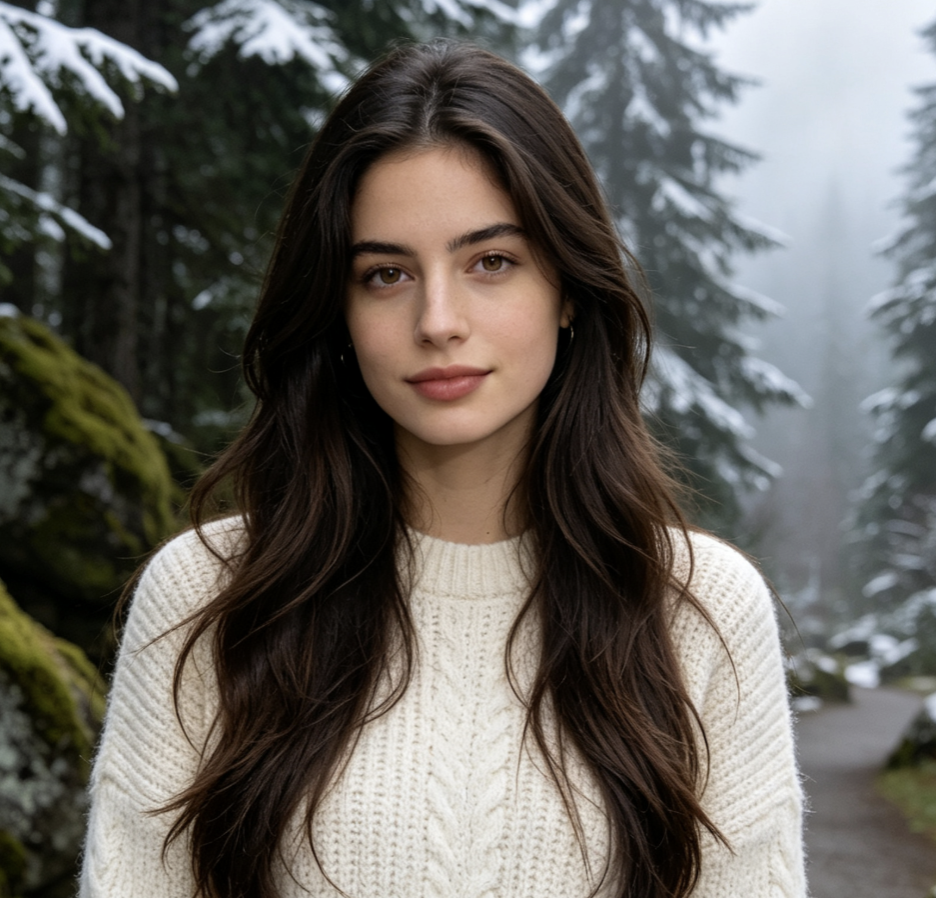
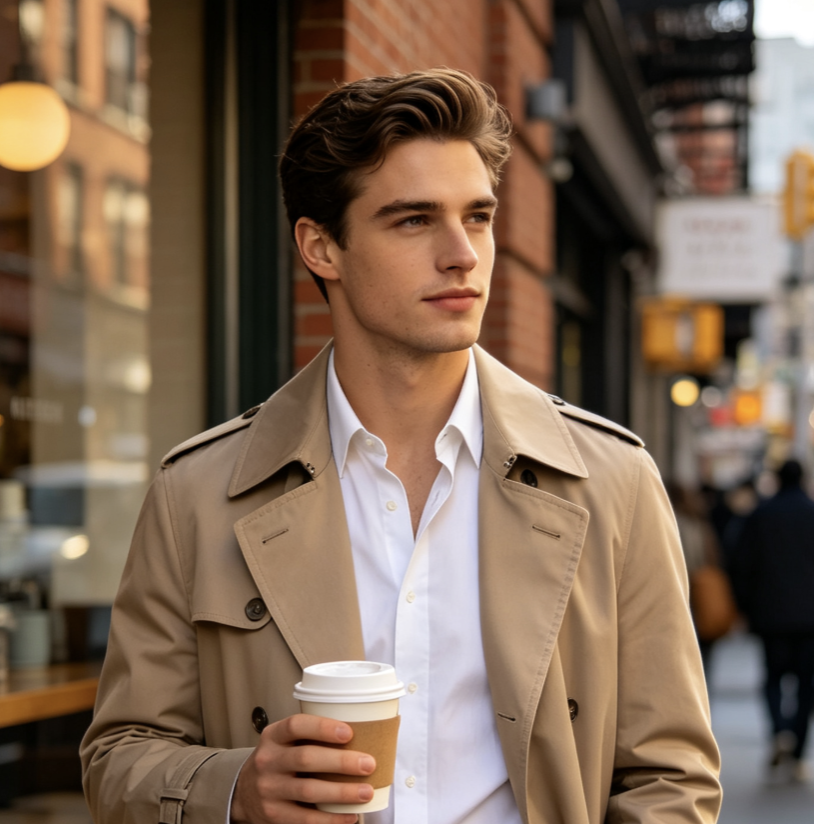
Makers in reclame, social media, motion design en merkproductie gebruiken de Wan 3.0-promptgids om ideeën om te zetten in gestructureerde Wan AI 3.0-videoprompts. Hun ervaringen tonen hoe promptvoorbeelden sneller testen, duidelijkere creatieve keuzes en beter herhaalbare workflows ondersteunen.
De Wan 3.0-promptgids geeft me een sterke structuur voordat ik een Wan AI 3.0-videotest start. De Wan-videovoorbeelden maken cameraregie en actietiming veel eenvoudiger uit te leggen.
Ik gebruik de Wan 3.0-promptgids om campagne-ideeën om te zetten in korte Wan AI 3.0-videoconcepten. De Wan-videovoorbeelden helpen me van een ruwe briefing naar een prompt die ik echt kan testen.
Het nuttigste aan de Wan 3.0-promptgids is dat elke Wan AI 3.0-videoprompt onderwerp, beweging, camera en visuele stijl uit elkaar houdt. De Wan-videovoorbeelden zijn eenvoudig te remixen.
Voor dagelijkse socialmediaproductie bespaart de Wan 3.0-promptgids voorbereidingstijd. Ik kan een Wan AI 3.0-videostructuur kopiëren, enkele details vervangen en snel meerdere Wan-videovoorbeelden vergelijken.
De Wan 3.0-promptgids helpt me doelgerichtere Wan AI 3.0-video-instructies te schrijven in plaats van op vage stijlwoorden te vertrouwen. De promptvoorbeelden zijn praktisch om mee te experimenteren.
Ik gebruik de Wan 3.0-promptgids graag voor product- en merkscènes. Elk Wan AI 3.0-videovoorbeeld geeft me een bruikbaar vertrekpunt en de promptvoorbeelden maken itereren systematischer.




Wat je kunt maken met Wan AI 3.0-video
Gebruik de Wan 3.0-promptgids voor snelle creatieve verkenning en herhaalbare prompttests. De voorbeelden behandelen veelgebruikte videodoelen en laten ruimte voor verschillende merken, verhalen, onderwerpen, visuele stijlen en formaten. Elk Wan AI 3.0-video-idee kan worden gekopieerd, aangepast, gegenereerd, vergeleken en verfijnd.

Filmische scènes
Maak sfeervolle Wan AI 3.0-videoscènes met gecontroleerde camerabewegingen, fysieke actie, diepte in de omgeving, lichtveranderingen en een duidelijk eindkader. De Wan 3.0-promptgids ordent complexe ideeën, terwijl de promptvoorbeelden laten zien hoe elke instructie aan de reeks bijdraagt.

Reclame- en productvideo’s
Maak productonthullingen, materiaalclose-ups, transformaties, lifestyle-advertenties en socialmediaclips voor merken met Wan AI 3.0-video. Gebruik de Wan 3.0-promptgids om presentatievolgorde, cameragedrag en hoofdkadrering te bepalen en pas daarna de promptvoorbeelden aan je product aan.

Personage- en lifestylecontent
Plan modebeelden, alledaagse momenten, expressieve personagescènes en korte verhalende clips met Wan AI 3.0-video. De Wan 3.0-promptgids helpt uiterlijk, actie, omgeving en cameraregie te scheiden. Promptvoorbeelden geven herbruikbare structuren voor verschillende personages en locaties.

Creatieve overgangen en socialmedia-effecten
Gebruik Wan AI 3.0-video voor gestileerde transformaties, visuele loops, dramatische herkadrering, surrealistische overgangen en opvallende socialmediaconcepten. De Wan 3.0-promptgids benadrukt volgorde en eindcompositie, terwijl promptvoorbeelden een effectidee omzetten in duidelijkere generatie-instructies.
Maak van Wan-videovoorbeelden je volgende Wan AI 3.0-video
Kies een idee uit de Wan 3.0-promptgids, kopieer de prompt, pas de creatieve details aan en open Pixomi AI Video Generator om een Wan AI 3.0-video te maken. Begin met herbruikbare promptvoorbeelden, test varianten en keer naar de Wan 3.0-promptgids terug wanneer je een nieuwe richting nodig hebt.
