
Hướng dẫn prompt Wan 3.0: prompt tạo video AI
Khám phá hướng dẫn prompt Wan 3.0 với ví dụ có thể sao chép, kết quả video, chỉ dẫn camera, ý tưởng âm thanh, mẹo sáng tạo và tạo video chỉ bằng một cú nhấp.
Mô tả ý tưởng của bạn và để AI tạo prompt hoàn hảo cho bạn
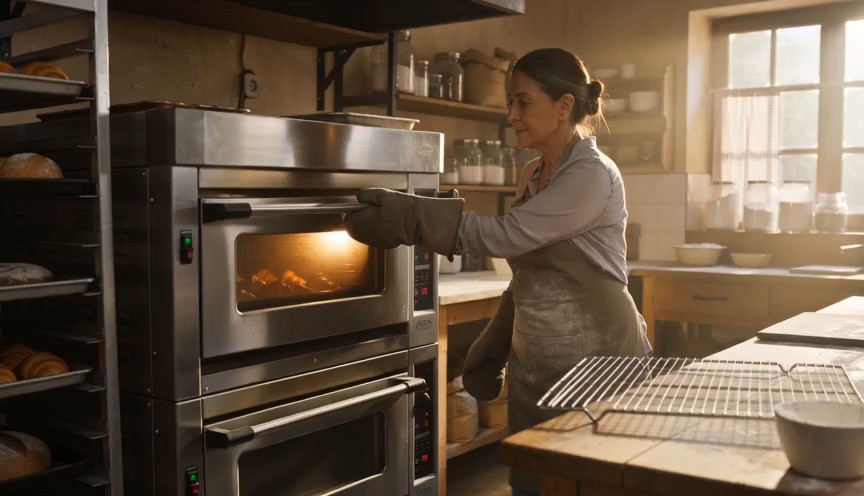
Create a warm, human bakery moment in three clear action beats. 0–3s: Medium-wide shot of a baker standing in front of
Create a warm, human bakery moment in three clear action beats. 0–3s: Medium-wide shot of a baker standing in front of an oven. Show the baker from head to knees, including both complete arms from shoulders to gloved hands. The baker opens the oven door and looks at a tray of baked croissants. 3–6s: The baker carefully removes the tray using both oven gloves and places it on a nearby metal cooling rack. 6–8s: Steam rises subtly from the croissants as the baker looks over the tray with a small, satisfied smile. Natural body mechanics, safe oven handling, stable face, correct fingers inside gloves, realistic heat and steam. No floating tray, isolated hands, extra arms, exaggerated steam, text or logos.
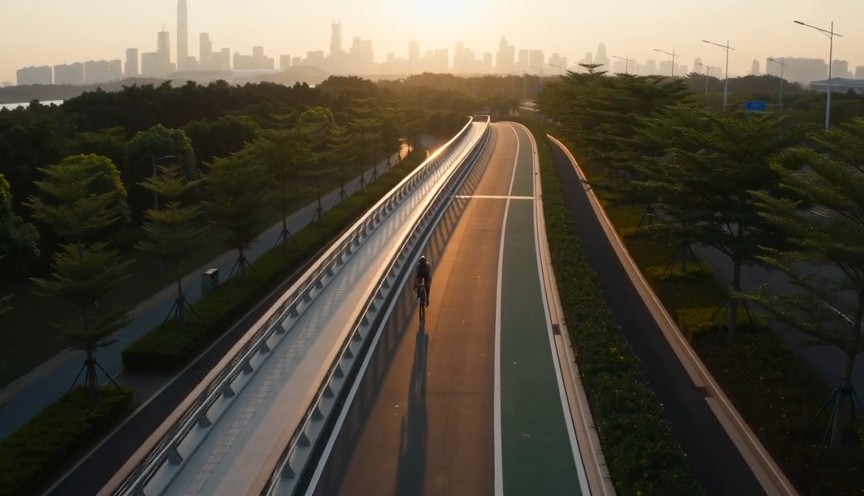
Create a fast but realistic four-shot cycling sequence. 0–2s: Low front three-quarter wide shot of an adult cyclist rid
Create a fast but realistic four-shot cycling sequence. 0–2s: Low front three-quarter wide shot of an adult cyclist riding through a protected city bike lane at sunrise. Show the complete rider, bicycle, helmet, torso, both arms connected naturally from shoulders to hands, and both legs operating the pedals. 2–4s: Side tracking shot at wheel height. The wheels rotate consistently and the cyclist’s pedaling cadence remains natural. 4–6s: Medium-wide shot as the cyclist passes close to the camera, with foreground railings creating fast parallax. 6–8s: High wide shot showing the cyclist continuing along the same lane. Sound: tire hum, chain movement and light city ambience. No riderless bicycle, disconnected hands, racing, stunts, traffic violations, body distortion, text or logos.
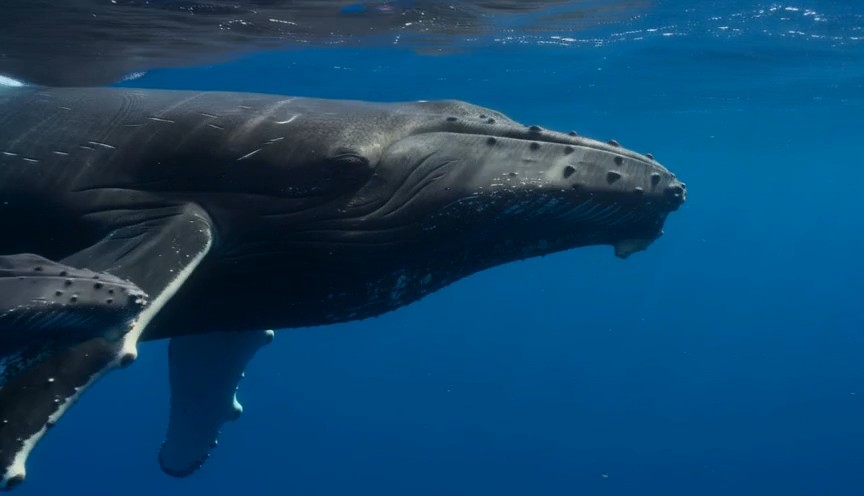
A calm natural-history underwater shot in clear tropical ocean water. 0–3 seconds: An adult humpback whale and its calf
A calm natural-history underwater shot in clear tropical ocean water. 0–3 seconds: An adult humpback whale and its calf swim into view from the left at a slow natural pace. 3–7 seconds: The camera glides parallel to them at a respectful distance. Sunbeams move naturally across their bodies while the calf remains close to the adult. 7–9 seconds: The calf gently rises a short distance toward the brighter surface while the adult continues forward below it. Accurate whale anatomy, realistic swimming mechanics, consistent scale, natural underwater color and suspended particles. No galaxy skin, glowing body, sudden size change, touching camera, text or logos.
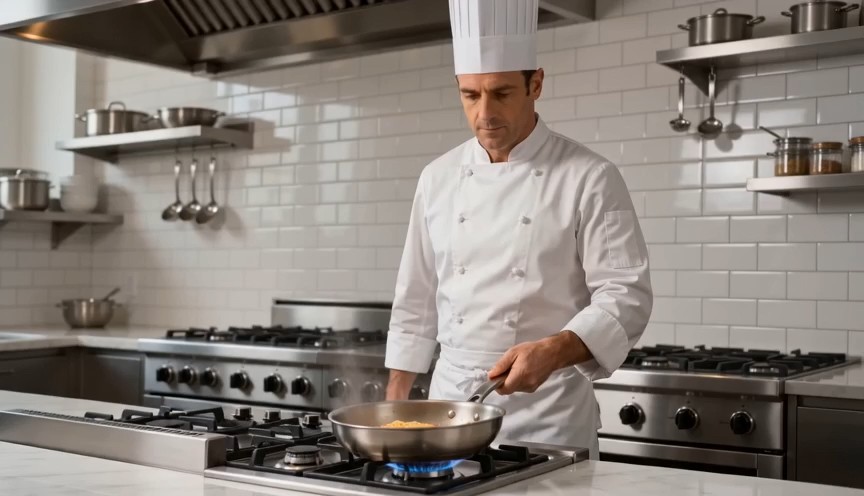
Create a bright restaurant food shot with one controlled cooking action. 0–2s: Medium-wide view of a professional chef
Create a bright restaurant food shot with one controlled cooking action. 0–2s: Medium-wide view of a professional chef standing at a stove. Show the chef from head to hips, with both complete arms visibly connected from shoulders to hands. One hand holds the pan handle; the other remains safely beside the body. 2–4s: The chef performs exactly one small forward-and-back pan motion, causing the pasta to rise a short distance and land back inside the same pan. 4–7s: Cut to a close-up as the chef places the pasta onto a white plate using metal tongs. Real cooking mechanics, modest pasta height, stable pan and natural steam. No floating pasta, endless tossing, isolated hands, leaking pan, oversized flames, extra utensils, text or logos.
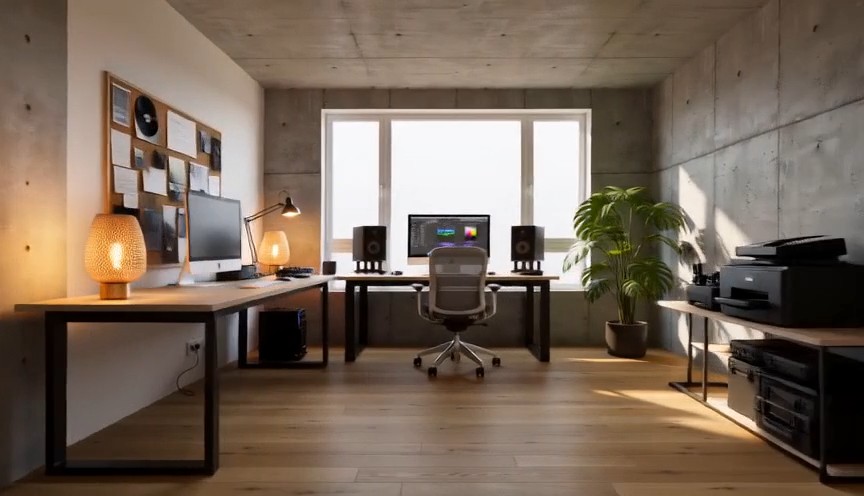
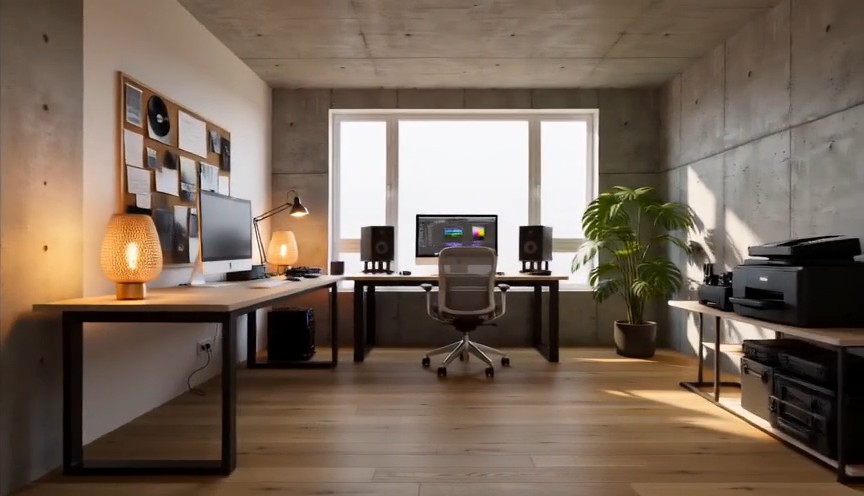
Create one continuous-looking lateral camera move through four realistic stages of the same room renovation. All changes
Create one continuous-looking lateral camera move through four realistic stages of the same room renovation. All changes occur through concealed match cuts. 0–2s: The camera moves slowly from left to right through an empty concrete room. Exposed walls, unfinished floor and one large window are clearly visible. At 2 seconds, a wide foreground column fully covers the frame. 2–4s: After the concealed cut, the same room has finished white walls and a natural oak floor but remains unfurnished. The camera continues at exactly the same speed. At 4 seconds, a second foreground column fully covers the frame. 4–6s: The same room now contains a desk, chair, shelving and ceiling lights, all resting naturally on fixed surfaces. At 6 seconds, a third foreground column fully covers the frame. 6–8s: The completed creative studio appears with warm lamps switched on, a plant beside the window and neatly arranged equipment. The camera settles into a wide final composition. Keep the window, walls, room dimensions and camera height identical. Renovation stages are separated by edits representing elapsed time. No furniture materializing in open view, floating objects, bending walls, spontaneous construction, people, readable screens, text or logos.
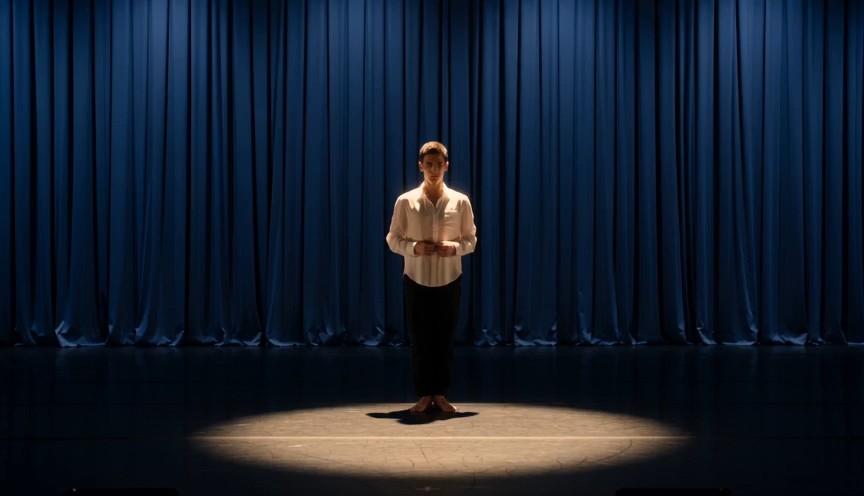
Create a single continuous full-body character-performance shot on a real theater stage. 0–2s: A contemporary dancer st
Create a single continuous full-body character-performance shot on a real theater stage. 0–2s: A contemporary dancer stands just outside a circular spotlight, visibly nervous but composed. Show the complete performer from head to shoes, with both arms naturally connected from shoulders to hands. 2–4s: The dancer hears one clear musical cue, takes a controlled breath and steps forward twice into the center of the light. 4–7s: The dancer performs one smooth 360-degree turn with both feet maintaining believable contact with the stage, then extends both arms into a balanced final pose. 7–8s: Hold the finished pose while the dancer’s clothing settles naturally. Warm spotlight, dark blue stage curtains, restrained facial acting, realistic body mechanics and fabric movement. No floating limbs, cropped hands, extra fingers, impossible rotation, duplicated performer, costume change, text or logos.
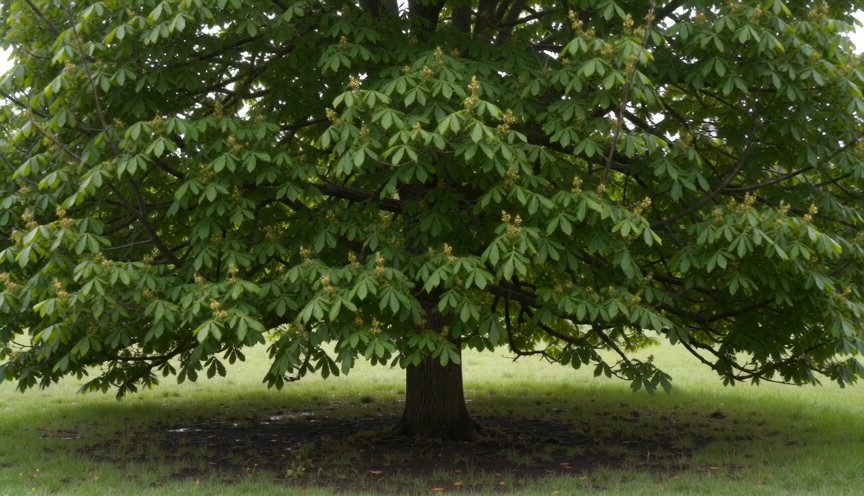
Create four locked-camera seasonal shots of the same mature deciduous tree, joined by clean hard cuts. 0–2s — spring: S
Create four locked-camera seasonal shots of the same mature deciduous tree, joined by clean hard cuts. 0–2s — spring: Sparse fresh green leaves, visible buds, damp grass and soft spring daylight. 2–4s — summer: The same tree has a dense canopy of mature green leaves. The trunk and branches remain identical. 4–6s — autumn: The canopy is thinner, with yellow and amber leaves. Several fallen leaves rest on the ground. 6–8s — winter: The same tree is completely leafless. All major branches are visible, with light snow on the ground and upper branch surfaces. Identical camera position, tree species, trunk, scale and framing. Seasonal changes occur only at cuts. Absolutely no leaves in winter, no snow on a summer canopy, no open-frame morphing, people, text or logos.
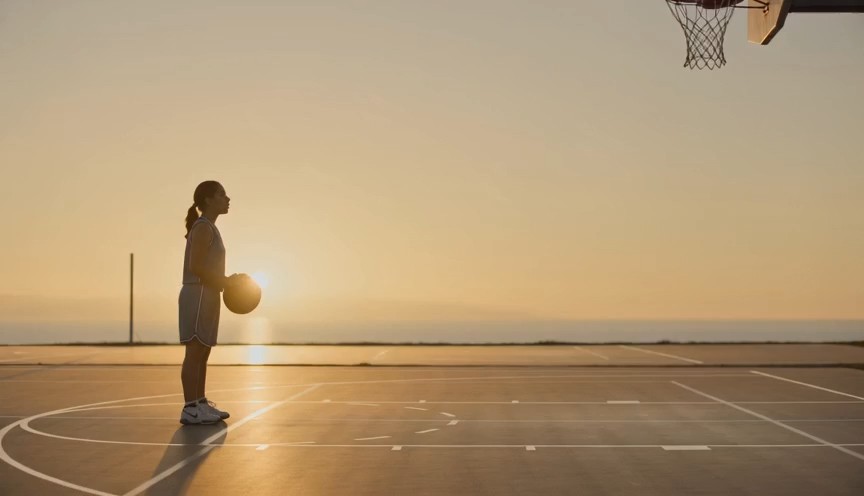
Create a realistic three-shot basketball sequence in a sunlit outdoor court. 0–2s: Full-body side view of one adult pla
Create a realistic three-shot basketball sequence in a sunlit outdoor court. 0–2s: Full-body side view of one adult player standing at the free-throw line. Show the complete body, both arms connected from shoulders to hands, both feet and the full basketball. 2–5s: The player bends the knees, raises the ball with both hands and releases one controlled free throw. The camera tilts upward to follow the ball. 5–7s: Cut to a close three-quarter view of the hoop as the same ball passes cleanly through the net and bounces once beneath it. Natural shooting mechanics, real gravity and consistent ball size. No extra ball, disconnected hands, changing uniform, impossible jump, altered hoop, text or logos.
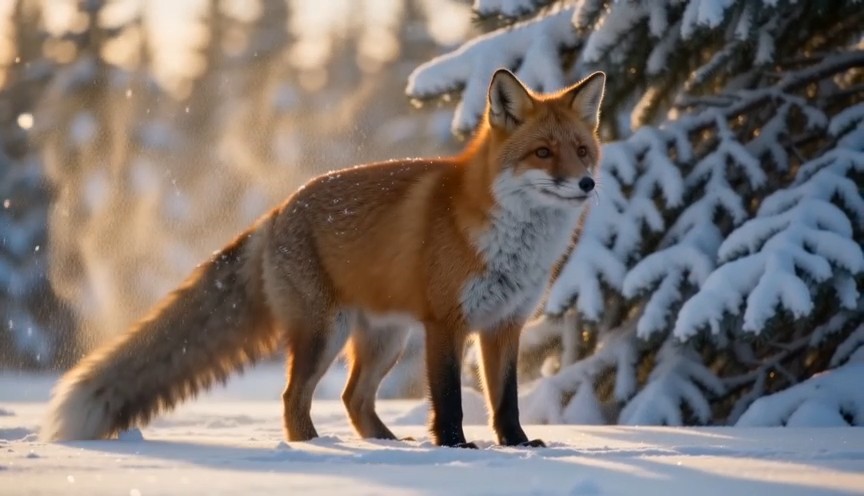
Create a natural wildlife shot at the edge of a snowy forest in soft morning light. 0–2s: A healthy red fox walks out f
Create a natural wildlife shot at the edge of a snowy forest in soft morning light. 0–2s: A healthy red fox walks out from behind a pine tree. Show its complete body, four legs and full tail. 2–5s: The fox stops and performs one natural full-body shake, dislodging a small amount of loose snow from its fur. 5–8s: It raises its ears, looks briefly toward an off-camera sound and then continues walking across the snow. Locked telephoto camera with a gentle focus adjustment, realistic fox anatomy, footprints and winter coat movement. Snow falls downward under gravity. No duplicated legs, oversized tail, human expression, glowing eyes, attacking camera, text or logos.
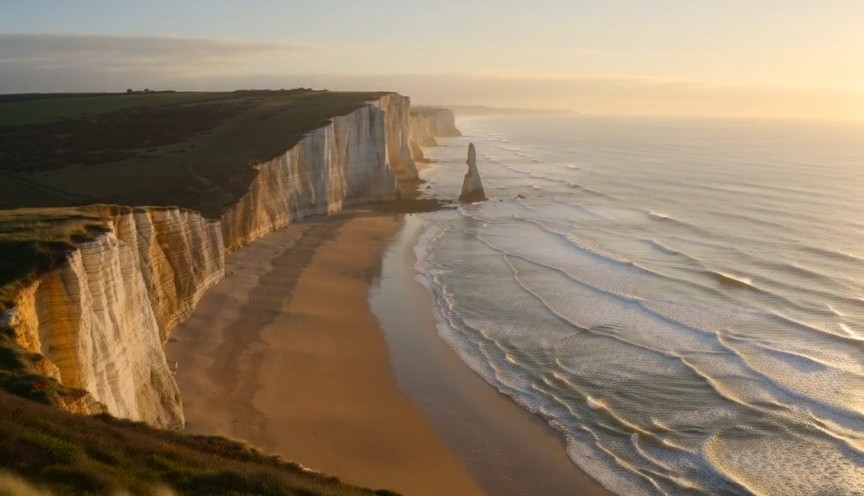
Create one continuous drone reveal over a real coastal landscape at golden hour. 0–3s: The drone moves forward at low a
Create one continuous drone reveal over a real coastal landscape at golden hour. 0–3s: The drone moves forward at low altitude behind a grass-covered dune. Only the dune and moving coastal grass are visible. 3–6s: The drone rises gradually above the dune, revealing a wide beach, limestone cliffs and ocean waves approaching the shore. 6–8s: The drone continues forward and holds the complete coastline in a balanced wide composition. Real wind direction, natural wave cycles, stable horizon and plausible drone movement. The reveal comes only from rising above the dune. No land transforming, reversed waves, floating rocks, artificial portals, people, text or logos.
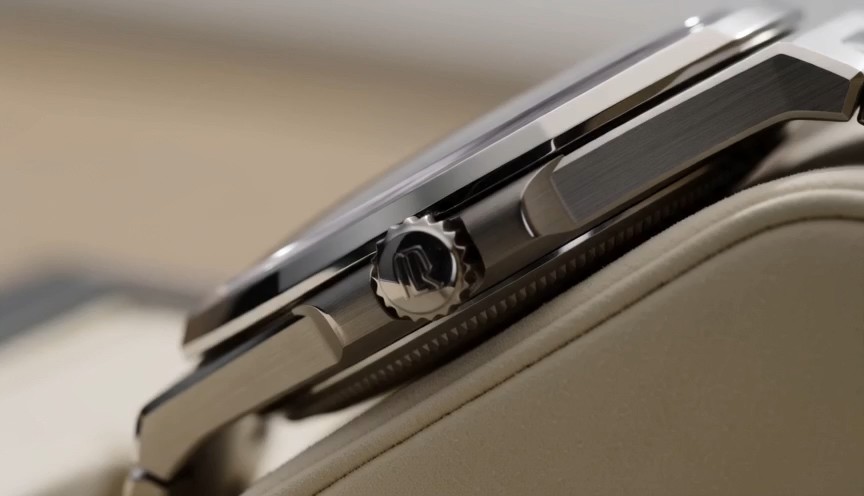
Create one uninterrupted macro product shot of a mechanical wristwatch secured upright on a cream display stand. 0–2s:
Create one uninterrupted macro product shot of a mechanical wristwatch secured upright on a cream display stand. 0–2s: Begin on the polished crown and brushed-steel case. The crown and case remain completely stationary. 2–4s: The camera slides slowly across the crystal, bringing the dial and moving second hand into focus. The second hand advances at a consistent mechanical rate. 4–6s: The camera settles into a centered view of the entire watch face while soft daylight reveals the metal texture. Only the second hand and visible internal mechanism may move. Accurate circular geometry, stable markings and realistic reflections. No melting metal, changing dial, duplicated hands, floating components, liquid, text outside the watch face or logos.
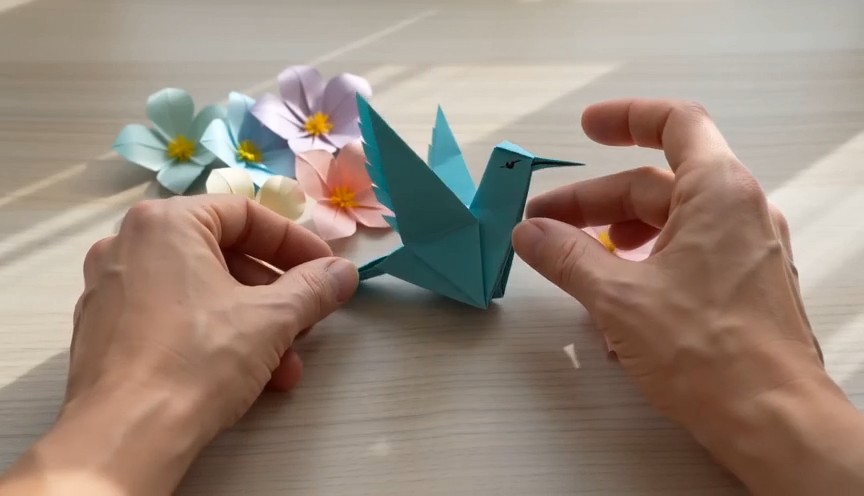
A tactile overhead craft video filmed beside a bright window. 0–2 seconds: Two real human hands place a square sheet of
A tactile overhead craft video filmed beside a bright window. 0–2 seconds: Two real human hands place a square sheet of turquoise paper flat on a pale wooden table and make the first fold. 2–6 seconds: A series of three clean match cuts shows the same hands completing progressively later folding stages. The paper remains the same color, size and material throughout. 6–8 seconds: The hands place the completed origami hummingbird upright beside several paper flowers and move out of frame. Real paper folds, anatomically correct hands, deliberate editing rather than magical self-folding, soft daylight. No floating paper, spontaneous transformation, moving paper bird, extra fingers, text or logos.
Hướng dẫn prompt video Wan AI 3.0 kèm ví dụ video Wan
Khám phá, sao chép, tùy chỉnh và sáng tạo với video Wan AI 3.0
Hướng dẫn prompt Wan 3.0 là thư viện thực hành dành cho người sáng tạo muốn khám phá video Wan AI 3.0 mà không phải viết mọi ý tưởng từ đầu. Hãy xem các ví dụ video Wan cho cảnh điện ảnh, quảng cáo sản phẩm, hành động nhân vật, chuyển động camera, hình ảnh cách điệu và kể chuyện ngắn. Mỗi mục video Wan AI 3.0 ghép một cấu trúc prompt có thể tái sử dụng với bản xem trước kết quả, giúp bạn sao chép câu chữ, thay chủ thể, bối cảnh, hành động, ống kính, ánh sáng và tâm trạng rồi thử kết quả mới. Hướng dẫn prompt Wan 3.0 sẽ tiếp tục bổ sung ví dụ mới.
Cách dùng hướng dẫn prompt Wan 3.0
Biến cảm hứng thành prompt video Wan AI 3.0 có thể kiểm thử chỉ trong ba bước. Hướng dẫn prompt Wan 3.0 kết nối từng ý tưởng sáng tạo với ví dụ video Wan sẵn sàng sao chép, giúp bạn hiểu cấu trúc, tùy chỉnh chi tiết và bắt đầu tạo video nhanh hơn.

Duyệt một ví dụ video Wan
Khám phá hướng dẫn prompt Wan 3.0 theo loại cảnh, cách camera hoạt động, hành động của chủ thể, phong cách hình ảnh, ánh sáng hoặc mục tiêu sáng tạo. Xem trước các ví dụ video Wan phù hợp và chọn prompt video Wan AI 3.0 đúng với kết quả bạn muốn tạo.

Sao chép và tùy chỉnh
Sao chép toàn bộ prompt từ hướng dẫn prompt Wan 3.0, sau đó đổi chủ thể, địa điểm, khung hình, chuyển động, ống kính, bầu không khí, nhịp điệu hoặc phong cách. Các ví dụ video Wan được thiết kế như cấu trúc có thể tái sử dụng, nên mỗi ý tưởng video Wan AI 3.0 đều có thể trở thành một biến thể mới.

Mở video Wan AI 3.0 và bắt đầu tạo
Dùng nút thao tác để mở Pixomi AI Video Generator, chọn video Wan AI 3.0, dán prompt đã chọn và kiểm tra cài đặt tạo. So sánh kết quả với các ví dụ video Wan, tinh chỉnh từng chỉ dẫn một rồi quay lại hướng dẫn prompt Wan 3.0 để tìm thêm ý tưởng.
Ví dụ video Wan cho quy trình video Wan AI 3.0
Hướng dẫn prompt Wan 3.0 này sắp xếp các ý tưởng có thể tái sử dụng theo mục tiêu sáng tạo video thực tế. Các ví dụ video Wan cho thấy chi tiết chủ thể, thứ tự hành động, ngôn ngữ camera, ánh sáng, môi trường, nhịp điệu và giới hạn có thể phối hợp ra sao trong một prompt video Wan AI 3.0. Hãy sao chép một ví dụ, giữ cấu trúc hữu ích và thay các biến sáng tạo.
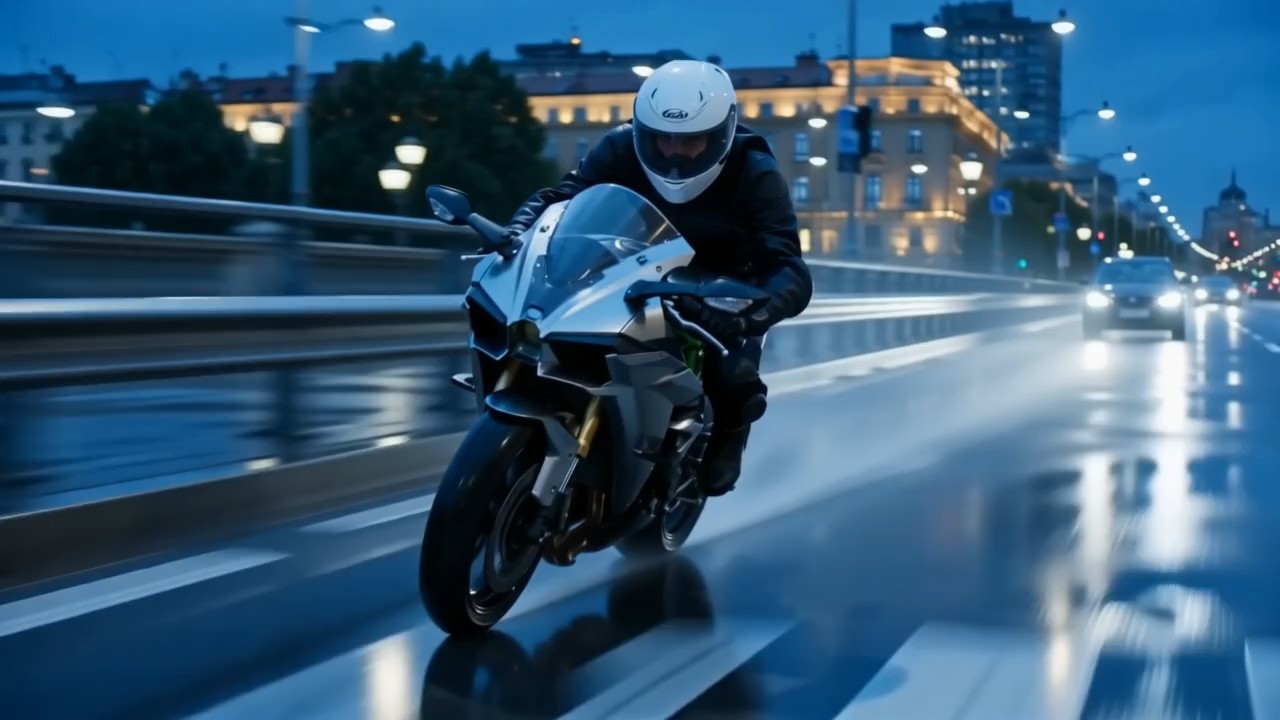
Cảnh quay bám theo điện ảnh với nhiều lớp chuyển động
Dùng mục này trong hướng dẫn prompt Wan 3.0 để phối hợp chuyển động chủ thể, camera bám theo, chuyển động tiền cảnh, chiều sâu hậu cảnh và thay đổi ánh sáng.
Với video Wan AI 3.0, hãy nêu chủ thể di chuyển về đâu, camera đi theo thế nào và yếu tố nào cần ổn định trong khung hình. Ví dụ video Wan kiểu này phù hợp với cảnh đi bộ điện ảnh, chuỗi cảnh du lịch, khoảnh khắc thể thao và cảnh mở đầu giàu chuyển động. Một prompt tốt cần cho hành động phần mở đầu, diễn tiến và kết thúc rõ ràng.
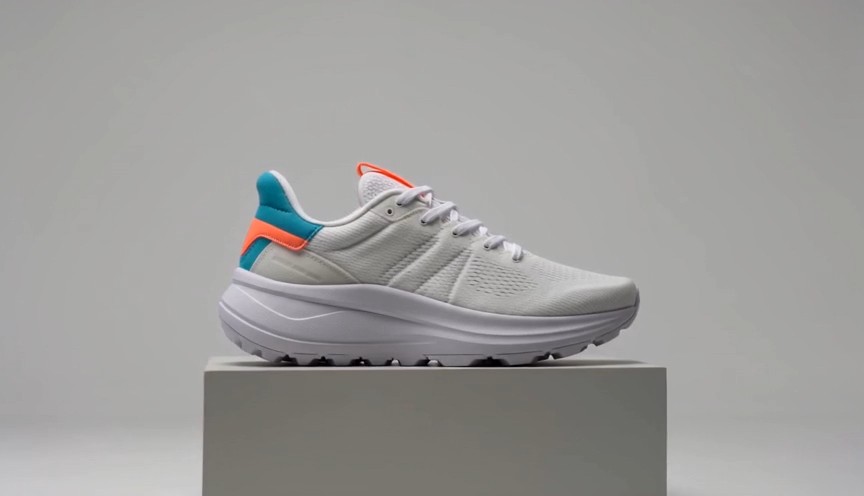
Quảng cáo sản phẩm với màn hé lộ có kiểm soát
Ví dụ trong hướng dẫn prompt Wan 3.0 này dành cho chuyển động sạch, tập trung vào sản phẩm và bố cục quảng cáo.
Hãy mô tả chất liệu, thứ tự hé lộ, đường đi của camera, phản xạ bề mặt, nền tối giản và khung hình chủ đạo cuối cùng cho video Wan AI 3.0. Các ví dụ video Wan có thể điều chỉnh cho mỹ phẩm, điện tử, thời trang, thực phẩm hoặc vật phẩm có thương hiệu. Hãy dùng các bước biến đổi cụ thể thay vì yêu cầu mơ hồ về một quảng cáo kịch tính.
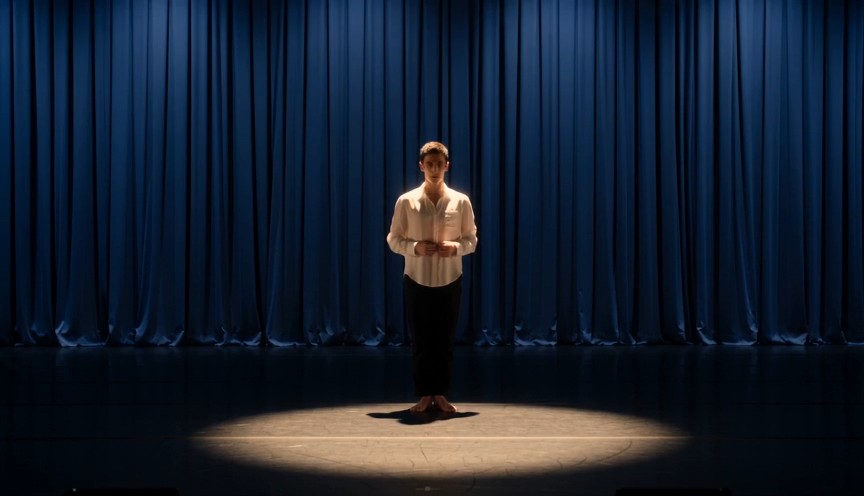
Diễn xuất nhân vật với các nhịp hành động rõ ràng
Chọn mục này trong hướng dẫn prompt Wan 3.0 khi ngôn ngữ cơ thể, biểu cảm, chuyển động và nhịp camera cần phối hợp với nhau.
Với video Wan AI 3.0, hãy xác định ai hành động, nhân vật làm gì trước, tư thế thay đổi ra sao và camera ở đâu. Các ví dụ video Wan này giúp lập kế hoạch clip thời trang, cảnh đời sống, khoảnh khắc kể chuyện ngắn và nội dung mạng xã hội. Giữ từng chuỗi hành động dễ theo dõi, không xếp chồng các sự kiện không liên quan.
Chuyển động camera cách điệu kèm biến đổi hình ảnh
Dùng quy trình trong hướng dẫn prompt Wan 3.0 này cho chuyển cảnh sáng tạo, chuyển động camera cách điệu hoặc biến đổi cảnh.
Một prompt video Wan AI 3.0 có thể tách chủ thể ổn định khỏi môi trường, ánh sáng, chất liệu hoặc góc máy đang thay đổi. Các ví dụ video Wan cho thấy cách mô tả rõ thứ tự biến đổi và bố cục cuối. Để có kết quả sạch hơn, hãy xác định điều gì thay đổi, điều gì giữ nguyên và cảnh kết thúc trông như thế nào.
Câu hỏi thường gặp về hướng dẫn prompt Wan 3.0
Tìm câu trả lời thực tế về hướng dẫn prompt Wan 3.0, cách điều chỉnh ví dụ video Wan, viết chỉ dẫn video Wan AI 3.0 rõ hơn, kiểm soát camera và tăng tính nhất quán của prompt.
Hướng dẫn prompt Wan 3.0 là thư viện tuyển chọn gồm các prompt sẵn sàng sao chép, đi kèm kết quả hình ảnh và ghi chú thực hành. Thư viện giúp người sáng tạo khám phá video Wan AI 3.0 qua những cấu trúc lặp lại cho chủ thể, môi trường, hành động, camera, ánh sáng, phong cách, nhịp điệu và giới hạn. Các ví dụ video Wan là điểm khởi đầu chứ không phải mẫu cố định, nên bạn có thể điều chỉnh từng prompt cho ý tưởng mới.
Có. Mọi mục trong hướng dẫn prompt Wan 3.0 đều được thiết kế để sao chép và tùy chỉnh. Mở quy trình video Wan AI 3.0 bằng nút thao tác, dán prompt rồi thay những chi tiết không phù hợp với chủ thể, cảnh, khung hình, chuyển động hoặc phong cách của bạn. Ví dụ video Wan hiệu quả nhất khi bạn giữ cấu trúc hữu ích và thay đổi các biến sáng tạo.
Hãy bắt đầu prompt video Wan AI 3.0 bằng chủ thể chính và bối cảnh, sau đó mô tả chuỗi hành động, vị trí hoặc chuyển động camera, phong cách hình ảnh, ánh sáng, bầu không khí và bố cục cuối. Hướng dẫn prompt Wan 3.0 nhóm các chỉ dẫn để prompt luôn dễ đọc. Xem nhiều ví dụ video Wan sẽ giúp bạn hiểu cách viết hướng dẫn chi tiết nhưng vẫn rõ ràng mà không lặp lại cùng một ý.
Mô tả camera qua quan hệ vật lý với chủ thể: khoảng cách ban đầu, góc, hướng, tốc độ, cách bám theo và khung hình kết thúc. Hướng dẫn prompt Wan 3.0 ưu tiên chuyển động rõ như tiến chậm, bám ngang, quay vòng, hạ từ trên cao hoặc theo chân bằng máy cầm tay. Các ví dụ cũng cho thấy cách kết nối chuyển động camera với hành động của chủ thể thay vì coi đó là hai yêu cầu riêng.
Với video Wan AI 3.0, hãy mô tả trước các chi tiết nhận diện ổn định, trang phục, thiết kế vật thể, môi trường và khung hình rồi mới thêm chuyển động. Dùng hướng dẫn prompt Wan 3.0 để tách chi tiết cố định khỏi hành động thay đổi. So sánh kết quả với ví dụ video Wan, sau đó tinh chỉnh chỉ dẫn nhỏ nhất còn chưa chắc chắn trước. Nhờ vậy, mỗi lần lặp sẽ dễ đánh giá hơn.
Có. Hướng dẫn prompt Wan 3.0 được xây dựng như một thư viện mở rộng dành cho người tạo video Wan AI 3.0. Các ví dụ video Wan mới có thể bao quát xu hướng hình ảnh, kỹ thuật camera, ý tưởng sản phẩm, cảnh nhân vật, định dạng mạng xã hội và hiệu ứng sáng tạo. Hãy quay lại hướng dẫn prompt Wan 3.0 khi bạn cần prompt mới để sao chép và thử nghiệm.
Cách người sáng tạo dùng hướng dẫn prompt Wan 3.0
Người sáng tạo trong quảng cáo, mạng xã hội, thiết kế chuyển động và sản xuất thương hiệu dùng hướng dẫn prompt Wan 3.0 để biến ý tưởng thành các prompt video Wan AI 3.0 có cấu trúc. Phản hồi của họ cho thấy ví dụ prompt hỗ trợ thử nghiệm nhanh hơn, định hướng sáng tạo rõ hơn và quy trình dễ lặp lại hơn.
Hướng dẫn prompt Wan 3.0 cho tôi một cấu trúc vững chắc trước khi bắt đầu thử video Wan AI 3.0. Các ví dụ video Wan giúp việc truyền đạt hướng camera và nhịp hành động dễ hơn nhiều.
Tôi dùng hướng dẫn prompt Wan 3.0 khi biến ý tưởng chiến dịch thành các khái niệm video Wan AI 3.0 ngắn. Các ví dụ video Wan giúp tôi đi từ bản tóm tắt thô đến một prompt thực sự có thể kiểm thử.
Điều hữu ích nhất trong hướng dẫn prompt Wan 3.0 là mỗi prompt video Wan AI 3.0 tách rõ chủ thể, chuyển động, camera và phong cách hình ảnh. Các ví dụ video Wan cũng rất dễ phối lại.
Với việc sản xuất nội dung mạng xã hội hằng ngày, hướng dẫn prompt Wan 3.0 tiết kiệm thời gian chuẩn bị. Tôi có thể sao chép một cấu trúc video Wan AI 3.0, thay vài chi tiết và nhanh chóng so sánh nhiều ví dụ.
Hướng dẫn prompt Wan 3.0 giúp tôi viết chỉ dẫn video Wan AI 3.0 có chủ đích hơn thay vì dựa vào những từ mô tả phong cách mơ hồ. Các ví dụ prompt rất hữu ích để thử nghiệm.
Tôi thích dùng hướng dẫn prompt Wan 3.0 cho cảnh sản phẩm và thương hiệu. Mỗi ví dụ video Wan AI 3.0 cho tôi điểm khởi đầu hữu ích, còn các ví dụ prompt giúp quá trình lặp có hệ thống hơn.





Bạn có thể tạo gì với video Wan AI 3.0
Dùng hướng dẫn prompt Wan 3.0 để khám phá ý tưởng nhanh và thử prompt theo quy trình lặp lại. Các ví dụ bao quát mục tiêu video phổ biến nhưng vẫn dành chỗ cho nhiều thương hiệu, câu chuyện, chủ thể, phong cách hình ảnh và định dạng. Mỗi ý tưởng video Wan AI 3.0 có thể được sao chép, tùy chỉnh, tạo, so sánh và tinh chỉnh.

Cảnh điện ảnh
Tạo cảnh video Wan AI 3.0 giàu không khí với chuyển động camera có kiểm soát, hành động vật lý, chiều sâu môi trường, thay đổi ánh sáng và khung hình kết thúc rõ ràng. Hướng dẫn prompt Wan 3.0 giúp sắp xếp ý tưởng phức tạp, còn ví dụ prompt cho thấy vai trò của từng chỉ dẫn trong chuỗi cảnh.

Quảng cáo và video sản phẩm
Tạo cảnh hé lộ sản phẩm, cận cảnh chất liệu, hiệu ứng biến đổi, quảng cáo phong cách sống và clip mạng xã hội có thương hiệu bằng video Wan AI 3.0. Dùng hướng dẫn prompt Wan 3.0 để xác định thứ tự trình bày, cách camera hoạt động và khung hình chủ đạo, rồi tùy chỉnh ví dụ theo sản phẩm của bạn.

Nội dung nhân vật và phong cách sống
Lập kế hoạch cảnh thời trang, khoảnh khắc đời thường, cảnh nhân vật biểu cảm và clip kể chuyện ngắn bằng video Wan AI 3.0. Hướng dẫn prompt Wan 3.0 giúp tách diện mạo, hành động, môi trường và hướng camera. Các ví dụ cung cấp cấu trúc tái sử dụng cho nhiều nhân vật và bối cảnh.

Chuyển cảnh sáng tạo và hiệu ứng mạng xã hội
Dùng video Wan AI 3.0 cho biến đổi cách điệu, vòng lặp hình ảnh, đổi khung hình kịch tính, chuyển cảnh siêu thực và ý tưởng mạng xã hội thu hút. Hướng dẫn prompt Wan 3.0 nhấn mạnh trình tự và bố cục cuối, còn các ví dụ giúp biến ý tưởng hiệu ứng thành chỉ dẫn tạo rõ ràng hơn.
Biến ví dụ video Wan thành video Wan AI 3.0 tiếp theo của bạn
Chọn một ý tưởng trong hướng dẫn prompt Wan 3.0, sao chép prompt, tùy chỉnh chi tiết sáng tạo và mở Pixomi AI Video Generator để tạo video Wan AI 3.0. Bắt đầu từ ví dụ có thể tái sử dụng, thử các biến thể và quay lại hướng dẫn prompt Wan 3.0 bất cứ khi nào bạn cần hướng đi mới.
