
Wan 3.0 Prompt-Leitfaden: KI-Video-Prompts
Entdecke den Wan 3.0 Prompt-Leitfaden mit kopierbaren Beispielen, Videoergebnissen, Kamerabewegungen, Audioideen, Kreativtipps und direkter Erstellung.
Beschreiben Sie Ihre Idee und lassen Sie die KI den perfekten Prompt für Sie erstellen
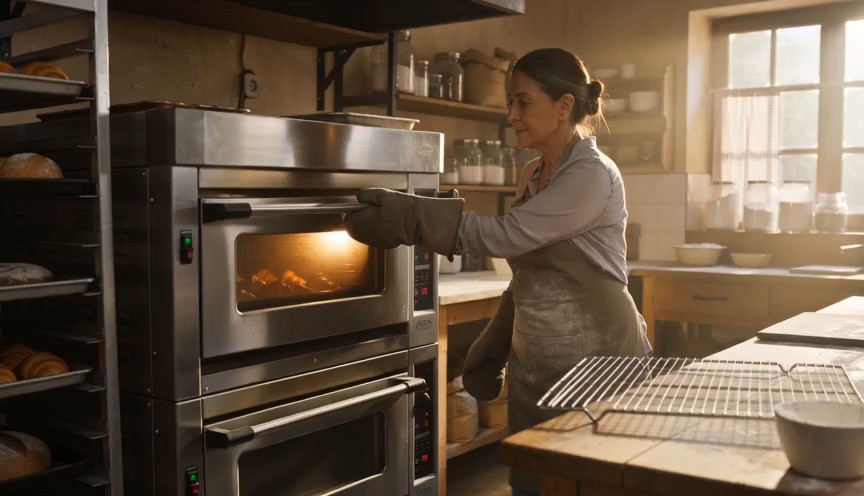
Create a warm, human bakery moment in three clear action beats. 0–3s: Medium-wide shot of a baker standing in front of
Create a warm, human bakery moment in three clear action beats. 0–3s: Medium-wide shot of a baker standing in front of an oven. Show the baker from head to knees, including both complete arms from shoulders to gloved hands. The baker opens the oven door and looks at a tray of baked croissants. 3–6s: The baker carefully removes the tray using both oven gloves and places it on a nearby metal cooling rack. 6–8s: Steam rises subtly from the croissants as the baker looks over the tray with a small, satisfied smile. Natural body mechanics, safe oven handling, stable face, correct fingers inside gloves, realistic heat and steam. No floating tray, isolated hands, extra arms, exaggerated steam, text or logos.
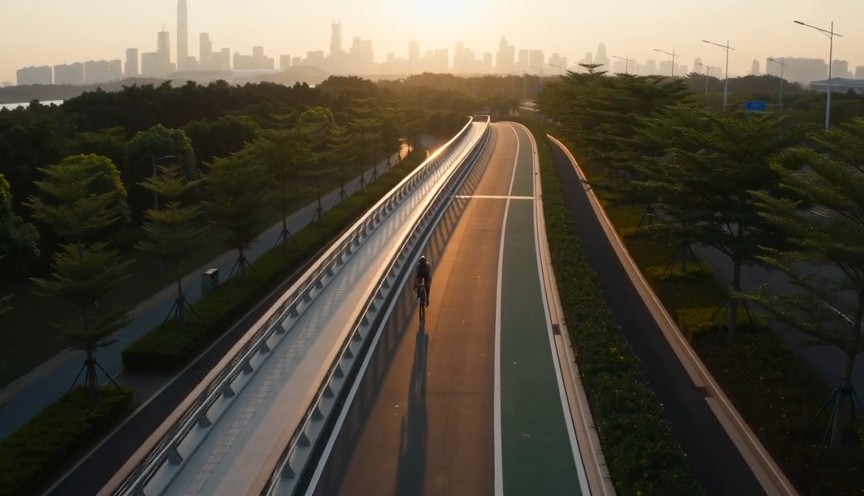
Create a fast but realistic four-shot cycling sequence. 0–2s: Low front three-quarter wide shot of an adult cyclist rid
Create a fast but realistic four-shot cycling sequence. 0–2s: Low front three-quarter wide shot of an adult cyclist riding through a protected city bike lane at sunrise. Show the complete rider, bicycle, helmet, torso, both arms connected naturally from shoulders to hands, and both legs operating the pedals. 2–4s: Side tracking shot at wheel height. The wheels rotate consistently and the cyclist’s pedaling cadence remains natural. 4–6s: Medium-wide shot as the cyclist passes close to the camera, with foreground railings creating fast parallax. 6–8s: High wide shot showing the cyclist continuing along the same lane. Sound: tire hum, chain movement and light city ambience. No riderless bicycle, disconnected hands, racing, stunts, traffic violations, body distortion, text or logos.
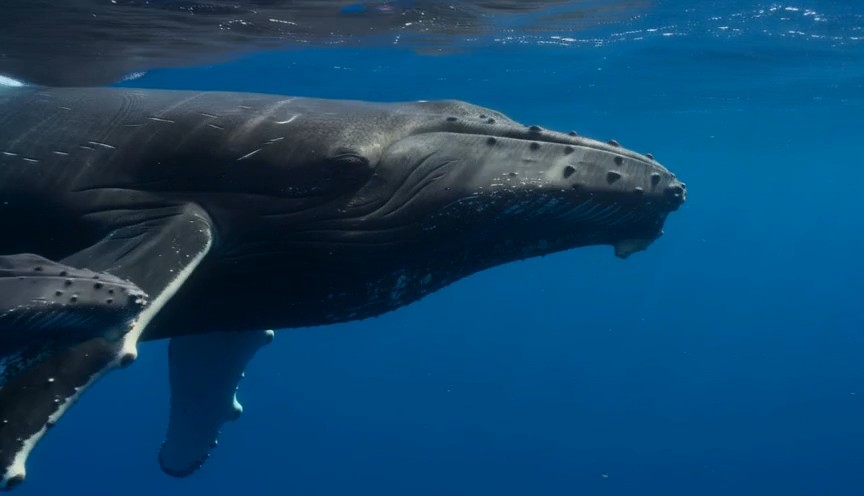
A calm natural-history underwater shot in clear tropical ocean water. 0–3 seconds: An adult humpback whale and its calf
A calm natural-history underwater shot in clear tropical ocean water. 0–3 seconds: An adult humpback whale and its calf swim into view from the left at a slow natural pace. 3–7 seconds: The camera glides parallel to them at a respectful distance. Sunbeams move naturally across their bodies while the calf remains close to the adult. 7–9 seconds: The calf gently rises a short distance toward the brighter surface while the adult continues forward below it. Accurate whale anatomy, realistic swimming mechanics, consistent scale, natural underwater color and suspended particles. No galaxy skin, glowing body, sudden size change, touching camera, text or logos.
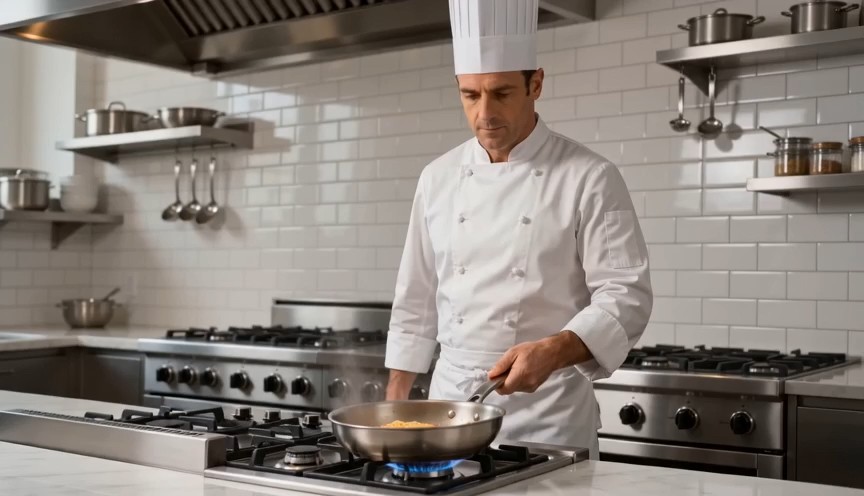
Create a bright restaurant food shot with one controlled cooking action. 0–2s: Medium-wide view of a professional chef
Create a bright restaurant food shot with one controlled cooking action. 0–2s: Medium-wide view of a professional chef standing at a stove. Show the chef from head to hips, with both complete arms visibly connected from shoulders to hands. One hand holds the pan handle; the other remains safely beside the body. 2–4s: The chef performs exactly one small forward-and-back pan motion, causing the pasta to rise a short distance and land back inside the same pan. 4–7s: Cut to a close-up as the chef places the pasta onto a white plate using metal tongs. Real cooking mechanics, modest pasta height, stable pan and natural steam. No floating pasta, endless tossing, isolated hands, leaking pan, oversized flames, extra utensils, text or logos.
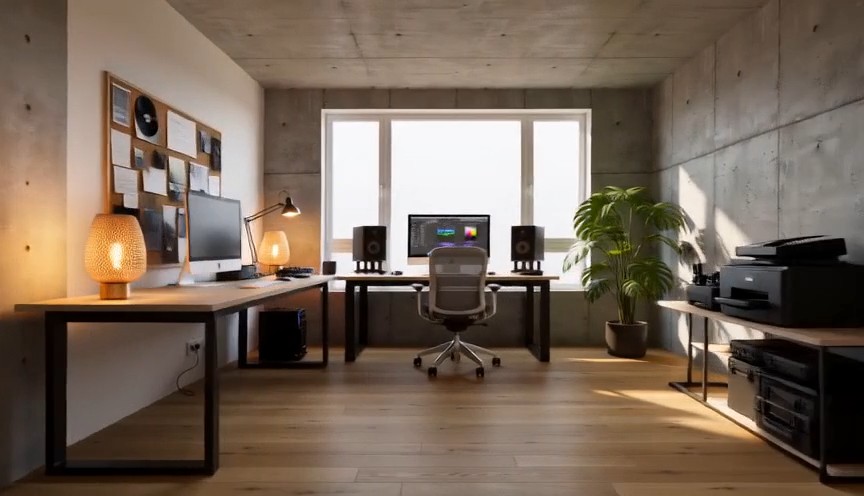
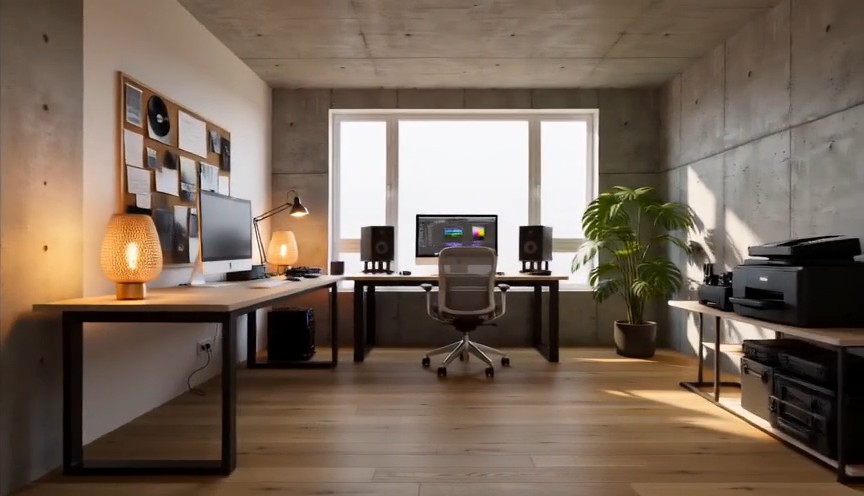
Create one continuous-looking lateral camera move through four realistic stages of the same room renovation. All changes
Create one continuous-looking lateral camera move through four realistic stages of the same room renovation. All changes occur through concealed match cuts. 0–2s: The camera moves slowly from left to right through an empty concrete room. Exposed walls, unfinished floor and one large window are clearly visible. At 2 seconds, a wide foreground column fully covers the frame. 2–4s: After the concealed cut, the same room has finished white walls and a natural oak floor but remains unfurnished. The camera continues at exactly the same speed. At 4 seconds, a second foreground column fully covers the frame. 4–6s: The same room now contains a desk, chair, shelving and ceiling lights, all resting naturally on fixed surfaces. At 6 seconds, a third foreground column fully covers the frame. 6–8s: The completed creative studio appears with warm lamps switched on, a plant beside the window and neatly arranged equipment. The camera settles into a wide final composition. Keep the window, walls, room dimensions and camera height identical. Renovation stages are separated by edits representing elapsed time. No furniture materializing in open view, floating objects, bending walls, spontaneous construction, people, readable screens, text or logos.
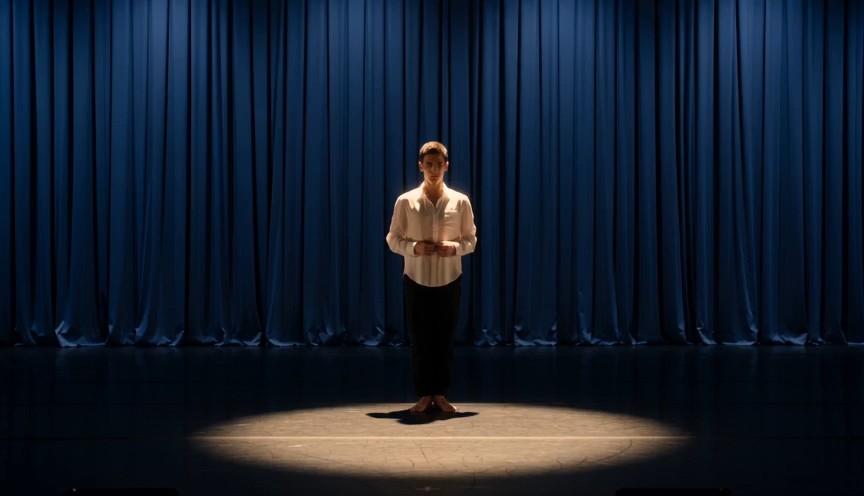
Create a single continuous full-body character-performance shot on a real theater stage. 0–2s: A contemporary dancer st
Create a single continuous full-body character-performance shot on a real theater stage. 0–2s: A contemporary dancer stands just outside a circular spotlight, visibly nervous but composed. Show the complete performer from head to shoes, with both arms naturally connected from shoulders to hands. 2–4s: The dancer hears one clear musical cue, takes a controlled breath and steps forward twice into the center of the light. 4–7s: The dancer performs one smooth 360-degree turn with both feet maintaining believable contact with the stage, then extends both arms into a balanced final pose. 7–8s: Hold the finished pose while the dancer’s clothing settles naturally. Warm spotlight, dark blue stage curtains, restrained facial acting, realistic body mechanics and fabric movement. No floating limbs, cropped hands, extra fingers, impossible rotation, duplicated performer, costume change, text or logos.
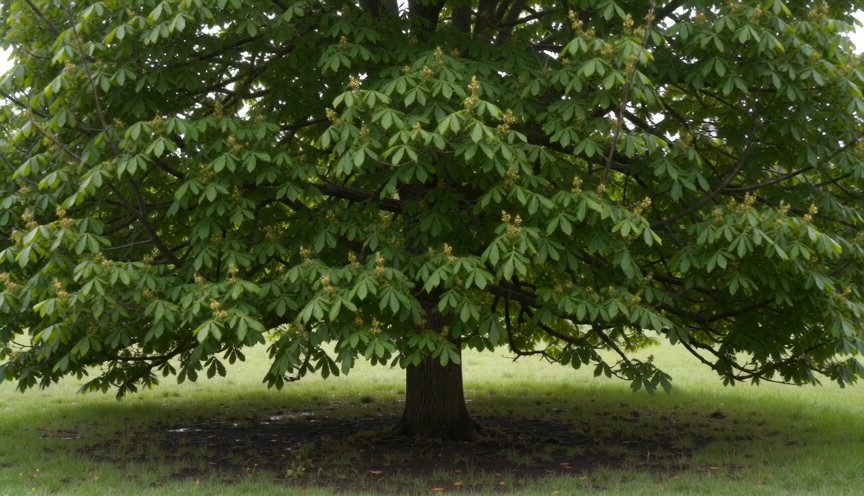
Create four locked-camera seasonal shots of the same mature deciduous tree, joined by clean hard cuts. 0–2s — spring: S
Create four locked-camera seasonal shots of the same mature deciduous tree, joined by clean hard cuts. 0–2s — spring: Sparse fresh green leaves, visible buds, damp grass and soft spring daylight. 2–4s — summer: The same tree has a dense canopy of mature green leaves. The trunk and branches remain identical. 4–6s — autumn: The canopy is thinner, with yellow and amber leaves. Several fallen leaves rest on the ground. 6–8s — winter: The same tree is completely leafless. All major branches are visible, with light snow on the ground and upper branch surfaces. Identical camera position, tree species, trunk, scale and framing. Seasonal changes occur only at cuts. Absolutely no leaves in winter, no snow on a summer canopy, no open-frame morphing, people, text or logos.
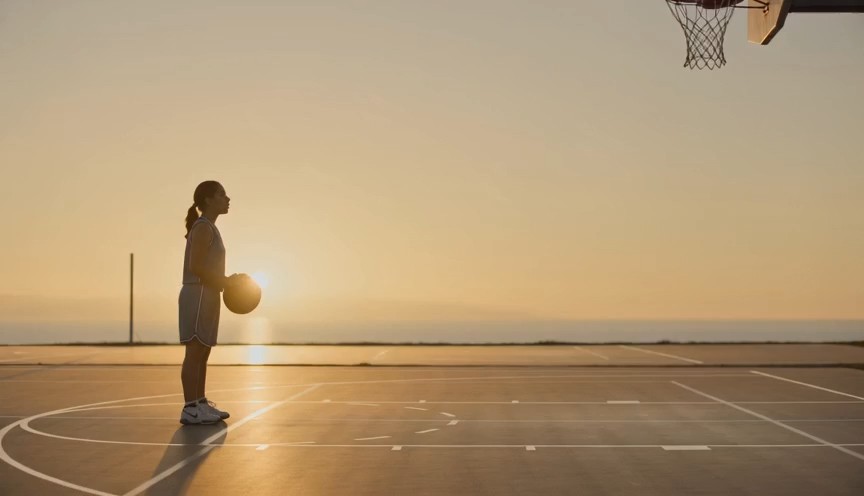
Create a realistic three-shot basketball sequence in a sunlit outdoor court. 0–2s: Full-body side view of one adult pla
Create a realistic three-shot basketball sequence in a sunlit outdoor court. 0–2s: Full-body side view of one adult player standing at the free-throw line. Show the complete body, both arms connected from shoulders to hands, both feet and the full basketball. 2–5s: The player bends the knees, raises the ball with both hands and releases one controlled free throw. The camera tilts upward to follow the ball. 5–7s: Cut to a close three-quarter view of the hoop as the same ball passes cleanly through the net and bounces once beneath it. Natural shooting mechanics, real gravity and consistent ball size. No extra ball, disconnected hands, changing uniform, impossible jump, altered hoop, text or logos.
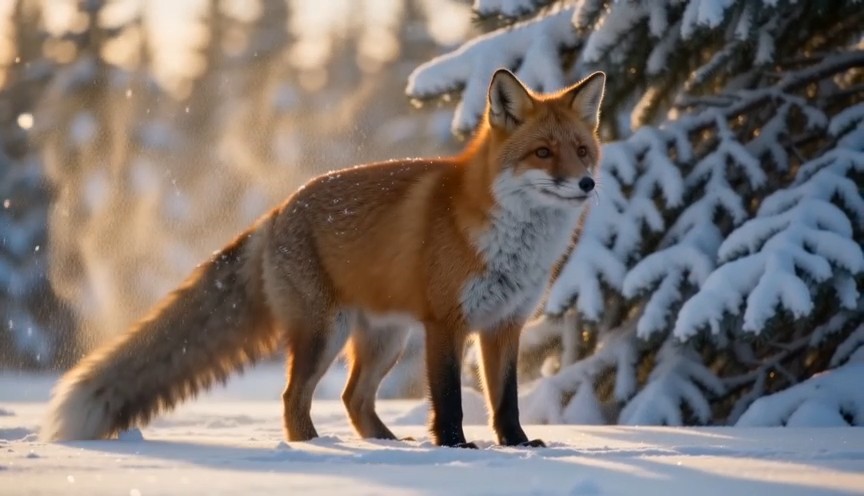
Create a natural wildlife shot at the edge of a snowy forest in soft morning light. 0–2s: A healthy red fox walks out f
Create a natural wildlife shot at the edge of a snowy forest in soft morning light. 0–2s: A healthy red fox walks out from behind a pine tree. Show its complete body, four legs and full tail. 2–5s: The fox stops and performs one natural full-body shake, dislodging a small amount of loose snow from its fur. 5–8s: It raises its ears, looks briefly toward an off-camera sound and then continues walking across the snow. Locked telephoto camera with a gentle focus adjustment, realistic fox anatomy, footprints and winter coat movement. Snow falls downward under gravity. No duplicated legs, oversized tail, human expression, glowing eyes, attacking camera, text or logos.
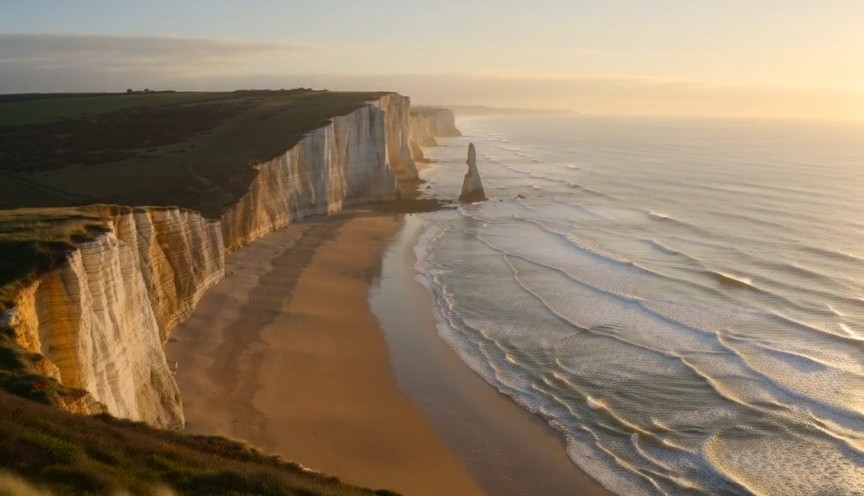
Create one continuous drone reveal over a real coastal landscape at golden hour. 0–3s: The drone moves forward at low a
Create one continuous drone reveal over a real coastal landscape at golden hour. 0–3s: The drone moves forward at low altitude behind a grass-covered dune. Only the dune and moving coastal grass are visible. 3–6s: The drone rises gradually above the dune, revealing a wide beach, limestone cliffs and ocean waves approaching the shore. 6–8s: The drone continues forward and holds the complete coastline in a balanced wide composition. Real wind direction, natural wave cycles, stable horizon and plausible drone movement. The reveal comes only from rising above the dune. No land transforming, reversed waves, floating rocks, artificial portals, people, text or logos.
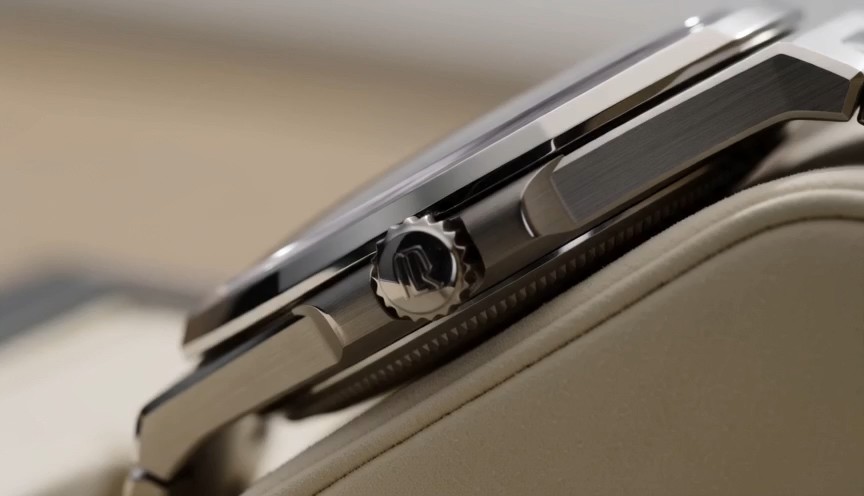
Create one uninterrupted macro product shot of a mechanical wristwatch secured upright on a cream display stand. 0–2s:
Create one uninterrupted macro product shot of a mechanical wristwatch secured upright on a cream display stand. 0–2s: Begin on the polished crown and brushed-steel case. The crown and case remain completely stationary. 2–4s: The camera slides slowly across the crystal, bringing the dial and moving second hand into focus. The second hand advances at a consistent mechanical rate. 4–6s: The camera settles into a centered view of the entire watch face while soft daylight reveals the metal texture. Only the second hand and visible internal mechanism may move. Accurate circular geometry, stable markings and realistic reflections. No melting metal, changing dial, duplicated hands, floating components, liquid, text outside the watch face or logos.
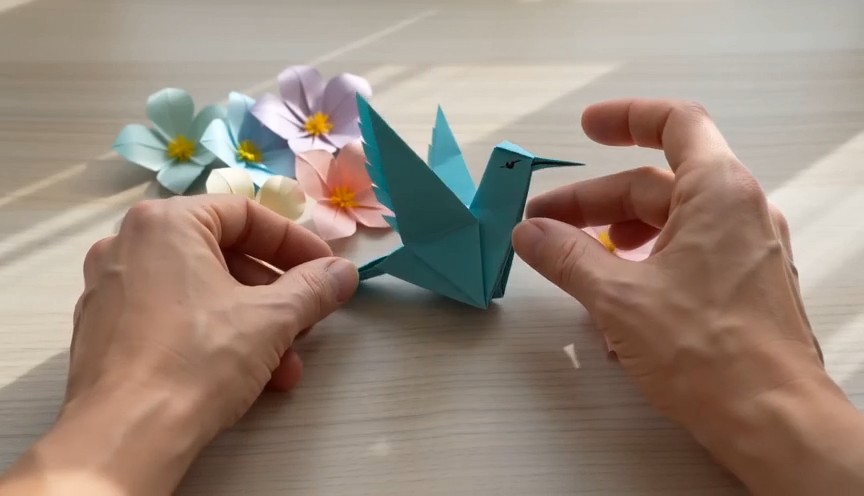
A tactile overhead craft video filmed beside a bright window. 0–2 seconds: Two real human hands place a square sheet of
A tactile overhead craft video filmed beside a bright window. 0–2 seconds: Two real human hands place a square sheet of turquoise paper flat on a pale wooden table and make the first fold. 2–6 seconds: A series of three clean match cuts shows the same hands completing progressively later folding stages. The paper remains the same color, size and material throughout. 6–8 seconds: The hands place the completed origami hummingbird upright beside several paper flowers and move out of frame. Real paper folds, anatomically correct hands, deliberate editing rather than magical self-folding, soft daylight. No floating paper, spontaneous transformation, moving paper bird, extra fingers, text or logos.
Wan AI 3.0 Video-Prompt-Leitfaden mit Wan-Videobeispielen
Wan AI 3.0 Videos entdecken, kopieren, anpassen und erstellen
Der Wan 3.0 Prompt-Leitfaden ist eine praktische Prompt-Bibliothek für Kreative, die Wan AI 3.0 Videos erkunden möchten, ohne jede Idee von Grund auf neu zu formulieren. Entdecke Wan-Videobeispiele für filmische Szenen, Produktwerbung, Figurenaktionen, Kamerabewegungen, stilisierte Bilder und kurze Geschichten. Jeder Wan AI 3.0 Videoeintrag verbindet eine wiederverwendbare Prompt-Struktur mit einer Effektvorschau. So kannst du den Text kopieren, Motiv, Umgebung, Handlung, Objektiv, Licht und Stimmung austauschen und ein neues Ergebnis testen. Der Wan 3.0 Prompt-Leitfaden wird laufend um neue Beispiele und Einsatzmöglichkeiten ergänzt.
So verwendest du den Wan 3.0 Prompt-Leitfaden
Verwandle Inspiration in drei einfachen Schritten in einen testbaren Wan AI 3.0 Video-Prompt. Der Wan 3.0 Prompt-Leitfaden verbindet jede kreative Idee mit kopierfertigen Wan-Videobeispielen. So lernst du die Prompt-Struktur kennen, passt Details an und startest schneller mit der Wan AI 3.0 Videogenerierung.

Ein Wan-Videobeispiel ansehen
Durchsuche den Wan 3.0 Prompt-Leitfaden nach Szenentyp, Kameraverhalten, Motivaktion, Bildstil, Beleuchtung oder Kreativziel. Sieh dir passende Wan-Videobeispiele an und wähle einen Wan AI 3.0 Video-Prompt, der zu deinem gewünschten Ergebnis passt.

Kopieren und anpassen
Kopiere den vollständigen Prompt aus dem Wan 3.0 Prompt-Leitfaden und ändere Motiv, Ort, Bildausschnitt, Bewegung, Objektiv, Atmosphäre, Timing oder Stil. Die Wan-Videobeispiele sind als wiederverwendbare Strukturen angelegt, sodass aus jeder Wan AI 3.0 Videoidee eine neue eigene Variante entstehen kann.

Wan AI 3.0 Video öffnen und erstellen
Öffne über die Schaltfläche den Pixomi AI Video Generator, wähle Wan AI 3.0 Video, füge den ausgewählten Prompt ein und prüfe die Generierungseinstellungen. Vergleiche das Ergebnis mit den Wan-Videobeispielen, verfeinere jeweils nur eine Anweisung und kehre für weitere Ideen zum Wan 3.0 Prompt-Leitfaden zurück.
Wan-Videobeispiele für Wan AI 3.0 Video-Workflows
Dieser Wan 3.0 Prompt-Leitfaden ordnet wiederverwendbare Ideen nach praktischen Zielen der Videoproduktion. Die Wan-Videobeispiele zeigen, wie Motivdetails, Handlungsfolge, Kamerasprache, Licht, Umgebung, Timing und Vorgaben in einem Wan AI 3.0 Video-Prompt zusammenspielen. Kopiere ein Beispiel, bewahre die hilfreiche Struktur und ersetze die kreativen Variablen.
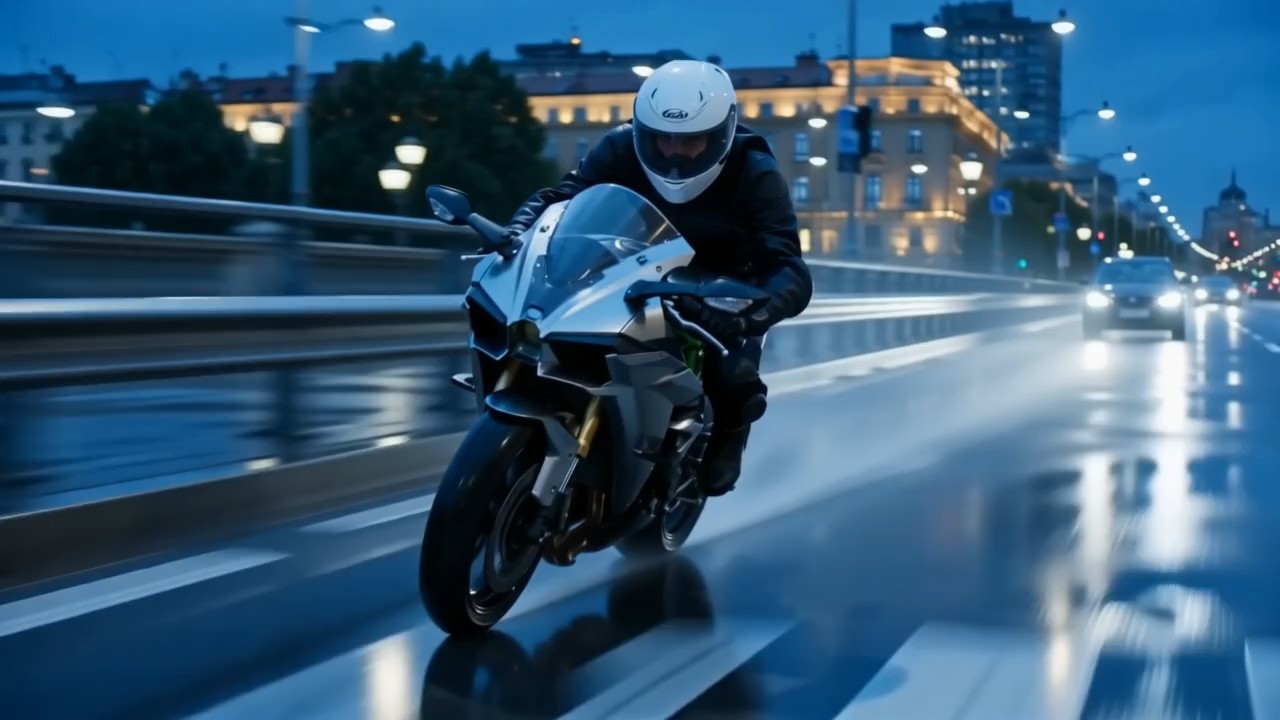
Filmische Kamerafahrt mit gestaffelter Bewegung
Nutze diesen Eintrag im Wan 3.0 Prompt-Leitfaden, um Motivbewegung, Kamerafahrt, Vordergrundbewegung, Hintergrundtiefe und Lichtwechsel aufeinander abzustimmen.
Gib für Wan AI 3.0 Video an, wohin sich das Motiv bewegt, wie die Kamera folgt und was im Bild stabil bleiben soll. Solche Wan-Videobeispiele eignen sich für filmische Gehaufnahmen, Reisesequenzen, Sportszenen und dynamische Einführungsaufnahmen. Ein starker Wan AI 3.0 Video-Prompt gibt der Handlung einen klaren Anfang, Mittelteil und Schluss.
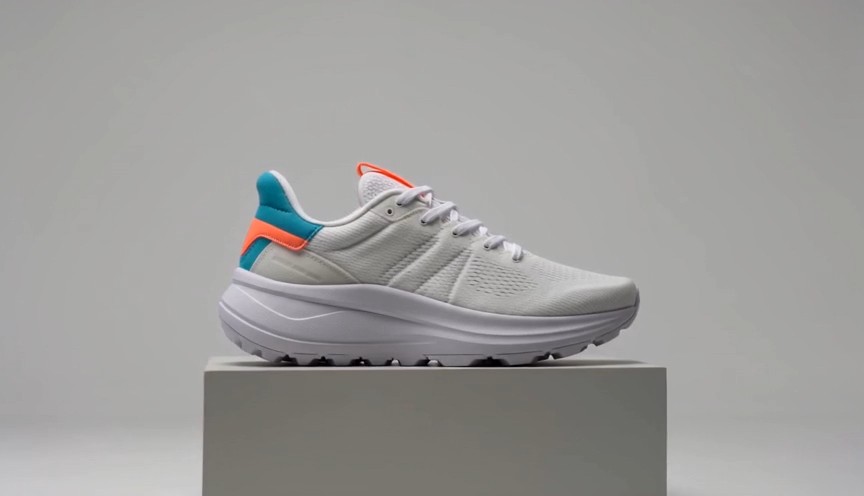
Produktspot mit kontrollierter Enthüllung
Dieses Beispiel aus dem Wan 3.0 Prompt-Leitfaden ist auf saubere, produktbezogene Bewegung und Werbekomposition ausgelegt.
Beschreibe für Wan AI 3.0 Video Material, Reihenfolge der Enthüllung, Kamerapfad, Oberflächenreflexionen, einen ruhigen Hintergrund und das abschließende Schlüsselbild. Wan-Videobeispiele lassen sich für Kosmetik, Elektronik, Mode, Lebensmittel oder Markenobjekte anpassen. Verwende konkrete Transformationsschritte statt einer vagen Bitte um einen dramatischen Werbespot.
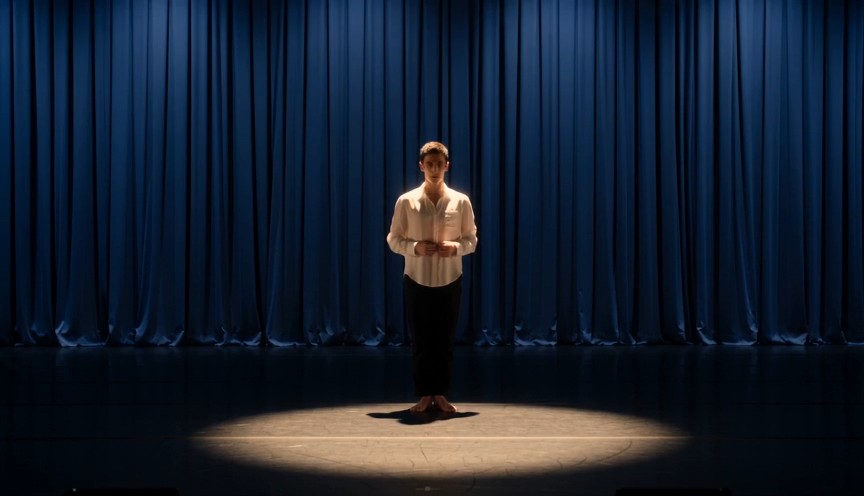
Figurenspiel mit klaren Handlungsschritten
Wähle diesen Eintrag im Wan 3.0 Prompt-Leitfaden, wenn Körpersprache, Ausdruck, Bewegung und Kameratiming zusammenspielen müssen.
Lege für Wan AI 3.0 Video fest, wer handelt, was die Figur zuerst tut, wie sich ihre Pose verändert und wo die Kamera steht. Diese Wan-Videobeispiele helfen bei Modeclips, Lifestyle-Szenen, kurzen Erzählmomenten und Social-Media-Inhalten. Halte jede Handlungsfolge gut lesbar, statt unzusammenhängende Ereignisse zu stapeln.
Stilisierte Kamerabewegung mit visueller Transformation
Nutze diesen Ablauf aus dem Wan 3.0 Prompt-Leitfaden für kreative Übergänge, stilisierte Kamerabewegungen oder Szenentransformationen.
Ein Wan AI 3.0 Video-Prompt kann das stabile Motiv klar von einer veränderlichen Umgebung, Beleuchtung, Textur oder Kameraperspektive trennen. Wan-Videobeispiele zeigen, wie sich Reihenfolge und Schlusskomposition eindeutig beschreiben lassen. Definiere für sauberere Ergebnisse, was sich ändert, was fest bleibt und wie die letzte Einstellung aussehen soll.
Häufige Fragen zum Wan 3.0 Prompt-Leitfaden
Hier findest du praktische Antworten zum Wan 3.0 Prompt-Leitfaden, zum Anpassen von Wan-Videobeispielen, zu klareren Wan AI 3.0 Video-Anweisungen, Kamerabewegungen und konsistenten Prompts.
Der Wan 3.0 Prompt-Leitfaden ist eine kuratierte Sammlung kopierfertiger Prompts mit visuellen Ergebnissen und praktischen Hinweisen. Er hilft Kreativen, Wan AI 3.0 Video anhand wiederholbarer Strukturen für Motiv, Umgebung, Handlung, Kamera, Licht, Stil, Timing und Vorgaben zu erkunden. Die Wan-Videobeispiele sind Ausgangspunkte statt starrer Vorlagen und lassen sich an neue Ideen anpassen.
Ja. Jeder Eintrag im Wan 3.0 Prompt-Leitfaden kann kopiert und angepasst werden. Öffne über die Schaltfläche einen Wan AI 3.0 Video-Workflow, füge den Prompt ein und ersetze Details, die nicht zu Motiv, Szene, Ausschnitt, Bewegung oder Stil passen. Wan-Videobeispiele funktionieren am besten, wenn du die nützliche Struktur beibehältst und die kreativen Variablen änderst.
Beginne einen Wan AI 3.0 Video-Prompt mit Hauptmotiv und Umgebung. Beschreibe danach Handlungsfolge, Kameraposition oder -bewegung, Bildstil, Beleuchtung, Atmosphäre und Schlusskomposition. Der Wan 3.0 Prompt-Leitfaden gruppiert Anweisungen, damit der Prompt übersichtlich bleibt. Mehrere Wan-Videobeispiele zeigen, wie detaillierte Anweisungen klar bleiben, ohne dieselbe Idee zu wiederholen.
Beschreibe die Kamera über ihre räumliche Beziehung zum Motiv: Startabstand, Winkel, Richtung, Geschwindigkeit, Tracking-Verhalten und Schlussbild. Der Wan 3.0 Prompt-Leitfaden bevorzugt klare Bewegungen wie langsame Annäherung, seitliches Tracking, Umkreisung, Absenken aus der Vogelperspektive oder Verfolgung aus der Hand. Die Beispiele zeigen auch, wie Kamerabewegung und Motivaktion miteinander verbunden werden.
Beschreibe für Wan AI 3.0 Video zuerst stabile Identitätsmerkmale, Kleidung, Objektdesign, Umgebung und Bildausschnitt, bevor du Bewegung hinzufügst. Trenne mit dem Wan 3.0 Prompt-Leitfaden feste Details von wechselnden Aktionen. Vergleiche das Ergebnis mit Wan-Videobeispielen und verfeinere zuerst die kleinste unsichere Anweisung. So lässt sich jede Iteration leichter bewerten.
Ja. Der Wan 3.0 Prompt-Leitfaden ist als wachsende Bibliothek für Wan AI 3.0 Video-Kreative gedacht. Neue Wan-Videobeispiele können aktuelle Bildtrends, Kameratechniken, Produktideen, Figurenszenen, Social-Media-Formate und kreative Effekte abdecken. Kehre zum Wan 3.0 Prompt-Leitfaden zurück, wenn du einen neuen Prompt zum Kopieren und Testen suchst.
So nutzen Kreative den Wan 3.0 Prompt-Leitfaden
Kreative aus Werbung, Social Media, Motion Design und Markenproduktion nutzen den Wan 3.0 Prompt-Leitfaden, um Ideen in strukturierte Wan AI 3.0 Video-Prompts zu verwandeln. Ihr Feedback zeigt, wie Prompt-Beispiele schnellere Tests, eine klarere kreative Richtung und besser wiederholbare Workflows ermöglichen.
Der Wan 3.0 Prompt-Leitfaden gibt mir eine verlässliche Struktur, bevor ich einen Wan AI 3.0 Video-Test starte. Mit den Wan-Videobeispielen lassen sich Kameraregie und Handlungstiming viel leichter vermitteln.
Ich nutze den Wan 3.0 Prompt-Leitfaden, um Kampagnenideen in kurze Wan AI 3.0 Videokonzepte zu verwandeln. Die Wan-Videobeispiele bringen mich von einem groben Briefing zu einem Prompt, den ich tatsächlich testen kann.
Am nützlichsten ist für mich, wie der Wan 3.0 Prompt-Leitfaden in jedem Wan AI 3.0 Video-Prompt Motiv, Bewegung, Kamera und Bildstil trennt. Die Wan-Videobeispiele lassen sich leicht neu kombinieren.
Bei der täglichen Social-Media-Produktion spart der Wan 3.0 Prompt-Leitfaden Vorbereitungszeit. Ich kopiere eine Wan AI 3.0 Videostruktur, ersetze einige Details und vergleiche schnell mehrere Wan-Videobeispiele.
Der Wan 3.0 Prompt-Leitfaden hilft mir, bewusstere Wan AI 3.0 Video-Anweisungen zu schreiben, statt mich auf vage Stilbegriffe zu verlassen. Die Prompt-Beispiele sind praktisch zum Experimentieren.
Ich nutze den Wan 3.0 Prompt-Leitfaden gern für Produkt- und Markenszenen. Jedes Wan AI 3.0 Videobeispiel bietet einen brauchbaren Ausgangspunkt, und die Prompt-Beispiele machen Iterationen systematischer.




Was du mit Wan AI 3.0 Video erstellen kannst
Nutze den Wan 3.0 Prompt-Leitfaden für schnelle kreative Erkundung und wiederholbare Prompt-Tests. Die Prompt-Beispiele decken gängige Videoziele ab und lassen Raum für verschiedene Marken, Geschichten, Motive, Bildstile und Formate. Jede Wan AI 3.0 Videoidee kann kopiert, angepasst, generiert, verglichen und verfeinert werden.

Filmische Szenen
Erstelle stimmungsvolle Wan AI 3.0 Videoszenen mit kontrollierter Kamerabewegung, physischer Aktion, räumlicher Tiefe, Lichtwechseln und einem klaren Schlussbild. Der Wan 3.0 Prompt-Leitfaden ordnet komplexe Ideen, während die Prompt-Beispiele zeigen, wie jede Anweisung zur Sequenz beiträgt.

Werbe- und Produktvideos
Erstelle Produktenthüllungen, Material-Nahaufnahmen, Transformationen, Lifestyle-Werbung und Social-Media-Clips für Marken mit Wan AI 3.0 Video. Definiere mit dem Wan 3.0 Prompt-Leitfaden Präsentationsreihenfolge, Kameraverhalten und Schlüsselbild und passe anschließend die Prompt-Beispiele an dein Produkt an.

Figuren- und Lifestyle-Inhalte
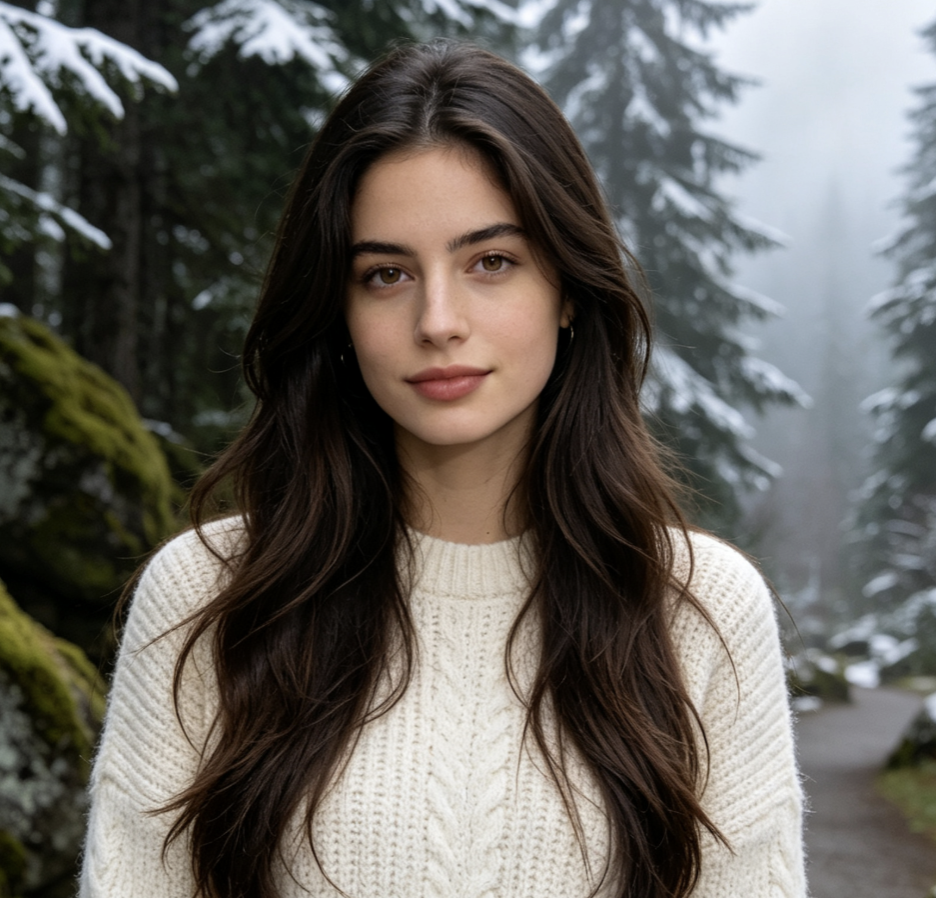
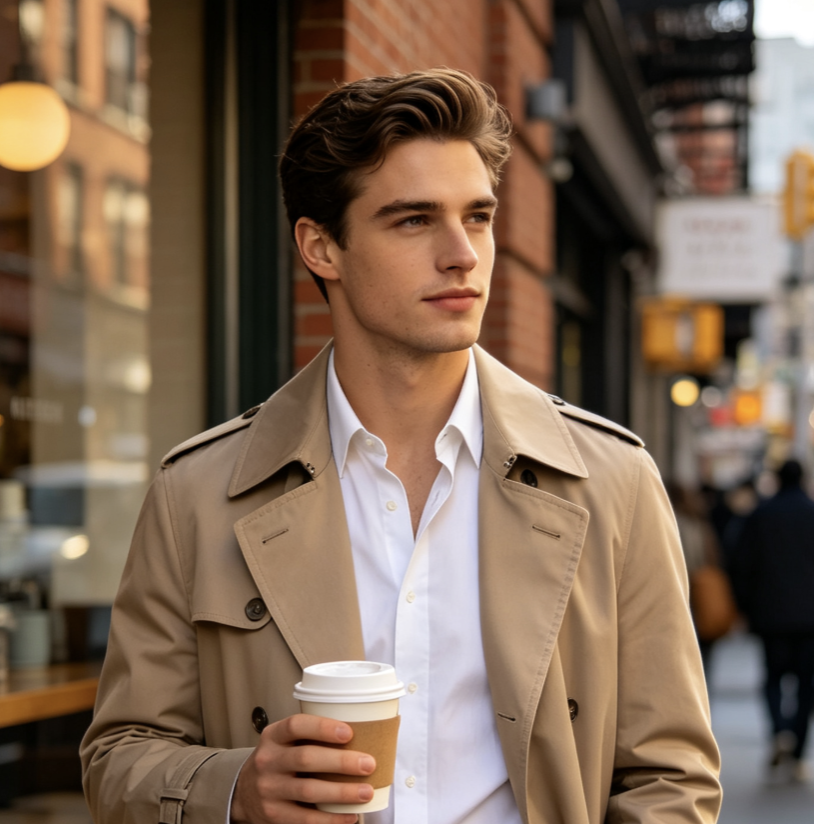
Plane Modeaufnahmen, Alltagsszenen, ausdrucksstarke Figuren und kurze Erzählclips mit Wan AI 3.0 Video. Der Wan 3.0 Prompt-Leitfaden trennt Erscheinungsbild, Handlung, Umgebung und Kameraregie. Prompt-Beispiele liefern wiederverwendbare Strukturen für verschiedene Figuren und Schauplätze.

Kreative Übergänge und Social-Media-Effekte
Nutze Wan AI 3.0 Video für stilisierte Transformationen, visuelle Schleifen, dramatische Neurahmungen, surreale Übergänge und aufmerksamkeitsstarke Social-Media-Ideen. Der Wan 3.0 Prompt-Leitfaden betont Ablauf und Schlusskomposition; Prompt-Beispiele machen aus einer Effektidee klarere Generierungsanweisungen.
Mach aus Wan-Videobeispielen dein nächstes Wan AI 3.0 Video
Wähle eine Idee aus dem Wan 3.0 Prompt-Leitfaden, kopiere den Prompt, passe die kreativen Details an und öffne den Pixomi AI Video Generator, um ein Wan AI 3.0 Video zu erstellen. Beginne mit wiederverwendbaren Prompt-Beispielen, teste Varianten und kehre zum Wan 3.0 Prompt-Leitfaden zurück, sobald du eine neue Richtung brauchst.
