
超リアルな映画のようなビデオ。アップロードされた人物を、高級な映画祭ガラでの夜の高級レッドカーペットを歩く華やかなセレブリティに変身させる。アップロードされた人物の顔の同一性、顔の構造、目の形、肌の色調、年齢、認識可能な特徴を維持する。人物を別のセレブリティに変えないでください。エレガントなレッドカーペットメイク、磨かれた肌の質感、洗練されたヘアスタイル、ダイヤモンドのイヤリング、そして人物に自然にフィットする洗練された黒のクチュールイブニングガウンまたは高級フォーマルな服装を追加してください。 シーンは、群衆の後ろから手持ちiPhoneで撮影された、本物のファンが撮影したパパラッチ映像のように感じられる。わずかなカメラの揺れ、オートフォーカスの呼吸、フラッシュブルーム、浅い被写界深度、リアルなモーションブラー、自然な群衆の動き、高級ハリウッドプレミアの雰囲気、カンヌ国際映画祭の美学、レッドカーペットのバリア、携帯電話を持つファン、光沢のあるサイン入り写真、パパラッチカメラ、明るいフラッシュライト、輝くレッドカーペット、背景の壮大な階段。 0〜3秒:アップロードされた人物は、華やかなレッドカーペットのセレブリティとしてスタイリングされ、レッドカーペット上のファンに向かってゆっくりと歩きます。パパラッチのフラッシュが周囲で爆発します。黒いスーツを着た、坊主頭で髭を生やした警備員が、彼らの隣を保護するように歩き、群衆を優しく押し戻します。手持ちカメラは興奮した群衆を通り抜け、人物の顔を捉えようとします。人物はエレガントで、自信に満ち、わずかに神秘的で、注目を自然に意識しています。 3〜5秒:銀色のバリアの近くでクローズアップ。人物は黒いマーカーで光沢のある写真にサインします。アップロードされた顔を高度に認識できるように保ちます。サイン中は下を向き、その後、柔らかいセレブリティの笑顔でカメラに一瞬目を向けます。ファンは携帯電話や写真を差し出し、フラッシュが肌や服装に反射し、リアルな手の動き、自然な表情、過度な美化なし。 5〜7秒:人物は優雅にファンから離れて向きを変え、輝く赤い階段と明るい頭上の照明がある壮大な階段に向かって歩きます。クチュール衣装は、一歩ごとに自然に動きます。警備員は近くの人々を後方に誘導します。手持ちカメラは、わずかな揺れとズーム調整を伴って、群衆の後ろから追従します。 7〜9秒:階段で、人物は突然カメラの方を向き直し、象徴的なレッドカーペットのポーズをとります。片手を腰に当て、カメラと直接アイコンタクト、落ち着いた表情、わずかに開いた唇、自信に満ちたセレブリティのオーラ。パパラッチのフラッシュが激しく周囲で爆発します。最後の瞬間は、バイラルになったファンカメラのレッドカーペットクリップのように感じられます。 スタイル:生のパパラッチリアリズム、本物のファンカメラ映像、高級ガラ雰囲気、映画のようなレッドカーペット照明、リアルな肌の質感、自然な体の動き、エレガントなセレブリティの神秘性、Vogueエディトリアルエネルギー、浅い被写界深度、リアルな群衆の音声感、手持ちiPhone映像、スナップショットだが華やか。 ネガティブプロンプト:アップロードされた人物の同一性を変更しない、別のセレブリティの顔を作成しない、プラスチックのような肌にしない、アニメスタイルにしない、カートゥーンスタイルにしない、ビューティーフィルターの顔にしない、目を大きくしない、V字型の顎にしない、非現実的な体のプロポーションにしない、ぎこちない歩き方にしない、固まった手にしない、歪んだ指にしない、歪んだ顔にしない、顔を複製しない、余分な手足にしない、過度のぼかしにしない、低品質のCGIにしない、過度に滑らかな肌にしない、偽のスタジオ撮影の外観にしない。
Veo 3プロンプト:AI動画プロンプトガイド
コピペ可能なVeo 3プロンプト、プレビュー、例を探索。実用的なVeo 3プロンプトガイドで、映画のようなAI動画をより速く作成。
アイデアを説明して、AIに最適なプロンプトを作成してもらいましょう
映画のようなAI動画アイデアのためのVeo 3プロンプトライブラリ
Pixomi AIでVeo向けのアイデアをより速くコピー、テスト、公開できます。
Pixomi AIは、より強いシーン、より明確なカメラ指示、より豊かな音声アイデア、より速い動画結果を求めるクリエイターのために作られた、定期更新のVeo 3プロンプトライブラリを提供します。このVeo 3プロンプトガイドは、あいまいなアイデアから、コピーしてすぐ使えるプロンプトへ進むのに役立ちます。ビジュアル例、エフェクトプレビュー、直接作成できるボタンも用意されています。Veo 3向けプロンプトを閲覧し、気に入ったものをコピーしてPixomi AIを開き、次のショートフィルム、商品クリップ、SNS広告、映画的なシーンを完成したAI動画に変えましょう。実用的なインスピレーションをすばやく得たいクリエイター向けに、新しいVeo 3プロンプトが追加されます。
このVeo 3プロンプトガイドの使い方
このVeo 3プロンプトガイドは、ワークフローをシンプルに保ちます。Veo 3プロンプトから選び、エフェクトプレビューを確認し、テキストをコピーしてからPixomi AI内で生成します。各プロンプトは、明確な被写体、設定、カメラモーション、照明、音、スタイルを備えた一つの焦点ある瞬間を描写するように書かれています。その結果、日常的な制作に使いやすい実用的なVeo 3プロンプト集になります。

Veo 3プロンプトライブラリを閲覧
まずは目的に合うカテゴリから始めましょう。映画的なVeo 3プロンプト、広告向けのVeo 3プロンプト、リアルなVeo 3プロンプト、またはVeo 3向けのシュールなプロンプトを探せます。このVeo 3プロンプトガイドの各項目は、作成前に視覚効果を理解できるように設計されています。

完成済みプロンプトをコピー
任意のプロンプトカードを開き、プレビューのメモを読み、全文をコピーします。これらのVeo 3プロンプトには、カメラアングル、被写体の動き、シーンの詳細、ムード、環境音、セリフの方向性、スタイル参照が含まれています。Veo 3向けプロンプトは、抽象的な理論ではなく、直接テストできるように書かれています。

生成してプレビュー
ボタンをクリックしてPixomi AIへ移動し、プロンプトを貼り付けます。Veo 3プロンプトガイドは構造化された出発点を提供し、Pixomi AIはバリエーションのプレビュー、結果の比較、動きの調整をサポートします。複数のVeo 3プロンプトをテストして、最も強いビジュアルを見つけましょう。

ダウンロードして共有
動画が理想の見た目になったら、ダウンロードしてSNS投稿、広告、ランディングページ、商品デモ、ストーリーボードで共有できます。お気に入りのVeo 3プロンプトを保存し、このVeo 3プロンプトガイドを再訪し、ライブラリが増えるたびに新しいVeo 3向けプロンプトを試し続けましょう。
今日コピーできる注目のVeo 3プロンプト
これらのVeo 3プロンプトを、インパクトのあるAI動画制作の出発点として使いましょう。このVeo 3プロンプトガイドは、一つの強いシーンを描写するVeo 3向けプロンプトに焦点を当てているため、結果がより明確で、よりシャープで、よりコントロールしやすくなります。これらのVeo 3プロンプトは、少ない書き直しでより多くのアイデアをテストするのに役立ちます。
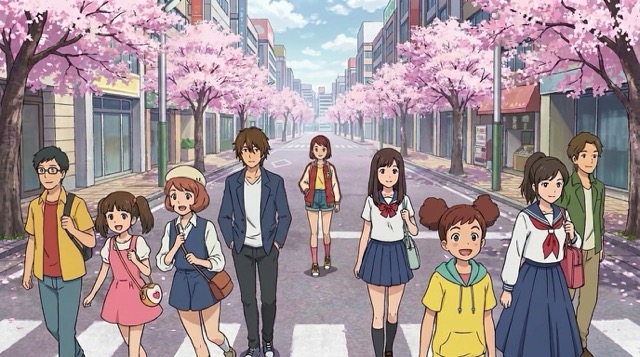
映画的な雨のストリートシーン
Veo 3プロンプト:激しい雨の中、ネオンに照らされた路地を一人の配達員が歩くローアングルの映画的ショット。舗道に反射が揺れる中、カメラはゆっくり後ろへトラッキングします。通気口から蒸気が立ち上り、柔らかな青と琥珀色の光が霧の中で混ざり、遠くの都市交通の低い音が緊張感のあるシンセスコアの下で響きます。このVeo 3プロンプトガイドの例は、Veo 3向けプロンプトが照明、動き、雰囲気、音を一つの焦点ある瞬間に組み合わせられることを示しています。

高級商品のリビール
Veo 3プロンプト:黒い大理石の上に置かれたガラスの香水ボトルのマクロスタジオショット。金色の粒子がボトルの周囲を漂う中、カメラがゆっくり押し寄ります。柔らかなスポットライトがラベルをなぞり、ガラスの中で液体のきらめきが動き、上品な弦楽器が優しいきらめき音とともに高まります。このVeo 3プロンプトガイドの例は、広告、ローンチ、プレミアム商品ページ向けに作られています。洗練された商業的なエネルギーが必要なときは、このようなVeo 3向けプロンプトを試してください。

感情的なキャラクターのクローズアップ
Veo 3プロンプト:静かな宇宙船のコックピット内にいる疲れた宇宙飛行士のクローズアップポートレート。警告灯がバイザーに点滅する中、カメラは安定して構図を保ちます。宇宙飛行士はゆっくり呼吸し、背景では柔らかな無線ノイズが流れ、背後の窓から地球が輝いています。このVeo 3プロンプトガイドの例は、クリエイターが感情、顔のディテール、音の手がかり、映画的な抑制を含むVeo 3向けプロンプトを書くのに役立ちます。
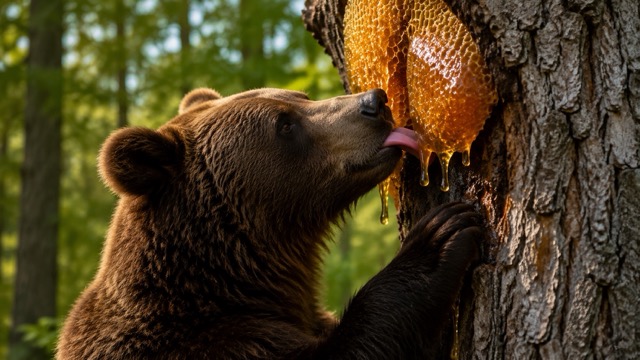
シュールなフードアニメーション
Veo 3プロンプト:日の出の朝食テーブルで、小さなパンケーキ職人たちがシロップの塔を積み上げるストップモーション風シーン。カメラがテーブル全体をゆっくりパンし、ブルーベリーが岩のように転がり、バターが黄金の溶岩のように溶け、小さく陽気な建設音が遊び心のあるマリンバのリズムと混ざります。このVeo 3プロンプトガイドの例は、Veo 3向けプロンプトがシンプルな物体を一つの完成したミニストーリーのように見せられることを示しています。
Veoクリエイター向けに更新されるプロンプトスタイル
Pixomi AIは、さまざまなクリエイターの目的に向けてVeo 3プロンプトを追加し続けています。このVeo 3プロンプトガイドは、映画的なストーリーテリング、SNSフック、商品ビジュアル、ファンタジー世界、キャラクターショット、素早いコンセプトテストをカバーします。コンテンツを新鮮に保てるよう、新しいVeo 3向けプロンプトが追加されます。各アップデートでは、新しい用途に向けたVeo 3プロンプトが追加されます。
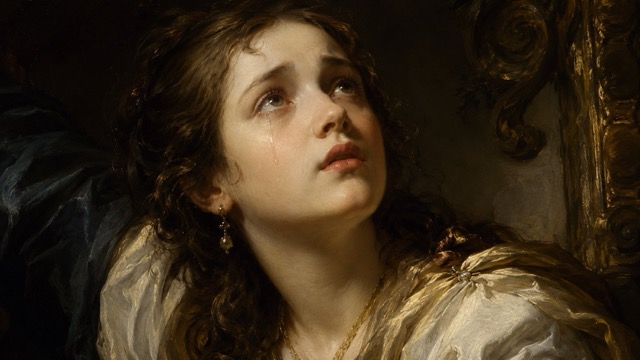


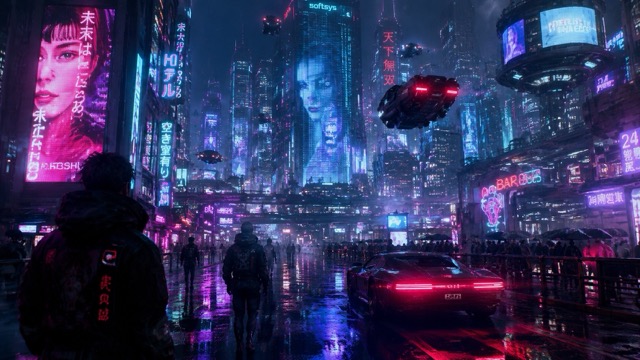
映画的なストーリープロンプト
ショートフィルムやドラマチックなリール向け
被写体、対立、カメラの動き、照明、音、感情のビートを定義するVeo 3プロンプトを使いましょう。このVeo 3プロンプトガイドのスタイルは、漠然としたアイデアではなく、記憶に残る一つのショットのように感じられるシーンを作りたいときに最適です。
商品広告プロンプト
ECとブランド動画向け
洗練された商品配置、制御された光、プレミアムな動き、きれいな背景、正確な音の手がかりを含むVeo 3プロンプトを使いましょう。これらのVeo 3向けプロンプトは、マーケターが商品デモ、ローンチティーザー、コンバージョン重視のビジュアルをすばやく作るのに役立ちます。
SNSフックプロンプト
TikTok、Reels、Shorts向け
印象的なアクション、珍しい物体、表情豊かな顔、または視覚的なひねりで始まるVeo 3プロンプトを使いましょう。このVeo 3プロンプトガイドは、素早く注目を集めながら、シーンをシンプルに保つVeo 3向けプロンプトを作るのに役立ちます。
音声主導のプロンプト
セリフ、環境音、サウンドデザイン向け
動きと環境音、声のスタイル、音楽のムード、周囲の音を組み合わせるVeo 3プロンプトを使いましょう。このVeo 3プロンプトガイドは、音がクリエイティブなアイデアの一部であるときに、Veo 3向けプロンプトをよりコントロールしやすくします。
Veo 3プロンプトで何を作れますか?
Pixomi AIのライブラリは、Veo 3プロンプトを実用的なクリエイティブショートカットに変えます。このVeo 3プロンプトガイドを使って、広告、エンターテインメント、ストーリーボード、コンテンツカレンダー、ブランド実験向けのVeo 3向けプロンプトをテストできます。ワークフローに合うVeo 3プロンプトを保存しましょう。

AIショートフィルム
ムード、カメラ言語、キャラクターの動き、音を定義するVeo 3プロンプトで映画的なシーンを作れます。Veo 3プロンプトガイドは、各クリップの焦点を保つのに役立ちます。

商品マーケティング
きれいな商品モーション向けに作られたVeo 3プロンプトで、ローンチクリップ、ヒーロー動画、ECデモを作成できます。広告テストを速めるためにVeo 3向けプロンプトを使いましょう。

SNSコンテンツ
力強く始まり、動きが明確で、ショート動画形式に合うVeo 3プロンプトで、スクロールを止めるクリップを生成できます。このVeo 3プロンプトガイドは、繰り返し使える投稿アイデアをサポートします。

ムードボード動画
照明、雰囲気、ロケーション、レンズ感、音声に関するVeo 3プロンプトで、アートディレクションを動く参考資料に変えられます。Veo 3向けプロンプトは、素早いコンセプト検証に役立ちます。

クリエイターの実験
新鮮なビジュアルアイデアが欲しいときは、シュール、ユーモラス、リアル、映画的、アニメーション風のVeo 3プロンプトを試しましょう。Veo 3プロンプトガイドは、構造化されたテスト基盤を提供します。

クライアント向けプレゼン
キャンペーン、ストーリーボード、提案用のサンプルクリップを素早く作るためにVeo 3プロンプトを使えます。Veo 3向けプロンプトは、制作前にアイデアを具体的に感じさせるのに役立ちます。
クリエイターが使っているこのVeo 3プロンプトガイド
実際のクリエイターはPixomi AIを使って時間を節約し、アイデアを整理し、より良いVeo 3プロンプトをテストしています。このライブラリは、Veo 3向けプロンプトをコピー、プレビュー、再利用しやすい状態に保ちます。
動画ストラテジストとして、私は素早く動けるアイデアが必要です。Pixomi AIのVeo 3プロンプトは、シーン構成、カメラ指示、音のメモを一つの場所で提供してくれました。このVeo 3プロンプトガイドのおかげで、クライアントのコンセプト用にVeo 3向けプロンプトをかなりテストしやすくなりました。
以前はまとまりのない動画アイデアを書いて、良い出力を期待するだけでした。今はこのページのVeo 3プロンプトから始め、商品の詳細を調整し、よりきれいなクリップを生成しています。Veo 3プロンプトガイドは実用的で、特にECキャンペーン向けのVeo対応プロンプトに役立ちます。
一番良いところは、Veo 3プロンプトがあいまいではない点です。カメラモーション、雰囲気、照明、音声の手がかりが含まれています。このVeo 3プロンプトガイドは、実際の監督ブリーフに近いVeo対応プロンプトを作るのに役立ちました。
SNSコンテンツではスピードが重要です。Veo 3プロンプトを閲覧し、一つコピーして、縦型フック用に調整できます。Veo 3プロンプトガイドは、テストしやすいほどシンプルでありながら、洗練されて見えるだけの詳細を含むVeo対応プロンプトを提供してくれます。
Veo 3プロンプトは、抽象的なビジュアル指示をクライアントが理解できるものに変えてくれるので、ピッチデックで使うのが好きです。このVeo 3プロンプトガイドは時間を節約でき、Veo対応プロンプトはムードボードにもよく合います。
Pixomi AIは、ゼロから始めることなくVeo 3プロンプトを探索できる、再現性のある方法を提供してくれます。Veo 3プロンプトガイドはスタイル比較に役立ち、Veo対応プロンプトは素早い映画的テストが必要なときに便利です。


Veo 3プロンプトガイドFAQ
このVeo 3プロンプトガイドが、Pixomi AI内でVeo 3プロンプトを書き、コピーし、テストするのにどのように役立つかを学べます。このページは、Veo 3プロンプトを素早く使えるように整理しています。
Veo 3プロンプトとは、生成したい動画を説明するテキスト指示です。強いVeo 3プロンプトには通常、被写体、設定、スタイル、カメラの動き、アクション、照明、ムード、音が含まれます。このVeo 3プロンプトガイドは、より速く作成できるように完成済みの例を提供します。
Pixomi AIは、映画的なシーン、SNSクリップ、商品広告、キャラクターショット、実験的なスタイル向けの新しいVeo 3プロンプトで、このライブラリを定期的に更新する予定です。新しいVeo 3向けプロンプトは、クリエイターが新鮮なアイデアを試し続けるのに役立ちます。
はい。このVeo 3プロンプトガイドは、初心者にも経験豊富なクリエイターにも使いやすいように設計されています。Veo 3プロンプトを直接コピーし、被写体、商品、シーン、ムードを自分のアイデアに置き換えることができます。
コピーしてすぐ使えるVeo 3向けプロンプトは、構造がすでに用意されているため時間を節約できます。白紙から書く代わりに、ビジュアル指示、音のアイデア、シーンロジックを含むVeo 3プロンプトから始められます。
はい。このライブラリの多くのVeo 3プロンプトは、商品紹介、ブランドフィルム、ローンチティーザー、SNS広告向けに作られています。Veo 3プロンプトガイドは、本格的なキャンペーンを作る前に商業コンセプトをテストするのに役立ちます。
はい。リアルな映画、アニメーション、ストップモーション、高級商品ショット、ファンタジー世界、感情的なクローズアップ、バイラルなSNSシーン向けのVeo対応プロンプトを見つけられます。基本構造を保ち、クリエイティブの詳細を変更してください。
Pixomi AIでVeo 3プロンプトを使って作成を始めましょう
空白のプロンプト入力欄を見つめるのはやめましょう。Pixomi AIのVeo 3プロンプトガイドを開き、テスト済みのVeo 3プロンプトをコピーし、プレビュー付きのVeo対応プロンプトを探索して、アイデアをより速く映画的なAI動画に変えましょう。まずVeo 3プロンプトから始めて、詳細をカスタマイズしてください。
