
Wan 3.0プロンプトガイド:AI動画向けプロンプト例・カメラ指示・作成のコツ
Wan 3.0プロンプトガイドで、コピー可能な作例、動画結果、カメラ指示、音声アイデア、制作のコツを確認できます。被写体、場所、動き、レンズ、照明、雰囲気を調整し、作例を比較しながら新しい表現を試して、ワンクリックですぐに動画生成を始められます。用途に合う構成を見つけ、結果を比較しながら効率よく改善できます。
アイデアを説明して、AIに最適なプロンプトを作成してもらいましょう
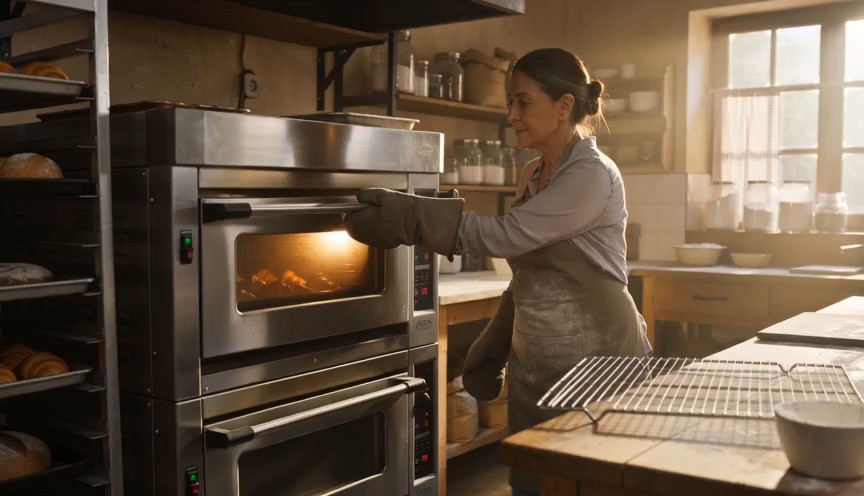
Create a warm, human bakery moment in three clear action beats. 0–3s: Medium-wide shot of a baker standing in front of
Create a warm, human bakery moment in three clear action beats. 0–3s: Medium-wide shot of a baker standing in front of an oven. Show the baker from head to knees, including both complete arms from shoulders to gloved hands. The baker opens the oven door and looks at a tray of baked croissants. 3–6s: The baker carefully removes the tray using both oven gloves and places it on a nearby metal cooling rack. 6–8s: Steam rises subtly from the croissants as the baker looks over the tray with a small, satisfied smile. Natural body mechanics, safe oven handling, stable face, correct fingers inside gloves, realistic heat and steam. No floating tray, isolated hands, extra arms, exaggerated steam, text or logos.
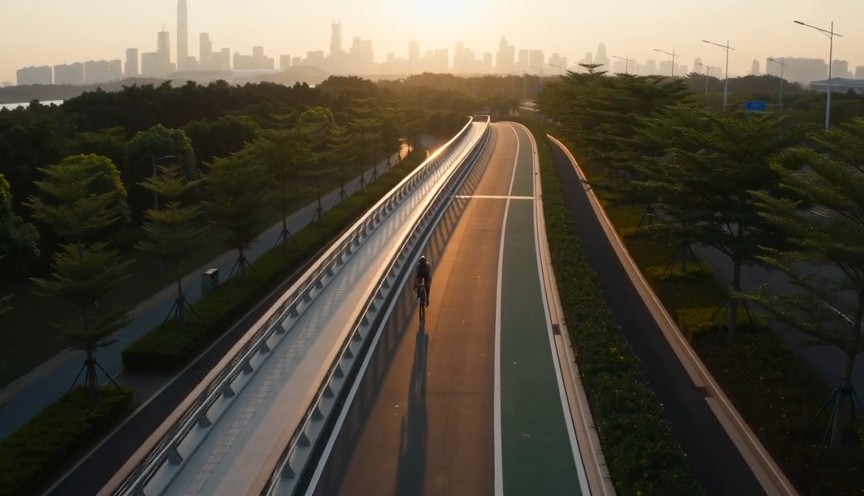
Create a fast but realistic four-shot cycling sequence. 0–2s: Low front three-quarter wide shot of an adult cyclist rid
Create a fast but realistic four-shot cycling sequence. 0–2s: Low front three-quarter wide shot of an adult cyclist riding through a protected city bike lane at sunrise. Show the complete rider, bicycle, helmet, torso, both arms connected naturally from shoulders to hands, and both legs operating the pedals. 2–4s: Side tracking shot at wheel height. The wheels rotate consistently and the cyclist’s pedaling cadence remains natural. 4–6s: Medium-wide shot as the cyclist passes close to the camera, with foreground railings creating fast parallax. 6–8s: High wide shot showing the cyclist continuing along the same lane. Sound: tire hum, chain movement and light city ambience. No riderless bicycle, disconnected hands, racing, stunts, traffic violations, body distortion, text or logos.
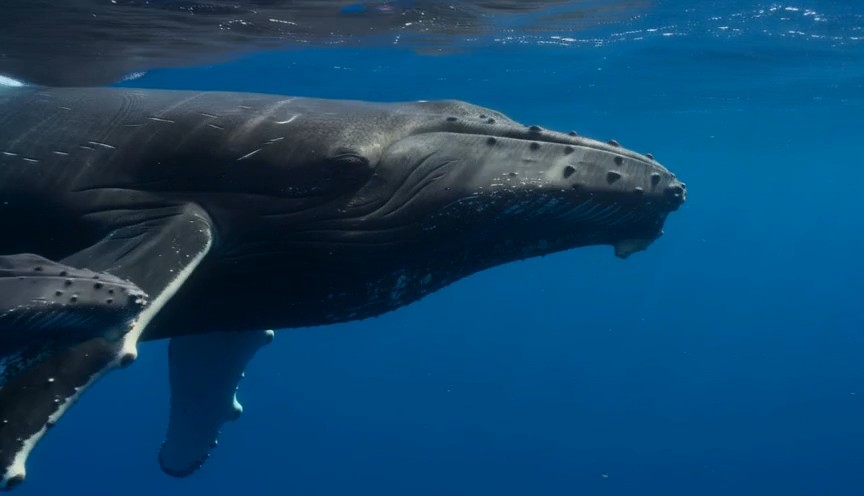
A calm natural-history underwater shot in clear tropical ocean water. 0–3 seconds: An adult humpback whale and its calf
A calm natural-history underwater shot in clear tropical ocean water. 0–3 seconds: An adult humpback whale and its calf swim into view from the left at a slow natural pace. 3–7 seconds: The camera glides parallel to them at a respectful distance. Sunbeams move naturally across their bodies while the calf remains close to the adult. 7–9 seconds: The calf gently rises a short distance toward the brighter surface while the adult continues forward below it. Accurate whale anatomy, realistic swimming mechanics, consistent scale, natural underwater color and suspended particles. No galaxy skin, glowing body, sudden size change, touching camera, text or logos.
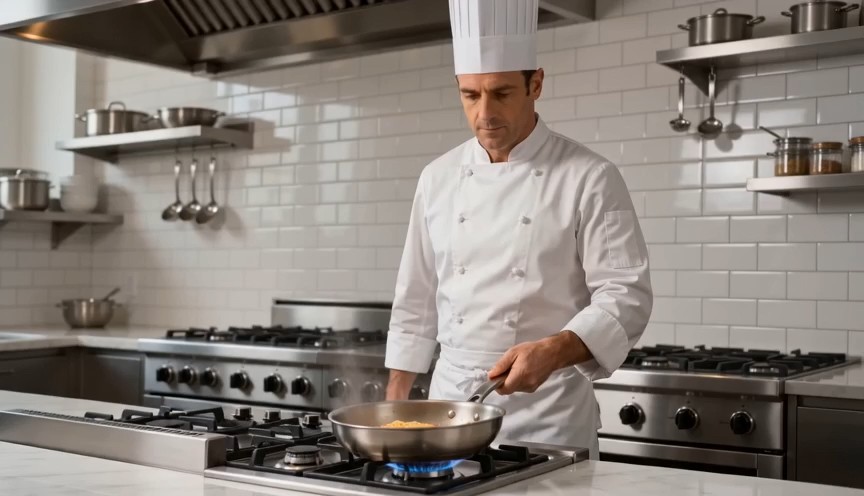
Create a bright restaurant food shot with one controlled cooking action. 0–2s: Medium-wide view of a professional chef
Create a bright restaurant food shot with one controlled cooking action. 0–2s: Medium-wide view of a professional chef standing at a stove. Show the chef from head to hips, with both complete arms visibly connected from shoulders to hands. One hand holds the pan handle; the other remains safely beside the body. 2–4s: The chef performs exactly one small forward-and-back pan motion, causing the pasta to rise a short distance and land back inside the same pan. 4–7s: Cut to a close-up as the chef places the pasta onto a white plate using metal tongs. Real cooking mechanics, modest pasta height, stable pan and natural steam. No floating pasta, endless tossing, isolated hands, leaking pan, oversized flames, extra utensils, text or logos.
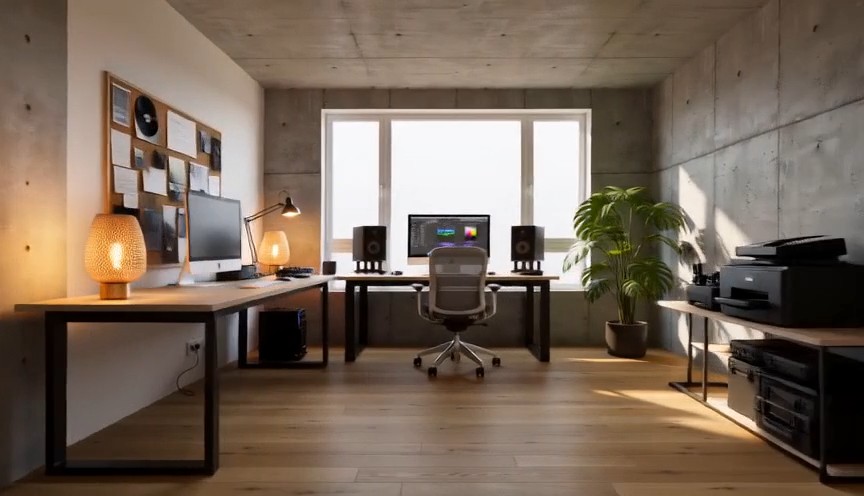
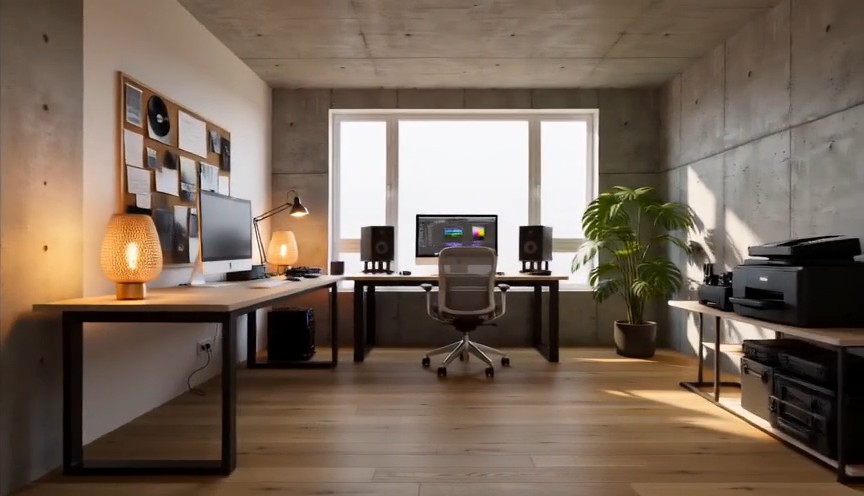
Create one continuous-looking lateral camera move through four realistic stages of the same room renovation. All changes
Create one continuous-looking lateral camera move through four realistic stages of the same room renovation. All changes occur through concealed match cuts. 0–2s: The camera moves slowly from left to right through an empty concrete room. Exposed walls, unfinished floor and one large window are clearly visible. At 2 seconds, a wide foreground column fully covers the frame. 2–4s: After the concealed cut, the same room has finished white walls and a natural oak floor but remains unfurnished. The camera continues at exactly the same speed. At 4 seconds, a second foreground column fully covers the frame. 4–6s: The same room now contains a desk, chair, shelving and ceiling lights, all resting naturally on fixed surfaces. At 6 seconds, a third foreground column fully covers the frame. 6–8s: The completed creative studio appears with warm lamps switched on, a plant beside the window and neatly arranged equipment. The camera settles into a wide final composition. Keep the window, walls, room dimensions and camera height identical. Renovation stages are separated by edits representing elapsed time. No furniture materializing in open view, floating objects, bending walls, spontaneous construction, people, readable screens, text or logos.
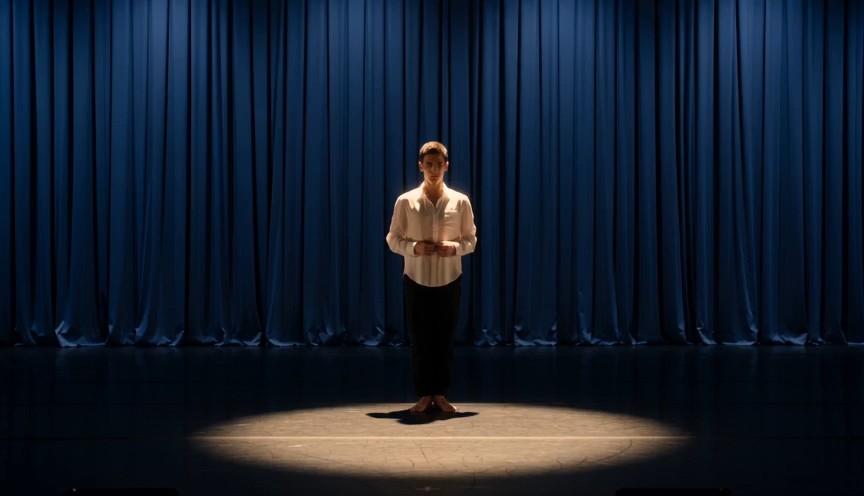
Create a single continuous full-body character-performance shot on a real theater stage. 0–2s: A contemporary dancer st
Create a single continuous full-body character-performance shot on a real theater stage. 0–2s: A contemporary dancer stands just outside a circular spotlight, visibly nervous but composed. Show the complete performer from head to shoes, with both arms naturally connected from shoulders to hands. 2–4s: The dancer hears one clear musical cue, takes a controlled breath and steps forward twice into the center of the light. 4–7s: The dancer performs one smooth 360-degree turn with both feet maintaining believable contact with the stage, then extends both arms into a balanced final pose. 7–8s: Hold the finished pose while the dancer’s clothing settles naturally. Warm spotlight, dark blue stage curtains, restrained facial acting, realistic body mechanics and fabric movement. No floating limbs, cropped hands, extra fingers, impossible rotation, duplicated performer, costume change, text or logos.
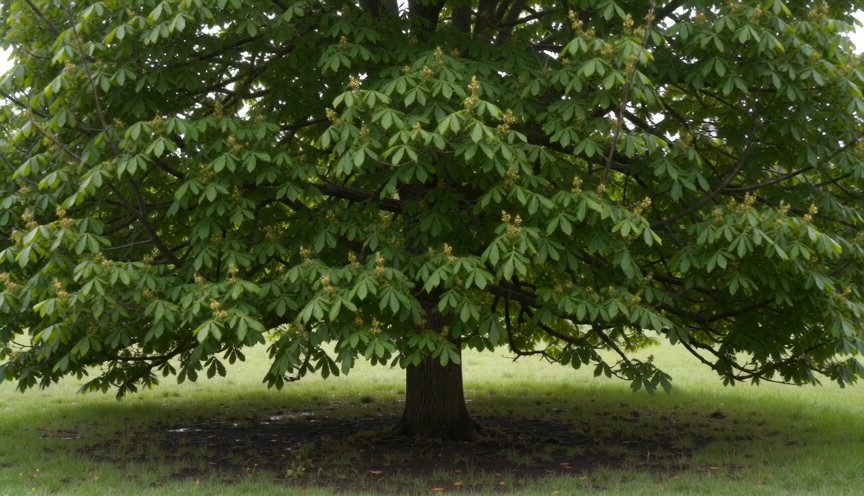
Create four locked-camera seasonal shots of the same mature deciduous tree, joined by clean hard cuts. 0–2s — spring: S
Create four locked-camera seasonal shots of the same mature deciduous tree, joined by clean hard cuts. 0–2s — spring: Sparse fresh green leaves, visible buds, damp grass and soft spring daylight. 2–4s — summer: The same tree has a dense canopy of mature green leaves. The trunk and branches remain identical. 4–6s — autumn: The canopy is thinner, with yellow and amber leaves. Several fallen leaves rest on the ground. 6–8s — winter: The same tree is completely leafless. All major branches are visible, with light snow on the ground and upper branch surfaces. Identical camera position, tree species, trunk, scale and framing. Seasonal changes occur only at cuts. Absolutely no leaves in winter, no snow on a summer canopy, no open-frame morphing, people, text or logos.
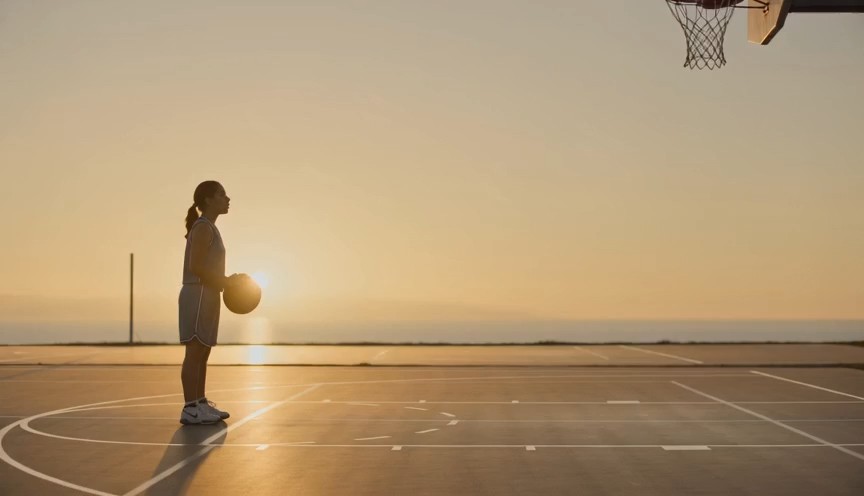
Create a realistic three-shot basketball sequence in a sunlit outdoor court. 0–2s: Full-body side view of one adult pla
Create a realistic three-shot basketball sequence in a sunlit outdoor court. 0–2s: Full-body side view of one adult player standing at the free-throw line. Show the complete body, both arms connected from shoulders to hands, both feet and the full basketball. 2–5s: The player bends the knees, raises the ball with both hands and releases one controlled free throw. The camera tilts upward to follow the ball. 5–7s: Cut to a close three-quarter view of the hoop as the same ball passes cleanly through the net and bounces once beneath it. Natural shooting mechanics, real gravity and consistent ball size. No extra ball, disconnected hands, changing uniform, impossible jump, altered hoop, text or logos.
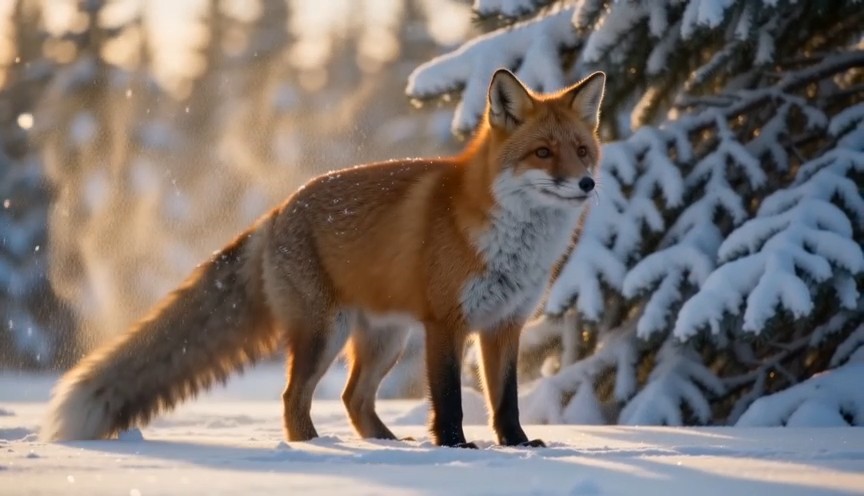
Create a natural wildlife shot at the edge of a snowy forest in soft morning light. 0–2s: A healthy red fox walks out f
Create a natural wildlife shot at the edge of a snowy forest in soft morning light. 0–2s: A healthy red fox walks out from behind a pine tree. Show its complete body, four legs and full tail. 2–5s: The fox stops and performs one natural full-body shake, dislodging a small amount of loose snow from its fur. 5–8s: It raises its ears, looks briefly toward an off-camera sound and then continues walking across the snow. Locked telephoto camera with a gentle focus adjustment, realistic fox anatomy, footprints and winter coat movement. Snow falls downward under gravity. No duplicated legs, oversized tail, human expression, glowing eyes, attacking camera, text or logos.
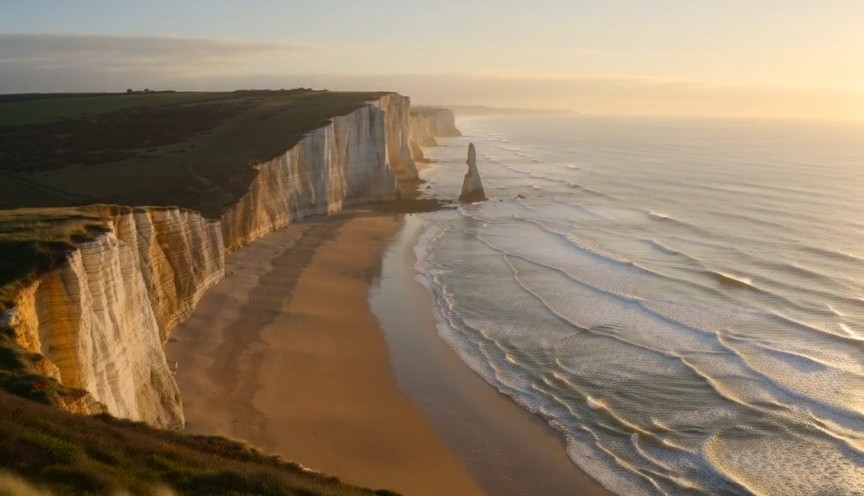
Create one continuous drone reveal over a real coastal landscape at golden hour. 0–3s: The drone moves forward at low a
Create one continuous drone reveal over a real coastal landscape at golden hour. 0–3s: The drone moves forward at low altitude behind a grass-covered dune. Only the dune and moving coastal grass are visible. 3–6s: The drone rises gradually above the dune, revealing a wide beach, limestone cliffs and ocean waves approaching the shore. 6–8s: The drone continues forward and holds the complete coastline in a balanced wide composition. Real wind direction, natural wave cycles, stable horizon and plausible drone movement. The reveal comes only from rising above the dune. No land transforming, reversed waves, floating rocks, artificial portals, people, text or logos.
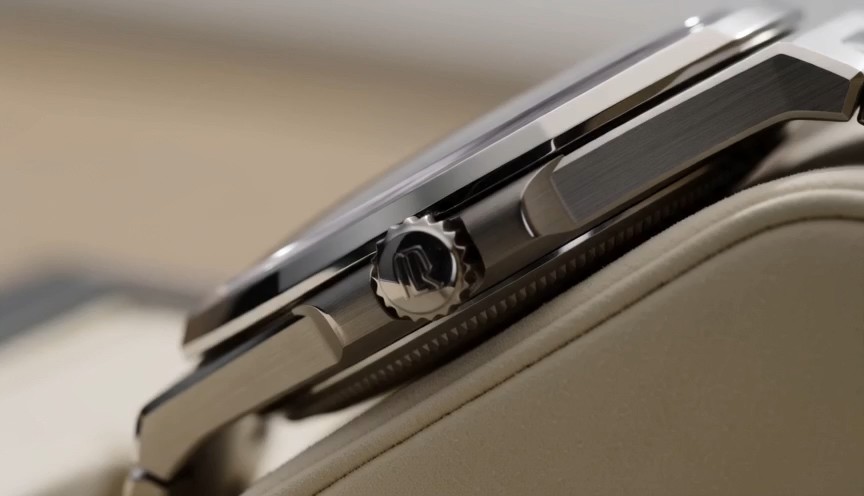
Create one uninterrupted macro product shot of a mechanical wristwatch secured upright on a cream display stand. 0–2s:
Create one uninterrupted macro product shot of a mechanical wristwatch secured upright on a cream display stand. 0–2s: Begin on the polished crown and brushed-steel case. The crown and case remain completely stationary. 2–4s: The camera slides slowly across the crystal, bringing the dial and moving second hand into focus. The second hand advances at a consistent mechanical rate. 4–6s: The camera settles into a centered view of the entire watch face while soft daylight reveals the metal texture. Only the second hand and visible internal mechanism may move. Accurate circular geometry, stable markings and realistic reflections. No melting metal, changing dial, duplicated hands, floating components, liquid, text outside the watch face or logos.
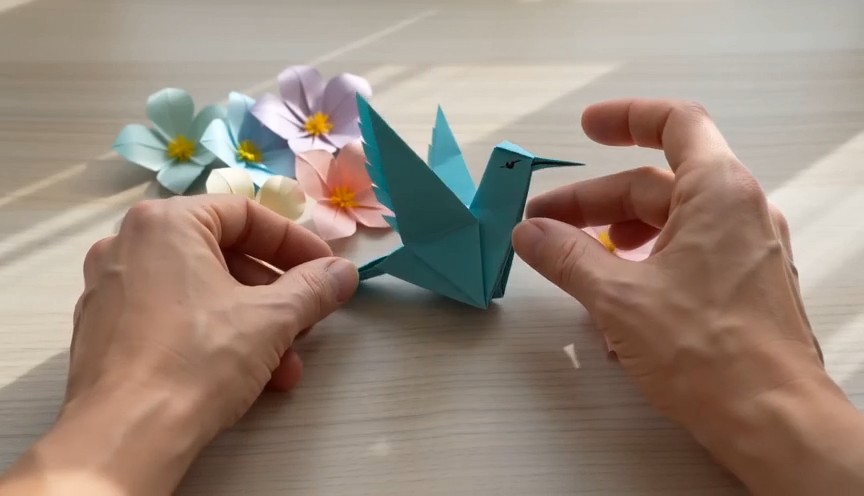
A tactile overhead craft video filmed beside a bright window. 0–2 seconds: Two real human hands place a square sheet of
A tactile overhead craft video filmed beside a bright window. 0–2 seconds: Two real human hands place a square sheet of turquoise paper flat on a pale wooden table and make the first fold. 2–6 seconds: A series of three clean match cuts shows the same hands completing progressively later folding stages. The paper remains the same color, size and material throughout. 6–8 seconds: The hands place the completed origami hummingbird upright beside several paper flowers and move out of frame. Real paper folds, anatomically correct hands, deliberate editing rather than magical self-folding, soft daylight. No floating paper, spontaneous transformation, moving paper bird, extra fingers, text or logos.
Wan AI 3.0動画プロンプトガイドとWan動画作例
Wan AI 3.0動画を探し、コピーして調整し、制作する
Wan 3.0プロンプトガイドは、アイデアを毎回ゼロから書かずにWan AI 3.0動画を試したいクリエイター向けの実用的なプロンプト集です。映画的なシーン、商品広告、キャラクターの動き、カメラワーク、スタイライズ表現、短編ストーリーなどのWan動画作例を閲覧できます。各Wan AI 3.0動画の項目には、再利用できるプロンプト構成と完成イメージがセットになっています。文章をコピーし、被写体、場所、動作、レンズ、照明、ムードを置き換えて新しい結果を試せます。Wan 3.0プロンプトガイドには新しい作例が随時追加されます。
Wan 3.0プロンプトガイドの使い方
3つの簡単な手順で、着想を検証可能なWan AI 3.0動画プロンプトに変えられます。Wan 3.0プロンプトガイドは各アイデアとコピー可能なWan動画作例を結び付け、構成の理解、細部の調整、より素早い動画生成を支援します。

Wan動画作例を探す
シーンの種類、カメラの動き、被写体の動作、映像スタイル、照明、制作目的ごとにWan 3.0プロンプトガイドを閲覧できます。対応するWan動画作例を確認し、目指す結果に合うWan AI 3.0動画プロンプトを選びます。

コピーして調整する
Wan 3.0プロンプトガイドから全文をコピーし、被写体、場所、構図、動き、レンズ、雰囲気、タイミング、スタイルを変更します。Wan動画作例は再利用しやすい構成なので、Wan AI 3.0動画の各アイデアを新しいオリジナル案へ展開できます。

Wan AI 3.0動画を開いて制作する
アクションボタンからPixomi AI Video Generatorを開き、Wan AI 3.0動画を選択してプロンプトを貼り付け、生成設定を確認します。結果をWan動画作例と比較し、指示を一つずつ調整します。さらにアイデアが必要ならWan 3.0プロンプトガイドに戻ります。
Wan AI 3.0動画ワークフロー向けのWan動画作例
このWan 3.0プロンプトガイドは、実際の動画制作目的ごとに再利用可能なアイデアを整理しています。Wan動画作例では、被写体の詳細、動作順序、カメラ表現、照明、環境、タイミング、制約を一つのWan AI 3.0動画プロンプト内でどう連携させるかを確認できます。作例をコピーし、有効な構成を残して制作上の変数を置き換えます。
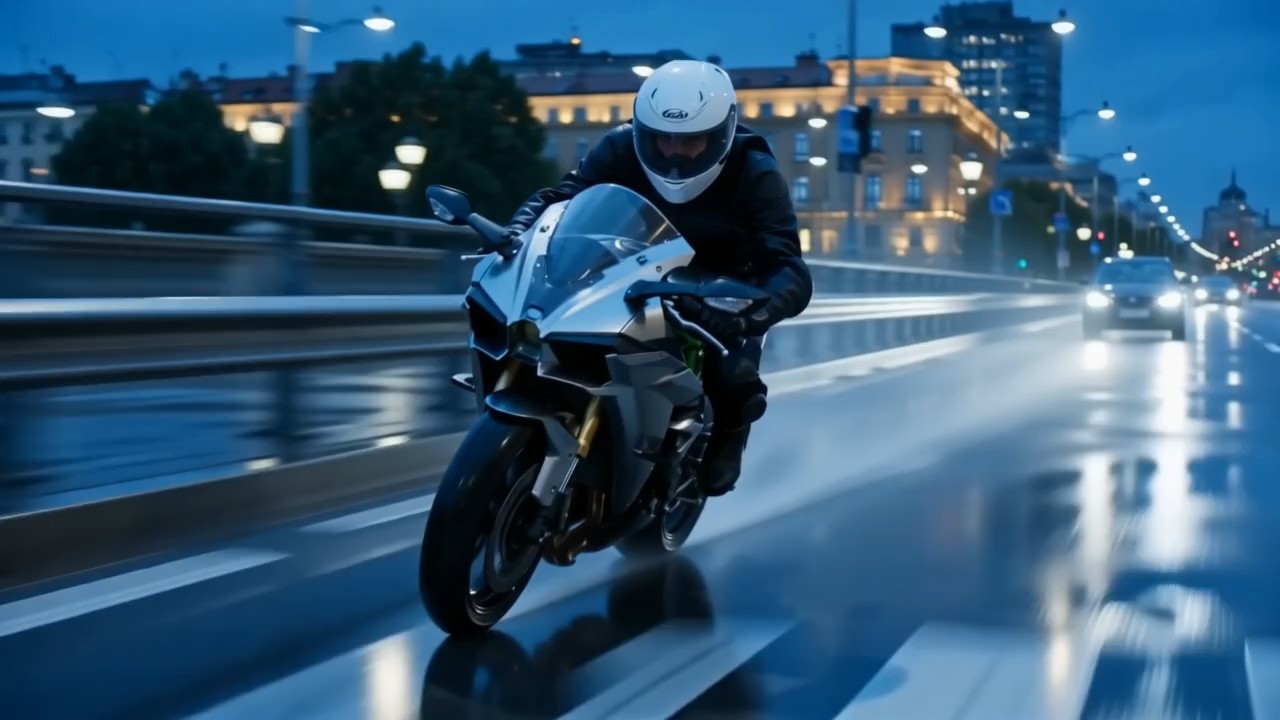
複数の動きを重ねた映画的なトラッキングショット
このWan 3.0プロンプトガイドの項目では、被写体の移動、カメラ追従、前景の動き、背景の奥行き、照明変化を連携させます。
Wan AI 3.0動画では、被写体がどこへ動くか、カメラがどう追うか、画面内で何を安定させるかを明記します。この種のWan動画作例は、映画的な歩行ショット、旅行シーン、スポーツの瞬間、動きのある導入ショットに便利です。優れたプロンプトは動作の始まり、中盤、終わりを明確にします。
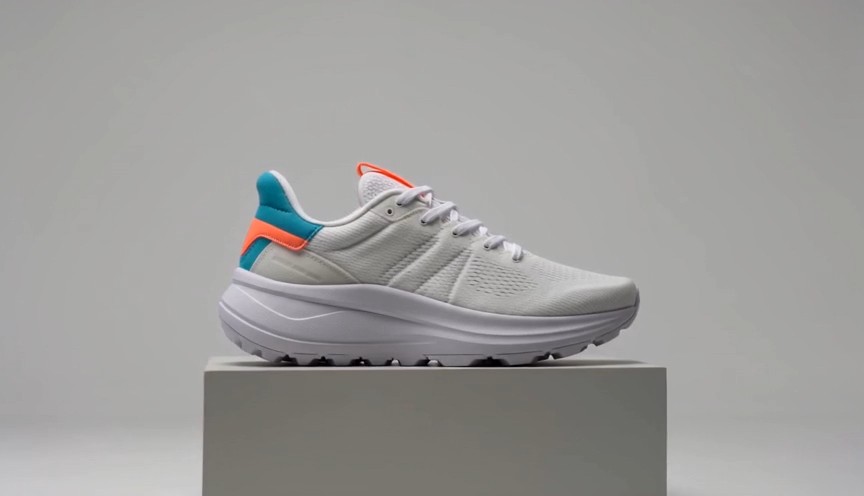
見せ方を制御した商品コマーシャル
このWan 3.0プロンプトガイドの作例は、商品を中心にした整然とした動きと広告構図向けです。
Wan AI 3.0動画では、商品の素材、見せる順序、カメラの軌道、表面反射、背景の簡潔さ、最後の主役カットを説明します。Wan動画作例は化粧品、電子機器、ファッション、食品、ブランド商品に応用できます。「劇的な広告」と曖昧に頼むのではなく、変化の手順を具体的に書きます。
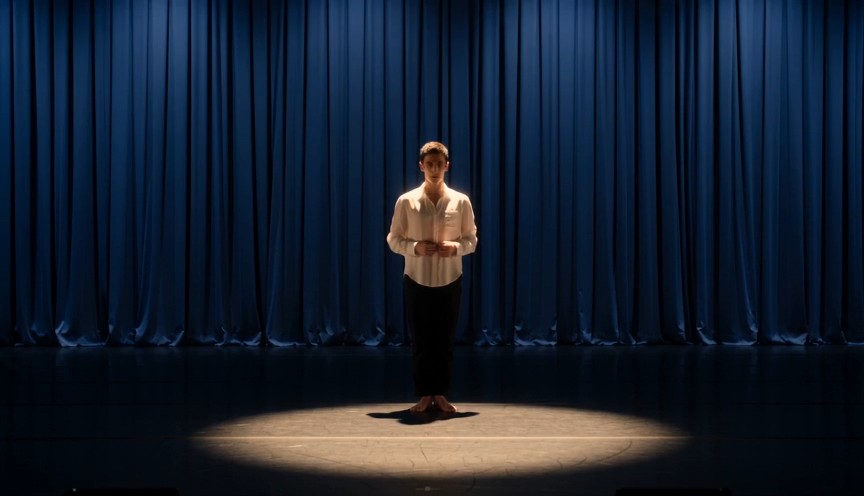
動作の区切りが明確なキャラクター演技
身ぶり、表情、動き、カメラのタイミングを連動させたいときは、このWan 3.0プロンプトガイドの項目を選びます。
Wan AI 3.0動画では、誰が動くか、最初に何をするか、ポーズがどう変わるか、カメラをどこに置くかを定義します。Wan動画作例はファッション、ライフスタイル、短い物語、SNS向けコンテンツの計画に役立ちます。無関係な出来事を重ねず、各動作の流れを分かりやすく保ちます。
映像変化を伴うスタイライズされたカメラワーク
このWan 3.0プロンプトガイドの流れは、創造的なトランジション、スタイライズされたカメラ移動、シーン変化に使えます。
Wan AI 3.0動画プロンプトでは、安定した被写体と、変化する環境、照明、質感、カメラ角度を分けて記述できます。Wan動画作例は変化の順序と最終構図を明確に伝える方法を示します。より整った結果にするには、何が変わり、何が固定され、最後のショットがどう見えるかを定義します。
Wan 3.0プロンプトガイドのよくある質問
Wan 3.0プロンプトガイド、Wan動画作例の調整、明確なWan AI 3.0動画指示、カメラワークの制御、プロンプトの一貫性に関する実用的な回答を紹介します。
Wan 3.0プロンプトガイドは、コピー可能なプロンプトに生成結果と実践的な補足を組み合わせた厳選ライブラリです。被写体、環境、動作、カメラ、照明、スタイル、タイミング、制約の再現可能な構成を通じてWan AI 3.0動画を試せます。Wan動画作例は固定テンプレートではなく出発点なので、各プロンプトを新しいアイデアに合わせて変更できます。
はい。Wan 3.0プロンプトガイドの各項目はコピーして調整できます。ボタンからWan AI 3.0動画ワークフローを開き、プロンプトを貼り付け、被写体、シーン、構図、動き、スタイルに合わない部分を置き換えます。Wan動画作例は、有効な構成を保ちながら制作上の変数を変えると最も活用できます。
Wan AI 3.0動画プロンプトは主な被写体と場所から始め、動作順序、カメラ位置や移動、映像スタイル、照明、雰囲気、最終構図を続けます。Wan 3.0プロンプトガイドでは指示を項目ごとにまとめ、読みやすさを保っています。複数のWan動画作例を見ると、同じ内容を繰り返さずに詳細な指示を明確に書く方法が分かります。
カメラは被写体との物理的な関係として説明します。開始距離、角度、方向、速度、追従方法、終了フレームを示してください。Wan 3.0プロンプトガイドでは、ゆっくり寄る、横から追う、周回する、真上から下降する、手持ちで追従するといった明確な動きを推奨します。Wan動画作例は、カメラ移動と被写体の動きを別々の要求にせず結び付ける方法も示します。
Wan AI 3.0動画では、動きを加える前に、安定させる顔や外見の特徴、衣装、物体デザイン、環境、構図を記述します。Wan 3.0プロンプトガイドを使って、固定要素と変化する動作を分けます。結果をWan動画作例と比較し、最も小さな不確定要素から調整すると、各回の結果を評価しやすくなります。
はい。Wan 3.0プロンプトガイドはWan AI 3.0動画クリエイター向けに拡張されるライブラリです。新しいWan動画作例では、最新の映像トレンド、カメラ技法、商品案、キャラクターシーン、SNS形式、創造的なエフェクトを扱えます。コピーして試せる新しいプロンプトが必要になったら、Wan 3.0プロンプトガイドを再確認してください。
クリエイターによるWan 3.0プロンプトガイドの活用方法
広告、SNS、モーションデザイン、ブランド制作のクリエイターは、Wan 3.0プロンプトガイドを使ってアイデアを構造化されたWan AI 3.0動画プロンプトに変えています。作例はテストを速め、制作方針を明確にし、再現性のあるワークフローを支えます。
Wan 3.0プロンプトガイドのおかげで、Wan AI 3.0動画を試す前に確かな構成を用意できます。Wan動画作例があるので、カメラ指示と動作のタイミングも伝えやすくなりました。
キャンペーン案を短いWan AI 3.0動画コンセプトにするとき、Wan 3.0プロンプトガイドを使っています。Wan動画作例のおかげで、大まかな企画から実際に試せるプロンプトへ進めます。
Wan 3.0プロンプトガイドで特に便利なのは、各Wan AI 3.0動画プロンプトが被写体、動き、カメラ、映像スタイルを分けている点です。Wan動画作例も簡単に組み替えられます。
日々のSNS動画制作では、Wan 3.0プロンプトガイドで準備時間を短縮できます。Wan AI 3.0動画の構成をコピーして少し調整し、複数のWan動画作例をすぐ比較できます。
Wan 3.0プロンプトガイドを使うと、曖昧なスタイル語に頼らず、意図の明確なWan AI 3.0動画指示を書けます。プロンプト例も実験に使いやすいです。
商品やブランドのシーンではWan 3.0プロンプトガイドをよく使います。Wan AI 3.0動画の各作例が実用的な出発点になり、プロンプト例によって検証も体系的になります。




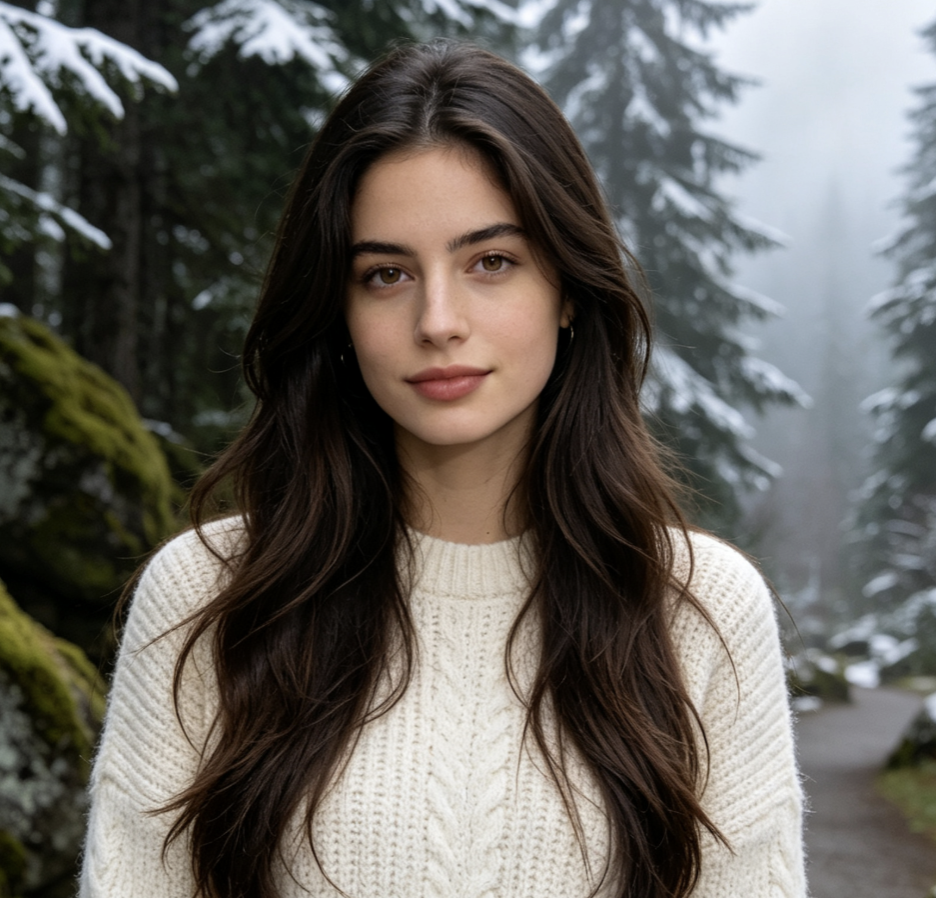
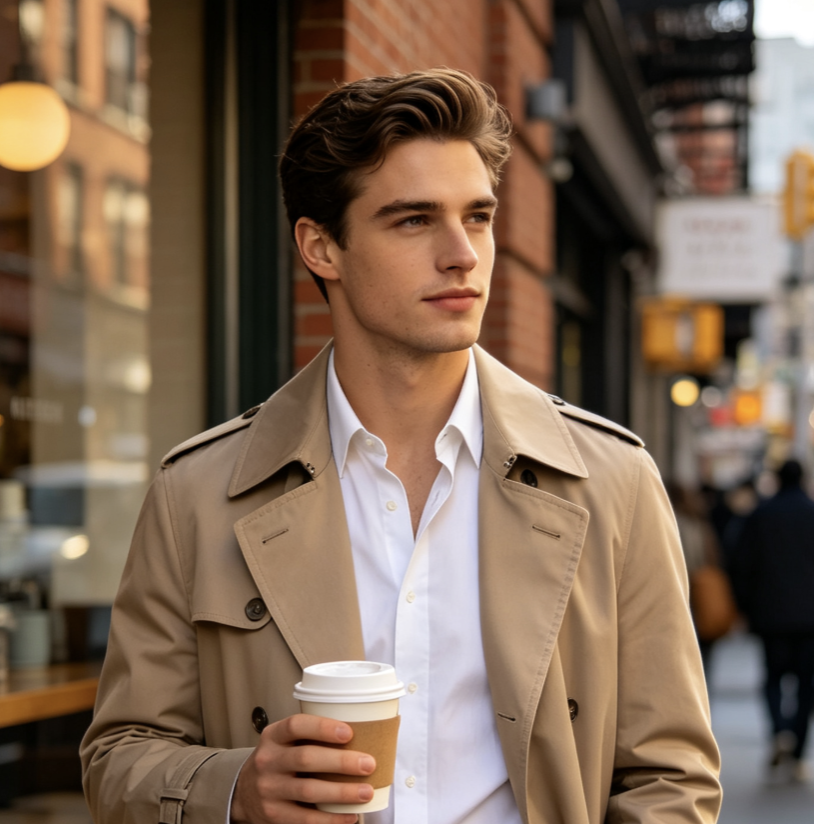
Wan AI 3.0動画で制作できるもの
Wan 3.0プロンプトガイドを使えば、制作案を素早く探索し、同じ手順でプロンプトを検証できます。作例は一般的な動画目的を網羅しつつ、ブランド、物語、被写体、映像スタイル、形式に合わせる余地を残しています。各Wan AI 3.0動画案をコピー、調整、生成、比較、改善できます。

映画的なシーン
制御されたカメラ移動、物理的な動作、空間の奥行き、照明変化、明確な終了フレームを使って、雰囲気のあるWan AI 3.0動画シーンを作ります。Wan 3.0プロンプトガイドが複雑な案を整理し、プロンプト例が各指示の役割を示します。

広告・商品動画
Wan AI 3.0動画で、商品の見せ場、素材の接写、変形表現、ライフスタイル広告、ブランド向けSNSクリップを制作します。Wan 3.0プロンプトガイドで提示順、カメラの動き、主役となる構図を定め、商品に合わせて作例を調整します。

キャラクター・ライフスタイルコンテンツ
Wan AI 3.0動画で、ファッションショット、日常の瞬間、表情豊かなキャラクターシーン、短い物語を計画します。Wan 3.0プロンプトガイドは外見、動作、環境、カメラ指示を分けます。プロンプト例はさまざまな人物や場所に再利用できる構成です。

創造的なトランジションとSNSエフェクト
Wan AI 3.0動画で、スタイライズ変形、映像ループ、劇的なリフレーミング、幻想的なトランジション、注目を集めるSNS企画を作れます。Wan 3.0プロンプトガイドは順序と最終構図を重視し、作例はエフェクト案を明確な生成指示へ変えます。
Wan動画作例から次のWan AI 3.0動画を作る
Wan 3.0プロンプトガイドからアイデアを選び、プロンプトをコピーして制作上の細部を調整し、Pixomi AI Video Generatorを開いてWan AI 3.0動画を作ります。再利用可能な作例から始めて複数案を試し、新しい方向が必要になったらWan 3.0プロンプトガイドに戻ってください。
