
Wan 3.0 프롬프트 가이드: AI 영상 프롬프트 예시와 카메라 연출 팁
Wan 3.0 프롬프트 가이드에서 복사 가능한 예시와 결과 영상, 카메라 연출, 오디오 아이디어, 제작 팁을 확인하세요. 장면별 예시를 살펴보고 피사체, 배경, 동작, 렌즈, 조명과 분위기를 바꿔 여러 방향을 시험한 뒤, 클릭 한 번으로 Wan AI 동영상 생성을 시작할 수 있습니다.
아이디어를 설명하면 AI가 완벽한 프롬프트를 만들어 드립니다
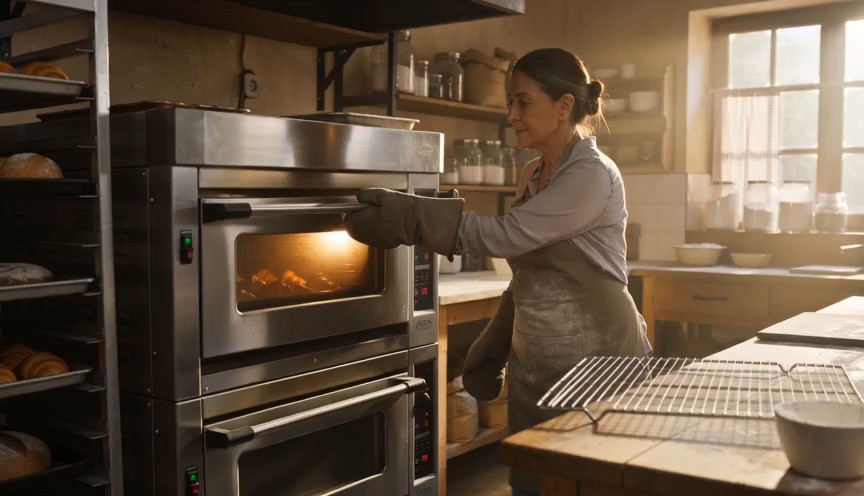
Create a warm, human bakery moment in three clear action beats. 0–3s: Medium-wide shot of a baker standing in front of
Create a warm, human bakery moment in three clear action beats. 0–3s: Medium-wide shot of a baker standing in front of an oven. Show the baker from head to knees, including both complete arms from shoulders to gloved hands. The baker opens the oven door and looks at a tray of baked croissants. 3–6s: The baker carefully removes the tray using both oven gloves and places it on a nearby metal cooling rack. 6–8s: Steam rises subtly from the croissants as the baker looks over the tray with a small, satisfied smile. Natural body mechanics, safe oven handling, stable face, correct fingers inside gloves, realistic heat and steam. No floating tray, isolated hands, extra arms, exaggerated steam, text or logos.
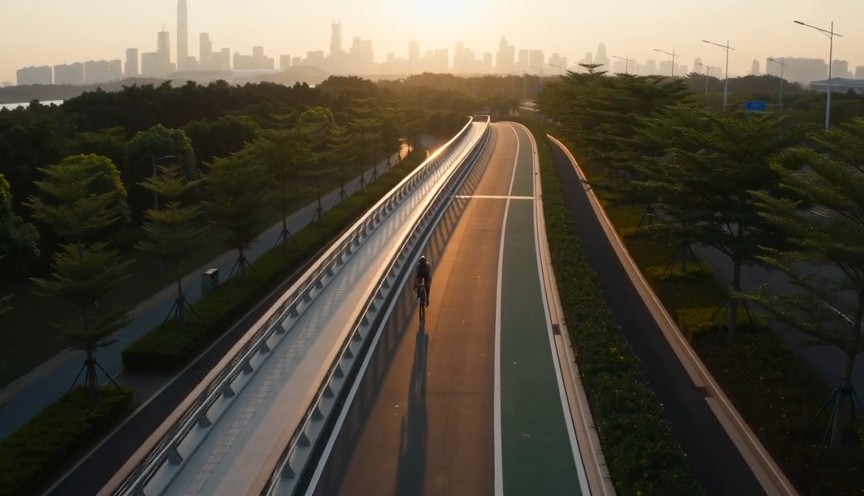
Create a fast but realistic four-shot cycling sequence. 0–2s: Low front three-quarter wide shot of an adult cyclist rid
Create a fast but realistic four-shot cycling sequence. 0–2s: Low front three-quarter wide shot of an adult cyclist riding through a protected city bike lane at sunrise. Show the complete rider, bicycle, helmet, torso, both arms connected naturally from shoulders to hands, and both legs operating the pedals. 2–4s: Side tracking shot at wheel height. The wheels rotate consistently and the cyclist’s pedaling cadence remains natural. 4–6s: Medium-wide shot as the cyclist passes close to the camera, with foreground railings creating fast parallax. 6–8s: High wide shot showing the cyclist continuing along the same lane. Sound: tire hum, chain movement and light city ambience. No riderless bicycle, disconnected hands, racing, stunts, traffic violations, body distortion, text or logos.
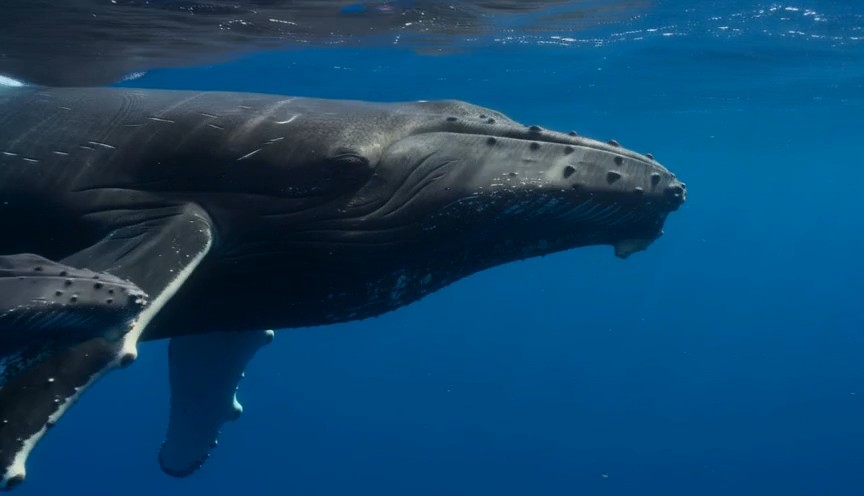
A calm natural-history underwater shot in clear tropical ocean water. 0–3 seconds: An adult humpback whale and its calf
A calm natural-history underwater shot in clear tropical ocean water. 0–3 seconds: An adult humpback whale and its calf swim into view from the left at a slow natural pace. 3–7 seconds: The camera glides parallel to them at a respectful distance. Sunbeams move naturally across their bodies while the calf remains close to the adult. 7–9 seconds: The calf gently rises a short distance toward the brighter surface while the adult continues forward below it. Accurate whale anatomy, realistic swimming mechanics, consistent scale, natural underwater color and suspended particles. No galaxy skin, glowing body, sudden size change, touching camera, text or logos.
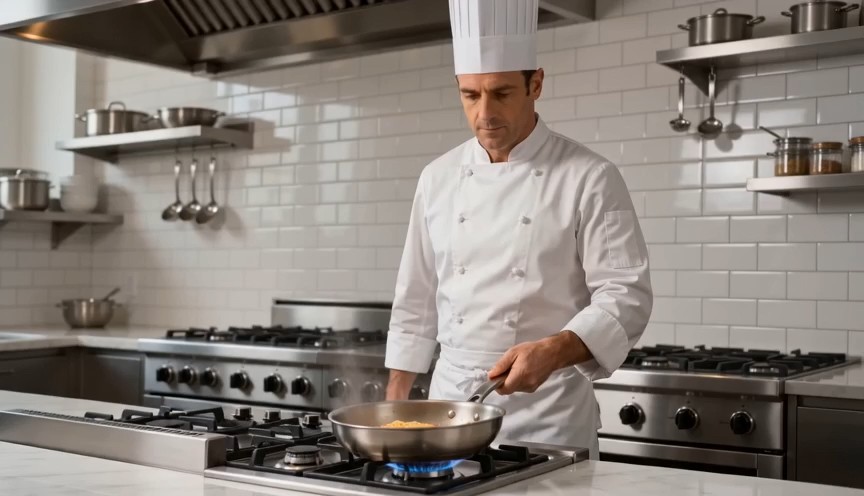
Create a bright restaurant food shot with one controlled cooking action. 0–2s: Medium-wide view of a professional chef
Create a bright restaurant food shot with one controlled cooking action. 0–2s: Medium-wide view of a professional chef standing at a stove. Show the chef from head to hips, with both complete arms visibly connected from shoulders to hands. One hand holds the pan handle; the other remains safely beside the body. 2–4s: The chef performs exactly one small forward-and-back pan motion, causing the pasta to rise a short distance and land back inside the same pan. 4–7s: Cut to a close-up as the chef places the pasta onto a white plate using metal tongs. Real cooking mechanics, modest pasta height, stable pan and natural steam. No floating pasta, endless tossing, isolated hands, leaking pan, oversized flames, extra utensils, text or logos.
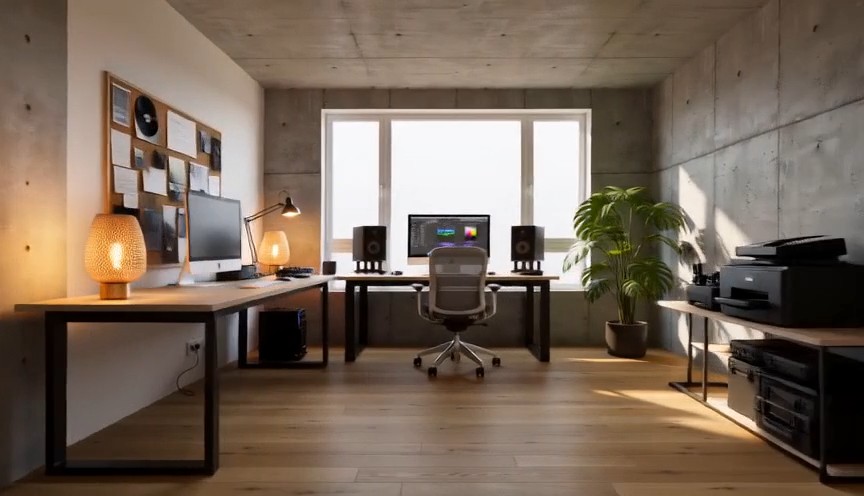
Create one continuous-looking lateral camera move through four realistic stages of the same room renovation. All changes
Create one continuous-looking lateral camera move through four realistic stages of the same room renovation. All changes occur through concealed match cuts. 0–2s: The camera moves slowly from left to right through an empty concrete room. Exposed walls, unfinished floor and one large window are clearly visible. At 2 seconds, a wide foreground column fully covers the frame. 2–4s: After the concealed cut, the same room has finished white walls and a natural oak floor but remains unfurnished. The camera continues at exactly the same speed. At 4 seconds, a second foreground column fully covers the frame. 4–6s: The same room now contains a desk, chair, shelving and ceiling lights, all resting naturally on fixed surfaces. At 6 seconds, a third foreground column fully covers the frame. 6–8s: The completed creative studio appears with warm lamps switched on, a plant beside the window and neatly arranged equipment. The camera settles into a wide final composition. Keep the window, walls, room dimensions and camera height identical. Renovation stages are separated by edits representing elapsed time. No furniture materializing in open view, floating objects, bending walls, spontaneous construction, people, readable screens, text or logos.
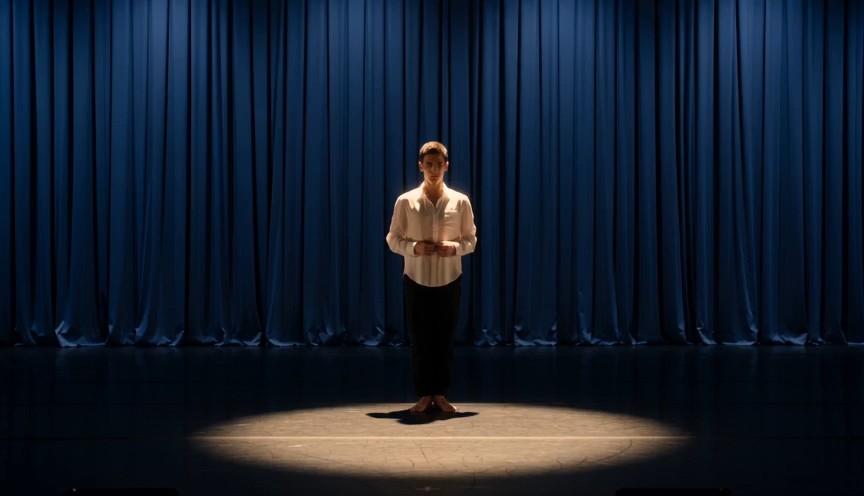
Create a single continuous full-body character-performance shot on a real theater stage. 0–2s: A contemporary dancer st
Create a single continuous full-body character-performance shot on a real theater stage. 0–2s: A contemporary dancer stands just outside a circular spotlight, visibly nervous but composed. Show the complete performer from head to shoes, with both arms naturally connected from shoulders to hands. 2–4s: The dancer hears one clear musical cue, takes a controlled breath and steps forward twice into the center of the light. 4–7s: The dancer performs one smooth 360-degree turn with both feet maintaining believable contact with the stage, then extends both arms into a balanced final pose. 7–8s: Hold the finished pose while the dancer’s clothing settles naturally. Warm spotlight, dark blue stage curtains, restrained facial acting, realistic body mechanics and fabric movement. No floating limbs, cropped hands, extra fingers, impossible rotation, duplicated performer, costume change, text or logos.
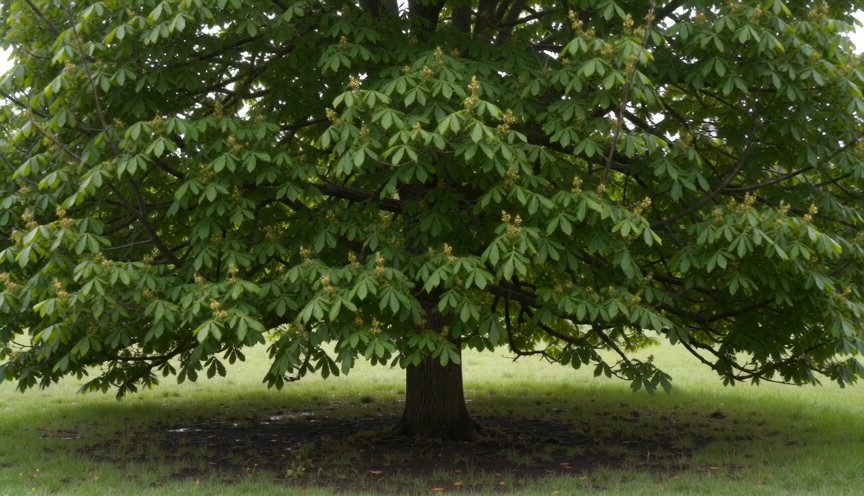
Create four locked-camera seasonal shots of the same mature deciduous tree, joined by clean hard cuts. 0–2s — spring: S
Create four locked-camera seasonal shots of the same mature deciduous tree, joined by clean hard cuts. 0–2s — spring: Sparse fresh green leaves, visible buds, damp grass and soft spring daylight. 2–4s — summer: The same tree has a dense canopy of mature green leaves. The trunk and branches remain identical. 4–6s — autumn: The canopy is thinner, with yellow and amber leaves. Several fallen leaves rest on the ground. 6–8s — winter: The same tree is completely leafless. All major branches are visible, with light snow on the ground and upper branch surfaces. Identical camera position, tree species, trunk, scale and framing. Seasonal changes occur only at cuts. Absolutely no leaves in winter, no snow on a summer canopy, no open-frame morphing, people, text or logos.
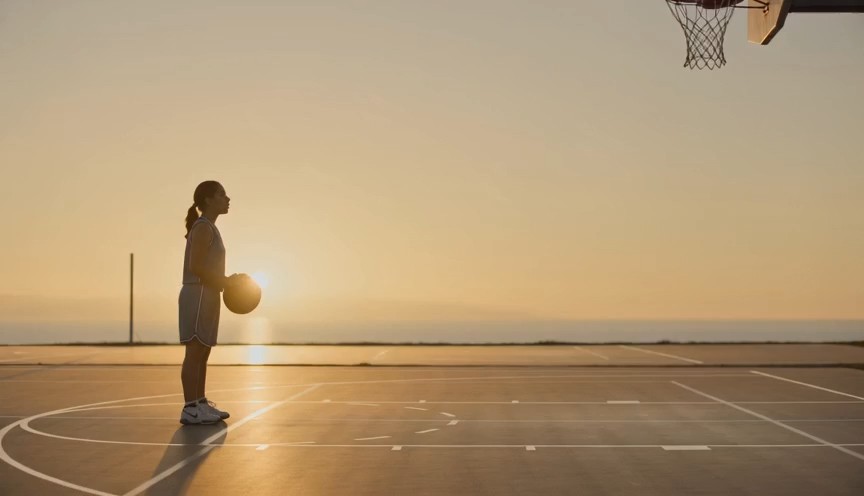
Create a realistic three-shot basketball sequence in a sunlit outdoor court. 0–2s: Full-body side view of one adult pla
Create a realistic three-shot basketball sequence in a sunlit outdoor court. 0–2s: Full-body side view of one adult player standing at the free-throw line. Show the complete body, both arms connected from shoulders to hands, both feet and the full basketball. 2–5s: The player bends the knees, raises the ball with both hands and releases one controlled free throw. The camera tilts upward to follow the ball. 5–7s: Cut to a close three-quarter view of the hoop as the same ball passes cleanly through the net and bounces once beneath it. Natural shooting mechanics, real gravity and consistent ball size. No extra ball, disconnected hands, changing uniform, impossible jump, altered hoop, text or logos.
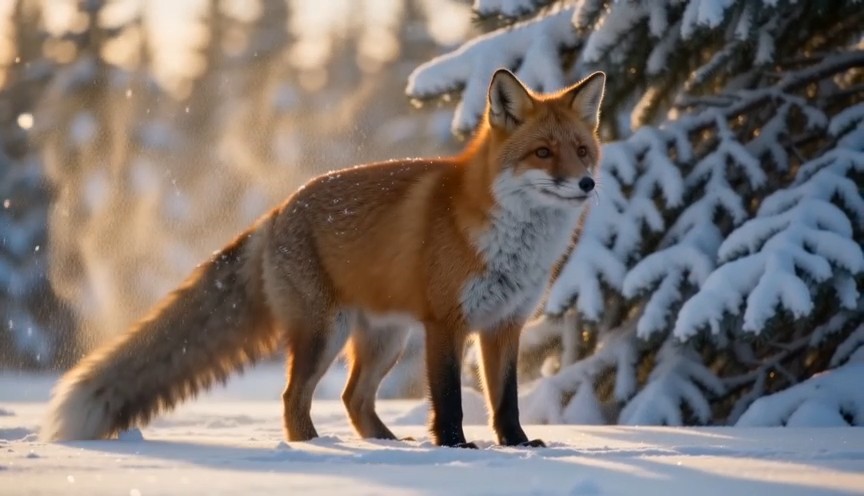
Create a natural wildlife shot at the edge of a snowy forest in soft morning light. 0–2s: A healthy red fox walks out f
Create a natural wildlife shot at the edge of a snowy forest in soft morning light. 0–2s: A healthy red fox walks out from behind a pine tree. Show its complete body, four legs and full tail. 2–5s: The fox stops and performs one natural full-body shake, dislodging a small amount of loose snow from its fur. 5–8s: It raises its ears, looks briefly toward an off-camera sound and then continues walking across the snow. Locked telephoto camera with a gentle focus adjustment, realistic fox anatomy, footprints and winter coat movement. Snow falls downward under gravity. No duplicated legs, oversized tail, human expression, glowing eyes, attacking camera, text or logos.
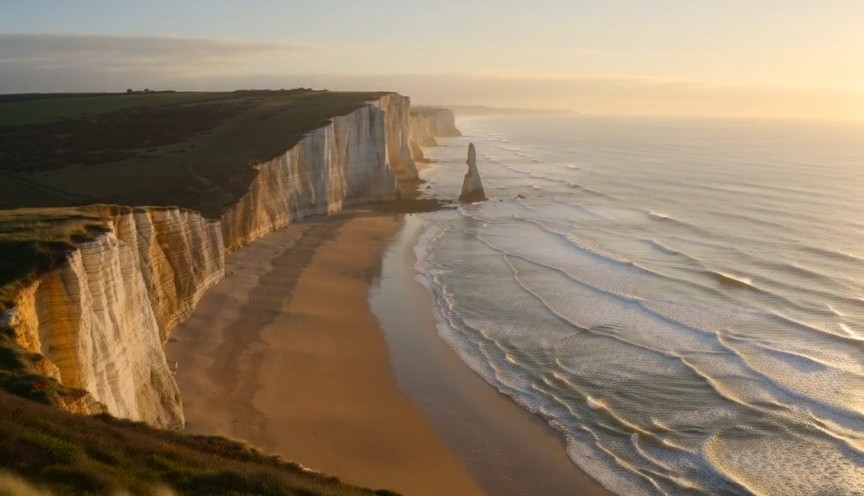
Create one continuous drone reveal over a real coastal landscape at golden hour. 0–3s: The drone moves forward at low a
Create one continuous drone reveal over a real coastal landscape at golden hour. 0–3s: The drone moves forward at low altitude behind a grass-covered dune. Only the dune and moving coastal grass are visible. 3–6s: The drone rises gradually above the dune, revealing a wide beach, limestone cliffs and ocean waves approaching the shore. 6–8s: The drone continues forward and holds the complete coastline in a balanced wide composition. Real wind direction, natural wave cycles, stable horizon and plausible drone movement. The reveal comes only from rising above the dune. No land transforming, reversed waves, floating rocks, artificial portals, people, text or logos.
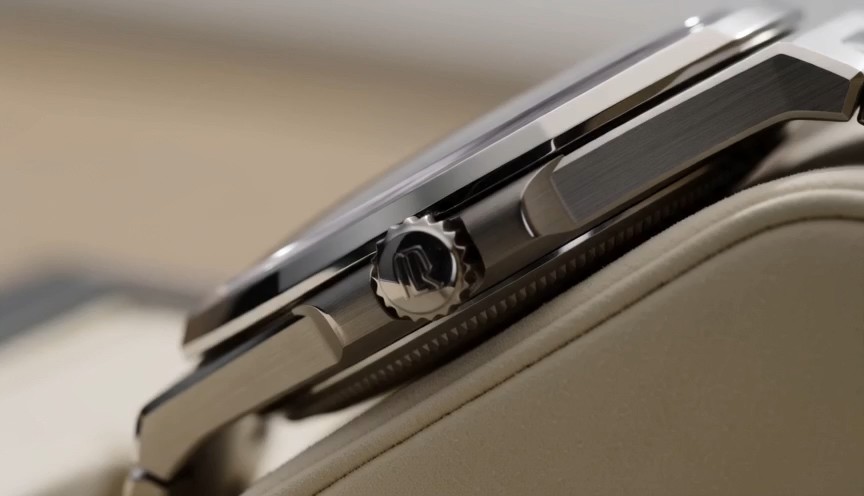
Create one uninterrupted macro product shot of a mechanical wristwatch secured upright on a cream display stand. 0–2s:
Create one uninterrupted macro product shot of a mechanical wristwatch secured upright on a cream display stand. 0–2s: Begin on the polished crown and brushed-steel case. The crown and case remain completely stationary. 2–4s: The camera slides slowly across the crystal, bringing the dial and moving second hand into focus. The second hand advances at a consistent mechanical rate. 4–6s: The camera settles into a centered view of the entire watch face while soft daylight reveals the metal texture. Only the second hand and visible internal mechanism may move. Accurate circular geometry, stable markings and realistic reflections. No melting metal, changing dial, duplicated hands, floating components, liquid, text outside the watch face or logos.
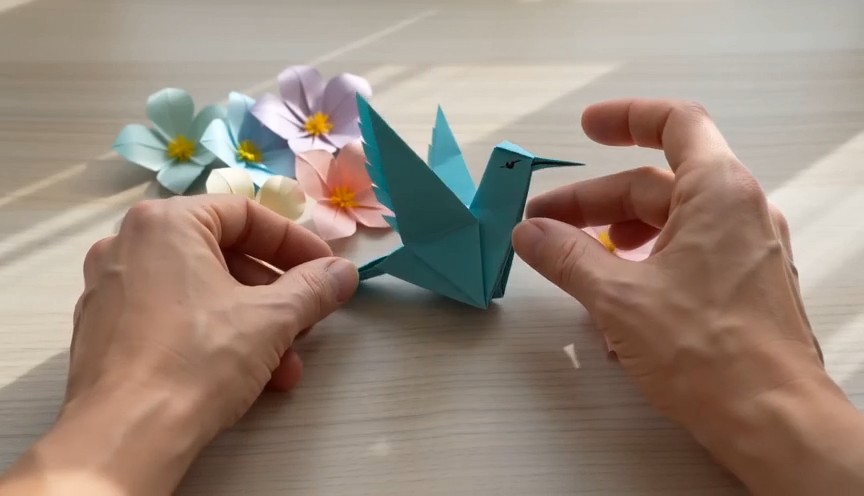
A tactile overhead craft video filmed beside a bright window. 0–2 seconds: Two real human hands place a square sheet of
A tactile overhead craft video filmed beside a bright window. 0–2 seconds: Two real human hands place a square sheet of turquoise paper flat on a pale wooden table and make the first fold. 2–6 seconds: A series of three clean match cuts shows the same hands completing progressively later folding stages. The paper remains the same color, size and material throughout. 6–8 seconds: The hands place the completed origami hummingbird upright beside several paper flowers and move out of frame. Real paper folds, anatomically correct hands, deliberate editing rather than magical self-folding, soft daylight. No floating paper, spontaneous transformation, moving paper bird, extra fingers, text or logos.
Wan 동영상 예시로 보는 Wan AI 3.0 동영상 프롬프트 가이드
Wan AI 3.0 동영상을 탐색하고 복사해 맞춤 설정한 뒤 제작하세요
Wan 3.0 프롬프트 가이드는 아이디어를 매번 처음부터 쓰지 않고 Wan AI 3.0 동영상을 탐색하려는 크리에이터를 위한 실용적인 프롬프트 라이브러리입니다. 영화 같은 장면, 제품 광고, 캐릭터 동작, 카메라 움직임, 스타일화된 영상, 짧은 스토리텔링에 관한 Wan 동영상 예시를 둘러보세요. 각 Wan AI 3.0 동영상 항목은 재사용 가능한 프롬프트 구조와 결과 미리보기를 함께 제공합니다. 문구를 복사한 뒤 피사체, 배경, 동작, 렌즈, 조명, 분위기를 바꾸어 새 결과를 시험할 수 있습니다. Wan 3.0 프롬프트 가이드에는 새 예시가 계속 추가됩니다.
Wan 3.0 프롬프트 가이드 사용 방법
세 단계만으로 영감을 테스트 가능한 Wan AI 3.0 동영상 프롬프트로 바꾸세요. Wan 3.0 프롬프트 가이드는 각 제작 아이디어를 복사 가능한 Wan 동영상 예시와 연결해 프롬프트 구조를 익히고 세부 사항을 조정하며 더 빠르게 생성을 시작하도록 돕습니다.

Wan 동영상 예시 둘러보기
장면 유형, 카메라 움직임, 피사체 동작, 영상 스타일, 조명 또는 제작 목표에 따라 Wan 3.0 프롬프트 가이드를 탐색하세요. 관련 Wan 동영상 예시를 미리 보고 원하는 결과에 맞는 Wan AI 3.0 동영상 프롬프트를 선택합니다.

복사하고 맞춤 설정하기
Wan 3.0 프롬프트 가이드에서 전체 프롬프트를 복사한 뒤 피사체, 장소, 구도, 움직임, 렌즈, 분위기, 타이밍 또는 스타일을 변경하세요. Wan 동영상 예시는 재사용 가능한 구조로 설계되어, 각 Wan AI 3.0 동영상 아이디어를 새로운 독창적 변형으로 발전시킬 수 있습니다.

Wan AI 3.0 동영상을 열어 제작하기
작업 버튼으로 Pixomi AI Video Generator를 열고 Wan AI 3.0 동영상을 선택한 다음, 고른 프롬프트를 붙여 넣고 생성 설정을 확인하세요. 결과를 Wan 동영상 예시와 비교하고 지시를 한 번에 하나씩 다듬은 뒤, 더 많은 아이디어가 필요하면 Wan 3.0 프롬프트 가이드로 돌아갑니다.
Wan AI 3.0 동영상 작업을 위한 Wan 동영상 예시
이 Wan 3.0 프롬프트 가이드는 실제 동영상 제작 목표에 따라 재사용 가능한 아이디어를 정리합니다. Wan 동영상 예시는 피사체 세부 정보, 동작 순서, 카메라 언어, 조명, 환경, 타이밍과 제약 조건이 하나의 Wan AI 3.0 동영상 프롬프트에서 어떻게 어우러지는지 보여 줍니다. 예시를 복사하고 유용한 구조는 유지한 채 창작 변수를 바꾸세요.
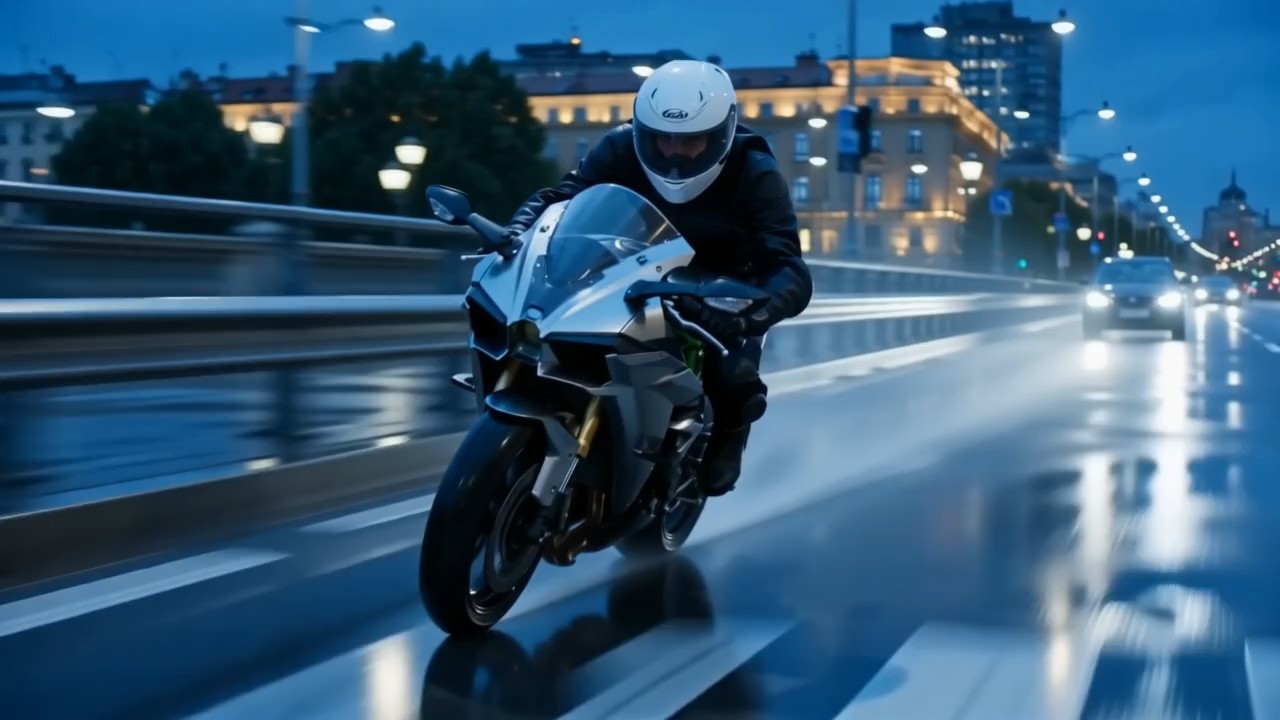
여러 움직임을 겹친 영화 같은 트래킹 숏
이 Wan 3.0 프롬프트 가이드 항목을 사용해 피사체 움직임, 카메라 추적, 전경의 움직임, 배경 깊이와 조명 변화를 조율하세요.
Wan AI 3.0 동영상에서는 피사체가 어디로 움직이는지, 카메라가 어떻게 따라가는지, 화면에서 무엇이 안정적으로 유지되어야 하는지 밝힙니다. 이런 Wan 동영상 예시는 영화 같은 워킹 숏, 여행 시퀀스, 스포츠 순간과 역동적인 도입 장면에 유용합니다. 좋은 프롬프트는 동작의 시작, 중간, 끝을 분명하게 만듭니다.
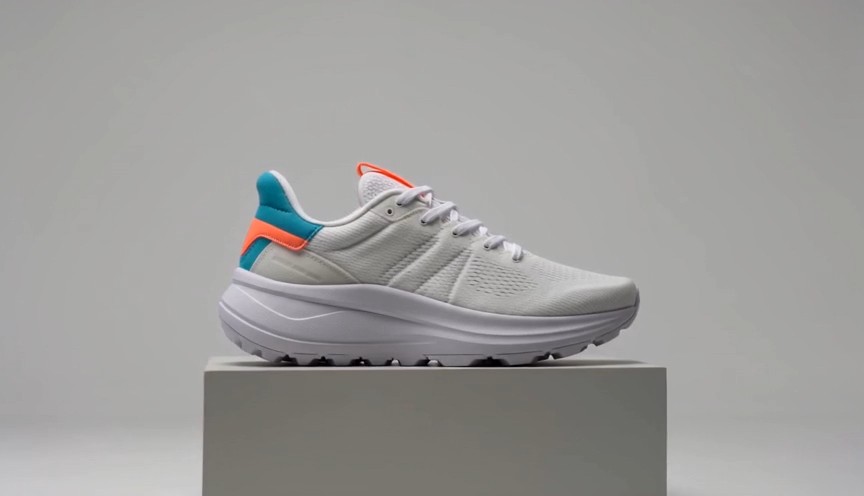
제품을 단계적으로 드러내는 광고
이 Wan 3.0 프롬프트 가이드 예시는 제품 중심의 깔끔한 움직임과 광고 구도를 위해 설계되었습니다.
Wan AI 3.0 동영상에서 제품 소재, 제품이 등장하는 순서, 카메라 경로, 표면 반사, 단순한 배경과 마지막 핵심 장면을 설명하세요. Wan 동영상 예시는 화장품, 전자제품, 패션, 식품 또는 브랜드 제품에 맞게 바꿀 수 있습니다. 막연히 극적인 광고를 요청하기보다 구체적인 변화 단계를 적으세요.
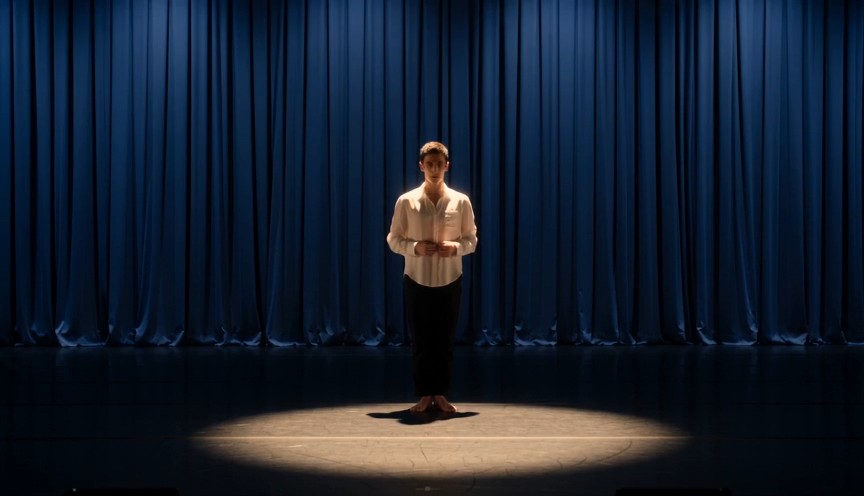
동작 구간이 분명한 캐릭터 연기
몸짓, 표정, 움직임과 카메라 타이밍이 함께 작동해야 할 때 이 Wan 3.0 프롬프트 가이드 항목을 선택하세요.
Wan AI 3.0 동영상에서는 누가 행동하는지, 캐릭터가 먼저 무엇을 하는지, 자세가 어떻게 바뀌는지, 카메라가 어디에 있는지 정의합니다. 이런 Wan 동영상 예시는 패션 영상, 라이프스타일 장면, 짧은 서사와 소셜 콘텐츠 기획에 도움이 됩니다. 관련 없는 사건을 쌓기보다 각 동작 흐름을 읽기 쉽게 유지하세요.
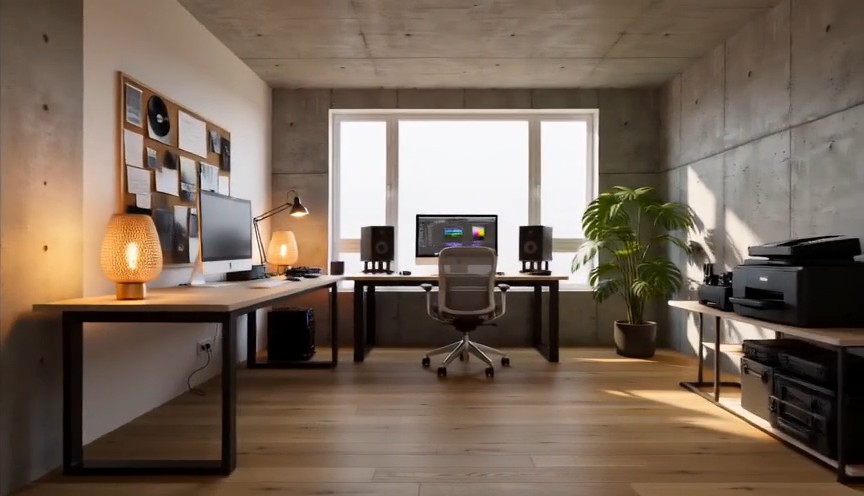
시각적 변화를 더한 스타일 카메라 워크
이 Wan 3.0 프롬프트 가이드 흐름은 창의적인 전환, 스타일화된 카메라 움직임 또는 장면 변형에 활용할 수 있습니다.
Wan AI 3.0 동영상 프롬프트에서는 안정적인 피사체와 변화하는 환경, 조명, 질감 또는 카메라 각도를 구분할 수 있습니다. Wan 동영상 예시는 변형 순서와 최종 구도를 명확히 설명하는 법을 보여 줍니다. 더 깔끔한 결과를 위해 무엇이 바뀌고, 무엇이 고정되며, 마지막 숏이 어떻게 보여야 하는지 정의하세요.
Wan 3.0 프롬프트 가이드 자주 묻는 질문
Wan 3.0 프롬프트 가이드, Wan 동영상 예시 조정, 더 명확한 Wan AI 3.0 동영상 지시, 카메라 움직임 제어와 프롬프트 일관성에 관한 실용적인 답변을 확인하세요.
Wan 3.0 프롬프트 가이드는 복사 가능한 프롬프트에 시각적 결과와 실용적인 작성 노트를 함께 제공하는 엄선된 라이브러리입니다. 피사체, 환경, 동작, 카메라, 조명, 스타일, 타이밍과 제약 조건을 위한 반복 가능한 구조로 Wan AI 3.0 동영상을 탐색할 수 있습니다. Wan 동영상 예시는 고정된 템플릿이 아니라 출발점이므로 각 프롬프트를 새로운 아이디어에 맞게 조정할 수 있습니다.
네. Wan 3.0 프롬프트 가이드의 모든 항목은 복사하고 맞춤 설정할 수 있습니다. 버튼에서 Wan AI 3.0 동영상 작업을 열고 프롬프트를 붙여 넣은 뒤 피사체, 장면, 구도, 움직임 또는 스타일에 맞지 않는 부분을 바꾸세요. Wan 동영상 예시는 유용한 구조를 유지하면서 창작 변수를 변경할 때 가장 효과적입니다.
Wan AI 3.0 동영상 프롬프트는 주요 피사체와 배경으로 시작하고, 동작 순서, 카메라 위치나 움직임, 영상 스타일, 조명, 분위기와 최종 구도를 이어서 설명하세요. Wan 3.0 프롬프트 가이드는 지시를 묶어 프롬프트를 읽기 쉽게 만듭니다. 여러 Wan 동영상 예시를 살펴보면 같은 생각을 되풀이하지 않고도 자세한 지시를 명확히 유지하는 방법을 알 수 있습니다.
카메라를 피사체와의 물리적 관계로 설명하세요. 시작 거리, 각도, 방향, 속도, 추적 방식과 마지막 프레임을 지정합니다. Wan 3.0 프롬프트 가이드는 느린 줌인, 측면 추적, 원형 이동, 상공에서 내려오기, 핸드헬드 팔로우처럼 분명한 움직임을 권합니다. Wan 동영상 예시는 카메라 움직임과 피사체 동작을 별도 요청으로 나누지 않고 연결하는 방법도 보여 줍니다.
Wan AI 3.0 동영상에서는 움직임을 더하기 전에 고정해야 할 얼굴과 정체성 요소, 의상, 사물 디자인, 환경과 구도를 먼저 설명하세요. Wan 3.0 프롬프트 가이드로 고정된 세부 정보와 변하는 동작을 구분합니다. 결과를 Wan 동영상 예시와 비교한 뒤 가장 작고 불확실한 지시부터 다듬으면 각 반복 결과를 더 쉽게 평가할 수 있습니다.
네. Wan 3.0 프롬프트 가이드는 Wan AI 3.0 동영상 크리에이터를 위한 확장형 라이브러리입니다. 새로운 Wan 동영상 예시는 최신 영상 트렌드, 카메라 기법, 제품 아이디어, 캐릭터 장면, 소셜 형식과 창의적인 효과를 다룰 수 있습니다. 복사하고 시험할 새로운 프롬프트가 필요할 때 Wan 3.0 프롬프트 가이드를 다시 찾아보세요.
크리에이터의 Wan 3.0 프롬프트 가이드 활용법
광고, 소셜 미디어, 모션 디자인과 브랜드 제작 분야의 크리에이터는 Wan 3.0 프롬프트 가이드로 아이디어를 구조화된 Wan AI 3.0 동영상 프롬프트로 바꿉니다. 이들의 의견은 프롬프트 예시가 테스트를 빠르게 하고 제작 방향을 명확히 하며 작업을 더 반복 가능하게 만든다는 점을 보여 줍니다.
Wan 3.0 프롬프트 가이드는 Wan AI 3.0 동영상 테스트를 시작하기 전에 탄탄한 구조를 제공합니다. Wan 동영상 예시 덕분에 카메라 방향과 동작 타이밍도 훨씬 쉽게 전달할 수 있습니다.
캠페인 아이디어를 짧은 Wan AI 3.0 동영상 콘셉트로 바꿀 때 Wan 3.0 프롬프트 가이드를 사용합니다. Wan 동영상 예시는 대략적인 기획을 실제로 테스트할 수 있는 프롬프트로 발전시키는 데 도움이 됩니다.
Wan 3.0 프롬프트 가이드에서 가장 유용한 점은 각 Wan AI 3.0 동영상 프롬프트가 피사체, 움직임, 카메라와 영상 스타일을 구분한다는 것입니다. Wan 동영상 예시도 쉽게 재구성할 수 있습니다.
일상적인 소셜 영상 제작에서는 Wan 3.0 프롬프트 가이드가 준비 시간을 줄여 줍니다. Wan AI 3.0 동영상 구조를 복사하고 몇 가지를 바꾼 뒤 여러 Wan 동영상 예시를 빠르게 비교할 수 있습니다.
Wan 3.0 프롬프트 가이드는 모호한 스타일 단어에 의존하지 않고 더 의도적인 Wan AI 3.0 동영상 지시를 쓰도록 도와줍니다. 프롬프트 예시도 실험에 실용적입니다.
제품과 브랜드 장면에 Wan 3.0 프롬프트 가이드를 즐겨 사용합니다. 각 Wan AI 3.0 동영상 예시는 유용한 출발점을 제공하고, 프롬프트 예시는 반복 작업을 더 체계적으로 만듭니다.




Wan AI 3.0 동영상으로 만들 수 있는 콘텐츠
Wan 3.0 프롬프트 가이드로 제작 아이디어를 빠르게 탐색하고 같은 방식으로 프롬프트를 테스트하세요. 예시는 일반적인 동영상 목표를 다루면서도 브랜드, 이야기, 피사체, 영상 스타일과 형식에 맞출 여지를 남깁니다. 각 Wan AI 3.0 동영상 아이디어를 복사하고 조정해 생성, 비교, 개선할 수 있습니다.

영화 같은 장면
제어된 카메라 움직임, 물리적 동작, 공간의 깊이, 조명 변화와 분명한 마지막 프레임을 사용해 분위기 있는 Wan AI 3.0 동영상 장면을 만드세요. Wan 3.0 프롬프트 가이드는 복잡한 아이디어를 정리하고 프롬프트 예시는 각 지시가 시퀀스에 기여하는 방식을 보여 줍니다.

광고 및 제품 동영상
Wan AI 3.0 동영상으로 제품 공개 연출, 소재 클로즈업, 변형 효과, 라이프스타일 광고와 브랜드 소셜 영상을 제작하세요. Wan 3.0 프롬프트 가이드로 제시 순서, 카메라 움직임과 핵심 구도를 정한 뒤 제품에 맞게 프롬프트 예시를 조정합니다.

캐릭터 및 라이프스타일 콘텐츠
Wan AI 3.0 동영상으로 패션 숏, 일상의 순간, 표현력 있는 캐릭터 장면과 짧은 이야기를 기획하세요. Wan 3.0 프롬프트 가이드는 외형, 동작, 환경과 카메라 방향을 구분합니다. 프롬프트 예시는 다양한 캐릭터와 배경에 재사용할 수 있는 구조를 제공합니다.

창의적인 전환과 소셜 효과
Wan AI 3.0 동영상으로 스타일화된 변형, 영상 루프, 극적인 재구도, 초현실적 전환과 시선을 끄는 소셜 아이디어를 구현하세요. Wan 3.0 프롬프트 가이드는 순서와 최종 구도를 강조하고, 프롬프트 예시는 효과 아이디어를 더 명확한 생성 지시로 바꿉니다.
Wan 동영상 예시로 다음 Wan AI 3.0 동영상 만들기
Wan 3.0 프롬프트 가이드에서 아이디어를 고르고 프롬프트를 복사해 제작 세부 사항을 조정한 뒤 Pixomi AI Video Generator를 열어 Wan AI 3.0 동영상을 만드세요. 재사용 가능한 예시에서 시작해 변형을 시험하고, 새로운 방향이 필요할 때마다 Wan 3.0 프롬프트 가이드로 돌아오세요.
