
MiniMax H3-promptgids: voorbeelden en ideeën
Ontdek de MiniMax H3-promptgids met kopieerbare promptvoorbeelden, videoresultaten, camera-instructies, audio-ideeën en creëren met één klik.
Beschrijf je idee en laat AI de perfecte prompt voor je maken
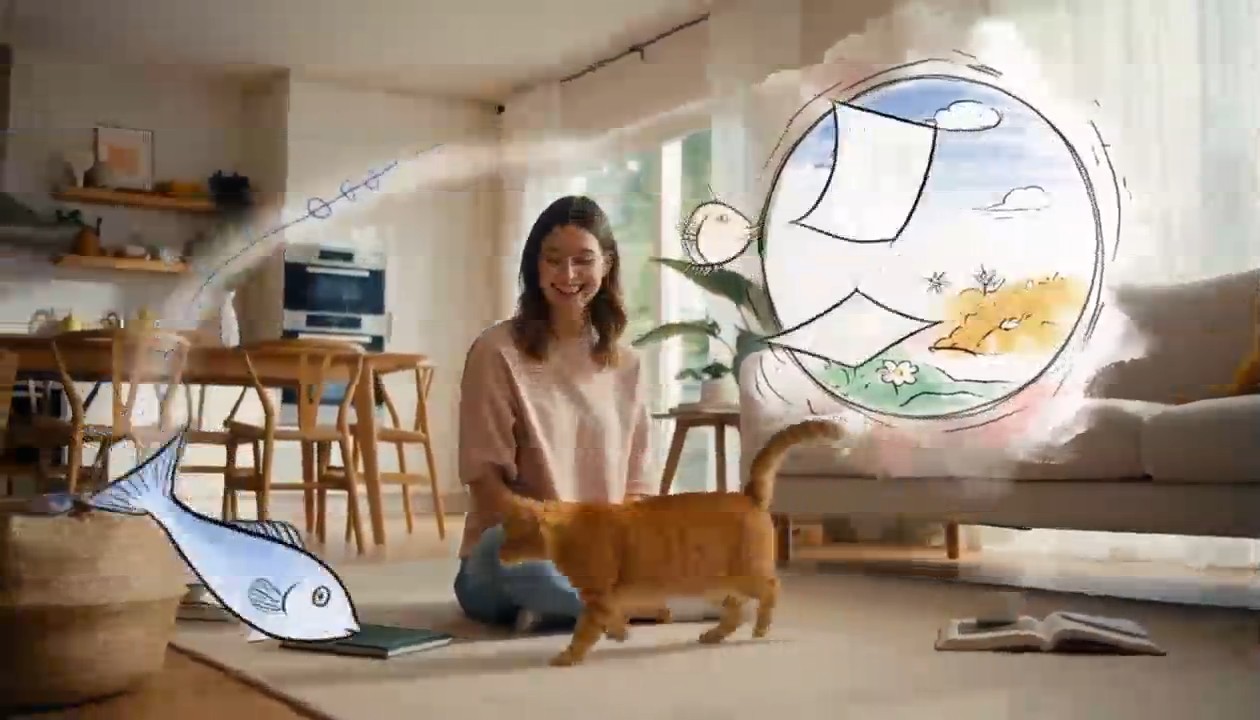
Surreal Hand-Drawn VFX Living Room
integrated_multimodal_description: [Shot 1] Live-action cinematic footage blended with surreal hand-drawn 2D VFX animation. A young adult woman in relaxed home clothes sits on the rug of a bright, cozy contemporary living room with her playful orange tabby cat beside her. Warm daylight enters through large windows, illuminating a sofa, coffee table, houseplants, cushions, books, and natural wooden furniture. The camera begins in a medium-wide shot and slowly performs a gentle arc shot around them. The woman playfully draws a circle in the air with one finger. A rough black pencil line remains suspended behind her fingertip, visibly trembling like a frame-by-frame hand-drawn animation. She completes the circle, and it opens into a floating illustrated portal made from charcoal strokes, colored-pencil hatching, watercolor stains, eraser marks, and rapidly redrawn sketch lines. Loose pages, tiny stars, flowers, spirals, and whimsical hand-drawn fish swim out of the portal and move through the real living room, passing naturally behind furniture and in front of the subjects with correct spatial occlusion. The cat notices a scribbled blue fish and follows it across the rug. Its ears turn, eyes track the moving drawing, tail swishes, and paws press naturally into the carpet. The illustrated fish darts around a table leg, leaving an animated trail of blue pencil loops. The cat pounces and taps it with one paw. At the moment of contact, the drawing bursts into a soft explosion of hand-painted color, ink splashes, chalk dust, animated stars, and curling sketch lines. The colorful lines race across the rug and climb the sofa, briefly transforming the edges of the furniture, the woman, and the cat into lively hand-drawn outlines while their bodies remain photorealistic and recognizable. Laughing silently, the woman catches one glowing illustrated ribbon between her hands and gently guides it toward the cat. The ribbon spirals around the cat without restraining it, then folds itself into a tiny hand-drawn crown floating above its head. The remaining doodles quickly rewind into the portal like animated pencil strokes being erased in reverse. The portal closes with a small watercolor pop. End with the woman petting the cat as it sits proudly beneath the wobbling illustrated crown; both look toward the camera while one tiny sketched star continues bouncing above them. Maintain one continuous, physically coherent camera move with no cuts. The woman and cat remain live-action and photorealistic throughout; only the supernatural VFX elements use the expressive hand-drawn style. Emphasize imperfect pencil contours, visible redrawing between frames, charcoal texture, colored-pencil shading, watercolor bleeds, ink splatters, playful line boil, and intentional stop-motion-like timing. Preserve consistent human anatomy, facial appearance, clothing, cat markings, room layout, lighting direction, furniture geometry, and object placement. No identity drift, body morphing, extra limbs, duplicated pets, floating furniture, random scene changes, text, subtitles, logos, or watermarks. overall_soundscape: Quiet living-room ambience with soft fabric movement, gentle cat pawsteps on the rug, a curious meow, delicate pencil-scratching sounds synchronized with every drawn line, paper fluttering as the portal opens, chalky swishes as the illustrated creatures move, and a soft watercolor pop when the portal closes. The woman gives a brief natural laugh after the cat catches the drawn fish. non_diegetic_music: A playful light rhythm performed with pizzicato strings, soft marimba, and sparse bell tones, gradually adding energy as the drawings fill the room before resolving into one gentle final chime.
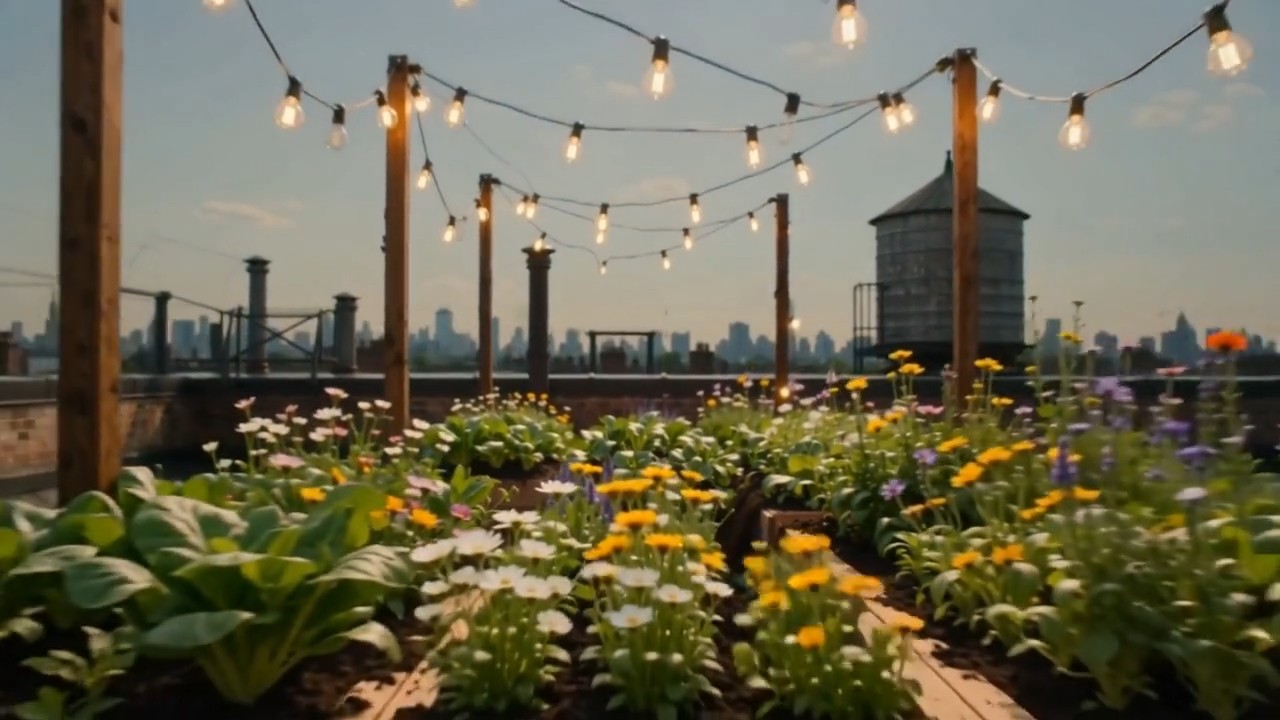
Create one continuous time-compressed transformation from the first frame to the last frame. Wooden planters slide into
Create one continuous time-compressed transformation from the first frame to the last frame. Wooden planters slide into position, soil fills naturally, seedlings emerge and grow into dense vegetables and flowers, string lights rise between posts, shadows move from morning to evening, and the camera performs a slow forward dolly without changing direction. Preserve the rooftop architecture and frame composition. Layer soft construction sounds, wind, birds, and a gentle musical build
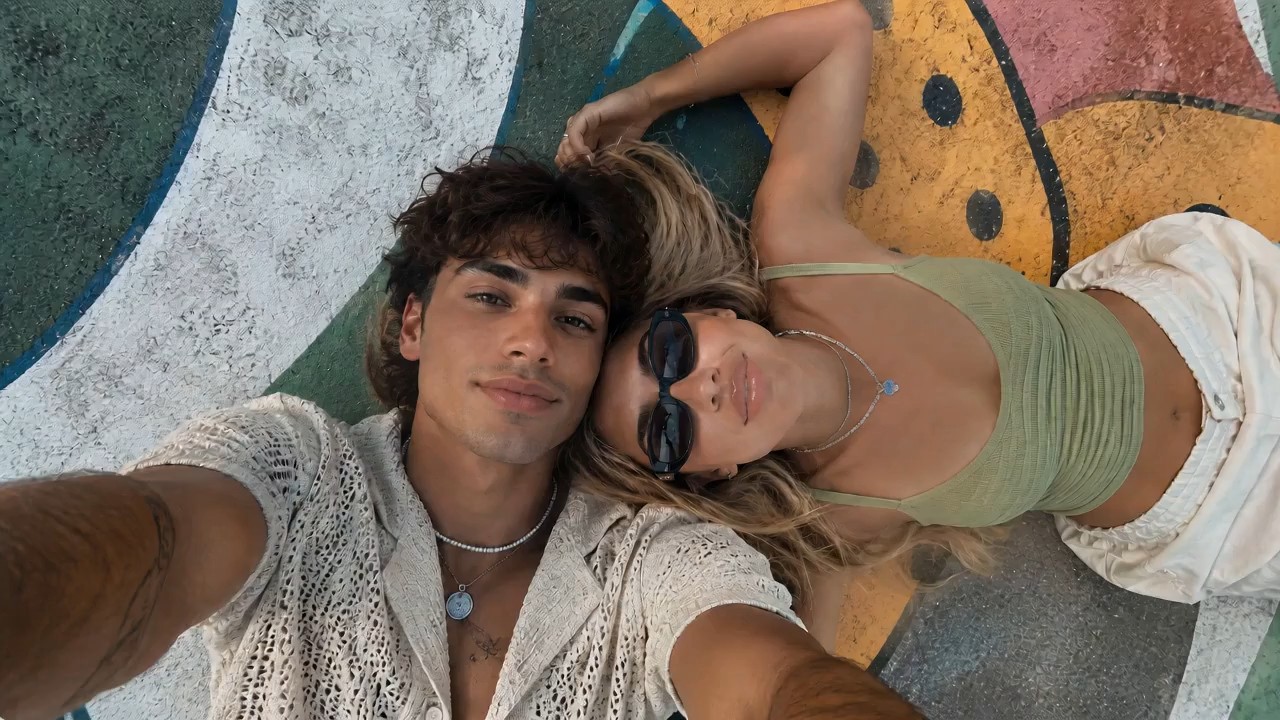
Use the reference image as the starting frame and preserve the same overall vibe: two stylish young people lying close t
Use the reference image as the starting frame and preserve the same overall vibe: two stylish young people lying close together outdoors on a painted mural surface, relaxed, cool, sunlit, summery, and visually aesthetic. Create a dynamic, visually striking selfie-style video where the camera is always being held in the young man’s hand, as if he is filming them himself from above. The perspective must remain handheld and first-person from the boy’s outstretched arm, but the angle and motion should keep changing in cool and creative ways to create different visual effects. Start with the original top-down selfie composition, both faces close together, calm and stylish. Then the boy subtly rotates his wrist, causing the frame to slowly tilt and roll, creating a dreamy floating feeling. He brings the camera slightly closer to their faces for an intimate close-up, then lifts it higher for a wider overhead perspective showing more of the colorful mural background. Add smooth but noticeable hand-driven motion: slight orbit-like swings, playful tilts, soft dips, angle flips, and controlled handheld rotation, all still clearly feeling like the camera is in his hand. At one moment, the camera swings to a diagonal angle, making the composition feel more fashion-editorial. Then it glides lower and closer to the girl’s sunglasses and lips for a stylish detail moment, before shifting back to both of them together. Add a brief dramatic rotation or half-spin of the frame driven by his wrist movement, then stabilize into another overhead selfie. The camera should feel lively and expressive, with changing perspectives that make the same moment look fresh from multiple angles. Their expressions can subtly change: relaxed, playful, slightly smiling, naturally interacting with the camera. Hair moves slightly, sunlight feels warm and soft, and the entire video should feel effortlessly cool and photogenic. Visual style: trendy, cinematic, high-end social media fashion aesthetic, handheld selfie energy, smooth but expressive motion, natural sunlight, youthful summer mood, polished and visually engaging. Preserve realism and the core appearance of both people, while making the camera movement feel creative and premium. No text, no subtitles, no watermark.
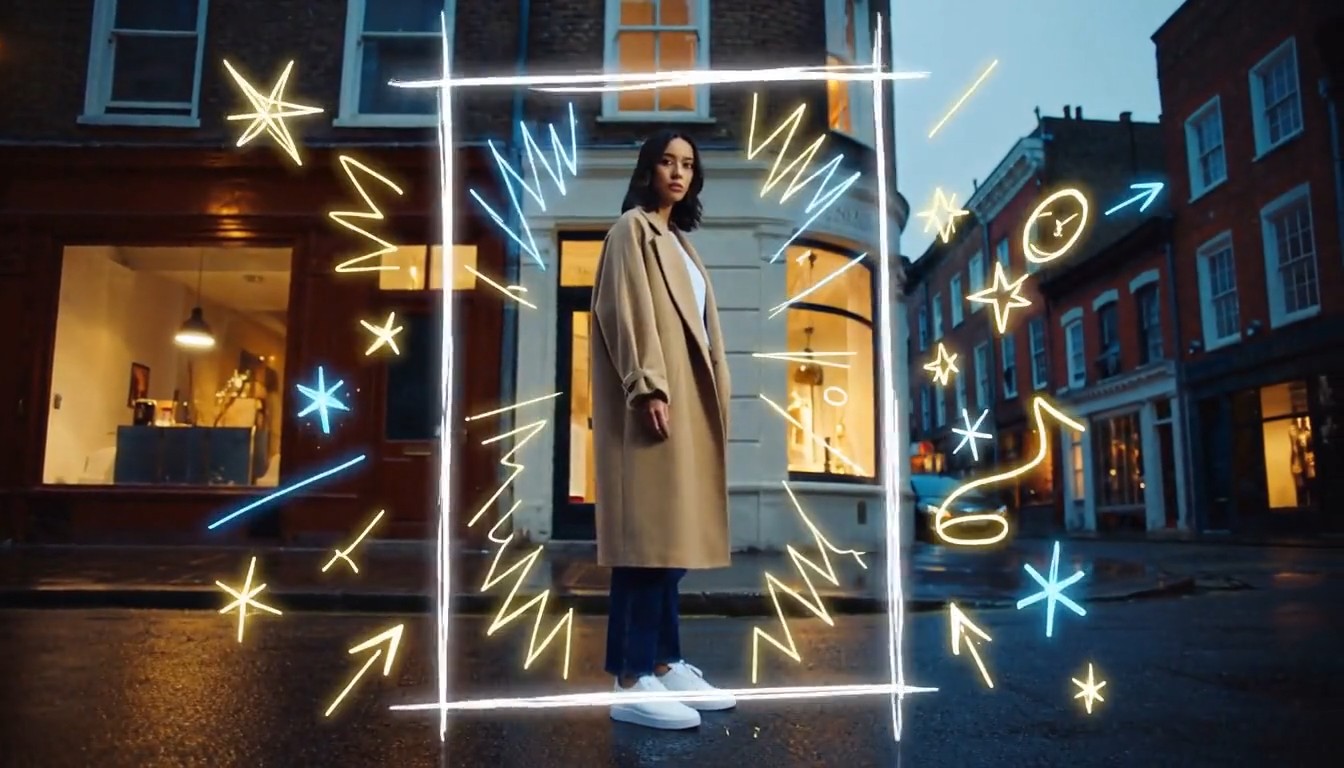
Create a cinematic mixed-media video that seamlessly combines photorealistic live-action footage with luminous hand-draw
Create a cinematic mixed-media video that seamlessly combines photorealistic live-action footage with luminous hand-drawn animation. A stylish young person walks through a real urban street at dusk while the camera smoothly follows from a slightly low side angle. The environment is fully realistic: textured buildings, passing pedestrians, reflective pavement, shop windows, soft evening light, and natural handheld movement. As the person moves forward, glowing hand-drawn lines begin appearing around them in real time. Loose animated strokes trace the outline of their body, shoes, clothing, and hair. Bright sketch-like arrows follow their movement, while small stars, sparks, waves, handwritten symbols, and playful illustrated shapes emerge from nearby objects. When the person passes a streetlamp, a glowing animated spiral wraps around the lamp and releases floating illustrated fireflies. Their footsteps create hand-drawn light ripples across the pavement. A sketched bird flies out from a wall mural, transforms into a luminous animated creature, circles around the person, and then dissolves into sparkling brush strokes. The animated elements must feel physically connected to the live-action world: wrapping around objects, hiding behind the subject, reflecting subtly on nearby surfaces, reacting to movement, and leaving short glowing trails. The illustrations should look intentionally hand-drawn, with imperfect lines, visible brush texture, frame-by-frame motion, and energetic scribble animation. End with the person stopping and turning toward the camera. A large glowing hand-drawn frame rapidly sketches itself around them, while multiple animated lines, stars, and abstract symbols burst outward before settling into a clean final composition. Visual style: photorealistic live-action combined with luminous 2D doodle animation, contemporary fashion commercial, creative mixed media, energetic yet polished, warm cinematic lighting, neon white, electric blue and golden glowing strokes, smooth camera movement, expressive frame-by-frame animation, strong depth and realistic interaction between animation and environment, 4K, no subtitles, no watermark, no visible interface.
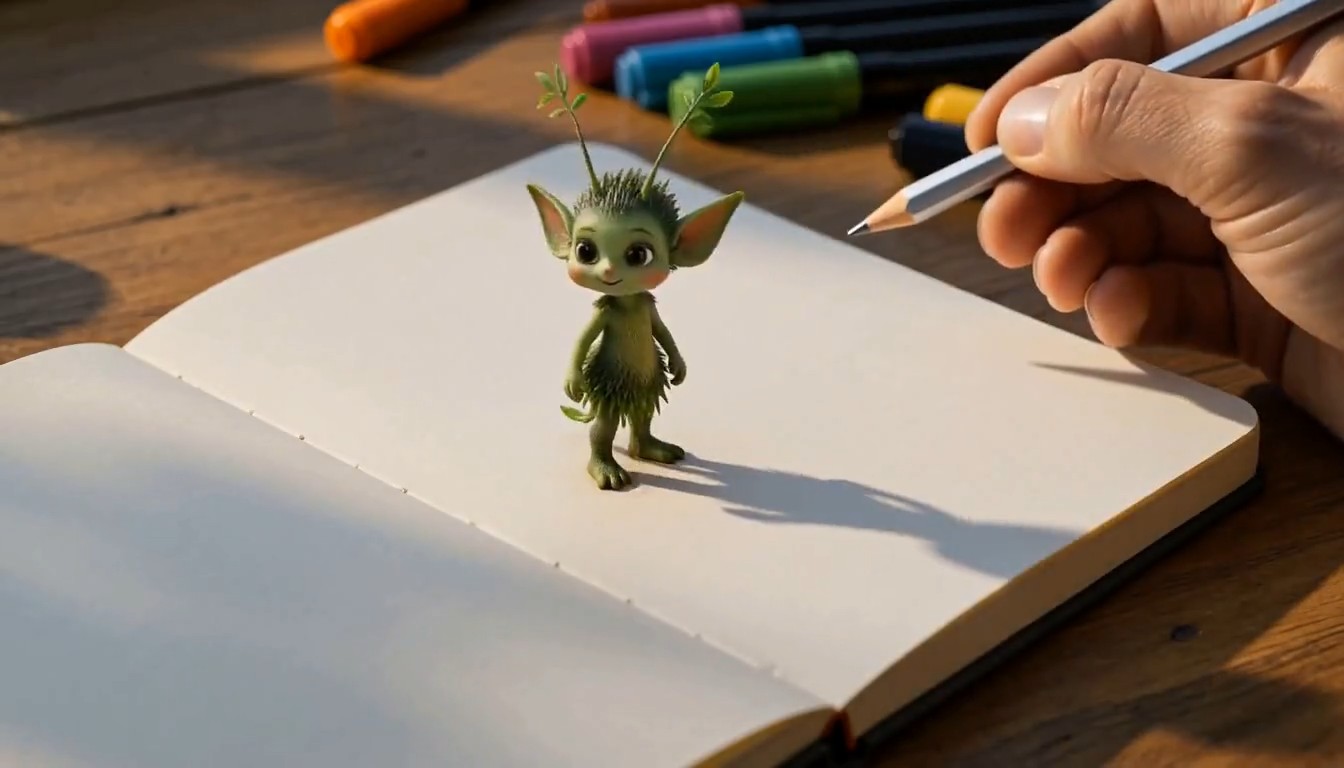
A cinematic creative desk scene. The camera focuses on a person drawing on paper at a wooden desk in a cozy studio. The
A cinematic creative desk scene. The camera focuses on a person drawing on paper at a wooden desk in a cozy studio. The hand moves naturally with pencil and markers, carefully sketching a charming illustrated subject on the page. As the drawing is completed, the illustrated subject magically rises off the paper, transforming into a small fully three-dimensional version of itself. It keeps the same design language as the drawing, but now appears as a lively miniature 3D object or character standing on the desk. It starts moving naturally, looking around with curiosity. The person continues drawing a second new subject on the paper beside it. As soon as the second drawing is finished, it also transforms from flat illustration into a stylized 3D form and pops up from the page onto the desk. The newly created 3D subject begins interacting with the first one in a playful and charming way. Their interaction feels lively, imaginative, and seamless, as if the drawings have come to life. Visual style: highly creative, magical realism, warm studio lighting, detailed desk environment, visible art tools, smooth hand movement, elegant transformation effect from 2D drawing to 3D object, whimsical and polished animation, cinematic camera focus, shallow depth of field, smooth motion, delightful and imaginative atmosphere, no subtitles, no text overlay.
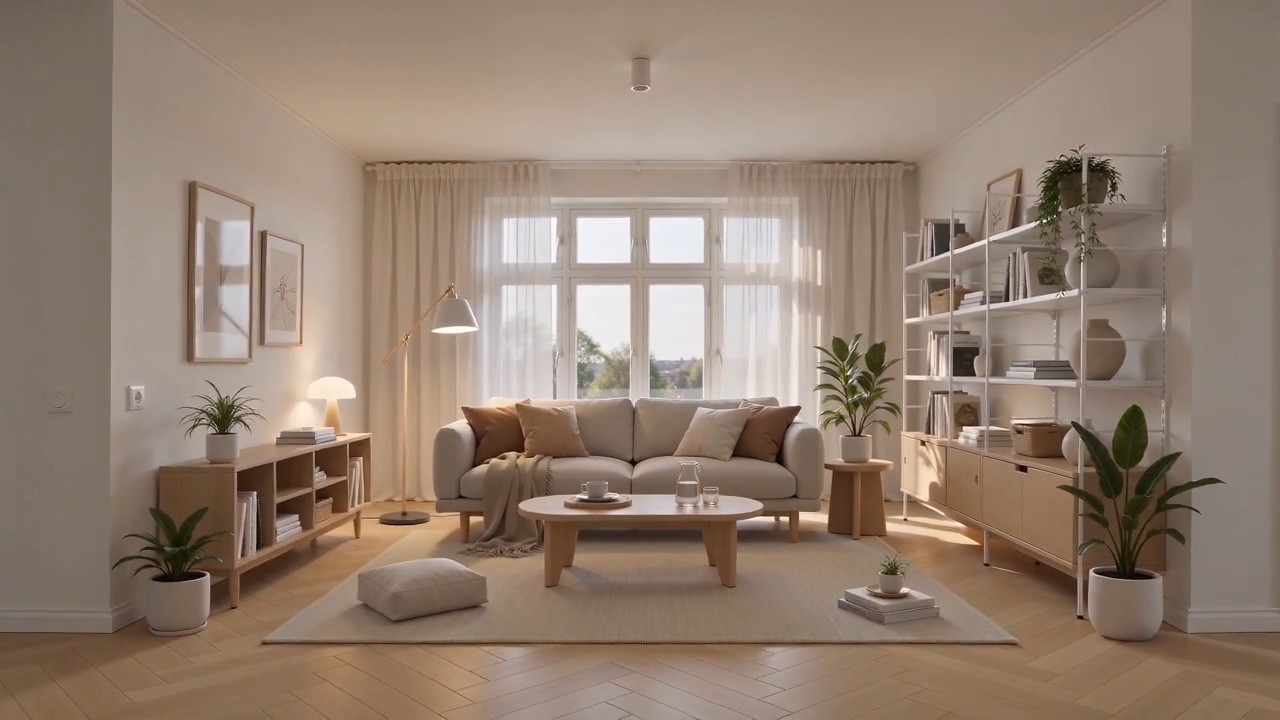
Create a polished home furnishing commercial inspired by Scandinavian IKEA-style interior design. The video begins wit
Create a polished home furnishing commercial inspired by Scandinavian IKEA-style interior design. The video begins with a completely empty, bright modern room. White walls, light oak flooring, large windows, soft natural daylight, clean architectural lines, and no furniture or decoration. The camera slowly pushes forward through the empty space. As the camera continues moving, the interior gradually comes to life. A neutral-colored rug smoothly unfolds across the floor. A minimalist sofa rises gently into position, followed by a light wood coffee table, side tables, a floor lamp, shelving units, curtains, cushions, and soft throws. Each furnishing appears through elegant, visually satisfying transitions, such as sliding into place, unfolding, assembling itself, or softly materializing. Continue adding smaller home details: framed wall art aligns itself on the wall, books and decorative objects appear on shelves, indoor plants grow into place, tableware settles neatly onto the coffee table, and warm ambient lights switch on one by one. Every product should feel practical, affordable, stylish, and coordinated. The room gradually transforms from an empty shell into a complete, comfortable, beautifully styled living space. End with a wide hero shot revealing the fully furnished room, featuring a balanced Scandinavian color palette, warm wood textures, soft textiles, organized storage, natural greenery, and inviting lighting. Visual style: premium home furnishing advertisement, Scandinavian minimalism, clean and functional design, smooth product-reveal transitions, realistic materials, warm natural light, soft shadows, precise composition, satisfying assembly animation, calm but uplifting pacing, high-end commercial quality, photorealistic, 4K. Camera movement: start with a slow forward dolly through the empty room, maintain a smooth continuous motion while products appear, then gently pull back into a wide final composition showing the complete interior. No people, no clutter, no subtitles, no watermark, no distorted furniture, no floating objects after placement.
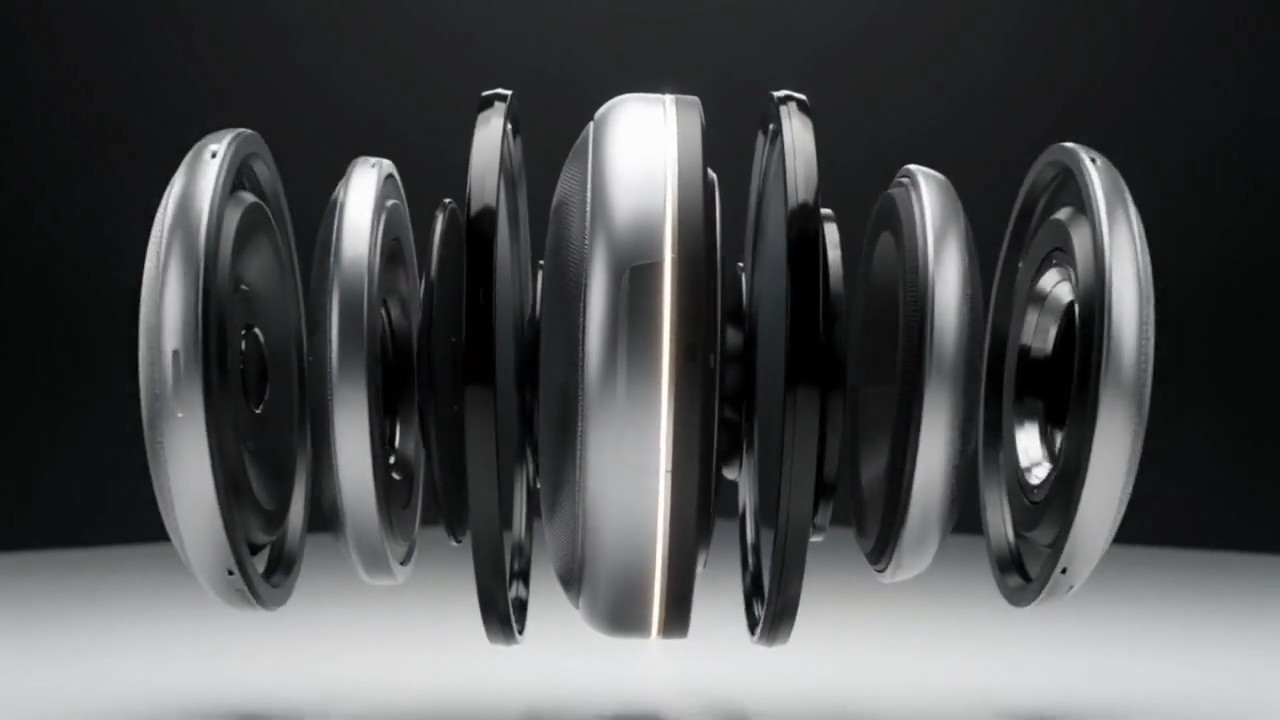
A matte silver wireless speaker floats above a seamless white studio surface. The camera makes a slow 120-degree orbit a
A matte silver wireless speaker floats above a seamless white studio surface. The camera makes a slow 120-degree orbit as separated metal, fabric, and glass components glide inward and assemble with precise mechanical timing. A soft pulse of light travels around the speaker rim, then the product lands gently as fine dust moves outward. Minimal premium commercial style, crisp material detail, soft overhead lighting, subtle stereo assembly sounds, no extra objects, 8 seconds, 16:9.
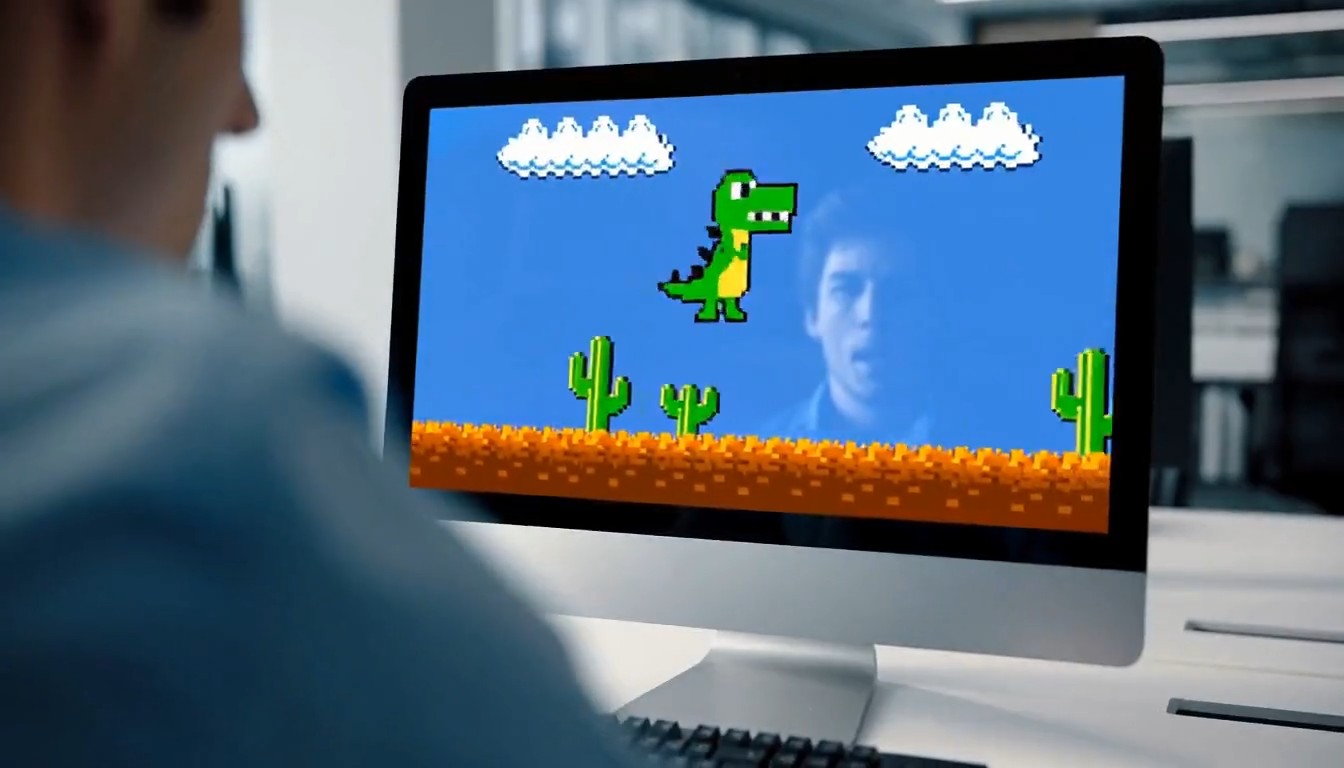
A 10-second cinematic office comedy scene with a strong tonal shift. Start with an intense, high-pressure atmosphere. A
A 10-second cinematic office comedy scene with a strong tonal shift. Start with an intense, high-pressure atmosphere. A young programmer sits in a modern office, seen in a close shot, staring nervously at his computer screen while typing rapidly on the keyboard. His body language is tense and focused. Cut to a tight close-up of his hands hitting the keyboard quickly and urgently. Then cut to a close-up of his face: serious eyes, tight jaw, intense concentration. Then an extreme close-up of sweat forming on his forehead, emphasizing the pressure and suspense. Next, the camera quickly pulls back to reveal the whole office. Multiple coworkers are also at their desks, all staring at their screens and furiously typing with the same intense, serious energy. The entire room feels like a high-stakes mission, with fast pacing, tense expressions, and dramatic urgency. Then suddenly, the mood flips. The first programmer throws both hands into the air and cheers in victory. One by one, the other office workers also begin celebrating, cheering, laughing, and reacting with exaggerated relief. The atmosphere transforms from tense and dramatic into lighthearted and absurd. For the final reveal, the camera quickly turns toward the computer screen and shows that they were all intensely playing a simple offline single-player video game. The reveal should be funny and unexpected. Style: cinematic, realistic office environment, expressive acting, dynamic editing, intense suspense at first, then humorous tonal shift, slightly exaggerated comedy, clean modern office, natural lighting, fast cuts, dramatic close-ups, polished commercial-like visuals, no subtitles, no text overlay.
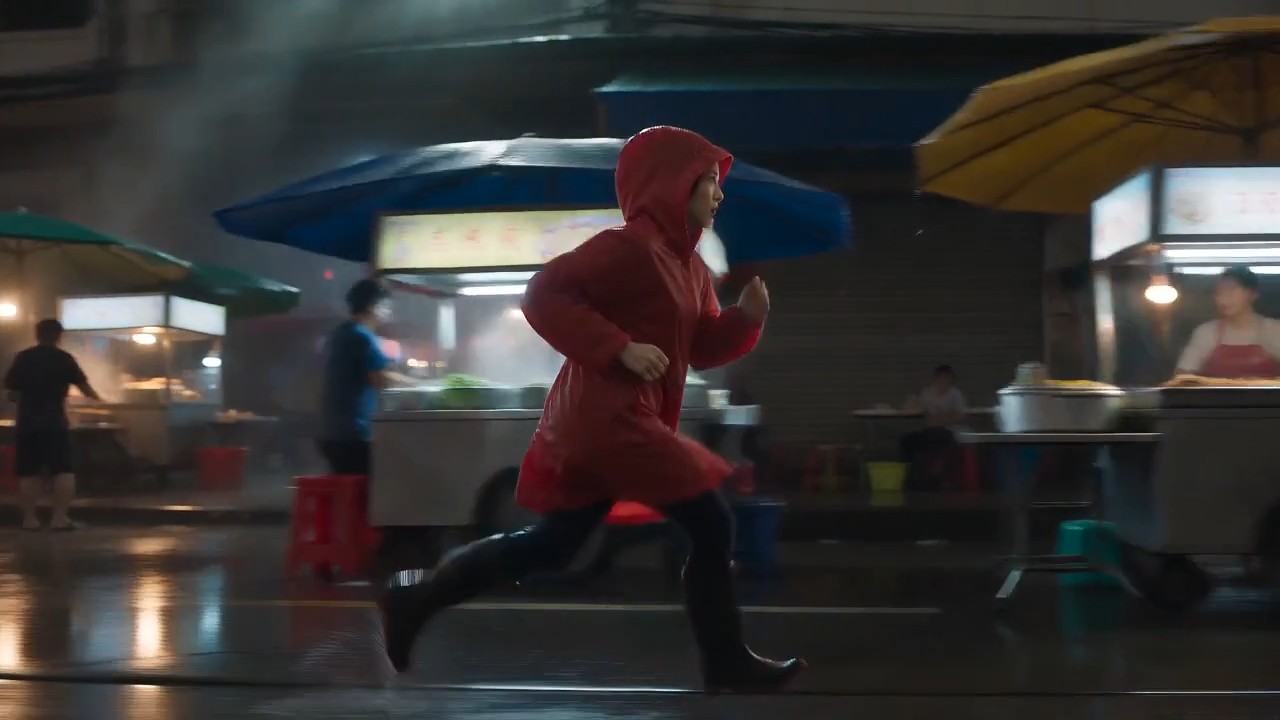
A lone female courier in a red raincoat runs through a rain-soaked night market, weaving between food stalls as the came
A lone female courier in a red raincoat runs through a rain-soaked night market, weaving between food stalls as the camera tracks beside her at waist height. Neon reflections ripple across wet pavement, steam drifts through frame, vendors turn as she passes, realistic footfalls, distant scooters, rain striking canvas awnings, tense cinematic score, natural motion blur, high-contrast thriller lighting, continuous
MiniMax H3-promptgids met direct kopieerbare videovoorbeelden
Ontdek, kopieer, pas aan en creëer met MiniMax H3
De MiniMax H3-promptgids is een praktische bibliotheek voor makers die betere videoresultaten willen zonder elke prompt vanaf nul te schrijven. Bekijk MiniMax H3-promptvoorbeelden voor filmische scènes, productadvertenties, karakterspel, native audio, bewegingsreferenties en nauwkeurige videobewerking. Gebruik ze ongewijzigd of vervang onderwerp, omgeving, camera, geluid en stijl om ze op je idee af te stemmen.
Zo gebruik je de MiniMax H3-promptgids
Zet inspiratie in drie eenvoudige stappen om in een voltooide clip. De MiniMax H3-promptgids koppelt elk idee aan herbruikbare MiniMax H3-promptvoorbeelden, zodat je de structuur kunt bestuderen, details kunt aanpassen en sneller kunt genereren.

Een promptvoorbeeld bekijken
Verken de MiniMax H3-promptgids op scènetype, visuele stijl, cameragedrag, karakteractie, geluidsontwerp of bewerkingstaak. Bekijk het bijbehorende resultaat en kies de MiniMax H3-promptvoorbeelden die het beste bij je creatieve richting passen.

Kopiëren en aanpassen
Kopieer de volledige prompt en wijzig vervolgens onderwerp, locatie, duur, kadrering, beweging, dialoog, geluidseffecten of sfeer. Deze gids houdt de promptstructuur duidelijk, terwijl de MiniMax H3-promptvoorbeelden flexibel genoeg blijven voor originele projecten.

MiniMax H3 openen en creëren
Klik op de promptknop om MiniMax H3 te openen en de gekozen tekst in het promptveld te plaatsen. Controleer referenties en instellingen en creëer, vergelijk en verfijn daarna. Nieuwe MiniMax H3-promptvoorbeelden maken deze bibliotheek nuttig voor herhaald experimenteren.
MiniMax H3-promptvoorbeelden voor creatieve videoworkflows
Deze MiniMax H3-promptgids ordent herbruikbare ideeën rond de multimodale workflow van het model. De MiniMax H3-promptvoorbeelden tonen hoe onderwerpdetails, actie, camerataal, licht, geluid, timing en referentie-instructies kunnen samenwerken. Kopieer een voorbeeld, behoud de structuur en vervang de creatieve variabelen.
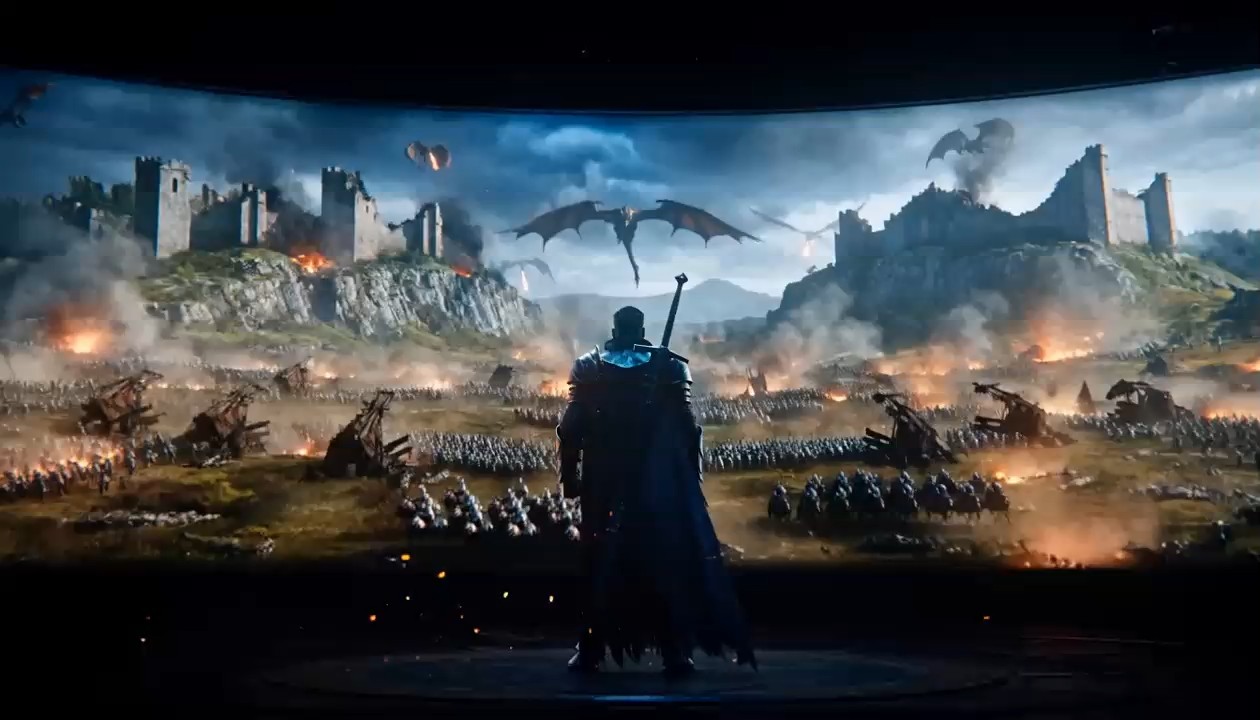
Filmische volgshot met native geluid
- Gebruik dit voorbeeld uit de MiniMax H3-promptgids om beweging van het onderwerp, cameratracking, omgevingsbeweging en synchroon geluid af te stemmen.
- Deze MiniMax H3-promptvoorbeelden werken het best wanneer het actiepad en de relatie met de camera duidelijk zijn. De gids raadt aan geluidsbronnen in de scène te beschrijven in plaats van vage verzoeken zoals ‘goed geluid’.
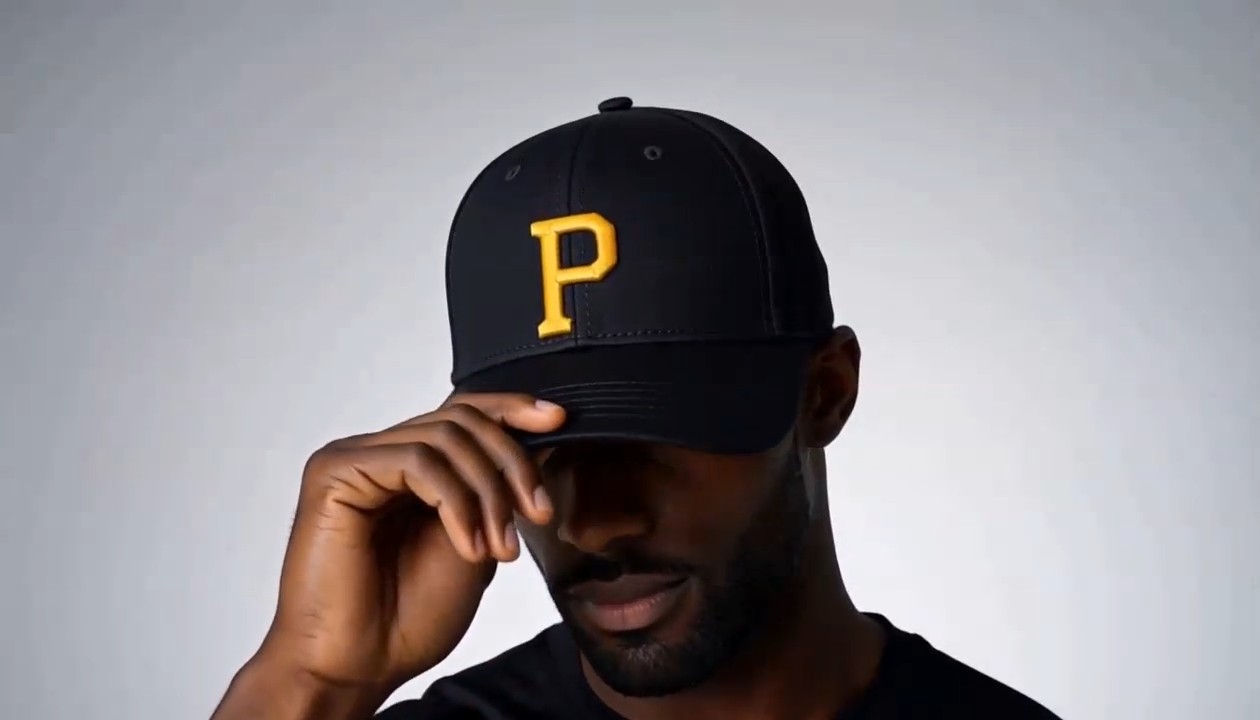
Productreclame met gecontroleerde transformatie
Dit onderdeel van de MiniMax H3-promptgids is gemaakt voor heldere reclamebeelden en objectgerichte beweging.
Gebruik zulke MiniMax H3-promptvoorbeelden om productmateriaal, volgorde van transformatie, camerapad, uiteindelijke hero-pose en geluidssignalen te bepalen. De gids raadt ook aan te benoemen wat afwezig moet blijven om een minimalistische compositie te beschermen.
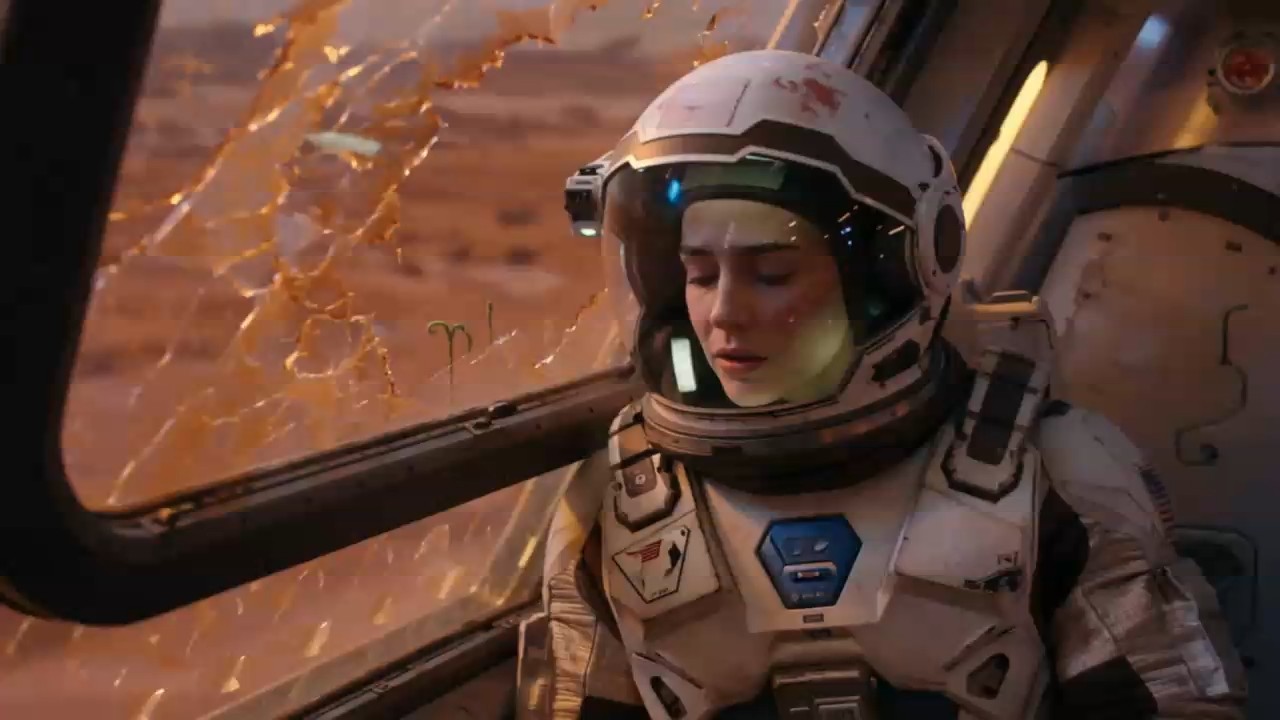
Karakterspel en gesproken dialoog
Kies dit voorbeeld uit de MiniMax H3-promptgids wanneer gezichtsuitdrukking, lichaamstaal, dialoog en sfeer met elkaar verbonden moeten zijn.
Deze MiniMax H3-promptvoorbeelden specificeren wie spreekt, de exacte tekst, emotie, cameratiming en achtergrondgeluid. De gids geeft de voorkeur aan korte dialogen die ruim binnen de cliplengte passen.
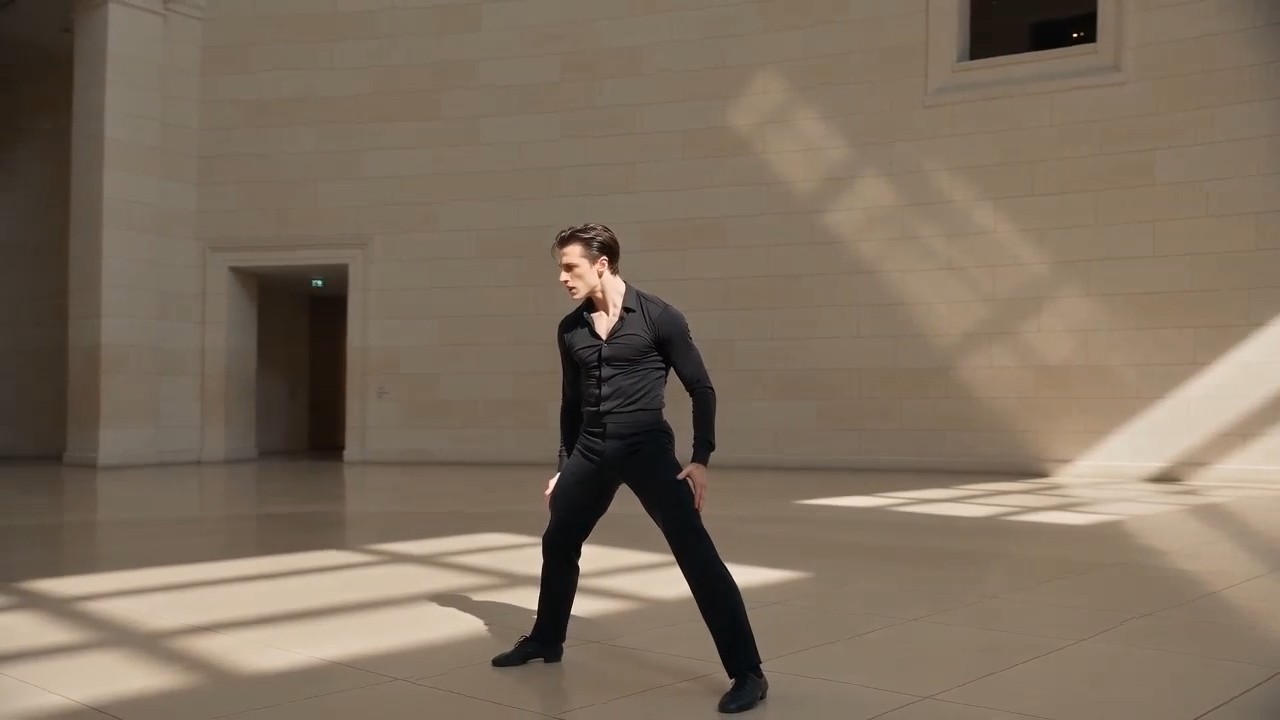
Overdracht van bewegings- en camerareferenties
Gebruik deze workflow uit de MiniMax H3-promptgids met een karakterafbeelding en referentievideo die de gewenste choreografie en het camerapad tonen.
MiniMax H3-promptvoorbeelden moeten elke referentie een duidelijk doel geven. De gids vermijdt dat één asset tegelijk identiteit, beweging, stijl en geluid moet regelen.
Veelgestelde vragen over de MiniMax H3-promptgids
Vind praktische antwoorden over het gebruik van de MiniMax H3-promptgids, het aanpassen van MiniMax H3-promptvoorbeelden, het organiseren van referenties en het schrijven van duidelijkere generatie- of bewerkingsinstructies.
De MiniMax H3-promptgids is een geselecteerde bibliotheek van prompts met videoresultaten en praktische uitleg. De gids helpt je begrijpen hoe complete prompts onderwerpen, acties, omgevingen, camerataal, verlichting, timing, geluid, dialoog en referentierollen combineren. Zie MiniMax H3-promptvoorbeelden niet als vaste sjablonen, maar als geteste structuren die je aan nieuwe scènes kunt aanpassen.
Ja. Elk onderdeel van de MiniMax H3-promptgids is bedoeld om te kopiëren en als startpunt te gebruiken. Je kunt de generator vanuit de promptkaart openen en de tekst in het promptveld plaatsen. Controleer vóór het genereren de MiniMax H3-promptvoorbeelden en vervang details die niet passen bij je gewenste onderwerp, assets, duur, beeldverhouding of creatieve stijl.
Een nuttige structuur begint met onderwerp en omgeving, gevolgd door actie, camera, visuele stijl, verlichting, tijdsvolgorde, audio, dialoog, formaat en beperkingen. De MiniMax H3-promptgids gebruikt deze volgorde omdat elke instructie een duidelijke rol heeft. Bestudeer meerdere MiniMax H3-promptvoorbeelden om te zien hoe gedetailleerde prompts leesbaar blijven wanneer verwante informatie wordt gegroepeerd in plaats van herhaald.
Geef aan wat elke asset moet regelen. Een afbeelding kan identiteit of compositie bepalen, een video kan acteren of camerabeweging sturen en audio kan stem, ritme of sfeer sturen. De MiniMax H3-promptgids beschrijft deze relaties helder. Goede MiniMax H3-promptvoorbeelden vermijden botsende referentierollen en leggen uit welke bron voorrang heeft wanneer twee assets verschillende signalen bevatten.
Beschrijf eerst stabiele identiteitsdetails, kleding, omgeving, objectontwerp en kadrering en daarna pas beweging. Voeg beperkingen toe voor wat onveranderd moet blijven, vooral bij transformaties of bewerkingen. De MiniMax H3-promptgids raadt ook een duidelijke actiereeks aan in plaats van losse gebeurtenissen. Vergelijk je resultaat met MiniMax H3-promptvoorbeelden en herzie eerst de kleinste onzekere instructie.
Ja. De MiniMax H3-promptgids bevat workflows voor generatie en bewerking. Benoem bij bewerkingen precies de persoon, het object, de achtergrond, het licht, de dialoog, de stem, het effect of het geluid dat moet veranderen en bescherm de rest. MiniMax H3-promptvoorbeelden gebruiken vaak formuleringen als ‘alleen vervangen’, ‘ongewijzigd laten’ en ‘timing behouden’ om ongewenste wijzigingen te beperken.
Zo gebruiken makers de MiniMax H3-promptgids
Makers in productie, reclame, sociale media, design en storytelling gebruiken de MiniMax H3-promptgids om van een idee naar een gestructureerde prompt te gaan. Hun feedback laat zien hoe MiniMax H3-promptvoorbeelden snellere tests en een duidelijkere creatieve richting ondersteunen.
De MiniMax H3-promptgids geeft me een betrouwbare beginstructuur voor camera, actie en geluid. Ik kan MiniMax H3-promptvoorbeelden aanpassen aan concepten van klanten zonder elke shotbeschrijving opnieuw op te bouwen.
Ik gebruik de MiniMax H3-promptgids om productbriefings om te zetten in korte visuele tests. MiniMax H3-promptvoorbeelden maken transformaties en uiteindelijke hero-shots veel eenvoudiger uit te leggen.
Het sterkste onderdeel van de MiniMax H3-promptgids is de scheiding tussen identiteit-, beweging-, camera- en audioreferenties. MiniMax H3-promptvoorbeelden helpen me gemengde instructies te voorkomen.
Ik kan een scène uit de MiniMax H3-promptgids kopiëren, enkele creatieve variabelen vervangen en direct testen. De MiniMax H3-promptvoorbeelden zijn praktisch genoeg voor dagelijkse socialemediaproductie.
Bij karakterscènes herinnert de MiniMax H3-promptgids me eraan emotie, dialooglengte, cameratiming en sfeer samen te definiëren. Die MiniMax H3-promptvoorbeelden leveren doelgerichtere iteraties op.
Het bewerkingsdeel van de MiniMax H3-promptgids is bijzonder nuttig. De MiniMax H3-promptvoorbeelden tonen hoe ik de originele opname bescherm terwijl ik één specifieke visuele of audiowijziging vraag.






Wat je kunt maken met MiniMax H3-promptvoorbeelden
Gebruik de MiniMax H3-promptgids voor snelle creatieve verkenning of productieklare planning. De MiniMax H3-promptvoorbeelden dekken gangbare videodoelen en laten ruimte voor verschillende merken, verhalen, onderwerpen, formaten en referentie-assets.

Filmische scènes
Maak sfeervolle shots met beheerste camerabeweging, fysieke actie, lichtveranderingen, dialoog, omgevingsgeluid en muziek. De MiniMax H3-promptgids helpt complexe scènes te ordenen, terwijl MiniMax H3-promptvoorbeelden laten zien hoe elke instructie de uiteindelijke reeks beïnvloedt.

Reclame- en productvideo's
Maak productonthullingen, transformaties, materiaalclose-ups, lifestyleadvertenties en sociale merkclips. Gebruik de MiniMax H3-promptgids om presentatievolgorde en geluidssignalen te bepalen en pas daarna MiniMax H3-promptvoorbeelden aan je product en campagne aan.

Karakter- en bewegingsreferentie
Stuur identiteit, acteren, choreografie, camerabeweging, stem of montageritme met aparte referentie-assets. De MiniMax H3-promptgids verduidelijkt de rol van elke asset en MiniMax H3-promptvoorbeelden tonen hoe je referenties combineert zonder creatieve controle te verliezen.

Video- en audiobewerking
Vervang of verfijn geselecteerde personen, objecten, omgevingen, effecten, dialogen, stemmen en sfeer en bescherm de rest van de clip. De MiniMax H3-promptgids benadrukt gerichte instructies en MiniMax H3-promptvoorbeelden bieden duidelijke bewerkingstaal.
Maak van MiniMax H3-promptvoorbeelden je volgende video
Kies een idee uit de MiniMax H3-promptgids, kopieer de prompt, pas de creatieve details aan en open MiniMax H3 om het resultaat te genereren. Begin met beproefde MiniMax H3-promptvoorbeelden en besteed meer tijd aan het verfijnen van de video dan aan een leeg promptveld.
