logo
0

Veo 3提示词:AI视频提示词指南(复制粘贴)

探索可复制的Veo 3提示词、预览与示例。使用实用的Veo 3提示词指南,更快速地创作电影级AI视频。

AI 生成提示词
3 今日剩余次数

描述你的想法,让 AI 为你创建完美的提示词

提示词 #517

Prompt:

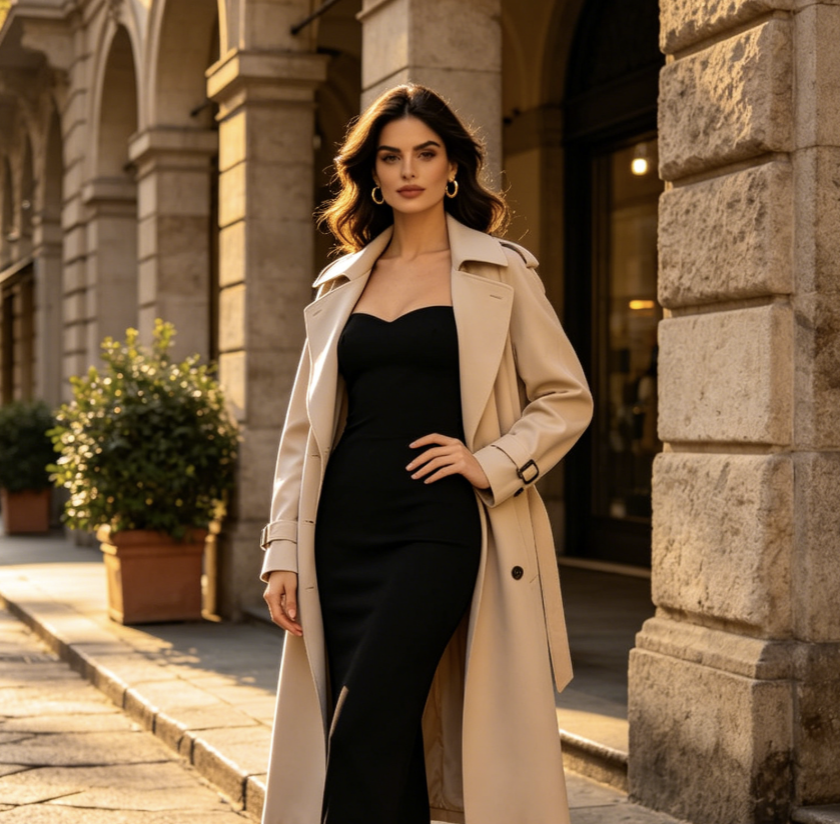
Ultra-realistic cinematic video. Transform the uploaded person into a glamorous celebrity walking on a luxury nighttime red carpet at a high-end film festival gala. Keep the uploaded person’s face identity, facial structure, eye shape, skin tone, age, and recognizable features consistent. Do not change the person into another celebrity. Add elegant red carpet makeup, polished skin texture, refined hairstyle, diamond earrings, and a sleek black couture evening gown or luxury formal outfit that naturally fits the person. The scene feels like authentic fan-captured paparazzi footage, shot on a handheld iPhone from behind the crowd. Slight camera shake, autofocus breathing, flash bloom, shallow depth of field, realistic motion blur, natural crowd movement, luxury Hollywood premiere atmosphere, Cannes Film Festival aesthetic, red carpet barriers, fans holding phones, glossy autograph photos, paparazzi cameras, bright flash lights, glowing red carpet, grand staircase in the background. 0–3s: The uploaded person, now styled as a glamorous red carpet celebrity, walks slowly toward the fans on the red carpet. Paparazzi flashes explode around them. A bald bearded security guard in a black suit walks protectively beside them and gently keeps the crowd back. The handheld camera pushes through the excited crowd, trying to capture the person’s face. The person looks elegant, confident, slightly mysterious, and naturally aware of the attention. 3–5s: Tight close-up near the silver barriers. The person signs glossy photos with a black marker. Keep the uploaded face highly recognizable. They look down while signing, then briefly glance up toward the camera with a soft celebrity smile. Fans hold out phones and photos, flashes reflect on the skin and outfit, realistic hand movement, natural facial expression, no over-beautification. 5–7s: The person turns gracefully away from the fans and walks toward a grand staircase with glowing red steps and bright overhead lights. The couture outfit moves naturally with each step. The security guard guides nearby people back. The handheld camera follows from behind the crowd with slight shake and zoom adjustment. 7–9s: At the staircase, the person suddenly turns back toward the camera and strikes an iconic red carpet pose. One hand on the hip, direct eye contact with the camera, poised expression, slightly parted lips, confident celebrity aura. Paparazzi flashes burst intensely around them. The final moment feels like a viral fan-camera red carpet clip. Style: raw paparazzi realism, authentic fan-camera footage, luxury gala atmosphere, cinematic red carpet lighting, realistic skin texture, natural body movement, elegant celebrity mystique, Vogue editorial energy, shallow depth of field, realistic crowd audio feeling, handheld iPhone footage, candid but glamorous. Negative prompt: do not change the uploaded person’s identity, do not create a different celebrity face, no plastic skin, no anime style, no cartoon style, no beauty filter face, no enlarged eyes, no V-shaped jaw, no unrealistic body proportions, no stiff walking, no frozen hands, no distorted fingers, no warped face, no duplicated face, no extra limbs, no excessive blur, no low-quality CGI, no over-smoothed skin, no fake studio photoshoot look.

提示词 #516

Prompt:

{ "description": "Cinematic shot of a sunlit Scandinavian bedroom. A sealed IKEA box trembles, opens, and flat pack furniture assembles rapidly into a serene, styled room highlighted by a yellow IKEA throw on the bed. No text.", "style": cinematic", "camera": "fixed wide angle", "lighting": "natural warm with cool accents", "room": "Scandinavian bedroom", "elements": [ "IKEA box (logo visible)", "bed with yellow throw", "bedside tables", "lamps", "wardrobe", "shelves", "mirror", "art", "rug", "curtains", "reading chair", "plants" ], "motion": "box opens, furniture assembles precisely and rapidly", "ending": "calm, modern space with yellow IKEA accent", "text": "none", "keywords": [ "16:9", "IKEA", "Scandinavian", "fast assembly", "no text", "warm & cool tones" ] }

提示词 #515

Prompt:

metadata: prompt_name: "NYC City Assembly" base_style: "cinematic, photorealistic, 4K" aspect_ratio: "16:9" city_description: "A vast, empty urban plaza at dawn, ground level view with concrete pavement stretching into the mist." camera_setup: "A single, fixed, wide-angle shot. The camera holds its position for the entire 8-second duration." key_elements: - "A sealed steel shipping container stamped with 'NYC' in bold letters" assembled_elements: - "iconic Manhattan skyscrapers (e.g., Empire State Building, Chrysler Building)" - "Brooklyn Bridge arching into frame" - "yellow taxi cabs lined up along a street" - "hydrant and classic black street lamps" - "subway entrance staircase with MTA sign" - "Statue of Liberty’s torch and crown silhouette" - "Central Park trees emerging in the background" - "water towers perched on rooftop structures" - "billboard frames and neon signs" - "sidewalk café tables and chairs full of people" negative_prompts: ["no text overlays", "no overt graphics"] timeline: - sequence: 1 timestamp: "00:00-00:01" action: "In the center of the barren plaza sits the sealed NYC container. It begins to tremble as light fog swirls around it." audio: "Deep, resonant rumble echoing across empty concrete." - sequence: 2 timestamp: "00:01-00:02" action: "The container’s steel doors burst open outward, releasing a spray of mist and loose rivets." audio: "Sharp metallic clang, followed by hissing steam." - sequence: 3 timestamp: "00:02-00:06" action: "Hyper-lapse: From the fixed vantage, city elements rocket out of the container and lock into place—steel beams rise, glass facades snap on, bridges span into view, and yellow taxis line up automatically." audio: "A rapid sequence of ASMR city-building sounds: metal clanks, glass sliding, cables snapping, engines revving softly." - sequence: 4 timestamp: "00:06-00:08" action: "The final element—a single yellow taxi—glides forward and parks beside the newfound curb. All motion freezes as morning light bathes the fully formed New York Cityscape." audio: "A soft engine cut-off 'chug,' then the distant hum of awakening city traffic, fading into serene dawn silence."

提示词 #514

Prompt:

A cute 3D Pixar-style animated Tomato character with arms and legs, pushing a massive, heavy ball of yellow waxy cholesterol along the floor of a red artery. The Tomato looks determined and strong. The background shows a blood vessel being cleared. Cinematic lighting, dynamic angle, 8k, highly detailed. As it pushes, the character looks at the camera and says with a deep friendly voice: "Hi, I am Tomato, the best fruit to lower cholesterol." Cinematic lighting, 3D animation.

No more prompts

用于电影感人工智能视频创意的 Veo 3 提示词库

使用 Pixomi AI 更快复制、测试并发布适配 Veo 的创意。

Pixomi AI 为你带来一个定期更新的 Veo 3 提示词库,专为希望获得更强场景、更清晰镜头指导、更丰富音频创意和更快视频结果的创作者打造。这个 Veo 3 提示词指南可以帮助你从模糊想法快速转向可直接复制的提示词,并附有视觉示例、效果预览和直接创作按钮。浏览适用于 Veo 3 的提示词,复制你喜欢的内容,打开 Pixomi AI,将你的下一支短片、产品片、社交广告或电影感场景变成完成度更高的人工智能视频。我们会持续为需要快速、实用灵感的创作者添加新的 Veo 3 提示词。
用于电影感人工智能视频创意的 Veo 3 提示词库
Veo 3 提示词|Veo 3 提示词指南|适用于 Veo 3 的提示词

如何使用这个 Veo 3 提示词指南

这个 Veo 3 提示词指南让工作流程保持简单。从 Veo 3 提示词中选择内容,查看效果预览,复制文本,然后在 Pixomi AI 中生成。每个提示词都围绕一个明确时刻来写,包含清晰的主体、场景、镜头运动、灯光、声音和风格。最终得到的是一组适合日常创作的实用 Veo 3 提示词。

1

浏览 Veo 3 提示词库

从与你目标匹配的分类开始。你可以探索电影感 Veo 3 提示词、适合广告的 Veo 3 提示词、写实 Veo 3 提示词,或适用于 Veo 3 的超现实提示词。这个 Veo 3 提示词指南中的每一项内容都旨在帮助你在创作前理解视觉效果。

2

复制现成提示词

打开任意提示词卡片,阅读预览说明,然后复制完整文本。这些 Veo 3 提示词包含镜头角度、主体动作、场景细节、氛围、环境音、对白方向和风格参考。适用于 Veo 3 的提示词是为直接测试而写,不是抽象理论。

3

生成 & 预览

点击按钮跳转到 Pixomi AI 并粘贴提示词。Veo 3 提示词指南为你提供结构化起点,而 Pixomi AI 可以帮助你预览不同变化、比较结果并优化动态效果。测试多个 Veo 3 提示词,找到视觉表现最强的一版。

4

下载 & 分享

当你的视频效果合适后,下载并分享到社交帖子、广告、落地页、产品演示或分镜中。保存你喜欢的 Veo 3 提示词,重新访问这个 Veo 3 提示词指南,并随着提示词库增长持续测试新的适用于 Veo 3 的提示词。

今天就能复制的精选 Veo 3 提示词

将这些 Veo 3 提示词作为高影响力人工智能视频创作的起点。这个 Veo 3 提示词指南聚焦于描述单一强场景的适用于 Veo 3 的提示词,让你的结果更清晰、更锐利,也更容易控制。这些 Veo 3 提示词可以帮助你用更少改写测试更多创意。
电影感街头雨景

电影感街头雨景

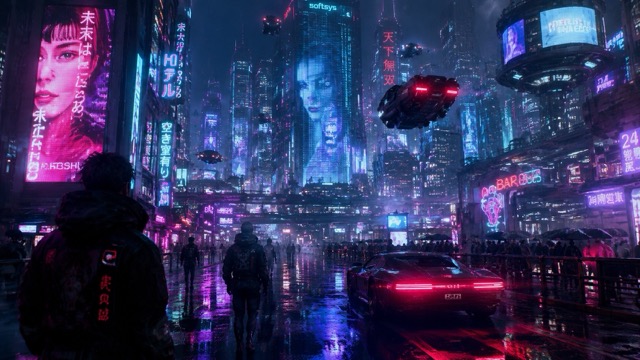
Veo 3 提示词:一个低角度电影感镜头,一名孤独的快递员在大雨中穿过霓虹灯照亮的小巷。镜头随着人向后缓慢移动,地面倒影在水波中晃动。蒸汽从通风口升起,柔和的蓝光与琥珀色灯光在雾气中交融,远处城市车流声在紧张的合成器配乐下低声回响。这个 Veo 3 提示词指南示例展示了适用于 Veo 3 的提示词如何把灯光、运动、氛围和声音组合成一个聚焦的瞬间。

奢华产品揭幕

奢华产品揭幕

Veo 3 提示词:一个玻璃香水瓶置于黑色大理石上的微距棚拍镜头。镜头缓慢推进,金色粒子在瓶身周围漂浮。柔和聚光灯扫过标签,玻璃中的液体闪烁流动,优雅弦乐伴随轻微闪光声逐渐升起。这个 Veo 3 提示词指南示例适合广告、发布会和高端产品页面。当你需要精致商业质感时,可以尝试这类适用于 Veo 3 的提示词。

情绪化人物特写

情绪化人物特写

Veo 3 提示词:一个疲惫宇航员坐在安静飞船驾驶舱内的近景肖像。镜头保持稳定,警示灯在面罩上闪烁。宇航员缓慢呼吸,背景中传来轻微无线电杂音,地球在他们身后的窗外发光。这个 Veo 3 提示词指南示例帮助创作者写出带有情绪、面部细节、声音提示和电影感克制表达的适用于 Veo 3 的提示词。
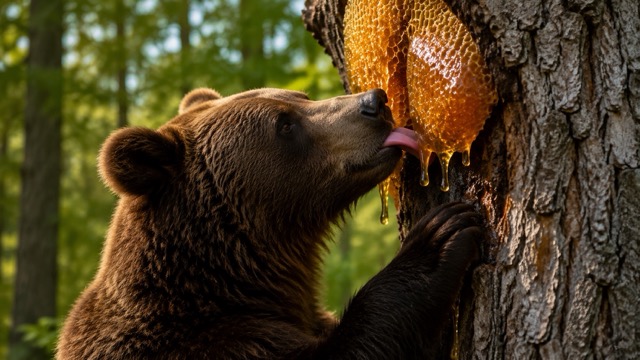
超现实食物动画

超现实食物动画

Veo 3 提示词:一个定格动画风格的早餐桌,清晨阳光下,迷你煎饼建筑工人堆叠着糖浆塔。镜头缓慢扫过桌面,蓝莓像巨石一样滚动,黄油像金色熔岩般融化,轻快的小型施工声与俏皮的马林巴节奏混合在一起。这个 Veo 3 提示词指南示例展示了适用于 Veo 3 的提示词如何让简单物体拥有完整迷你故事感。

为 Veo 创作者持续更新的提示词风格

Pixomi AI 持续为不同创作者目标添加 Veo 3 提示词。这个 Veo 3 提示词指南涵盖电影感叙事、社交钩子、产品视觉、幻想世界、人物镜头和快速概念测试。我们会持续添加新的适用于 Veo 3 的提示词,帮助你保持内容新鲜感。每次更新都会为新的使用场景添加 Veo 3 提示词。
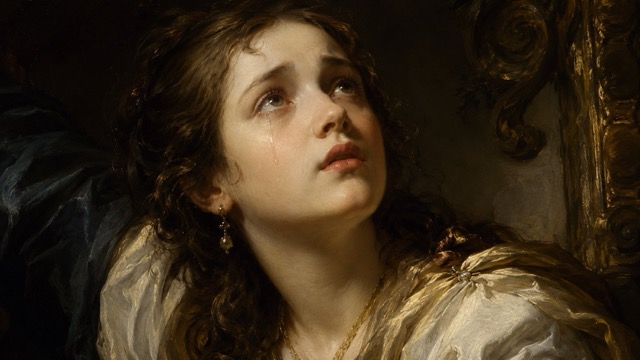

你可以用 Veo 3 提示词创作什么?

Pixomi AI 提示词库将 Veo 3 提示词转化为实用创意捷径。使用这个 Veo 3 提示词指南,为广告、娱乐内容、分镜、内容日历和品牌实验测试适用于 Veo 3 的提示词。保存与你工作流程匹配的 Veo 3 提示词。

人工智能短片

使用能够定义氛围、镜头语言、人物动作和声音的 Veo 3 提示词构建电影感场景。Veo 3 提示词指南可以帮助你让每个片段保持聚焦。

产品营销

使用为干净产品运动而设计的 Veo 3 提示词创建发布短片、主视觉视频和电商演示。使用适用于 Veo 3 的提示词加快广告测试。

社交内容

使用开头有冲击力、动作清晰并适合短视频格式的 Veo 3 提示词生成让人停下滑动的短片。这个 Veo 3 提示词指南支持可重复使用的发布创意。

情绪板视频

用针对灯光、氛围、地点、镜头质感和音频的 Veo 3 提示词,将艺术方向转化为动态参考。适用于 Veo 3 的提示词对快速概念验证很有帮助。

创作者实验

当你想要新鲜视觉创意时,可以尝试超现实、有趣、写实、电影感或动画化的 Veo 3 提示词。Veo 3 提示词指南为你提供结构化测试基础。

客户提案展示

使用 Veo 3 提示词为营销活动、分镜和提案快速创建样片。适用于 Veo 3 的提示词可以在正式制作前让你的想法更具真实感。

创作者正在使用这个 Veo 3 提示词指南

真实创作者使用 Pixomi AI 节省时间、整理想法并测试更好的 Veo 3 提示词。这个提示词库让适用于 Veo 3 的提示词更容易复制、预览和重复使用。

作为视频策略师,我需要能快速推进的创意。Pixomi AI 中的 Veo 3 提示词把场景结构、镜头指导和声音备注集中在一个地方。这个 Veo 3 提示词指南让适用于 Veo 3 的提示词在客户概念测试中变得更容易使用。

以前我会写很混乱的视频想法,然后期待得到不错的输出。现在我会先从这个页面选择 Veo 3 提示词,调整产品细节,再生成更干净的短片。这个 Veo 3 提示词指南很实用,尤其适合电商活动中的适配 Veo 的提示词。

最好的地方是这些 Veo 3 提示词并不模糊。它们包含镜头运动、氛围、灯光和音频提示。这个 Veo 3 提示词指南帮助我创建更接近真实导演简报的适配 Veo 的提示词。

对于社交内容来说,速度很重要。我可以浏览 Veo 3 提示词,复制其中一个,再改成竖屏钩子。这个 Veo 3 提示词指南提供的适配 Veo 的提示词足够简单,便于测试,同时也足够详细,看起来更精致。

我喜欢把 Veo 3 提示词用于提案演示,因为它们可以把抽象视觉方向转化成客户能理解的内容。这个 Veo 3 提示词指南节省了我的时间,而且这些适配 Veo 的提示词很适合情绪板。

Pixomi AI 给了我一种可重复的方法来探索 Veo 3 提示词,不需要从零开始。Veo 3 提示词指南帮助我比较不同风格,而这些适配 Veo 的提示词在我需要快速电影感测试时很有用。
Maya Collins
Maya Collins
视频策略师
Ethan Brooks
Ethan Brooks
电商创意负责人
Sofia Ramirez
Sofia Ramirez
品牌设计师
Noah Patel
Noah Patel
社交媒体制作人
Chloe Anderson
Chloe Anderson
创意总监
Liam Bennett
Liam Bennett
独立电影制作人

Veo 3 提示词指南常见问题

了解这个 Veo 3 提示词指南如何帮助你在 Pixomi AI 中编写、复制和测试 Veo 3 提示词。页面会将 Veo 3 提示词整理好,方便快速使用。

Veo 3 提示词是用于描述你想生成的视频的文本指令。强 Veo 3 提示词通常包含主体、场景、风格、镜头运动、动作、灯光、氛围和声音。这个 Veo 3 提示词指南为你提供现成示例,让你更快创作。

Pixomi AI 计划定期更新这个提示词库,加入用于电影感场景、社交短片、产品广告、人物镜头和实验风格的新 Veo 3 提示词。新的适用于 Veo 3 的提示词可以帮助创作者持续测试新鲜创意。

可以。这个 Veo 3 提示词指南同时适合新手和有经验的创作者。你可以直接复制 Veo 3 提示词,然后将主体、产品、场景或氛围替换成自己的想法。

可直接复制的适用于 Veo 3 的提示词可以节省时间,因为结构已经准备好。你不需要从空白页面开始,而是从包含视觉指导、声音创意和场景逻辑的 Veo 3 提示词开始。

可以。这个提示词库中的许多 Veo 3 提示词都是为产品展示、品牌影片、发布预热视频和社交广告打造的。Veo 3 提示词指南可以帮助你在构建完整营销活动前测试商业概念。

可以。你可以找到适合写实电影、动画、定格动画、奢华产品镜头、幻想世界、情绪化特写和病毒式社交场景的适配 Veo 的提示词。保留核心结构,然后修改创意细节即可。

开始在 Pixomi AI 上使用 Veo 3 提示词创作

不要再盯着空白提示词框发呆。打开 Pixomi AI Veo 3 提示词指南,复制经过测试的 Veo 3 提示词,查看带预览的适配 Veo 的提示词,并更快把你的想法变成电影感人工智能视频。先从 Veo 3 提示词开始,然后自定义细节。

立即尝试 Veo 3 提示词
Video cover