
Grok Imagine 1.5 AI動画プロンプトをコピー
Grok Imagine動画プロンプトをコピーし、アイデアを確認し、シーン詳細を編集して、より明確なAI動画をオンライン生成。
アイデアを説明して、AIに最適なプロンプトを作成してもらいましょう
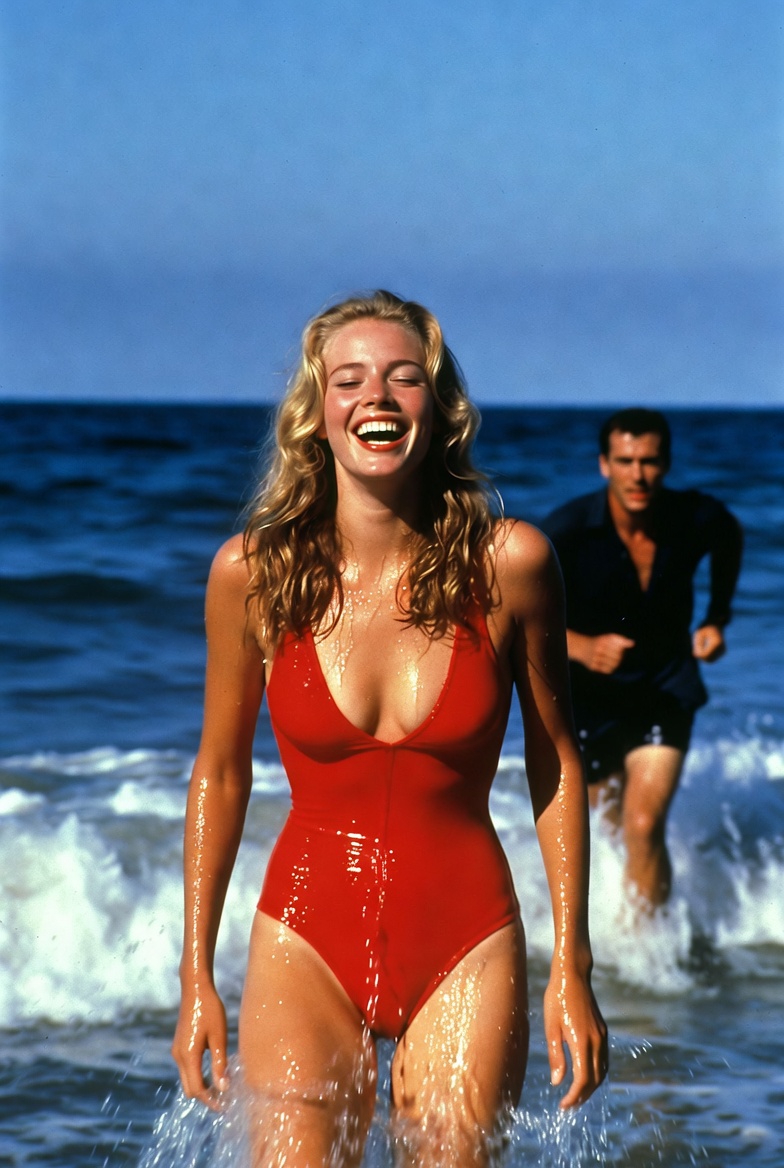
he catches up with her and embraces her slowly
he catches up with her and embraces her slowly
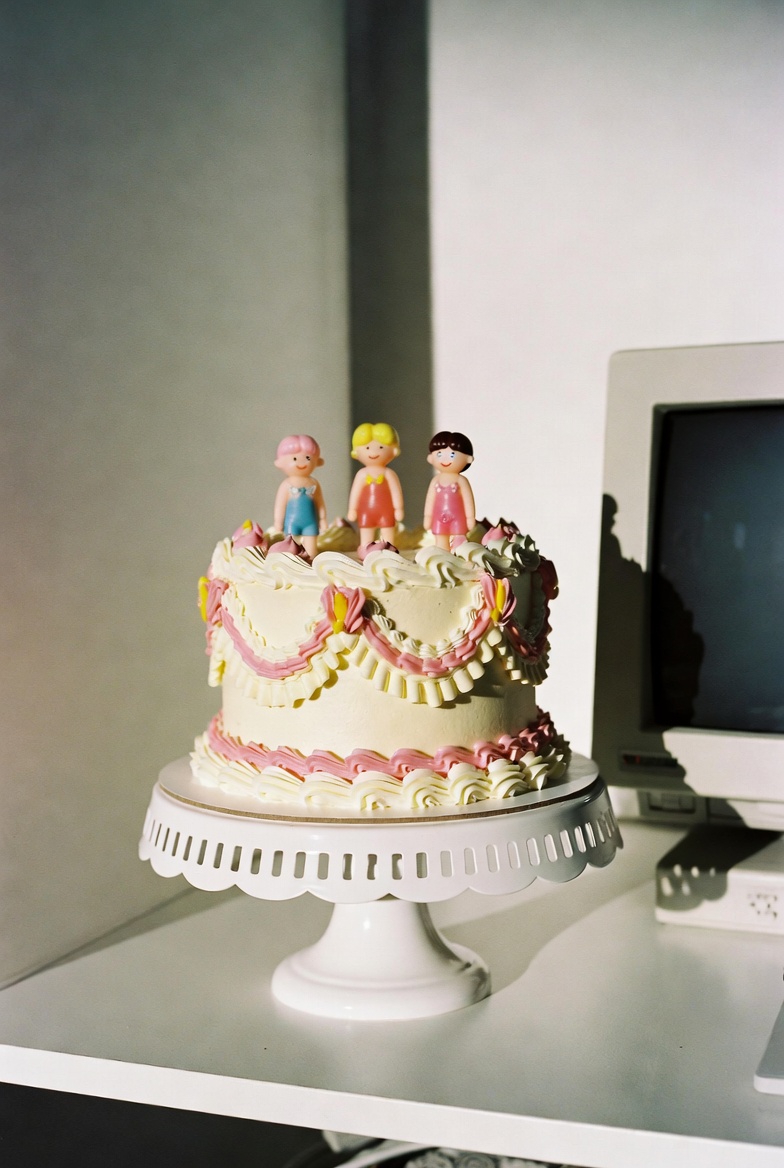
two hands squish the cake once and fully smush it, asmr sounds
two hands squish the cake once and fully smush it, asmr sounds
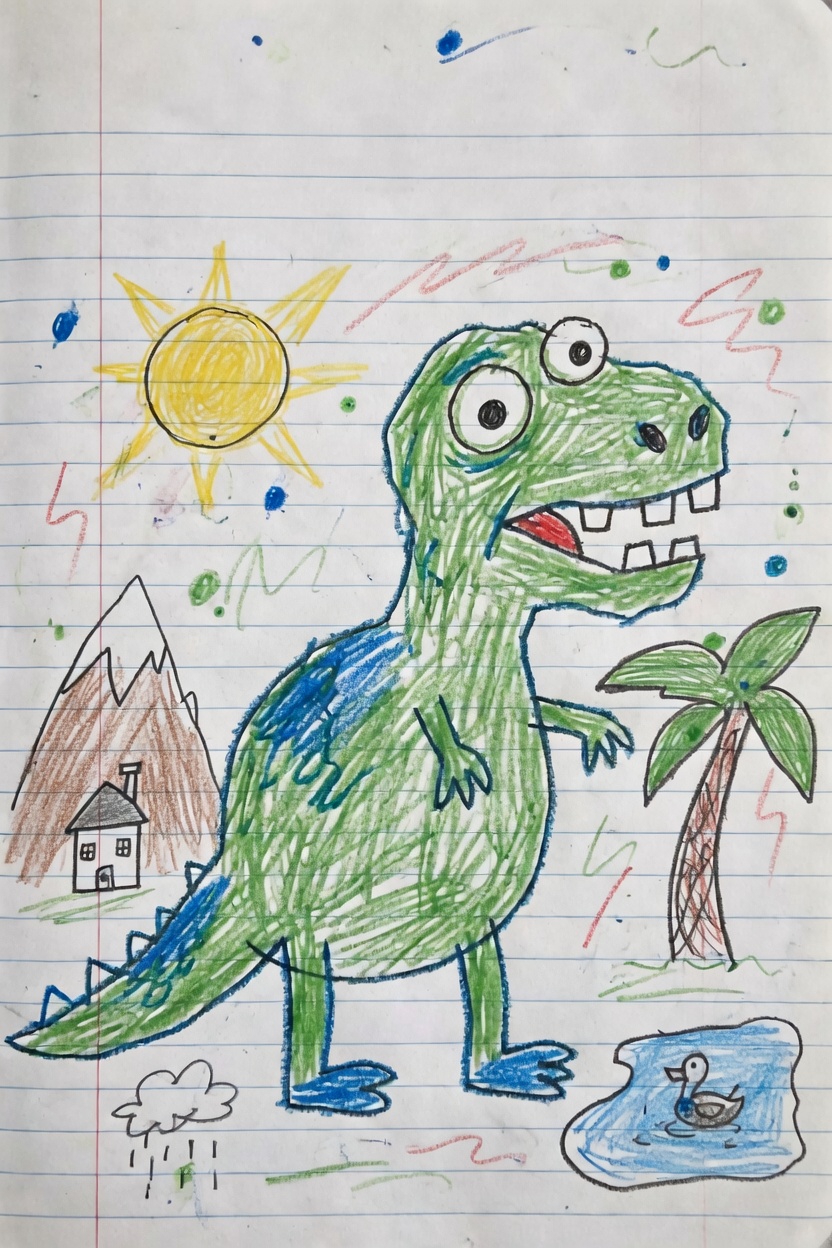
Use the uploaded image as the first frame. Animate it into a playful children’s drawing video while preserving the origi
Use the uploaded image as the first frame. Animate it into a playful children’s drawing video while preserving the original hand-drawn crayon style, notebook paper background, and colorful sketchy lines. The green dinosaur becomes lively and cheerful. It gently bounces in place, blinks its eyes, opens and closes its mouth as if happily roaring, and slightly wiggles its tiny arms and tail. Its body moves with cute, simple cartoon-like motion while keeping the original drawing proportions and childlike appearance. Add subtle animation to the surrounding elements: the sun glows softly and gives off a warm cheerful feeling, the palm tree sways lightly, the small duck in the pond bobs gently on the water with tiny ripples, and the little rain cloud drizzles softly. The background doodles and colorful scribbles can lightly shimmer or wiggle to make the whole page feel alive. Camera motion: a very slow gentle push-in with soft, steady movement, like a living illustration. Mood: fun, cute, playful, imaginative, childlike, storybook energy. Keep the original crayon drawing style, lined notebook paper texture, and simple handmade feel. Do not make it too realistic. No text, no new objects, no major design changes.
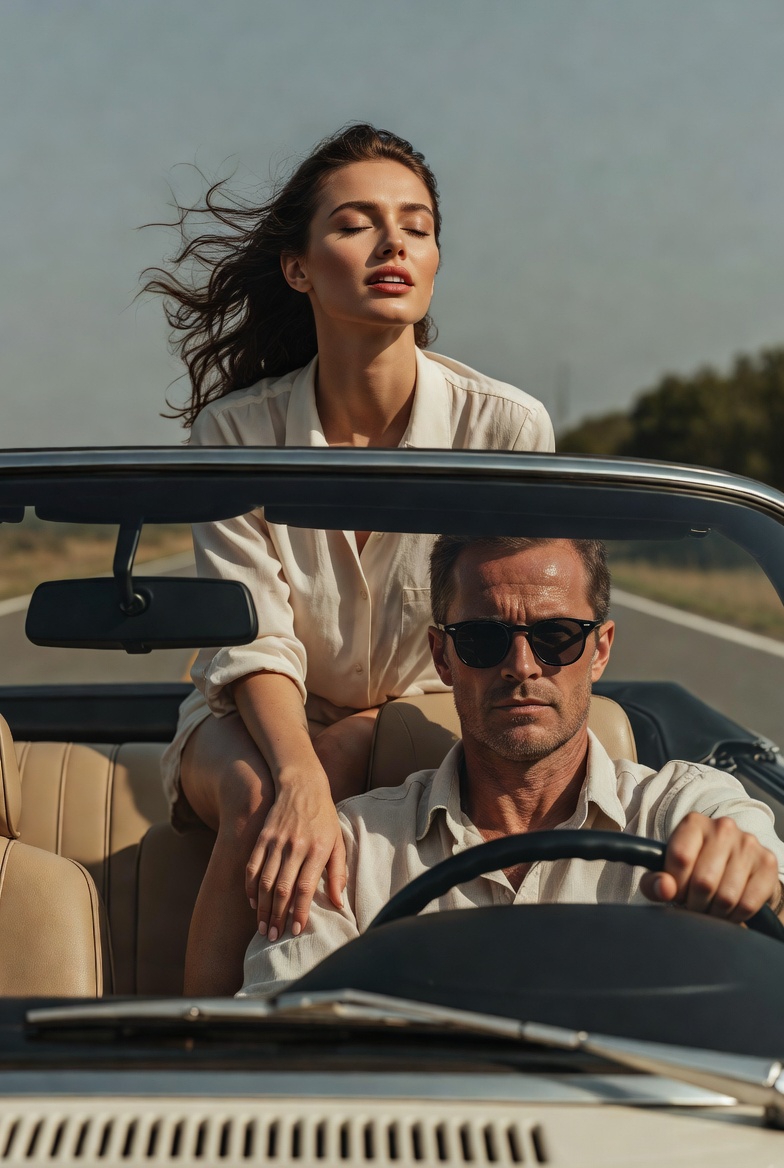
she throws her arms back fast
she throws her arms back fast
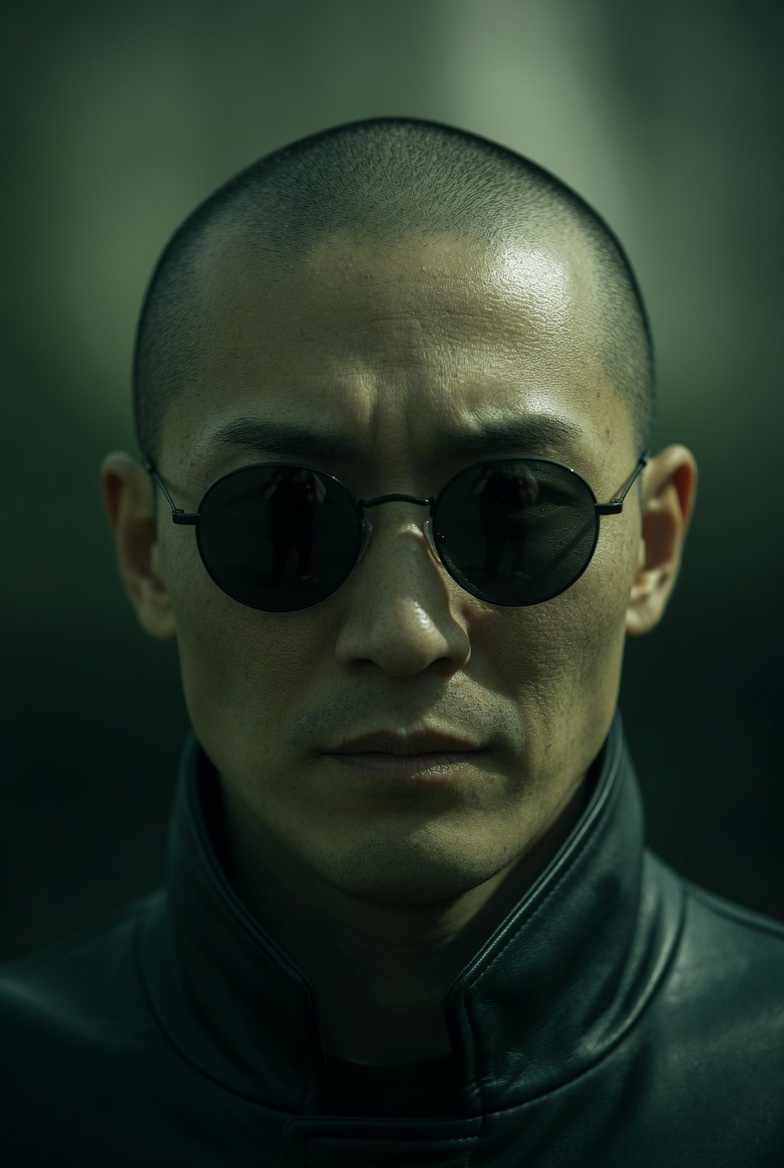
Extreme close-up of a Japanese man in small, round black sunglasses, neutral expression. Camera slowly pans downward fr
Extreme close-up of a Japanese man in small, round black sunglasses, neutral expression. Camera slowly pans downward from his face to his hands. As the frame lowers, he reveals both hands held forward: a blue pill in the left hand and a red pill in the right, presented calmly and deliberately. He remains still and composed, not reacting to the camera. Lighting: directional, high contrast, strong shadows Color: green-tinted, desaturated tones, deep blacks Camera: slow, smooth downward pan, shallow depth of field Style: cinematic, minimal, dystopian, 35mm look
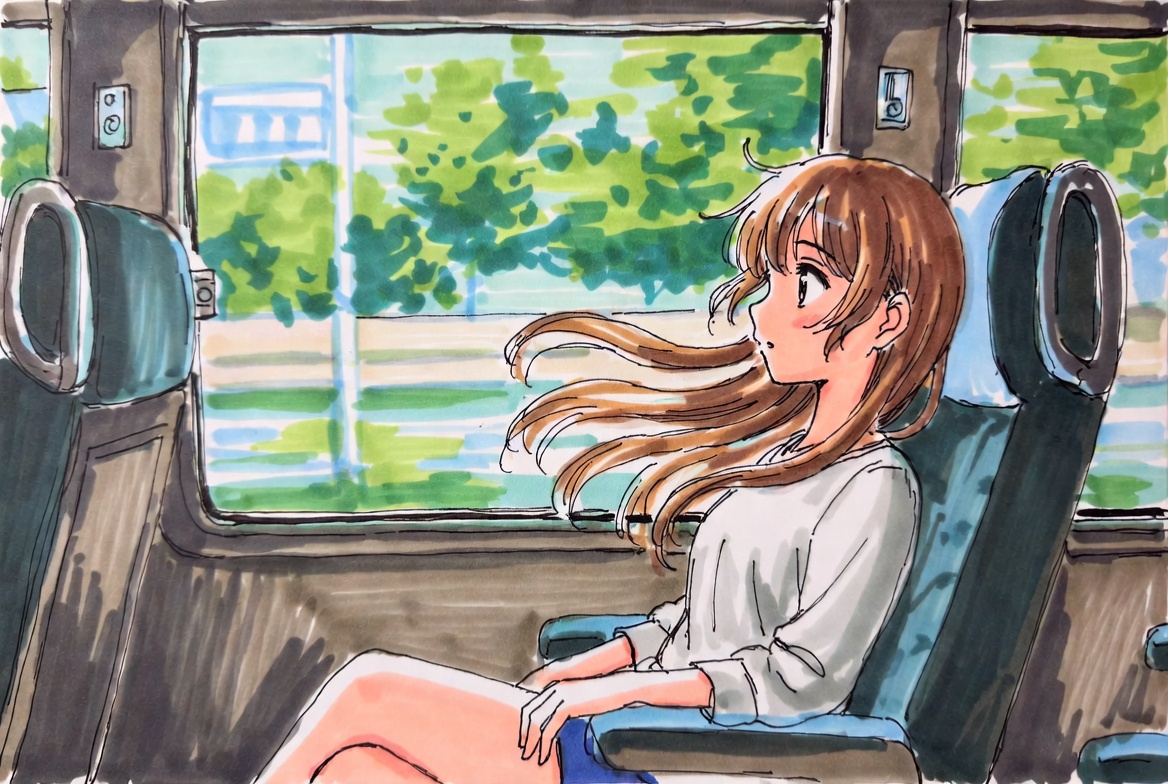
Use the uploaded image as the first frame. Animate the scene as if the girl is sitting inside a moving train carriage. K
Use the uploaded image as the first frame. Animate the scene as if the girl is sitting inside a moving train carriage. Keep the original anime illustration style, soft hand-drawn lines, and bright watercolor-like colors consistent. The train is moving smoothly forward, and the scenery outside the window flows past from right to left with natural motion blur, creating a clear sense of travel. Her hair gently floats and sways in the breeze, with a few strands moving naturally around her face. Add subtle motion to the character: slight breathing, small head movements, occasional blinking, tiny shifts in posture, and gentle hand or shoulder movement, as if reacting naturally to the motion of the train. The seat, window frame, and interior should remain stable, while the overall scene feels lively and immersive. Camera motion: mostly fixed medium shot, with a very subtle handheld vibration or soft carriage shake to suggest the vehicle is in motion. Mood: calm, fresh, dreamy, slice-of-life, peaceful travel moment. Keep the animation soft, natural, and elegant. No new objects, no text, no major style changes.
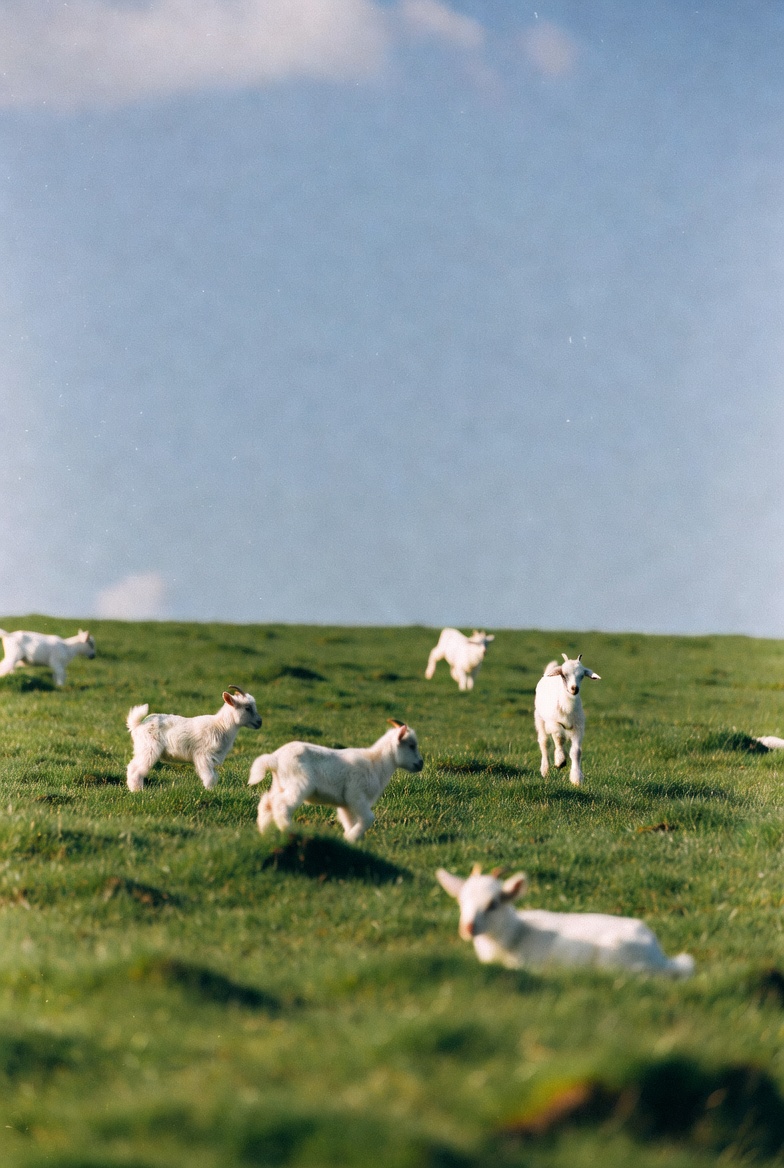
Use the uploaded image as the first frame. Animate the scene into a gentle pastoral video of baby lambs running and hopp
Use the uploaded image as the first frame. Animate the scene into a gentle pastoral video of baby lambs running and hopping across a green meadow. Keep the original soft, natural, dreamy photographic style and the open grassy landscape consistent. The lambs move playfully across the field, running in different directions, making small joyful hops and light bouncy jumps. A few lambs trot forward, one or two leap briefly into the air, and others scamper naturally through the grass. Their ears and little tails move as they run. The grass sways softly in the breeze, and the scene feels lively but calm. Camera motion: a subtle handheld or very gentle cinematic drift, as if observing the lambs from a short distance. Keep the composition airy and peaceful, with soft depth of field and natural daylight. Mood: playful, fresh, peaceful, springtime, heartwarming, pastoral. Avoid adding new animals, avoid changing the landscape, and keep the lambs cute, realistic, and naturally proportioned. No text, no logos, no dramatic style changes.
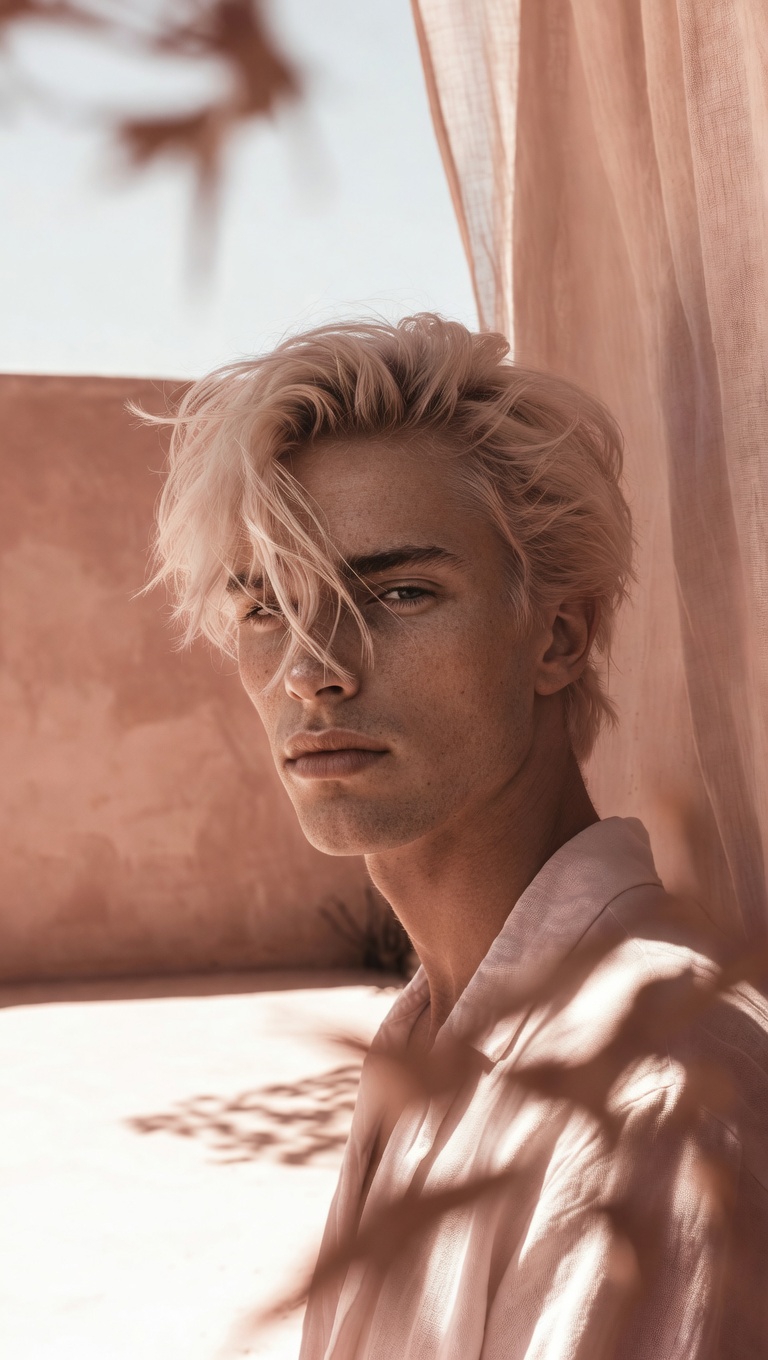
camera slowly zooms in on him, he's smiling, natural hand held cam
camera slowly zooms in on him, he's smiling, natural hand held cam
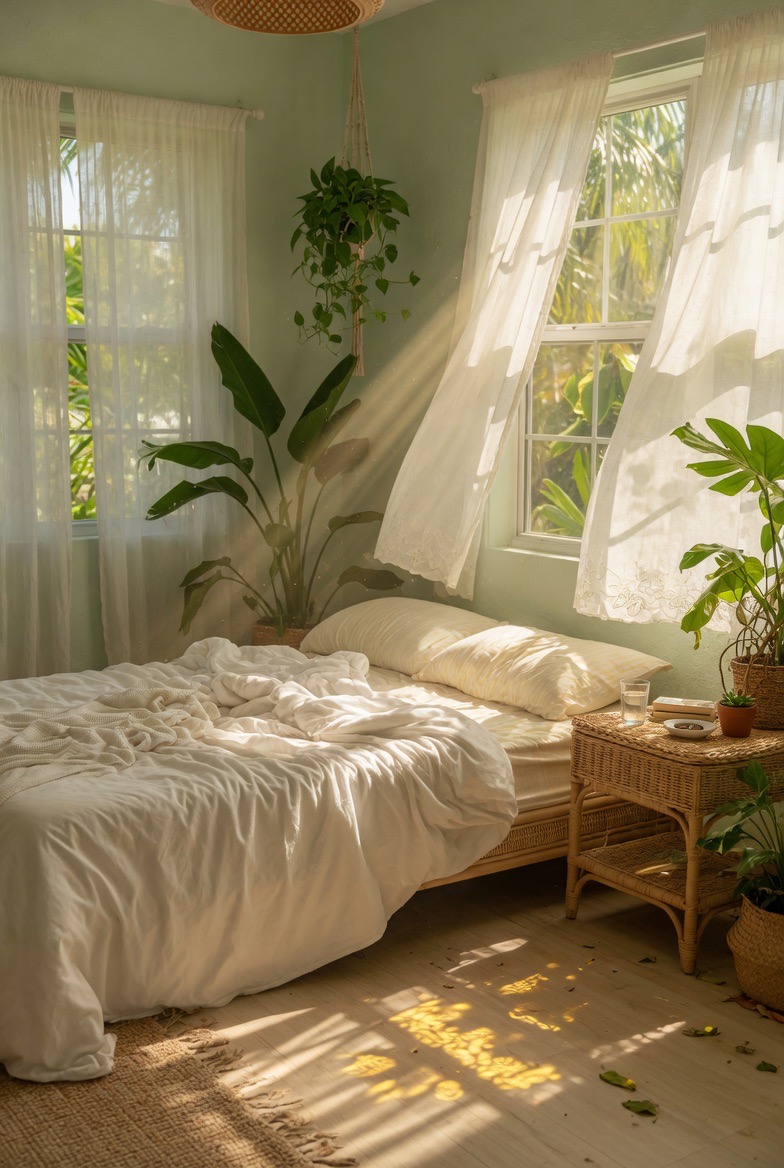
Use the uploaded image as the first frame. Animate the scene into a calm sunlit bedroom with a soft breeze flowing throu
Use the uploaded image as the first frame. Animate the scene into a calm sunlit bedroom with a soft breeze flowing through the room. Keep the original cozy interior, warm natural lighting, and peaceful atmosphere consistent. The sheer white curtains billow and sway gently in the wind, lifting and flowing naturally near the open windows. Sunlight streams through the curtains, with soft moving rays and shifting shadows across the bed, floor, and furniture. The hanging plant sways lightly, and the leaves of the indoor plants move subtly in the breeze. The bed sheets and blanket ripple slightly, as if touched by the wind. Add tiny floating dust particles in the sunbeams to make the room feel warm and alive. Camera motion: very slow gentle push-in or soft cinematic drift, steady and peaceful. Mood: airy, relaxing, tranquil, cozy, sun-washed, dreamy. Keep the motion delicate and natural. No new objects, no text, no dramatic changes to the composition.
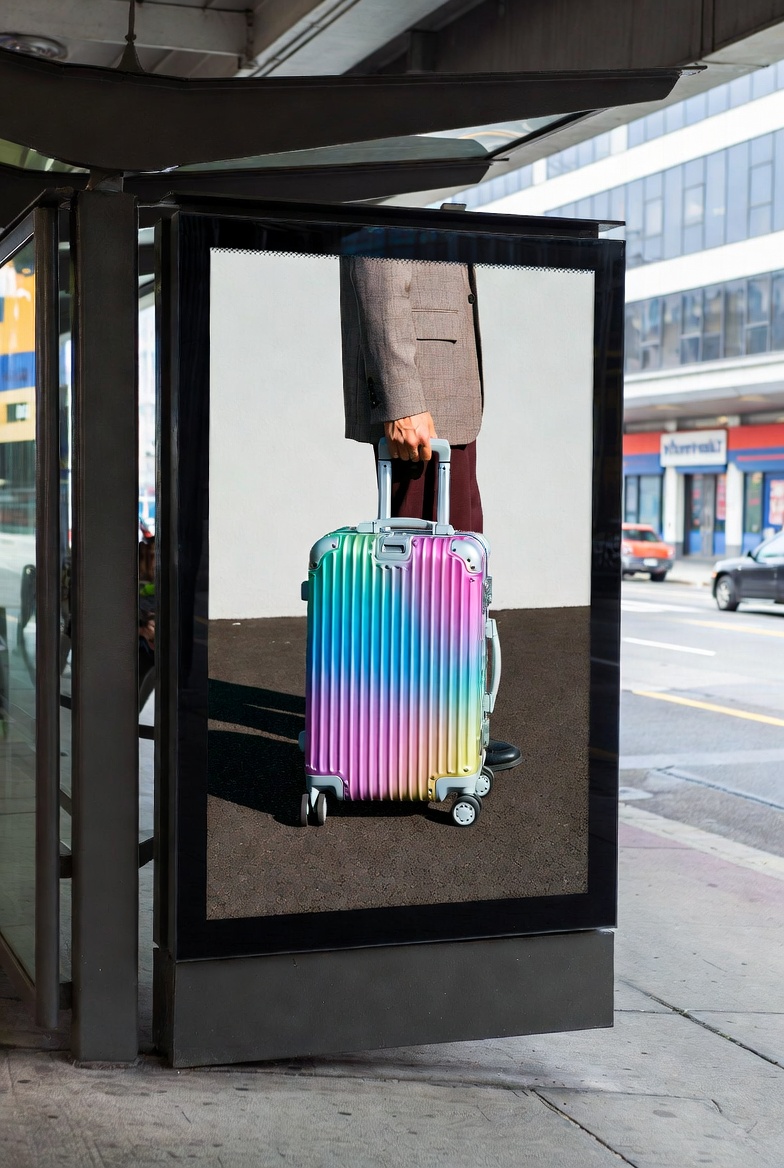
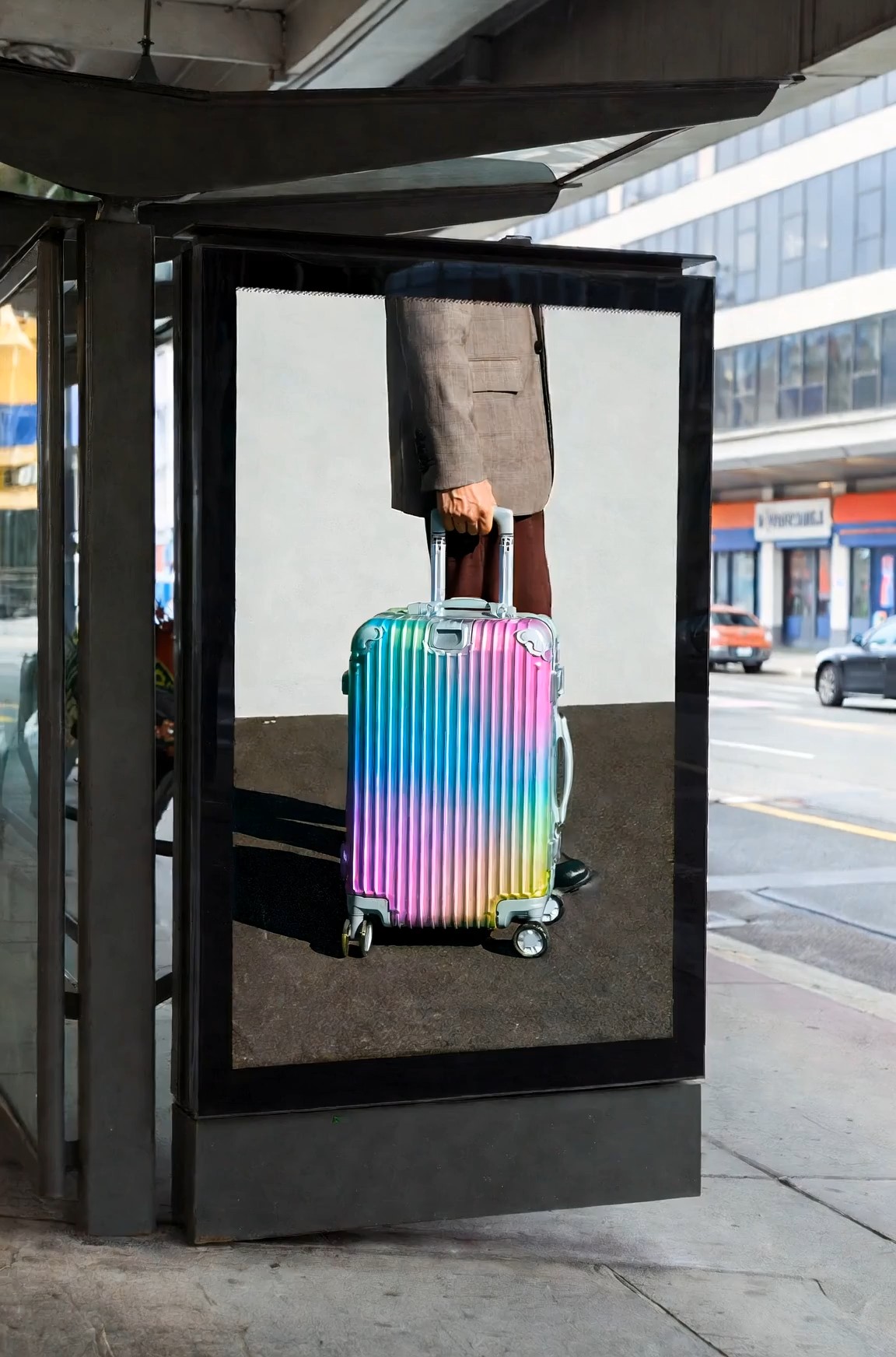
Cinematic surreal luxury luggage commercial at a modern urban bus stop, featuring a large black-framed digital billboard
Cinematic surreal luxury luggage commercial at a modern urban bus stop, featuring a large black-framed digital billboard integrated into the street architecture. Inside the billboard screen, a fashion model wearing a beige tailored blazer, dark trousers, and black-frame glasses slowly walks toward the right edge of the digital display while pulling a glossy iridescent aluminum suitcase with a telescopic handle. The movement is calm, elegant, and deliberate. The camera performs a slow horizontal tracking shot from left to right, maintaining a natural street-level perspective. As the model inside the screen reaches the billboard’s right boundary, the figure gradually disappears into the edge of the digital space without distortion or glitch effects, as if the billboard contains a seamless parallel dimension. At the exact moment the model fully disappears inside the advertisement, a second identical model — same outfit, same black-frame glasses, same rainbow-colored aluminum suitcase — calmly emerges from behind the real-world right side of the physical billboard structure onto the sidewalk, facing the street. The transition between digital space and reality feels smooth, magical, and understated, with no screen breaking or sci-fi portal effects. The suitcase wheels roll naturally on the pavement, synchronized between the billboard world and the real environment, reinforcing the illusion that the character has crossed dimensions through the advertisement itself. Kodak Vision3 250D film look, gentle contrast, soft bloom, realistic shadow transitions, muted architectural tones contrasted by the vibrant metallic suitcase colors. Clean visual storytelling, no crowds, no logos, no text, no exaggerated VFX, no glitches, no broken screen.
Grok Imagine Video Prompt:AI動画アイデアをより速くコピー
すぐにコピーできるプロンプトを閲覧し、サンプル効果を確認して、より強い動画アイデアを、映画風シーン、商品クリップ、SNS投稿、ファンタジーの瞬間、ストーリー主導のビジュアル向けの明確な生成指示に変えましょう。
Grok Imagine Video Promptは、クリエイターが曖昧なアイデアから使える動画の方向性へ進むのを助けます。プロンプト例を探し、クリエイティブなスタイルを比較し、お気に入りをコピーして、生成前にキャラクター、動き、雰囲気、カメラ方向、シーン詳細に合わせて調整できます。Grok Imagine Video Promptは創作の流れをシンプルに保ちます。
Grok Imagine Video Promptを3ステップで使う方法
このGrok Imagine Video向けプロンプトガイドは、ワークフローをシンプルに保ちます。強いアイデアをコピーし、動画ページを開き、文言をカスタマイズして生成します。各シーンをゼロから書く代わりに、Grok Imagine Video Promptを実用的な出発点として使いましょう。Grok Imagine Video Promptは、小さな言葉の選択が動き、雰囲気、視覚的な明確さをどのように変えるかを比較するのにも役立ちます。

画像を選んでプロンプトをコピー
アニメーション化したいシーンに合う参考画像または最初のフレームから始めましょう。次に上の例を閲覧し、希望する動き、カメラスタイル、または雰囲気に最も合うGrok Imagine Video Promptをコピーします。明確な画像と焦点の合ったプロンプトにより、動画により強い創作の土台が生まれます。

Grok Imagine動画ページに入る
Grok Imagine動画ページに移動し、参考画像をアップロードします。画像を追加した後に動画プロンプト欄へ貼り付けられるよう、Grok Imagine Video Promptを準備しておきましょう。これにより、画像から動画へのワークフローが明確で集中したものになります。

貼り付け、修正し、生成
Grok Imagine Video Promptを貼り付け、キャラクター、設定、カメラ角度、テンポ、ビジュアルスタイルなどの詳細を修正し、生成をクリックします。小さな編集は、強い構造を保ちながらプロンプトをより個人的なものにします。作成前に文言を確認しましょう。
Grok Imagine Video Promptがクリエイターを助ける理由
Grok Imagine Video Promptは、一般的な機能説明ではなく、役立つ動画プロンプト例を求める人のために作られています。ユーザーがシーンライティングを理解し、より強い視覚言語を選び、異なる創作目標に合わせてプロンプトを調整するのを助けます。Grok Imagine Video Promptは、それぞれのプロンプトが何を達成するためのものかを示すことで、より速い創造的判断を支えます。
ゆるいアイデアを明確な動画方向へ変える
雨の中を走る少女のような大まかなアイデアには、強いクリップに必要な詳細が不足していることがよくあります。Grok Imagine Video Promptは、そのアイデアを被写体、設定、アクション、雰囲気、動き、視覚的トーンへ広げます。これにより、ユーザーは空っぽのプロンプトを避け、各シーンにより役立つ創造的な方向性を与えられます。Grok Imagine 1.5 AI動画プロンプトは、焦点の合った例を探すユーザー向けの参考フレーズとしても機能します。Grok Imagine Video Promptにより、このページは文言が最終的な動画効果をどのように変えるかを学ぶ場所になります。Grok Imagine Video Promptは、求める感覚は分かっていても、まだシーン全体を説明できないときに特に役立ちます。生成プロセスに十分な文脈を与えながら、素早く進めたいクリエイターに役立ちます。
コピー前にプロンプトスタイルを比較
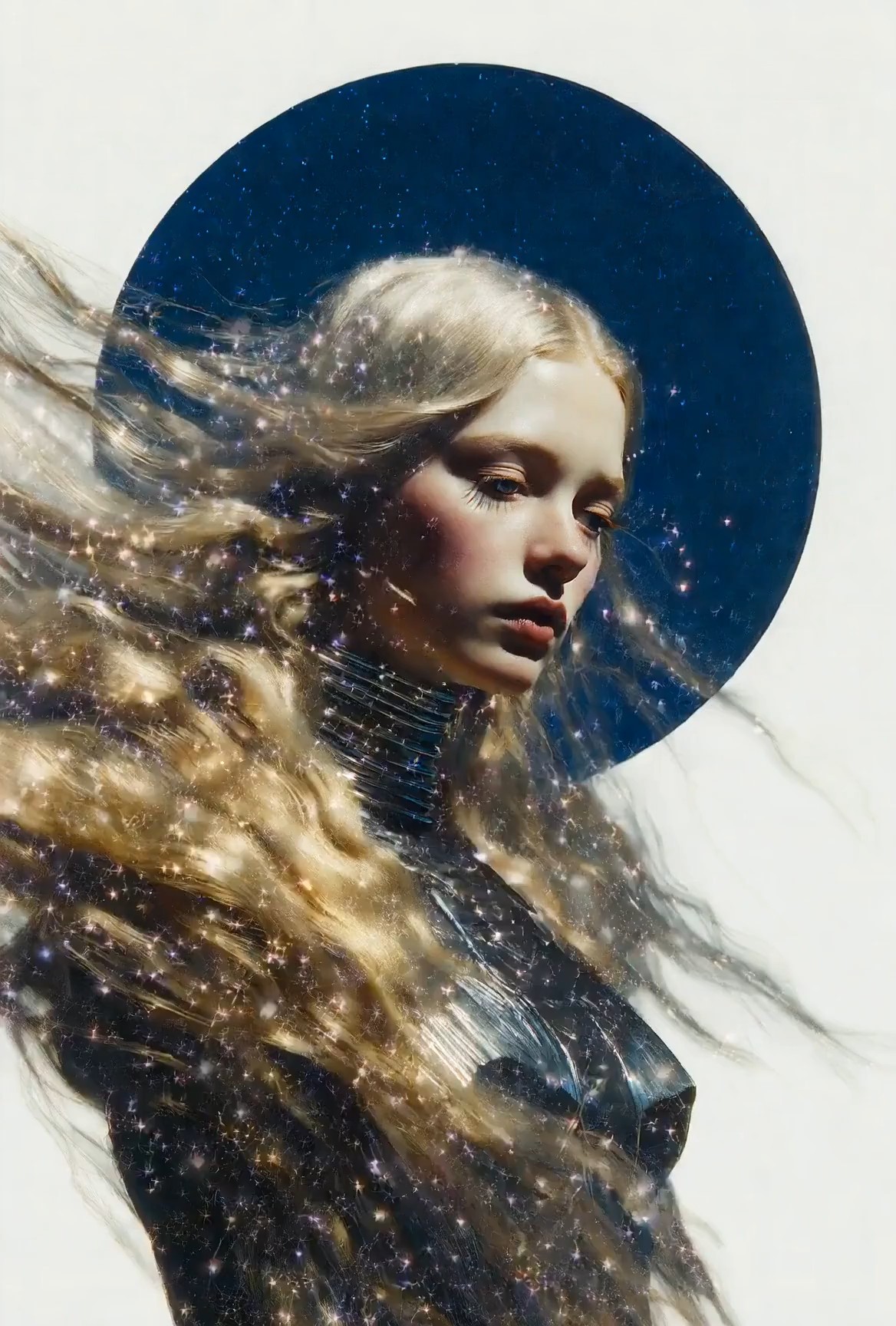
多くのクリエイターは欲しい結果を知っていますが、そこへ導く言語を知りません。Grok Imagine Video Promptの例は、映画風ポートレートから商品公開、ファンタジーショット、旅行の瞬間、SNSクリップまで、さまざまなシーンタイプを示します。効果の横でプロンプト構造を見ることで、ユーザーは何をコピーし、何を変えるべきかを理解しやすくなります。このGrok Imagine Video向けプロンプトガイドは、ランダムに推測せずにインスピレーションが欲しいときに役立ちます。Grok Imagine Video Promptは、それぞれのスタイルに対して、アイデアから使える生成テキストまでの実用的な道筋を提供します。Grok Imagine Video Promptは、リアリズム、アニメーション、商業向け、ストーリーテリングの方向性を比較するのにも役立ちます。また、チームが異なるコンテンツニーズにわたって再利用できるプロンプト語彙を構築する助けにもなります。
シーンを壊さずにプロンプトを編集
プロンプトを変更すると、それを機能させていた部分を簡単に取り除いてしまうことがあります。Grok Imagine Video Promptは、誰が登場するのか、何が起こるのか、どこで起こるのか、カメラがどう動くのか、どんな雰囲気を感じるべきかという中核のシーンロジックを保つことで、安全な編集を助けます。安定した構造を保ちながら、被写体を置き換えたり、背景を調整したり、ビジュアルスタイルを変えたりできます。Grok Imagine 1.5 AI動画プロンプトは、モデル固有の表現が必要なユーザーに自然に現れます。Grok Imagine Video Promptは、カスタマイズをより速く、混乱の少ないものにします。Grok Imagine Video Promptは編集に明確な軸を与えます。これにより、元のシーン目的を見える状態に保ちながら、バリエーションをテストしやすくなります。
誰がGrok Imagine Video Promptを使うべきですか?
Grok Imagine Video Promptは、より速いアイデア開発とより明確な動画指示を求めるクリエイターに適しています。SNSコンテンツ、視覚的な探索、マーケティングコンセプト、ストーリーテリング、そしてプロンプトの文言が動きやスタイルにどう影響するかを学ぶすべての人に使えます。Grok Imagine Video Promptは、ユーザーがインスピレーションと使える開始構造の両方を必要とするときに最も役立ちます。

ショート動画クリエイター
リール、ショート、ストーリークリップを作るクリエイターは、Grok Imagine Video Promptを使って素早いコンセプトをより完成度の高いシーンに整えられます。単にテーマだけを書く代わりに、動き、カメラ感、テンポ、雰囲気がすでに含まれたプロンプトをコピーできます。このGrok Imagine Video向けプロンプトガイドは、締め切りが厳しく、アイデアを素早く視覚的な下書きに変える必要があるときに特に役立ちます。Grok Imagine Video Promptは、各クリップのアイデアを集中させる助けになります。また、短いクリップに競合する詳細を詰め込みすぎるのを避ける助けにもなります。

商品・マーケティングチーム
マーケティングチームは、ローンチ、広告、商品デモのための動画コンセプトを必要とすることがよくあります。Grok Imagine Video Promptは、商品機能を、設定、動き、照明、感情的な角度を持つシーンへ変えるのを助けます。ボトルの公開、ファッションのディテールショット、テック製品の紹介がより説明しやすくなります。Grok Imagine Video Promptは、ブランドトーンやオーディエンス向けメッセージを磨く前に、チームに共通の出発点を与えます。Grok Imagine Video Promptは、キャンペーンのアイデア出しをより整理されたものにできます。チームは複数の方向性を下書きし、どれが商品ストーリーを最もよく支えるかを比較できます。

アーティストとビジュアルデザイナー
アーティストはGrok Imagine Video Promptを使って、完全なコンセプトを開発する前に視覚世界をテストできます。例は、雰囲気、キャラクター配置、動き、映画的なフレーミングに役立ちます。Grok Imagine 1.5 AI動画プロンプトは、検索重視のユーザーに、動画プロンプト作成に関連するアイデアを見つける直接的な方法も提供します。Grok Imagine Video Promptは、すべてのシーンを白紙から始めることを強制せず、探索を支えます。Grok Imagine Video Promptは、アーティストが後で洗練するための有望な方向性を保存するのを助けます。これはムードボード、スタイルテスト、初期のストーリーコンセプトを作るときに役立ちます。

プロンプト作成を学ぶ初心者
初心者は、プロンプトが短すぎたり広すぎたりするために苦戦することがよくあります。Grok Imagine Video Promptは、アクション、被写体、環境、カメラの動き、照明、トーンを1つの読みやすい指示に含める方法を示します。このGrok Imagine Video向けプロンプトガイドは、新しいユーザーに、コピーし、編集し、学べるパターンを与え、動画生成の文言に自信を持てるようにします。Grok Imagine Video Promptは学習曲線を実用的に感じさせます。ユーザーは一度に1つの詳細を置き換え、アイデアがどのように変わるかを見ながら学べます。
Grok Imagine Video Promptについてのユーザーの声
クリエイターはGrok Imagine Video Promptを使って、より明確なシーン方向を書き、プロンプト構造を理解し、少ない試行錯誤でゆるいアイデアから使える動画指示へ進んでいます。Grok Imagine Video Promptは、研究してコピーできる例を求めるユーザーに特に役立ちます。
以前は、響きは良いけれどランダムな結果を生む動画プロンプトを書いていました。Grok Imagine Video Promptは、どの詳細が足りないのかを理解する助けになりました。映画風の街頭シーンをコピーし、キャラクターと照明を変えたところ、最終的な方向性がずっと明確に感じられました。このGrok Imagine Video向けプロンプトガイドにより、プロンプト作成が当てずっぽうのように感じなくなりました。今ではGrok Imagine Video Promptが信頼できる出発点になっています。
商品クリップでは、動き、背景、雰囲気を素早く説明するプロンプトが必要です。Grok Imagine Video Promptは、ローンチやビジュアルテストに合わせて調整できるクリーンな構造を与えてくれました。社内のプロンプトメモ用にアイデアを集めるとき、Grok Imagine 1.5 AI Video Promtpも検索語として役立つと感じました。Grok Imagine Video Promptは初期コンセプト開発の時間を節約します。
最も良い点は、コピーする前にプロンプトがどのように構築されているかを見られることです。Grok Imagine Video Promptは、被写体の説明だけでなく、カメラの動き、テンポ、雰囲気に気づかせてくれました。今ではプロンプト例から始め、シーン詳細を書き直し、元の創造的構造を失わずにより速く生成しています。Grok Imagine Video Promptは一貫性を保つ助けになります。
私は動画プロンプトが初めてで、1行のアイデアばかりを書いていました。Grok Imagine Video Promptは、それらのアイデアを完全なシーンに変える方法を示してくれました。例は修正しやすく、ワークフローもシンプルです。コピー、貼り付け、調整、生成。実践しながら学ぶ助けになりました。Grok Imagine Video Promptのおかげで、最初の試みがそれほど圧倒的に感じられなくなりました。

Grok Imagine Video Promptに関するFAQ
これらの簡単な回答を使って、Grok Imagine Video Promptを理解し、例を正しくコピーし、プロセスを複雑にしすぎずに動画プロンプトのワークフローを改善しましょう。Grok Imagine Video Promptは、明確な目標を持って詳細を編集するときに最も効果的です。
Grok Imagine Video Promptは、被写体、アクション、カメラの動き、設定、雰囲気を含む、より明確な生成指示を書くのを助けるために設計された動画プロンプト例のコレクションです。Grok Imagine Video Promptは、コピー、学習、応用を目的としています。
気に入ったGrok Imagine Video Promptをコピーし、動画ページに貼り付け、シーンに合わせて詳細を調整して、生成をクリックします。構造は保ちながら、被写体とスタイルを自分向けに調整してください。
強いGrok Imagine Video Promptには通常、被写体、アクション、場所、カメラの動き、照明、雰囲気、スタイル方向が含まれます。明確な動きの詳細は特に重要です。
はい。Grok Imagine Video Promptは編集できるように作られています。主要な構造を保ちながら、キャラクター、場所、動き、カメラ角度、またはビジュアルスタイルを置き換えられます。
はい。このGrok Imagine Video向けプロンプトガイドは、コピー可能な構造を提供し、どの詳細が最も重要かを示すため、初心者に役立ちます。
Grok Imagine 1.5 AI Video Promtpは、モデルに焦点を当てた動画プロンプト例と検索意図を指します。この表現は、その正確なプロンプトトピックと関連するGrok Imagine Video Promptのアイデアを探しているユーザーのために保持されています。
Grok Imagine Video Promptで作成を開始
Grok Imagine Video Promptを使って、より強いシーンアイデアを見つけ、すでに機能しているプロンプト構造をコピーし、次の動画コンセプトをより明確な生成指示に変えましょう。Grok Imagine Video Promptは、アイデア閲覧から行動へより速く進むのを助けます。
