
MiniMax H3 プロンプトガイド:例とアイデア
すぐにコピーできる例、動画結果、カメラ指示、音声アイデア、ワンクリック作成法をまとめたMiniMax H3プロンプトガイドです。
アイデアを説明して、AIに最適なプロンプトを作成してもらいましょう
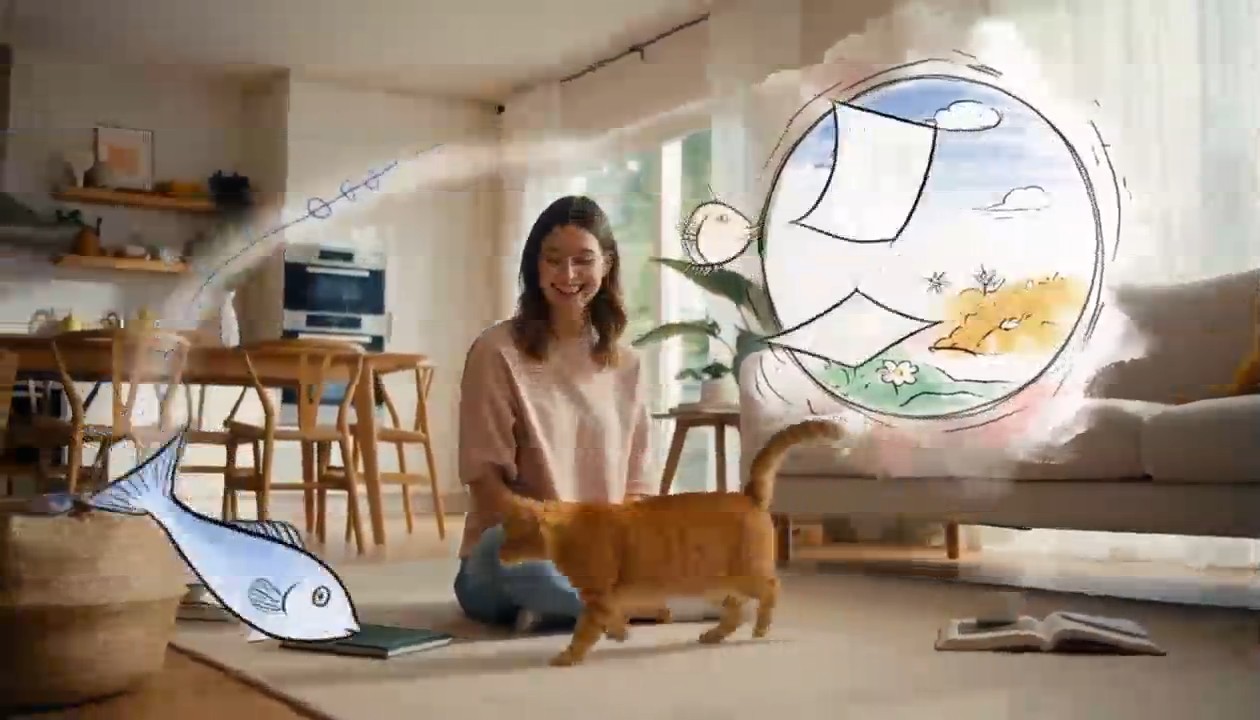
Surreal Hand-Drawn VFX Living Room
integrated_multimodal_description: [Shot 1] Live-action cinematic footage blended with surreal hand-drawn 2D VFX animation. A young adult woman in relaxed home clothes sits on the rug of a bright, cozy contemporary living room with her playful orange tabby cat beside her. Warm daylight enters through large windows, illuminating a sofa, coffee table, houseplants, cushions, books, and natural wooden furniture. The camera begins in a medium-wide shot and slowly performs a gentle arc shot around them. The woman playfully draws a circle in the air with one finger. A rough black pencil line remains suspended behind her fingertip, visibly trembling like a frame-by-frame hand-drawn animation. She completes the circle, and it opens into a floating illustrated portal made from charcoal strokes, colored-pencil hatching, watercolor stains, eraser marks, and rapidly redrawn sketch lines. Loose pages, tiny stars, flowers, spirals, and whimsical hand-drawn fish swim out of the portal and move through the real living room, passing naturally behind furniture and in front of the subjects with correct spatial occlusion. The cat notices a scribbled blue fish and follows it across the rug. Its ears turn, eyes track the moving drawing, tail swishes, and paws press naturally into the carpet. The illustrated fish darts around a table leg, leaving an animated trail of blue pencil loops. The cat pounces and taps it with one paw. At the moment of contact, the drawing bursts into a soft explosion of hand-painted color, ink splashes, chalk dust, animated stars, and curling sketch lines. The colorful lines race across the rug and climb the sofa, briefly transforming the edges of the furniture, the woman, and the cat into lively hand-drawn outlines while their bodies remain photorealistic and recognizable. Laughing silently, the woman catches one glowing illustrated ribbon between her hands and gently guides it toward the cat. The ribbon spirals around the cat without restraining it, then folds itself into a tiny hand-drawn crown floating above its head. The remaining doodles quickly rewind into the portal like animated pencil strokes being erased in reverse. The portal closes with a small watercolor pop. End with the woman petting the cat as it sits proudly beneath the wobbling illustrated crown; both look toward the camera while one tiny sketched star continues bouncing above them. Maintain one continuous, physically coherent camera move with no cuts. The woman and cat remain live-action and photorealistic throughout; only the supernatural VFX elements use the expressive hand-drawn style. Emphasize imperfect pencil contours, visible redrawing between frames, charcoal texture, colored-pencil shading, watercolor bleeds, ink splatters, playful line boil, and intentional stop-motion-like timing. Preserve consistent human anatomy, facial appearance, clothing, cat markings, room layout, lighting direction, furniture geometry, and object placement. No identity drift, body morphing, extra limbs, duplicated pets, floating furniture, random scene changes, text, subtitles, logos, or watermarks. overall_soundscape: Quiet living-room ambience with soft fabric movement, gentle cat pawsteps on the rug, a curious meow, delicate pencil-scratching sounds synchronized with every drawn line, paper fluttering as the portal opens, chalky swishes as the illustrated creatures move, and a soft watercolor pop when the portal closes. The woman gives a brief natural laugh after the cat catches the drawn fish. non_diegetic_music: A playful light rhythm performed with pizzicato strings, soft marimba, and sparse bell tones, gradually adding energy as the drawings fill the room before resolving into one gentle final chime.
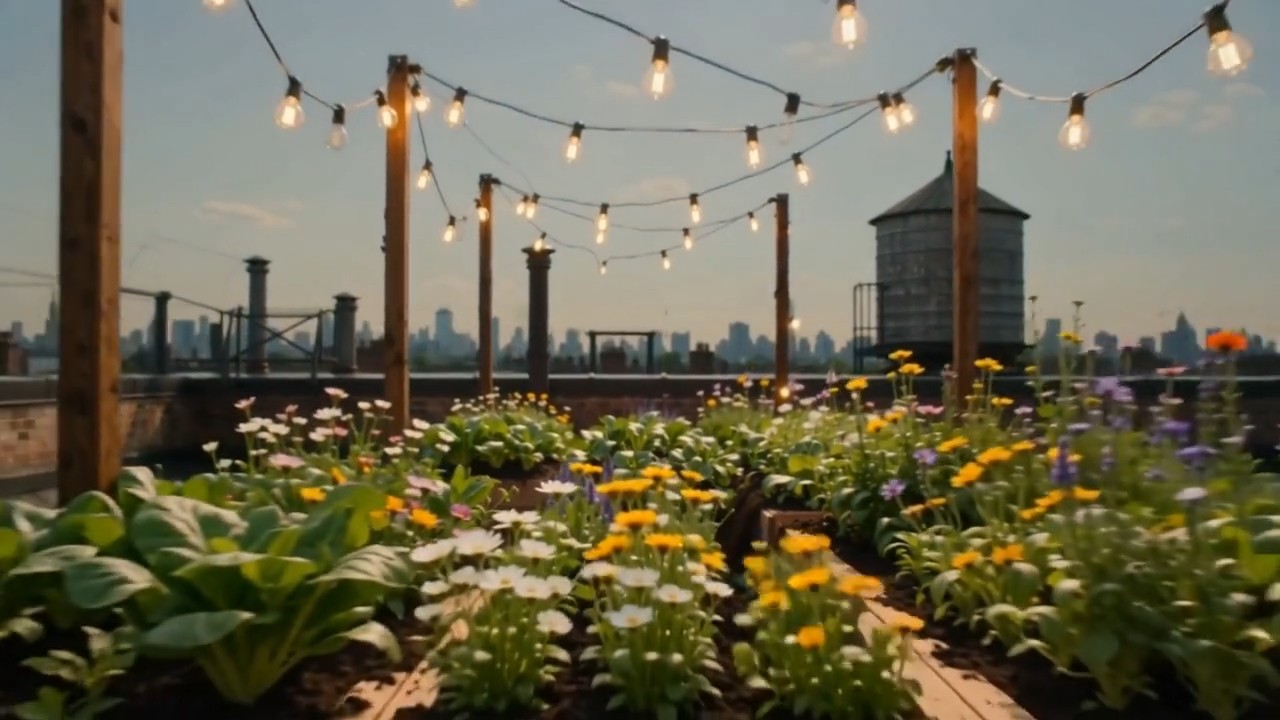
Create one continuous time-compressed transformation from the first frame to the last frame. Wooden planters slide into
Create one continuous time-compressed transformation from the first frame to the last frame. Wooden planters slide into position, soil fills naturally, seedlings emerge and grow into dense vegetables and flowers, string lights rise between posts, shadows move from morning to evening, and the camera performs a slow forward dolly without changing direction. Preserve the rooftop architecture and frame composition. Layer soft construction sounds, wind, birds, and a gentle musical build
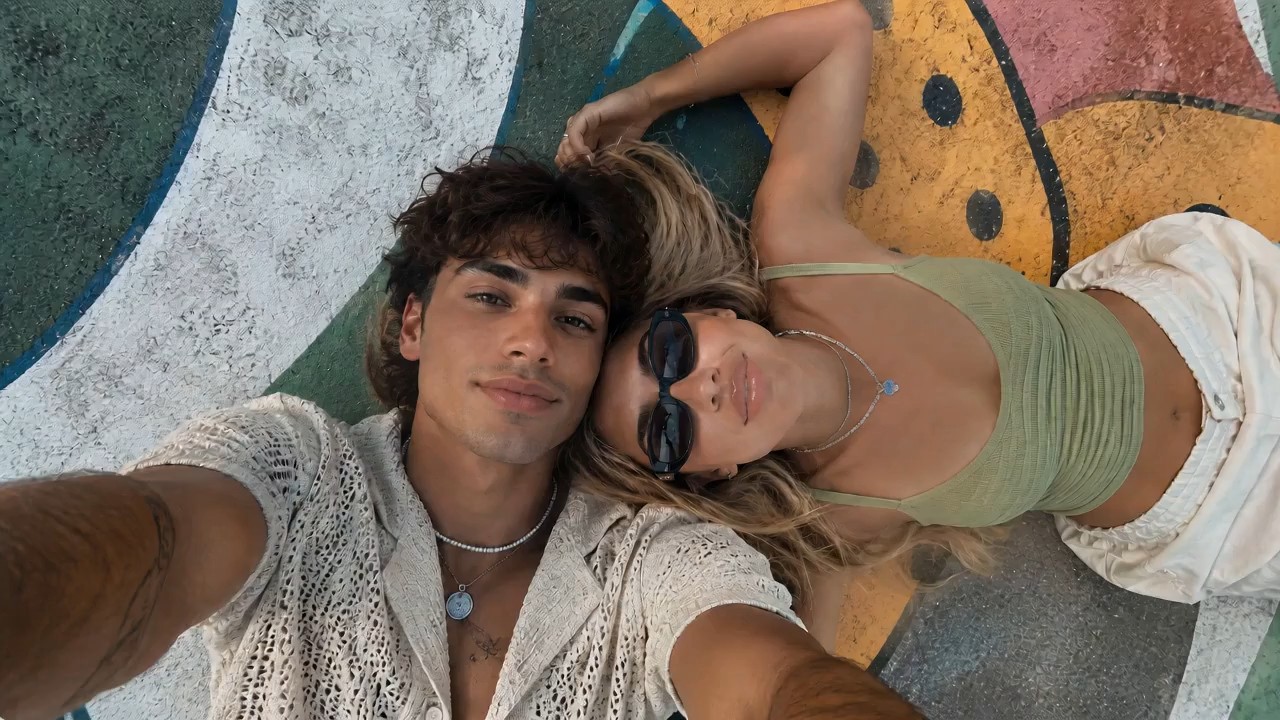
Use the reference image as the starting frame and preserve the same overall vibe: two stylish young people lying close t
Use the reference image as the starting frame and preserve the same overall vibe: two stylish young people lying close together outdoors on a painted mural surface, relaxed, cool, sunlit, summery, and visually aesthetic. Create a dynamic, visually striking selfie-style video where the camera is always being held in the young man’s hand, as if he is filming them himself from above. The perspective must remain handheld and first-person from the boy’s outstretched arm, but the angle and motion should keep changing in cool and creative ways to create different visual effects. Start with the original top-down selfie composition, both faces close together, calm and stylish. Then the boy subtly rotates his wrist, causing the frame to slowly tilt and roll, creating a dreamy floating feeling. He brings the camera slightly closer to their faces for an intimate close-up, then lifts it higher for a wider overhead perspective showing more of the colorful mural background. Add smooth but noticeable hand-driven motion: slight orbit-like swings, playful tilts, soft dips, angle flips, and controlled handheld rotation, all still clearly feeling like the camera is in his hand. At one moment, the camera swings to a diagonal angle, making the composition feel more fashion-editorial. Then it glides lower and closer to the girl’s sunglasses and lips for a stylish detail moment, before shifting back to both of them together. Add a brief dramatic rotation or half-spin of the frame driven by his wrist movement, then stabilize into another overhead selfie. The camera should feel lively and expressive, with changing perspectives that make the same moment look fresh from multiple angles. Their expressions can subtly change: relaxed, playful, slightly smiling, naturally interacting with the camera. Hair moves slightly, sunlight feels warm and soft, and the entire video should feel effortlessly cool and photogenic. Visual style: trendy, cinematic, high-end social media fashion aesthetic, handheld selfie energy, smooth but expressive motion, natural sunlight, youthful summer mood, polished and visually engaging. Preserve realism and the core appearance of both people, while making the camera movement feel creative and premium. No text, no subtitles, no watermark.
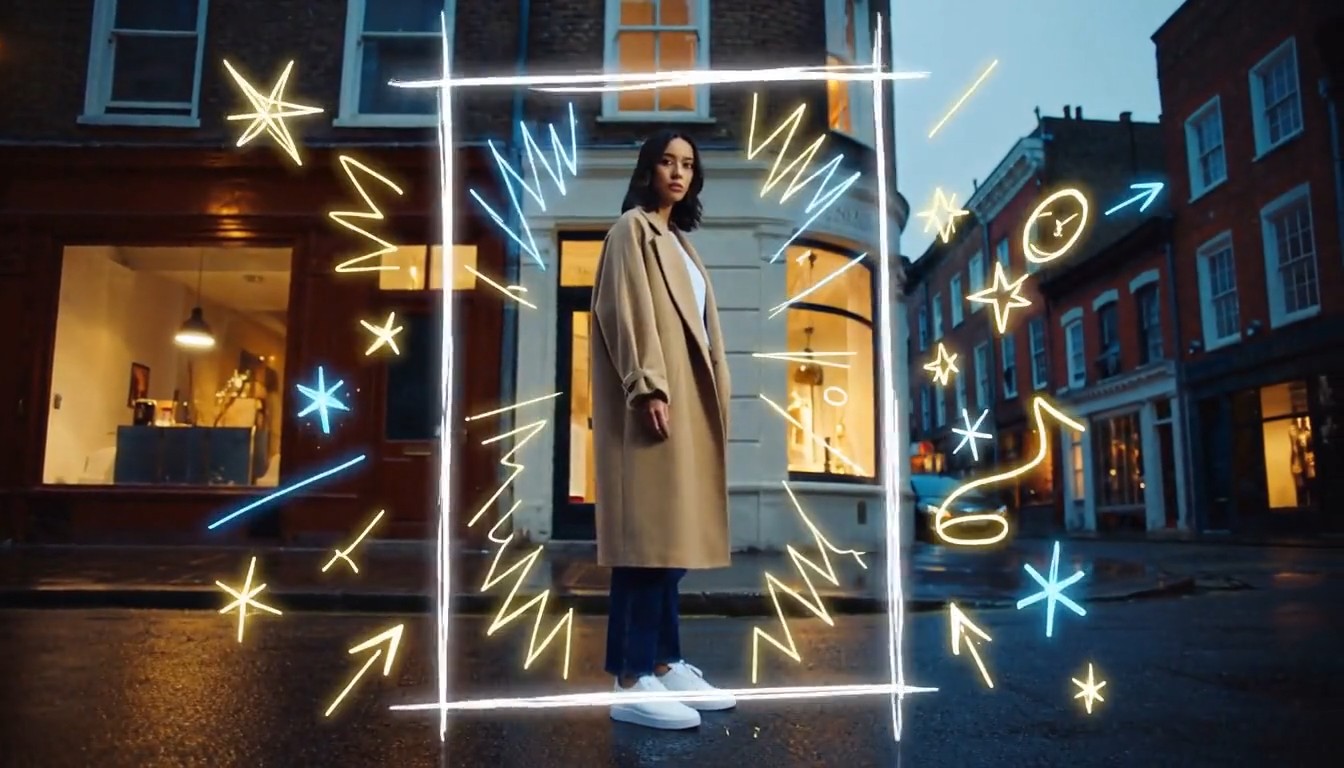
Create a cinematic mixed-media video that seamlessly combines photorealistic live-action footage with luminous hand-draw
Create a cinematic mixed-media video that seamlessly combines photorealistic live-action footage with luminous hand-drawn animation. A stylish young person walks through a real urban street at dusk while the camera smoothly follows from a slightly low side angle. The environment is fully realistic: textured buildings, passing pedestrians, reflective pavement, shop windows, soft evening light, and natural handheld movement. As the person moves forward, glowing hand-drawn lines begin appearing around them in real time. Loose animated strokes trace the outline of their body, shoes, clothing, and hair. Bright sketch-like arrows follow their movement, while small stars, sparks, waves, handwritten symbols, and playful illustrated shapes emerge from nearby objects. When the person passes a streetlamp, a glowing animated spiral wraps around the lamp and releases floating illustrated fireflies. Their footsteps create hand-drawn light ripples across the pavement. A sketched bird flies out from a wall mural, transforms into a luminous animated creature, circles around the person, and then dissolves into sparkling brush strokes. The animated elements must feel physically connected to the live-action world: wrapping around objects, hiding behind the subject, reflecting subtly on nearby surfaces, reacting to movement, and leaving short glowing trails. The illustrations should look intentionally hand-drawn, with imperfect lines, visible brush texture, frame-by-frame motion, and energetic scribble animation. End with the person stopping and turning toward the camera. A large glowing hand-drawn frame rapidly sketches itself around them, while multiple animated lines, stars, and abstract symbols burst outward before settling into a clean final composition. Visual style: photorealistic live-action combined with luminous 2D doodle animation, contemporary fashion commercial, creative mixed media, energetic yet polished, warm cinematic lighting, neon white, electric blue and golden glowing strokes, smooth camera movement, expressive frame-by-frame animation, strong depth and realistic interaction between animation and environment, 4K, no subtitles, no watermark, no visible interface.
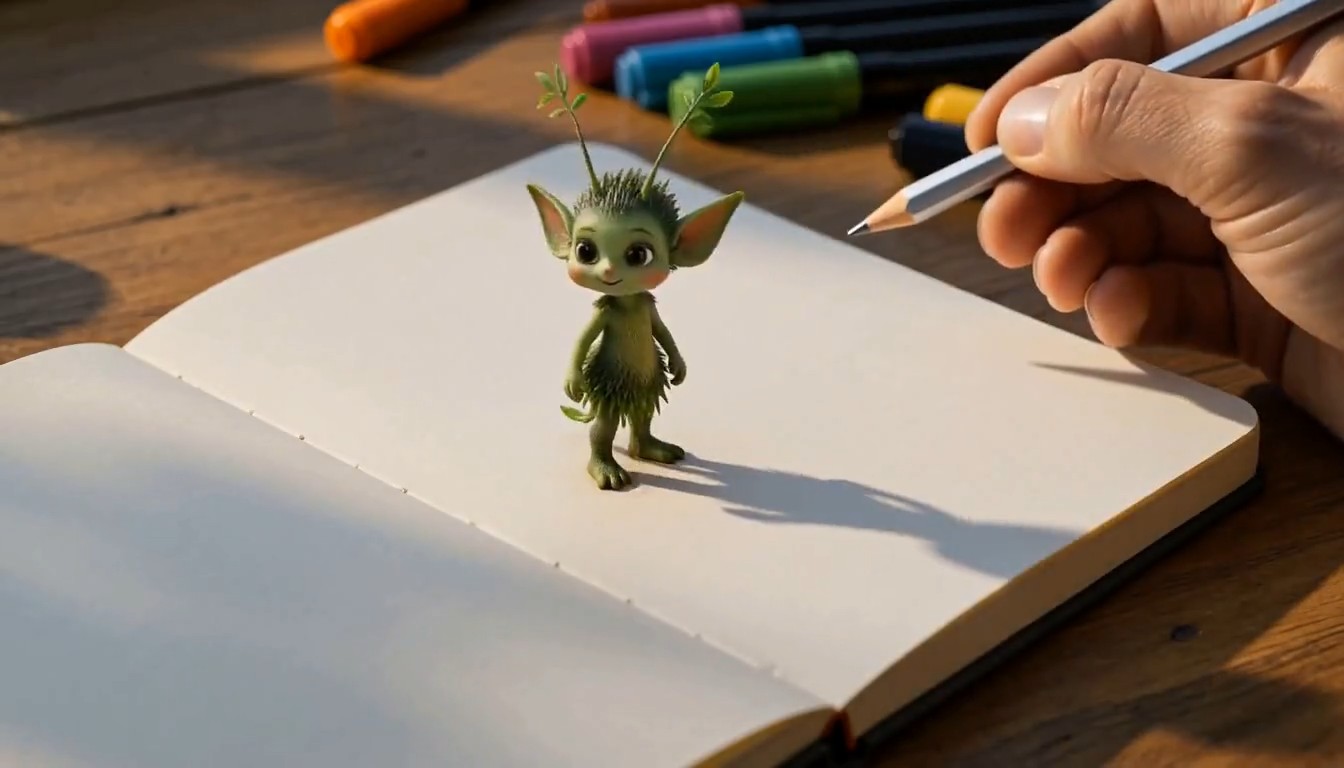
A cinematic creative desk scene. The camera focuses on a person drawing on paper at a wooden desk in a cozy studio. The
A cinematic creative desk scene. The camera focuses on a person drawing on paper at a wooden desk in a cozy studio. The hand moves naturally with pencil and markers, carefully sketching a charming illustrated subject on the page. As the drawing is completed, the illustrated subject magically rises off the paper, transforming into a small fully three-dimensional version of itself. It keeps the same design language as the drawing, but now appears as a lively miniature 3D object or character standing on the desk. It starts moving naturally, looking around with curiosity. The person continues drawing a second new subject on the paper beside it. As soon as the second drawing is finished, it also transforms from flat illustration into a stylized 3D form and pops up from the page onto the desk. The newly created 3D subject begins interacting with the first one in a playful and charming way. Their interaction feels lively, imaginative, and seamless, as if the drawings have come to life. Visual style: highly creative, magical realism, warm studio lighting, detailed desk environment, visible art tools, smooth hand movement, elegant transformation effect from 2D drawing to 3D object, whimsical and polished animation, cinematic camera focus, shallow depth of field, smooth motion, delightful and imaginative atmosphere, no subtitles, no text overlay.
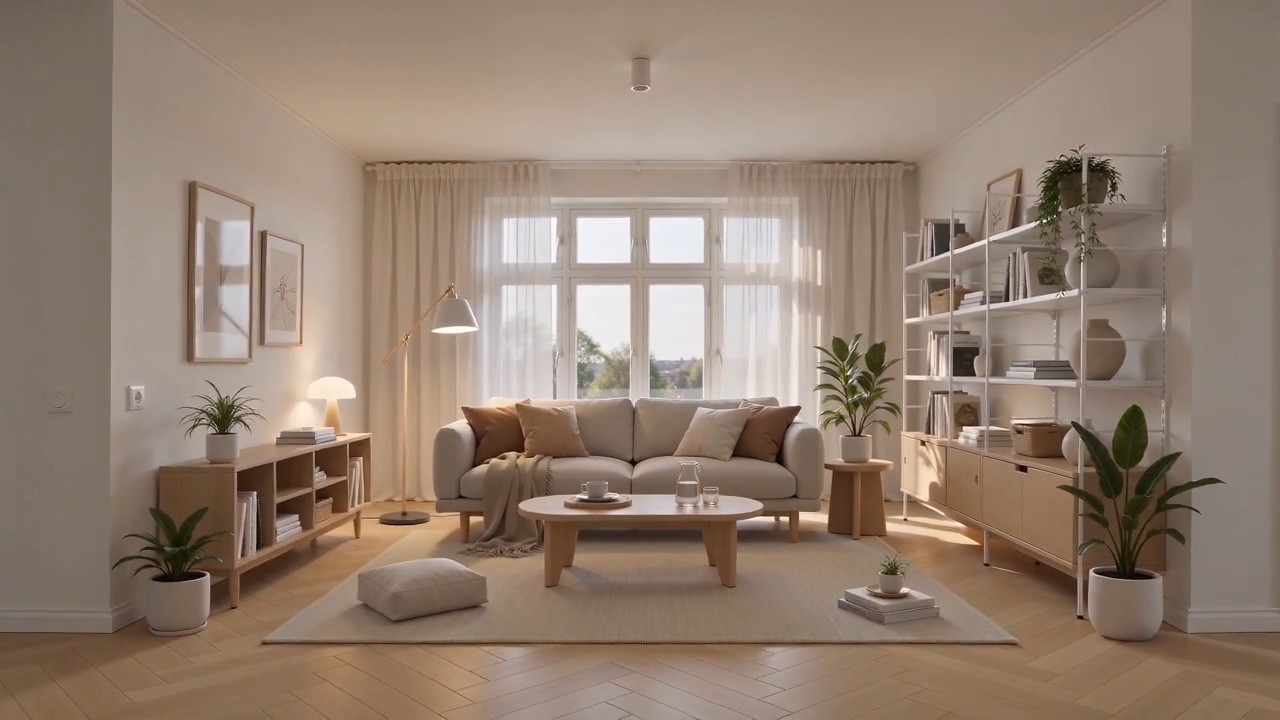
Create a polished home furnishing commercial inspired by Scandinavian IKEA-style interior design. The video begins wit
Create a polished home furnishing commercial inspired by Scandinavian IKEA-style interior design. The video begins with a completely empty, bright modern room. White walls, light oak flooring, large windows, soft natural daylight, clean architectural lines, and no furniture or decoration. The camera slowly pushes forward through the empty space. As the camera continues moving, the interior gradually comes to life. A neutral-colored rug smoothly unfolds across the floor. A minimalist sofa rises gently into position, followed by a light wood coffee table, side tables, a floor lamp, shelving units, curtains, cushions, and soft throws. Each furnishing appears through elegant, visually satisfying transitions, such as sliding into place, unfolding, assembling itself, or softly materializing. Continue adding smaller home details: framed wall art aligns itself on the wall, books and decorative objects appear on shelves, indoor plants grow into place, tableware settles neatly onto the coffee table, and warm ambient lights switch on one by one. Every product should feel practical, affordable, stylish, and coordinated. The room gradually transforms from an empty shell into a complete, comfortable, beautifully styled living space. End with a wide hero shot revealing the fully furnished room, featuring a balanced Scandinavian color palette, warm wood textures, soft textiles, organized storage, natural greenery, and inviting lighting. Visual style: premium home furnishing advertisement, Scandinavian minimalism, clean and functional design, smooth product-reveal transitions, realistic materials, warm natural light, soft shadows, precise composition, satisfying assembly animation, calm but uplifting pacing, high-end commercial quality, photorealistic, 4K. Camera movement: start with a slow forward dolly through the empty room, maintain a smooth continuous motion while products appear, then gently pull back into a wide final composition showing the complete interior. No people, no clutter, no subtitles, no watermark, no distorted furniture, no floating objects after placement.
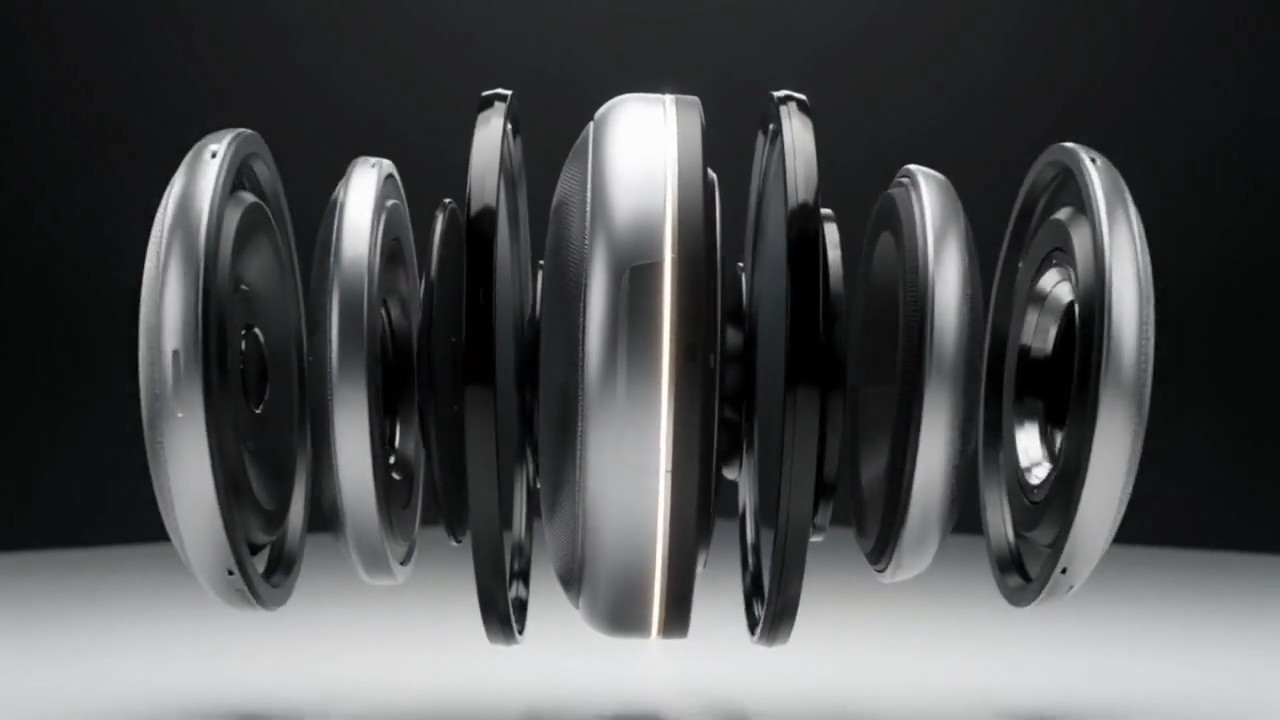
A matte silver wireless speaker floats above a seamless white studio surface. The camera makes a slow 120-degree orbit a
A matte silver wireless speaker floats above a seamless white studio surface. The camera makes a slow 120-degree orbit as separated metal, fabric, and glass components glide inward and assemble with precise mechanical timing. A soft pulse of light travels around the speaker rim, then the product lands gently as fine dust moves outward. Minimal premium commercial style, crisp material detail, soft overhead lighting, subtle stereo assembly sounds, no extra objects, 8 seconds, 16:9.
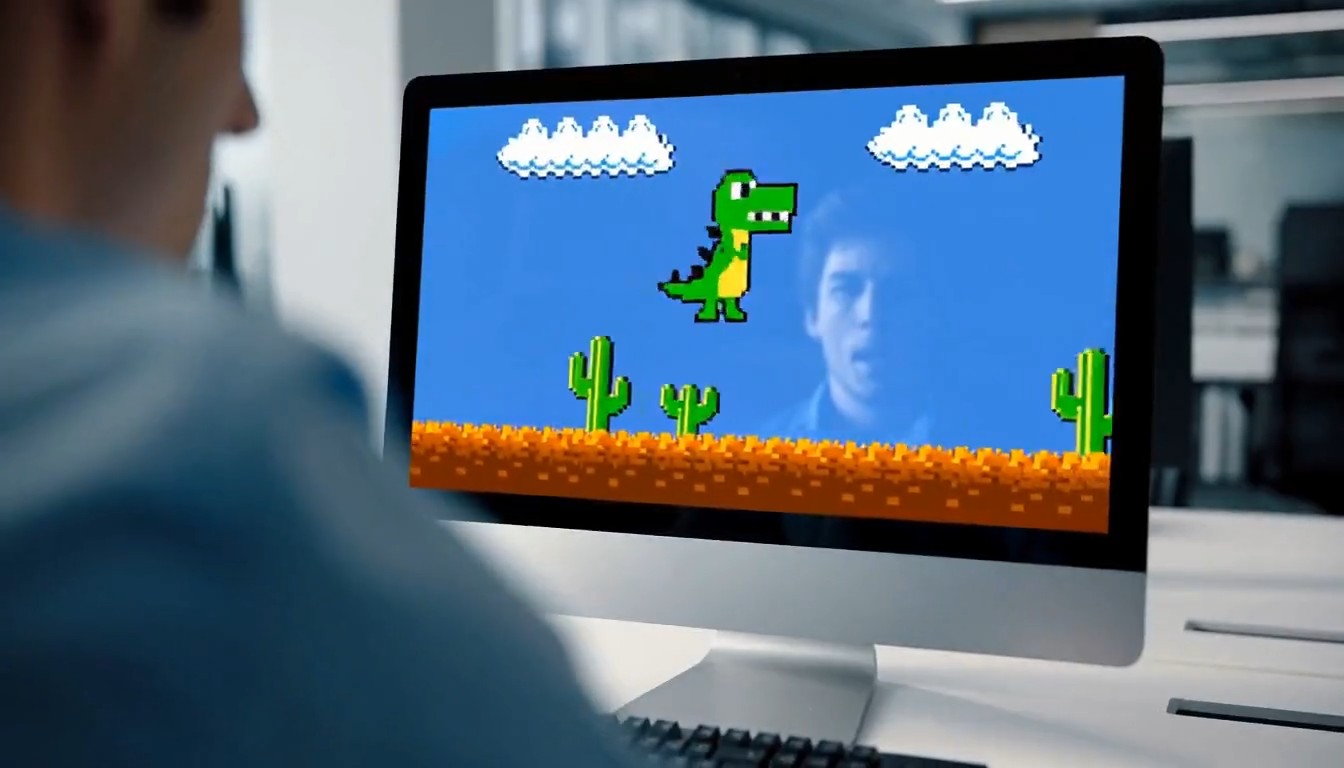
A 10-second cinematic office comedy scene with a strong tonal shift. Start with an intense, high-pressure atmosphere. A
A 10-second cinematic office comedy scene with a strong tonal shift. Start with an intense, high-pressure atmosphere. A young programmer sits in a modern office, seen in a close shot, staring nervously at his computer screen while typing rapidly on the keyboard. His body language is tense and focused. Cut to a tight close-up of his hands hitting the keyboard quickly and urgently. Then cut to a close-up of his face: serious eyes, tight jaw, intense concentration. Then an extreme close-up of sweat forming on his forehead, emphasizing the pressure and suspense. Next, the camera quickly pulls back to reveal the whole office. Multiple coworkers are also at their desks, all staring at their screens and furiously typing with the same intense, serious energy. The entire room feels like a high-stakes mission, with fast pacing, tense expressions, and dramatic urgency. Then suddenly, the mood flips. The first programmer throws both hands into the air and cheers in victory. One by one, the other office workers also begin celebrating, cheering, laughing, and reacting with exaggerated relief. The atmosphere transforms from tense and dramatic into lighthearted and absurd. For the final reveal, the camera quickly turns toward the computer screen and shows that they were all intensely playing a simple offline single-player video game. The reveal should be funny and unexpected. Style: cinematic, realistic office environment, expressive acting, dynamic editing, intense suspense at first, then humorous tonal shift, slightly exaggerated comedy, clean modern office, natural lighting, fast cuts, dramatic close-ups, polished commercial-like visuals, no subtitles, no text overlay.
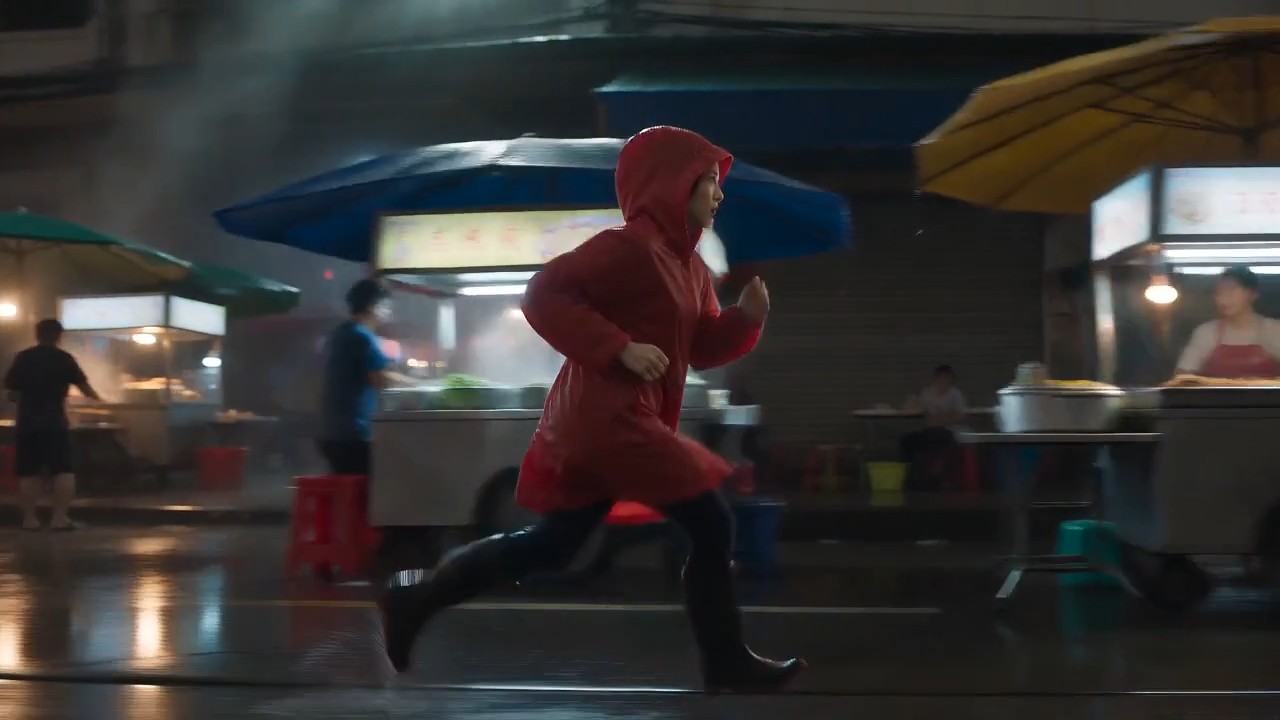
A lone female courier in a red raincoat runs through a rain-soaked night market, weaving between food stalls as the came
A lone female courier in a red raincoat runs through a rain-soaked night market, weaving between food stalls as the camera tracks beside her at waist height. Neon reflections ripple across wet pavement, steam drifts through frame, vendors turn as she passes, realistic footfalls, distant scooters, rain striking canvas awnings, tense cinematic score, natural motion blur, high-contrast thriller lighting, continuous
すぐにコピーできる動画例付きMiniMax H3プロンプトガイド
MiniMax H3で探して、コピーして、カスタマイズして作成
MiniMax H3プロンプトガイドは、毎回ゼロからプロンプトを書かずに、より良い動画結果を得たいクリエイター向けの実用的なライブラリです。映画的なシーン、商品広告、キャラクター演技、ネイティブ音声、モーション参照、精密な動画編集のMiniMax H3プロンプト例を閲覧できます。そのまま使うか、被写体、設定、カメラ、音、スタイルをアイデアに合わせて置き換えてください。

MiniMax H3プロンプトガイドの使い方
3つの簡単な手順で、アイデアを完成したクリップに変えましょう。MiniMax H3プロンプトガイドは、各アイデアを再利用できるMiniMax H3プロンプト例と結び付け、構造を学び、詳細を調整し、より速く生成を始められるようにします。

プロンプト例を見る
シーンの種類、ビジュアルスタイル、カメラの動き、キャラクターの動作、音響設計、編集タスク別にMiniMax H3プロンプトガイドを探せます。対応する結果をプレビューし、制作の方向性に最も近いMiniMax H3プロンプト例を選んでください。

コピーしてカスタマイズ
プロンプト全体をコピーし、被写体、場所、尺、構図、動き、セリフ、効果音、雰囲気を変更します。このガイドは構造を明確に保ちつつ、MiniMax H3プロンプト例をオリジナル企画に柔軟に活用できるようにします。

MiniMax H3を開いて作成
プロンプトボタンをクリックしてMiniMax H3ページを開き、選んだ文章を入力欄に入れます。参照素材と生成設定を確認してから、作成、比較、調整してください。新しいMiniMax H3プロンプト例により、繰り返しの実験にも役立つライブラリになります。
クリエイティブな動画制作向けMiniMax H3プロンプト例
このMiniMax H3プロンプトガイドは、モデルのマルチモーダル制作フローに沿って再利用可能なアイデアを整理しています。MiniMax H3プロンプト例は、被写体の詳細、動作、カメラ表現、照明、音、タイミング、参照指示の連携方法を示します。例をコピーし、構造を保ったままクリエイティブな変数を置き換えてください。
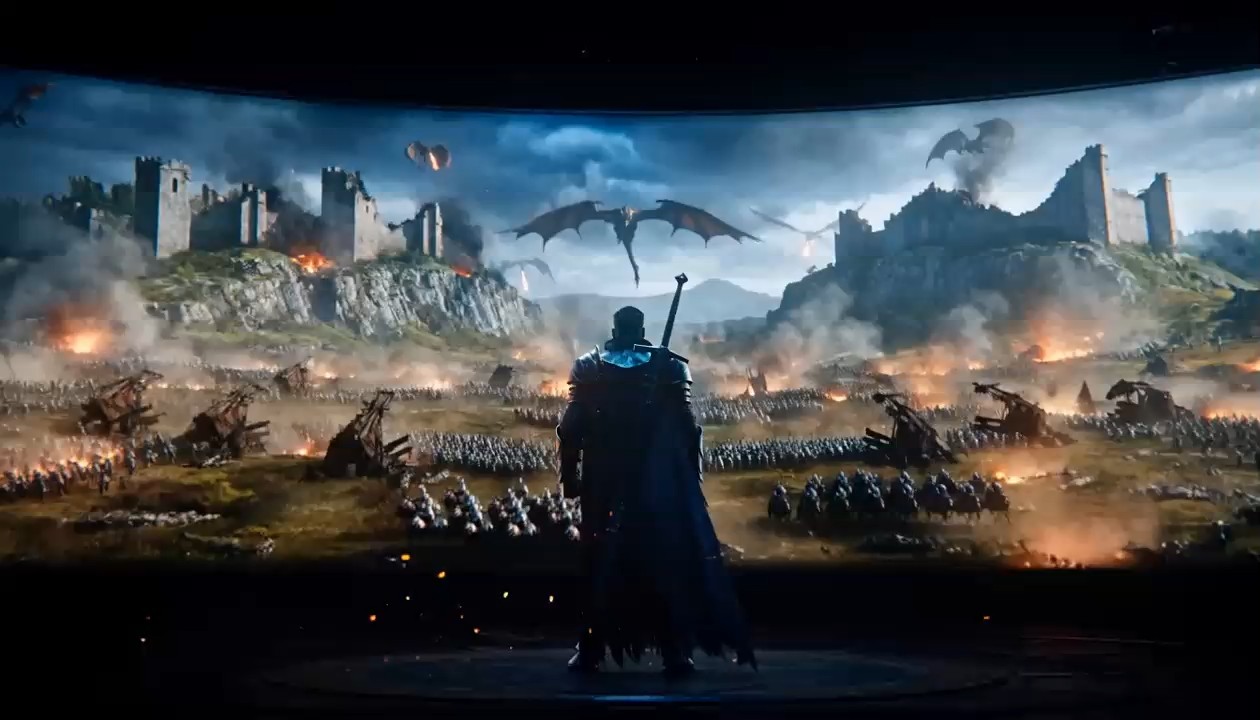
ネイティブ音声付きの映画的トラッキングショット
- このMiniMax H3プロンプトガイドの例を使い、被写体の動き、カメラ追従、環境の動き、同期音声を連携させます。
- 動作経路とカメラの関係を明確にすると、MiniMax H3プロンプト例が最も効果を発揮します。「良い音」のような曖昧な指定ではなく、シーン内の音源を説明することを推奨します。
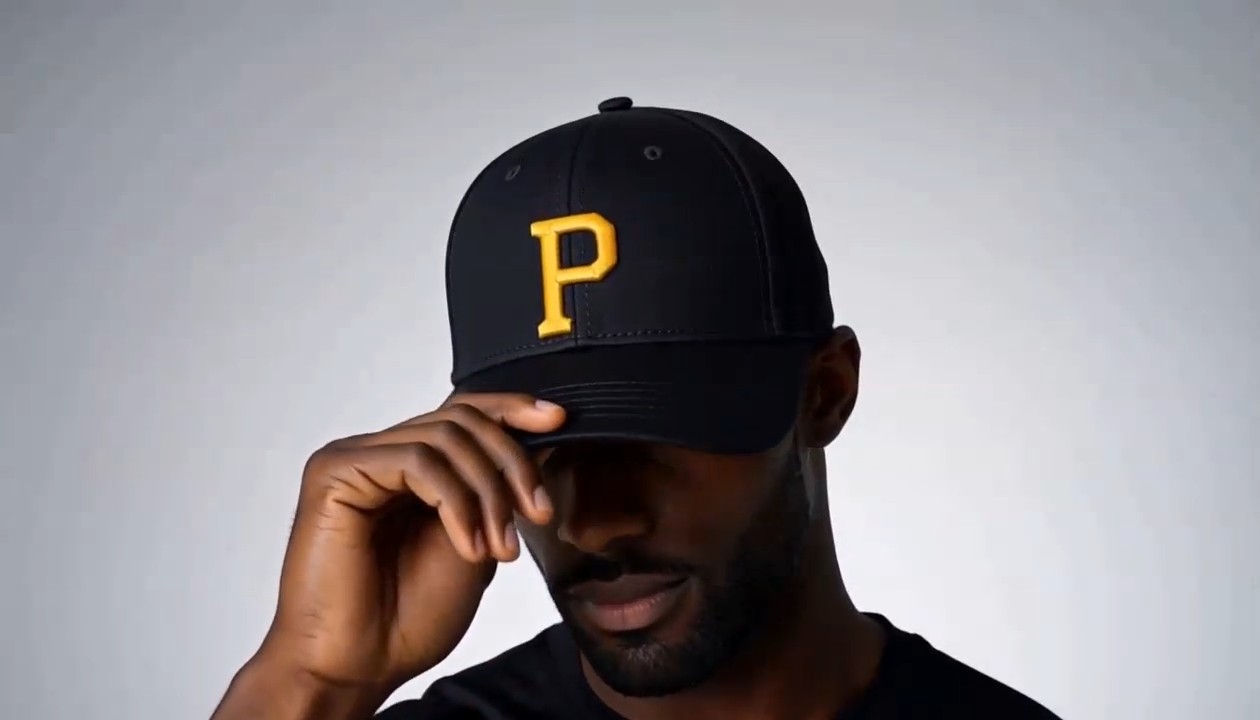
制御された変形を使う商品広告
このMiniMax H3プロンプトガイド項目は、クリーンな広告ビジュアルと物体中心の動き向けに設計されています。
このようなMiniMax H3プロンプト例で、製品素材、変形順序、カメラ経路、最後のヒーローポーズ、音の合図を定義します。ミニマルな構図を守るため、表示しない要素も指定することを推奨します。
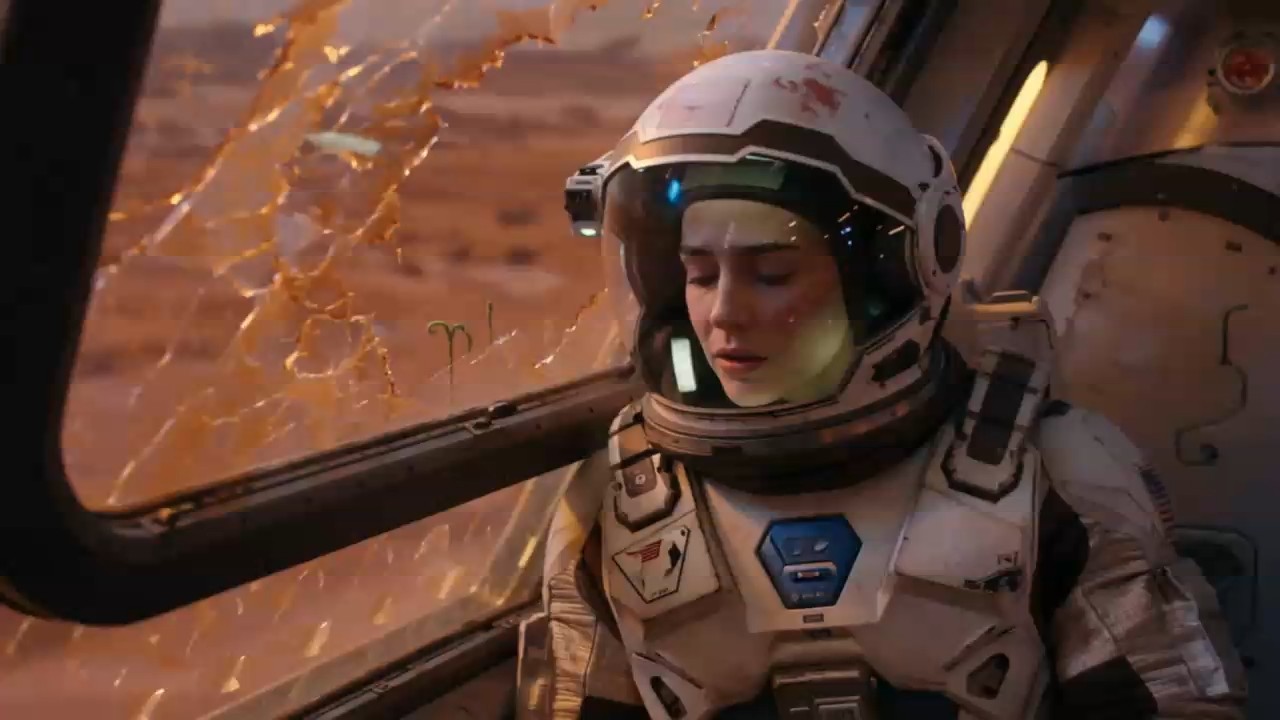
キャラクター演技と音声セリフ
表情、ボディランゲージ、セリフ、雰囲気を連動させたいときは、このMiniMax H3プロンプトガイド例を選んでください。
MiniMax H3プロンプト例では、話者、正確なセリフ、感情、カメラのタイミング、背景音を指定します。クリップの尺に自然に収まる短いセリフが適しています。
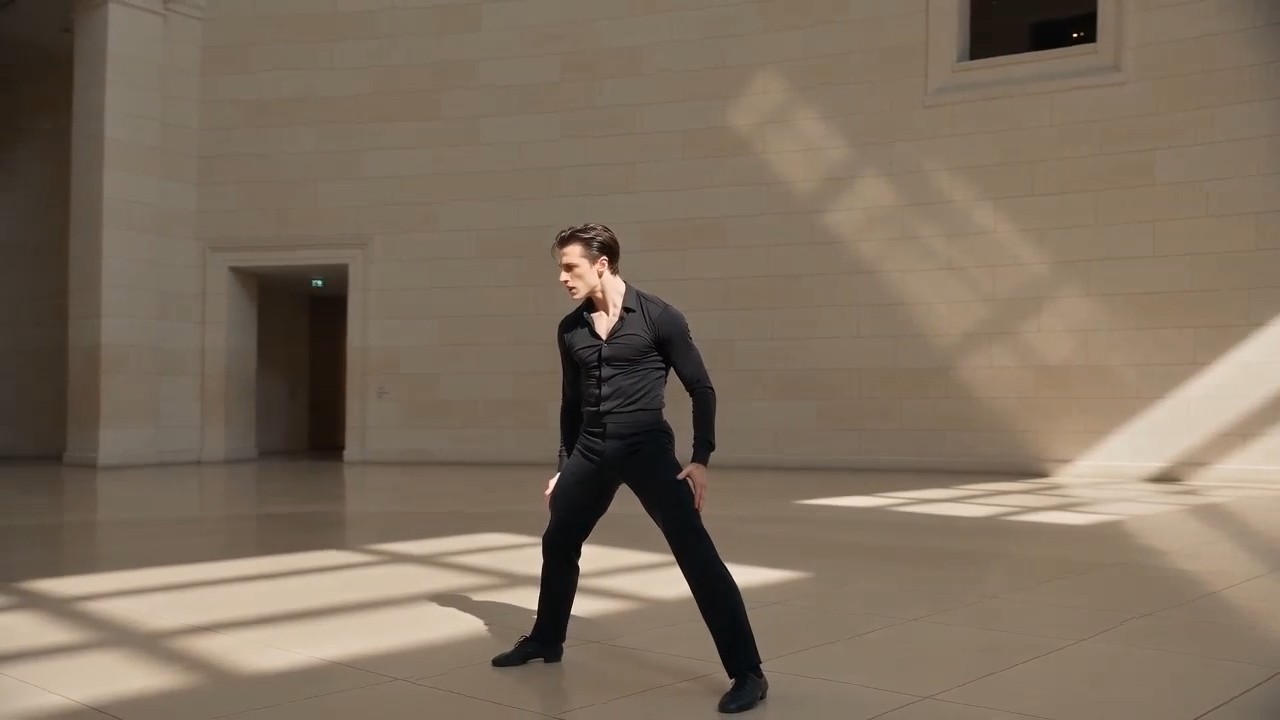
モーションとカメラ参照の転送
希望する振り付けとカメラ経路を示すキャラクター画像と参照動画を、このMiniMax H3プロンプトガイドのワークフローで使用します。
MiniMax H3プロンプト例では、各参照素材に明確な目的を割り当てます。1つの素材にアイデンティティ、動き、スタイル、音のすべてを同時に制御させる指定は避けます。
MiniMax H3プロンプトガイド よくある質問
MiniMax H3プロンプトガイドの使い方、MiniMax H3プロンプト例の調整、参照素材の整理、より明確な生成・編集指示の書き方について、実用的な回答を確認できます。
MiniMax H3プロンプトガイドは、プロンプトと動画結果、実用的な解説を組み合わせた厳選ライブラリです。完全なプロンプトが被写体、動作、環境、カメラ表現、照明、タイミング、音、セリフ、参照素材の役割をどう組み合わせるかを理解できます。MiniMax H3プロンプト例を固定テンプレートではなく、新しいシーンに適応できる検証済みの構造として使ってください。
はい。MiniMax H3プロンプトガイドの各項目は、コピーして出発点として使えるように作られています。プロンプトカードから生成ツールを開き、文章を入力欄に入れられます。生成前にMiniMax H3プロンプト例を確認し、目的の被写体、素材、尺、アスペクト比、制作スタイルに合わない詳細を置き換えてください。
実用的な構造は、被写体と設定、動作、カメラ、ビジュアルスタイル、照明、時間順序、音声、セリフ、形式、制約の順です。MiniMax H3プロンプトガイドは、各指示に明確な役割を持たせるためにこの順序を使います。複数のMiniMax H3プロンプト例を確認し、関連情報を繰り返さずまとめることで、詳細なプロンプトを読みやすく保つ方法を学べます。
各素材が何を制御するかを明記します。画像はキャラクターの同一性や構図、動画は演技やカメラ動作、音声は声、リズム、雰囲気を導けます。MiniMax H3プロンプトガイドはこれらの関係を明確に示します。良いMiniMax H3プロンプト例は参照の役割が競合するのを避け、2つの素材の合図が異なる場合にどちらを優先するか説明します。
動きを説明する前に、一貫した人物特徴、衣装、環境、物体デザイン、構図を記述します。特に変形や編集では、変えない要素に制約を追加してください。MiniMax H3プロンプトガイドは、関連のない複数の出来事より明確な動作順序を推奨します。結果をMiniMax H3プロンプト例と比較し、最も小さく不確かな指示から修正してください。
はい。MiniMax H3プロンプトガイドには生成と編集のワークフローがあります。編集では、変更する人物、物体、背景、光、セリフ、声、効果、音を正確に指定し、その他を保護します。MiniMax H3プロンプト例では、意図しない変更を減らすため「〜のみ置換」「変更しない」「タイミングを維持」などの表現をよく使います。
クリエイターのMiniMax H3プロンプトガイド活用法
映像制作、広告、SNS、デザイン、物語制作のクリエイターは、MiniMax H3プロンプトガイドを使ってアイデアを構造化されたプロンプトに変えています。MiniMax H3プロンプト例が、より速いテストと明確な制作方針を支えることが分かります。
MiniMax H3プロンプトガイドは、カメラ、動作、音の信頼できる出発構造を示してくれます。各ショットの説明を作り直さず、MiniMax H3プロンプト例をクライアントの企画に合わせられます。
商品企画書を短いビジュアルテストに変える際、MiniMax H3プロンプトガイドを使っています。MiniMax H3プロンプト例により、変形と最後のヒーローショットを伝えやすくなります。
MiniMax H3プロンプトガイドの最大の強みは、同一性、動き、カメラ、音声の参照を分ける点です。MiniMax H3プロンプト例は、指示が混ざるのを防いでくれます。
MiniMax H3プロンプトガイドからシーンをコピーし、いくつかの変数を置き換えてすぐ試せます。MiniMax H3プロンプト例は、日々のSNSコンテンツ制作に十分実用的です。
キャラクターシーンでは、MiniMax H3プロンプトガイドが感情、セリフの長さ、カメラのタイミング、雰囲気を一緒に定義するよう促してくれます。MiniMax H3プロンプト例により、より意図的に試行できます。
MiniMax H3プロンプトガイドの編集セクションは特に役立ちます。MiniMax H3プロンプト例は、視覚または音声の変更を1つだけ依頼しながら元のショットを守る方法を示します。






MiniMax H3プロンプト例で作れるもの
MiniMax H3プロンプトガイドを、素早いアイデア探索や制作向けの計画に活用してください。MiniMax H3プロンプト例は一般的な動画目標をカバーしながら、さまざまなブランド、物語、被写体、形式、参照素材に対応する余地を残します。

映画的なシーン
制御されたカメラ動作、身体の動き、照明変化、セリフ、環境音、音楽で雰囲気のあるショットを作ります。MiniMax H3プロンプトガイドは複雑なシーンを整理し、MiniMax H3プロンプト例は各指示が最終シーケンスに与える影響を示します。

広告と商品動画
商品の登場、変形、素材のクローズアップ、ライフスタイル広告、ブランド向けSNS動画を作成します。MiniMax H3プロンプトガイドで提示順と音の合図を定義し、商品やキャンペーンに合わせてMiniMax H3プロンプト例を調整してください。

キャラクターとモーションの参照
別々の参照素材で同一性、演技、振り付け、カメラ動作、声、編集リズムを導きます。MiniMax H3プロンプトガイドは素材の役割を明確にし、MiniMax H3プロンプト例は制作上の制御を弱めずに参照を組み合わせる方法を示します。

動画と音声の編集
クリップの他の部分を保護しながら、指定した人物、物体、設定、効果、セリフ、声、環境音を置き換えたり調整したりします。MiniMax H3プロンプトガイドは対象を絞った指示を重視し、MiniMax H3プロンプト例は明確な編集表現を示します。
MiniMax H3プロンプト例を次の動画に
MiniMax H3プロンプトガイドからアイデアを選び、プロンプトをコピーし、制作の詳細を調整してMiniMax H3で結果を生成します。実績あるMiniMax H3プロンプト例から始めれば、空の入力欄に悩むより動画の改善に多くの時間を使えます。
