
Grok Imagine 1.5 AI 비디오 프롬프트 복사
Grok Imagine 비디오 프롬프트를 복사하고, 아이디어를 미리 보고, 장면 세부정보를 편집해 더 선명한 AI 영상을 온라인으로 생성하세요.
아이디어를 설명하면 AI가 완벽한 프롬프트를 만들어 드립니다
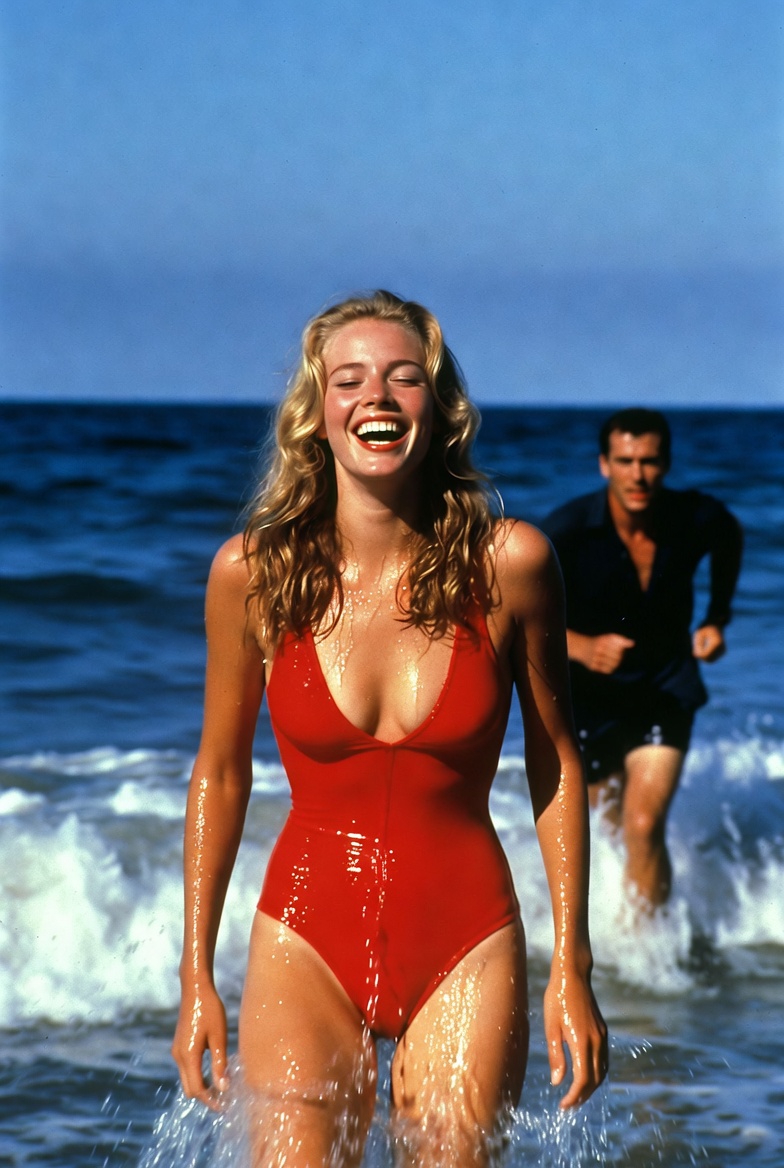
he catches up with her and embraces her slowly
he catches up with her and embraces her slowly
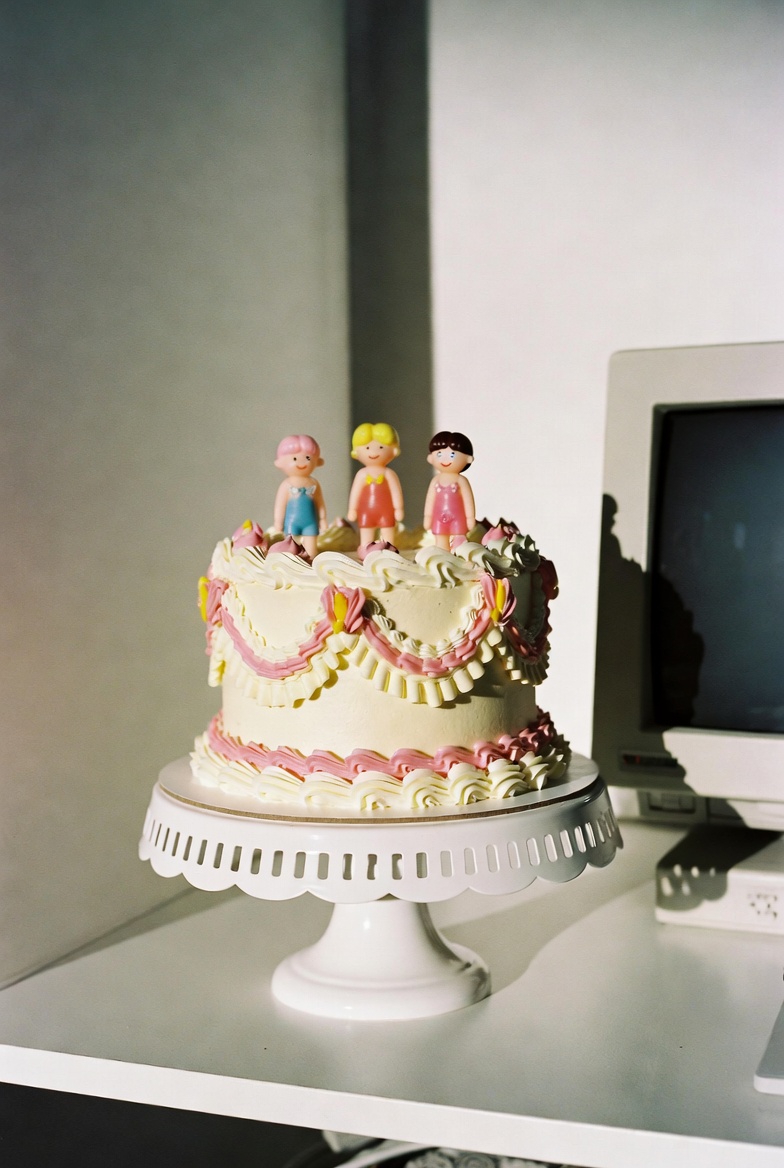
two hands squish the cake once and fully smush it, asmr sounds
two hands squish the cake once and fully smush it, asmr sounds
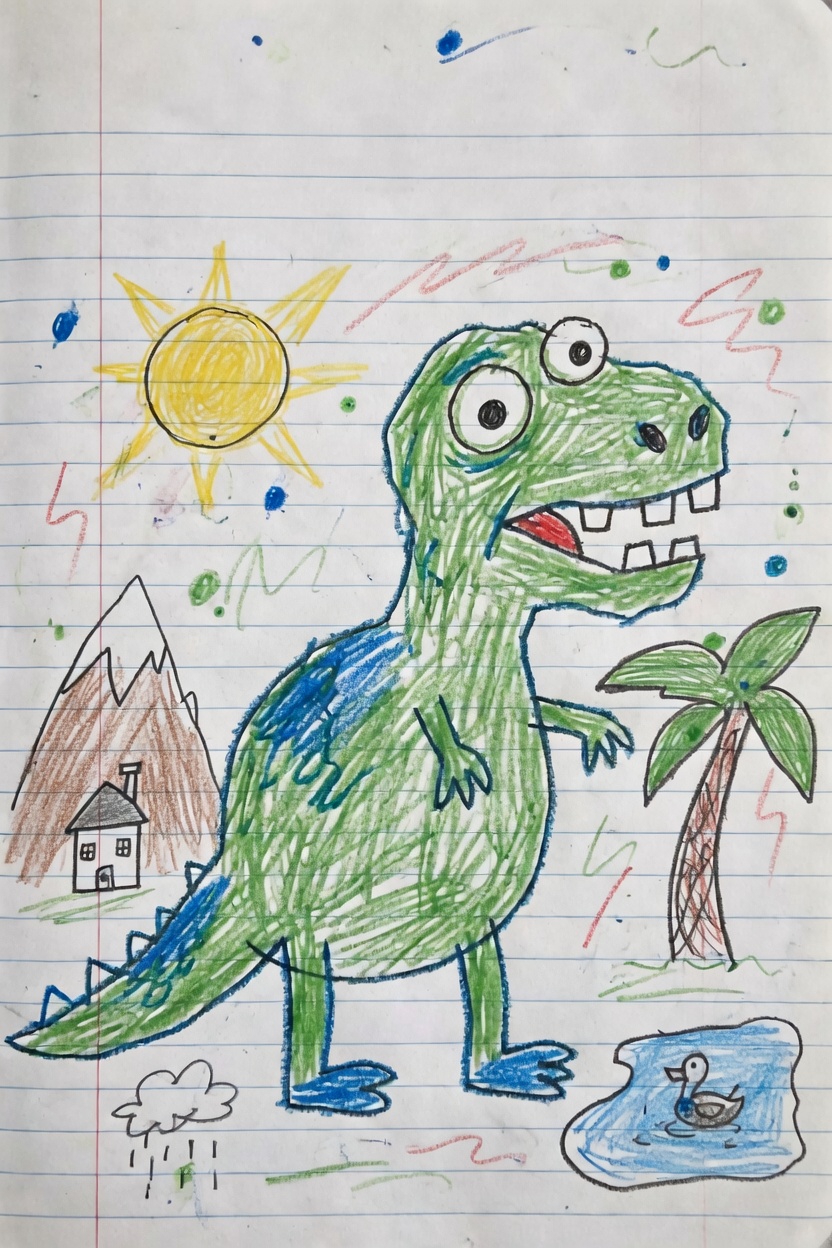
Use the uploaded image as the first frame. Animate it into a playful children’s drawing video while preserving the origi
Use the uploaded image as the first frame. Animate it into a playful children’s drawing video while preserving the original hand-drawn crayon style, notebook paper background, and colorful sketchy lines. The green dinosaur becomes lively and cheerful. It gently bounces in place, blinks its eyes, opens and closes its mouth as if happily roaring, and slightly wiggles its tiny arms and tail. Its body moves with cute, simple cartoon-like motion while keeping the original drawing proportions and childlike appearance. Add subtle animation to the surrounding elements: the sun glows softly and gives off a warm cheerful feeling, the palm tree sways lightly, the small duck in the pond bobs gently on the water with tiny ripples, and the little rain cloud drizzles softly. The background doodles and colorful scribbles can lightly shimmer or wiggle to make the whole page feel alive. Camera motion: a very slow gentle push-in with soft, steady movement, like a living illustration. Mood: fun, cute, playful, imaginative, childlike, storybook energy. Keep the original crayon drawing style, lined notebook paper texture, and simple handmade feel. Do not make it too realistic. No text, no new objects, no major design changes.
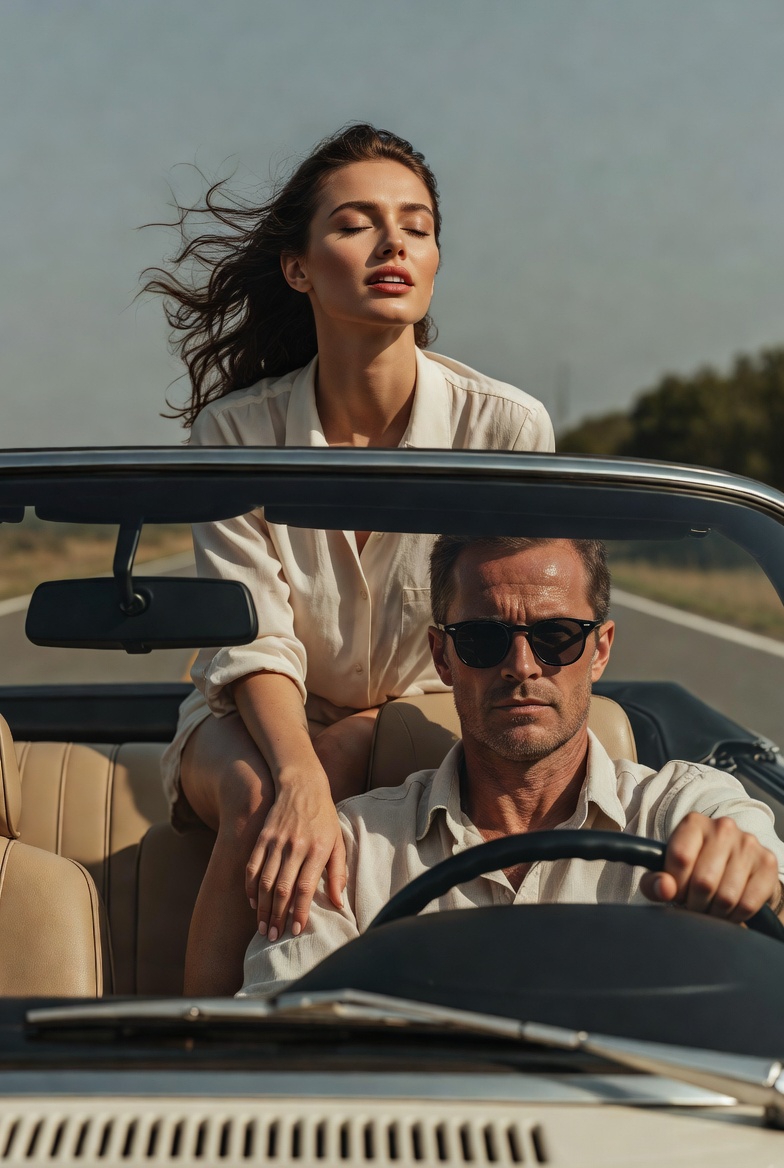
she throws her arms back fast
she throws her arms back fast
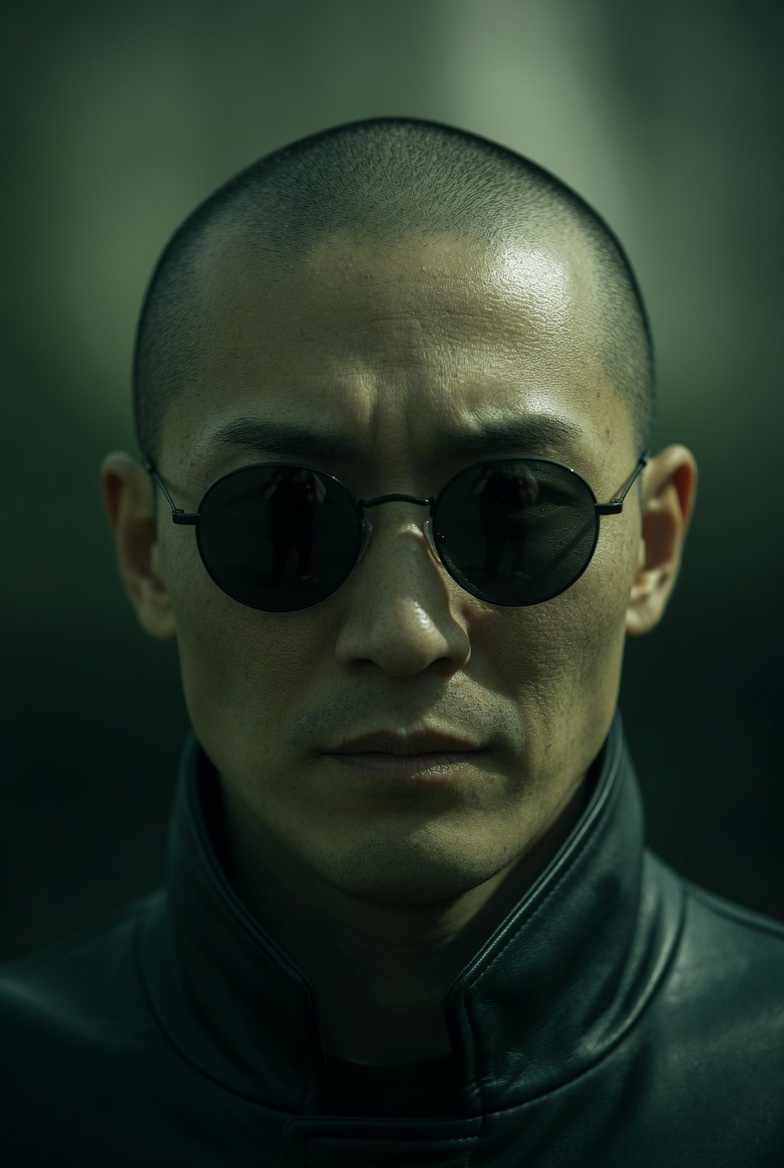
Extreme close-up of a Japanese man in small, round black sunglasses, neutral expression. Camera slowly pans downward fr
Extreme close-up of a Japanese man in small, round black sunglasses, neutral expression. Camera slowly pans downward from his face to his hands. As the frame lowers, he reveals both hands held forward: a blue pill in the left hand and a red pill in the right, presented calmly and deliberately. He remains still and composed, not reacting to the camera. Lighting: directional, high contrast, strong shadows Color: green-tinted, desaturated tones, deep blacks Camera: slow, smooth downward pan, shallow depth of field Style: cinematic, minimal, dystopian, 35mm look
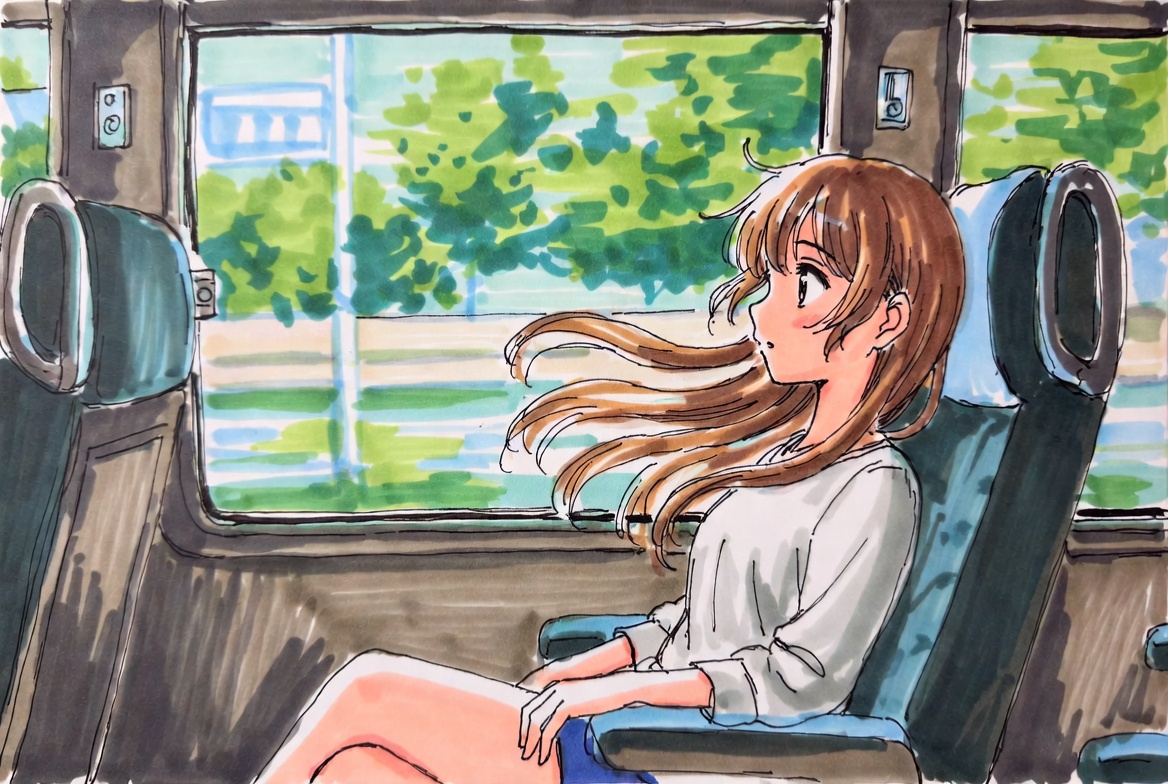
Use the uploaded image as the first frame. Animate the scene as if the girl is sitting inside a moving train carriage. K
Use the uploaded image as the first frame. Animate the scene as if the girl is sitting inside a moving train carriage. Keep the original anime illustration style, soft hand-drawn lines, and bright watercolor-like colors consistent. The train is moving smoothly forward, and the scenery outside the window flows past from right to left with natural motion blur, creating a clear sense of travel. Her hair gently floats and sways in the breeze, with a few strands moving naturally around her face. Add subtle motion to the character: slight breathing, small head movements, occasional blinking, tiny shifts in posture, and gentle hand or shoulder movement, as if reacting naturally to the motion of the train. The seat, window frame, and interior should remain stable, while the overall scene feels lively and immersive. Camera motion: mostly fixed medium shot, with a very subtle handheld vibration or soft carriage shake to suggest the vehicle is in motion. Mood: calm, fresh, dreamy, slice-of-life, peaceful travel moment. Keep the animation soft, natural, and elegant. No new objects, no text, no major style changes.
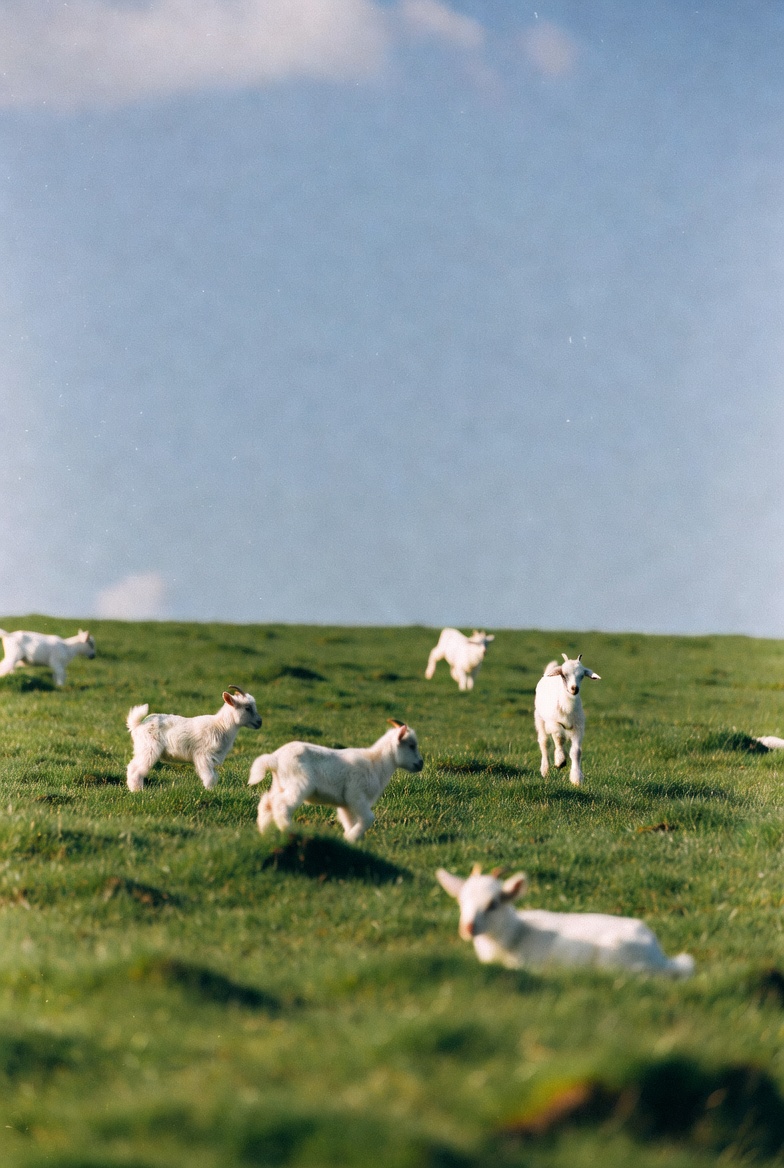
Use the uploaded image as the first frame. Animate the scene into a gentle pastoral video of baby lambs running and hopp
Use the uploaded image as the first frame. Animate the scene into a gentle pastoral video of baby lambs running and hopping across a green meadow. Keep the original soft, natural, dreamy photographic style and the open grassy landscape consistent. The lambs move playfully across the field, running in different directions, making small joyful hops and light bouncy jumps. A few lambs trot forward, one or two leap briefly into the air, and others scamper naturally through the grass. Their ears and little tails move as they run. The grass sways softly in the breeze, and the scene feels lively but calm. Camera motion: a subtle handheld or very gentle cinematic drift, as if observing the lambs from a short distance. Keep the composition airy and peaceful, with soft depth of field and natural daylight. Mood: playful, fresh, peaceful, springtime, heartwarming, pastoral. Avoid adding new animals, avoid changing the landscape, and keep the lambs cute, realistic, and naturally proportioned. No text, no logos, no dramatic style changes.
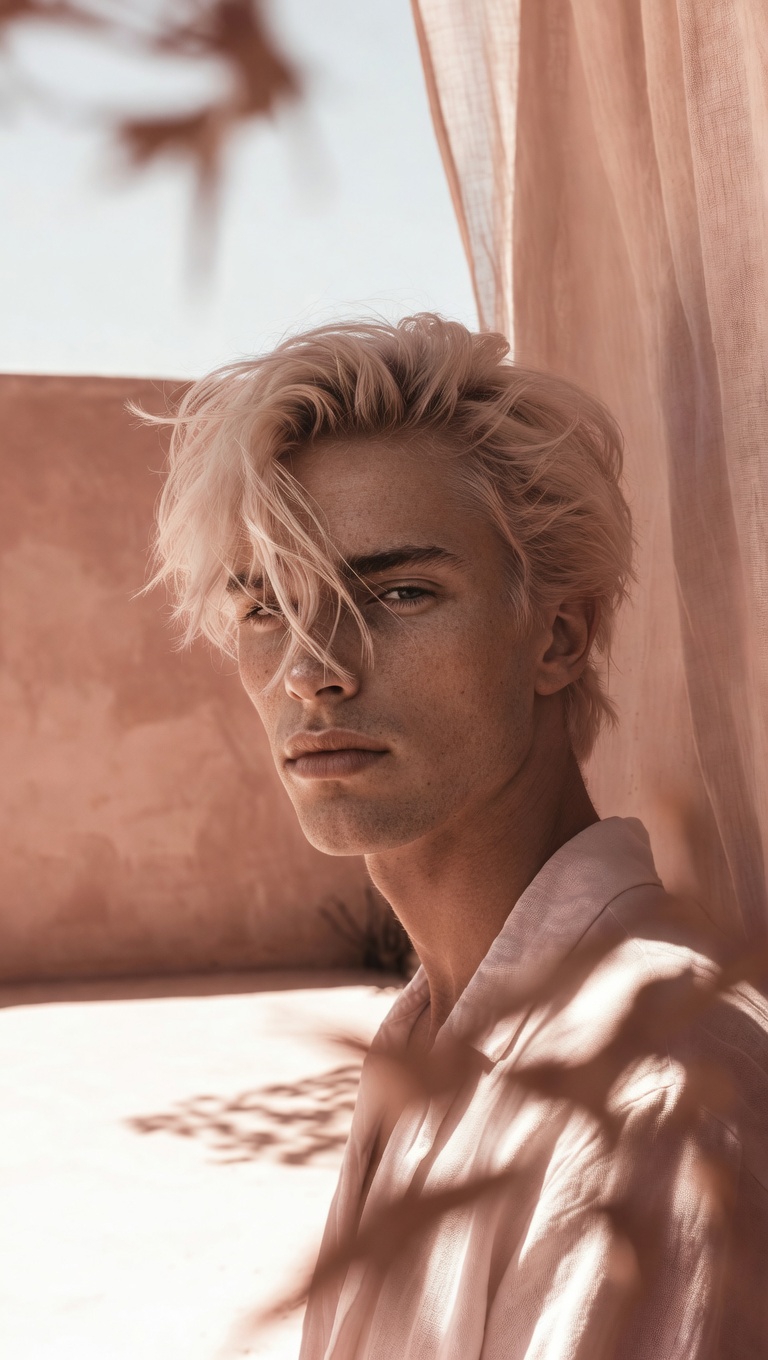
camera slowly zooms in on him, he's smiling, natural hand held cam
camera slowly zooms in on him, he's smiling, natural hand held cam
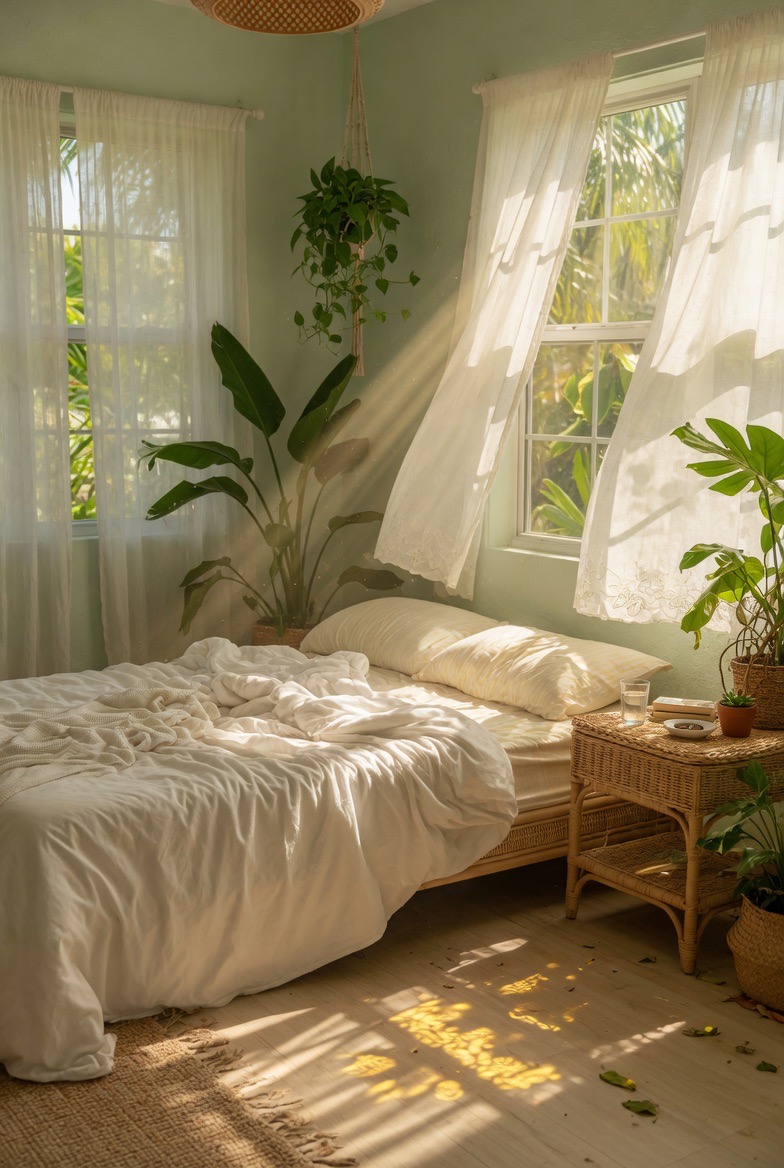
Use the uploaded image as the first frame. Animate the scene into a calm sunlit bedroom with a soft breeze flowing throu
Use the uploaded image as the first frame. Animate the scene into a calm sunlit bedroom with a soft breeze flowing through the room. Keep the original cozy interior, warm natural lighting, and peaceful atmosphere consistent. The sheer white curtains billow and sway gently in the wind, lifting and flowing naturally near the open windows. Sunlight streams through the curtains, with soft moving rays and shifting shadows across the bed, floor, and furniture. The hanging plant sways lightly, and the leaves of the indoor plants move subtly in the breeze. The bed sheets and blanket ripple slightly, as if touched by the wind. Add tiny floating dust particles in the sunbeams to make the room feel warm and alive. Camera motion: very slow gentle push-in or soft cinematic drift, steady and peaceful. Mood: airy, relaxing, tranquil, cozy, sun-washed, dreamy. Keep the motion delicate and natural. No new objects, no text, no dramatic changes to the composition.
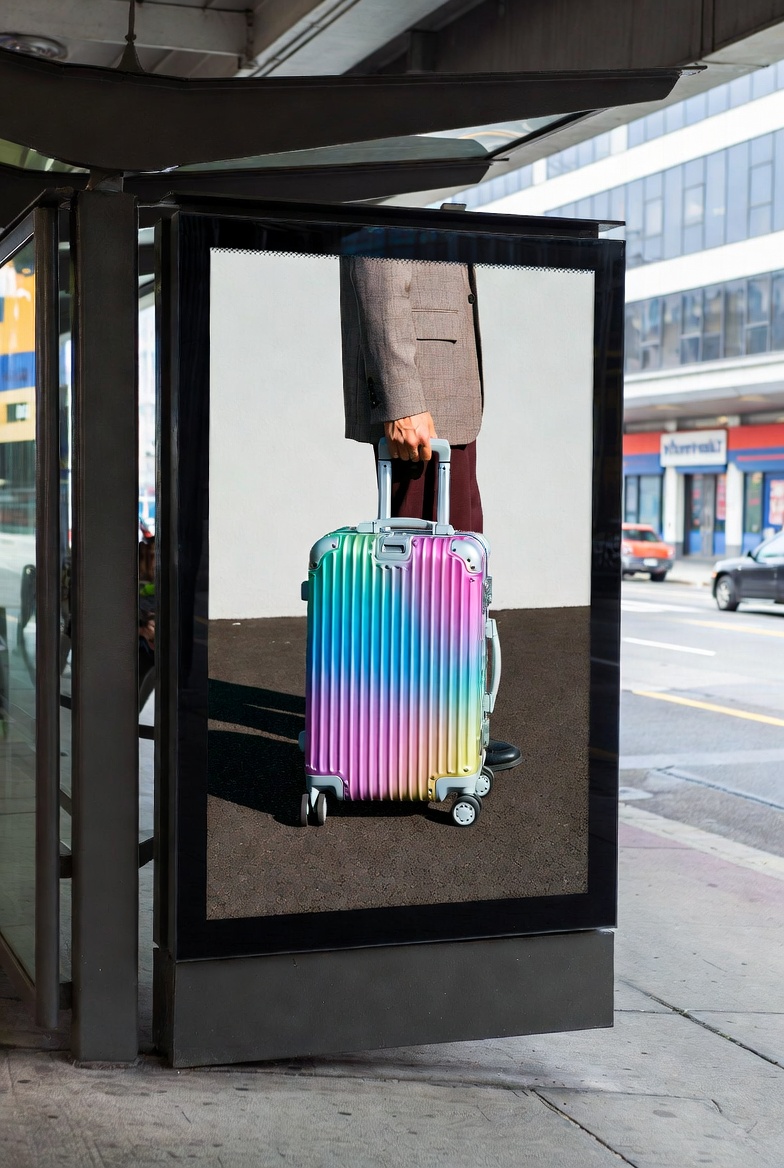
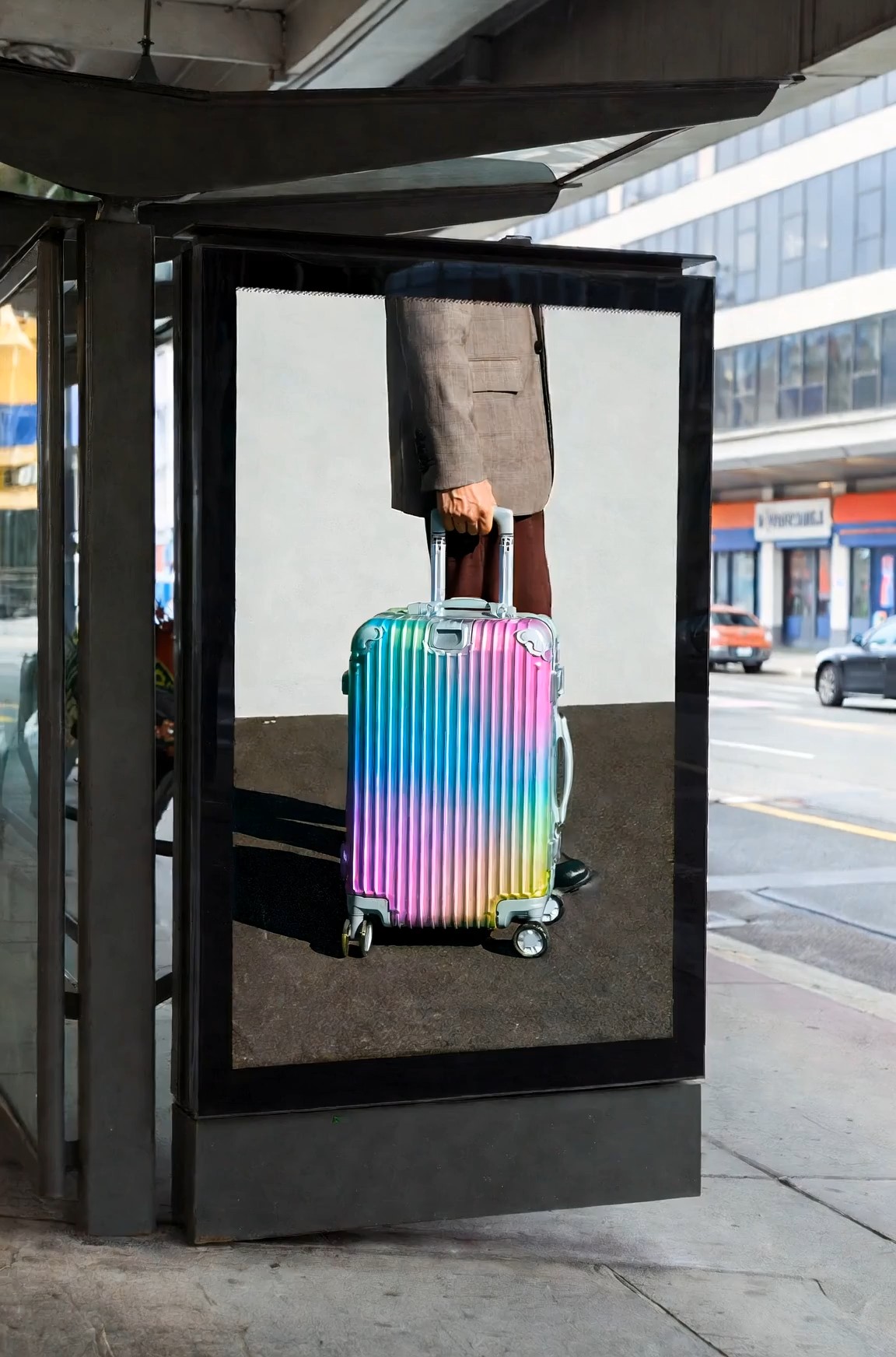
Cinematic surreal luxury luggage commercial at a modern urban bus stop, featuring a large black-framed digital billboard
Cinematic surreal luxury luggage commercial at a modern urban bus stop, featuring a large black-framed digital billboard integrated into the street architecture. Inside the billboard screen, a fashion model wearing a beige tailored blazer, dark trousers, and black-frame glasses slowly walks toward the right edge of the digital display while pulling a glossy iridescent aluminum suitcase with a telescopic handle. The movement is calm, elegant, and deliberate. The camera performs a slow horizontal tracking shot from left to right, maintaining a natural street-level perspective. As the model inside the screen reaches the billboard’s right boundary, the figure gradually disappears into the edge of the digital space without distortion or glitch effects, as if the billboard contains a seamless parallel dimension. At the exact moment the model fully disappears inside the advertisement, a second identical model — same outfit, same black-frame glasses, same rainbow-colored aluminum suitcase — calmly emerges from behind the real-world right side of the physical billboard structure onto the sidewalk, facing the street. The transition between digital space and reality feels smooth, magical, and understated, with no screen breaking or sci-fi portal effects. The suitcase wheels roll naturally on the pavement, synchronized between the billboard world and the real environment, reinforcing the illusion that the character has crossed dimensions through the advertisement itself. Kodak Vision3 250D film look, gentle contrast, soft bloom, realistic shadow transitions, muted architectural tones contrasted by the vibrant metallic suitcase colors. Clean visual storytelling, no crowds, no logos, no text, no exaggerated VFX, no glitches, no broken screen.
Grok Imagine Video Prompt: AI 비디오 아이디어를 더 빠르게 복사
바로 복사할 수 있는 프롬프트를 둘러보고, 샘플 효과를 살펴본 뒤, 더 강력한 비디오 아이디어를 영화 같은 장면, 제품 클립, 소셜 게시물, 판타지 순간, 스토리 중심 비주얼을 위한 명확한 생성 지침으로 전환하세요.
Grok Imagine Video Prompt는 크리에이터가 모호한 아이디어에서 사용할 수 있는 비디오 방향으로 이동하도록 돕습니다. 프롬프트 예시를 탐색하고, 창의적인 스타일을 비교하고, 마음에 드는 것을 복사한 뒤 생성 전에 캐릭터, 움직임, 분위기, 카메라 방향, 장면 세부정보에 맞게 조정하세요. Grok Imagine Video Prompt는 창작 과정을 단순하게 유지합니다.
3단계로 Grok Imagine Video Prompt 사용하는 방법
이 Grok Imagine Video 프롬프트 가이드는 작업 흐름을 단순하게 유지합니다. 강한 아이디어를 복사하고, 비디오 페이지를 열고, 문구를 맞춤 수정한 뒤 생성하세요. 모든 장면을 처음부터 작성하는 대신 Grok Imagine Video Prompt를 실용적인 출발점으로 사용하세요. Grok Imagine Video Prompt는 작은 문구 선택이 움직임, 분위기, 시각적 명확성을 어떻게 바꾸는지도 비교할 수 있게 도와줍니다.

이미지를 선택하고 프롬프트 복사
애니메이션으로 만들고 싶은 장면과 어울리는 참고 이미지나 첫 프레임으로 시작하세요. 그런 다음 위의 예시를 둘러보고 원하는 움직임, 카메라 스타일 또는 분위기에 가장 잘 맞는 Grok Imagine Video Prompt를 복사하세요. 명확한 이미지와 집중된 프롬프트는 비디오에 더 강력한 창의적 기반을 제공합니다.

Grok Imagine 비디오 페이지로 이동
Grok Imagine 비디오 페이지로 이동해 참고 이미지를 업로드하세요. 이미지가 추가된 후 비디오 프롬프트 상자에 붙여넣을 수 있도록 Grok Imagine Video Prompt를 준비해두세요. 이렇게 하면 이미지-투-비디오 작업 흐름이 명확하고 집중된 상태로 유지됩니다.

붙여넣고, 수정하고, 생성
Grok Imagine Video Prompt를 붙여넣고 캐릭터, 배경, 카메라 각도, 속도감, 시각적 스타일 같은 세부정보를 수정한 다음 생성 버튼을 클릭하세요. 작은 수정은 프롬프트를 더 개인적으로 느껴지게 하면서도 강한 구조를 유지하도록 돕습니다. 만들기 전에 문구를 검토하세요.
Grok Imagine Video Prompt가 크리에이터에게 도움이 되는 이유
Grok Imagine Video Prompt는 일반적인 기능 주장보다 유용한 비디오 프롬프트 예시를 원하는 사람들을 위해 만들어졌습니다. 사용자가 장면 작성 방식을 이해하고, 더 강한 시각 언어를 선택하며, 다양한 창의적 목표에 맞게 프롬프트를 조정하도록 돕습니다. Grok Imagine Video Prompt는 각 프롬프트가 무엇을 달성하려는지 보여줌으로써 더 빠른 창의적 결정을 지원합니다.
느슨한 아이디어를 명확한 비디오 방향으로 전환
비를 맞으며 달리는 소녀 같은 대략적인 아이디어는 강한 클립에 필요한 세부정보가 부족한 경우가 많습니다. Grok Imagine Video Prompt는 그 아이디어를 주제, 배경, 동작, 분위기, 움직임, 시각적 톤으로 확장합니다. 이는 사용자가 빈약한 프롬프트를 피하고 각 장면에 더 유용한 창의적 방향을 부여하도록 돕습니다. Grok Imagine 1.5 AI Video Promtp는 집중된 예시를 찾는 사용자를 위한 참고 문구로도 작동할 수 있습니다. Grok Imagine Video Prompt를 통해 이 페이지는 문구가 최종 비디오 효과를 어떻게 바꾸는지 배우는 공간이 됩니다. Grok Imagine Video Prompt는 원하는 느낌은 알지만 아직 전체 장면을 설명하지 못할 때 특히 유용합니다. 빠르게 움직여야 하지만 생성 과정에 충분한 맥락을 제공해야 하는 크리에이터에게 유용합니다.
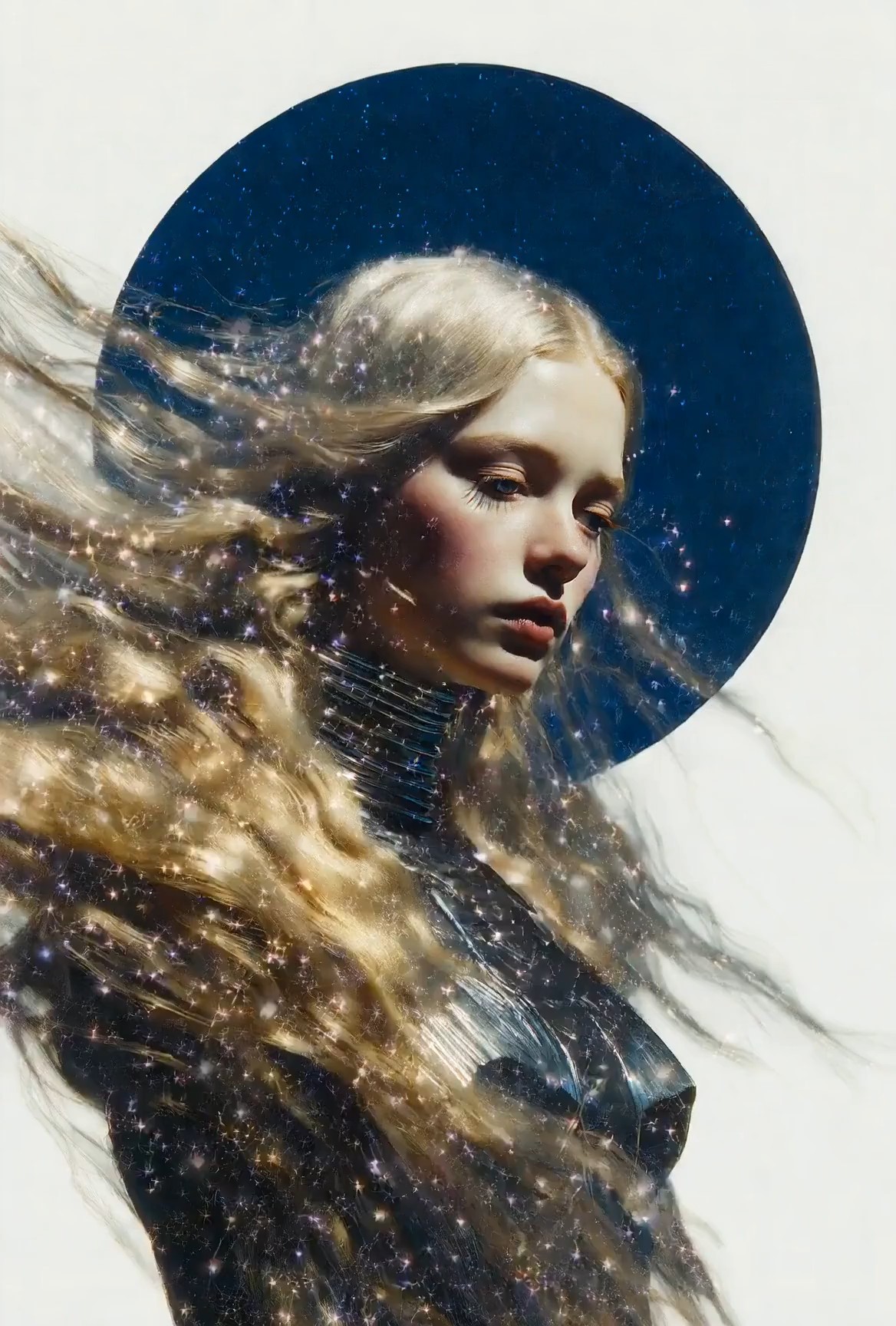
복사하기 전에 프롬프트 스타일 비교
많은 크리에이터는 원하는 결과를 알고 있지만, 그 결과에 도달하게 해주는 언어는 모릅니다. Grok Imagine Video Prompt 예시는 영화 같은 초상부터 제품 공개, 판타지 장면, 여행 순간, 소셜 클립까지 다양한 장면 유형을 보여줍니다. 효과 옆에서 프롬프트 구조를 보면 사용자가 무엇을 복사하고 무엇을 바꿔야 하는지 이해하는 데 도움이 됩니다. 이 Grok Imagine Video 프롬프트 가이드는 무작위 추측 없이 영감을 얻고 싶을 때 유용합니다. Grok Imagine Video Prompt는 각 스타일에 아이디어에서 사용할 수 있는 생성 텍스트까지 이어지는 실용적인 경로를 제공합니다. Grok Imagine Video Prompt는 사용자가 사실주의, 애니메이션, 상업적, 스토리텔링 방향을 비교하도록 돕습니다. 또한 팀이 다양한 콘텐츠 요구에 걸쳐 반복 가능한 프롬프트 어휘를 구축하는 데도 도움이 될 수 있습니다.
장면을 망치지 않고 프롬프트 편집
프롬프트를 변경하면 그것을 제대로 작동하게 만든 부분을 쉽게 제거할 수 있습니다. Grok Imagine Video Prompt는 핵심 장면 논리를 유지함으로써 사용자가 안전하게 편집하도록 돕습니다. 누가 등장하는지, 무엇이 일어나는지, 어디서 일어나는지, 카메라가 어떻게 움직이는지, 어떤 분위기가 느껴져야 하는지를 유지합니다. 안정적인 구조를 보존하면서 주제를 바꾸거나, 배경을 조정하거나, 시각적 스타일을 전환할 수 있습니다. Grok Imagine 1.5 AI Video Promtp는 모델별 문구가 필요한 사용자에게 자연스럽게 나타납니다. Grok Imagine Video Prompt는 맞춤 설정을 더 빠르고 덜 혼란스럽게 만듭니다. Grok Imagine Video Prompt는 편집에 명확한 기준점을 제공합니다. 그래서 원래 장면의 목적을 보이게 유지하면서 변형을 테스트하기 더 쉬워집니다.
누가 Grok Imagine Video Prompt를 사용해야 하나요?
Grok Imagine Video Prompt는 더 빠른 아이디어 개발과 더 명확한 비디오 지침을 원하는 크리에이터에게 적합합니다. 소셜 콘텐츠, 시각 탐색, 마케팅 콘셉트, 스토리텔링, 그리고 프롬프트 문구가 움직임과 스타일에 어떤 영향을 주는지 배우는 모든 사람에게 사용할 수 있습니다. Grok Imagine Video Prompt는 사용자가 영감과 사용할 수 있는 시작 구조를 모두 필요로 할 때 가장 유용합니다.

숏폼 비디오 크리에이터
릴스, 쇼츠 또는 스토리 클립을 만드는 크리에이터는 Grok Imagine Video Prompt를 사용해 빠른 콘셉트를 더 완성도 있는 장면으로 다듬을 수 있습니다. 단순히 주제만 쓰는 대신 움직임, 카메라 느낌, 속도감, 분위기가 이미 포함된 프롬프트를 복사할 수 있습니다. 이 Grok Imagine Video 프롬프트 가이드는 마감이 촉박하고 아이디어가 빠르게 시각적 초안으로 바뀌어야 할 때 특히 유용합니다. Grok Imagine Video Prompt는 각 클립 아이디어가 집중되도록 돕습니다. 또한 크리에이터가 짧은 클립에 너무 많은 경쟁적인 세부정보를 과하게 넣는 것을 피하도록 돕습니다.

제품 및 마케팅 팀
마케팅 팀은 출시, 광고, 제품 데모를 위한 비디오 콘셉트가 자주 필요합니다. Grok Imagine Video Prompt는 제품 기능을 배경, 움직임, 조명, 감정적 각도가 있는 장면으로 전환하도록 돕습니다. 병 공개 장면, 패션 디테일 샷, 기술 쇼케이스를 더 쉽게 설명할 수 있습니다. Grok Imagine Video Prompt는 팀이 브랜드 톤과 대상 메시지를 다듬기 전에 공유할 수 있는 출발점을 제공합니다. Grok Imagine Video Prompt는 캠페인 아이디어 구성을 더 체계적으로 만들 수 있습니다. 팀은 여러 방향을 초안으로 만들고 어떤 것이 제품 스토리를 가장 잘 뒷받침하는지 비교할 수 있습니다.

아티스트와 비주얼 디자이너
아티스트는 Grok Imagine Video Prompt를 사용해 전체 콘셉트를 개발하기 전에 시각적 세계를 테스트할 수 있습니다. 예시는 분위기, 캐릭터 배치, 움직임, 영화 같은 프레이밍에 도움이 됩니다. Grok Imagine 1.5 AI Video Promtp는 검색 중심 사용자에게 비디오 프롬프트 제작과 관련된 아이디어를 찾는 직접적인 방법도 제공합니다. Grok Imagine Video Prompt는 모든 장면을 빈 페이지에서 시작하도록 강요하지 않고 탐색을 지원합니다. Grok Imagine Video Prompt는 아티스트가 나중에 다듬을 유망한 방향을 저장하도록 돕습니다. 이는 무드보드, 스타일 테스트 또는 초기 스토리 콘셉트를 만들 때 유용합니다.

프롬프트 작성을 배우는 초보자
초보자는 프롬프트를 너무 짧거나 너무 넓게 작성하기 때문에 어려움을 겪는 경우가 많습니다. Grok Imagine Video Prompt는 하나의 읽기 쉬운 지침 안에 동작, 주제, 환경, 카메라 움직임, 조명, 톤을 포함하는 방법을 보여줍니다. 이 Grok Imagine Video 프롬프트 가이드는 새로운 사용자가 복사하고, 편집하고, 배우며 비디오 생성 문구에 대한 자신감을 키울 수 있는 패턴을 제공합니다. Grok Imagine Video Prompt는 학습 곡선을 실용적으로 느끼게 합니다. 사용자는 한 번에 하나의 세부정보를 바꾸며 아이디어가 어떻게 변하는지 관찰하면서 배울 수 있습니다.
사용자들이 Grok Imagine Video Prompt에 대해 말하는 것
크리에이터는 Grok Imagine Video Prompt를 사용해 더 명확한 장면 방향을 작성하고, 프롬프트 구조를 이해하며, 더 적은 시행착오로 느슨한 아이디어에서 사용할 수 있는 비디오 지침으로 이동합니다. Grok Imagine Video Prompt는 사용자가 연구하고 복사할 수 있는 예시를 원할 때 특히 유용합니다.
예전에는 듣기에는 좋지만 무작위 결과를 만드는 비디오 프롬프트를 쓰곤 했습니다. Grok Imagine Video Prompt는 어떤 세부정보가 빠졌는지 이해하는 데 도움이 되었습니다. 영화 같은 거리 장면을 복사하고 캐릭터와 조명을 바꾸었더니 최종 방향이 훨씬 더 명확하게 느껴졌습니다. 이 Grok Imagine Video 프롬프트 가이드는 프롬프트 작성이 추측처럼 느껴지지 않게 해주었습니다. 이제 Grok Imagine Video Prompt는 저에게 신뢰할 수 있는 출발점을 제공합니다.
제품 클립에는 움직임, 배경, 분위기를 빠르게 설명하는 프롬프트가 필요합니다. Grok Imagine Video Prompt는 출시와 시각 테스트에 맞게 조정할 수 있는 깔끔한 구조를 제공했습니다. 또한 내부 프롬프트 노트를 위한 아이디어를 모을 때 Grok Imagine 1.5 AI Video Promtp가 검색어로 유용하다고 느꼈습니다. Grok Imagine Video Prompt는 초기 콘셉트 개발 과정에서 시간을 절약해줍니다.
가장 좋은 점은 복사하기 전에 프롬프트가 어떻게 구성되어 있는지 볼 수 있다는 것입니다. Grok Imagine Video Prompt는 주제 설명뿐 아니라 카메라 움직임, 속도감, 분위기를 알아차리게 해주었습니다. 이제 저는 프롬프트 예시로 시작해 장면 세부정보를 다시 쓰고, 원래의 창의적 구조를 잃지 않으면서 더 빠르게 생성합니다. Grok Imagine Video Prompt는 제가 일관성을 유지하도록 돕습니다.
저는 비디오 프롬프트가 처음이라 계속 한 줄짜리 아이디어만 쓰고 있었습니다. Grok Imagine Video Prompt는 그런 아이디어를 완전한 장면으로 바꾸는 방법을 보여주었습니다. 예시는 수정하기 쉽고 작업 흐름도 간단합니다. 복사하고, 붙여넣고, 조정하고, 생성하면 됩니다. 실습을 통해 배우는 데 도움이 되었습니다. Grok Imagine Video Prompt는 제 첫 시도들이 덜 부담스럽게 느껴지도록 만들었습니다.

Grok Imagine Video Prompt에 대한 FAQ
이 빠른 답변을 사용해 Grok Imagine Video Prompt를 이해하고, 예시를 올바르게 복사하며, 과정을 복잡하게 만들지 않고 비디오 프롬프트 작업 흐름을 개선하세요. Grok Imagine Video Prompt는 명확한 목표를 가지고 세부정보를 편집할 때 가장 잘 작동합니다.
Grok Imagine Video Prompt는 사용자가 주제, 동작, 카메라 움직임, 배경, 분위기가 포함된 더 명확한 생성 지침을 작성하도록 돕기 위해 설계된 비디오 프롬프트 예시 모음입니다. Grok Imagine Video Prompt는 복사, 학습, 응용을 위한 것입니다.
마음에 드는 Grok Imagine Video Prompt를 복사하고, 비디오 페이지에 붙여넣은 뒤, 장면에 맞게 세부정보를 조정하고 생성 버튼을 클릭하세요. 구조는 유지하되 주제와 스타일은 개인화하세요.
강력한 Grok Imagine Video Prompt에는 일반적으로 주제, 동작, 장소, 카메라 움직임, 조명, 분위기, 스타일 방향이 포함됩니다. 명확한 움직임 세부정보는 특히 중요합니다.
네. Grok Imagine Video Prompt는 편집할 수 있도록 만들어졌습니다. 주요 구조를 유지하면서 캐릭터, 장소, 움직임, 카메라 각도 또는 시각적 스타일을 바꾸세요.
네. 이 Grok Imagine Video 프롬프트 가이드는 복사 가능한 구조를 제공하고 어떤 세부정보가 가장 중요한지 보여주기 때문에 초보자에게 유용합니다.
Grok Imagine 1.5 AI Video Promtp는 모델 중심 비디오 프롬프트 예시와 검색 의도를 의미합니다. 이 문구는 정확한 프롬프트 주제와 관련 Grok Imagine Video Prompt 아이디어를 찾는 사용자를 위해 유지됩니다.
Grok Imagine Video Prompt로 창작 시작하기
Grok Imagine Video Prompt를 사용해 더 강한 장면 아이디어를 찾고, 이미 효과적인 프롬프트 구조를 복사하고, 다음 비디오 콘셉트를 더 명확한 생성 지침으로 전환하세요. Grok Imagine Video Prompt는 아이디어 탐색에서 실행으로 더 빠르게 이동하도록 돕습니다.
