
Poradnik promptów MiniMax H3: przykłady i pomysły
Poznaj poradnik MiniMax H3 z gotowymi przykładami promptów, wynikami wideo, wskazówkami dla kamery, pomysłami na dźwięk i tworzeniem jednym kliknięciem.
Opisz swój pomysł, a AI stworzy dla Ciebie idealny prompt
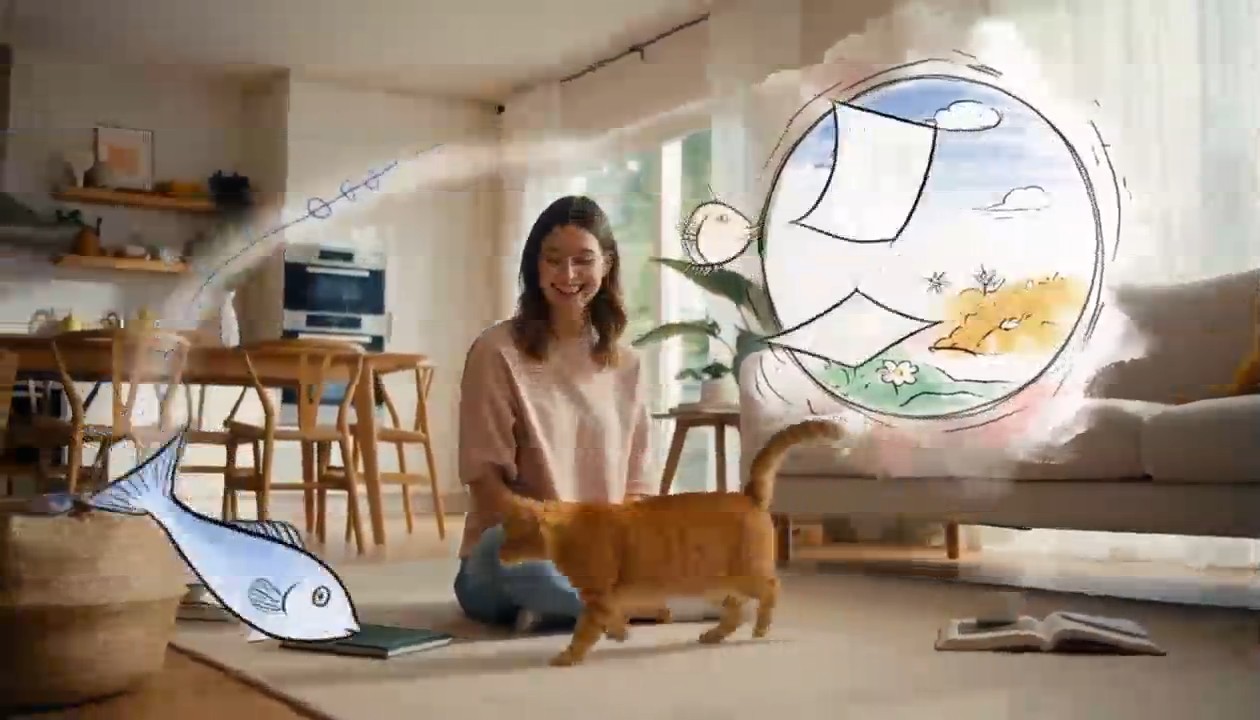
Surreal Hand-Drawn VFX Living Room
integrated_multimodal_description: [Shot 1] Live-action cinematic footage blended with surreal hand-drawn 2D VFX animation. A young adult woman in relaxed home clothes sits on the rug of a bright, cozy contemporary living room with her playful orange tabby cat beside her. Warm daylight enters through large windows, illuminating a sofa, coffee table, houseplants, cushions, books, and natural wooden furniture. The camera begins in a medium-wide shot and slowly performs a gentle arc shot around them. The woman playfully draws a circle in the air with one finger. A rough black pencil line remains suspended behind her fingertip, visibly trembling like a frame-by-frame hand-drawn animation. She completes the circle, and it opens into a floating illustrated portal made from charcoal strokes, colored-pencil hatching, watercolor stains, eraser marks, and rapidly redrawn sketch lines. Loose pages, tiny stars, flowers, spirals, and whimsical hand-drawn fish swim out of the portal and move through the real living room, passing naturally behind furniture and in front of the subjects with correct spatial occlusion. The cat notices a scribbled blue fish and follows it across the rug. Its ears turn, eyes track the moving drawing, tail swishes, and paws press naturally into the carpet. The illustrated fish darts around a table leg, leaving an animated trail of blue pencil loops. The cat pounces and taps it with one paw. At the moment of contact, the drawing bursts into a soft explosion of hand-painted color, ink splashes, chalk dust, animated stars, and curling sketch lines. The colorful lines race across the rug and climb the sofa, briefly transforming the edges of the furniture, the woman, and the cat into lively hand-drawn outlines while their bodies remain photorealistic and recognizable. Laughing silently, the woman catches one glowing illustrated ribbon between her hands and gently guides it toward the cat. The ribbon spirals around the cat without restraining it, then folds itself into a tiny hand-drawn crown floating above its head. The remaining doodles quickly rewind into the portal like animated pencil strokes being erased in reverse. The portal closes with a small watercolor pop. End with the woman petting the cat as it sits proudly beneath the wobbling illustrated crown; both look toward the camera while one tiny sketched star continues bouncing above them. Maintain one continuous, physically coherent camera move with no cuts. The woman and cat remain live-action and photorealistic throughout; only the supernatural VFX elements use the expressive hand-drawn style. Emphasize imperfect pencil contours, visible redrawing between frames, charcoal texture, colored-pencil shading, watercolor bleeds, ink splatters, playful line boil, and intentional stop-motion-like timing. Preserve consistent human anatomy, facial appearance, clothing, cat markings, room layout, lighting direction, furniture geometry, and object placement. No identity drift, body morphing, extra limbs, duplicated pets, floating furniture, random scene changes, text, subtitles, logos, or watermarks. overall_soundscape: Quiet living-room ambience with soft fabric movement, gentle cat pawsteps on the rug, a curious meow, delicate pencil-scratching sounds synchronized with every drawn line, paper fluttering as the portal opens, chalky swishes as the illustrated creatures move, and a soft watercolor pop when the portal closes. The woman gives a brief natural laugh after the cat catches the drawn fish. non_diegetic_music: A playful light rhythm performed with pizzicato strings, soft marimba, and sparse bell tones, gradually adding energy as the drawings fill the room before resolving into one gentle final chime.
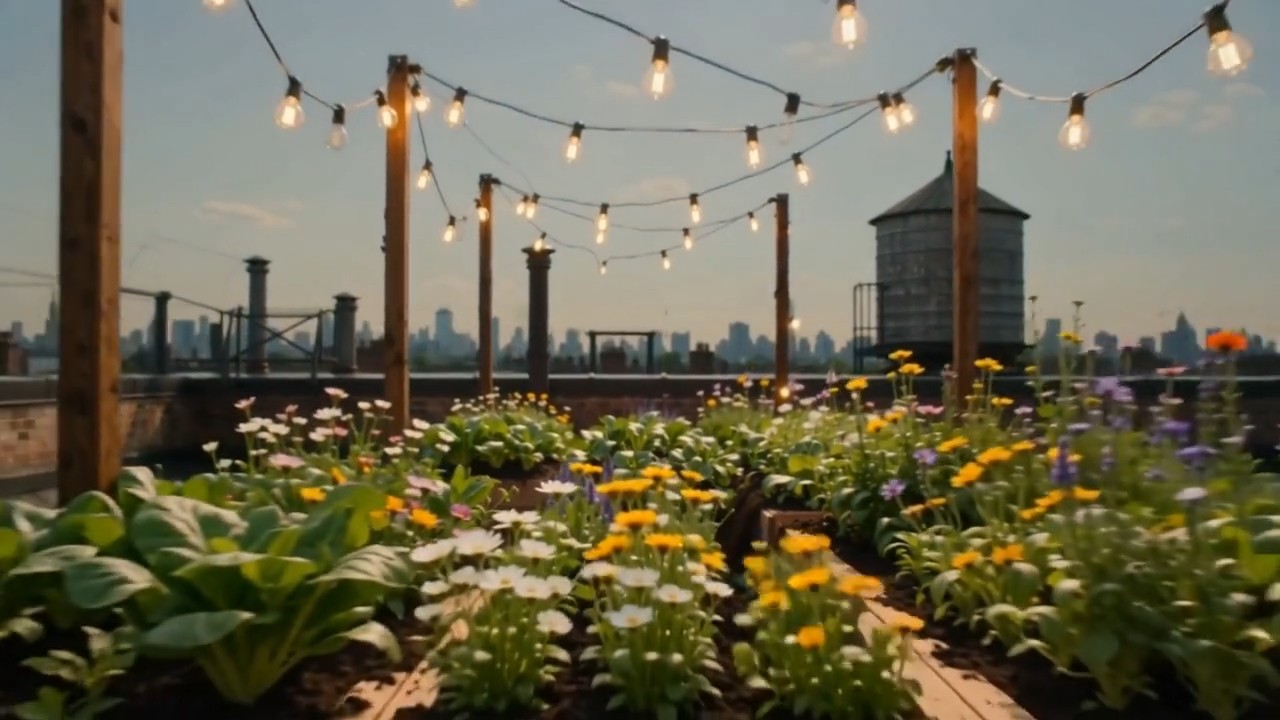
Create one continuous time-compressed transformation from the first frame to the last frame. Wooden planters slide into
Create one continuous time-compressed transformation from the first frame to the last frame. Wooden planters slide into position, soil fills naturally, seedlings emerge and grow into dense vegetables and flowers, string lights rise between posts, shadows move from morning to evening, and the camera performs a slow forward dolly without changing direction. Preserve the rooftop architecture and frame composition. Layer soft construction sounds, wind, birds, and a gentle musical build
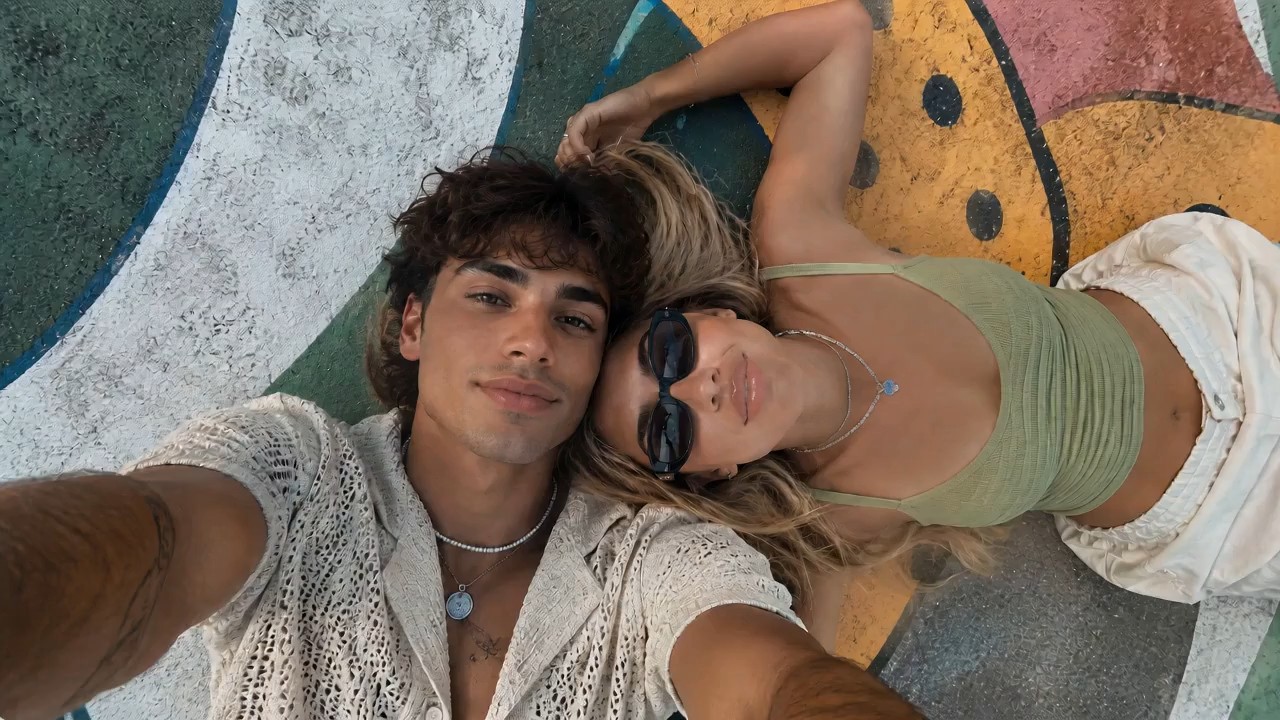
Use the reference image as the starting frame and preserve the same overall vibe: two stylish young people lying close t
Use the reference image as the starting frame and preserve the same overall vibe: two stylish young people lying close together outdoors on a painted mural surface, relaxed, cool, sunlit, summery, and visually aesthetic. Create a dynamic, visually striking selfie-style video where the camera is always being held in the young man’s hand, as if he is filming them himself from above. The perspective must remain handheld and first-person from the boy’s outstretched arm, but the angle and motion should keep changing in cool and creative ways to create different visual effects. Start with the original top-down selfie composition, both faces close together, calm and stylish. Then the boy subtly rotates his wrist, causing the frame to slowly tilt and roll, creating a dreamy floating feeling. He brings the camera slightly closer to their faces for an intimate close-up, then lifts it higher for a wider overhead perspective showing more of the colorful mural background. Add smooth but noticeable hand-driven motion: slight orbit-like swings, playful tilts, soft dips, angle flips, and controlled handheld rotation, all still clearly feeling like the camera is in his hand. At one moment, the camera swings to a diagonal angle, making the composition feel more fashion-editorial. Then it glides lower and closer to the girl’s sunglasses and lips for a stylish detail moment, before shifting back to both of them together. Add a brief dramatic rotation or half-spin of the frame driven by his wrist movement, then stabilize into another overhead selfie. The camera should feel lively and expressive, with changing perspectives that make the same moment look fresh from multiple angles. Their expressions can subtly change: relaxed, playful, slightly smiling, naturally interacting with the camera. Hair moves slightly, sunlight feels warm and soft, and the entire video should feel effortlessly cool and photogenic. Visual style: trendy, cinematic, high-end social media fashion aesthetic, handheld selfie energy, smooth but expressive motion, natural sunlight, youthful summer mood, polished and visually engaging. Preserve realism and the core appearance of both people, while making the camera movement feel creative and premium. No text, no subtitles, no watermark.
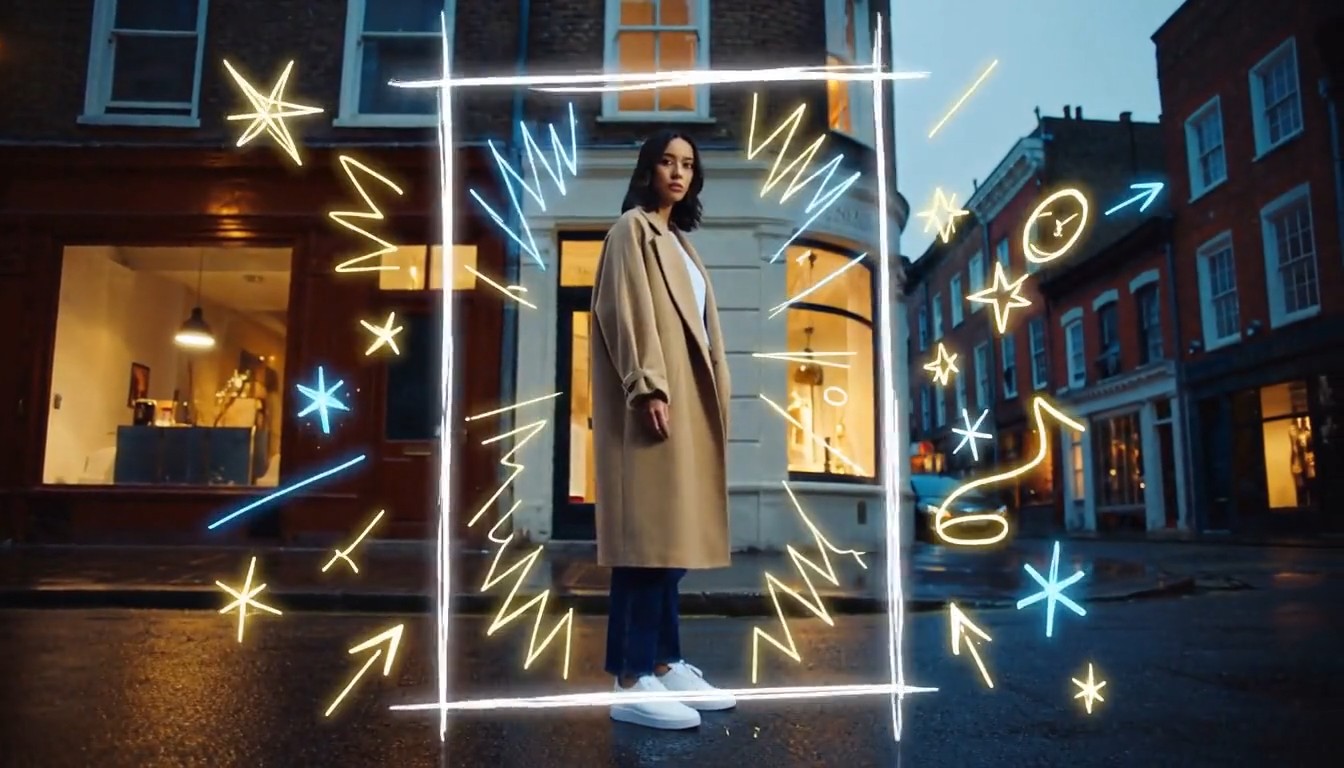
Create a cinematic mixed-media video that seamlessly combines photorealistic live-action footage with luminous hand-draw
Create a cinematic mixed-media video that seamlessly combines photorealistic live-action footage with luminous hand-drawn animation. A stylish young person walks through a real urban street at dusk while the camera smoothly follows from a slightly low side angle. The environment is fully realistic: textured buildings, passing pedestrians, reflective pavement, shop windows, soft evening light, and natural handheld movement. As the person moves forward, glowing hand-drawn lines begin appearing around them in real time. Loose animated strokes trace the outline of their body, shoes, clothing, and hair. Bright sketch-like arrows follow their movement, while small stars, sparks, waves, handwritten symbols, and playful illustrated shapes emerge from nearby objects. When the person passes a streetlamp, a glowing animated spiral wraps around the lamp and releases floating illustrated fireflies. Their footsteps create hand-drawn light ripples across the pavement. A sketched bird flies out from a wall mural, transforms into a luminous animated creature, circles around the person, and then dissolves into sparkling brush strokes. The animated elements must feel physically connected to the live-action world: wrapping around objects, hiding behind the subject, reflecting subtly on nearby surfaces, reacting to movement, and leaving short glowing trails. The illustrations should look intentionally hand-drawn, with imperfect lines, visible brush texture, frame-by-frame motion, and energetic scribble animation. End with the person stopping and turning toward the camera. A large glowing hand-drawn frame rapidly sketches itself around them, while multiple animated lines, stars, and abstract symbols burst outward before settling into a clean final composition. Visual style: photorealistic live-action combined with luminous 2D doodle animation, contemporary fashion commercial, creative mixed media, energetic yet polished, warm cinematic lighting, neon white, electric blue and golden glowing strokes, smooth camera movement, expressive frame-by-frame animation, strong depth and realistic interaction between animation and environment, 4K, no subtitles, no watermark, no visible interface.
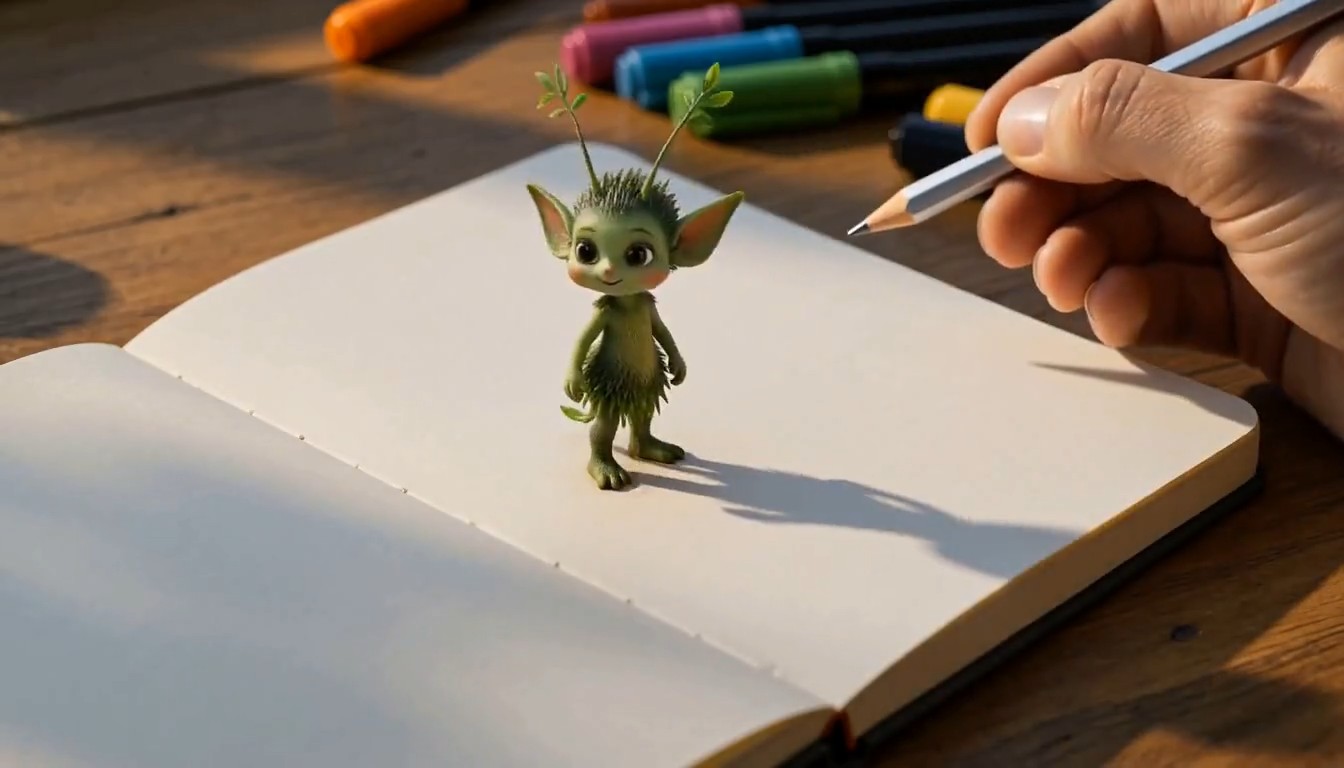
A cinematic creative desk scene. The camera focuses on a person drawing on paper at a wooden desk in a cozy studio. The
A cinematic creative desk scene. The camera focuses on a person drawing on paper at a wooden desk in a cozy studio. The hand moves naturally with pencil and markers, carefully sketching a charming illustrated subject on the page. As the drawing is completed, the illustrated subject magically rises off the paper, transforming into a small fully three-dimensional version of itself. It keeps the same design language as the drawing, but now appears as a lively miniature 3D object or character standing on the desk. It starts moving naturally, looking around with curiosity. The person continues drawing a second new subject on the paper beside it. As soon as the second drawing is finished, it also transforms from flat illustration into a stylized 3D form and pops up from the page onto the desk. The newly created 3D subject begins interacting with the first one in a playful and charming way. Their interaction feels lively, imaginative, and seamless, as if the drawings have come to life. Visual style: highly creative, magical realism, warm studio lighting, detailed desk environment, visible art tools, smooth hand movement, elegant transformation effect from 2D drawing to 3D object, whimsical and polished animation, cinematic camera focus, shallow depth of field, smooth motion, delightful and imaginative atmosphere, no subtitles, no text overlay.
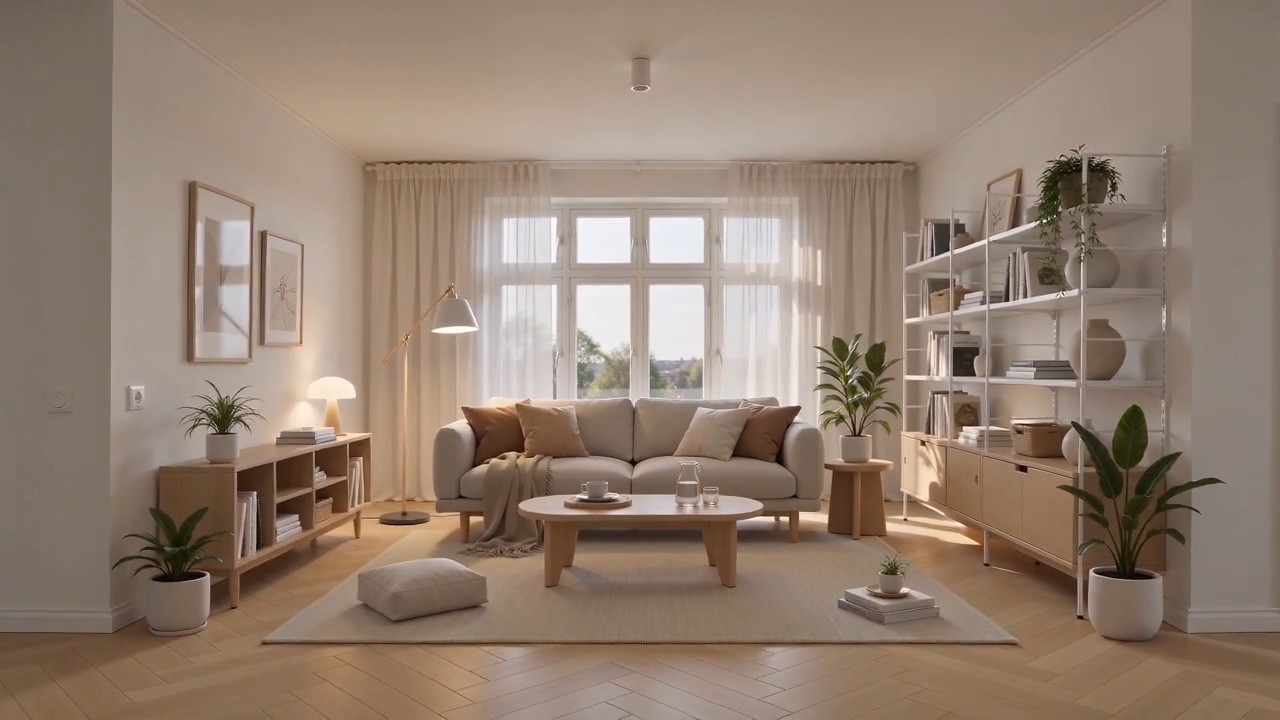
Create a polished home furnishing commercial inspired by Scandinavian IKEA-style interior design. The video begins wit
Create a polished home furnishing commercial inspired by Scandinavian IKEA-style interior design. The video begins with a completely empty, bright modern room. White walls, light oak flooring, large windows, soft natural daylight, clean architectural lines, and no furniture or decoration. The camera slowly pushes forward through the empty space. As the camera continues moving, the interior gradually comes to life. A neutral-colored rug smoothly unfolds across the floor. A minimalist sofa rises gently into position, followed by a light wood coffee table, side tables, a floor lamp, shelving units, curtains, cushions, and soft throws. Each furnishing appears through elegant, visually satisfying transitions, such as sliding into place, unfolding, assembling itself, or softly materializing. Continue adding smaller home details: framed wall art aligns itself on the wall, books and decorative objects appear on shelves, indoor plants grow into place, tableware settles neatly onto the coffee table, and warm ambient lights switch on one by one. Every product should feel practical, affordable, stylish, and coordinated. The room gradually transforms from an empty shell into a complete, comfortable, beautifully styled living space. End with a wide hero shot revealing the fully furnished room, featuring a balanced Scandinavian color palette, warm wood textures, soft textiles, organized storage, natural greenery, and inviting lighting. Visual style: premium home furnishing advertisement, Scandinavian minimalism, clean and functional design, smooth product-reveal transitions, realistic materials, warm natural light, soft shadows, precise composition, satisfying assembly animation, calm but uplifting pacing, high-end commercial quality, photorealistic, 4K. Camera movement: start with a slow forward dolly through the empty room, maintain a smooth continuous motion while products appear, then gently pull back into a wide final composition showing the complete interior. No people, no clutter, no subtitles, no watermark, no distorted furniture, no floating objects after placement.
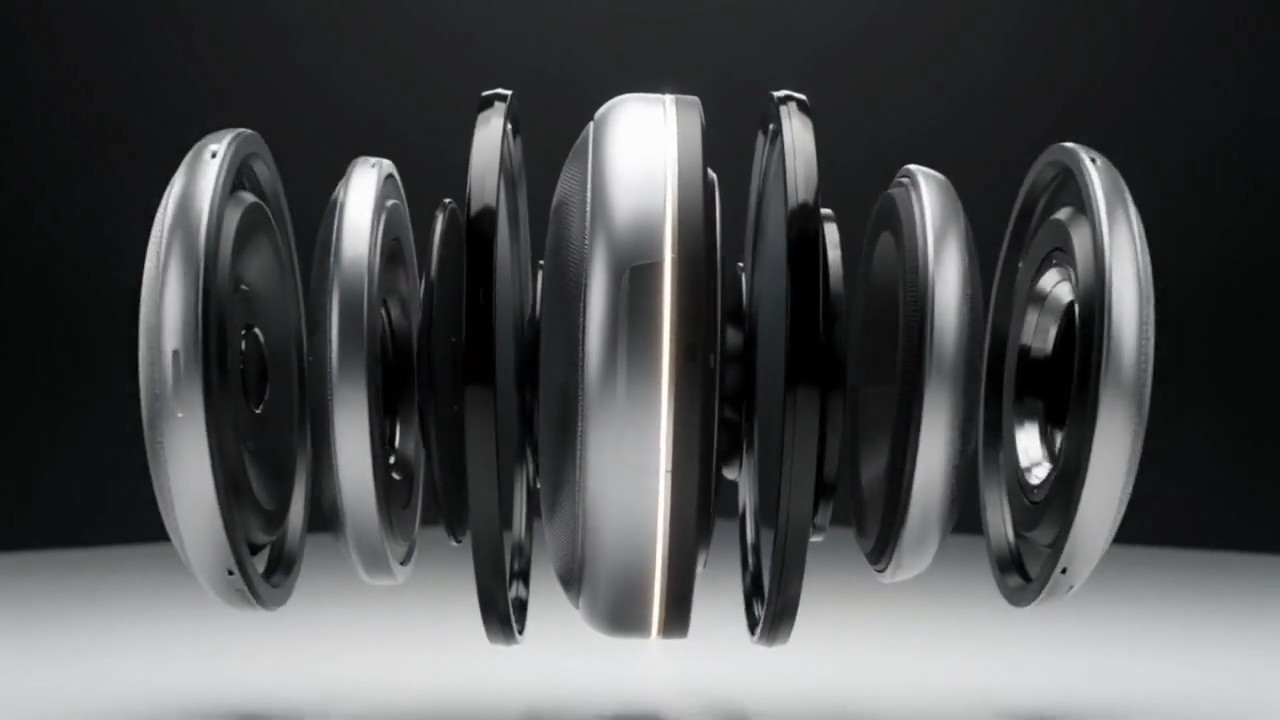
A matte silver wireless speaker floats above a seamless white studio surface. The camera makes a slow 120-degree orbit a
A matte silver wireless speaker floats above a seamless white studio surface. The camera makes a slow 120-degree orbit as separated metal, fabric, and glass components glide inward and assemble with precise mechanical timing. A soft pulse of light travels around the speaker rim, then the product lands gently as fine dust moves outward. Minimal premium commercial style, crisp material detail, soft overhead lighting, subtle stereo assembly sounds, no extra objects, 8 seconds, 16:9.
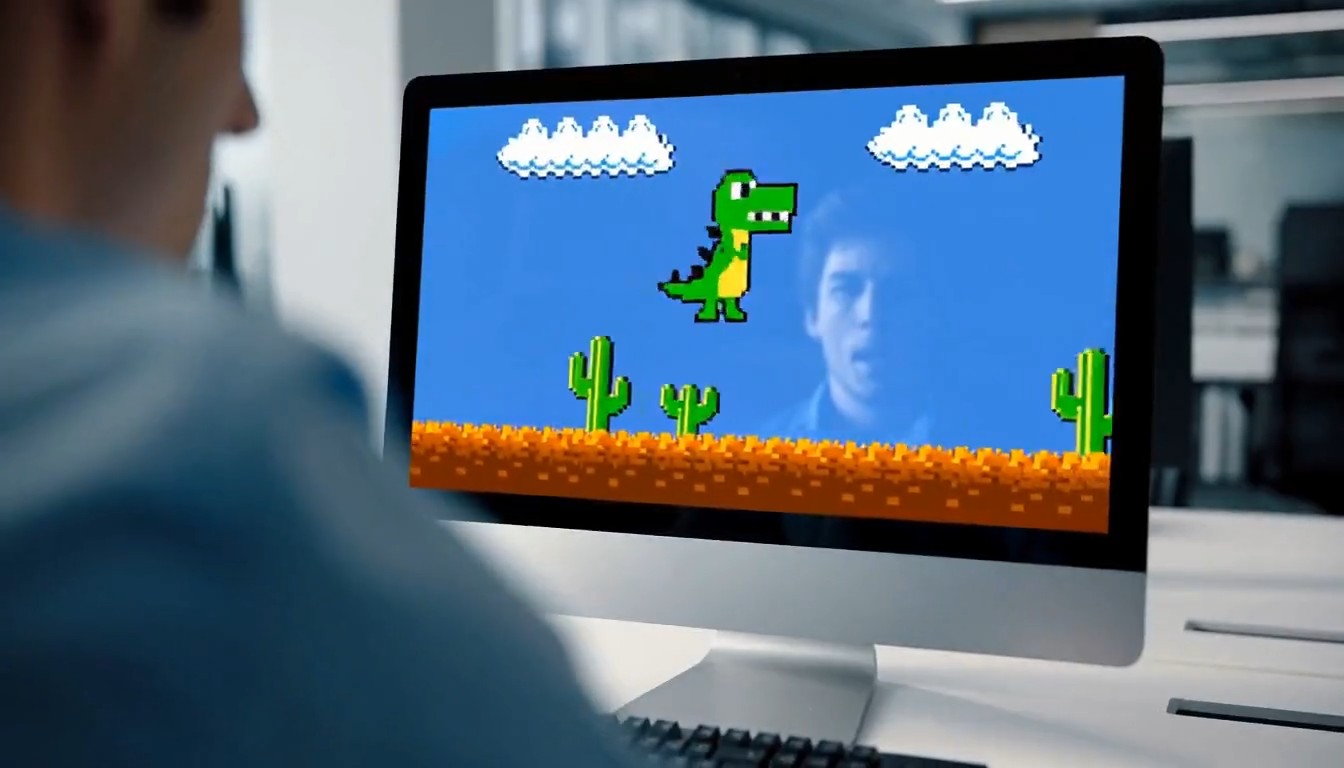
A 10-second cinematic office comedy scene with a strong tonal shift. Start with an intense, high-pressure atmosphere. A
A 10-second cinematic office comedy scene with a strong tonal shift. Start with an intense, high-pressure atmosphere. A young programmer sits in a modern office, seen in a close shot, staring nervously at his computer screen while typing rapidly on the keyboard. His body language is tense and focused. Cut to a tight close-up of his hands hitting the keyboard quickly and urgently. Then cut to a close-up of his face: serious eyes, tight jaw, intense concentration. Then an extreme close-up of sweat forming on his forehead, emphasizing the pressure and suspense. Next, the camera quickly pulls back to reveal the whole office. Multiple coworkers are also at their desks, all staring at their screens and furiously typing with the same intense, serious energy. The entire room feels like a high-stakes mission, with fast pacing, tense expressions, and dramatic urgency. Then suddenly, the mood flips. The first programmer throws both hands into the air and cheers in victory. One by one, the other office workers also begin celebrating, cheering, laughing, and reacting with exaggerated relief. The atmosphere transforms from tense and dramatic into lighthearted and absurd. For the final reveal, the camera quickly turns toward the computer screen and shows that they were all intensely playing a simple offline single-player video game. The reveal should be funny and unexpected. Style: cinematic, realistic office environment, expressive acting, dynamic editing, intense suspense at first, then humorous tonal shift, slightly exaggerated comedy, clean modern office, natural lighting, fast cuts, dramatic close-ups, polished commercial-like visuals, no subtitles, no text overlay.
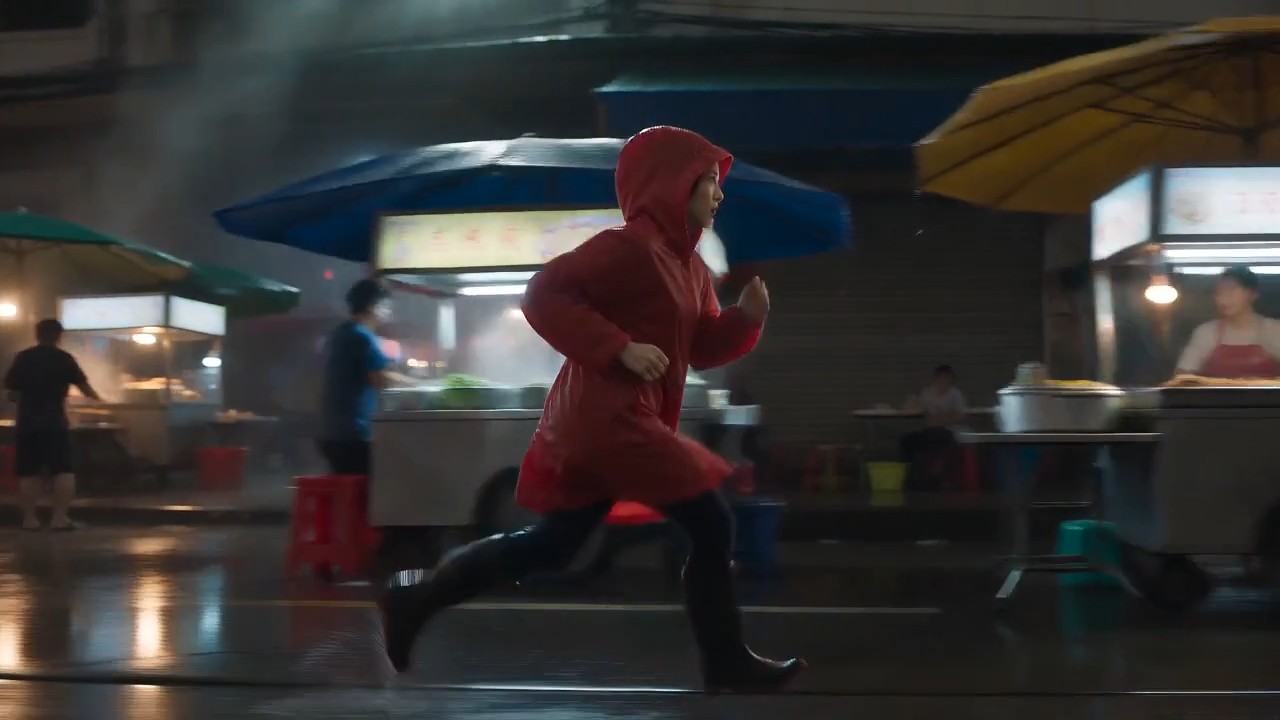
A lone female courier in a red raincoat runs through a rain-soaked night market, weaving between food stalls as the came
A lone female courier in a red raincoat runs through a rain-soaked night market, weaving between food stalls as the camera tracks beside her at waist height. Neon reflections ripple across wet pavement, steam drifts through frame, vendors turn as she passes, realistic footfalls, distant scooters, rain striking canvas awnings, tense cinematic score, natural motion blur, high-contrast thriller lighting, continuous
Poradnik MiniMax H3 z gotowymi do skopiowania przykładami wideo
Odkrywaj, kopiuj, dostosowuj i twórz z MiniMax H3
Poradnik tworzenia promptów MiniMax H3 to praktyczna biblioteka dla twórców, którzy chcą uzyskiwać lepsze wyniki wideo bez pisania każdego promptu od zera. Przeglądaj przykłady promptów MiniMax H3 do scen filmowych, reklam produktów, gry postaci, natywnego dźwięku, referencji ruchu i precyzyjnej edycji wideo. Użyj ich bez zmian lub zastąp temat, scenerię, kamerę, dźwięk i styl zgodnie ze swoim pomysłem.
Jak korzystać z poradnika tworzenia promptów MiniMax H3
Zamień inspirację w gotowy klip w trzech prostych krokach. Poradnik tworzenia promptów MiniMax H3 łączy każdy pomysł z wielokrotnego użytku przykładami promptów MiniMax H3, aby pomóc Ci poznać strukturę, dostosować szczegóły i szybciej zacząć generować.

Przeglądaj przykład promptu
Przeglądaj poradnik tworzenia promptów MiniMax H3 według typu sceny, stylu wizualnego, zachowania kamery, działania postaci, projektu dźwięku lub zadania edycyjnego. Zobacz pasujący rezultat i wybierz przykłady promptów MiniMax H3 najbliższe Twojemu kierunkowi twórczemu.

Kopiuj i dostosuj
Skopiuj cały prompt, a następnie zmień temat, miejsce, czas trwania, kadrowanie, ruch, dialog, efekty dźwiękowe lub nastrój. Ten poradnik zachowuje przejrzystą strukturę, a przykłady promptów MiniMax H3 pozostają wystarczająco elastyczne dla oryginalnych projektów.

Otwórz MiniMax H3 i twórz
Kliknij przycisk promptu, aby otworzyć MiniMax H3 i umieścić wybrany tekst w polu. Sprawdź referencje i ustawienia, a następnie twórz, porównuj i dopracowuj. Nowe przykłady promptów MiniMax H3 sprawiają, że biblioteka jest przydatna do wielokrotnych eksperymentów.
Przykłady promptów MiniMax H3 do kreatywnej pracy z wideo
Ten poradnik tworzenia promptów MiniMax H3 porządkuje pomysły wielokrotnego użytku wokół multimodalnego procesu modelu. Przykłady promptów MiniMax H3 pokazują, jak szczegóły obiektu, akcja, język kamery, światło, dźwięk, czas i instrukcje referencyjne mogą działać razem. Skopiuj przykład, zachowaj jego strukturę i zastąp zmienne twórcze.
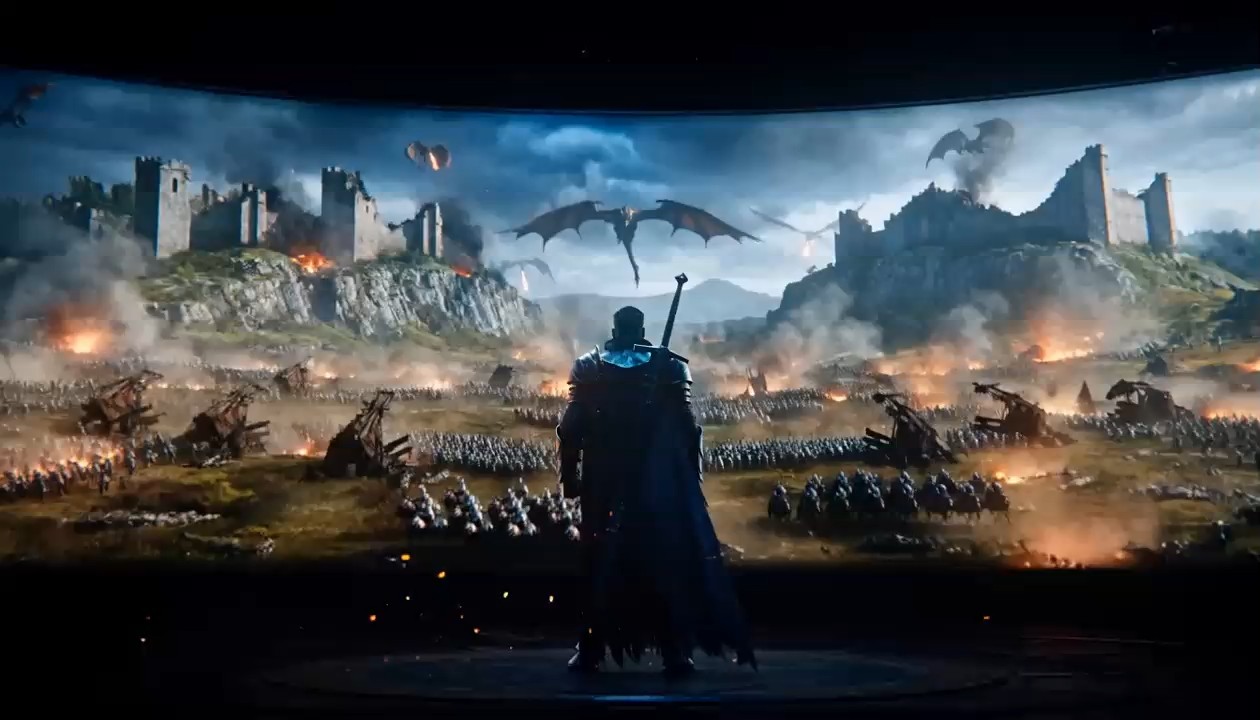
Filmowe ujęcie śledzące z natywnym dźwiękiem
- Użyj tego przykładu z poradnika tworzenia promptów MiniMax H3, aby skoordynować ruch obiektu, śledzenie kamery, ruch otoczenia i zsynchronizowany dźwięk.
- Te przykłady promptów MiniMax H3 działają najlepiej, gdy ścieżka akcji i relacja z kamerą są jasno określone. Poradnik zaleca opisywanie źródeł dźwięku w scenie zamiast ogólnych próśb, takich jak „dobry dźwięk”.
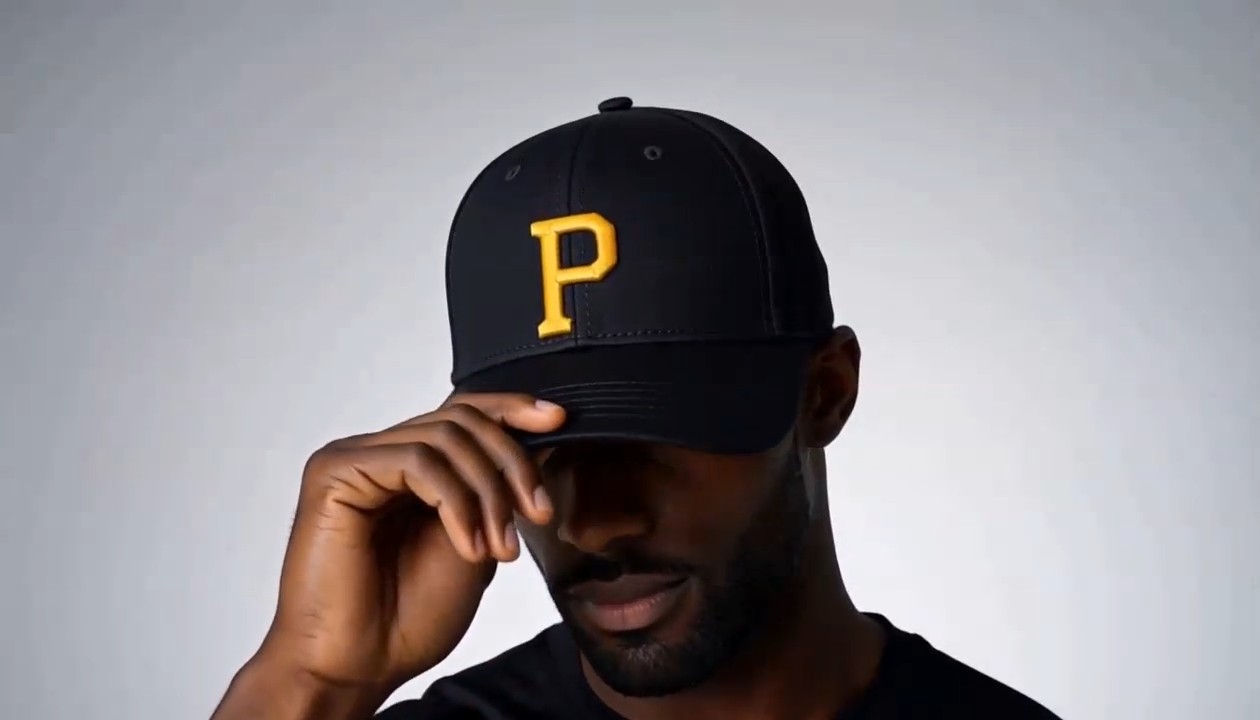
Reklama produktu z kontrolowaną transformacją
Ten wpis w poradniku tworzenia promptów MiniMax H3 przygotowano z myślą o czystych obrazach reklamowych i ruchu skupionym na obiekcie.
Użyj takich przykładów promptów MiniMax H3, aby określić materiał produktu, kolejność transformacji, ścieżkę kamery, końcową pozę i wskazówki dźwiękowe. Poradnik sugeruje też nazwanie elementów, które nie powinny się pojawić, aby zachować minimalistyczną kompozycję.
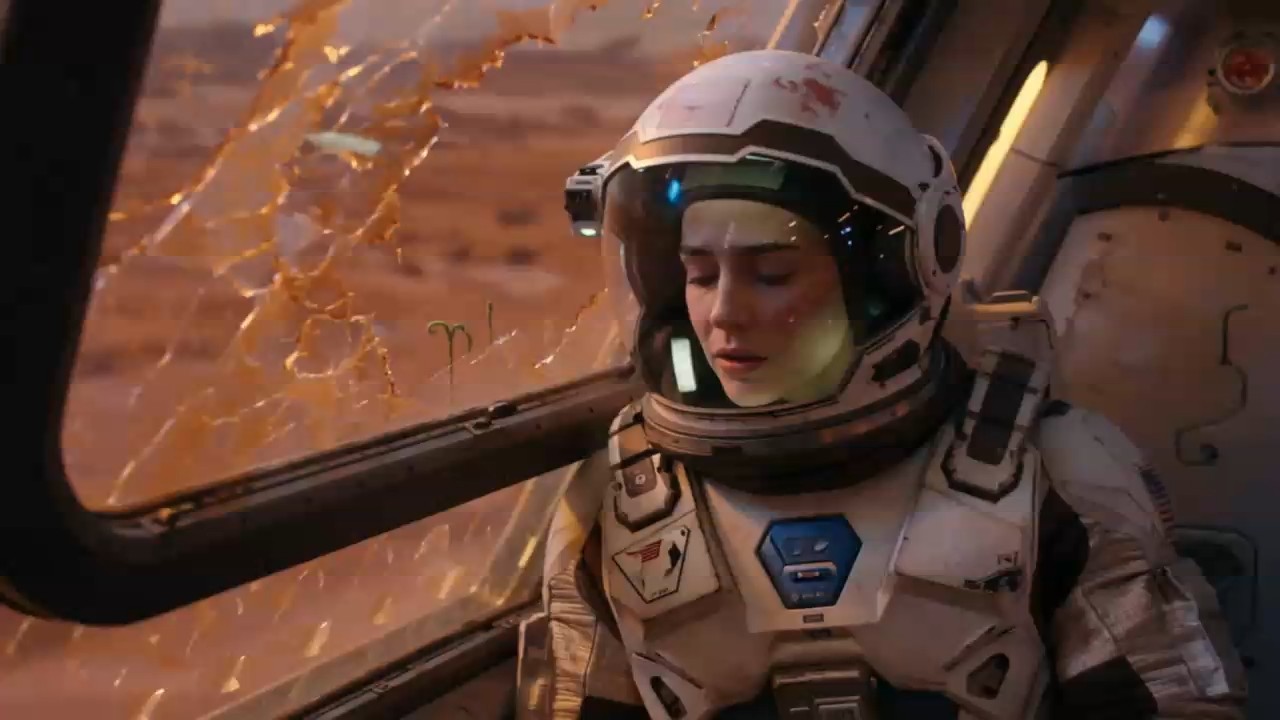
Gra postaci i mówiony dialog
Wybierz ten przykład z poradnika tworzenia promptów MiniMax H3, gdy mimika, mowa ciała, dialog i atmosfera muszą być spójne.
Te przykłady promptów MiniMax H3 określają mówcę, dokładną kwestię, emocję, czas pracy kamery i dźwięk tła. Poradnik zaleca krótkie dialogi, które swobodnie mieszczą się w czasie klipu.
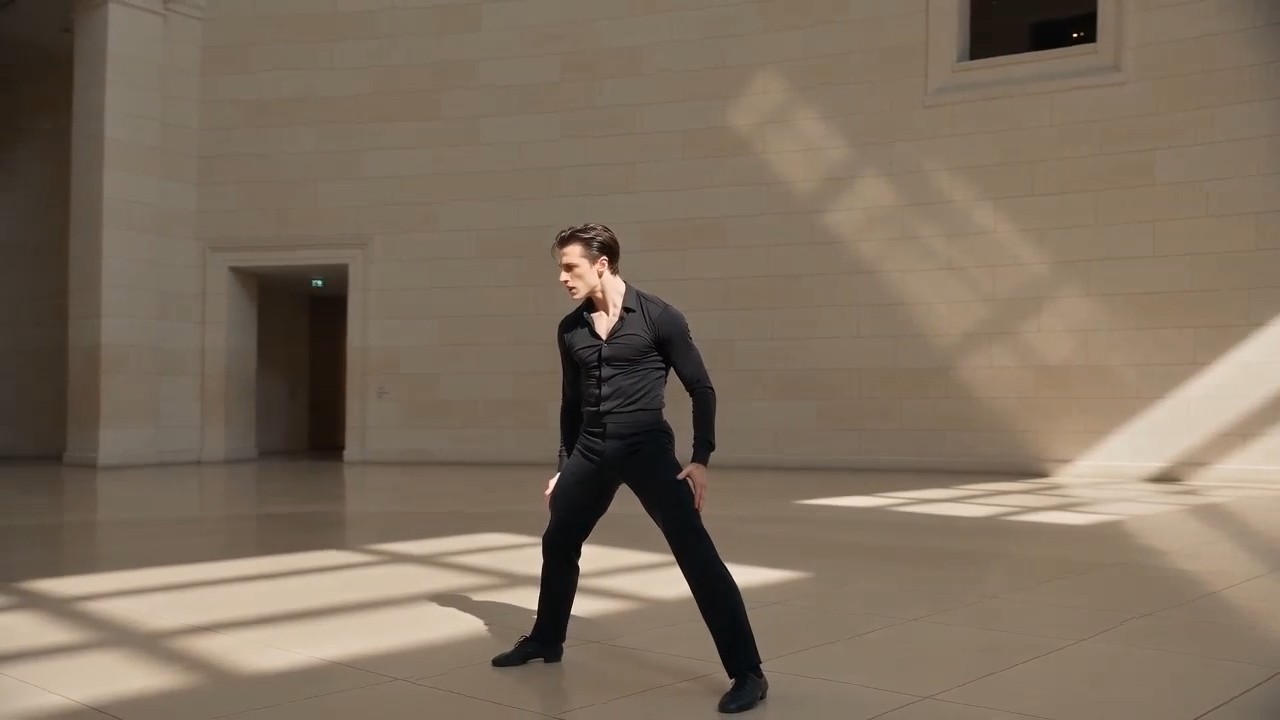
Przenoszenie referencji ruchu i kamery
Użyj tego procesu z poradnika tworzenia promptów MiniMax H3 z obrazem postaci i filmem referencyjnym pokazującym oczekiwaną choreografię oraz ścieżkę kamery.
Przykłady promptów MiniMax H3 powinny przypisywać każdej referencji jasny cel. Poradnik unika żądania, aby jeden zasób jednocześnie sterował tożsamością, ruchem, stylem i dźwiękiem.
Najczęstsze pytania o poradnik tworzenia promptów MiniMax H3
Znajdź praktyczne odpowiedzi dotyczące korzystania z poradnika tworzenia promptów MiniMax H3, dostosowywania przykładów promptów MiniMax H3, organizacji referencji i pisania jaśniejszych instrukcji generowania lub edycji.
Poradnik tworzenia promptów MiniMax H3 to wyselekcjonowana biblioteka promptów połączonych z wynikami wideo i praktycznymi wyjaśnieniami. Pomaga zrozumieć, jak kompletny prompt łączy obiekty, działania, otoczenie, język kamery, światło, czas, dźwięk, dialog i role referencji. Nie traktuj przykładów promptów MiniMax H3 jako sztywnych szablonów, lecz jako sprawdzone struktury, które można dostosować do nowych scen.
Tak. Każdy wpis w poradniku tworzenia promptów MiniMax H3 można skopiować i użyć jako punktu wyjścia. Możesz otworzyć generator z karty promptu i umieścić tekst w polu. Przed generowaniem sprawdź przykłady promptów MiniMax H3 i zastąp szczegóły, które nie odpowiadają zamierzonemu tematowi, zasobom, czasowi trwania, proporcjom lub stylowi.
Przydatna struktura zaczyna się od tematu i scenerii, a następnie obejmuje akcję, kamerę, styl wizualny, oświetlenie, kolejność czasową, dźwięk, dialog, format i ograniczenia. Poradnik tworzenia promptów MiniMax H3 używa tej kolejności, aby każda instrukcja miała jasną rolę. Przeanalizuj kilka przykładów promptów MiniMax H3, by zobaczyć, jak szczegółowe prompty pozostają czytelne dzięki grupowaniu powiązanych informacji zamiast ich powtarzania.
Określ, czym ma sterować każdy zasób. Obraz może definiować tożsamość postaci lub kompozycję, wideo może kierować grą aktorską lub ruchem kamery, a audio głosem, rytmem lub atmosferą. Poradnik tworzenia promptów MiniMax H3 jasno opisuje te relacje. Dobre przykłady promptów MiniMax H3 unikają sprzecznych ról referencji i wskazują priorytet, gdy dwa zasoby zawierają odmienne sygnały.
Przed opisaniem ruchu określ stałe cechy tożsamości, ubiór, otoczenie, projekt obiektów i kadrowanie. Dodaj ograniczenia dotyczące tego, co ma pozostać bez zmian, zwłaszcza podczas transformacji lub edycji. Poradnik tworzenia promptów MiniMax H3 zaleca też jasną sekwencję działań zamiast niepowiązanych zdarzeń. Porównaj wynik z przykładami promptów MiniMax H3 i najpierw popraw najmniejszą niepewną instrukcję.
Tak. Poradnik tworzenia promptów MiniMax H3 obejmuje generowanie i edycję. Podczas edycji wskaż dokładnie osobę, obiekt, tło, światło, dialog, głos, efekt lub dźwięk do zmiany i chroń całą resztę. Przykłady promptów MiniMax H3 często używają zwrotów „zastąp tylko”, „pozostaw bez zmian” i „zachowaj czas”, aby ograniczyć niezamierzone modyfikacje.
Jak twórcy korzystają z poradnika tworzenia promptów MiniMax H3
Twórcy z produkcji, reklamy, mediów społecznościowych, projektowania i opowiadania historii korzystają z poradnika tworzenia promptów MiniMax H3, aby zamieniać pomysł w uporządkowany prompt. Ich opinie pokazują, że przykłady promptów MiniMax H3 wspierają szybsze testy i wyraźniejszy kierunek twórczy.
Poradnik tworzenia promptów MiniMax H3 daje mi niezawodną strukturę początkową dla kamery, akcji i dźwięku. Mogę dostosowywać przykłady promptów MiniMax H3 do pomysłów klientów bez ponownego budowania opisu każdego ujęcia.
Używam poradnika tworzenia promptów MiniMax H3, gdy zamieniam briefy produktowe w krótkie testy wizualne. Przykłady promptów MiniMax H3 znacznie ułatwiają komunikowanie transformacji i końcowych ujęć produktu.
Największą zaletą poradnika tworzenia promptów MiniMax H3 jest rozdzielenie referencji tożsamości, ruchu, kamery i dźwięku. Przykłady promptów MiniMax H3 pomagają mi unikać mieszanych instrukcji.
Mogę skopiować scenę z poradnika tworzenia promptów MiniMax H3, zastąpić kilka zmiennych i od razu ją przetestować. Przykłady promptów MiniMax H3 są wystarczająco praktyczne do codziennej produkcji treści społecznościowych.
Przy scenach z postaciami poradnik tworzenia promptów MiniMax H3 przypomina mi, by wspólnie określić emocje, długość dialogu, czas kamery i atmosferę. Te przykłady promptów MiniMax H3 dają bardziej świadome iteracje.
Sekcja edycji w poradniku tworzenia promptów MiniMax H3 jest szczególnie przydatna. Przykłady promptów MiniMax H3 pokazują, jak chronić oryginalne ujęcie, prosząc o jedną konkretną zmianę wizualną lub dźwiękową.






Co można stworzyć dzięki przykładom promptów MiniMax H3
Używaj poradnika tworzenia promptów MiniMax H3 do szybkiego odkrywania pomysłów lub planowania gotowego do produkcji. Przykłady promptów MiniMax H3 obejmują typowe cele wideo, a jednocześnie zostawiają miejsce na różne marki, historie, tematy, formaty i zasoby referencyjne.

Sceny filmowe
Twórz klimatyczne ujęcia z kontrolowanym ruchem kamery, akcją fizyczną, zmianami oświetlenia, dialogiem, dźwiękiem otoczenia i muzyką. Poradnik tworzenia promptów MiniMax H3 pomaga porządkować złożone sceny, a przykłady promptów MiniMax H3 pokazują wpływ każdej instrukcji na końcową sekwencję.

Reklamy i filmy produktowe
Twórz prezentacje produktów, transformacje, zbliżenia materiałów, reklamy lifestyle i markowe klipy społecznościowe. Użyj poradnika tworzenia promptów MiniMax H3, aby określić kolejność prezentacji oraz wskazówki dźwiękowe, a potem dostosuj przykłady promptów MiniMax H3 do produktu i kampanii.

Referencje postaci i ruchu
Kieruj tożsamością, grą, choreografią, ruchem kamery, głosem lub rytmem montażu za pomocą osobnych zasobów referencyjnych. Poradnik tworzenia promptów MiniMax H3 wyjaśnia ich role, a przykłady promptów MiniMax H3 pokazują, jak łączyć referencje bez utraty kontroli twórczej.

Edycja wideo i audio
Zastępuj lub poprawiaj wybrane osoby, obiekty, scenerie, efekty, dialogi, głosy i atmosferę, chroniąc pozostałą część klipu. Poradnik tworzenia promptów MiniMax H3 podkreśla precyzyjne instrukcje, a przykłady promptów MiniMax H3 dostarczają jasnego języka edycji.
Zamień przykłady promptów MiniMax H3 w swój kolejny film
Wybierz pomysł z poradnika tworzenia promptów MiniMax H3, skopiuj prompt, dostosuj szczegóły kreatywne i otwórz MiniMax H3, aby wygenerować wynik. Zacznij od sprawdzonych przykładów promptów MiniMax H3 i poświęć więcej czasu na dopracowanie filmu niż na patrzenie w puste pole promptu.
