
Grok Imagine 1.5 AI影片提示詞:複製AI影片提示詞
線上複製 Grok Imagine 影片提示詞、預覽提示詞創意、編輯場景細節,並由提示詞概念生成更清晰的 AI 影片。
描述你的想法,讓 AI 為你創建完美的提示詞
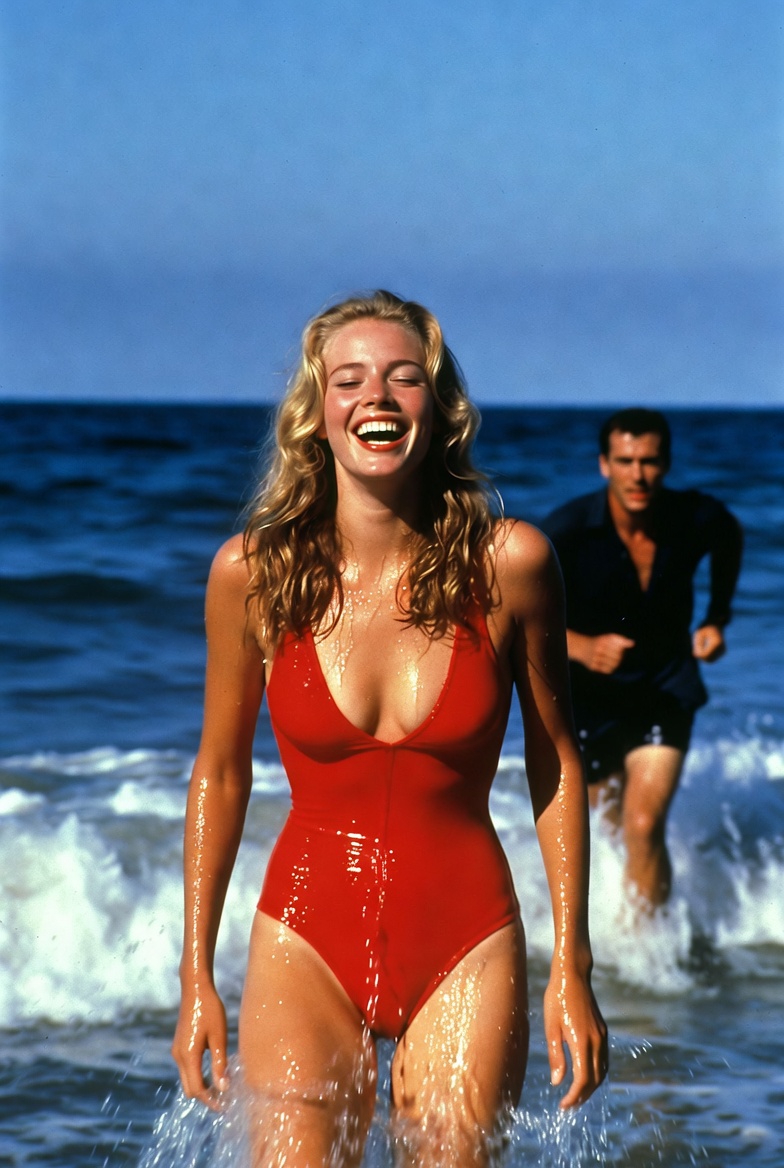
he catches up with her and embraces her slowly
he catches up with her and embraces her slowly
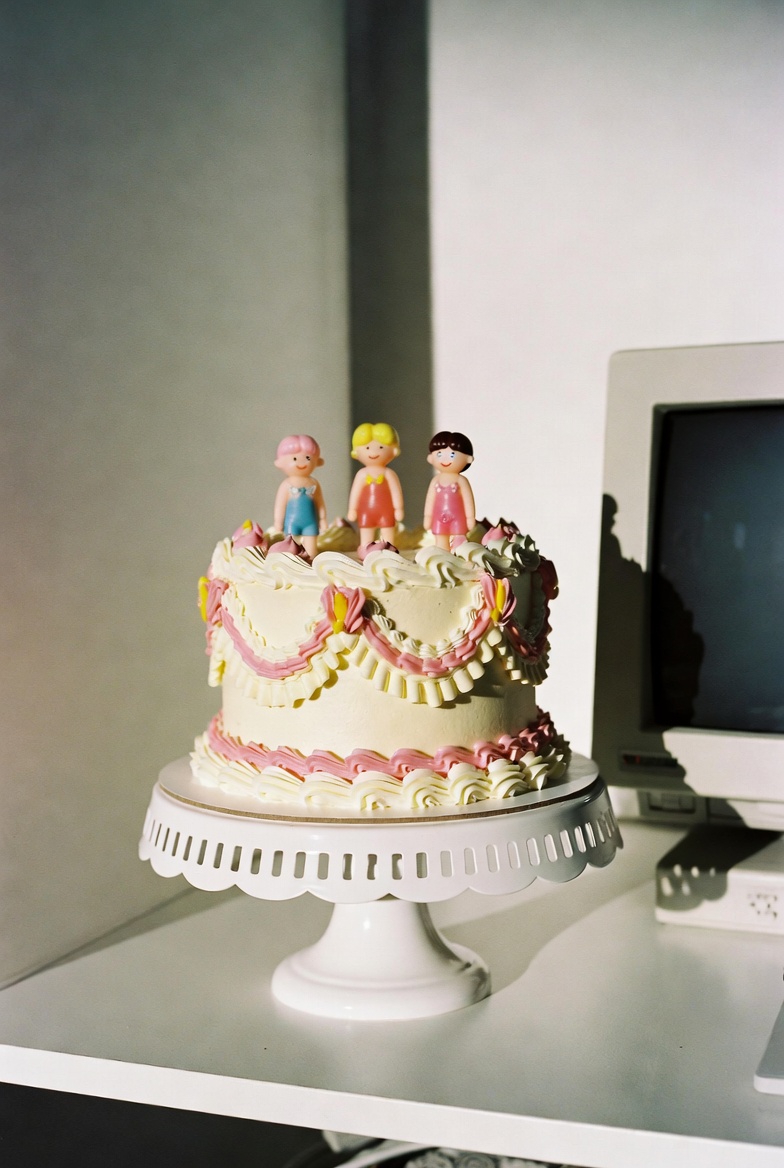
two hands squish the cake once and fully smush it, asmr sounds
two hands squish the cake once and fully smush it, asmr sounds
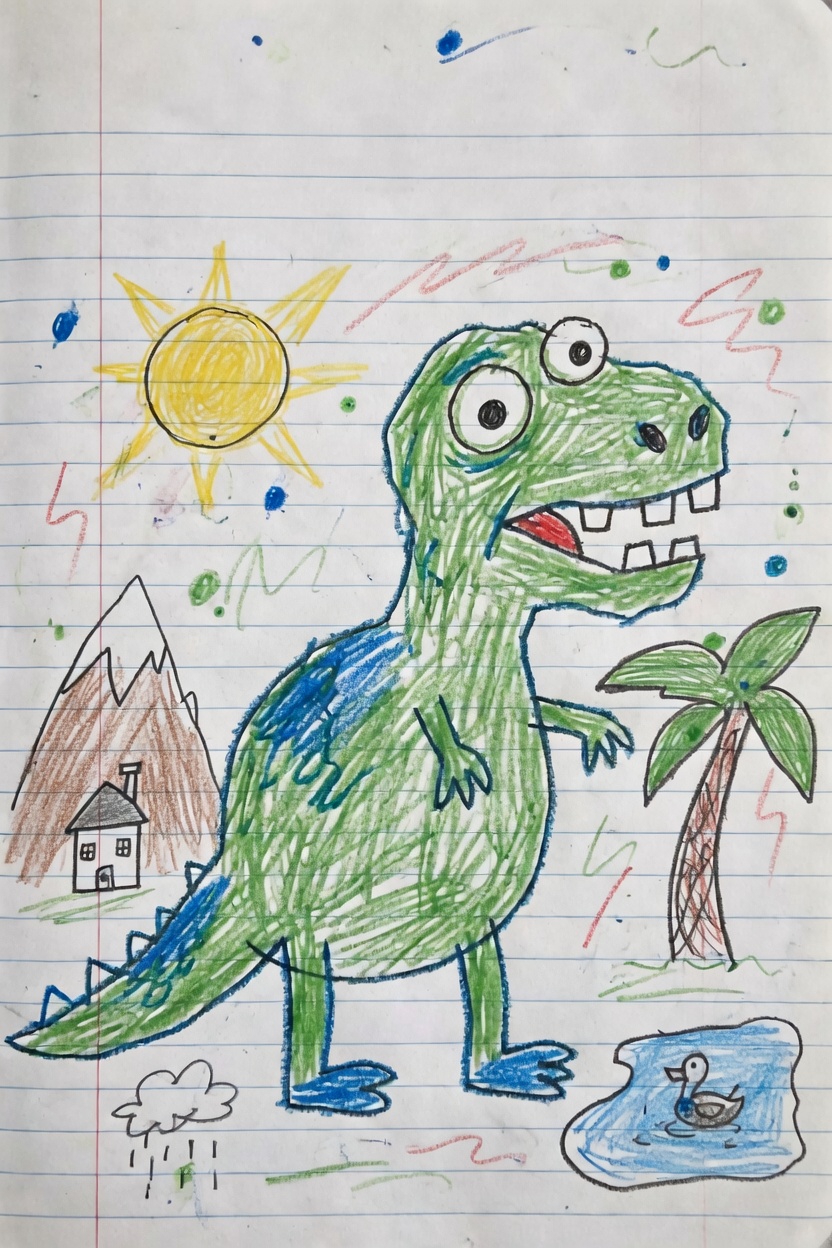
Use the uploaded image as the first frame. Animate it into a playful children’s drawing video while preserving the origi
Use the uploaded image as the first frame. Animate it into a playful children’s drawing video while preserving the original hand-drawn crayon style, notebook paper background, and colorful sketchy lines. The green dinosaur becomes lively and cheerful. It gently bounces in place, blinks its eyes, opens and closes its mouth as if happily roaring, and slightly wiggles its tiny arms and tail. Its body moves with cute, simple cartoon-like motion while keeping the original drawing proportions and childlike appearance. Add subtle animation to the surrounding elements: the sun glows softly and gives off a warm cheerful feeling, the palm tree sways lightly, the small duck in the pond bobs gently on the water with tiny ripples, and the little rain cloud drizzles softly. The background doodles and colorful scribbles can lightly shimmer or wiggle to make the whole page feel alive. Camera motion: a very slow gentle push-in with soft, steady movement, like a living illustration. Mood: fun, cute, playful, imaginative, childlike, storybook energy. Keep the original crayon drawing style, lined notebook paper texture, and simple handmade feel. Do not make it too realistic. No text, no new objects, no major design changes.
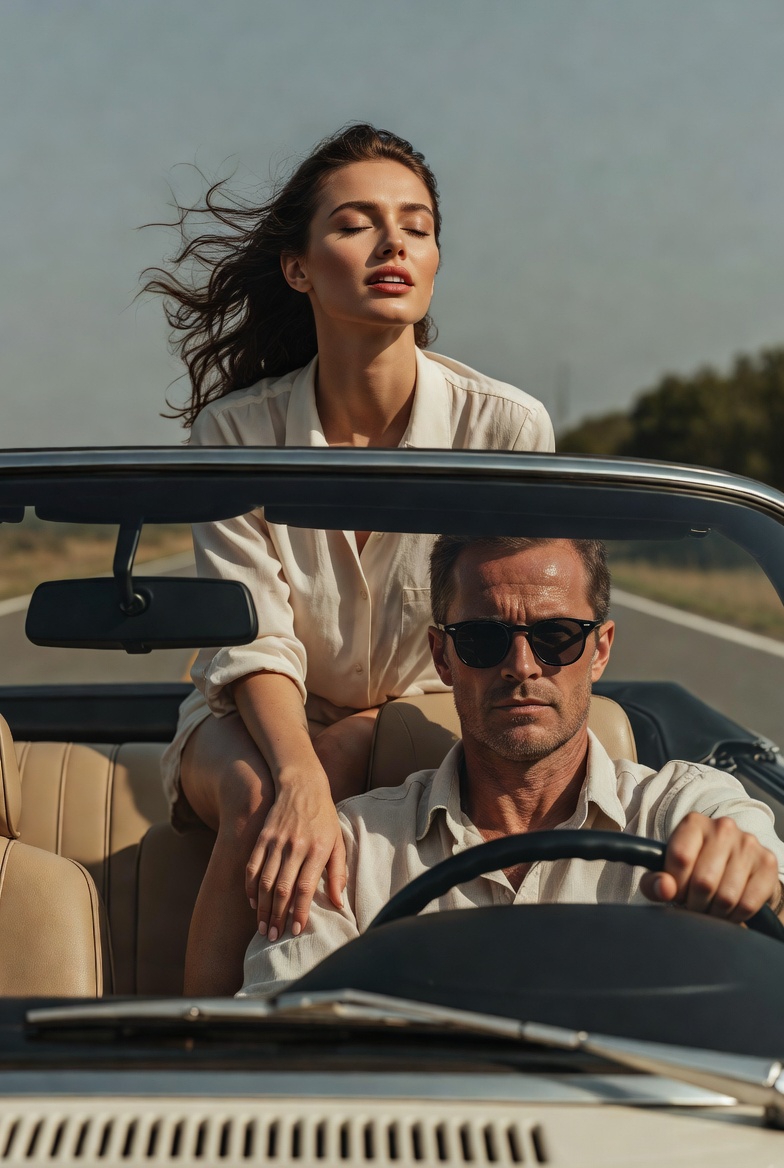
she throws her arms back fast
she throws her arms back fast
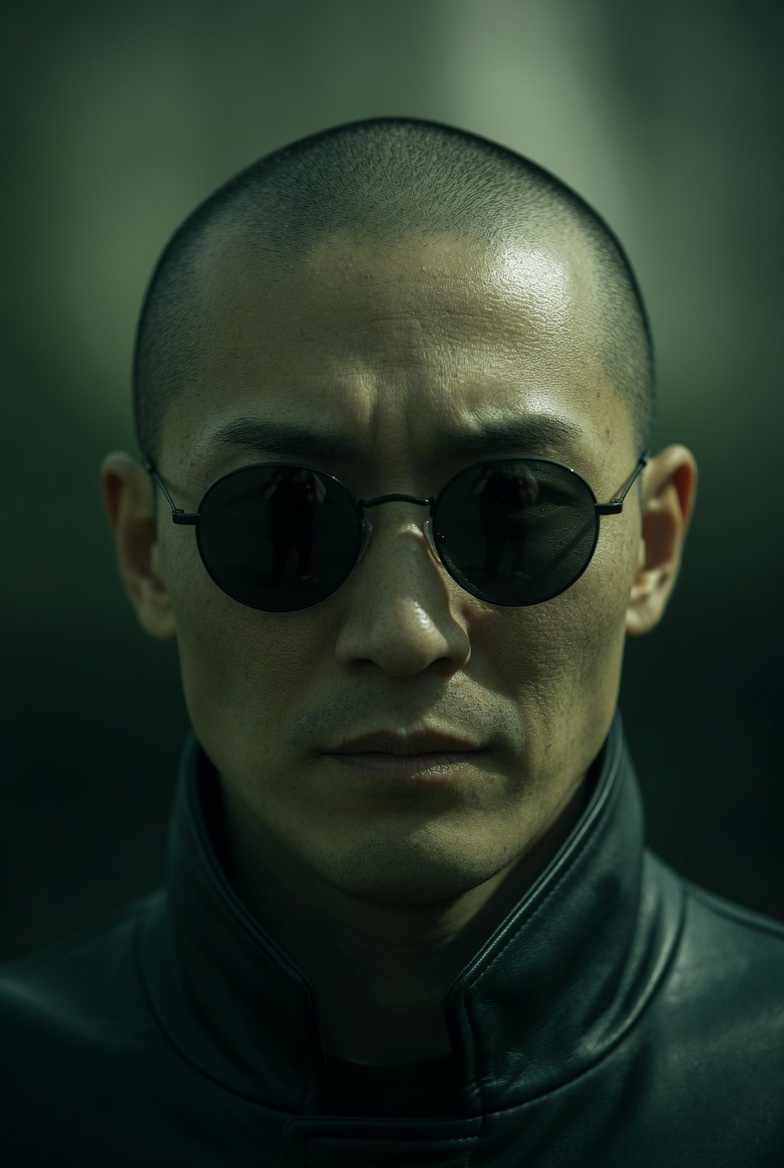
Extreme close-up of a Japanese man in small, round black sunglasses, neutral expression. Camera slowly pans downward fr
Extreme close-up of a Japanese man in small, round black sunglasses, neutral expression. Camera slowly pans downward from his face to his hands. As the frame lowers, he reveals both hands held forward: a blue pill in the left hand and a red pill in the right, presented calmly and deliberately. He remains still and composed, not reacting to the camera. Lighting: directional, high contrast, strong shadows Color: green-tinted, desaturated tones, deep blacks Camera: slow, smooth downward pan, shallow depth of field Style: cinematic, minimal, dystopian, 35mm look
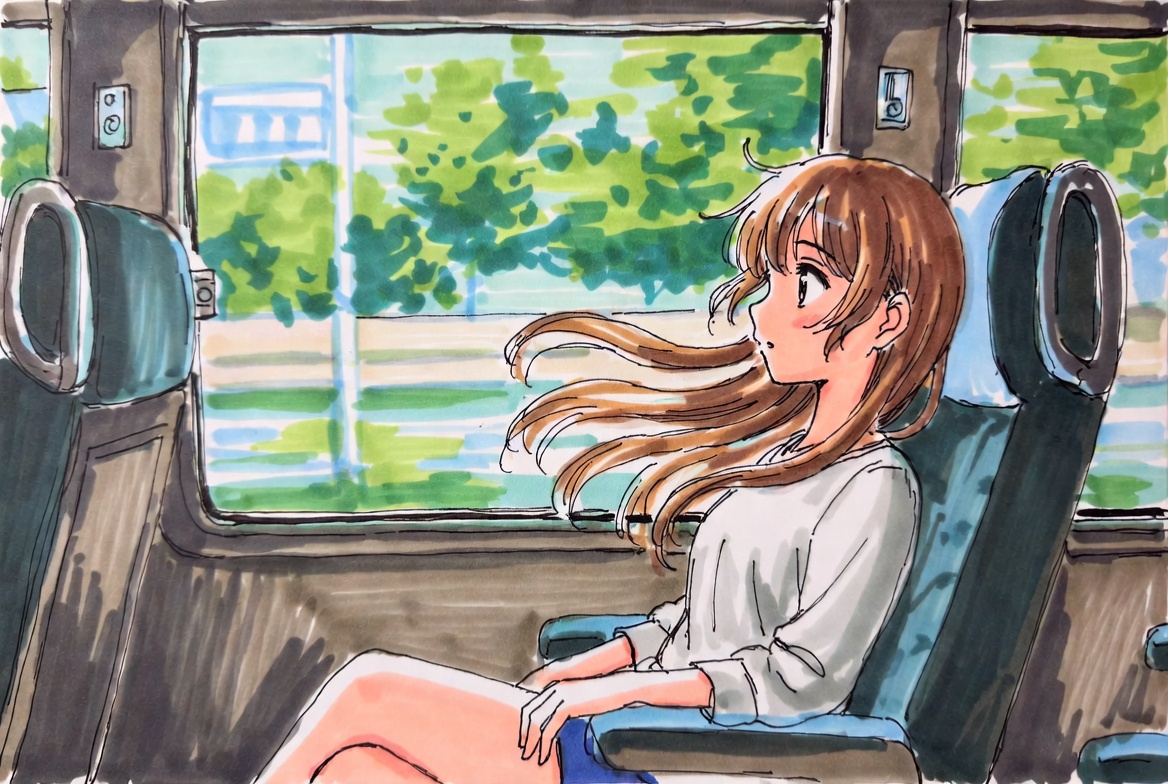
Use the uploaded image as the first frame. Animate the scene as if the girl is sitting inside a moving train carriage. K
Use the uploaded image as the first frame. Animate the scene as if the girl is sitting inside a moving train carriage. Keep the original anime illustration style, soft hand-drawn lines, and bright watercolor-like colors consistent. The train is moving smoothly forward, and the scenery outside the window flows past from right to left with natural motion blur, creating a clear sense of travel. Her hair gently floats and sways in the breeze, with a few strands moving naturally around her face. Add subtle motion to the character: slight breathing, small head movements, occasional blinking, tiny shifts in posture, and gentle hand or shoulder movement, as if reacting naturally to the motion of the train. The seat, window frame, and interior should remain stable, while the overall scene feels lively and immersive. Camera motion: mostly fixed medium shot, with a very subtle handheld vibration or soft carriage shake to suggest the vehicle is in motion. Mood: calm, fresh, dreamy, slice-of-life, peaceful travel moment. Keep the animation soft, natural, and elegant. No new objects, no text, no major style changes.
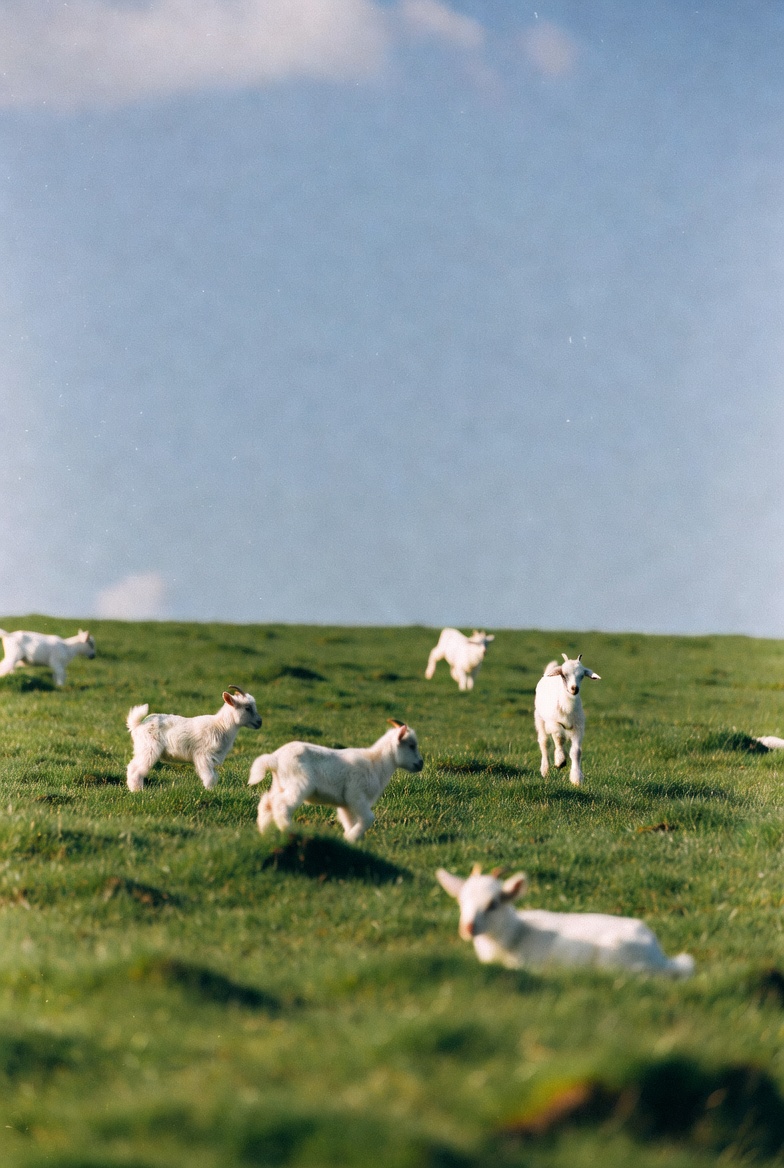
Use the uploaded image as the first frame. Animate the scene into a gentle pastoral video of baby lambs running and hopp
Use the uploaded image as the first frame. Animate the scene into a gentle pastoral video of baby lambs running and hopping across a green meadow. Keep the original soft, natural, dreamy photographic style and the open grassy landscape consistent. The lambs move playfully across the field, running in different directions, making small joyful hops and light bouncy jumps. A few lambs trot forward, one or two leap briefly into the air, and others scamper naturally through the grass. Their ears and little tails move as they run. The grass sways softly in the breeze, and the scene feels lively but calm. Camera motion: a subtle handheld or very gentle cinematic drift, as if observing the lambs from a short distance. Keep the composition airy and peaceful, with soft depth of field and natural daylight. Mood: playful, fresh, peaceful, springtime, heartwarming, pastoral. Avoid adding new animals, avoid changing the landscape, and keep the lambs cute, realistic, and naturally proportioned. No text, no logos, no dramatic style changes.
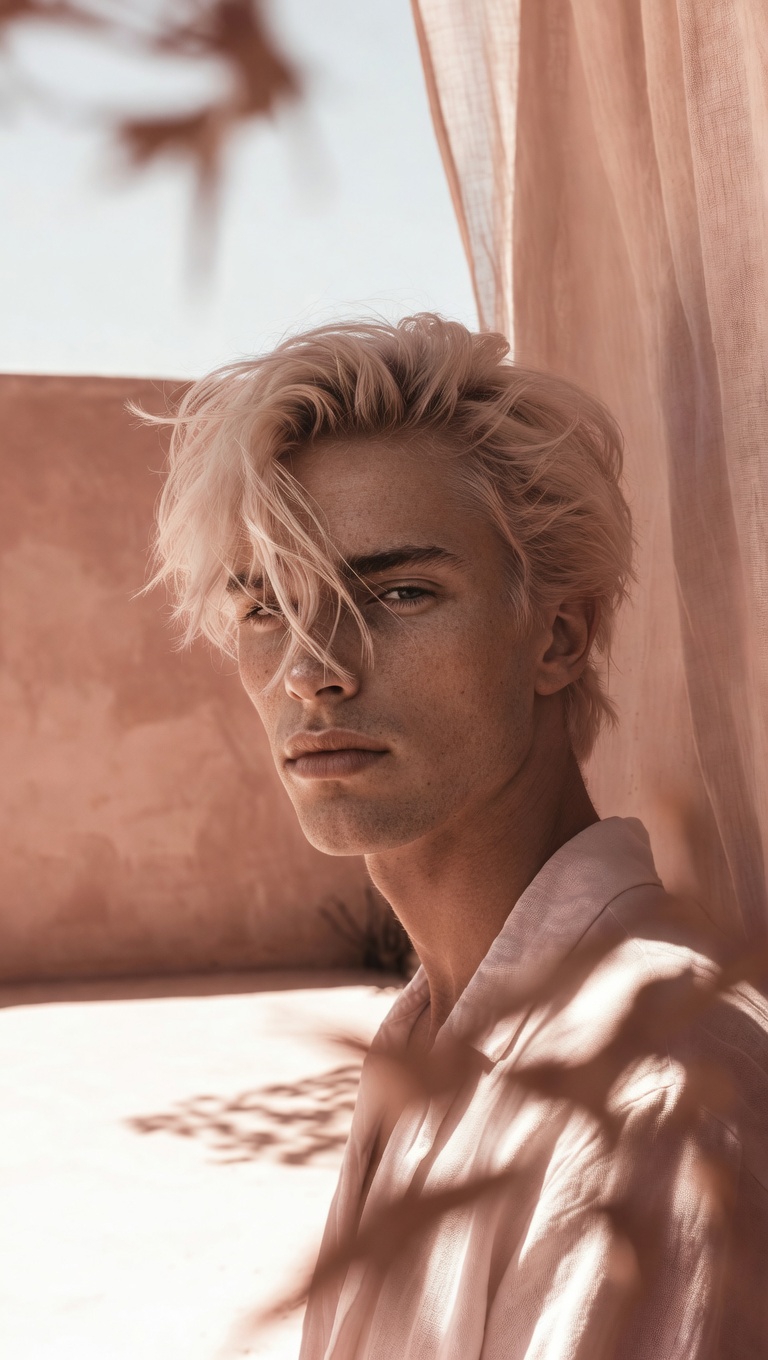
camera slowly zooms in on him, he's smiling, natural hand held cam
camera slowly zooms in on him, he's smiling, natural hand held cam
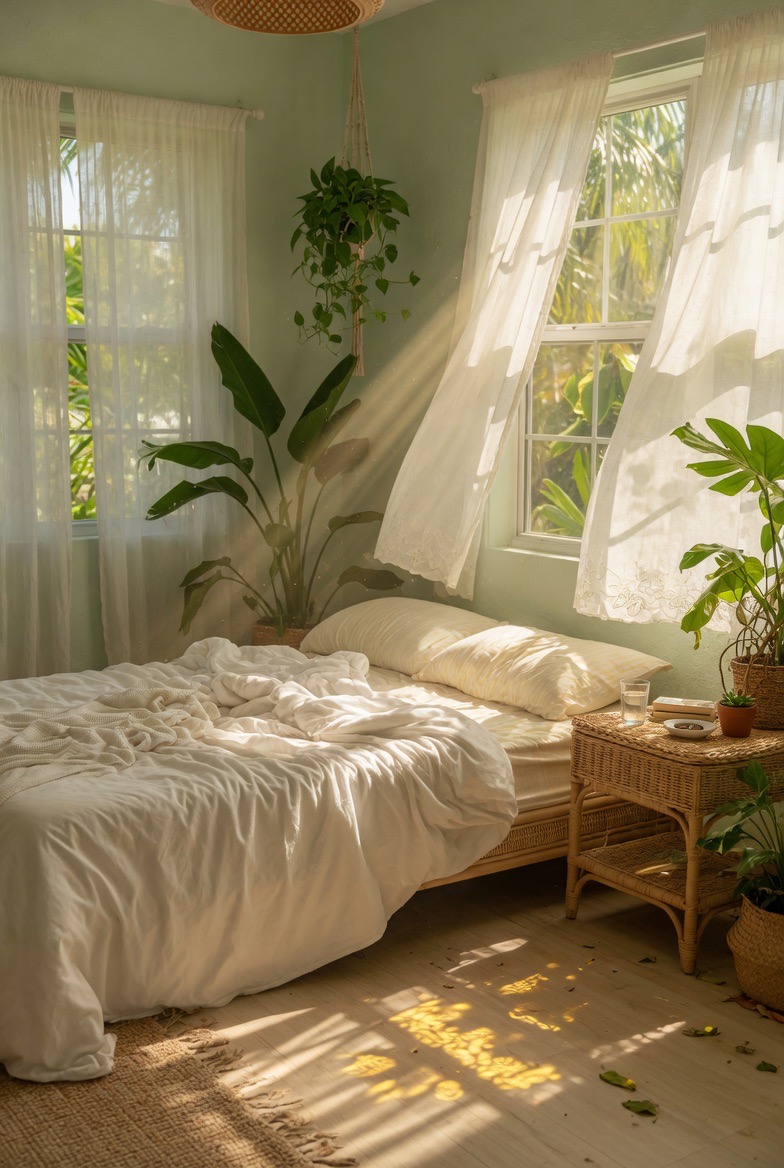
Use the uploaded image as the first frame. Animate the scene into a calm sunlit bedroom with a soft breeze flowing throu
Use the uploaded image as the first frame. Animate the scene into a calm sunlit bedroom with a soft breeze flowing through the room. Keep the original cozy interior, warm natural lighting, and peaceful atmosphere consistent. The sheer white curtains billow and sway gently in the wind, lifting and flowing naturally near the open windows. Sunlight streams through the curtains, with soft moving rays and shifting shadows across the bed, floor, and furniture. The hanging plant sways lightly, and the leaves of the indoor plants move subtly in the breeze. The bed sheets and blanket ripple slightly, as if touched by the wind. Add tiny floating dust particles in the sunbeams to make the room feel warm and alive. Camera motion: very slow gentle push-in or soft cinematic drift, steady and peaceful. Mood: airy, relaxing, tranquil, cozy, sun-washed, dreamy. Keep the motion delicate and natural. No new objects, no text, no dramatic changes to the composition.
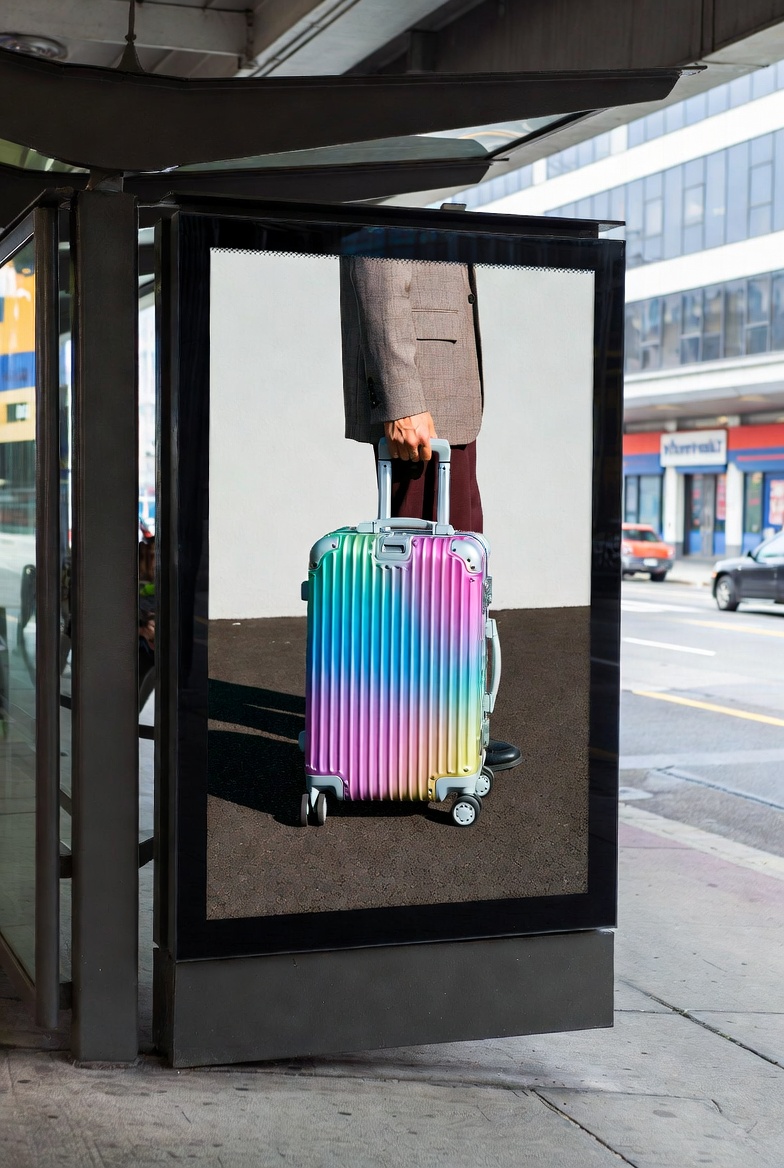
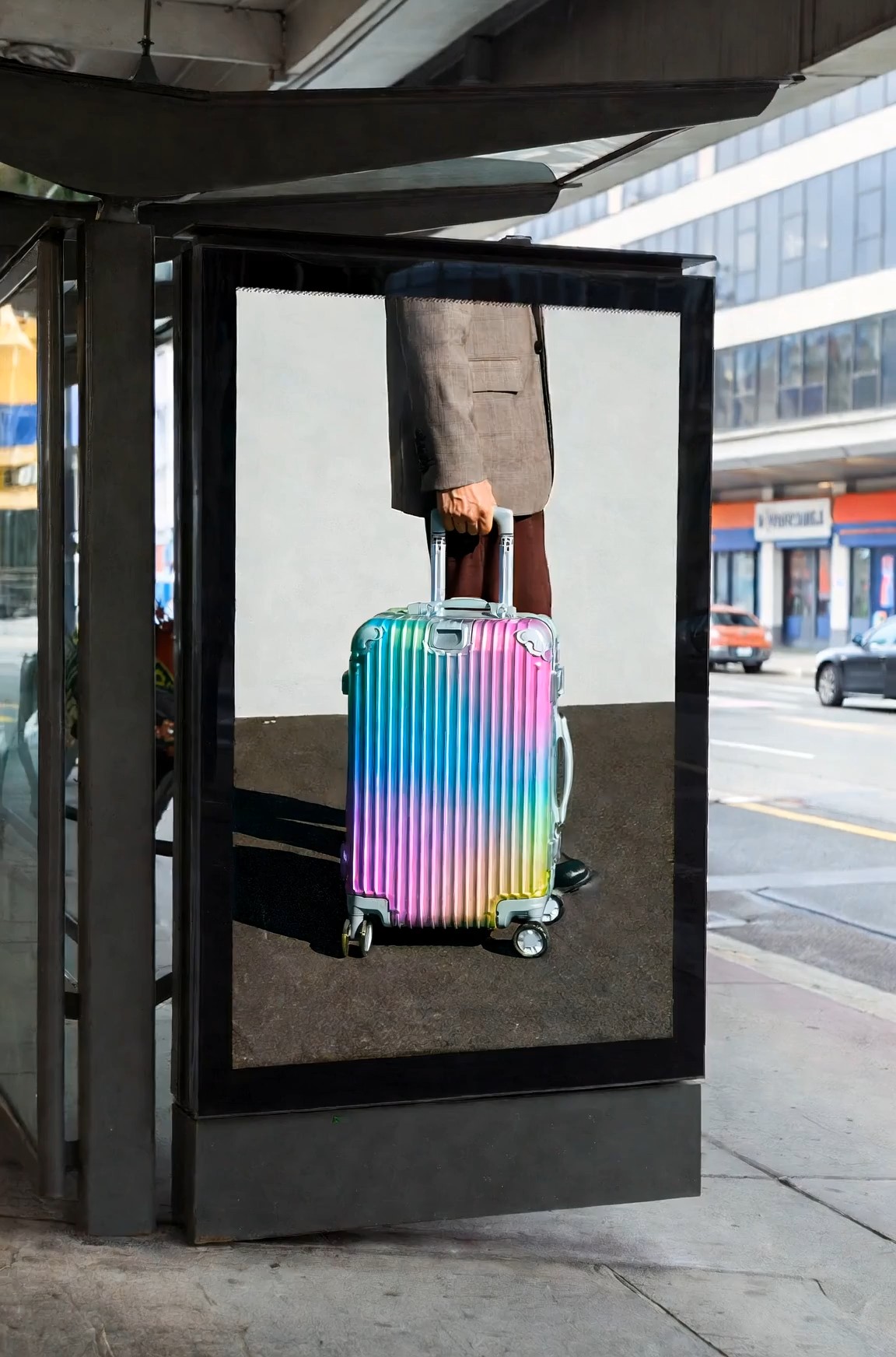
Cinematic surreal luxury luggage commercial at a modern urban bus stop, featuring a large black-framed digital billboard
Cinematic surreal luxury luggage commercial at a modern urban bus stop, featuring a large black-framed digital billboard integrated into the street architecture. Inside the billboard screen, a fashion model wearing a beige tailored blazer, dark trousers, and black-frame glasses slowly walks toward the right edge of the digital display while pulling a glossy iridescent aluminum suitcase with a telescopic handle. The movement is calm, elegant, and deliberate. The camera performs a slow horizontal tracking shot from left to right, maintaining a natural street-level perspective. As the model inside the screen reaches the billboard’s right boundary, the figure gradually disappears into the edge of the digital space without distortion or glitch effects, as if the billboard contains a seamless parallel dimension. At the exact moment the model fully disappears inside the advertisement, a second identical model — same outfit, same black-frame glasses, same rainbow-colored aluminum suitcase — calmly emerges from behind the real-world right side of the physical billboard structure onto the sidewalk, facing the street. The transition between digital space and reality feels smooth, magical, and understated, with no screen breaking or sci-fi portal effects. The suitcase wheels roll naturally on the pavement, synchronized between the billboard world and the real environment, reinforcing the illusion that the character has crossed dimensions through the advertisement itself. Kodak Vision3 250D film look, gentle contrast, soft bloom, realistic shadow transitions, muted architectural tones contrasted by the vibrant metallic suitcase colors. Clean visual storytelling, no crowds, no logos, no text, no exaggerated VFX, no glitches, no broken screen.
Grok Imagine Video Prompt:更快複製 AI 影片創意
瀏覽可直接複製的提示詞,研究範例效果,並將更強的影片創意轉化為清晰的生成指令,適用於電影感場景、產品短片、社群貼文、幻想時刻和故事驅動的視覺內容。
Grok Imagine Video Prompt 幫助創作者從模糊想法轉向可用的影片方向。探索提示詞範例,比較創意風格,複製喜歡的內容,並在生成前根據角色、動作、氛圍、鏡頭方向和場景細節進行調整。Grok Imagine Video Prompt 讓創作路徑保持簡單。
如何透過 3 個步驟使用 Grok Imagine Video Prompt
這份 Grok Imagine Video 提示詞指南讓工作流程保持簡單:複製一個強創意,開啟影片頁面,自訂措辭並生成。將 Grok Imagine Video Prompt 作為實用起點,而不是從零開始編寫每個場景。Grok Imagine Video Prompt 還可以幫助你比較細微措辭選擇如何改變動作、氛圍和視覺清晰度。

選擇圖片並複製提示詞
從與你想要製作動畫的場景相符的參考圖或第一幀開始。然後瀏覽上方範例,並複製最符合你所需動作、鏡頭風格或氛圍的 Grok Imagine Video Prompt。清晰的圖片加上聚焦的提示詞,會為你的影片提供更強的創意基礎。

進入 Grok Imagine 影片頁面
前往 Grok Imagine 影片頁面並上傳你的參考圖。提前準備好 Grok Imagine Video Prompt,這樣在圖片新增後就可以將其貼到影片提示詞框中。這能讓圖生影片工作流程保持清晰且聚焦。

貼上、修改並生成
貼上 Grok Imagine Video Prompt,修改角色、場景、鏡頭角度、節奏和視覺風格等細節,然後點擊生成。小幅編輯可以讓提示詞更具個人化,同時保持結構強大。建立前請檢查你的措辭。
為什麼 Grok Imagine Video Prompt 能幫助創作者
Grok Imagine Video Prompt 面向想要實用影片提示詞範例的人,而不是泛泛的功能宣稱。它幫助使用者理解場景寫作,選擇更強的視覺語言,並針對不同創意目標調整提示詞。Grok Imagine Video Prompt 透過展示每個提示詞要實現的目標,支持更快的創意決策。
將鬆散想法轉化為清晰的影片方向
像一個女孩在雨中奔跑這樣的粗略想法,通常缺少製作強力短片所需的細節。Grok Imagine Video Prompt 會將這個想法擴展為主體、場景、動作、氛圍、運動和視覺基調。這可以幫助使用者避免空泛提示詞,並為每個場景提供更有用的創意方向。Grok Imagine 1.5 AI Video Promtp 也可以作為使用者搜尋聚焦範例時的參考短語。透過 Grok Imagine Video Prompt,這個頁面成為學習措辭如何改變最終影片效果的地方。當你知道想要的感覺但還無法描述完整場景時,Grok Imagine Video Prompt 尤其有用。它適合需要快速推進,同時仍為生成過程提供足夠上下文的創作者。
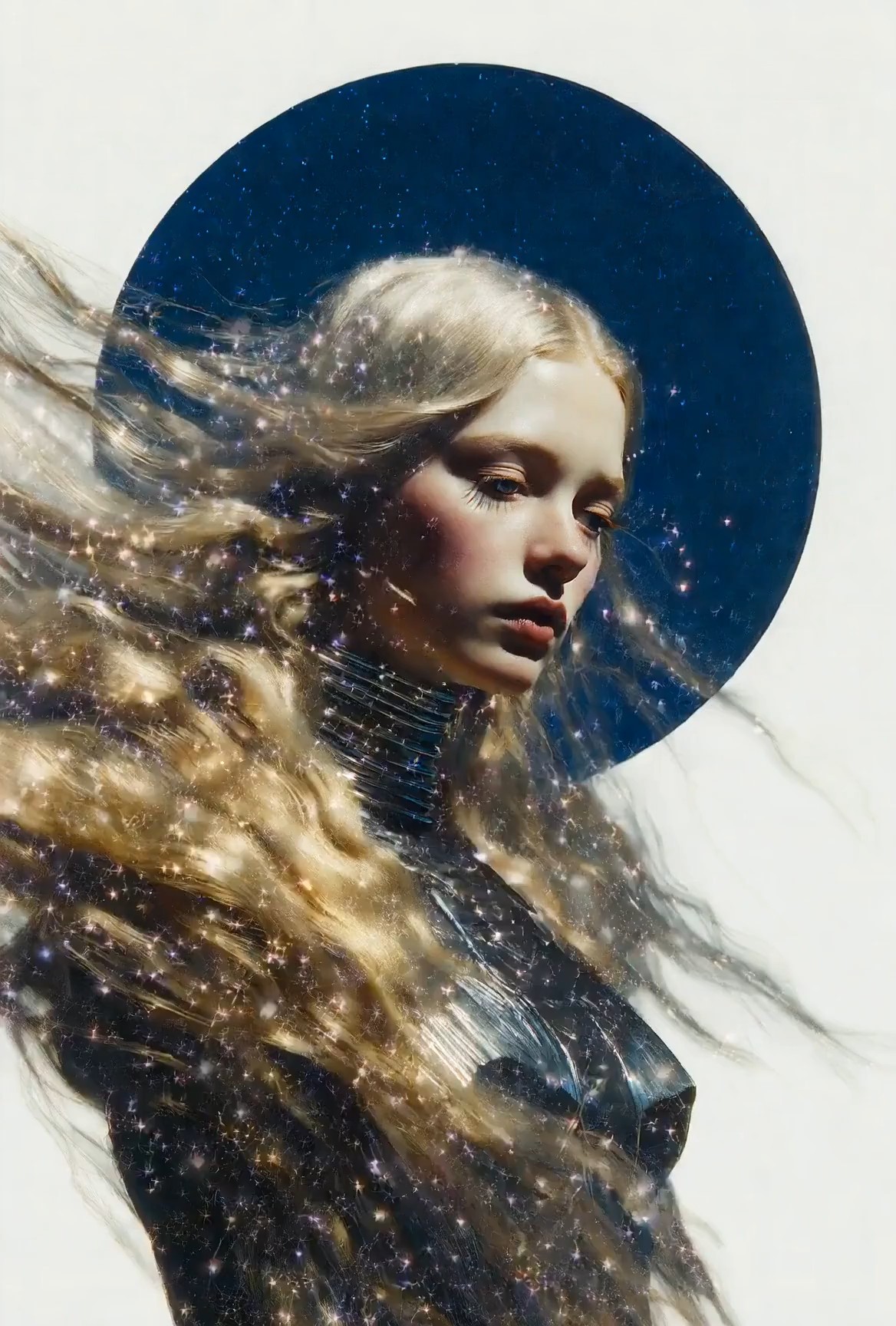
複製前比較提示詞風格
許多創作者知道自己想要的結果,卻不知道能實現它的語言。Grok Imagine Video Prompt 範例展示了不同場景類型,從電影感肖像到產品展示、幻想鏡頭、旅行時刻和社群短片。將提示詞結構與效果放在一起查看,可以幫助使用者理解該複製什麼、該修改什麼。這份 Grok Imagine Video 提示詞指南適合想要獲得靈感但不想隨機猜測的時候使用。Grok Imagine Video Prompt 為每種風格提供從想法到可用生成文字的實用途徑。Grok Imagine Video Prompt 還幫助使用者比較寫實、動畫、商業和敘事方向。它也能幫助團隊在不同內容需求中建立可重複使用的提示詞詞彙。
編輯提示詞而不破壞場景
修改提示詞很容易移除原本讓它有效的部分。Grok Imagine Video Prompt 透過保留核心場景邏輯來幫助使用者安全編輯:誰出現、發生什麼、發生在哪裡、鏡頭如何移動,以及應該感受到什麼情緒。你可以替換主體、調整背景或改變視覺風格,同時保留穩定結構。Grok Imagine 1.5 AI Video Promtp 會自然出現,服務於需要特定模型措辭的使用者。Grok Imagine Video Prompt 讓自訂更快也更不混亂。Grok Imagine Video Prompt 為編輯提供清晰錨點。這讓測試不同變體更容易,同時保持原始場景目的可見。
誰應該使用 Grok Imagine Video Prompt?
Grok Imagine Video Prompt 適合想要更快發展創意並獲得更清晰影片指令的創作者。它適用於社群內容、視覺探索、行銷概念、故事敘述,以及任何正在學習提示詞措辭如何影響動作和風格的人。當使用者同時需要靈感和可用起始結構時,Grok Imagine Video Prompt 最有用。

短影片創作者
製作 reels、shorts 或故事短片的創作者可以使用 Grok Imagine Video Prompt,將快速概念塑造成更完整的場景。他們不再只寫一個主題,而是可以複製已經包含動作、鏡頭感、節奏和氛圍的提示詞。這份 Grok Imagine Video 提示詞指南在截止時間緊、創意需要快速變成視覺草稿時尤其有幫助。Grok Imagine Video Prompt 幫助每個短片創意保持聚焦。它也幫助創作者避免在短片中堆疊太多相互競爭的細節。

產品和行銷團隊
行銷團隊經常需要為發布、廣告和產品示範準備影片概念。Grok Imagine Video Prompt 幫助將產品功能轉化為帶有場景、運動、燈光和情緒角度的畫面。瓶身展示、時尚細節鏡頭或科技產品展示都會更容易描述。Grok Imagine Video Prompt 為團隊提供共同起點,然後再細化品牌語氣和受眾訊息。Grok Imagine Video Prompt 可以讓行銷活動構思更有組織。團隊可以起草多個方向,並比較哪一個最能支持產品故事。

藝術家和視覺設計師
藝術家可以使用 Grok Imagine Video Prompt,在發展完整概念前測試視覺世界。這些範例有助於處理氛圍、角色位置、運動和電影感構圖。Grok Imagine 1.5 AI Video Promtp 也為注重搜尋的使用者提供了一種直接方式,用來尋找與影片提示詞創作相關的創意。Grok Imagine Video Prompt 支持探索,而不強迫每個場景都從空白頁開始。Grok Imagine Video Prompt 幫助藝術家保存有前景的方向,供後續細化。這在建立情緒板、風格測試或早期故事概念時很有幫助。

學習提示詞寫作的新手
新手常常會因為提示詞過短或過於寬泛而感到困難。Grok Imagine Video Prompt 展示如何在一條可讀指令中包含動作、主體、環境、鏡頭運動、燈光和語氣。這份 Grok Imagine Video 提示詞指南為新使用者提供一個可以複製、編輯和學習的模式,幫助他們在影片生成措辭上建立信心。Grok Imagine Video Prompt 讓學習曲線變得更實用。使用者可以透過一次替換一個細節來學習,並觀察創意如何變化。
使用者如何評價 Grok Imagine Video Prompt
創作者使用 Grok Imagine Video Prompt 來編寫更清晰的場景方向,理解提示詞結構,並以更少的試錯,從鬆散想法轉向可用的影片指令。當使用者想要可以研究和複製的範例時,Grok Imagine Video Prompt 尤其有幫助。
我以前寫的影片提示詞聽起來不錯,但生成結果很隨機。Grok Imagine Video Prompt 幫助我理解缺少了哪些細節。我複製了一個電影感街景,修改了角色和燈光,最終方向清晰了很多。這份 Grok Imagine Video 提示詞指南讓提示詞寫作不再像猜測。現在 Grok Imagine Video Prompt 給了我一個可靠的起點。
對於產品短片,我需要能快速說明運動、背景和氛圍的提示詞。Grok Imagine Video Prompt 給了我一個乾淨的結構,可以用於發布和視覺測試。我還發現 Grok Imagine 1.5 AI Video Promtp 在為內部提示詞筆記收集創意時,是一個有用的搜尋詞。Grok Imagine Video Prompt 節省了早期概念開發時間。
最好的部分是可以在複製前看到提示詞是如何構建的。Grok Imagine Video Prompt 讓我注意到鏡頭運動、節奏和氛圍,而不只是主體描述。現在我會從一個提示詞範例開始,重寫場景細節,並在不丟失原始創意結構的情況下更快生成。Grok Imagine Video Prompt 幫助我保持一致。
我是影片提示詞新手,總是寫一行式想法。Grok Imagine Video Prompt 教我如何把這些想法轉化為完整場景。範例很容易修改,流程也很簡單。複製、貼上、調整並生成。它幫助我透過實踐學習。Grok Imagine Video Prompt 讓我最初的嘗試不再那麼令人不知所措。


關於 Grok Imagine Video Prompt 的常見問題
使用這些快速回答來了解 Grok Imagine Video Prompt,正確複製範例,並在不過度複雜化流程的情況下改進你的影片提示詞工作流程。當你帶著明確目標編輯細節時,Grok Imagine Video Prompt 效果最好。
Grok Imagine Video Prompt 是一組影片提示詞範例,旨在幫助使用者透過主體、動作、鏡頭運動、場景和氛圍編寫更清晰的生成指令。Grok Imagine Video Prompt 用於複製、研究和改編。
複製你喜歡的 Grok Imagine Video Prompt,將其貼到影片頁面,根據你的場景調整細節,然後點擊生成。保留結構,但個人化主體和風格。
一個強大的 Grok Imagine Video Prompt 通常包括主體、動作、地點、鏡頭運動、燈光、氛圍和風格方向。清晰的運動細節尤其重要。
可以。Grok Imagine Video Prompt 就是為了被編輯而設計的。你可以替換角色、地點、運動、鏡頭角度或視覺風格,同時保留主要結構。
可以。這份 Grok Imagine Video 提示詞指南對新手很有用,因為它提供可複製的結構,並展示哪些細節最重要。
Grok Imagine 1.5 AI Video Promtp 指的是面向模型的影片提示詞範例和搜尋意圖。保留這種措辭,是為了服務尋找這一準確提示詞主題和相關 Grok Imagine Video Prompt 創意的使用者。
開始使用 Grok Imagine Video Prompt 創作
使用 Grok Imagine Video Prompt 尋找更強的場景創意,複製已經有效的提示詞結構,並將你的下一個影片概念轉化為更清晰的生成指令。Grok Imagine Video Prompt 幫助你更快從瀏覽創意進入行動。
