
دليل كتابة الأوامر لـ MiniMax H3: أمثلة وأفكار
استكشف دليل كتابة الأوامر لـ MiniMax H3 مع أمثلة جاهزة للنسخ ونتائج فيديو وإرشادات للكاميرا وأفكار صوتية وإنشاء بنقرة واحدة.
صف فكرتك ودع الذكاء الاصطناعي يصنع الموجه المثالي لك
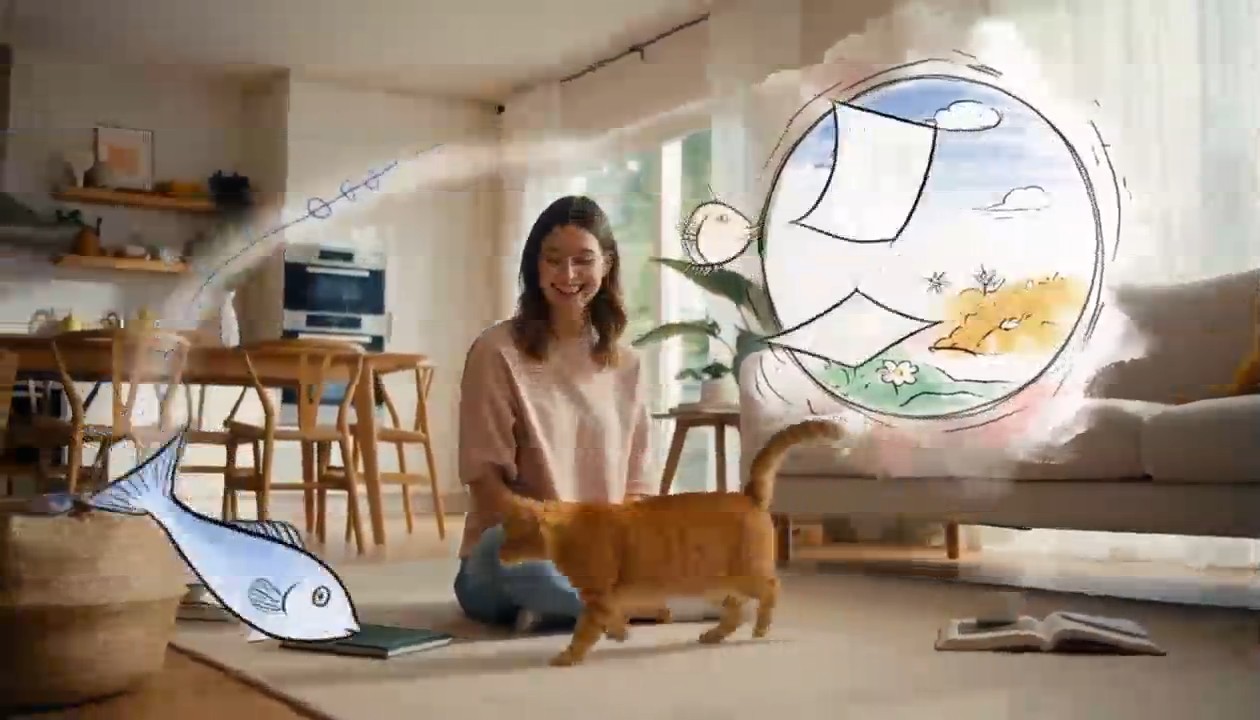
Surreal Hand-Drawn VFX Living Room
integrated_multimodal_description: [Shot 1] Live-action cinematic footage blended with surreal hand-drawn 2D VFX animation. A young adult woman in relaxed home clothes sits on the rug of a bright, cozy contemporary living room with her playful orange tabby cat beside her. Warm daylight enters through large windows, illuminating a sofa, coffee table, houseplants, cushions, books, and natural wooden furniture. The camera begins in a medium-wide shot and slowly performs a gentle arc shot around them. The woman playfully draws a circle in the air with one finger. A rough black pencil line remains suspended behind her fingertip, visibly trembling like a frame-by-frame hand-drawn animation. She completes the circle, and it opens into a floating illustrated portal made from charcoal strokes, colored-pencil hatching, watercolor stains, eraser marks, and rapidly redrawn sketch lines. Loose pages, tiny stars, flowers, spirals, and whimsical hand-drawn fish swim out of the portal and move through the real living room, passing naturally behind furniture and in front of the subjects with correct spatial occlusion. The cat notices a scribbled blue fish and follows it across the rug. Its ears turn, eyes track the moving drawing, tail swishes, and paws press naturally into the carpet. The illustrated fish darts around a table leg, leaving an animated trail of blue pencil loops. The cat pounces and taps it with one paw. At the moment of contact, the drawing bursts into a soft explosion of hand-painted color, ink splashes, chalk dust, animated stars, and curling sketch lines. The colorful lines race across the rug and climb the sofa, briefly transforming the edges of the furniture, the woman, and the cat into lively hand-drawn outlines while their bodies remain photorealistic and recognizable. Laughing silently, the woman catches one glowing illustrated ribbon between her hands and gently guides it toward the cat. The ribbon spirals around the cat without restraining it, then folds itself into a tiny hand-drawn crown floating above its head. The remaining doodles quickly rewind into the portal like animated pencil strokes being erased in reverse. The portal closes with a small watercolor pop. End with the woman petting the cat as it sits proudly beneath the wobbling illustrated crown; both look toward the camera while one tiny sketched star continues bouncing above them. Maintain one continuous, physically coherent camera move with no cuts. The woman and cat remain live-action and photorealistic throughout; only the supernatural VFX elements use the expressive hand-drawn style. Emphasize imperfect pencil contours, visible redrawing between frames, charcoal texture, colored-pencil shading, watercolor bleeds, ink splatters, playful line boil, and intentional stop-motion-like timing. Preserve consistent human anatomy, facial appearance, clothing, cat markings, room layout, lighting direction, furniture geometry, and object placement. No identity drift, body morphing, extra limbs, duplicated pets, floating furniture, random scene changes, text, subtitles, logos, or watermarks. overall_soundscape: Quiet living-room ambience with soft fabric movement, gentle cat pawsteps on the rug, a curious meow, delicate pencil-scratching sounds synchronized with every drawn line, paper fluttering as the portal opens, chalky swishes as the illustrated creatures move, and a soft watercolor pop when the portal closes. The woman gives a brief natural laugh after the cat catches the drawn fish. non_diegetic_music: A playful light rhythm performed with pizzicato strings, soft marimba, and sparse bell tones, gradually adding energy as the drawings fill the room before resolving into one gentle final chime.
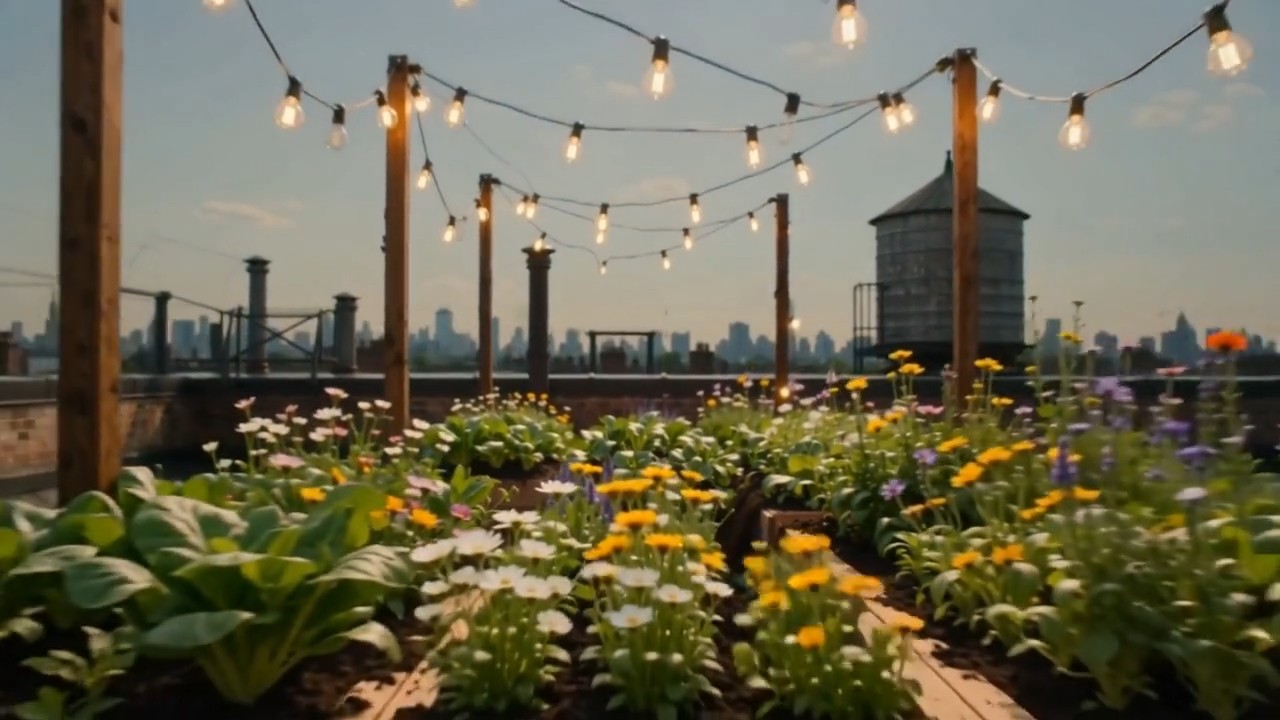
Create one continuous time-compressed transformation from the first frame to the last frame. Wooden planters slide into
Create one continuous time-compressed transformation from the first frame to the last frame. Wooden planters slide into position, soil fills naturally, seedlings emerge and grow into dense vegetables and flowers, string lights rise between posts, shadows move from morning to evening, and the camera performs a slow forward dolly without changing direction. Preserve the rooftop architecture and frame composition. Layer soft construction sounds, wind, birds, and a gentle musical build
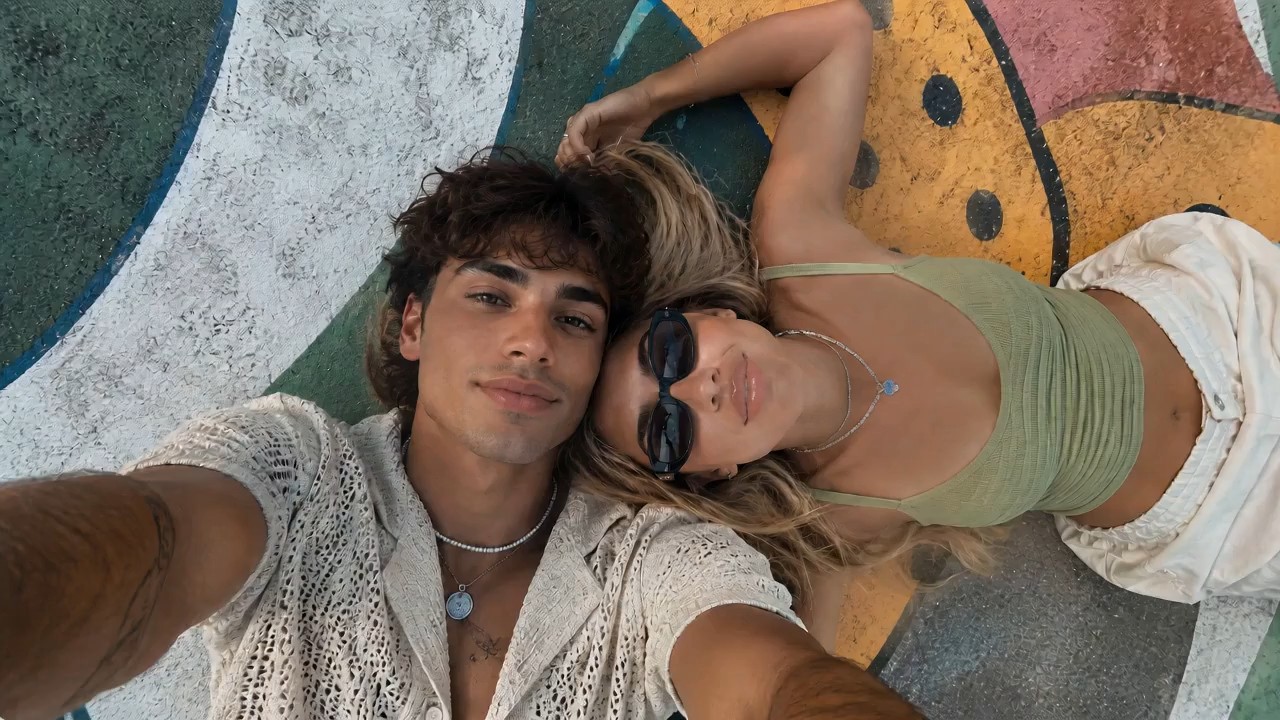
Use the reference image as the starting frame and preserve the same overall vibe: two stylish young people lying close t
Use the reference image as the starting frame and preserve the same overall vibe: two stylish young people lying close together outdoors on a painted mural surface, relaxed, cool, sunlit, summery, and visually aesthetic. Create a dynamic, visually striking selfie-style video where the camera is always being held in the young man’s hand, as if he is filming them himself from above. The perspective must remain handheld and first-person from the boy’s outstretched arm, but the angle and motion should keep changing in cool and creative ways to create different visual effects. Start with the original top-down selfie composition, both faces close together, calm and stylish. Then the boy subtly rotates his wrist, causing the frame to slowly tilt and roll, creating a dreamy floating feeling. He brings the camera slightly closer to their faces for an intimate close-up, then lifts it higher for a wider overhead perspective showing more of the colorful mural background. Add smooth but noticeable hand-driven motion: slight orbit-like swings, playful tilts, soft dips, angle flips, and controlled handheld rotation, all still clearly feeling like the camera is in his hand. At one moment, the camera swings to a diagonal angle, making the composition feel more fashion-editorial. Then it glides lower and closer to the girl’s sunglasses and lips for a stylish detail moment, before shifting back to both of them together. Add a brief dramatic rotation or half-spin of the frame driven by his wrist movement, then stabilize into another overhead selfie. The camera should feel lively and expressive, with changing perspectives that make the same moment look fresh from multiple angles. Their expressions can subtly change: relaxed, playful, slightly smiling, naturally interacting with the camera. Hair moves slightly, sunlight feels warm and soft, and the entire video should feel effortlessly cool and photogenic. Visual style: trendy, cinematic, high-end social media fashion aesthetic, handheld selfie energy, smooth but expressive motion, natural sunlight, youthful summer mood, polished and visually engaging. Preserve realism and the core appearance of both people, while making the camera movement feel creative and premium. No text, no subtitles, no watermark.
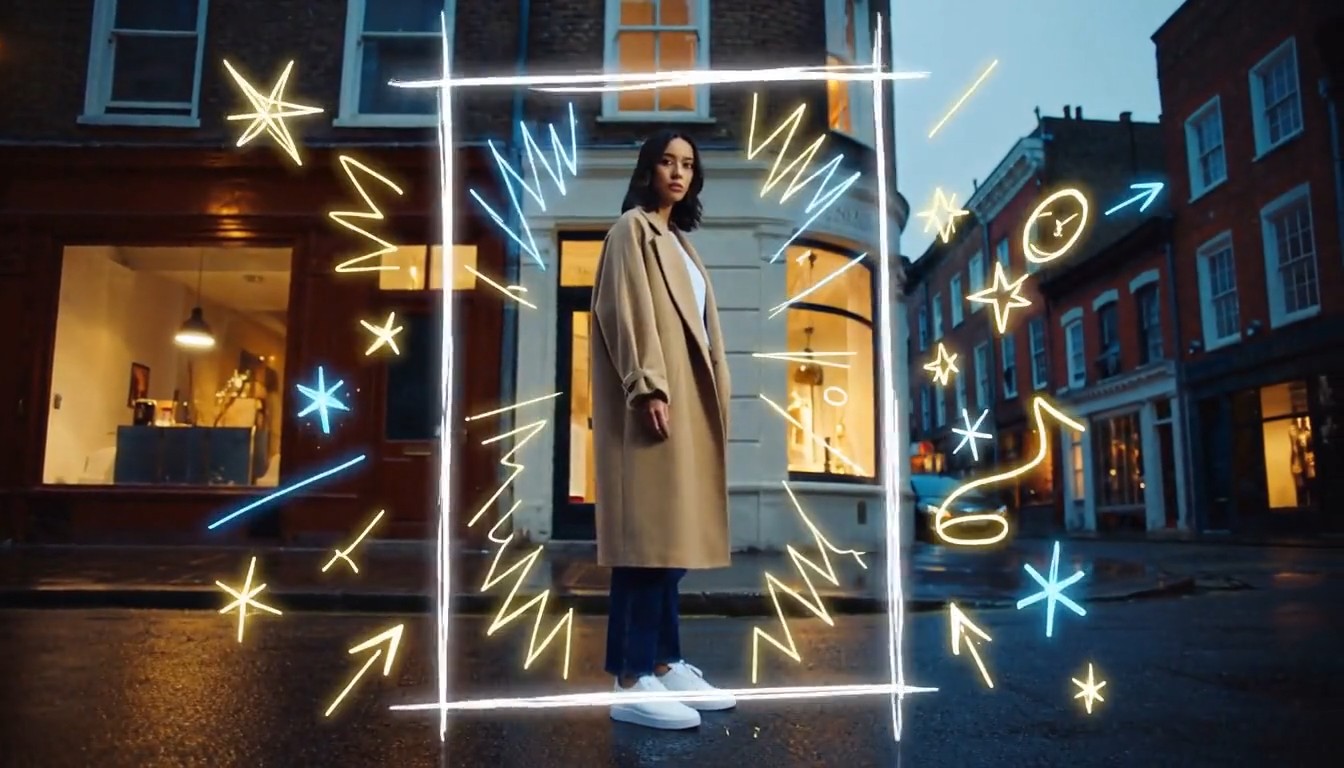
Create a cinematic mixed-media video that seamlessly combines photorealistic live-action footage with luminous hand-draw
Create a cinematic mixed-media video that seamlessly combines photorealistic live-action footage with luminous hand-drawn animation. A stylish young person walks through a real urban street at dusk while the camera smoothly follows from a slightly low side angle. The environment is fully realistic: textured buildings, passing pedestrians, reflective pavement, shop windows, soft evening light, and natural handheld movement. As the person moves forward, glowing hand-drawn lines begin appearing around them in real time. Loose animated strokes trace the outline of their body, shoes, clothing, and hair. Bright sketch-like arrows follow their movement, while small stars, sparks, waves, handwritten symbols, and playful illustrated shapes emerge from nearby objects. When the person passes a streetlamp, a glowing animated spiral wraps around the lamp and releases floating illustrated fireflies. Their footsteps create hand-drawn light ripples across the pavement. A sketched bird flies out from a wall mural, transforms into a luminous animated creature, circles around the person, and then dissolves into sparkling brush strokes. The animated elements must feel physically connected to the live-action world: wrapping around objects, hiding behind the subject, reflecting subtly on nearby surfaces, reacting to movement, and leaving short glowing trails. The illustrations should look intentionally hand-drawn, with imperfect lines, visible brush texture, frame-by-frame motion, and energetic scribble animation. End with the person stopping and turning toward the camera. A large glowing hand-drawn frame rapidly sketches itself around them, while multiple animated lines, stars, and abstract symbols burst outward before settling into a clean final composition. Visual style: photorealistic live-action combined with luminous 2D doodle animation, contemporary fashion commercial, creative mixed media, energetic yet polished, warm cinematic lighting, neon white, electric blue and golden glowing strokes, smooth camera movement, expressive frame-by-frame animation, strong depth and realistic interaction between animation and environment, 4K, no subtitles, no watermark, no visible interface.
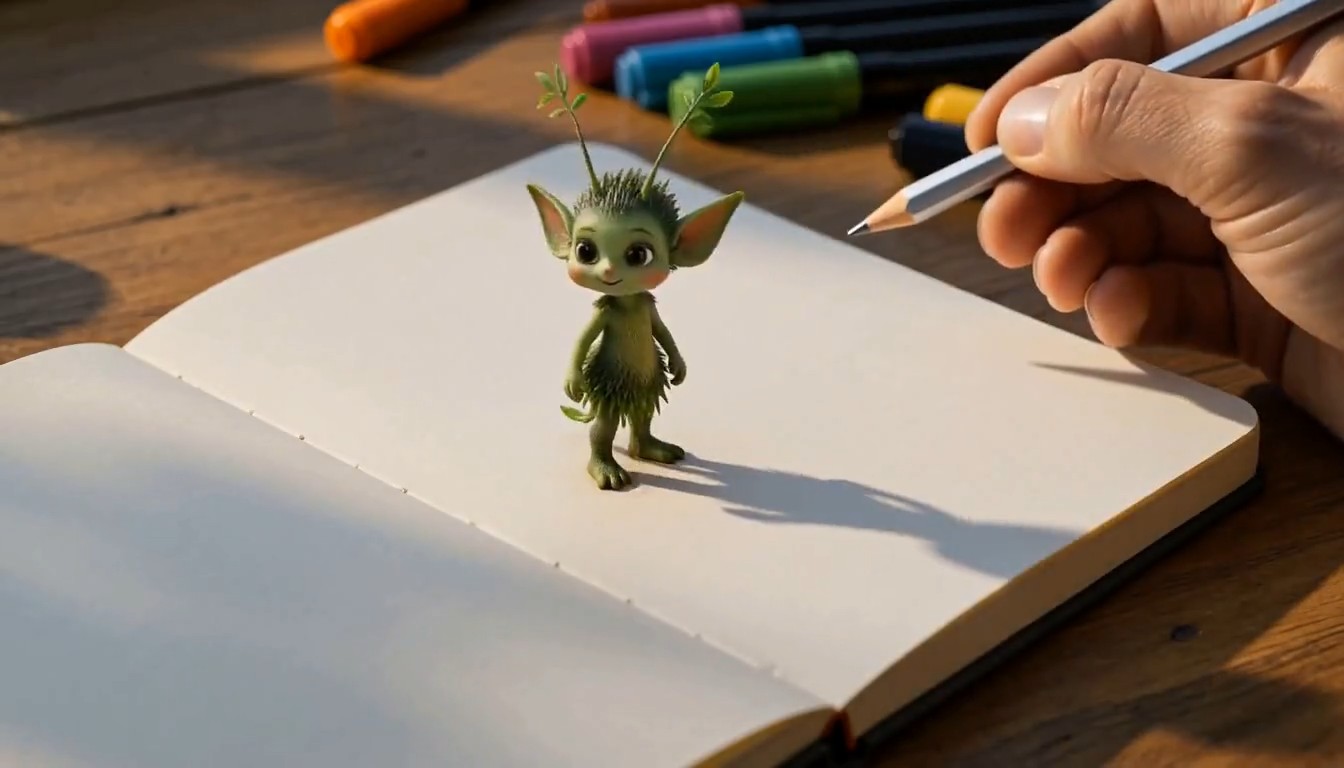
A cinematic creative desk scene. The camera focuses on a person drawing on paper at a wooden desk in a cozy studio. The
A cinematic creative desk scene. The camera focuses on a person drawing on paper at a wooden desk in a cozy studio. The hand moves naturally with pencil and markers, carefully sketching a charming illustrated subject on the page. As the drawing is completed, the illustrated subject magically rises off the paper, transforming into a small fully three-dimensional version of itself. It keeps the same design language as the drawing, but now appears as a lively miniature 3D object or character standing on the desk. It starts moving naturally, looking around with curiosity. The person continues drawing a second new subject on the paper beside it. As soon as the second drawing is finished, it also transforms from flat illustration into a stylized 3D form and pops up from the page onto the desk. The newly created 3D subject begins interacting with the first one in a playful and charming way. Their interaction feels lively, imaginative, and seamless, as if the drawings have come to life. Visual style: highly creative, magical realism, warm studio lighting, detailed desk environment, visible art tools, smooth hand movement, elegant transformation effect from 2D drawing to 3D object, whimsical and polished animation, cinematic camera focus, shallow depth of field, smooth motion, delightful and imaginative atmosphere, no subtitles, no text overlay.
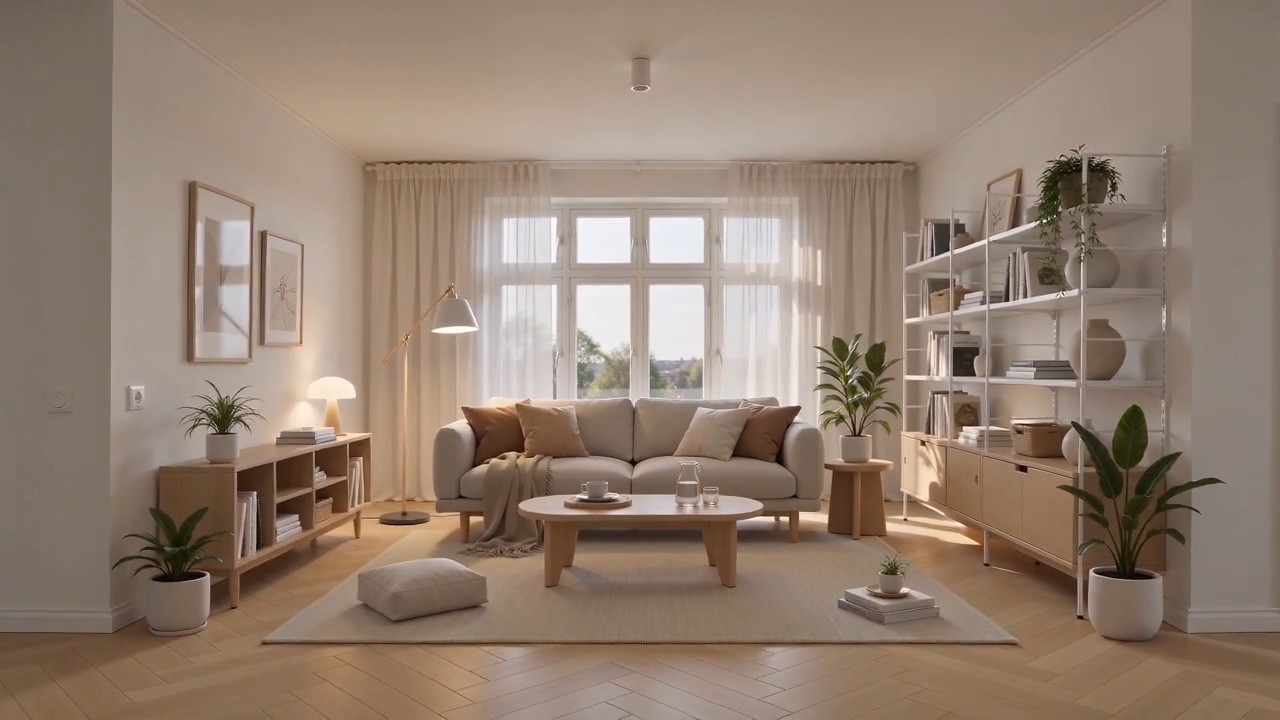
Create a polished home furnishing commercial inspired by Scandinavian IKEA-style interior design. The video begins wit
Create a polished home furnishing commercial inspired by Scandinavian IKEA-style interior design. The video begins with a completely empty, bright modern room. White walls, light oak flooring, large windows, soft natural daylight, clean architectural lines, and no furniture or decoration. The camera slowly pushes forward through the empty space. As the camera continues moving, the interior gradually comes to life. A neutral-colored rug smoothly unfolds across the floor. A minimalist sofa rises gently into position, followed by a light wood coffee table, side tables, a floor lamp, shelving units, curtains, cushions, and soft throws. Each furnishing appears through elegant, visually satisfying transitions, such as sliding into place, unfolding, assembling itself, or softly materializing. Continue adding smaller home details: framed wall art aligns itself on the wall, books and decorative objects appear on shelves, indoor plants grow into place, tableware settles neatly onto the coffee table, and warm ambient lights switch on one by one. Every product should feel practical, affordable, stylish, and coordinated. The room gradually transforms from an empty shell into a complete, comfortable, beautifully styled living space. End with a wide hero shot revealing the fully furnished room, featuring a balanced Scandinavian color palette, warm wood textures, soft textiles, organized storage, natural greenery, and inviting lighting. Visual style: premium home furnishing advertisement, Scandinavian minimalism, clean and functional design, smooth product-reveal transitions, realistic materials, warm natural light, soft shadows, precise composition, satisfying assembly animation, calm but uplifting pacing, high-end commercial quality, photorealistic, 4K. Camera movement: start with a slow forward dolly through the empty room, maintain a smooth continuous motion while products appear, then gently pull back into a wide final composition showing the complete interior. No people, no clutter, no subtitles, no watermark, no distorted furniture, no floating objects after placement.
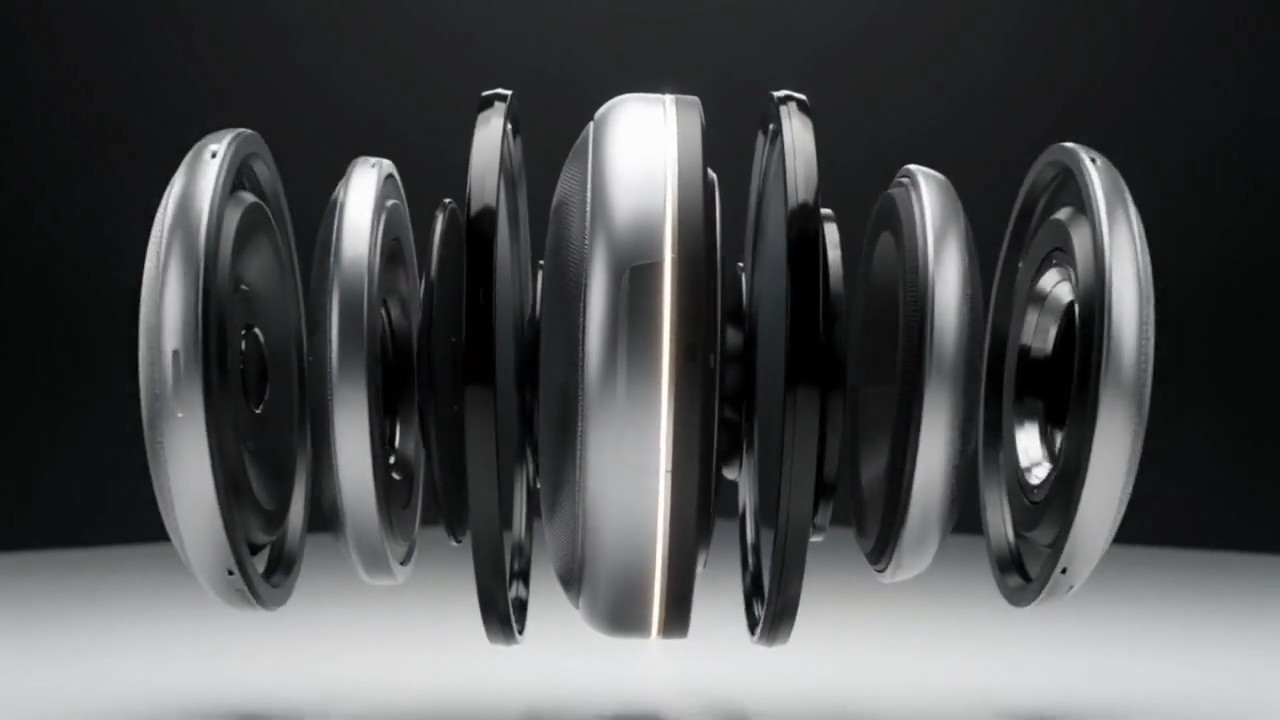
A matte silver wireless speaker floats above a seamless white studio surface. The camera makes a slow 120-degree orbit a
A matte silver wireless speaker floats above a seamless white studio surface. The camera makes a slow 120-degree orbit as separated metal, fabric, and glass components glide inward and assemble with precise mechanical timing. A soft pulse of light travels around the speaker rim, then the product lands gently as fine dust moves outward. Minimal premium commercial style, crisp material detail, soft overhead lighting, subtle stereo assembly sounds, no extra objects, 8 seconds, 16:9.
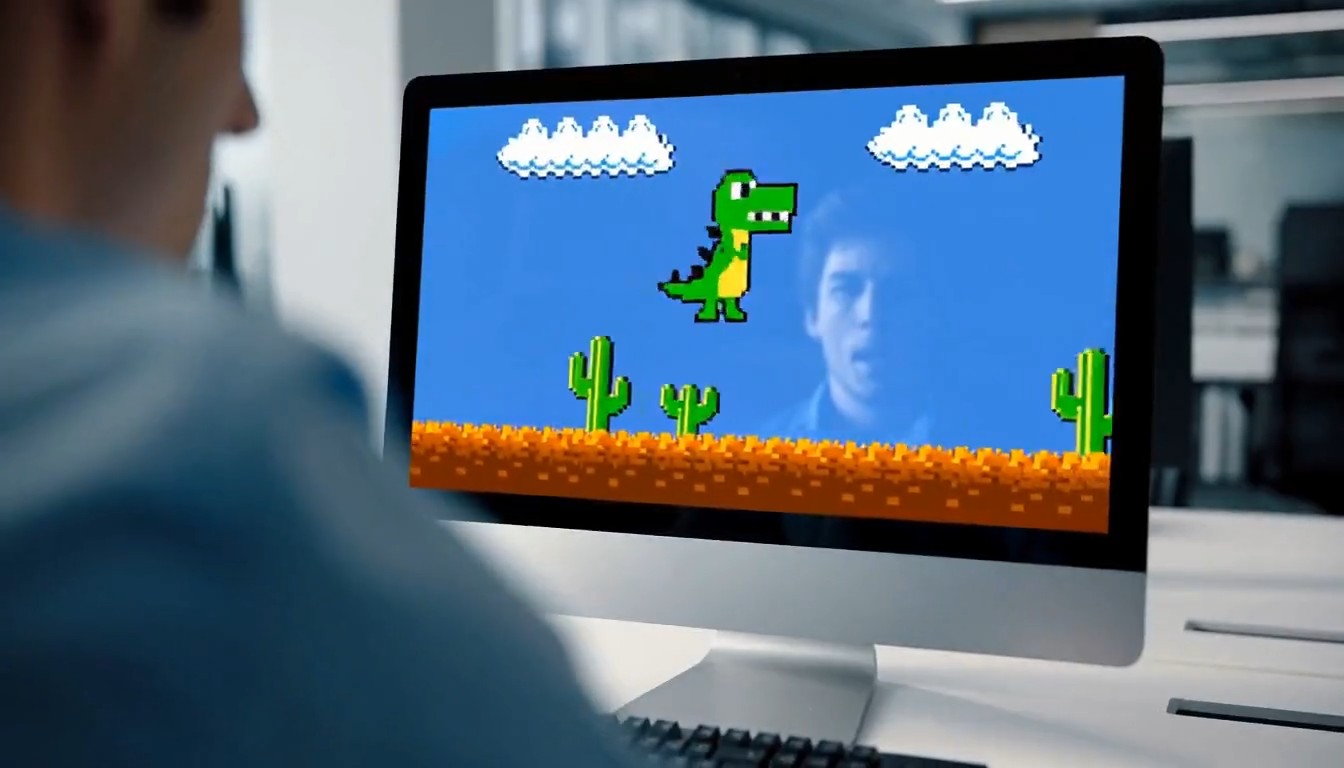
A 10-second cinematic office comedy scene with a strong tonal shift. Start with an intense, high-pressure atmosphere. A
A 10-second cinematic office comedy scene with a strong tonal shift. Start with an intense, high-pressure atmosphere. A young programmer sits in a modern office, seen in a close shot, staring nervously at his computer screen while typing rapidly on the keyboard. His body language is tense and focused. Cut to a tight close-up of his hands hitting the keyboard quickly and urgently. Then cut to a close-up of his face: serious eyes, tight jaw, intense concentration. Then an extreme close-up of sweat forming on his forehead, emphasizing the pressure and suspense. Next, the camera quickly pulls back to reveal the whole office. Multiple coworkers are also at their desks, all staring at their screens and furiously typing with the same intense, serious energy. The entire room feels like a high-stakes mission, with fast pacing, tense expressions, and dramatic urgency. Then suddenly, the mood flips. The first programmer throws both hands into the air and cheers in victory. One by one, the other office workers also begin celebrating, cheering, laughing, and reacting with exaggerated relief. The atmosphere transforms from tense and dramatic into lighthearted and absurd. For the final reveal, the camera quickly turns toward the computer screen and shows that they were all intensely playing a simple offline single-player video game. The reveal should be funny and unexpected. Style: cinematic, realistic office environment, expressive acting, dynamic editing, intense suspense at first, then humorous tonal shift, slightly exaggerated comedy, clean modern office, natural lighting, fast cuts, dramatic close-ups, polished commercial-like visuals, no subtitles, no text overlay.
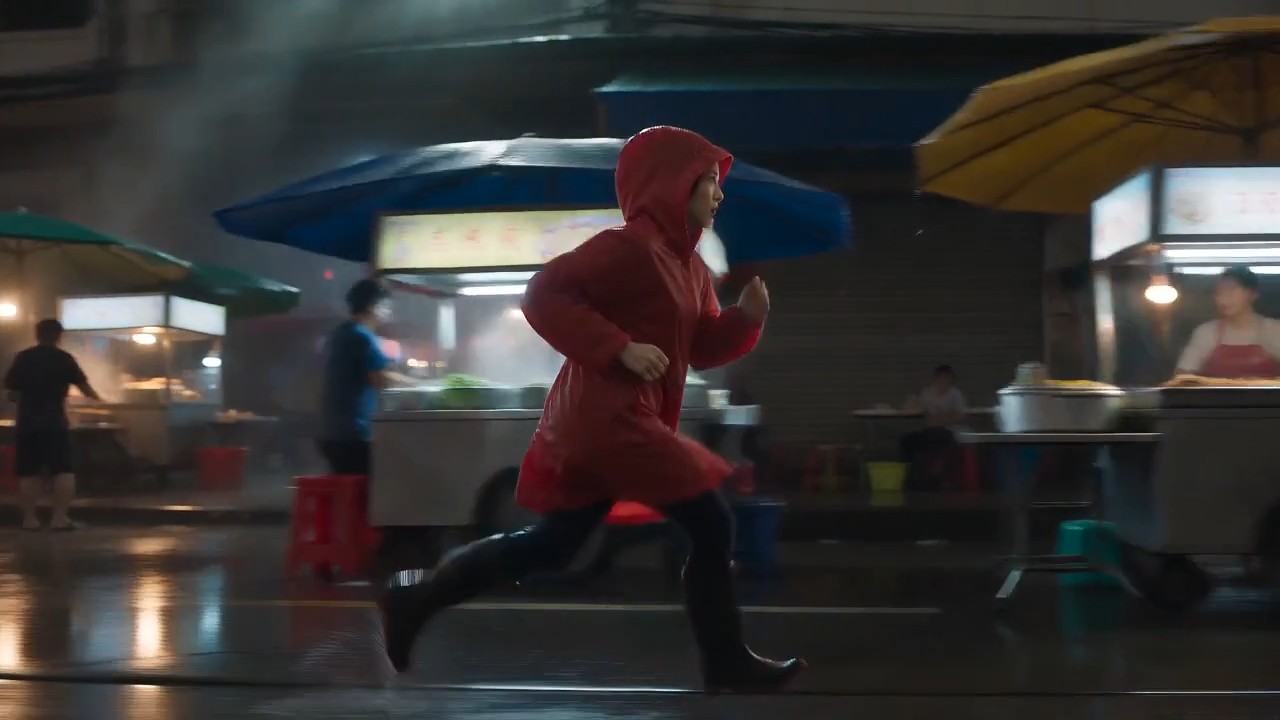
A lone female courier in a red raincoat runs through a rain-soaked night market, weaving between food stalls as the came
A lone female courier in a red raincoat runs through a rain-soaked night market, weaving between food stalls as the camera tracks beside her at waist height. Neon reflections ripple across wet pavement, steam drifts through frame, vendors turn as she passes, realistic footfalls, distant scooters, rain striking canvas awnings, tense cinematic score, natural motion blur, high-contrast thriller lighting, continuous
دليل كتابة الأوامر لـ MiniMax H3 مع أمثلة فيديو جاهزة للنسخ
استكشف وانسخ وخصّص وأنشئ باستخدام MiniMax H3
دليل كتابة الأوامر لـ MiniMax H3 مكتبة عملية للمبدعين الذين يريدون نتائج فيديو أقوى من دون كتابة كل أمر من الصفر. استعرض أمثلة أوامر MiniMax H3 للمشاهد السينمائية وإعلانات المنتجات وأداء الشخصيات والصوت الأصلي ومراجع الحركة وتحرير الفيديو الدقيق. استخدم الأمثلة كما هي أو استبدل الموضوع والمكان والكاميرا والصوت والأسلوب لتناسب فكرتك.

كيفية استخدام دليل كتابة الأوامر لـ MiniMax H3
حوّل الإلهام إلى مقطع مكتمل في ثلاث خطوات بسيطة. يربط دليل كتابة الأوامر لـ MiniMax H3 كل فكرة بأمثلة أوامر MiniMax H3 قابلة لإعادة الاستخدام، حتى تتعلم البنية وتخصّص التفاصيل وتبدأ الإنشاء بسرعة أكبر.

استعرض مثالًا لأمر
استكشف دليل كتابة الأوامر لـ MiniMax H3 حسب نوع المشهد أو الأسلوب البصري أو حركة الكاميرا أو فعل الشخصية أو التصميم الصوتي أو مهمة التحرير. عاين النتيجة المطابقة واختر أمثلة أوامر MiniMax H3 الأقرب إلى اتجاهك الإبداعي.

انسخ وخصّص
انسخ الأمر كاملًا، ثم غيّر الموضوع والموقع والمدة والتأطير والحركة والحوار والمؤثرات الصوتية أو المزاج. يحافظ هذا الدليل على وضوح بنية الأمر، بينما تظل أمثلة أوامر MiniMax H3 مرنة بما يكفي للمشروعات الأصلية.

افتح MiniMax H3 وأنشئ
انقر زر الأمر لفتح صفحة MiniMax H3 ووضع النص المحدد في مربع الإدخال. راجع المراجع وإعدادات الإنشاء، ثم أنشئ وقارن وحسّن. تجعل أمثلة أوامر MiniMax H3 الجديدة هذه المكتبة مفيدة للتجارب المتكررة.
أمثلة أوامر MiniMax H3 لمسارات عمل فيديو إبداعية
ينظم دليل كتابة الأوامر لـ MiniMax H3 أفكارًا قابلة لإعادة الاستخدام حول سير العمل متعدد الوسائط للنموذج. توضح أمثلة أوامر MiniMax H3 كيف تعمل تفاصيل الموضوع والحركة ولغة الكاميرا والإضاءة والصوت والتوقيت وتعليمات المراجع معًا. انسخ مثالًا، وحافظ على بنيته، واستبدل المتغيرات الإبداعية.
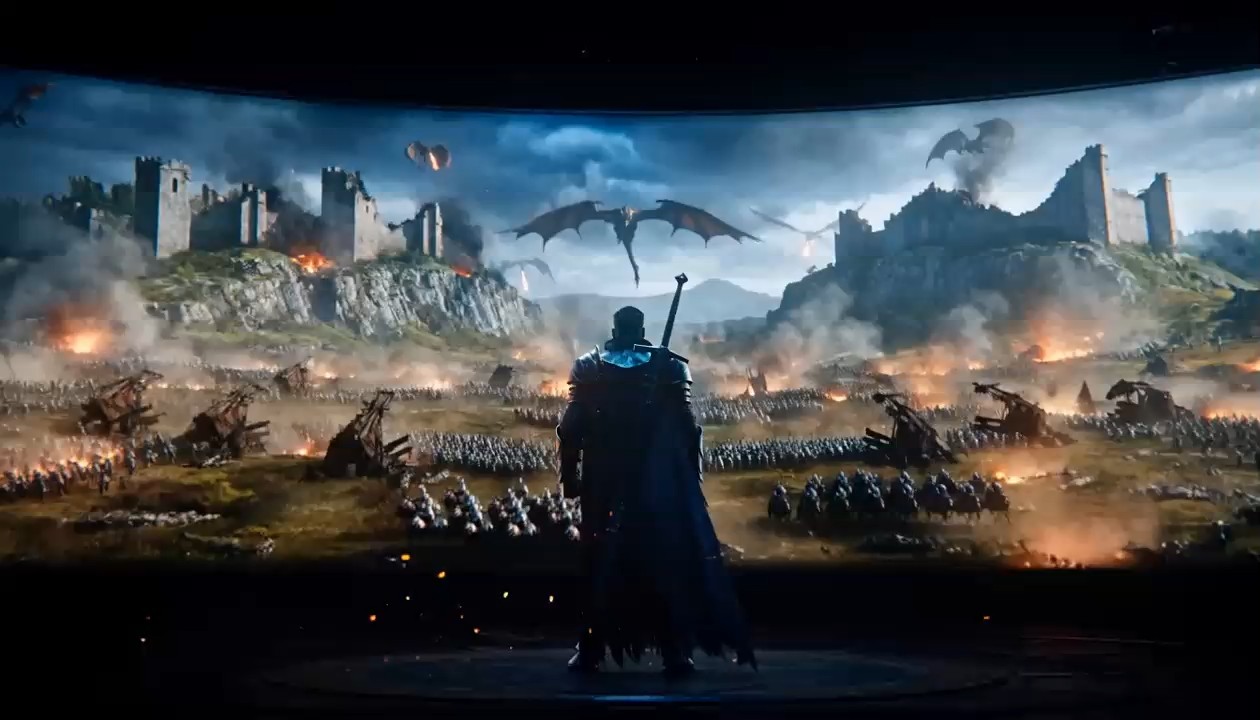
لقطة تتبّع سينمائية بصوت أصلي
- استخدم هذا المثال من دليل كتابة الأوامر لـ MiniMax H3 لتنسيق حركة الموضوع وتتبع الكاميرا وحركة البيئة والصوت المتزامن.
- تعمل أمثلة أوامر MiniMax H3 بأفضل شكل عندما يُذكر مسار الحركة وعلاقة الكاميرا بوضوح. يوصي الدليل بوصف مصادر الصوت داخل المشهد بدل طلبات غامضة مثل «صوت جيد».
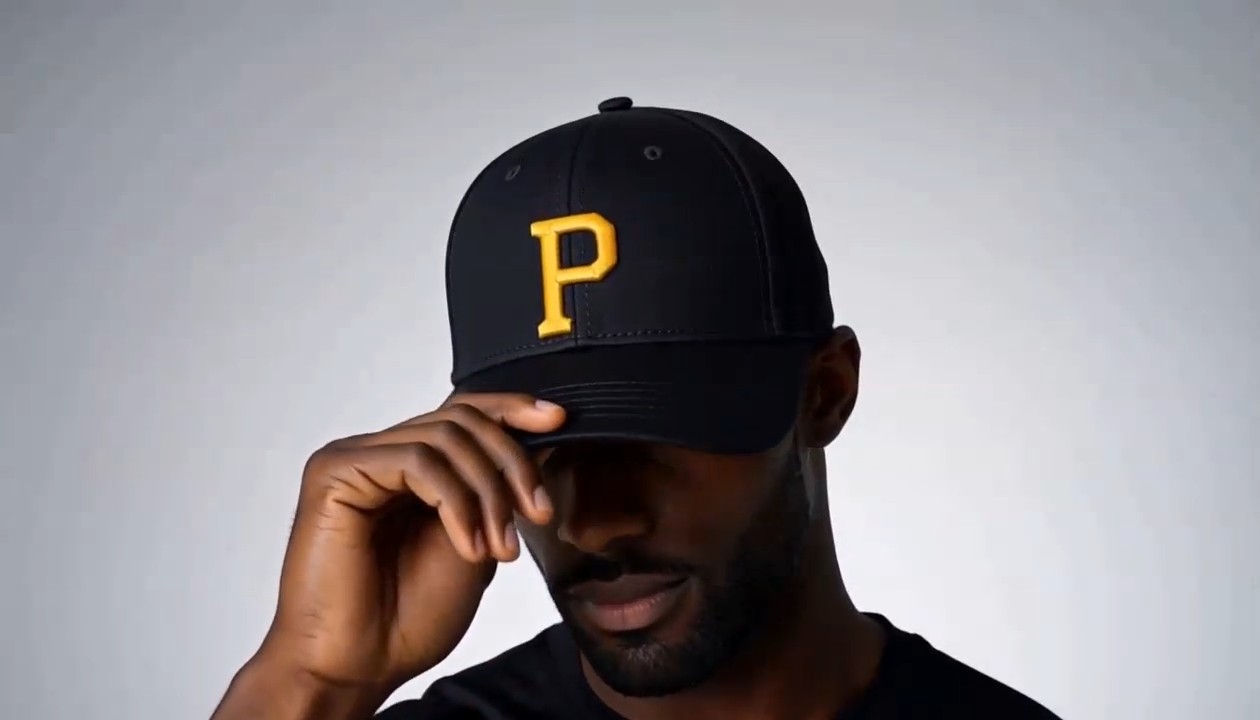
إعلان منتج بتحوّل مضبوط
صُمم هذا القسم من دليل كتابة الأوامر لـ MiniMax H3 لصور إعلانية نظيفة وحركة تتمحور حول العنصر.
استخدم أمثلة أوامر MiniMax H3 كهذا المثال لتحديد مادة المنتج وترتيب التحول ومسار الكاميرا والوضعية النهائية وإشارات الصوت. ويقترح الدليل أيضًا تحديد ما يجب ألا يظهر لحماية التكوين البسيط.
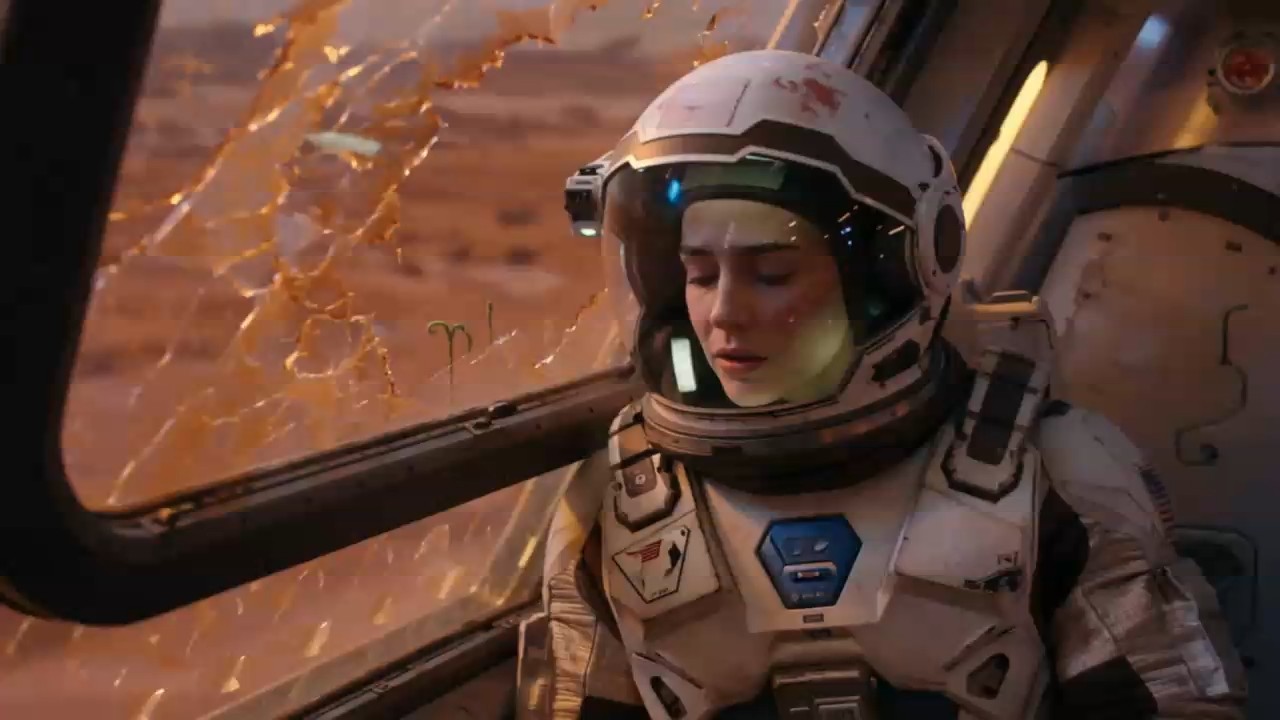
أداء الشخصية والحوار المنطوق
اختر هذا المثال من دليل كتابة الأوامر لـ MiniMax H3 عندما يجب أن تترابط تعابير الوجه ولغة الجسد والحوار والأجواء.
تحدد أمثلة أوامر MiniMax H3 المتحدث والعبارة الدقيقة والعاطفة وتوقيت الكاميرا وصوت الخلفية. ويفضّل الدليل حوارًا قصيرًا يناسب مدة المقطع بسهولة.
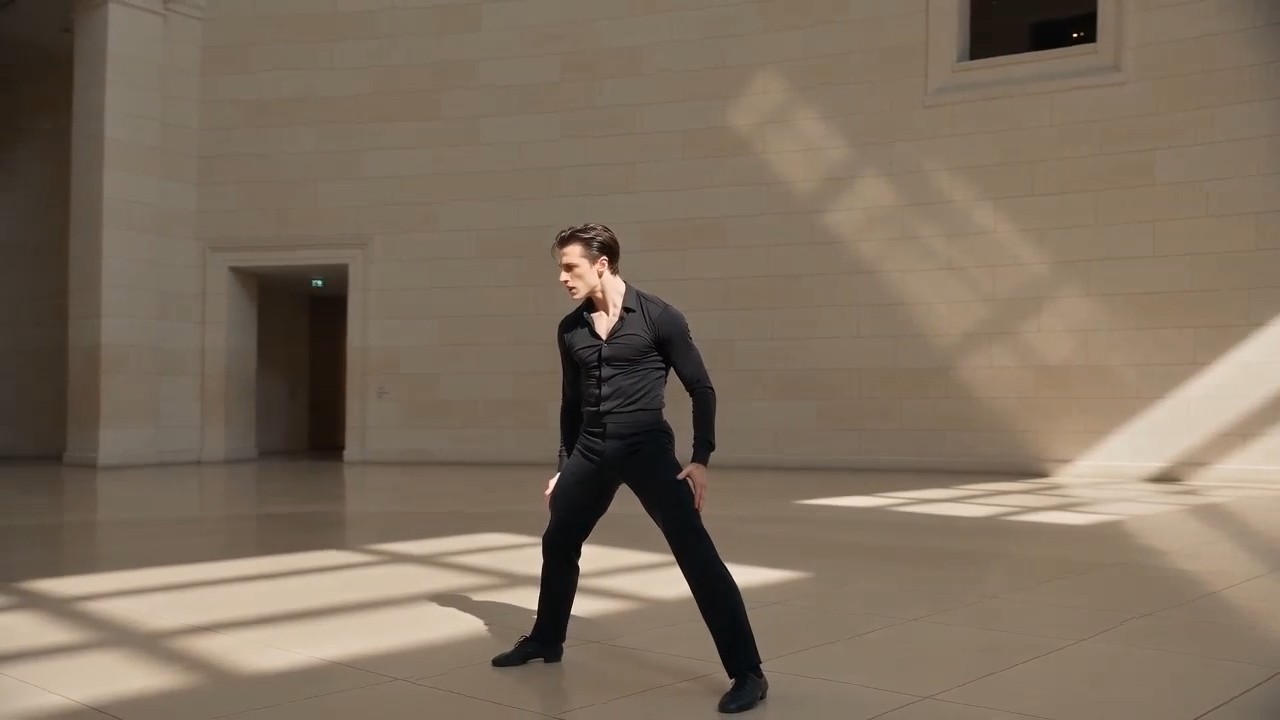
نقل مرجع الحركة والكاميرا
استخدم سير العمل في دليل كتابة الأوامر لـ MiniMax H3 مع صورة للشخصية وفيديو مرجعي يوضح تصميم الحركة ومسار الكاميرا المطلوب.
ينبغي أن تمنح أمثلة أوامر MiniMax H3 كل مرجع غرضًا واضحًا. يتجنب الدليل مطالبة ملف واحد بالتحكم في الهوية والحركة والأسلوب والصوت في الوقت نفسه.
الأسئلة الشائعة حول دليل كتابة الأوامر لـ MiniMax H3
اعثر على إجابات عملية حول استخدام دليل كتابة الأوامر لـ MiniMax H3 وتعديل أمثلة أوامر MiniMax H3 وتنظيم المراجع وكتابة تعليمات أوضح للإنشاء أو التحرير.
دليل كتابة الأوامر لـ MiniMax H3 مكتبة منتقاة من الأوامر المقترنة بنتائج فيديو وشروحات عملية. يساعدك على فهم كيفية جمع الأمر الكامل بين الموضوعات والأفعال والبيئات ولغة الكاميرا والإضاءة والتوقيت والصوت والحوار وأدوار المراجع. لا تتعامل مع أمثلة أوامر MiniMax H3 كقوالب ثابتة، بل كبنى مجرّبة يمكن تكييفها مع مشاهد جديدة.
نعم. صُمم كل قسم في دليل كتابة الأوامر لـ MiniMax H3 ليُنسخ ويُستخدم نقطة بداية. يمكنك فتح المولّد من بطاقة الأمر ووضع النص في مربع الإدخال. قبل الإنشاء، راجع أمثلة أوامر MiniMax H3 واستبدل التفاصيل التي لا تتوافق مع الموضوع أو الملفات أو المدة أو نسبة العرض أو الأسلوب الإبداعي المقصود.
تبدأ البنية المفيدة بالموضوع والمكان، ثم الحركة والكاميرا والأسلوب البصري والإضاءة والتسلسل الزمني والصوت والحوار والتنسيق والقيود. يستخدم دليل كتابة الأوامر لـ MiniMax H3 هذا الترتيب لأن لكل تعليمات دورًا واضحًا. ادرس عدة أمثلة أوامر MiniMax H3 لترى كيف تبقى الأوامر المفصلة سهلة القراءة عند تجميع المعلومات المترابطة بدل تكرارها.
حدّد ما يجب أن يتحكم فيه كل ملف. قد تحدد الصورة هوية الشخصية أو التكوين، وقد يوجّه الفيديو الأداء أو حركة الكاميرا، وقد يوجّه الصوت النبرة أو الإيقاع أو الأجواء. يوضح دليل كتابة الأوامر لـ MiniMax H3 هذه العلاقات بلغة واضحة. تتجنب أمثلة أوامر MiniMax H3 الجيدة تعارض أدوار المراجع وتشرح المصدر صاحب الأولوية عند اختلاف الإشارات.
صِف تفاصيل الهوية الثابتة والملابس والبيئة وتصميم العناصر والتأطير قبل وصف الحركة. أضف قيودًا لما يجب أن يبقى دون تغيير، خصوصًا أثناء التحولات أو التحرير. يوصي دليل كتابة الأوامر لـ MiniMax H3 أيضًا بتسلسل حركة واضح بدل أحداث غير مترابطة. قارن نتيجتك بأمثلة أوامر MiniMax H3، ثم عدّل أصغر تعليمات غير مؤكدة أولًا.
نعم. يتضمن دليل كتابة الأوامر لـ MiniMax H3 مسارات عمل للإنشاء والتحرير. عند التحرير، حدّد بدقة الشخص أو العنصر أو الخلفية أو الضوء أو الحوار أو الصوت أو المؤثر المراد تغييره، ثم احمِ كل شيء آخر. تستخدم أمثلة أوامر MiniMax H3 عبارات مثل «استبدل فقط» و«اترك دون تغيير» و«حافظ على التوقيت» لتقليل التغييرات غير المقصودة.
كيف يستخدم المبدعون دليل كتابة الأوامر لـ MiniMax H3
يستخدم المبدعون في الإنتاج والإعلان ومنصات التواصل والتصميم والسرد دليل كتابة الأوامر لـ MiniMax H3 للانتقال من فكرة إلى أمر منظم. توضح آراؤهم أن أمثلة أوامر MiniMax H3 تدعم اختبارات أسرع واتجاهًا إبداعيًا أوضح.
يمنحني دليل كتابة الأوامر لـ MiniMax H3 بنية بداية موثوقة للكاميرا والحركة والصوت. يمكنني تكييف أمثلة أوامر MiniMax H3 مع أفكار العملاء من دون إعادة بناء وصف كل لقطة.
أستخدم دليل كتابة الأوامر لـ MiniMax H3 لتحويل موجزات المنتجات إلى اختبارات بصرية قصيرة. تجعل أمثلة أوامر MiniMax H3 شرح التحولات واللقطات النهائية البارزة أسهل بكثير.
أقوى ما في دليل كتابة الأوامر لـ MiniMax H3 هو فصل مراجع الهوية والحركة والكاميرا والصوت. تساعدني أمثلة أوامر MiniMax H3 على تجنب التعليمات المختلطة.
يمكنني نسخ مشهد من دليل كتابة الأوامر لـ MiniMax H3 واستبدال بعض المتغيرات الإبداعية واختباره فورًا. أمثلة أوامر MiniMax H3 عملية بما يكفي لإنتاج المحتوى الاجتماعي يوميًا.
في مشاهد الشخصيات، يذكّرني دليل كتابة الأوامر لـ MiniMax H3 بتحديد العاطفة وطول الحوار وتوقيت الكاميرا والأجواء معًا. تنتج أمثلة أوامر MiniMax H3 هذه تجارب أكثر قصدًا.
قسم التحرير في دليل كتابة الأوامر لـ MiniMax H3 مفيد خصوصًا. توضح أمثلة أوامر MiniMax H3 كيف أحمي اللقطة الأصلية عند طلب تغيير بصري أو صوتي واحد محدد.






ما الذي يمكنك إنشاؤه باستخدام أمثلة أوامر MiniMax H3
استخدم دليل كتابة الأوامر لـ MiniMax H3 لاستكشاف إبداعي سريع أو تخطيط جاهز للإنتاج. تغطي أمثلة أوامر MiniMax H3 أهداف الفيديو الشائعة مع ترك مساحة لعلامات وقصص وموضوعات وتنسيقات وملفات مرجعية مختلفة.

مشاهد سينمائية
أنشئ لقطات غنية بالأجواء مع حركة كاميرا مضبوطة وفعل جسدي وتغيرات إضاءة وحوار وأصوات محيطة وموسيقى. يساعد دليل كتابة الأوامر لـ MiniMax H3 على تنظيم المشاهد المعقدة، بينما تكشف أمثلة أوامر MiniMax H3 أثر كل تعليمات في التسلسل النهائي.

إعلانات وفيديوهات منتجات
أنشئ عروض منتجات وتحولات ولقطات مقرّبة للخامات وإعلانات أسلوب حياة ومقاطع اجتماعية للعلامات. استخدم دليل كتابة الأوامر لـ MiniMax H3 لتحديد ترتيب العرض وإشارات الصوت، ثم خصّص أمثلة أوامر MiniMax H3 لمنتجك وحملتك.

مراجع الشخصية والحركة
وجّه الهوية والأداء وتصميم الحركة وحركة الكاميرا والصوت أو إيقاع التحرير بملفات مرجعية منفصلة. يوضح دليل كتابة الأوامر لـ MiniMax H3 أدوار الملفات، وتبين أمثلة أوامر MiniMax H3 كيفية جمع المراجع من دون إضعاف التحكم الإبداعي.

تحرير الفيديو والصوت
استبدل أو حسّن أشخاصًا أو عناصر أو أماكن أو مؤثرات أو حوارات أو أصواتًا أو أجواء محددة مع حماية بقية المقطع. يركز دليل كتابة الأوامر لـ MiniMax H3 على التعليمات المستهدفة، وتوفر أمثلة أوامر MiniMax H3 لغة تحرير واضحة.
حوّل أمثلة أوامر MiniMax H3 إلى فيديوك التالي
اختر فكرة من دليل كتابة الأوامر لـ MiniMax H3، وانسخ الأمر، وخصّص التفاصيل الإبداعية، ثم افتح MiniMax H3 لإنشاء النتيجة. ابدأ بأمثلة أوامر MiniMax H3 مجرّبة واقضِ وقتًا أطول في تحسين الفيديو بدل التحديق في مربع أمر فارغ.
