25 Gemini Hairstyle Prompts for Men and Women (2026)
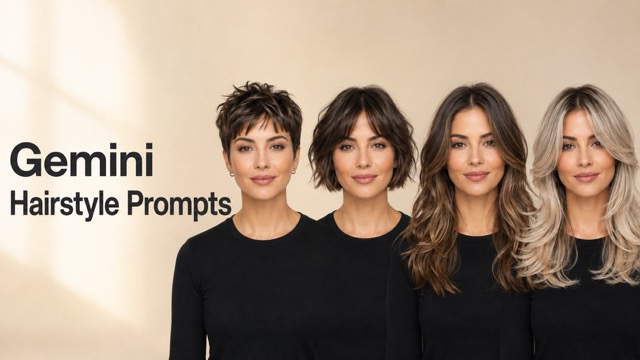
Preview a new haircut before making it permanent. This guide includes 25 copy-ready Gemini hairstyle prompts for women, men, hair colors, and side-by-side comparisons, plus practical tips for preserving your face, hairline, lighting, and photo realism.
A haircut can look perfect in a reference photo and completely different on your own face. Hair texture, forehead height, jawline, volume, and even the angle of a selfie can change the result. Gemini hairstyle prompts make it easier to preview a cut or color on your photo before you visit a salon, book a barber, or commit to a dramatic change.
The wording matters. A short request such as “give me a bob” leaves too much open to interpretation and may change your face, lighting, pose, or background. A useful prompt defines the hairstyle and clearly tells the image model what must remain untouched. Below, you will find 25 copy-and-paste prompts for popular women’s and men’s hairstyles, realistic colors, and multi-look comparisons.
What Is a Gemini Hairstyle Prompt?
A Gemini hairstyle prompt is a set of image-editing instructions used with an uploaded portrait. Instead of creating a different person, the prompt asks the model to preserve the subject’s identity while changing selected hair details such as:
- Length and silhouette
- Fringe or bang style
- Curl or coil pattern
- Fade and taper placement
- Hair color and highlight technique
- Volume, shine, and finish
- Hairline and strand realism
The most reliable prompts separate the requested change from the protected parts of the original photo. In simple terms, tell Gemini what to edit, what to preserve, and how the finished hair should interact with the head, face, and light.
A Simple Formula for Better Hairstyle Prompts
Use this structure when writing your own prompt:
Uploaded photo + exact hairstyle + length + texture + color + hairline behavior + lighting match + identity-preservation instructions + realism requirements
For example:
Edit the uploaded portrait and change only the hair to a shoulder-length layered lob with soft curtain bangs, a natural wavy texture, and warm chestnut brown color. Fit the hairstyle accurately around the existing head shape and hairline. Keep the exact face, facial proportions, skin tone, expression, pose, clothing, background, camera angle, crop, and lighting unchanged. Render realistic individual strands, natural shadows, and clean edges with no wig-like appearance.
This formula gives the model enough direction without filling the prompt with unrelated styling instructions.
How to Use Gemini Hairstyle Prompts
1. Upload a Clear Portrait
Choose a sharp, well-lit photo in which your face, hairline, ears, and current hair shape are visible. A front-facing or slight three-quarter portrait is usually easier to edit than a profile photo.
Avoid hats, hands covering the hair, strong beauty filters, motion blur, and deep shadows across the forehead.
2. Copy and Customize a Prompt
Select one of the prompts below and change any relevant details, such as hair color, length, curl pattern, fade height, parting, or finish.
Keep the identity-preservation instructions in place, especially when you want to compare multiple styles fairly.
3. Generate, Inspect, and Refine
Check the face, temples, hairline, ears, shadows, and background before judging the hairstyle itself.
If the identity changes, simplify the request and repeat the preservation instructions. If the hair looks pasted on, ask for individual strands, natural roots, realistic volume, and shadows that follow the original lighting.
Gemini Hairstyle Prompts for Women
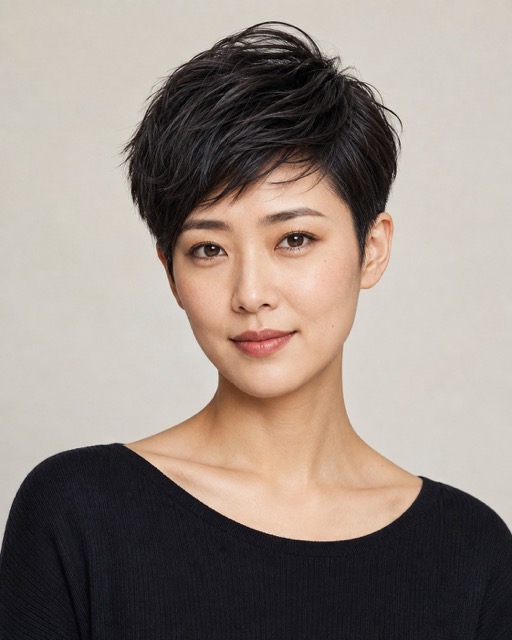
1. Modern Textured Pixie Cut
Edit the uploaded portrait and change only the hairstyle to a modern textured pixie cut. Create short, softly layered hair with slightly longer pieces on top, subtle side-swept texture, neat tapered sides, and natural movement. Adapt the cut to the existing head shape and hairline. Keep the exact face, facial proportions, skin tone, expression, body, pose, outfit, background, crop, and lighting unchanged. Make every edge and strand photorealistic, with no wig-like volume or altered facial features.
2. Chin-Length French Bob
Replace only the hair with a chic chin-length French bob. Add a softly rounded silhouette, light internal texture, subtly tucked ends, and short airy bangs that sit naturally above the eyebrows. Preserve the original hair color unless a change is required to complete the style. Keep the person’s identity, face, expression, skin tone, pose, clothing, background, camera angle, and lighting exactly the same. Ensure the bob follows the jawline naturally and has realistic roots, strands, and shadows.
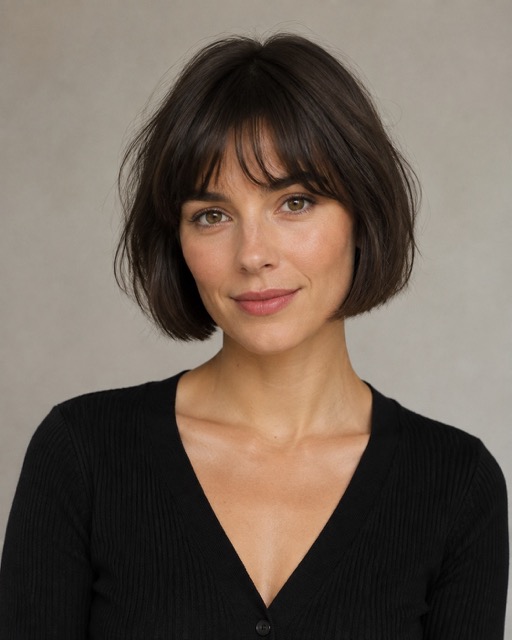
3. Long Layers with Curtain Bangs
Change only the hairstyle to long, face-framing layers with soft curtain bangs parted at the center. Let the shortest layers begin near the cheekbones and blend gradually into the longer hair. Add natural movement and balanced volume without covering the face. Preserve the exact face, facial structure, skin, expression, body, outfit, background, framing, and lighting. Match the original hair color and texture, and render believable strands around the forehead and temples.
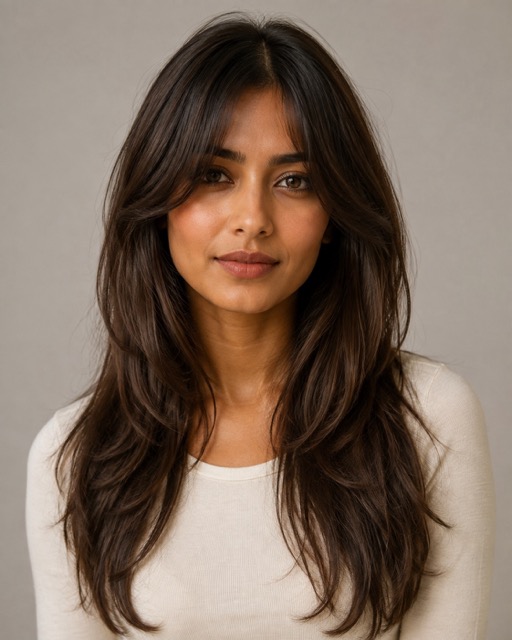
4. Voluminous Butterfly Cut
Apply a voluminous butterfly haircut to the uploaded person while changing nothing except the hair. Create airy face-framing layers, shorter pieces around the cheekbones and jaw, longer flowing layers at the back, and a polished salon blowout with soft outward movement. Keep the original face, identity, skin tone, expression, pose, outfit, background, and lighting unchanged. Maintain a realistic hairline, natural density, and detailed strands without excessive or artificial volume.
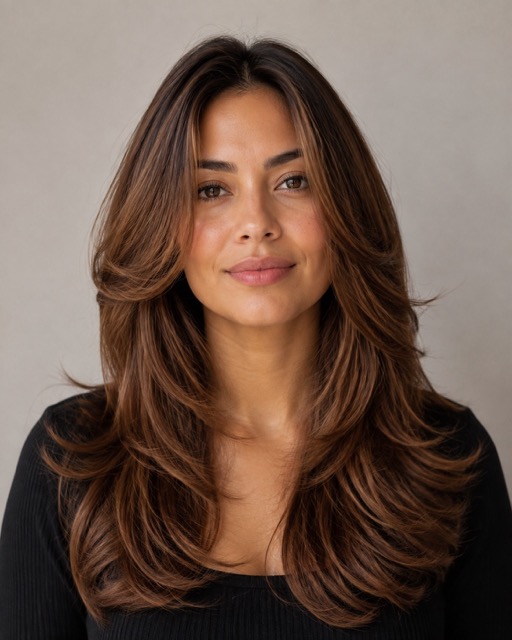
5. Soft Wolf Cut
Transform only the hairstyle into a soft wolf cut with layered volume around the crown, wispy face-framing pieces, textured mid-lengths, and lightly feathered ends. Keep the look wearable rather than extreme, and match the cut to the person’s head shape and natural hair density. Preserve the exact face, expression, skin tone, body, pose, clothing, background, crop, and lighting. Use realistic strand separation, roots, and shadows, with no changes to facial identity.
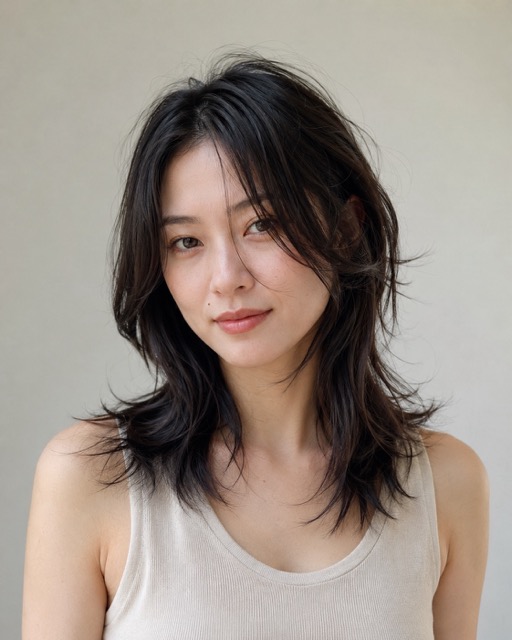
6. Long Layered Waves
Change only the hair to long layered waves with gentle S-shaped movement, soft face-framing pieces, and natural volume through the mid-lengths and ends. Keep the waves defined but touchable, with a healthy low-gloss finish rather than an artificial shine. Preserve the person’s exact face, facial proportions, expression, skin tone, pose, outfit, background, framing, and original lighting. Make the hair fall naturally over the shoulders with detailed strands and believable shadows.
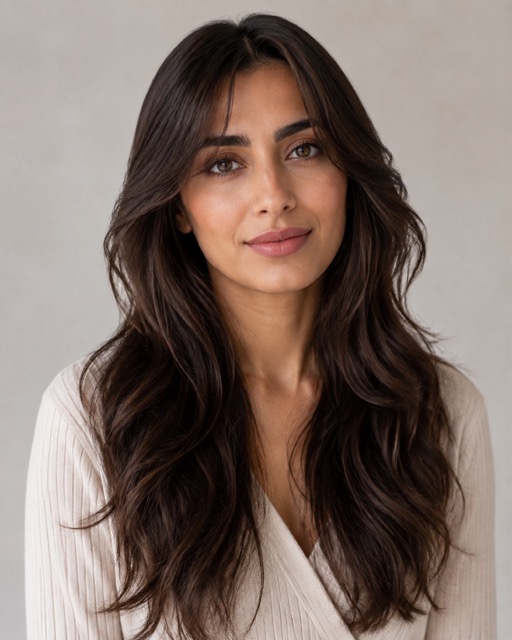
7. Neat Medium Box Braids
Replace only the hairstyle with medium-width box braids arranged in clean, evenly spaced sections. Give each braid realistic texture, consistent thickness, natural weight, and subtle variation. Fit the parting pattern and edges accurately to the existing scalp and hairline. Keep the exact face, skin tone, expression, body, pose, outfit, background, camera angle, and light unchanged. Avoid blurred braid patterns, extra braids, distorted ears, or an artificial hairline.
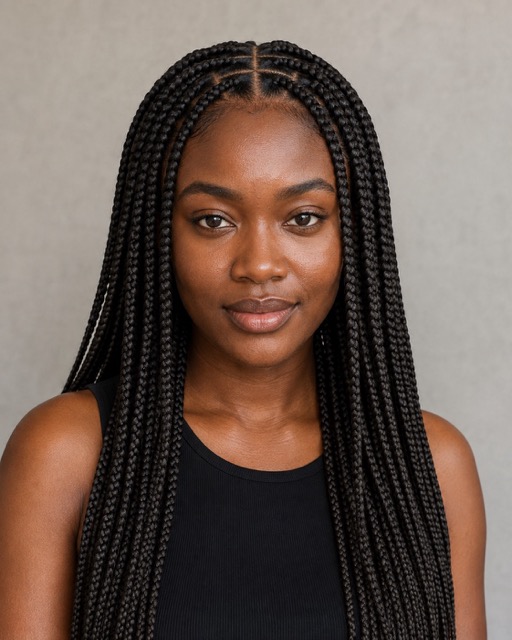
8. Defined Natural Afro Coils
Edit only the hair and create defined natural afro coils with realistic shrinkage, balanced volume, visible coil detail, and a softly rounded silhouette. Respect the existing hairline and make the density believable from roots to ends. Do not smooth the texture into generic curls. Preserve the exact face, identity, skin texture, expression, body, pose, outfit, background, crop, and lighting. Add natural edge detail and subtle strand variation without changing any facial feature.
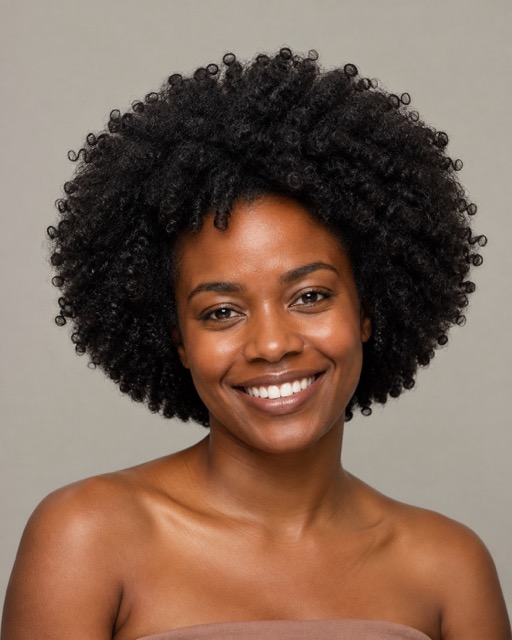
9. Sleek High Ponytail
Change only the hairstyle to a sleek high ponytail positioned at the crown. Smooth the hair cleanly toward the base while preserving a natural hairline and a few subtle baby hairs. Give the ponytail realistic length, weight, and movement, with softly polished texture and light reflections that match the source photo. Keep the exact face, expression, skin tone, ears, pose, clothing, background, framing, and lighting unchanged. Avoid an overly tight scalp or plastic-looking shine.
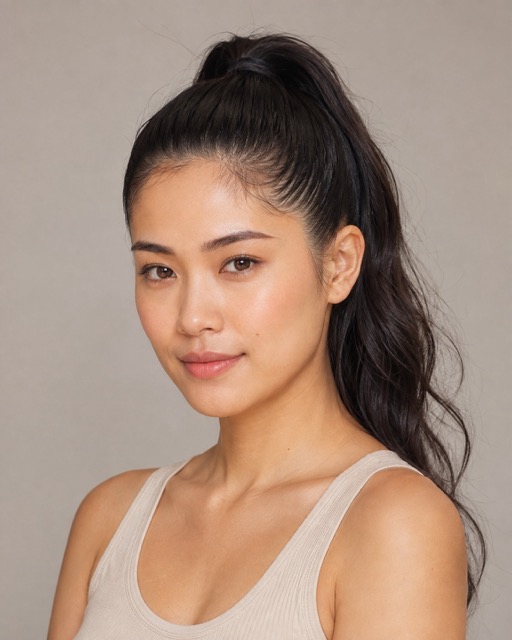
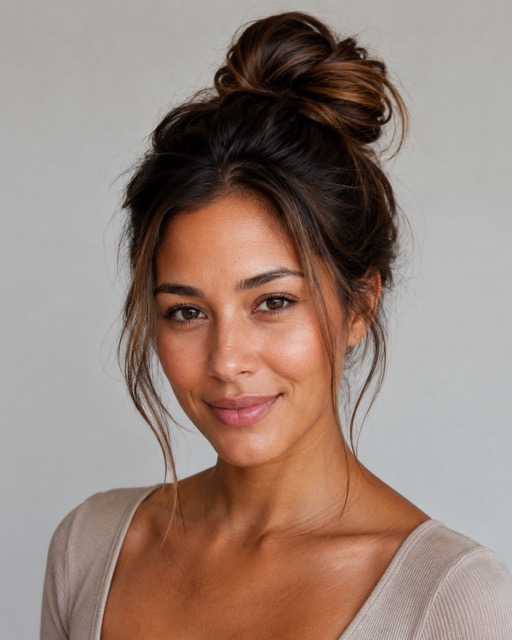
10. Relaxed Messy Bun
Replace only the hairstyle with a relaxed messy bun placed slightly above the back of the head. Include soft volume, naturally overlapping sections, a few delicate flyaways, and loose face-framing strands. Keep the result intentional and elegant rather than untidy. Preserve the exact face, skin tone, expression, body, pose, outfit, background, crop, and lighting. Maintain a believable hairline, consistent strand texture, and realistic shadows around the neck and ears.
Gemini Hairstyle Prompts for Men
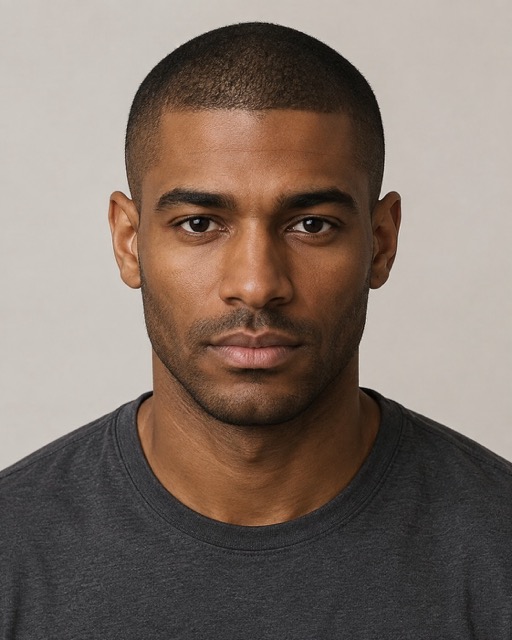
11. Clean Buzz Cut
Edit the uploaded portrait and change only the hairstyle to a clean, evenly trimmed buzz cut. Show realistic short stubble across the scalp, a natural hairline, subtle density variation, and a tidy finish that follows the head shape. Keep the exact face, facial hair, skin tone, expression, ears, pose, outfit, background, camera angle, and lighting unchanged. Avoid an unnaturally sharp painted hairline, bald patches, or changes to the forehead and facial proportions.
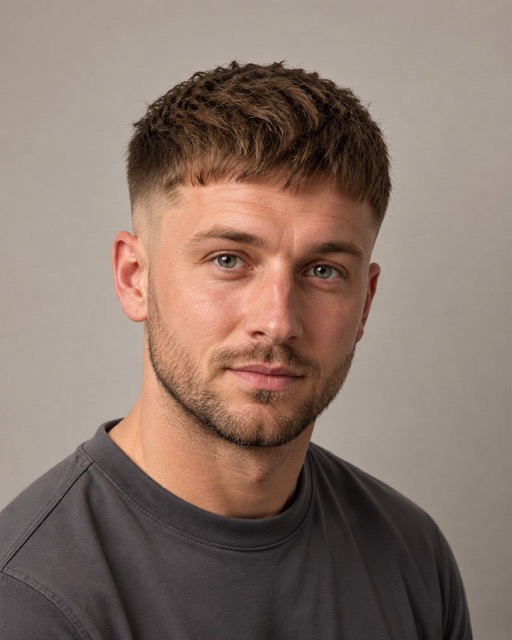
12. Textured Crop with Low Fade
Change only the hair to a modern textured crop with short layered texture on top, a softly defined fringe, and a clean low fade around the temples and nape. Blend the transition gradually and preserve a natural hairline. Keep the person’s exact face, facial hair, expression, skin tone, head shape, outfit, background, crop, and lighting unchanged. Render realistic strands and barber-clean edges without altering the ears, forehead, or jawline.
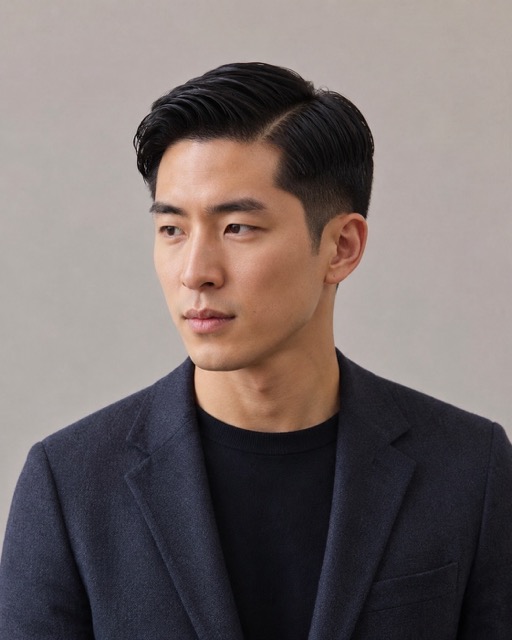
13. Classic Side Part with Taper
Replace only the hairstyle with a classic side part and a neat low taper. Create moderate volume on top, a clearly defined but natural part, softly combed texture, and gradually shorter sides. Match the original hair color and source lighting. Preserve the exact face, identity, facial hair, skin tone, expression, pose, outfit, background, and camera angle. Keep the result polished and realistic, with no glossy helmet effect or artificial hairline.
14. Natural Slicked-Back Hair
Change only the hairstyle to a medium-length slicked-back look with controlled volume, visible combed strands, and a soft natural sheen. The hair should move backward from the forehead without appearing wet, stiff, or flattened against the scalp. Preserve the exact face, facial hair, skin tone, expression, ears, pose, clothing, background, framing, and lighting. Maintain a realistic front hairline and add shadows that follow the original light direction.
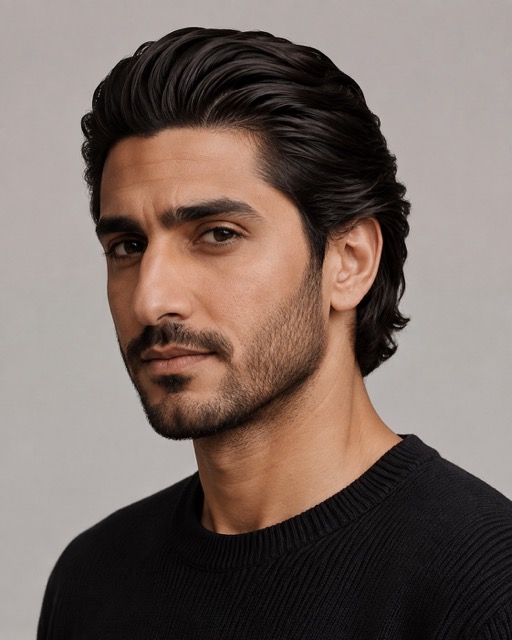
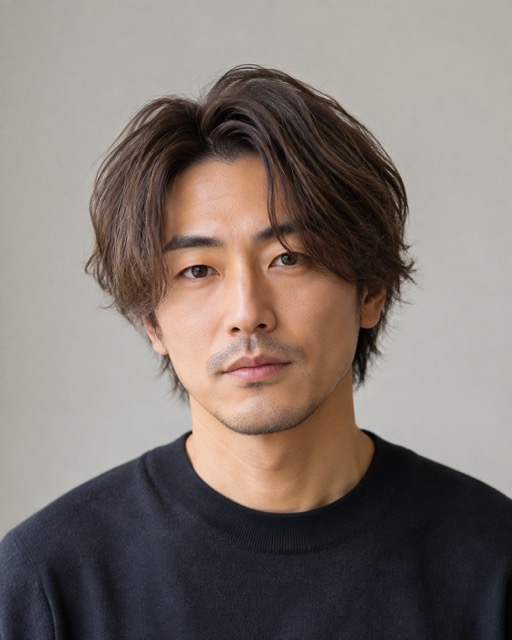
15. Korean Two-Block Cut
Edit only the hair into a Korean two-block cut with softly layered length on top, a natural center-parted fringe, gentle volume around the crown, and shorter neatly tapered sides underneath. Keep the finish light and wearable with realistic strand separation. Preserve the person’s exact face, facial proportions, skin tone, expression, pose, outfit, background, crop, and lighting. Do not change the forehead, eyes, jawline, or overall identity.
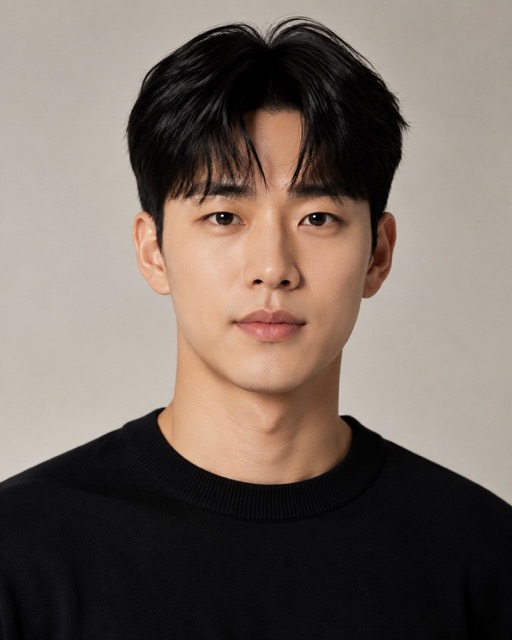
16. Curly Undercut
Replace only the hairstyle with a curly undercut. Create defined natural curls with balanced volume on top and clean, closely tapered sides, blending the boundary smoothly around the temples. Retain the person’s natural hair color and realistic curl density. Keep the exact face, facial hair, skin tone, expression, pose, outfit, background, camera angle, and lighting unchanged. Avoid duplicated curls, distorted edges, or changes to the hairline and ears.
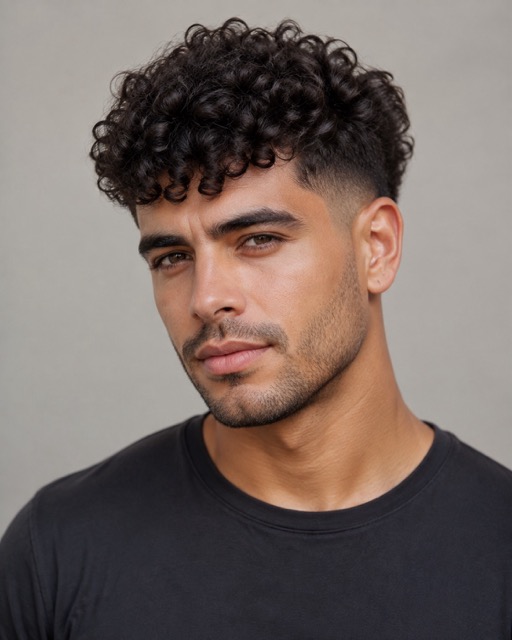
17. Straight-Back Cornrows
Change only the hairstyle to clean straight-back cornrows with precise, symmetrical sections and realistic braided texture. Make the braids follow the curvature of the scalp and continue naturally toward the back of the head. Preserve a believable hairline and small strand details at the roots. Keep the exact face, skin tone, facial hair, expression, pose, outfit, background, framing, and lighting unchanged. Avoid uneven parting, merged braids, or altered head proportions.
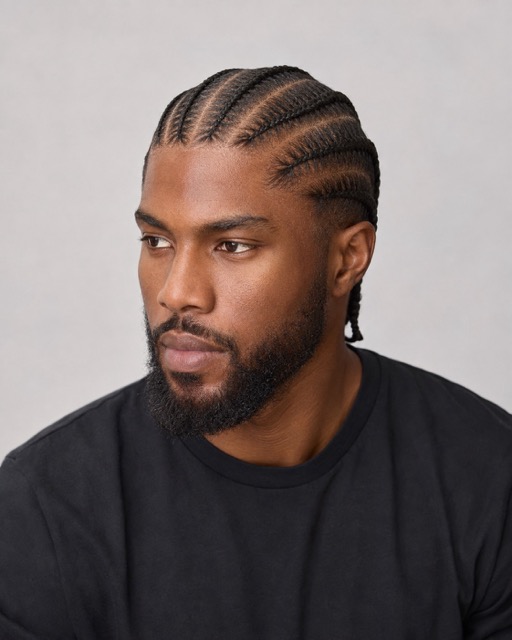
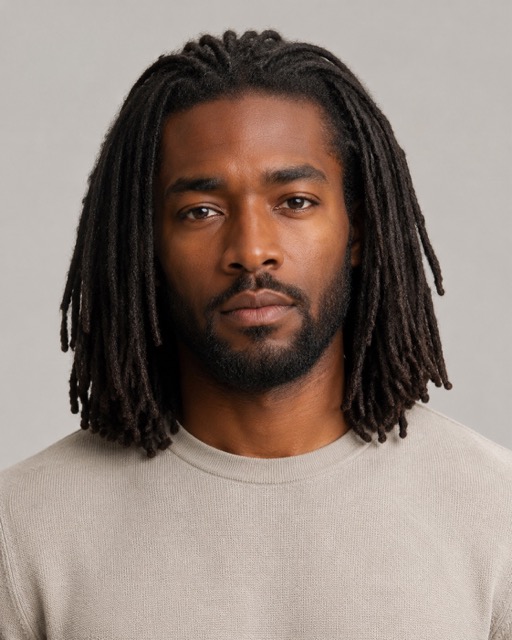
18. Shoulder-Length Locs
Edit only the hair and create shoulder-length locs with natural thickness variation, detailed texture, believable weight, and relaxed movement around the face and shoulders. Arrange the locs so they do not obscure important facial features. Keep the original hair color unless otherwise specified. Preserve the exact face, facial hair, skin tone, expression, body, pose, clothing, background, crop, and lighting. Maintain natural roots and avoid repeated or fused strand patterns.
Gemini Hair Color Prompts
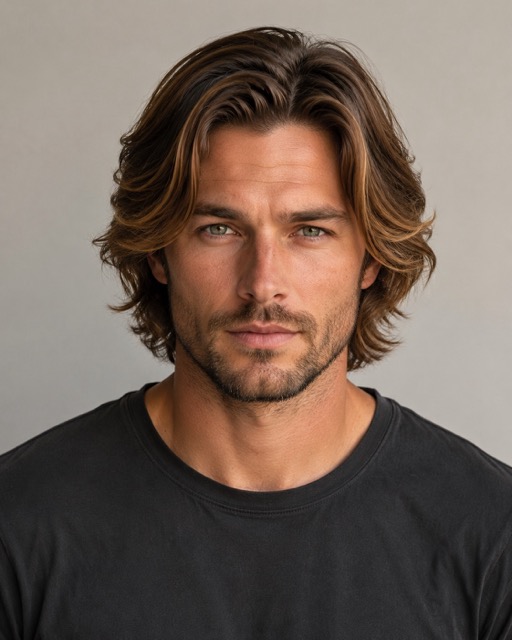
19. Warm Caramel Balayage
Keep the existing haircut, length, texture, face, pose, outfit, background, and lighting unchanged. Change only the hair color to a warm caramel balayage with a natural darker root, subtle face-framing brightness, and a gradual blend from the mid-lengths to the ends. Preserve realistic tonal variation instead of applying one flat color. Match the highlights to the original light direction and retain individual strand detail, natural shadows, and the exact facial identity.
20. Cool Ash Brown
Change only the hair color to a dimensional cool ash brown. Remove red, orange, and brassy tones while keeping soft taupe-brown variation wherever the light touches the hair. Preserve the original haircut, texture, length, hairline, face, skin tone, expression, pose, outfit, background, crop, and lighting. Make the color look naturally dyed rather than filtered, with realistic roots, strand detail, and consistent highlights.
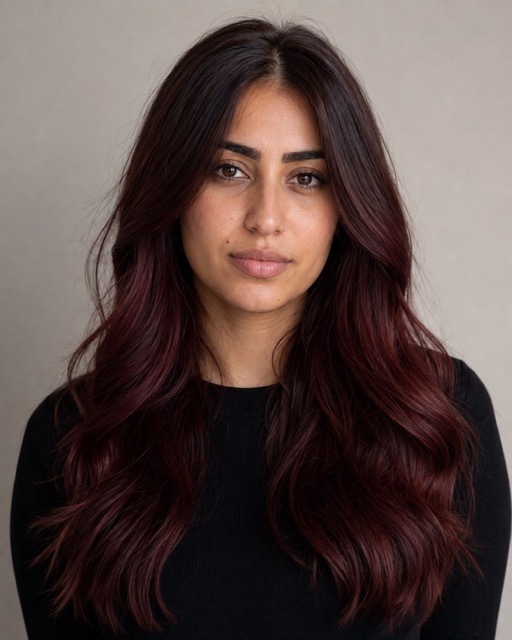
21. Deep Cherry Cola
Keep every part of the uploaded photo unchanged except the hair color. Apply a deep cherry-cola shade with a dark brunette base and restrained burgundy-red reflections visible mainly in brighter areas. Avoid neon red, orange, or flat purple tones. Preserve the exact haircut, texture, face, skin tone, expression, pose, clothing, background, and original lighting. Maintain natural color depth, realistic roots, and detailed individual strands.
22. Cool Platinum Blonde
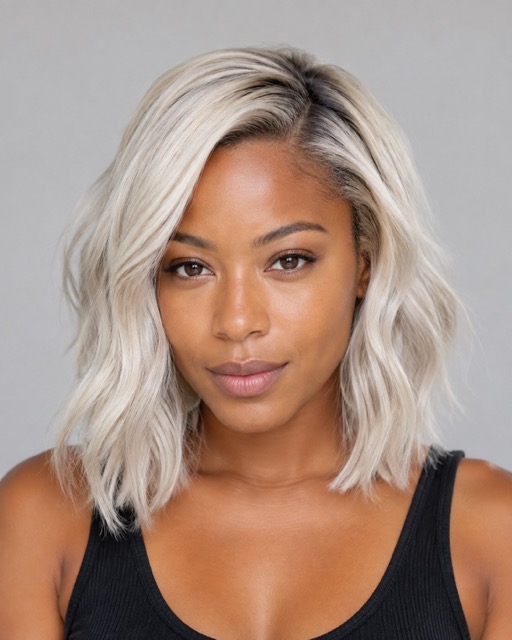
Change only the hair color to a cool platinum blonde with near-white highlights, very subtle silver undertones, and softly darker roots for natural depth. Do not introduce yellow or brassy areas. Keep the original hairstyle, texture, length, hairline, face, skin tone, expression, pose, outfit, background, crop, and lighting exactly the same. Preserve strand detail and realistic shadows so the result does not look like a white overlay.
23. Soft Pastel Pink
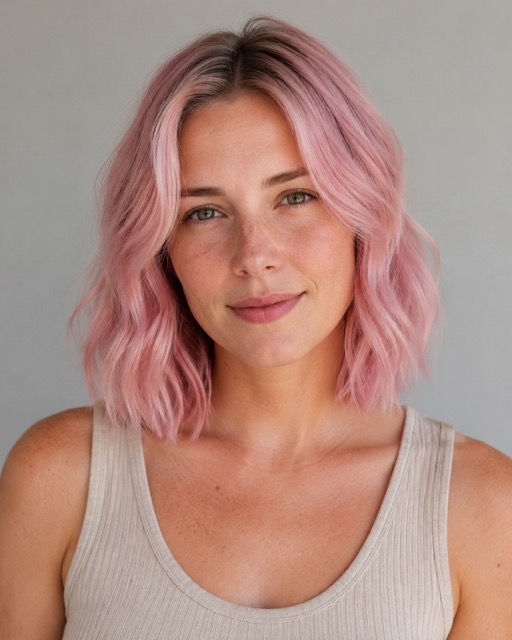
Preserve the existing hairstyle, texture, length, hairline, face, expression, skin tone, pose, outfit, background, framing, and lighting. Change only the hair color to a soft, slightly muted pastel pink with gentle tonal variation and a subtle natural root. Keep the shade wearable and softly faded rather than neon or oversaturated. Blend the color into individual strands and maintain realistic highlights, depth, and shadows.
Gemini Prompts for Comparing Multiple Hairstyles
24. Nine-Hairstyle 3×3 Comparison Grid
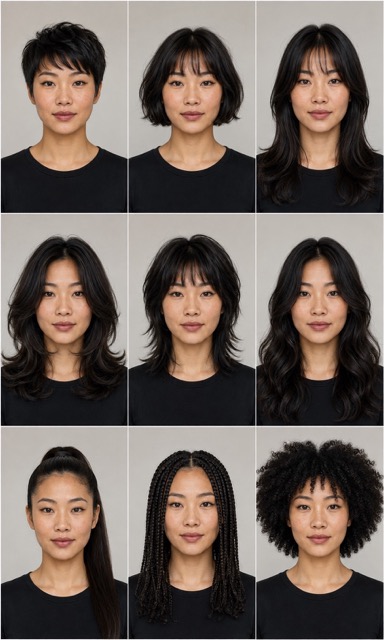
Use the uploaded portrait as the exact identity reference and create a clean 3×3 comparison grid containing nine separate versions of the same person. Keep the face, expression, skin tone, head position, camera angle, crop, outfit, background, and lighting identical in all nine panels. Change only the hairstyle. Show these styles in order: textured pixie, French bob, curtain bangs with long layers, butterfly cut, soft wolf cut, shoulder-length waves, sleek ponytail, box braids, and natural afro coils. Give every panel equal dimensions and consistent framing. Do not add labels, borders, logos, or extra text. Render realistic hairlines, strands, and shadows in every variation.
25. Face-Shape Hairstyle Recommendation Grid
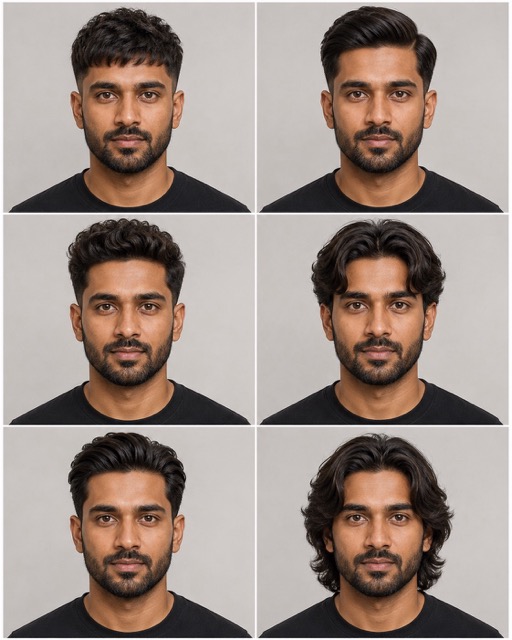
Analyze the visible face shape, forehead proportions, cheekbone width, jawline, and current hairline in the uploaded portrait. Select six realistically wearable hairstyles that complement these features and create a 2×3 comparison grid. Keep the exact same face, identity, expression, skin tone, head position, pose, outfit, background, camera angle, crop, and lighting in every panel. Change only the hairstyle. Include a balanced mix of short, medium, and longer options while respecting the person’s visible hair texture and density. Do not add labels or text. Ensure consistent proportions, natural hairlines, detailed strands, and photorealistic results across all six panels.
How to Create a Custom Hairstyle Prompt
The examples above cover popular cuts and colors, but your ideal result may combine several details: a specific fringe, a different curl pattern, a salon reference, or a color technique that is difficult to describe.
When you need more variations, browse Pixomi’s Banana Prompts library for prompt examples, or use its prompt generator to expand a plain-language image idea into a more structured description.
When customizing a hairstyle prompt, edit one category at a time:
- Cut: pixie, bob, lob, crop, shag, wolf cut, fade, taper, undercut
- Length: cropped, chin-length, shoulder-length, mid-back, waist-length
- Texture: straight, wavy, curly, coily, braided, locs
- Shape: blunt, rounded, layered, tapered, feathered, asymmetrical
- Fringe: curtain, wispy, blunt, side-swept, micro bangs, textured fringe
- Color: natural base, balayage, highlights, ombré, vivid color, root shadow
- Finish: matte, glossy, tousled, sleek, wet look, salon blowout
If you want to use a reference hairstyle photo, tell the model which image controls identity and which image controls hair.
For example:
Use Image 1 for the exact person and Image 2 only for the haircut, fringe, texture, and color. Do not copy the face from Image 2.
Clear roles reduce the chance of the model blending two identities.
How to Fix Common Hairstyle Prompt Problems
The Face Changes
Place the identity constraint near both the beginning and end of the prompt. State that the face, facial proportions, expression, skin tone, camera angle, and crop must remain identical.
Also remove requests for makeup, age changes, new poses, or different lighting, because each additional edit gives the model more reasons to rebuild the portrait.
The Hair Looks Like a Wig
Ask for a natural hairline, realistic roots, correct scalp contact, individual strands, believable density, and shadows that match the photo.
Avoid vague phrases such as “perfect hair,” which often produce excessive smoothness and volume.
The Color Looks Flat
Describe a base tone, undertone, root treatment, highlight placement, and how the color should react to the existing light.
Real hair is rarely one uniform shade from root to tip.
The Fade or Braids Look Uneven
Specify placement and structure. For a fade, name its height and ask for a gradual blend around the temples and nape.
For braids, describe the parting pattern, direction, thickness, and symmetry.
The Comparison Grid Is Inconsistent
Require the same portrait, crop, expression, background, and lighting in every panel. List the hairstyles in a fixed order and ask for equal-sized panels without text.
If the model still drifts, generate fewer options at once or create each hairstyle separately using the same source image.
Tips for More Realistic AI Hairstyle Previews
- Use the same original portrait for every test so the comparison remains fair.
- Change either the cut or the color first.
- Match the requested style to the visible hairline, head angle, and lighting.
- Describe texture precisely instead of using “curly” for every curl or coil pattern.
- Request natural asymmetry and strand variation to avoid a synthetic finish.
- Generate several versions because one AI result is not a guaranteed salon outcome.
- Show your preferred preview to a hairstylist before making a permanent change.
Frequently Asked Questions
Can Gemini Change My Hairstyle Without Changing My Face?
Gemini can preserve identity more consistently when you use a clear source photo and explicitly limit the edit to the hair.
Repeat the protected details—including the face, facial proportions, skin tone, expression, pose, crop, and lighting—and inspect every output for small changes.
What Is the Best Gemini Prompt for a Haircut?
The best prompt is specific enough to describe the cut but focused enough to avoid unnecessary changes.
Include the style name, length, texture, fringe or fade details, hairline behavior, realistic strand requirements, and a clear instruction to preserve the rest of the photo.
Can I Use a Hairstyle Reference Photo?
Yes. Upload one photo for your identity and another for the desired hair.
Clearly assign a role to each image and tell the model to copy only the hairstyle characteristics from the reference—not the reference person’s face, pose, skin, or background.
How Do I Make a 3×3 Hairstyle Grid in Gemini?
Ask for nine equal panels using the same person, framing, expression, outfit, background, and lighting.
List the nine hairstyles in order and specify that only the hair may change. Request no labels if text accuracy is not important to your comparison.
Can AI Tell Which Hairstyle Suits My Face?
AI can provide visual ideas based on visible proportions and generate useful comparisons, but its recommendation is not a professional assessment.
Use the preview to narrow your choices, then ask a stylist about hair density, growth patterns, upkeep, chemical processing, and how the cut will behave outside a single photo.
Why Does My AI Hairstyle Look Unnatural?
Common causes include a low-quality source photo, a hidden hairline, conflicting instructions, unrealistic volume, mismatched light, or too many edits in one request.
Start with a clearer portrait, ask the model to change only the hair, and request realistic roots, strand detail, density, and shadows.
Choose the Look Before You Commit
Gemini hairstyle prompts are most useful as a visual planning tool. They let you compare lengths, shapes, textures, and colors on the same portrait without making an immediate commitment.
The preview becomes more helpful when every prompt protects identity and describes how the new hair should fit the original head shape, hairline, and lighting.
Start with one style, inspect the details, and refine only what looks wrong. Once you find a promising direction, save two or three variations and use them to have a clearer conversation with your barber or hairstylist.