GPT Image 2 Adds Transparent Backgrounds for Reusable Image Assets
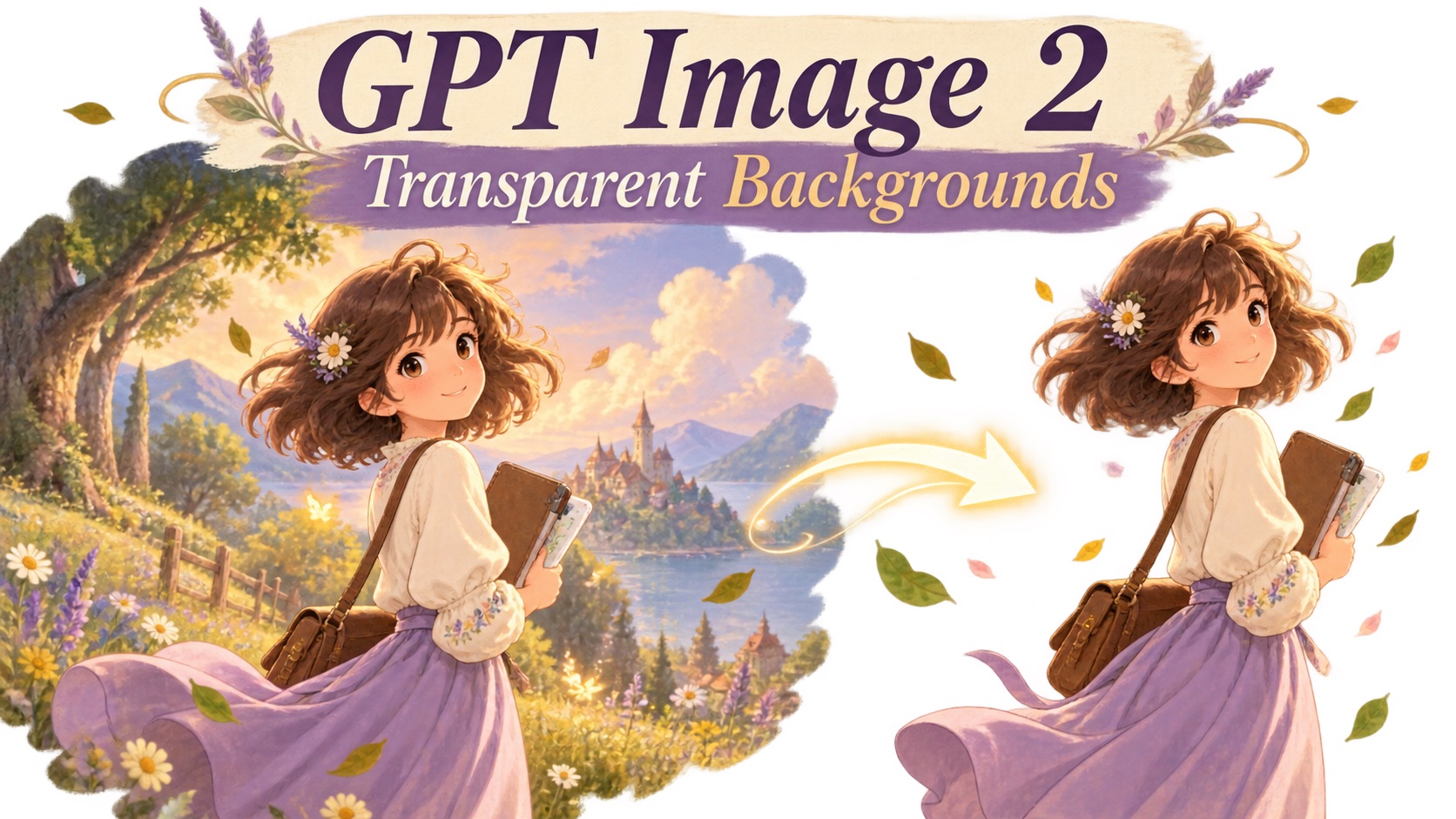
Learn how GPT Image 2 transparent backgrounds work, why native transparency matters, and how reusable transparent assets can simplify product, web, design, and creative workflows.
Creating an AI image is only one part of a modern design workflow. The bigger question often comes after generation: Can the image be reused on another background? Can the same visual move from a website banner to a presentation, campaign, or social post without being edited again?
GPT-Image-2 now supports transparent backgrounds in the API, making it possible to generate images with real transparency instead of permanently attaching the subject to a white, colored, or scene-based background.
For creators who want to produce reusable visual assets, a GPT Transparent Background Maker can simplify that process by turning transparency into part of the generation workflow rather than a separate editing step.
That difference matters for more than product photography. Transparent output can also be useful for illustrations, characters, website graphics, plants, glass objects, design elements, and other assets that need to move between multiple layouts.

Transparent generation can turn illustrations and creative graphics into reusable assets that can be placed across different layouts without carrying a fixed background.
What Changed in GPT-Image-2?
Transparent-background support allows GPT-Image-2 to generate an isolated subject while leaving the surrounding area transparent.
Previously, a typical workflow might look like this:
- Generate an image with a normal background.
- Export the result.
- Open a background-removal tool.
- Detect and remove the background.
- Clean up edges or unwanted shadows.
- Export a transparent PNG.
- Place the asset into the final design.
With native transparency, several of those steps can potentially disappear.
Instead of creating a complete rectangular image first and separating the subject later, the model can generate the subject as an independent visual asset from the beginning.
This is especially useful when the final image is not supposed to be a finished scene, but rather one component inside a larger design.
How GPT Image 2 Transparent Backgrounds Work
At the API level, transparency is not controlled by the prompt alone.
Transparent output can be requested with:
background="transparent"
The output format also needs to support transparency. PNG and WebP can preserve an alpha channel, while JPEG cannot.
A simplified setup looks like this:
model="gpt-image-2" background="transparent" output_format="png"
The resulting file can contain real transparent pixels around the generated subject.
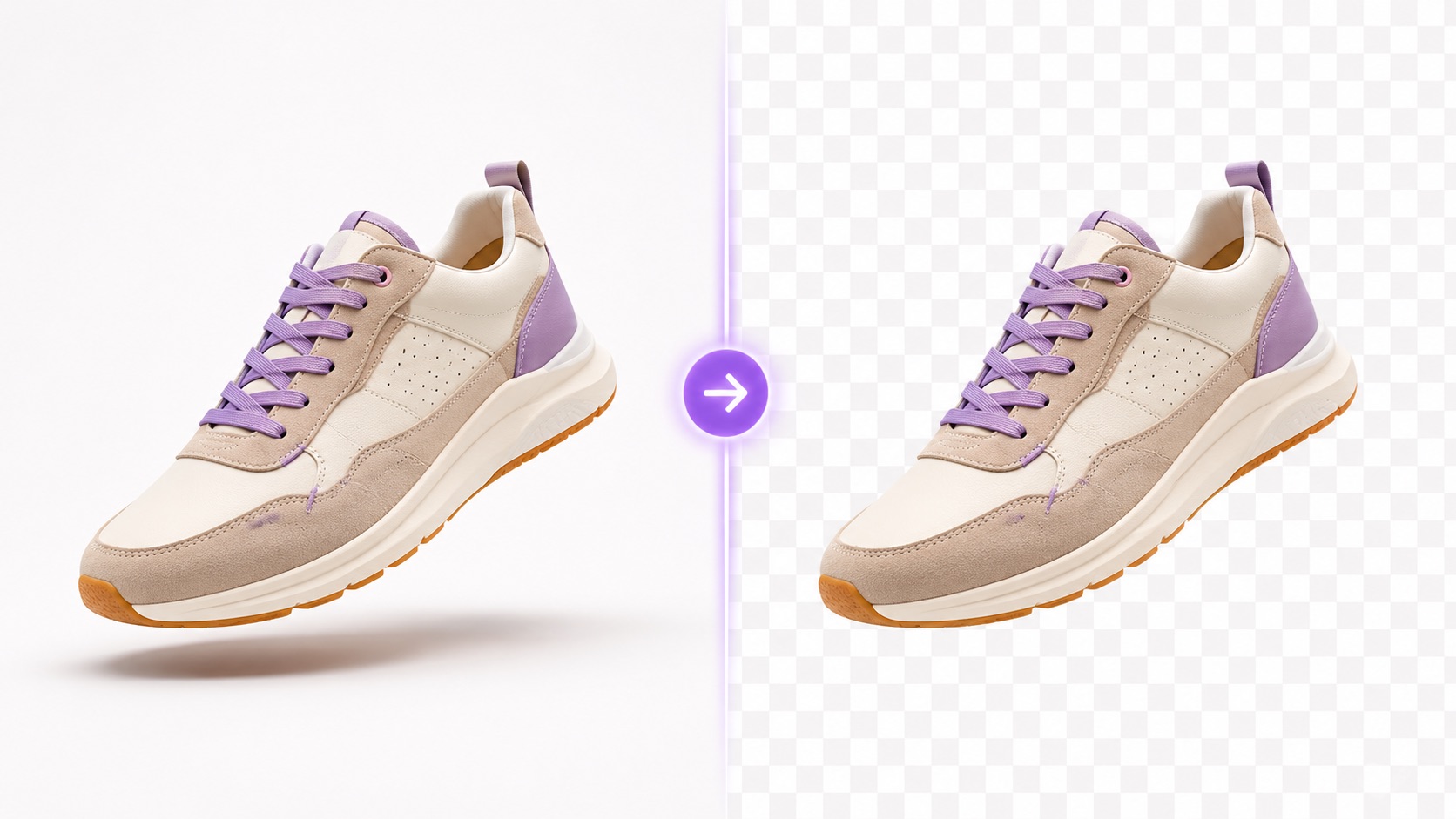
The same type of visual can be generated as a normal image or as an isolated transparent asset that is easier to reuse in other designs.
The Prompt Still Matters
The API parameter enables transparency, but the prompt still determines what the model tries to create.
For example:
A perfume bottle on a marble table inside a luxury studio, transparent background.
This contains conflicting instructions. The marble table and luxury studio tell the model to create a scene, while the transparent-background request asks it to avoid one.
A clearer prompt would be:
A photorealistic amber perfume bottle, fully visible, isolated subject, no backdrop, no surface, no scenery, no cast shadow.
The second version makes the intended asset much clearer.
The model is being asked to generate the perfume bottle itself rather than a perfume advertisement that happens to mention transparency.
Why Native Transparency Matters
Background-removal tools are already common, so the obvious question is whether native transparency actually changes much.
The biggest difference is when the separation happens.
A background remover starts with an already-rendered image and attempts to determine which pixels belong to the subject and which belong to the background.
That process can become difficult with:
- fine hair
- soft fur
- transparent glass
- reflections
- smoke
- water
- glowing effects
- semi-transparent materials
- soft shadows
- complex object edges
Native transparent generation approaches the task differently. The model knows from the beginning that the subject should exist independently from the surrounding scene.
For users creating a GPT Image 2 transparent background asset, this can reduce the amount of cleanup needed before the image is ready for another layout.
Fewer Post-Processing Steps
Removing the background from one image is usually simple.
Doing it repeatedly across dozens or hundreds of generated assets is different.
Each extra step adds time, especially when edge cleanup is required. Native transparency can make repetitive creative workflows more efficient by reducing the number of tools needed between generation and final placement.
One Asset Can Be Reused Many Times
A normal AI image often belongs to one fixed composition.
A transparent image is easier to treat as a reusable component.
The same generated object can be placed into:
- an e-commerce page
- a seasonal campaign
- a website hero section
- a presentation slide
- a social media design
- a mobile interface
- a print layout
The background changes while the asset itself remains consistent.
Where GPT Image 2 Transparent Backgrounds Are Most Useful
Transparent output is not limited to product cutouts. Its value becomes clearer when an image needs to participate in several different creative contexts.
1. Product and Campaign Visuals
Products are one of the most obvious use cases.
Suppose a creator generates a fictional perfume bottle for a campaign. Without transparency, separate generations may be needed for:
- a minimal product page
- a dark luxury campaign
- a spring promotion
- a pastel social banner
Repeated generation can introduce inconsistencies in bottle shape, label placement, proportions, or reflections.
A transparent asset makes another workflow possible: generate the product once, then place the same object into different campaign environments.

A single transparent product asset can be reused across multiple campaign styles while keeping the object itself visually consistent.
This is useful for product concepts, campaign mockups, advertisements, landing pages, and early-stage creative testing.
2. Illustrations and Decorative Graphics
Transparent output is also valuable for visuals that are not commercial products.
An illustrated bird, flower, abstract object, icon, sticker, or decorative 3D element may need to appear in several different compositions.
If the visual is generated with a fixed rectangular background, each new layout requires additional editing.
An isolated asset can instead be placed over:
- editorial graphics
- cards
- posters
- social posts
- presentation slides
- website sections
This makes transparent generation useful for creative assets that are intended to behave more like design components than finished images.
3. Website and Content Design
Web pages frequently combine text, gradients, cards, illustrations, products, and interface elements in the same composition.
A rectangular AI-generated image can be difficult to integrate naturally into that type of layout.
Transparent assets are easier to position around headings, buttons, navigation, and other page elements without visible image borders.
They can also be reused when the website background changes between desktop, mobile, dark mode, or campaign variations.

Transparent AI-generated assets give designers more freedom to combine characters, illustrations, and graphics with existing page layouts.
This is particularly useful when AI-generated visuals are part of a larger website composition rather than the entire visual itself.
4. Presentations, Posters, and Social Graphics
Presentations and social designs often require isolated elements that can be moved around freely.
A white rectangle around an illustration or diagram can immediately make it look pasted onto the slide.
Transparent assets avoid that problem.
The same graphic can move between a dark keynote slide, a colorful campaign poster, a minimal report, and a branded social template without regenerating the visual.
This flexibility becomes increasingly valuable when teams need to reuse the same creative elements across different channels.
Transparent Generation Is Not the Same as Background Removal
The two workflows can lead to similar-looking PNG files, but they solve different problems.
Background removal starts with an existing image.
You already have the subject and its environment, and the goal is to separate the two afterward.
Native transparent generation starts with the intention to create an isolated asset.
The model is told from the beginning that the surrounding background should not become part of the final file.
For example, consider a potted plant.
With background removal:
Existing room photo → detect the plant → remove the room → transparent plant
With native generation:
Prompt → generate isolated plant → transparent plant

Background removal isolates a subject after an image already exists, while native transparent generation creates the subject as an independent asset from the start.
Neither workflow replaces the other completely.
If you already have a photograph, background removal is often the logical option. If you are creating a new AI asset from scratch, native transparent generation may be more direct.
Transparent Materials Need Extra Attention
Not every subject is equally easy to isolate.
Simple opaque objects are relatively straightforward, but transparent or semi-transparent materials introduce more complex visual information.
Examples include:
- glass
- crystal
- water
- translucent plastic
- smoke
- sheer fabric
- glowing effects
- transparent packaging
A glass object illustrates the challenge particularly well.
The goal is not simply to erase everything behind the object. The model still needs to preserve the transparency and optical behavior inside the object itself.
That may include:
- refraction
- reflections
- semi-transparent edges
- internal highlights
- color passing through glass
- overlapping transparent surfaces

Complex glass and crystal assets need to preserve refraction, translucent surfaces, and fine edges while keeping the surrounding area transparent.
These subjects are useful tests because they reveal whether transparency is being handled as part of the object itself rather than as a simple background cutout.
Prompting Tips for Better Transparent Images
The transparent background maker still benefits from clear prompting even when transparency is controlled at the generation level.
Describe the Subject as an Independent Asset
Useful phrases include:
- isolated object
- isolated character
- fully visible subject
- no backdrop
- no scenery
- no surrounding environment
- full object in frame
These instructions help keep the model focused on the asset itself.
Avoid Conflicting Scene Descriptions
If you need an isolated output, avoid unnecessary phrases such as:
- standing in a room
- placed on a table
- inside a studio
- against a wall
- surrounded by scenery
Those instructions encourage the model to render a complete environment.
Be Careful With Shadows
A strong cast shadow usually suggests a floor or other physical surface.
For a clean reusable asset, instructions such as:
no floor, no platform, no cast shadow
can make the desired result clearer.
Keep the Entire Subject Visible
Transparent assets are usually easier to reuse when nothing is accidentally cropped.
Prompts can include:
full object completely visible
or:
generous empty space around all edges
This leaves more flexibility for later placement and resizing.
What the Preview Status Means
Transparent-background support for GPT-Image-2 is currently presented as a preview capability.
That means creators and developers should still test results carefully before relying on it in fully automated production workflows.
Output quality may vary depending on:
- subject complexity
- prompt wording
- reflections
- shadows
- fine edges
- semi-transparent materials
- overlapping transparent regions
A transparent-background option should therefore be treated as a useful native capability rather than a guarantee that every generated asset will require zero review.
For important visual work, it still makes sense to inspect edge quality, transparency, and object details before publishing.
Why This Update Is More Important Than It Looks
The significance of transparent output goes beyond removing one background-removal step.
AI image generation is increasingly moving from creating only complete pictures toward creating reusable visual components.
A creative workflow may need:
- one character for several scenes
- one product for multiple campaigns
- one illustration for different layouts
- one decorative element for a website and presentation
- one transparent object for several branded backgrounds
Native transparency fits naturally into this component-based approach.
Instead of:
Generate → Remove Background → Repair → Export → Reuse
the workflow can become:
Generate → Reuse → Rearrange → Publish
The individual time saving may seem small, but repeated across many assets, it can make AI image generation significantly more practical.
Final Thoughts
GPT-Image-2 transparent backgrounds address a simple but important limitation of AI-generated imagery: a useful subject should not always be permanently tied to the scene in which it was created.
For products, illustrations, website graphics, plants, characters, glass objects, and other visual elements, transparency makes the generated asset easier to reuse across different designs.
The update also reflects a broader shift in AI image workflows.
Image models are becoming useful not only for generating finished compositions, but also for creating the individual components that designers can arrange, combine, and reuse elsewhere.
For creators who regularly work with reusable visual assets, native transparent output could become one of the most practical additions to GPT-Image-2.