
More AI Video Generators
Explore our collection of specialized AI video generators designed for different creative needs and styles












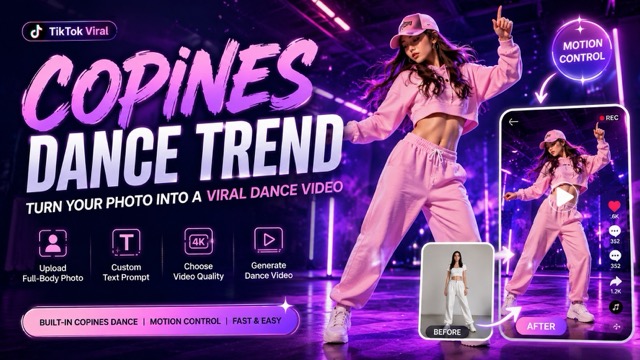
Copines Dance Trend: Turn Your Photo into a Viral Dance Video
Upload a full-body photo on Pixomi AI and create a dance clip with built-in dance motion, custom prompts, and smooth motion control.
Pixomi AI helps you join the Copines dance trend without learning choreography or editing frames by hand. The Copines dance trend is already built into the page, so you only upload a full-body photo, add a short prompt, choose video quality, and generate a dance clip. With motion control, your portrait can follow the Copines dance trend with natural body rhythm, confident movement, and social-ready energy. Use this Copines dance trend tool to make a dance clip for TikTok, Reels, Shorts, profile content, fan edits, or creator experiments in minutes.
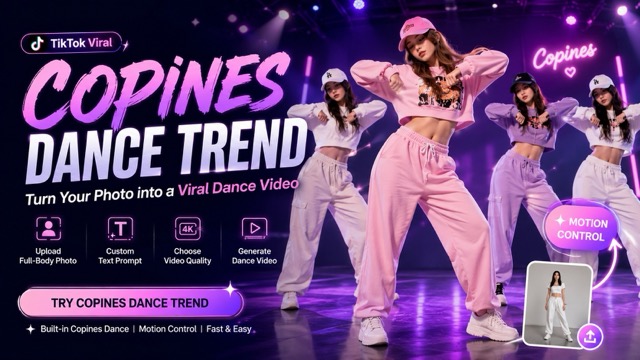
How to Create a Copines Dance Trend Video
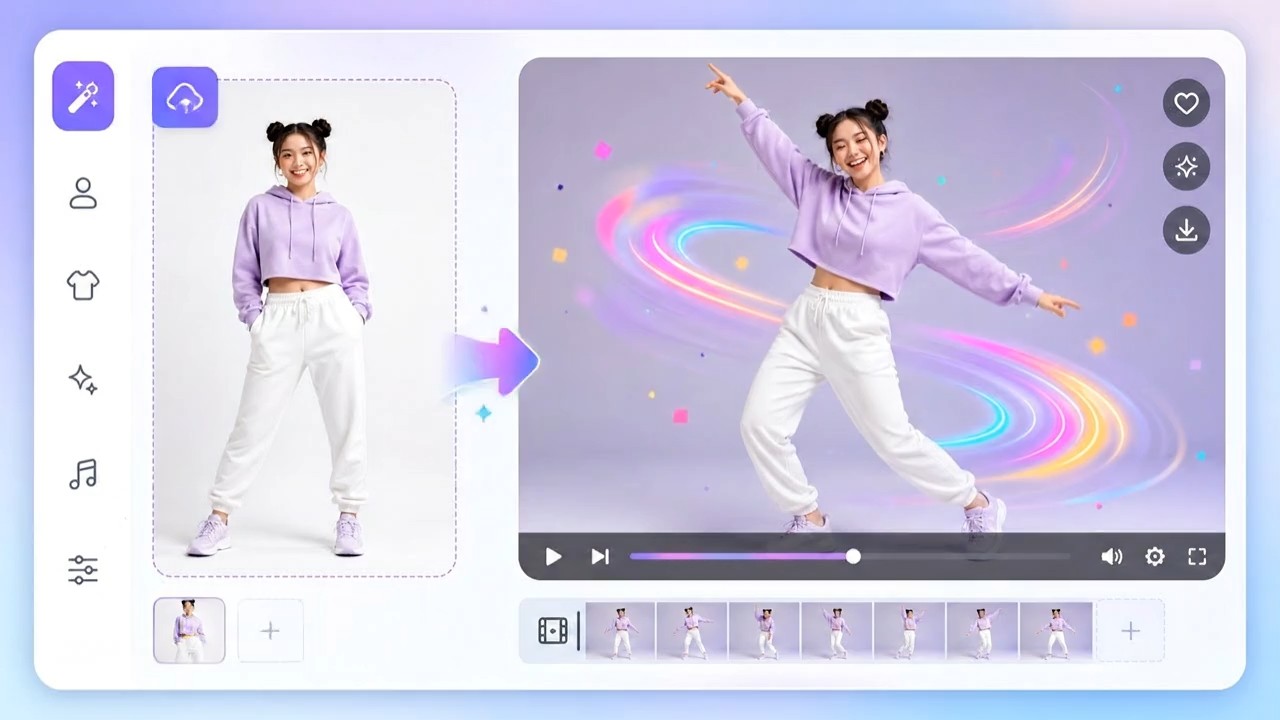
Pixomi AI turns the Copines dance trend into a simple photo-to-video workflow. Upload a person, guide the vibe with text, select quality, and create a copines dance video with movement guidance in one place.

Upload a Full-Body Photo
Start the Copines dance trend by uploading a clear full-body photo. Pixomi AI reads the person, pose, outfit, and framing so the dance clip can keep the subject recognizable while preparing motion control.

Enter a Custom Prompt
Add a short prompt for mood, camera style, background, outfit details, or stage feeling. The Copines dance trend motion is already built in, and your prompt helps shape the dance clip with better motion control.

Choose Video Quality
Pick the video clarity you need for previewing, sharing, or publishing. Better clarity helps the Copines dance trend look cleaner, makes the copines dance video more polished, and supports smoother movement guidance.

Generate Your Dance Video
Click generate and let Pixomi AI create the copines dance video from your photo. The Copines dance trend workflow uses built-in dance reference and motion control to produce a fun clip ready to download and share.
Best AI Video Tools for Creative Projects
Explore creative tools for video, learn tips and tricks, and see how AI can be your assistant in turning concepts into finished projects.


Features of Our Copines Dance Trend Generator
Pixomi AI gives creators a practical Copines dance trend workflow powered by photo upload, prompt guidance, video quality selection, and motion control. Create a copines dance video from a full-body photo and make your own viral-style dance clip.
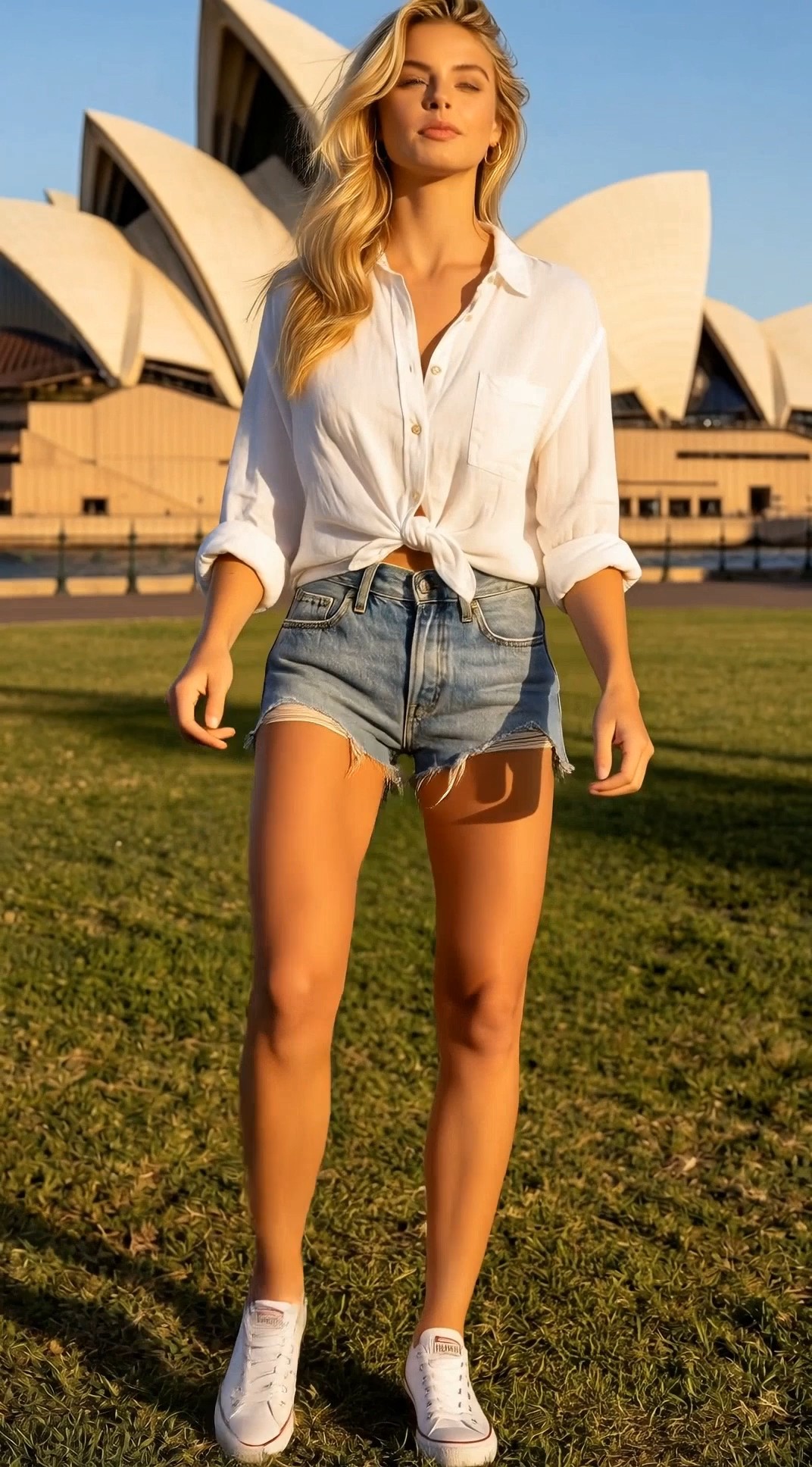
Built-In Copines Dance Motion
- The Copines dance trend is already prepared inside Pixomi AI, so users do not need to search for a dance reference.
- Upload one full-body image and create a copines dance video with the rhythm, pose changes, and playful confidence of the Copines dance trend.
- This Copines dance trend workflow is ideal for creators who want fast TikTok-style content with less manual editing.
- Built-in movement guidance helps the copines dance video follow the dance direction while keeping the uploaded person visually consistent.
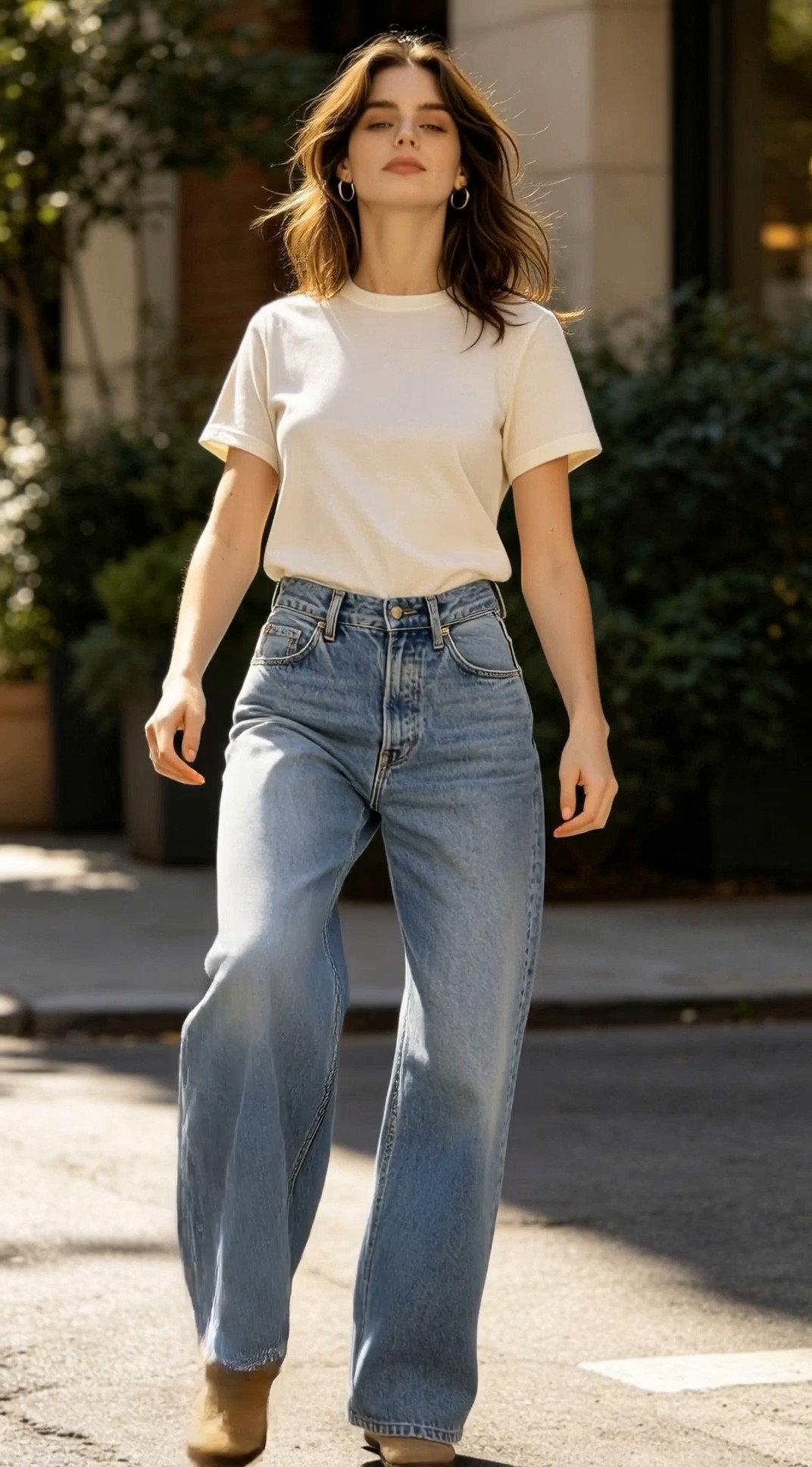
Photo to Dance Video in One Workflow
- Pixomi AI makes the Copines dance trend easy for anyone with a full-body photo.
- The tool turns a still portrait into a copines dance video by adding body motion, camera feeling, and dance pacing.
- You can write prompts for a street look, studio look, party vibe, or fashion shoot while the Copines dance trend stays central.
- movement guidance helps balance movement strength, body rhythm, and visual stability for a cleaner copines dance video.

Custom Prompts for Different Vibes
- The Copines dance trend can look cute, confident, cinematic, casual, glamorous, or creator-style depending on your prompt.
- Add text instructions to guide background, camera angle, lighting, and performance mood in the copines dance video.
- Pixomi AI keeps the Copines dance trend simple while still giving creators room to personalize each result.
- With movement guidance, the generated dance clip can feel more intentional instead of random or stiff.

Social-Ready Results for Short Video Platforms
- The Copines dance trend is made for fast social sharing, personal edits, creator posts, and fun profile content.
- A copines dance video can help users join a familiar dance format without filming themselves from scratch.
- Use the Copines dance trend for TikTok-inspired clips, Reels, Shorts, fan pages, avatar content, or fashion edits.
- movement guidance gives Pixomi AI users a better way to create a copines dance video that feels energetic, clear, and publish-ready.
Why Choose Pixomi AI for Copines Dance Trend
Pixomi AI makes the Copines dance trend easier to create because the dance reference is already built in. You can generate a copines dance video from a photo, customize the look, and rely on motion control for smoother results.

TikTok Trend Participation
Use the Copines dance trend to create content that fits short-video culture. A copines dance video helps you join the trend quickly, while movement guidance keeps the movement more organized.

Personal Avatar Dance Clips
Turn your full-body photo into a fun avatar-style copines dance video. The Copines dance trend works well for profile edits, birthday posts, and playful self-expression with movement guidance.

Influencer and Creator Content
Creators can use the Copines dance trend to test new posts without shooting a full dance routine. Generate a copines dance video, compare versions, and use movement guidance to refine the vibe.

Fashion and Outfit Showcases
Upload a full-body outfit photo and let the Copines dance trend add movement. A copines dance video can make clothes, styling, and character edits feel more alive through movement guidance.

Fan Edits and Character Experiments
Use the Copines dance trend for character-style edits, fan visuals, and playful social experiments. Pixomi AI can turn one image into a copines dance video with guided movement guidance.

Fast Viral Video Testing
When speed matters, the Copines dance trend page lets you test dance video ideas quickly. Create a copines dance video from one photo and use movement guidance to explore different creative directions.
What Users Say About Copines Dance Trend
Creators use the Copines dance trend on Pixomi AI to turn full-body photos into social-ready dance clips. These users show how a copines dance video can support trend content, personal edits, and movement experiments.
I used the Copines dance trend tool for a creator test, and the result looked much better than a basic photo animation. The copines dance video had real rhythm, and movement guidance helped keep the movement clean.
Pixomi AI made the Copines dance trend simple for my social posts. I uploaded a full-body photo, added a prompt, and got a copines dance video that felt fun, quick, and easy to share.
The best part is that the Copines dance trend is already built in. I did not need to find reference clips. The copines dance video was generated fast, and movement guidance made the action feel more stable.
I tested the Copines dance trend for outfit content, and it gave my still photo a lot more personality. The copines dance video made the look feel alive without needing a new shoot.
For trend testing, the Copines dance trend page is very practical. I can create several versions of a copines dance video with different prompts and use movement guidance to find the best direction.
I wanted a fun dance clip from one photo, and Pixomi AI delivered. The Copines dance trend workflow was clear, the copines dance video felt energetic, and movement guidance made it more believable.


Frequently Asked Questions About Copines Dance Trend
Learn how the Copines dance trend works on Pixomi AI, what photo to upload, how to customize a copines dance video, and how motion control helps create a smoother dance result.
The Copines dance trend tool on Pixomi AI is a photo-to-video workflow for creating a copines dance video from a full-body image. The Copines dance trend dance reference is already built in, so users only need to upload a photo, add a prompt, choose quality, and generate with motion control.
No. You do not need to upload a dance video because Pixomi AI already includes the Copines dance trend motion. To create a copines dance video, upload a full-body photo and use motion control through the built-in workflow.
A clear full-body photo works best for the Copines dance trend. Good lighting, visible arms, visible legs, and a complete outfit help Pixomi AI create a better copines dance video with stronger motion control.
Yes. You can customize the copines dance video with prompts for background, style, camera feel, lighting, mood, and outfit details. The Copines dance trend remains the core dance, while motion control helps guide the generated movement.
This Copines dance trend generator is useful for TikTok creators, casual users, fashion accounts, meme editors, fan edit creators, and anyone who wants a fun copines dance video from one image with motion control.
Pixomi AI keeps the Copines dance trend workflow simple and focused. Upload a photo, write a prompt, choose quality, and generate a copines dance video with built-in reference motion and practical motion control.
Create Your Copines Dance Trend Video Now
Upload a full-body photo and turn it into a copines dance video with Pixomi AI. Join the Copines dance trend, customize your prompt, choose video quality, and use motion control to create a fun social-ready dance clip.
