
Upload the person as the first image, then add outfit references.
More AI Image Generators
Explore our collection of specialized AI image generators designed for different creative needs and styles























AI Clothes Swap for Realistic Virtual Try-On
Upload a portrait first, add up to three outfit references, choose a size, and create a polished new look online.
AI clothes swap makes virtual try-on simple: keep the person from image one, use the other uploads as wardrobe references, and let the AI clothes swapper produce one natural fashion result. Use prompt controls to guide style and layering with AI clothes swap.
How to Use AI Clothes Swap
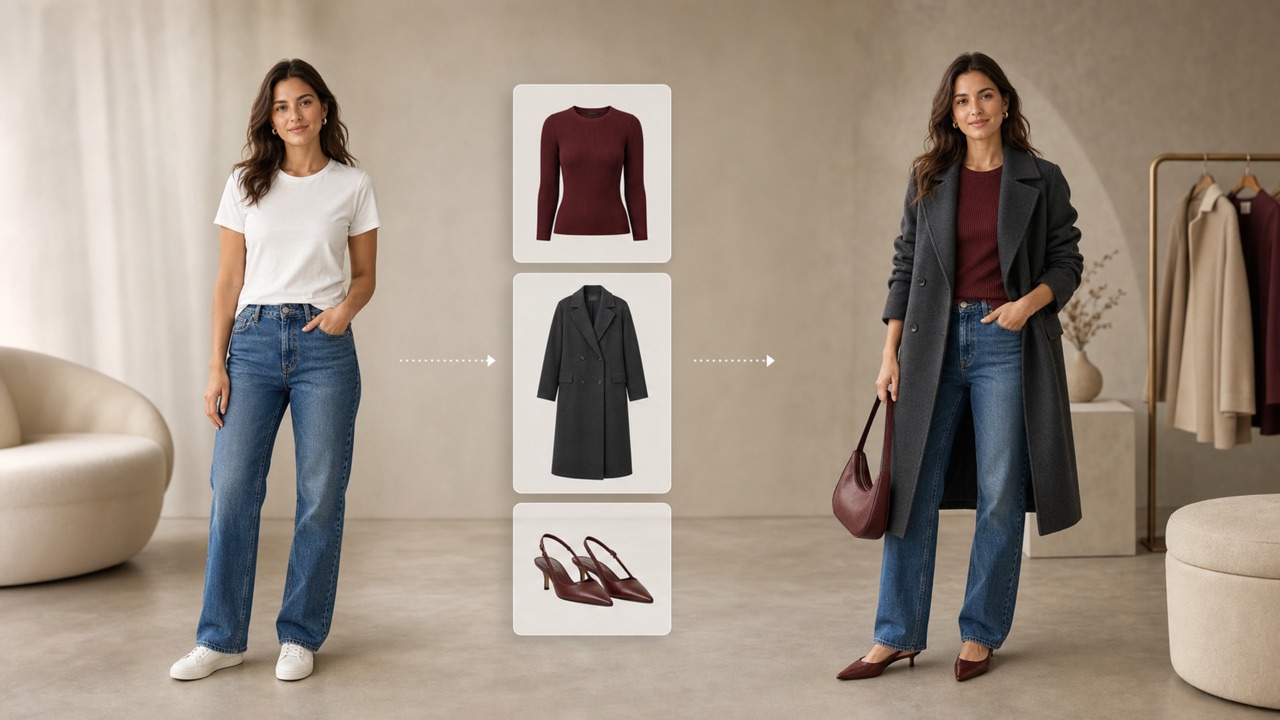
The AI clothes swap workflow is built around four clear steps. Upload the person first, add outfit references, describe the styling, and generate. The AI clothes swapper keeps the first image in control while change outfits with AI instructions shape the final wardrobe.

Upload the Person First
Start AI clothes swap with a clear portrait or full-body photo. The first upload is always the person reference, so the AI clothes swapper preserves identity, face, body, pose, lighting, and background while you change outfits with AI.

Add Outfit References
Add up to three clothing, footwear, or accessory images. AI clothes swap reads these extra references as wardrobe ideas, and the AI clothes swapper combines the requested pieces when you change outfits with AI for a complete look.

Choose a Size and Generate
Pick the output size and generate one coherent image. AI clothes swap fits fabric around the original person, while the AI clothes swapper balances folds, shadows, scale, and occlusion. Create the wardrobe edit without making a collage, then refine AI clothes swap with a new prompt.
Best AI Image Tools for Creative Projects
Explore creative tools for image, learn tips and tricks, and see how AI can be your assistant in turning concepts into finished projects.
AI Clothes Swap Features for Better Virtual Styling
AI clothes swap combines multi-image guidance with prompt-based control. The AI clothes swapper recognizes the first upload as the person and the remaining uploads as clothing references, giving you a focused way to change outfits with AI and explore outfits online.
Keep the Person from Your First Image
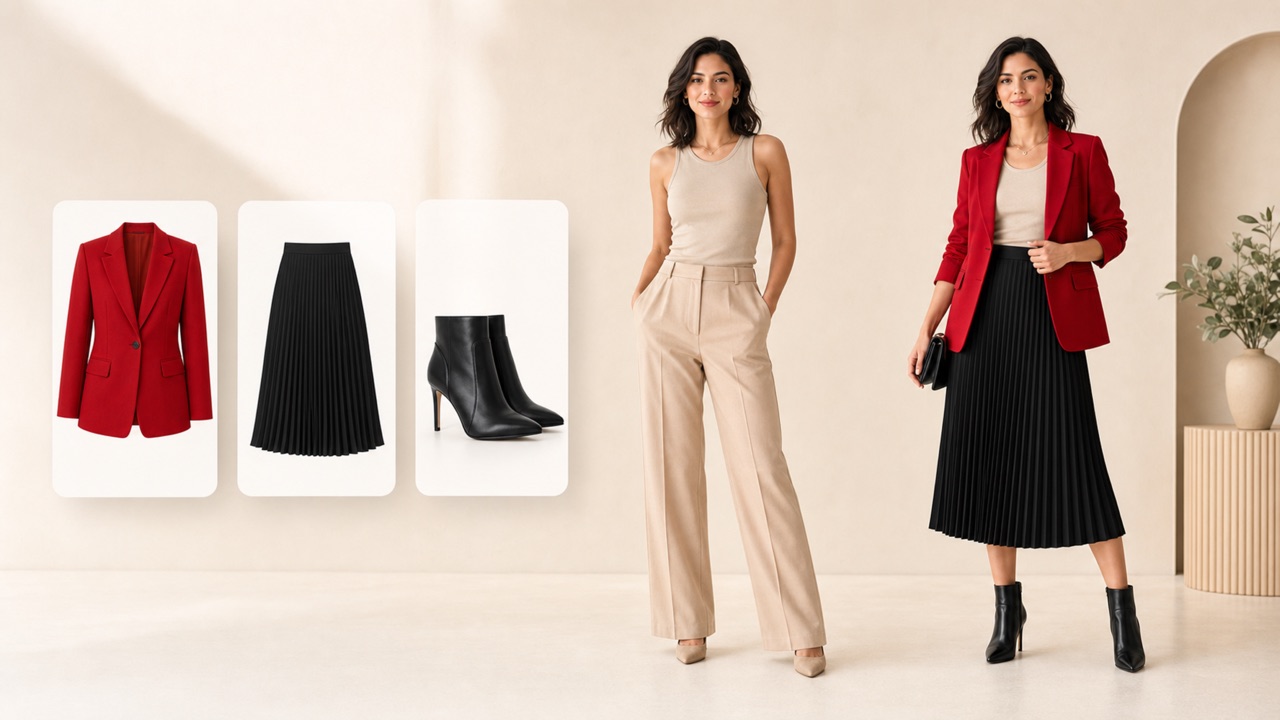
AI clothes swap treats image one as the only person reference. The AI clothes swapper aims to preserve the same face, age, expression, body proportions, pose, camera angle, skin tone, lighting, crop, and scene. Outfit images provide garments only; they do not replace the model. This first-image rule makes AI clothes swap easier to direct and helps change outfits with AI without borrowing another face or body. Use a sharp portrait or full-body picture for the strongest AI clothes swap result. The AI clothes swapper works best when the body and current clothing are visible.
Combine Up to Three Outfit References
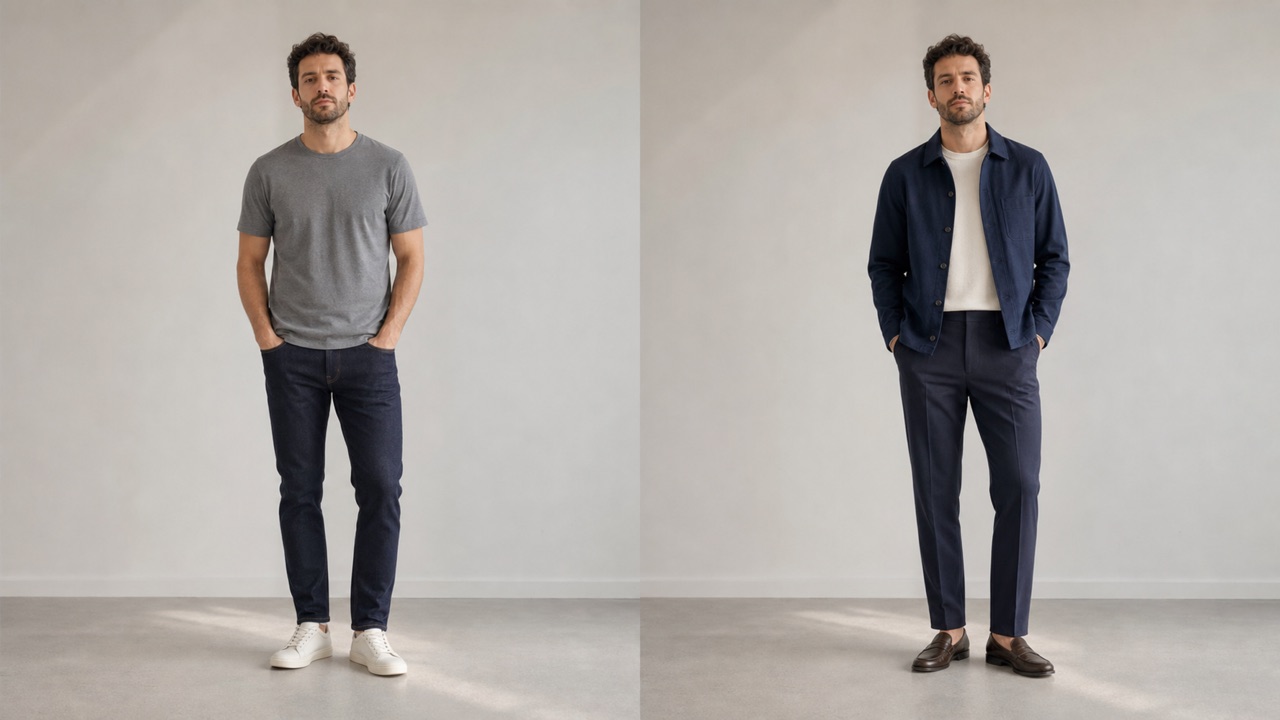
AI clothes swap supports up to four uploads in one job: one person image plus as many as three wardrobe references. Give the AI clothes swapper a dress, jacket, trousers, shoes, bag, hat, scarf, eyewear, or jewelry. Your prompt can tell AI clothes swap which items matter most and how they should be layered. When you change outfits with AI with several references, choose clear product photos or outfit images with visible shapes and colors. The AI clothes swapper then creates one unified look instead of a collage, helping change outfits with AI for more complete styling ideas.
Create Believable Fit, Fabric, and Layers
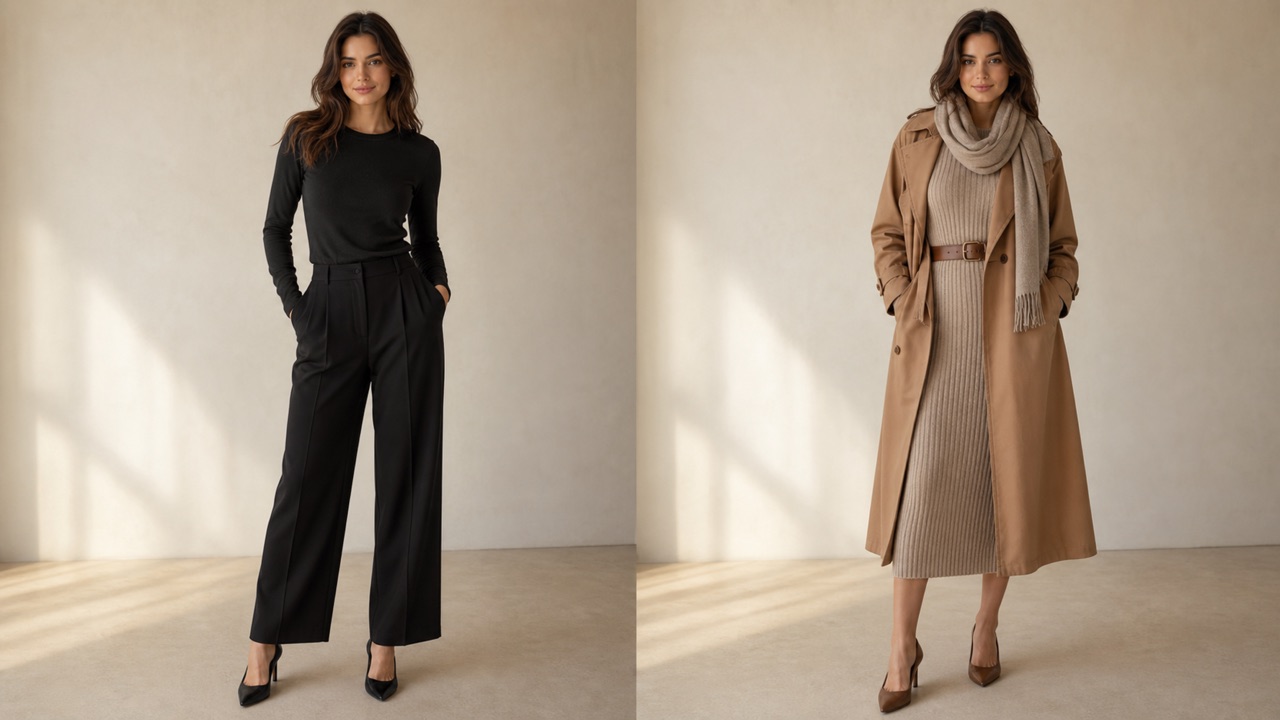
AI clothes swap is designed to make the selected outfit feel worn by the original person. The AI clothes swapper considers fabric texture, folds, hems, sleeve length, waist placement, scale, overlap, shadows, and lighting. This makes change outfits with AI results more useful for visual planning than a simple pasted garment. Describe slim, relaxed, oversized, layered, tucked, buttoned, or open styling when needed. AI clothes swap uses that direction to refine the silhouette, and the AI clothes swapper keeps the overall scene coherent while you change outfits with AI.
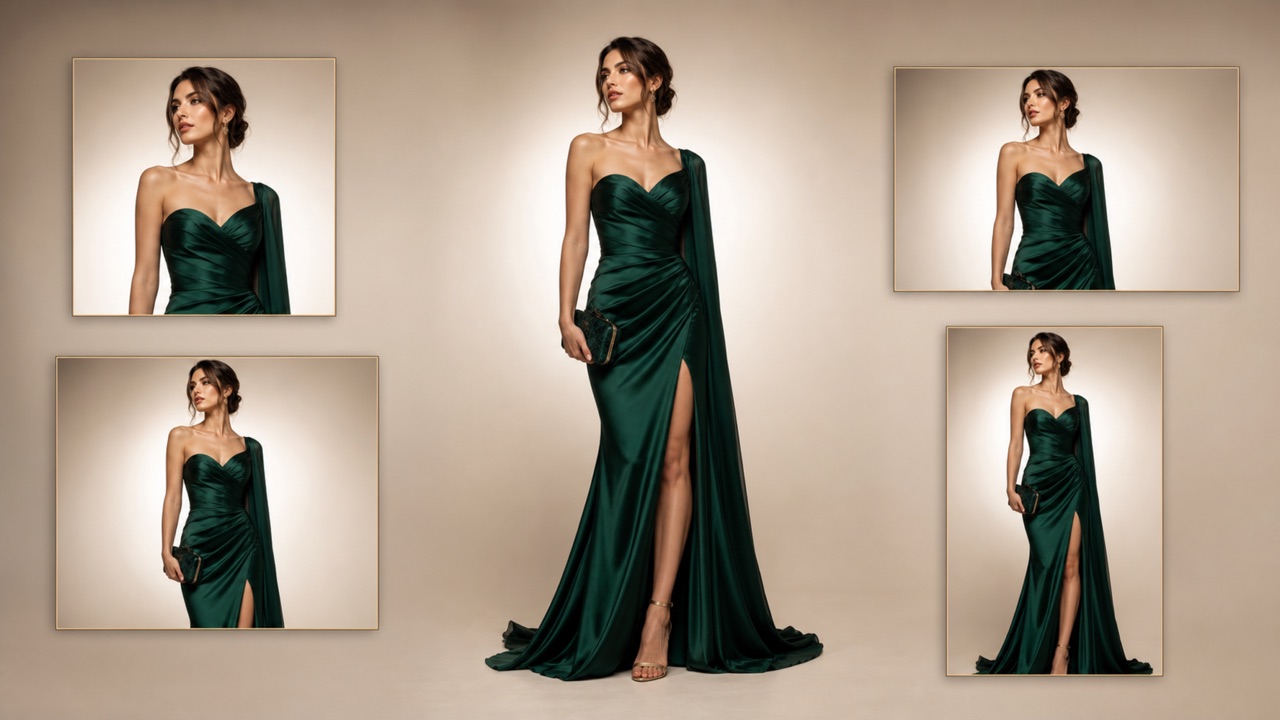
Choose an Output Size for Every Idea
After you arrange the references, choose the image size that fits your project. AI clothes swap can prepare a fashion preview for personal styling, social content, concept boards, product storytelling, or creative testing. The AI clothes swapper keeps the requested outfit centered on the person while adapting the result to the selected format. Use change outfits with AI prompts to specify occasion, season, palette, and accessories. AI clothes swap then turns those choices into one finished image, and the AI clothes swapper helps you change outfits with AI before committing to a real-world look.
Ways to Use AI Clothes Swap
AI clothes swap supports personal, creator, ecommerce, costume, seasonal, and professional styling ideas. Use the AI clothes swapper to explore an outfit direction, then AI change clothes again with clearer references or a more specific prompt.

Personal Outfit Planning
Use AI clothes swap before shopping or dressing for an event. The AI clothes swapper lets you compare colors, layers, and silhouettes on your own photo. Preview another outfit for a quick visual check without physically trying every combination. AI clothes swap makes revisions simple.

Creator Fashion Content
Creators can use AI clothes swap to test wardrobe concepts for posts, stories, and mood boards. The AI clothes swapper helps explore outfits across themes while keeping the same recognizable subject and scene. AI clothes swap supports quick visual iteration.

Ecommerce Style Concepts
Use AI clothes swap to explore how garments might appear in a styled concept. The AI clothes swapper can combine several reference pieces, helping teams change outfits with AI for early creative planning before a formal product shoot.

Costume and Character Ideas
AI clothes swap can preview costumes, themed outfits, uniforms, and statement accessories. Give the AI clothes swapper clear wardrobe references and AI change clothes while preserving the person from the first image.

Seasonal Wardrobe Experiments
Try coats, summer layers, holiday looks, or transitional outfits with AI clothes swap. The AI clothes swapper helps you AI change clothes for different weather and color palettes without changing the background or identity.

Client Styling Previews
Stylists can use AI clothes swap to communicate early concepts. The AI clothes swapper creates a fast visual reference, so teams can AI change clothes, discuss fit and layering, and refine direction before production.
What Users Say About AI Clothes Swap
People choose AI clothes swap for faster outfit exploration and clearer visual planning. The AI clothes swapper keeps the workflow focused on the original person, making AI change clothes ideas easier to create, compare, and refine.
AI clothes swap helped me compare a jacket, skirt, and shoe reference on the same portrait. The AI clothes swapper respected my first image, and I could AI change clothes without losing the original pose.
I use AI clothes swap for early wardrobe concepts before shoots. The AI clothes swapper gives our team a fast visual direction, and AI change clothes prompts make revisions easy to discuss.
The first-image rule makes AI clothes swap predictable for creator content. The AI clothes swapper keeps me recognizable while I AI change clothes for seasonal ideas and themed posts.
AI clothes swap is useful when I need to present several styling directions quickly. The AI clothes swapper combines reference items into one look, so I can AI change clothes without building manual composites.
I planned a formal outfit with AI clothes swap before ordering anything. The AI clothes swapper showed how the layers might work together, and AI change clothes revisions only took a new prompt.
Our concept team uses AI clothes swap for quick fashion boards. The AI clothes swapper preserves the person and scene, while AI change clothes controls help us test color, fit, and accessories.





AI Clothes Swap FAQ
Learn how AI clothes swap handles the first person image, multiple outfit references, realistic fit, output sizes, and prompt control. These answers explain how the AI clothes swapper approaches AI change clothes requests.
AI clothes swap is a virtual try-on workflow that changes the outfit in a person photo. Upload the person first, add clothing references, choose a size, and generate. The AI clothes swapper uses the first image as the subject while AI change clothes instructions define the new look.
Always place the person in the first image. AI clothes swap treats that upload as the identity, face, body, pose, lighting, and scene reference. The AI clothes swapper reads later images as wardrobe sources, helping you AI change clothes without replacing the subject.
You can upload up to four images for AI clothes swap: one person image first and up to three clothing or accessory references after it. The AI clothes swapper can use those references together when you AI change clothes and request a complete outfit.
Yes. AI clothes swap can combine compatible reference items such as a top, trousers, shoes, and accessories. Tell the AI clothes swapper which pieces to prioritize and how to layer them. Clear AI change clothes instructions reduce conflicts between references.
For better AI clothes swap results, use a sharp person photo and clear garment references. Mention fit, fabric, color, layering, and occasion. The AI clothes swapper can then AI change clothes with more believable folds, shadows, scale, and overlap.
AI clothes swap is instructed to preserve the person and scene from image one, including face, pose, lighting, and background. The AI clothes swapper focuses on the wardrobe edit. As with any generative AI change clothes process, small variations may still occur.
Yes. Select the size you need before generating with AI clothes swap. The AI clothes swapper adapts the composed fashion image to that format, letting you AI change clothes for personal previews, social concepts, mood boards, or creative planning.
Create Your Next Look with AI Clothes Swap
Upload the person first, add outfit references, choose a size, and generate with AI clothes swap. Let the AI clothes swapper build one realistic fashion result, then AI change clothes again to explore another style.
