
Upload multiple images, describe the layout, and combine them into one polished panorama, comparison, collage, or seamless scene.
More AI Image Generators
Explore our collection of specialized AI image generators designed for different creative needs and styles























Stitch Image Generator for Seamless Visuals
Combine separate photos into one polished composition with a fast online stitch image generator.
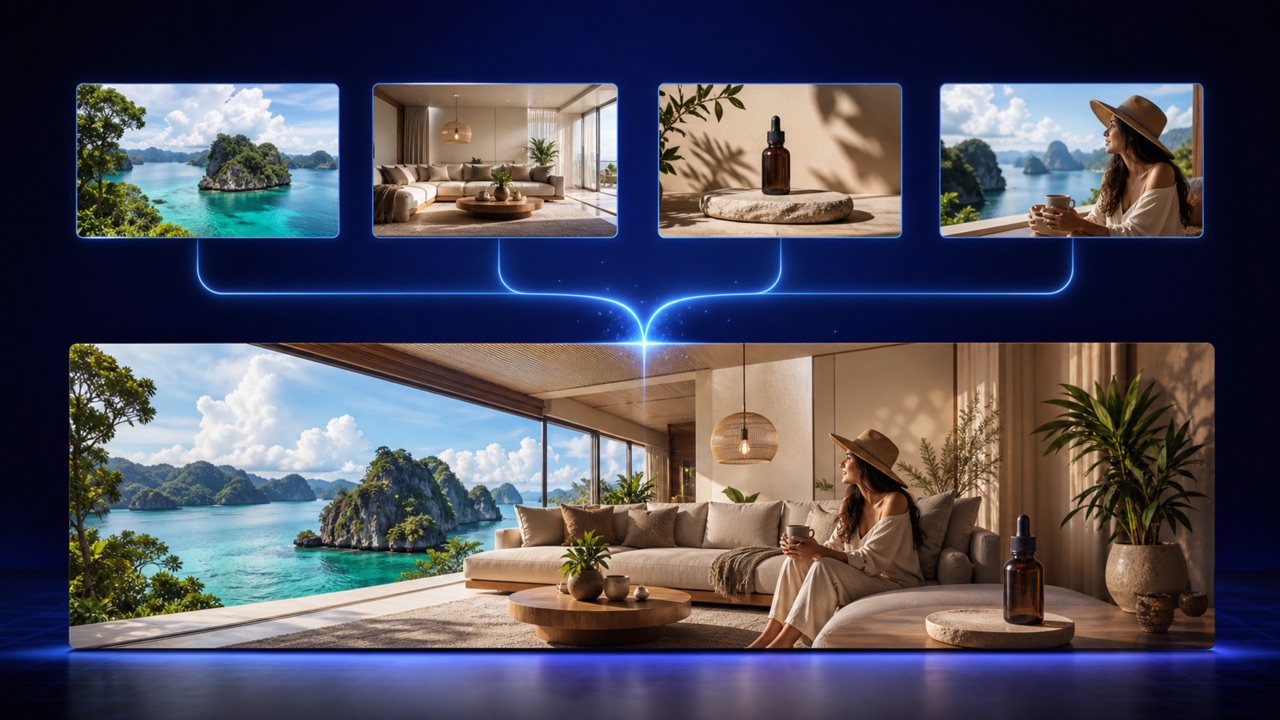
Upload your related images, carefully describe your desired layout, and let the advanced stitch image generator automatically align edges, seamlessly balance color profiles, and build a perfectly unified result. The stitch image generator helps you effortlessly create stunning wide panoramas, detailed side-by-side comparisons, creative collages, and flawless continuous scenes without ever needing to download or learn complicated traditional photo editing software. Whether you are a professional designer or a casual creator, this tool streamlines your entire visual workflow into one intuitive online experience.
How to Use the Stitch Image Generator
The stitch image generator turns a multi-step editing job into three simple actions, so beginners and experienced creators can move from separate uploads to a cohesive image quickly.
Upload Your Images
Add the photos or visual panels you want the stitch image generator to combine. Choose images with related subjects, overlapping details, or a clear viewing order for the strongest result.
Describe the Final Layout
Tell the stitch image generator whether you want a wide panorama, a vertical story, a side-by-side comparison, a grid, or a seamless creative scene. Mention order, spacing, transitions, and any details to preserve.
Generate and Review
Run the stitch image generator, inspect the joins, and refine your prompt if you want different framing or blending. Save the finished visual when the composition feels balanced and complete.
Best AI Image Tools for Creative Projects
Explore creative tools for image, learn tips and tricks, and see how AI can be your assistant in turning concepts into finished projects.
What the Stitch Image Generator Can Create
From breathtakingly realistic expansive panoramas to highly structured multi-image design grids, the stitch image generator provides all the essential tools you need to help different source visuals read as one clear, purposeful, and professional composition. It bridges the gap between separate shots, ensuring your narrative flows logically.
Blend Overlapping Photos Naturally
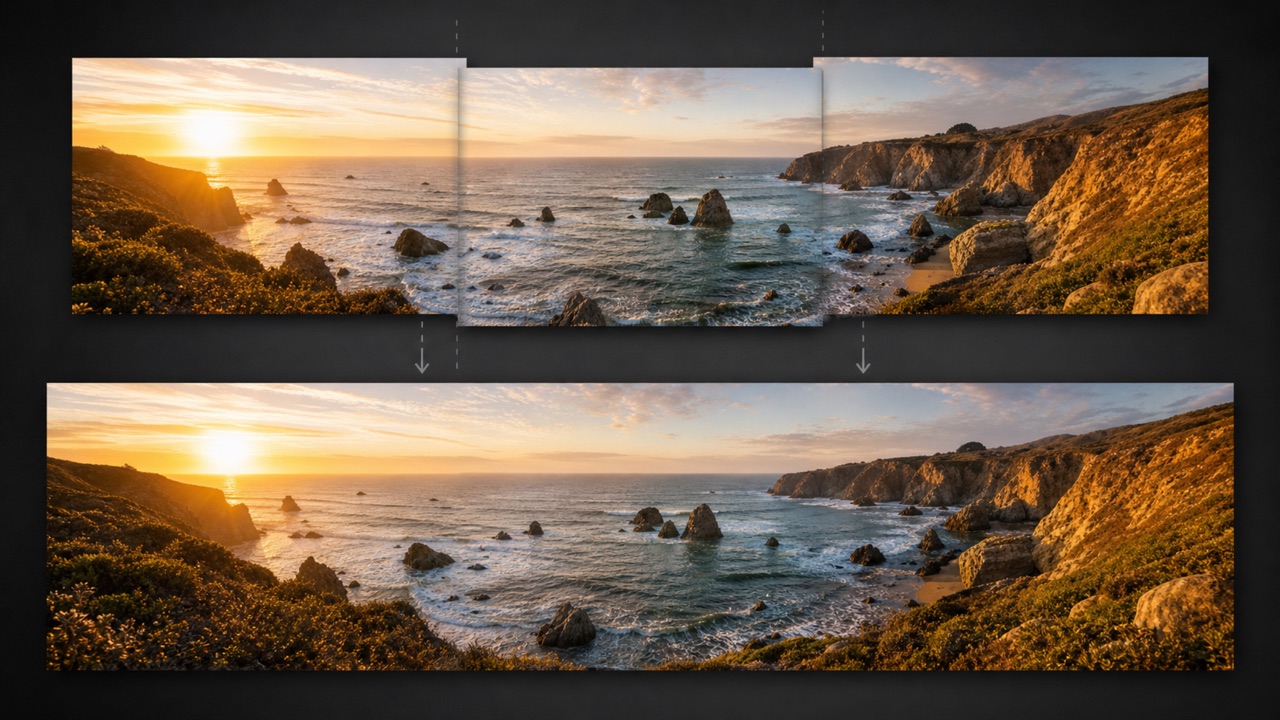
Build an incredibly broad landscape or an expansive interior view from several overlapping individual shots with ultimate precision. The stitch image generator intelligently identifies shared visual details, perfectly aligns perspective distortions, softens otherwise visible harsh seams, and balances subtle tonal differences across the entire canvas. Instead of painstakingly moving and masking layers by hand in desktop software, you can rely entirely on the stitch image generator to produce a completely continuous composition that feels exactly like one intentional, beautifully captured photograph straight from a premium camera.
Arrange Images in the Right Order
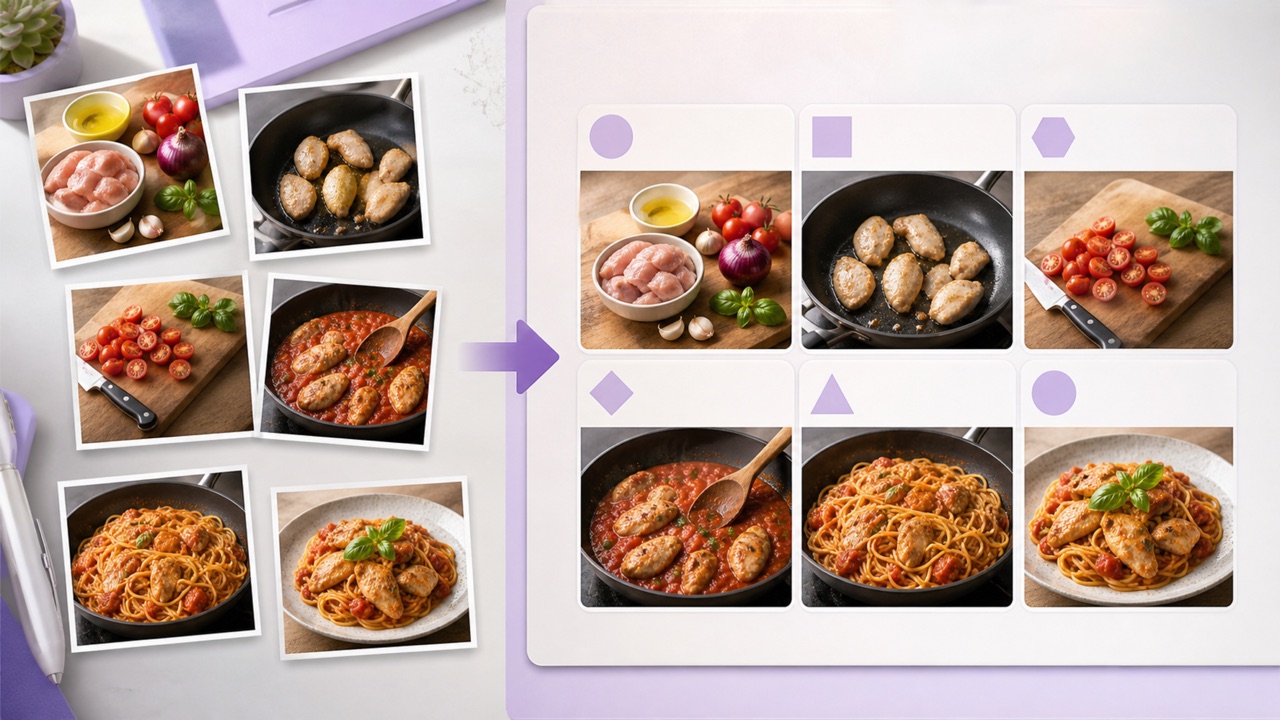
Create flawless horizontal panoramas, vertical scrolling sequences, strict geometric grids, or engaging story-style layouts entirely without the hassle of rebuilding a blank canvas from scratch. Simply tell the stitch image generator which specific image comes first and exactly how each individual panel should logically connect to the next. The stitch image generator strictly follows your requested sequential order while reliably keeping all your key subjects perfectly visible and centered, making it highly useful for educational tutorials, visual progress shots, historical timelines, and comprehensive visual recaps.
Match Color, Light, and Perspective
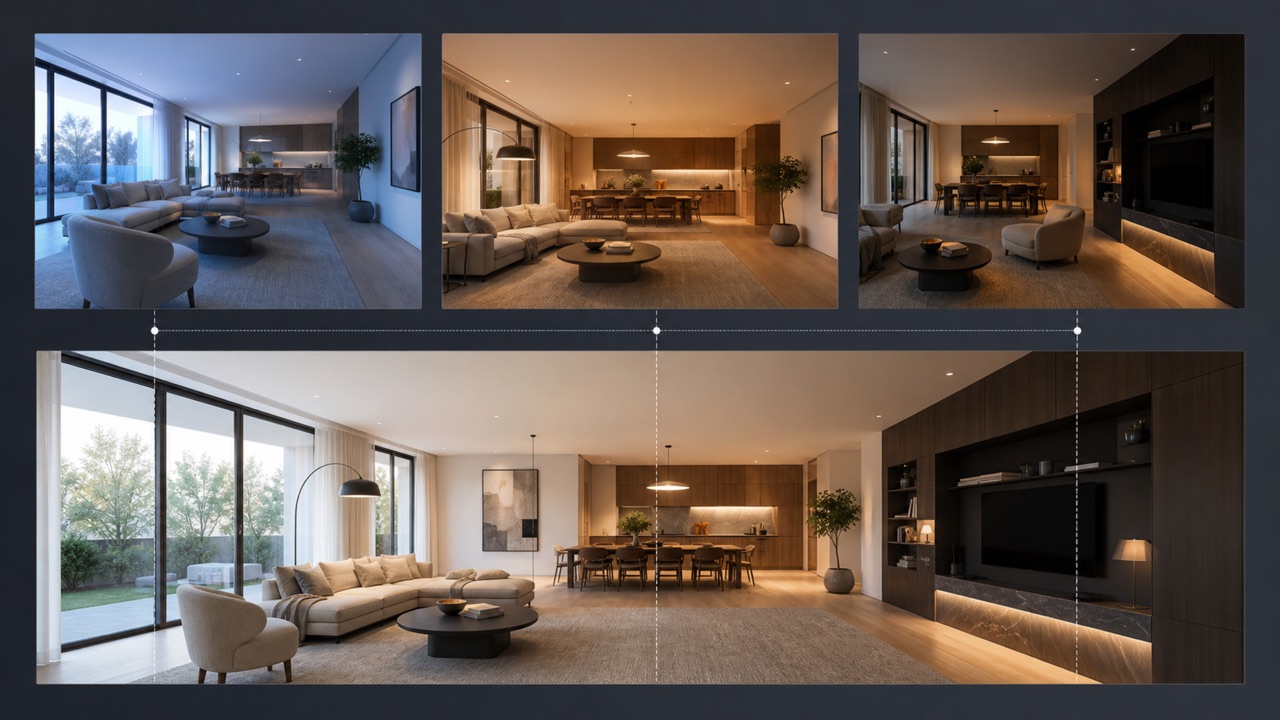
Separate photographs captured at different moments very often contain small but distracting shifts in overall brightness, ambient color temperature, subject scale, or slight camera angle variations. The sophisticated stitch image generator can instantly harmonize all these visual differences while carefully protecting the most recognizable and crucial details of each original source file. You should definitely use the stitch image generator whenever you want a much cleaner, professional transition between sequential frames and a polished final image that displays a highly consistent and pleasing visual rhythm throughout.
Create More Than Standard Panoramas
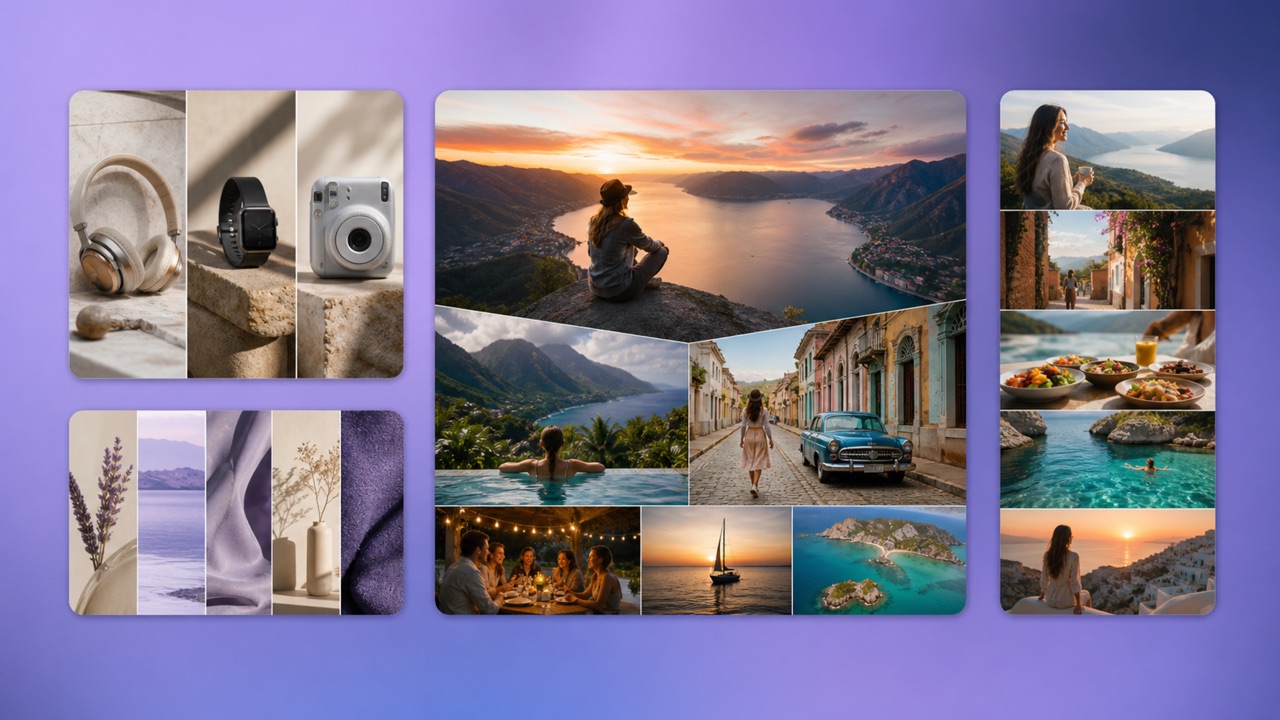
Go far beyond simple, basic edge-to-edge joining techniques. The versatile stitch image generator can easily and effectively support complex product comparisons, dramatic before-and-after showcase panels, intricate digital scrapbook compositions, professional mood boards, comprehensive event stories, and highly imaginative extended scenic environments. Simply give the stitch image generator a highly precise text prompt to gain complete control over internal spacing, visual continuity, focal emphasis, and the exact relational dynamic between absolutely every single uploaded image in your project.
Popular Stitch Image Generator Use Cases
Use the powerful stitch image generator whenever several individual images absolutely need to communicate one cohesive idea, a chronological sequence, an expansive physical place, a detailed visual comparison, or a completely new creative direction. It is the perfect online utility for streamlining complex visual storytelling.
Travel and Landscape Panoramas
Combine multiple varying views of a stunning travel destination into a vastly wider, breathtaking scene. The stitch image generator is particularly useful and highly effective when a single camera frame simply cannot adequately capture the immense scale of a sprawling city skyline, a massive mountain range, a wide tropical beach, a spacious interior room, or a complex architectural space.
Before-and-After Comparisons
Place related project images in a perfectly clean, structured comparison layout specifically tailored for home renovations, graphic design revisions, personal fitness progress tracking, delicate historical restoration work, or final commercial product results. The stitch image generator consistently keeps the entire visual sequence incredibly easy to scan, analyze, and instantly share with your clients or audience.
Tutorials and Visual Stories
Seamlessly join educational screenshots, intricate step-by-step process photos, or chronological sequential frames directly into one highly effective instructional asset. The stitch image generator directly helps online educators, digital marketers, and content creators effortlessly present a completely unified story without ever requiring their viewers to manually open and close several different scattered image files.
Product Boards and Creative Collages
Logically group diverse commercial product angles, upcoming marketing campaign references, seasonal fashion looks, complex culinary recipes, or broad visual inspiration images securely within one cohesive digital canvas. The stitch image generator makes quick, effective visual planning significantly easier and much more productive for both collaborative professional teams and independent solo creators alike.
Why Creators Choose the Stitch Image Generator
Professionals and enthusiasts alike across digital content creation, graphic design, online education, and intensive project management heavily rely on the stitch image generator to drastically reduce incredibly repetitive manual layout tasks and to communicate complex multi-image ideas significantly more clearly to their target audiences.
I regularly use the stitch image generator to effortlessly turn multiple overlapping landscape shots into stunningly wide travel visuals for all my demanding client stories. The stitch image generator consistently gives me a remarkably strong first result incredibly quickly, and I truly love that I can carefully guide the entire layout with just a short descriptive prompt instead of wasting an entire hour manually aligning tedious layers in complex software.
Our weekly renovation project updates are significantly easier for everyone to understand now that the stitch image generator perfectly places our daily progress photos into one remarkably clean and logical sequence. The stitch image generator meticulously keeps the overall presentation completely consistent, so our high-end clients can easily compare structural stages without endlessly scrolling through a long, disorganized cloud folder.
The stitch image generator fundamentally helps me instantly combine various distinct product angles into highly effective, quick concept boards right before a major marketing campaign review. I really like that the stitch image generator can perfectly follow a specific requested order and rapidly create a fully polished, client-ready composition without ever forcing me to meticulously set up a heavy, complicated design file.
I desperately needed a reliable and simple way to cleanly join dozens of software screenshots for my corporate training materials, and the stitch image generator absolutely made my entire workflow so much faster and less stressful. The stitch image generator automatically arranges each logical step very clearly while critically keeping all the tiny instructional text and small interface details readable enough for a highly useful first draft.
For my weekly fast-paced social media recaps, the stitch image generator flawlessly lets me combine dozens of scattered event highlights right into one engaging, continuous vertical story image. The stitch image generator effectively saves me countless hours of precious time on tedious spacing and alignment tasks, and the text prompt gives me more than enough granular control to keep the absolute most important moments highly prominent.
The stitch image generator is now a completely irreplaceable part of my daily preproduction process for crafting elaborate mood boards and testing ambitious scene extensions. The stitch image generator brilliantly helps me safely and quickly test exactly how completely separate visual references might connect and flow together long before I invest hours of my time in rendering a highly detailed final digital composite.




Stitch Image Generator FAQ
Learn how the stitch image generator handles uploads, layouts, prompts, continuity, and common multi-image projects before you create your first composition.
The stitch image generator combines two or more source images into one composition. Depending on your prompt, it can create a panorama, vertical sequence, grid, comparison, collage, or extended scene while improving alignment and visual continuity.
Overlapping details can help when you want a realistic panorama, but they are not required for every layout. The stitch image generator can also arrange unrelated images as panels, comparisons, boards, or narrative sequences.
Tell the stitch image generator the image order, preferred orientation, intended layout, transition style, and details that must stay unchanged. A specific prompt such as ‘place the room photos left to right and blend the walls seamlessly’ gives clearer direction than a vague request.
Yes. Ask the stitch image generator to place the original and updated images side by side or vertically, preserve both subjects, keep equal framing, and add clean spacing if you want a straightforward comparison.
Results depend on source quality, overlap, perspective, lighting, and prompt clarity. The stitch image generator can reduce visible joins, but extremely different camera angles or subjects may need another generation with more precise instructions.
Use the stitch image generator for panoramas, travel recaps, tutorials, timelines, product boards, design comparisons, progress updates, social stories, mood boards, event summaries, and experimental composite art.
Create One Visual with the Stitch Image Generator
Simply upload your selected source images right now, carefully choose your desired visual order and structural layout, and let the highly advanced stitch image generator instantly turn your separate, disconnected frames into a beautifully polished, professional-grade composition that you can immediately use and confidently share with the entire world.
