
Turn a prompt or reference image into expressive engraving-style artwork with detailed linework, cross-hatching, and classic print character.
More AI Image Generators
Explore our collection of specialized AI image generators designed for different creative needs and styles























AI Engraving Generator for Timeless Linework Art
Transform a written idea or reference image into expressive etched artwork online.
Use the AI Engraving Generator to shape portraits, animals, landscapes, emblems, and decorative concepts with crisp etched lines. Choose a woodcut, copperplate, stipple, or vintage print direction, then refine the prompt until the image feels distinctly yours.
How to Use the AI Engraving Generator
Move from a simple idea to a polished engraving-style composition in three clear steps. The AI Engraving Generator keeps the workflow approachable while leaving room for detailed creative direction.

Describe the Engraving
Write the subject, mood, framing, and line style you want. Mention woodcut, copperplate, stippling, cross-hatching, or vintage book illustration when a specific finish matters. The AI Engraving Generator turns that focused brief into an engraving art generator workflow.

Add a Reference if Helpful
Upload one image when you want the AI Engraving Generator to follow an existing portrait, object, pose, or composition. Your prompt can explain which features should remain recognizable.

Generate and Refine
Generate the artwork, review the balance of light, shadow, contour, and texture, then adjust the prompt. A focused change such as finer hatching or a cleaner silhouette often produces a more intentional result. The AI Engraving Generator makes each engraving art generator revision easy to direct.
Best AI Image Tools for Creative Projects
Explore creative tools for image, learn tips and tricks, and see how AI can be your assistant in turning concepts into finished projects.
Shape Every Engraved Detail Around Your Idea
The AI Engraving Generator supports both imaginative prompts and reference-led transformations, so you can explore a traditional print character without learning specialist illustration software. This engraving art generator keeps the creative choices visible and understandable.
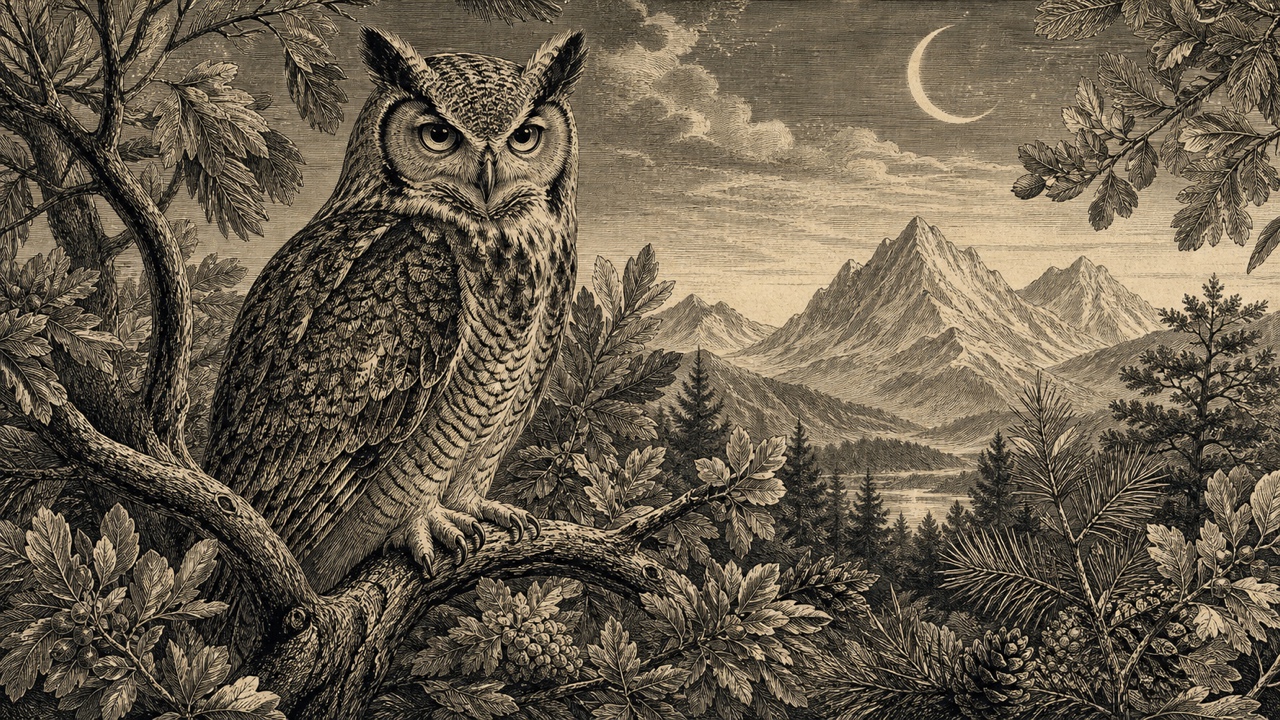
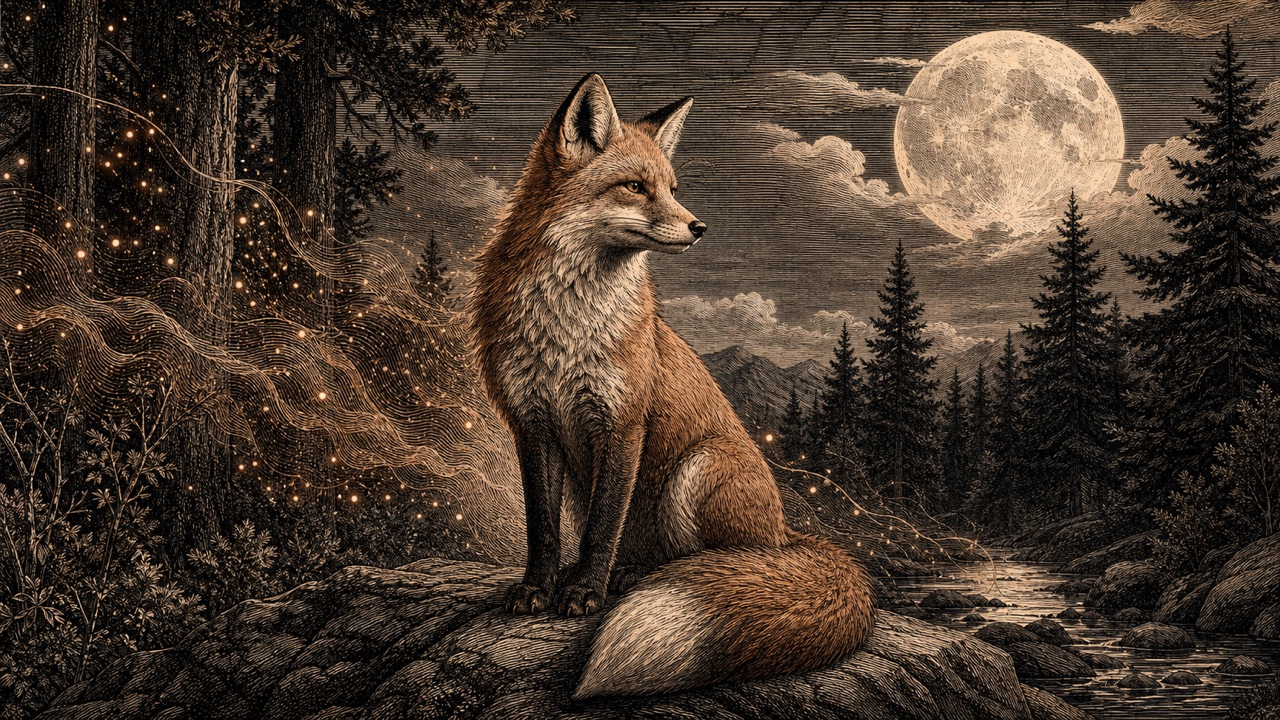
AI Engraving Generator: Turn Prompts into Engraving-Style Scenes
Describe a portrait, botanical study, landscape, creature, crest, or story moment and let the AI Engraving Generator interpret it through etched contours and layered marks. Add period, lighting, paper, and line-density cues to guide the atmosphere. The AI Engraving Generator makes the engraving art generator useful for concept exploration, editorial illustration ideas, and distinctive decorative artwork. To make the direction repeatable, define the focal point, camera distance, negative space, border treatment, and the age of the imagined print. The AI Engraving Generator can then treat those choices as one coherent art brief instead of unrelated style tags.
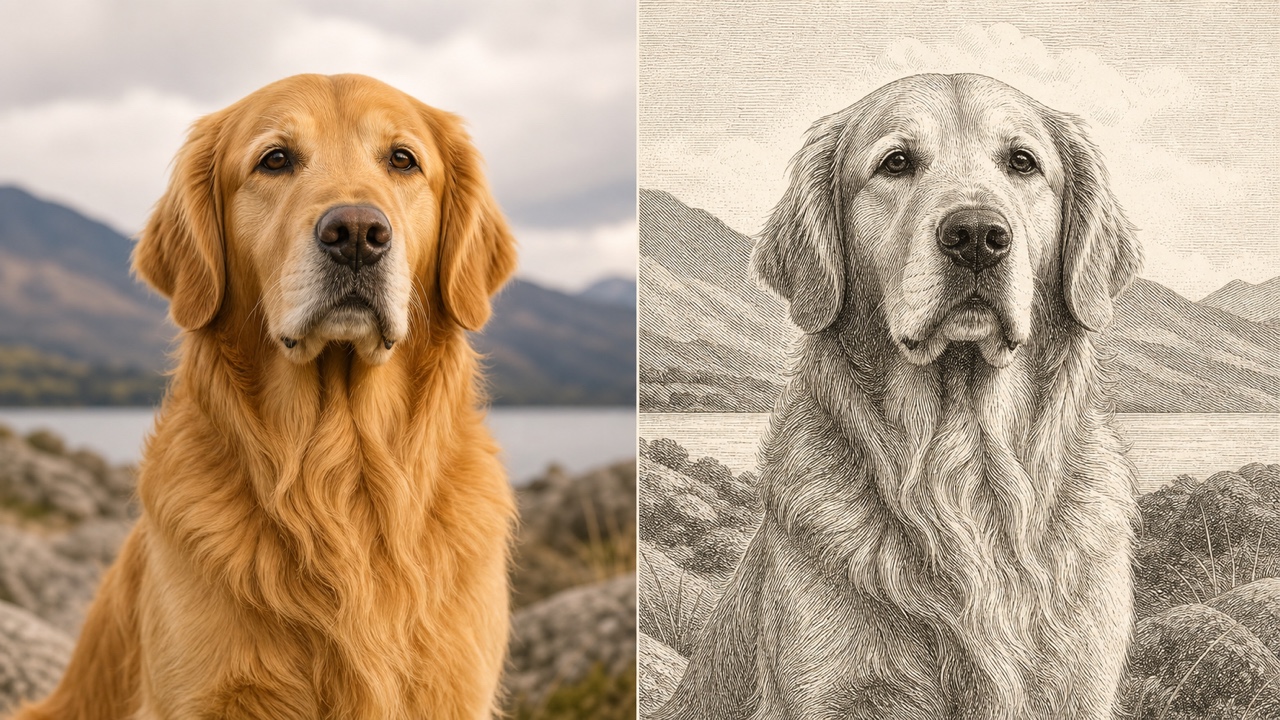
AI Engraving Generator: Transform a Photo Without Losing Its Character
Start with a clear portrait, pet photo, building, or keepsake when likeness and composition matter. The AI Engraving Generator can reinterpret the reference through hatching, stippling, and print-like contrast while your prompt identifies the details to preserve. Use this photo engraving generator workflow to explore a handmade visual treatment before deciding how the artwork will be used. Tell the AI Engraving Generator whether identity, pose, proportions, architecture, clothing, or background geometry must stay unchanged. You can also request gentler facial shading, stronger edge separation, or fewer marks in bright areas. These practical constraints help the AI Engraving Generator keep the image recognizable rather than creating a loosely related illustration.
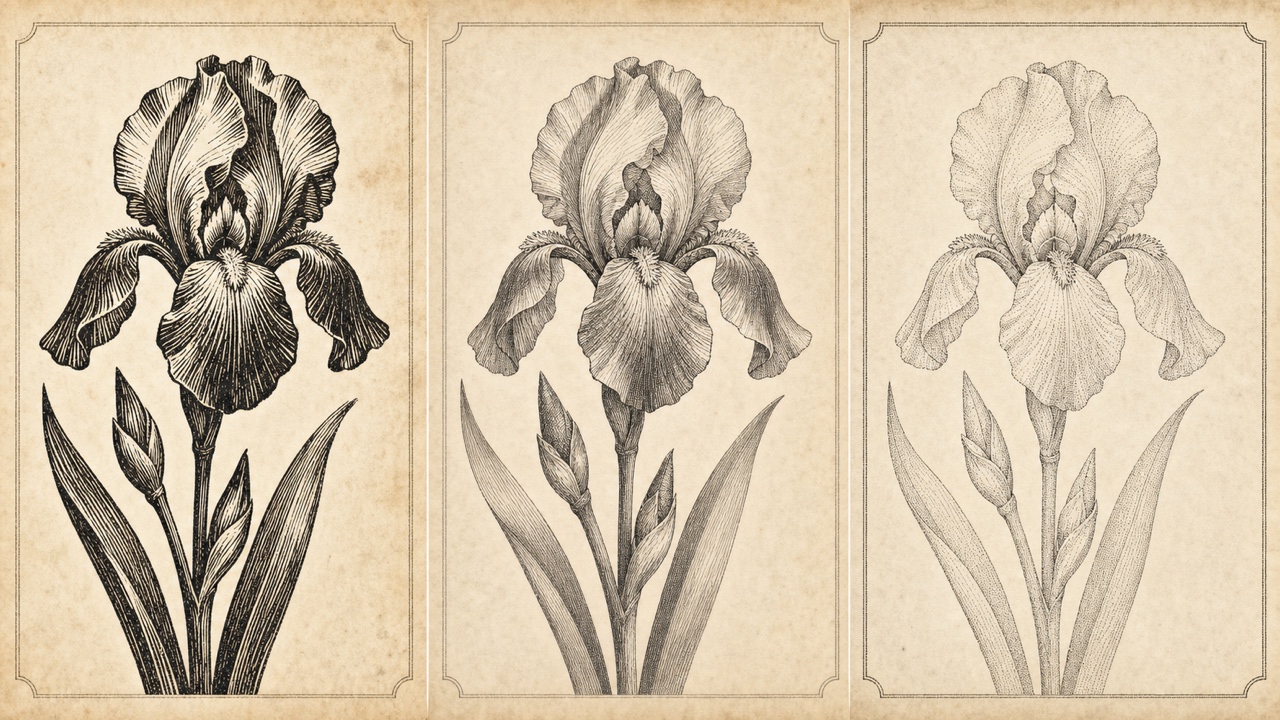
AI Engraving Generator: Explore Woodcut, Etching, and Stipple Looks
A single subject can feel bold as a rough woodcut, refined as a copperplate etching, or delicate as a stippled natural-history plate. Use the AI Engraving Generator to compare these directions quickly. The engraving art generator responds best when you name the mark-making method, contrast level, background treatment, and emotional tone you want to see. Ask the AI Engraving Generator for broad carved shapes when you want visual force, parallel burin lines for formal elegance, or tiny dots for slow tonal transitions. This engraving art generator comparison helps you judge which mark language supports the subject, whether that means rustic energy, archival refinement, scientific clarity, or a mysterious storybook atmosphere.
AI Engraving Generator: Build Clear Artwork for Personal Projects
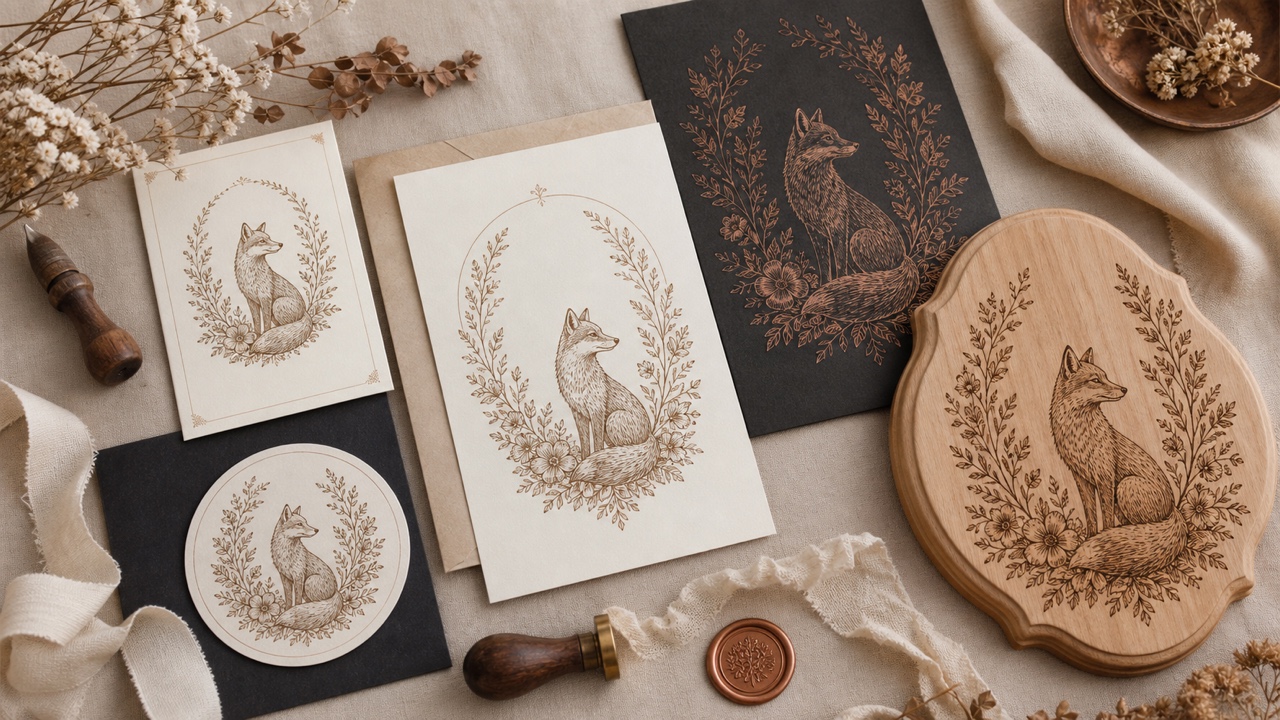
Create a strong starting image for invitations, labels, bookplates, posters, gifts, mood boards, or laser engraving design ideas. The AI Engraving Generator helps simplify busy concepts into readable silhouettes and deliberate textures. For physical engraving, always test the exported artwork with the material, machine, software, and safety settings you plan to use. Use the AI Engraving Generator to explore visual direction before committing production time: compare centered and asymmetrical layouts, reduce fragile detail, open space around important contours, and test how a motif reads at a glance.
What You Can Make with an AI Engraving Generator
From personal portraits to decorative print concepts, the AI Engraving Generator gives different creators a flexible way to develop line-based artwork with a classic visual voice.

AI Engraving Generator: Portraits and Pet Keepsakes
Turn a favorite face or animal reference into a dignified etched portrait. The photo engraving generator workflow helps retain recognizable features while your prompt controls framing, line weight, mood, and paper character. The AI Engraving Generator keeps those portrait decisions connected to your reference. Families can explore a formal heirloom look, a gentle memorial image, or a playful vintage profile while keeping the subject central. Tell the AI Engraving Generator which expression, markings, jewelry, clothing, or pose carries emotional meaning. The AI Engraving Generator follows clear preservation notes so decorative hatching does not obscure the details that make the subject familiar.

AI Engraving Generator: Brand and Packaging Concepts
Explore badges, crests, botanical motifs, product illustrations, and vintage label imagery. The AI Engraving Generator can help establish a distinctive direction for a designer to refine within a broader visual identity. As an engraving art generator, it makes contrasting mark styles quick to compare. Use the AI Engraving Generator to test whether a concept should feel artisanal, historic, scientific, luxurious, or rugged before developing final brand assets. The engraving art generator can reveal useful relationships among the central symbol, supporting foliage, border density, and open space. The AI Engraving Generator helps designers choose a direction to redraw and standardize inside the real identity system.

AI Engraving Generator: Editorial and Story Illustration
Create atmospheric scenes for articles, stories, posters, or concept boards. Use the engraving art generator to test historical, whimsical, gothic, scientific, or natural-history treatments without redrawing the whole composition. The AI Engraving Generator lets illustrators compare narrative emphasis: a looming environment can make a character feel vulnerable, while an open frame and luminous hatching can suggest discovery. Use the engraving art generator to explore period-inspired chapter openers, symbolic editorial metaphors, imagined field-guide plates, and dramatic monochrome scenes. The AI Engraving Generator provides visual starting points that can be edited, redrawn, or art-directed to fit the publication.

AI Engraving Generator: Craft and Engraving Inspiration
Develop high-contrast motifs for wood, metal, leather, glass, or paper project ideas. The AI Engraving Generator creates visual concepts, but makers should still prepare and test files according to their own equipment and material requirements. Before fabrication, use the AI Engraving Generator to compare simplified silhouettes, border thickness, isolated foreground shapes, and areas that may merge when reproduced. Then inspect the chosen artwork at its intended physical size, remove unsupported detail, convert it into the format your workflow requires, and run a small material test. The AI Engraving Generator supports planning; safe machine setup and production judgment remain with the maker.
Creative Ideas, Rendered with Engraved Character
These fictional examples show how different creative workflows can benefit from an approachable engraving art generator. The AI Engraving Generator supports exploration without replacing the maker's final judgment.
I used the AI Engraving Generator to explore a botanical emblem before drawing the final identity system. Being able to compare fine copperplate lines with a heavier woodcut direction made the client conversation much clearer. I asked the AI Engraving Generator for the same leaf, frame, and central animal in several mark-making styles, so we could discuss structure instead of debating abstract adjectives. The engraving art generator helped us recognize that the concept needed a calmer border and more open space around the symbol.
A family portrait needed a classic book-illustration mood without becoming stiff. The AI Engraving Generator gave me several thoughtful starting points, and the photo engraving generator approach kept the faces recognizable enough to guide my final composition. I told the AI Engraving Generator to preserve the relaxed expressions, the child's hand position, and the small dog between them while simplifying the background. Asking for lighter hatching across the faces and denser lines in the clothing created better separation.
For a short story, I wanted an old natural-history plate with a slightly surreal subject. The engraving art generator responded well when I specified stippling, open negative space, and an ivory paper texture. I used the AI Engraving Generator to keep the imaginary moth anatomically readable while giving its wing patterns an impossible constellation motif. The engraving art generator let me compare a labeled specimen-like arrangement with a more dramatic nocturnal scene.
I sketch ideas for personalized craft pieces, then test which silhouettes remain readable. The AI Engraving Generator helps me simplify the visual concept before I prepare anything for my own tools and materials. I ask the AI Engraving Generator for fewer interior lines, a clear outer contour, and stronger spacing between overlapping leaves or letters. The AI Engraving Generator helps me decide what to redraw and what to remove before I rebuild and test the design.



AI Engraving Generator FAQ
Learn how prompts, reference images, styles, and practical preparation fit into the AI Engraving Generator workflow.
An AI Engraving Generator creates or transforms images with visual traits associated with engraved printmaking, including etched contours, cross-hatching, stippling, carved marks, and controlled monochrome contrast. The AI Engraving Generator can help you explore engraving-style artwork from a prompt or optional reference image. Unlike a simple monochrome filter, the AI Engraving Generator interprets the subject through a chosen mark-making language and composition. An engraving art generator can propose where lines gather, where paper remains open, and how tonal structure supports the focal point. The output is creative imagery, so review important details and refine the prompt whenever accuracy matters.
Yes. Upload a clear reference and describe what should stay recognizable, such as the face, pose, pet markings, building shape, or composition. The AI Engraving Generator can then reinterpret the image with a chosen line style. A focused photo engraving generator prompt usually works better than a vague request. Tell the AI Engraving Generator whether to preserve identity, expression, camera angle, clothing, architecture, or background layout. Then specify copperplate, woodcut, stipple, or another print direction. If the first result drifts, shorten the style list, repeat the preservation rules, and request a cleaner silhouette or lighter facial hatching.
Try woodcut, copperplate etching, steel engraving, linocut, banknote linework, stippling, cross-hatching, vintage scientific plate, or antique book illustration. The engraving art generator can combine a medium with mood, era, paper color, contrast, and framing instructions. The AI Engraving Generator can also blend compatible printmaking cues in one prompt. For clearer control, ask the AI Engraving Generator to keep one dominant method and use another only as a supporting texture. This engraving art generator approach avoids a confused mixture of heavy carved blocks, delicate dots, and formal burin lines. Compare one variable at a time when choosing the final direction.
Name the subject first, then add composition, engraving method, line density, lighting, background, and paper treatment. For example, ask the AI Engraving Generator for a centered fox portrait, fine copperplate hatching, a clean silhouette, restrained shadows, and warm ivory paper. Give the AI Engraving Generator a priority order: what must appear, what must remain recognizable, which print style should dominate, and which unwanted elements to avoid. The AI Engraving Generator responds better to concrete relationships, such as a subject centered inside an oval border or light facial lines against denser background hatching, than to unrelated quality words.
Not automatically. The AI Engraving Generator creates visual artwork, not guaranteed machine-ready vectors, toolpaths, or material settings. Before physical engraving, check resolution, contrast, line thickness, image mode, dimensions, machine software, material behavior, ventilation, and safe test settings. Treat the AI Engraving Generator result as a concept or source image that may need cleanup, threshold adjustment, vector tracing, manual redrawing, or simplification. Fine marks that look attractive on screen can merge, disappear, or burn unpredictably on a physical surface. The AI Engraving Generator cannot replace manufacturer guidance, protective measures, or material tests.
You can open the AI Engraving Generator online and begin experimenting through the available Pixomi generation flow. Model availability, credits, limits, and usage terms may vary, so review the current interface and Pixomi terms before relying on a specific workflow or downstream use. The AI Engraving Generator is designed to make first experiments approachable: start with one subject, one printmaking method, and one clear mood.
Create a Timeless Engraving-Style Image
Open the AI Engraving Generator, describe the subject and line style you imagine, add a reference if needed, and turn your idea into expressive engraved artwork online. This engraving art generator gives every concept a clear place to begin. Let the AI Engraving Generator render your next direction.
