
Upload a site photo, map, or planning sketch—or describe your requirements—to generate conceptual urban plans and Masterplan visuals with AI.
More AI Image Generators
Explore our collection of specialized AI image generators designed for different creative needs and styles























AI Urban Planning Generator for Clear Masterplans
Turn a site photo, map, planning sketch, or written brief into a concept plan in minutes.
Use the AI Urban Planning Generator to translate early ideas into readable urban layouts and Masterplan visuals. The AI Urban Design Generator helps planners, designers, students, and property teams explore spatial options before detailed technical design begins.
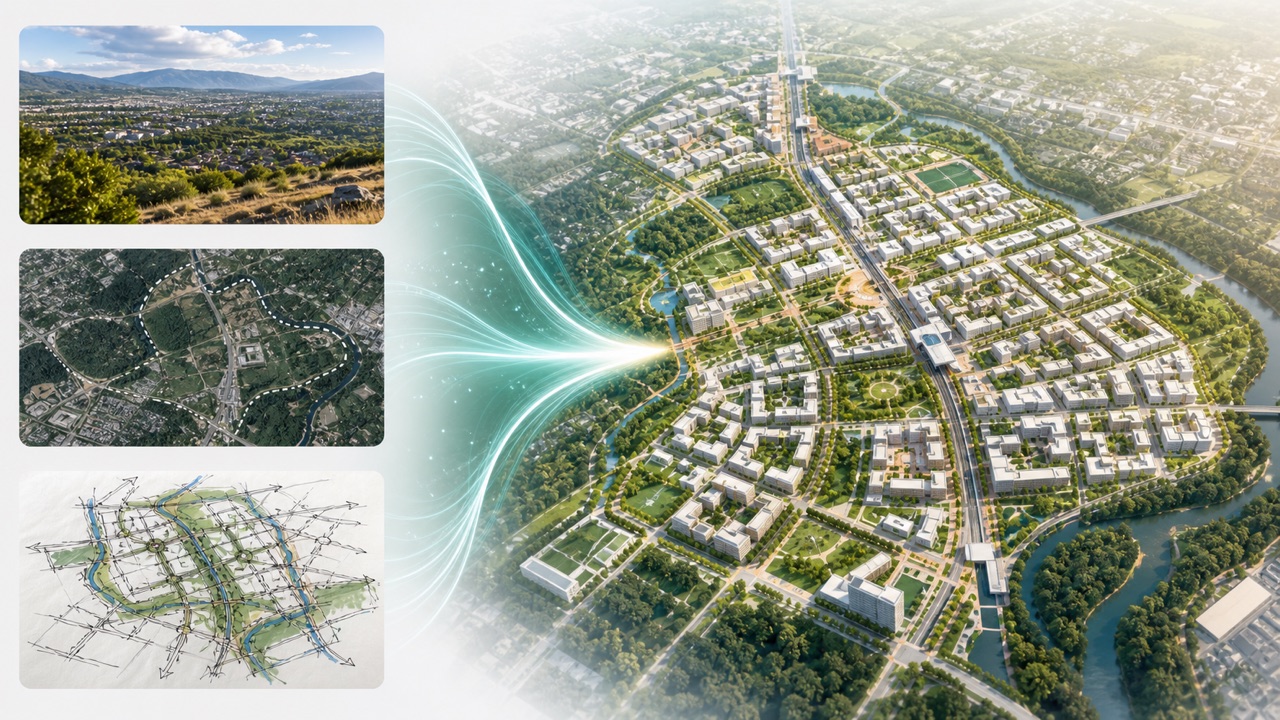
How to Generate an Urban Planning Concept
The AI Urban Planning Generator keeps early-stage planning simple while supporting visual inputs and text-only briefs. Use the AI Urban Design Generator when you need a fast, communicable direction for a district, neighborhood, campus, or mixed-use site.

Upload a Site Reference or Write a Brief
Upload a site photograph, aerial map, parcel diagram, or hand-drawn planning sketch. You can also describe the site, access points, desired land uses, density, green space, mobility goals, and other constraints. The AI Urban Planning Generator reads the visible context and your instructions together. For a text-first study, the AI Urban Design Generator can start from a detailed planning requirement without an image. The Free AI Urban Planning Generator makes this first exploration accessible when a polished base drawing is not available.

Generate a Conceptual Masterplan
Click generate and let the AI Urban Planning Generator organize streets, blocks, open spaces, building zones, public areas, and circulation into a coherent concept image. The AI Urban Design Generator interprets relationships rather than producing a final engineering document, so you can compare ideas quickly. With AI Urban Planning Generator Online, teams can move from an initial brief to a discussion-ready Masterplan visual without building every layer manually in complex design software.

Review, Refine, and Present
Review the generated hierarchy, connections, land-use balance, landscape structure, and overall character. Update your prompt to request wider green corridors, stronger transit links, different density, clearer pedestrian routes, or another planning pattern. The AI Urban Planning Generator supports rapid iteration, while the AI Urban Design Generator makes each revision easy to explain to collaborators. Save the most useful visual as a concept reference for workshops, presentations, feasibility conversations, or the next design phase.
Best AI Image Tools for Creative Projects
Explore creative tools for image, learn tips and tricks, and see how AI can be your assistant in turning concepts into finished projects.
Explore Urban Ideas Before Detailed Design
The AI Urban Planning Generator combines visual interpretation with prompt-based direction, helping you turn incomplete site information into an organized concept. The AI Urban Design Generator is built for exploration, communication, and faster alignment at the stage when plans are still flexible.
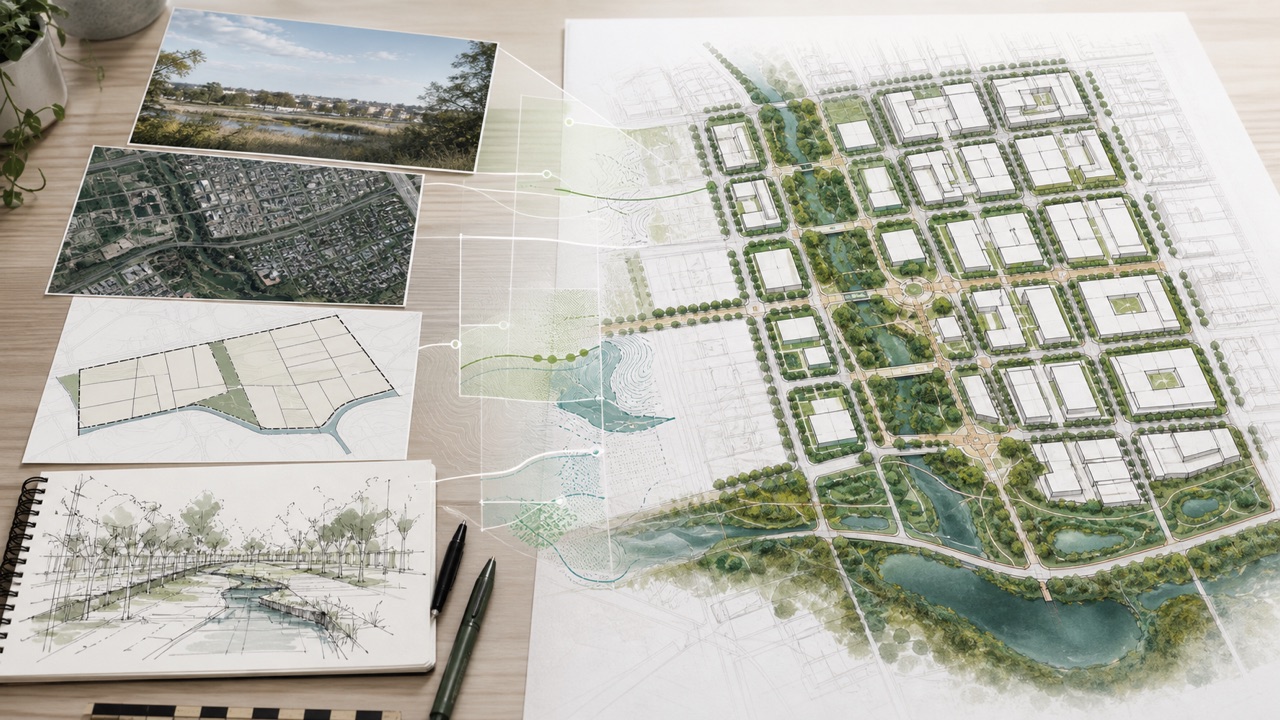
AI Urban Planning Generator: Transform Site Context into a Planning Structure
Start with the material you already have. A site photo can communicate topography, vegetation, edges, surrounding buildings, and visible access. A map can reveal parcels, roads, water, transit, and neighborhood connections. A sketch can show your preferred zones or circulation logic. The AI Urban Planning Generator uses that reference as a visual foundation instead of asking you to redraw everything. Add written requirements for housing, commercial uses, civic space, schools, parks, active mobility, parking, or phasing. The AI Urban Design Generator then turns the combined input into an intelligible urban composition.
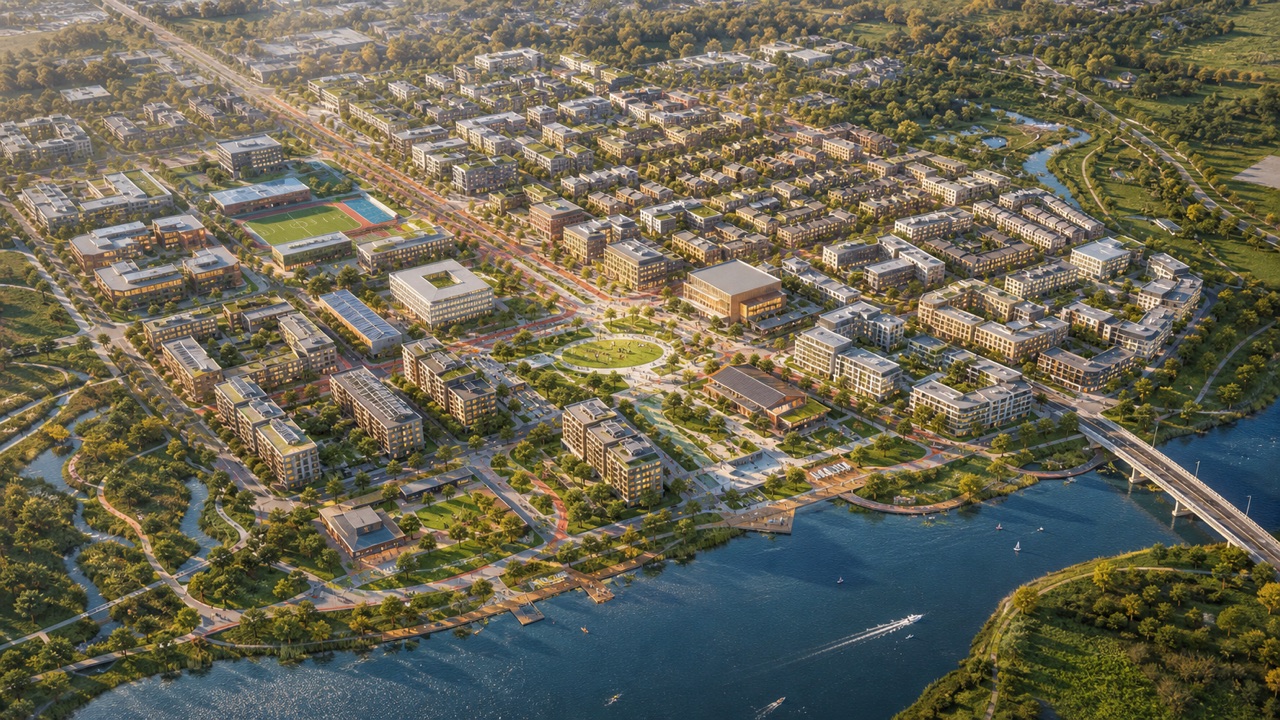
AI Urban Planning Generator: Visualize Streets, Blocks, Landscape, and Land Use
A good concept plan communicates relationships at a glance. The AI Urban Planning Generator can illustrate a primary street network, secondary connections, walkable blocks, landscape corridors, plazas, development parcels, and land-use clusters in one coordinated image. Ask for a transit-oriented district, a mixed-use waterfront, a resilient neighborhood, an innovation campus, or another clear planning idea. The AI Urban Design Generator helps express hierarchy, making central spaces, gateways, movement routes, and development zones easier to read. If your first output feels too generic, specify approximate site shape, orientation, desired density, building character, public-realm priorities, and the relative importance of cars, transit, cycling, and walking.
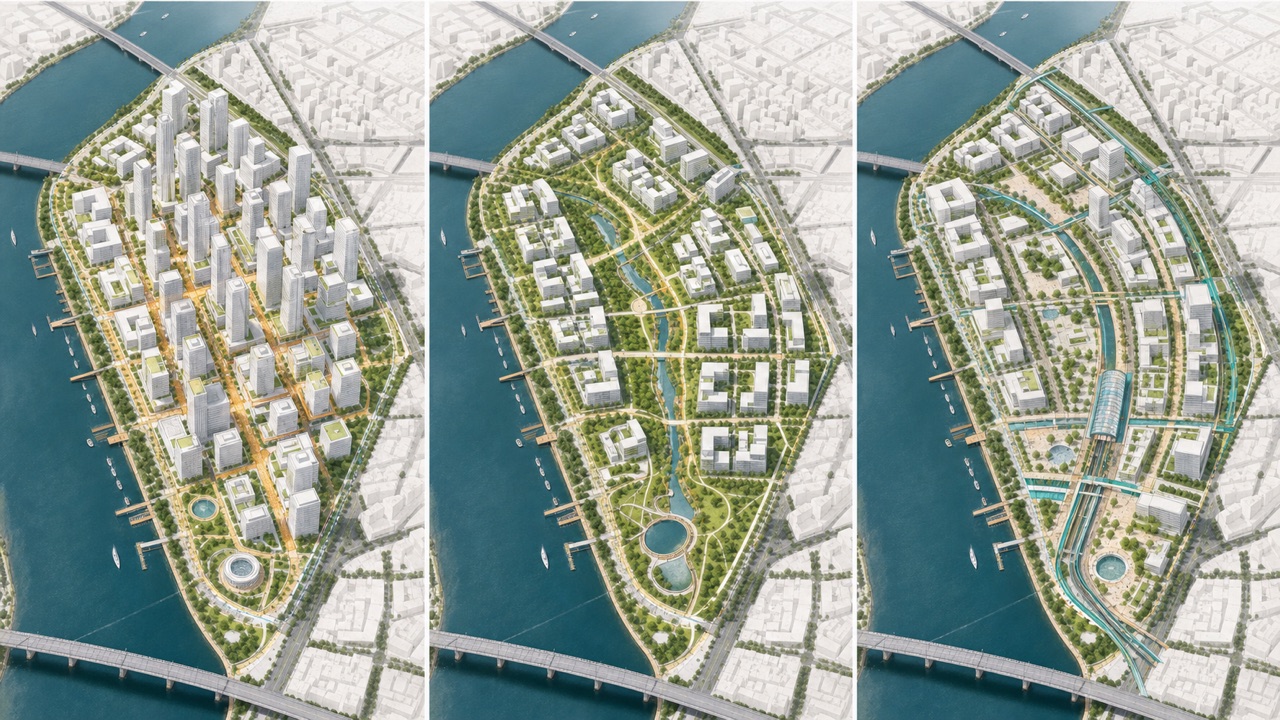
AI Urban Planning Generator: Iterate on Density, Mobility, and Public Space
Early planning improves when alternatives are visible. Use the AI Urban Planning Generator to request a denser core, smaller blocks, more connected parks, a car-light center, a larger civic plaza, or a different mix of building zones. The AI Urban Design Generator can visualize how one change affects the whole composition, helping stakeholders understand tradeoffs that may be difficult to explain in text alone. Keep the reference image consistent and alter one or two variables at a time for clearer comparisons. You might create one option focused on housing yield, another on ecological continuity, and a third on walkability and transit access. The AI Urban Planning Generator makes these scenario studies fast enough for workshops and internal reviews.
AI Urban Planning Generator: Create Masterplan Visuals for Faster Alignment
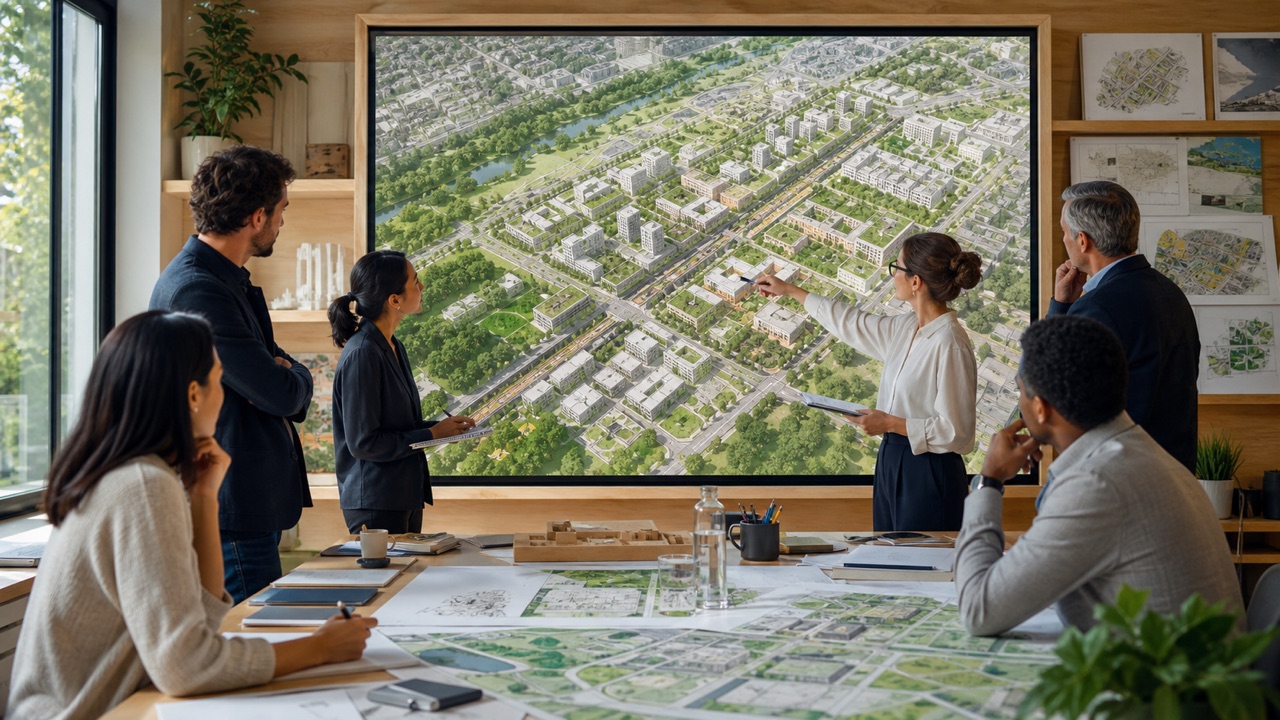
A clear image can bring planners, architects, developers, students, clients, and community participants into the same conversation. The AI Urban Planning Generator turns planning language into a visual that can anchor a presentation, kickoff meeting, design critique, or stakeholder workshop. The AI Urban Design Generator helps non-specialists see how streets, landscape, program, and built form might work together. Add a request for a clean aerial Masterplan style, diagrammatic colors, realistic massing, or a competition-board look depending on your audience. The AI Urban Planning Generator can support multiple communication styles while preserving the central site idea.
Who Can Use AI Urban Planning Visualization
The AI Urban Planning Generator supports people who need to explore spatial ideas quickly. The AI Urban Design Generator works across professional, educational, development, and collaborative settings while keeping outputs clearly conceptual.

AI Urban Planning Generator: Urban Planners and Design Teams
Use the AI Urban Planning Generator during site analysis, option development, charrettes, and internal reviews. The AI Urban Design Generator can turn a written strategy into a visual hypothesis, making it easier to identify issues before detailed drafting. The Free AI Urban Planning Generator is useful for quick studies, while AI Urban Planning Generator Online helps distributed teams review a shared concept image. Pair every result with local policy, demographic evidence, environmental data, transport analysis, and professional review.

AI Urban Planning Generator: Architects and Property Development Teams
The AI Urban Planning Generator can illustrate how development parcels, access, amenities, public space, and landscape might form a coherent place. The AI Urban Design Generator helps teams communicate early intent before architectural packages are complete. Use the Free AI Urban Planning Generator for initial feasibility conversations and AI Urban Planning Generator Online for presentation-ready concept directions. Verify ownership, easements, utilities, codes, market assumptions, and delivery constraints before relying on any spatial proposal.

AI Urban Planning Generator: Students, Educators, and Researchers
The AI Urban Planning Generator gives learners a fast way to visualize theories about walkability, mixed use, public space, resilience, density, and mobility. The AI Urban Design Generator can support studio exercises and comparative analysis when students explain the prompt, critique the output, and document limitations. The Free AI Urban Planning Generator lowers the barrier to experimentation, and AI Urban Planning Generator Online makes iterative learning accessible from a browser. Original reasoning and cited research should remain central to academic work.

AI Urban Planning Generator: Community and Public-Sector Workshops
Use the AI Urban Planning Generator to make workshop ideas visible without presenting them as final commitments. The AI Urban Design Generator can depict alternative green networks, safer streets, civic destinations, and neighborhood connections for structured discussion. The AI Urban Planning Generator helps participants react to a shared image, but facilitators should explain assumptions and invite correction. Combine generated concepts with inclusive engagement, accessibility needs, local knowledge, formal analysis, and transparent decision-making.
Concept Planning Made Easier to Discuss
These fictional examples show how different users might apply the AI Urban Planning Generator and AI Urban Design Generator during early-stage work. They are illustrative scenarios, not claims from verified customers.
The AI Urban Planning Generator helped me turn a messy workshop sketch into a clear district concept before our review. I used the AI Urban Design Generator to test a stronger park connection and calmer internal streets. The image made our assumptions easier to challenge, and we returned to the technical team with sharper questions.
For a mixed-use feasibility discussion, the AI Urban Planning Generator gave our team a useful visual starting point. The AI Urban Design Generator made density and public-space options understandable to colleagues outside design. We treated the output as conceptual, but it accelerated alignment on what deserved proper analysis.
I introduced the AI Urban Planning Generator in a planning studio so students could compare their written briefs with generated spatial structures. The AI Urban Design Generator encouraged critique because every output contained choices to question. Students learned that speed is valuable only when paired with evidence and reflection.
The AI Urban Planning Generator helped our facilitation team visualize two community ideas during an early workshop. The AI Urban Design Generator created a common reference for discussing safer crossings, green space, and local services. We clearly labeled the images as exploratory and recorded where residents disagreed.

AI Urban Planning Generator FAQ
Learn how the AI Urban Planning Generator and AI Urban Design Generator fit into an early concept workflow, what inputs are useful, and where professional validation is still essential.
An AI Urban Planning Generator is a visual ideation tool that converts a site reference or written planning brief into a conceptual urban layout or Masterplan image. An AI Urban Design Generator can illustrate streets, blocks, landscape, land uses, and development zones so early ideas are easier to discuss. It does not produce surveyed, engineered, code-compliant, or approved plans.
Upload a site photograph, aerial image, map, parcel diagram, planning sketch, or another clear visual reference. The AI Urban Planning Generator works best when the image has readable boundaries and the prompt explains goals and constraints. You can also use the AI Urban Design Generator with text requirements alone when no suitable image is available.
Yes. The Free AI Urban Planning Generator runs in a browser and is designed for fast concept exploration without specialist drafting software. Use AI Urban Planning Generator Online to describe the site, upload a reference if available, and generate a visual direction. Detailed design, mapping, analysis, and documentation still require appropriate professional tools and expertise.
State the site type, approximate context, desired uses, density, access points, movement priorities, open-space goals, and visual style. Explain important relationships, such as placing a civic plaza near transit or connecting parks through a pedestrian corridor. The AI Urban Design Generator benefits from concrete priorities, and the AI Urban Planning Generator is easier to refine when each revision changes only a few variables.
No generated concept should be assumed accurate, buildable, lawful, financially viable, or environmentally suitable. The AI Urban Planning Generator creates exploratory imagery, and the AI Urban Design Generator may invent or simplify details. Validate outputs with surveys, regulations, infrastructure studies, environmental assessment, mobility analysis, cost advice, community input, and qualified planning and design professionals.
The Free AI Urban Planning Generator can create concept visuals for presentations, design reviews, classroom critiques, and facilitated workshops. AI Urban Planning Generator Online is most useful when images are clearly marked as conceptual and presented with their assumptions. Avoid implying public approval, technical certainty, or community agreement when the output is only an AI-generated possibility.
Turn Your Site Idea into a Masterplan Visual
Upload a photo, map, or sketch, or begin with a written requirement. The AI Urban Planning Generator creates a concept you can review, refine, and discuss. Start with the AI Urban Design Generator today and move from planning language to a visual direction in minutes. The AI Urban Design Generator keeps early exploration clear and accessible.
