
Turn words into distinctive typography images with AI-guided styles, colors, textures, layouts, and creative effects.
More AI Image Generators
Explore our collection of specialized AI image generators designed for different creative needs and styles























Font Stylizer Generator for Distinctive Text Art
The font stylizer generator turns ordinary words into polished lettering for posters, logos, covers, invitations, and social graphics.
Use the font stylizer generator to enter your text, describe a visual direction, and create expressive typography in seconds. Explore dramatic, elegant, playful, retro, futuristic, or hand-drawn results without learning complex design software.
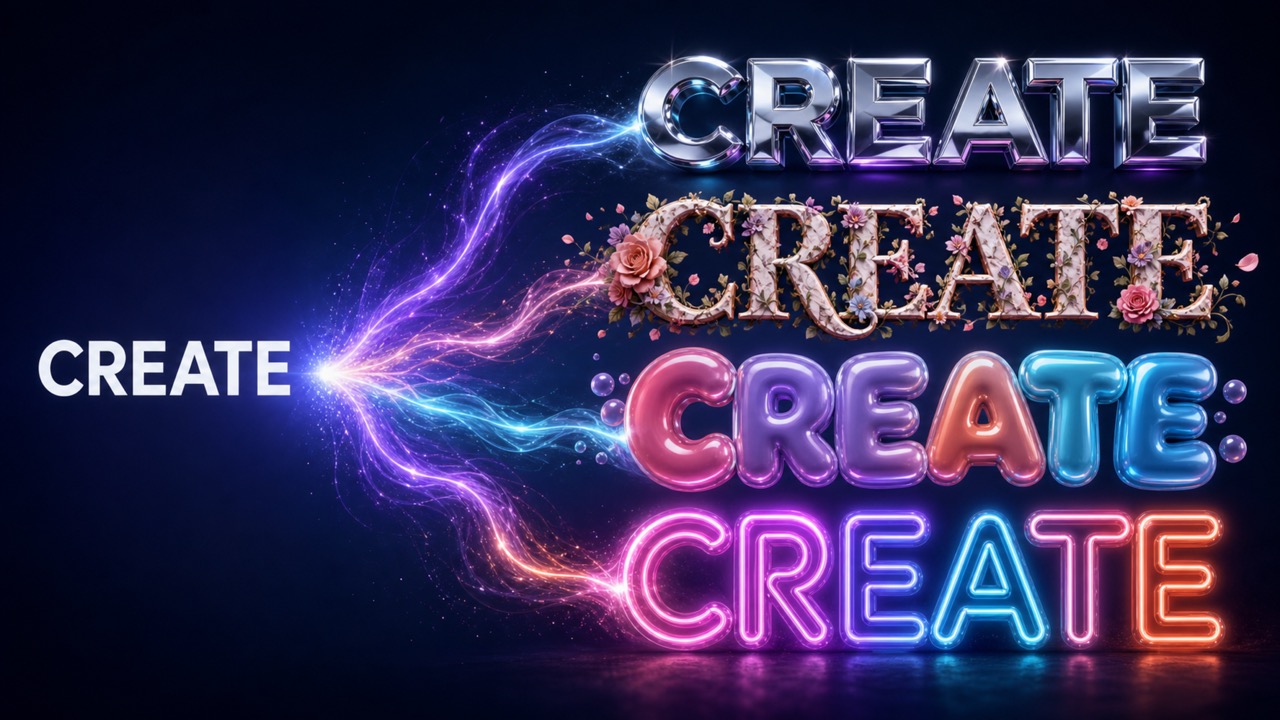
How to Use the Font Stylizer Generator
The font stylizer generator keeps typography creation simple. Start with the exact wording you need, guide the visual treatment with a useful prompt, and generate a finished image that is ready for review.

Enter Your Text and Style Idea
Type the words you want to feature, then tell the font stylizer generator about the mood, colors, era, texture, or creative reference you prefer. Clear wording helps the lettering stay accurate and visually focused.

Choose a Size and Generate
Select the image size that fits your project and let the font stylizer generator interpret your prompt. The AI develops the letterforms, composition, surface details, lighting, and background as one coherent typography design.

Review and Refine the Result
Compare variations from the font stylizer generator, keep the direction that works, or adjust your prompt for a different finish. Small prompt changes can make the design cleaner, bolder, softer, more dimensional, or more readable.
Best AI Image Tools for Creative Projects
Explore creative tools for image, learn tips and tricks, and see how AI can be your assistant in turning concepts into finished projects.
Create Typography That Matches Your Visual Idea
A font stylizer generator should do more than swap one conventional typeface for another. It should translate creative direction into a complete visual treatment while keeping your words central, legible, and useful across different projects. The font stylizer generator brings those choices together in one workflow.
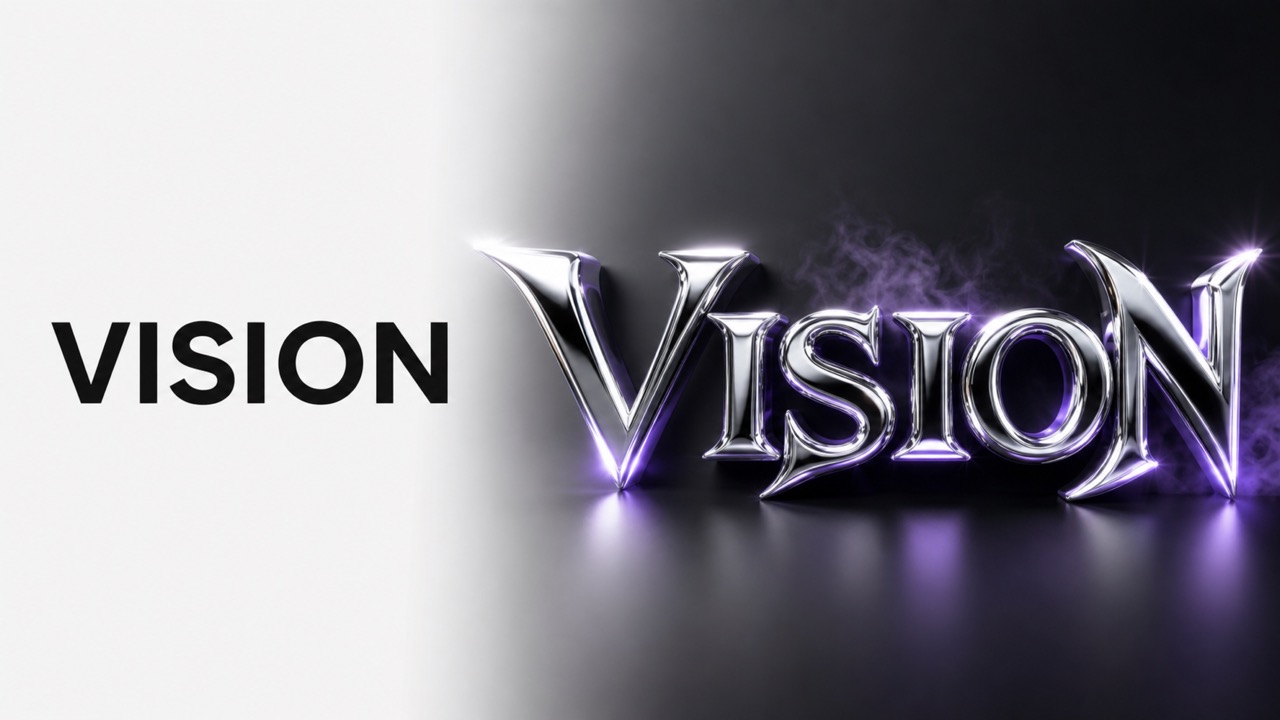
Explore Dramatically Different Font Styles
Use the font stylizer generator to move from chrome sci-fi lettering to soft watercolor script, carved stone capitals, neon signs, paper cutouts, retro arcade type, luxury serif treatments, or playful bubble letters. Describe the character of the design instead of searching through endless font menus. The font stylizer generator can turn one phrase into several creative directions, helping you discover looks that feel custom rather than generic. Refine color, texture, depth, outlines, shadows, and decorative details until the typography supports the emotion of your message.
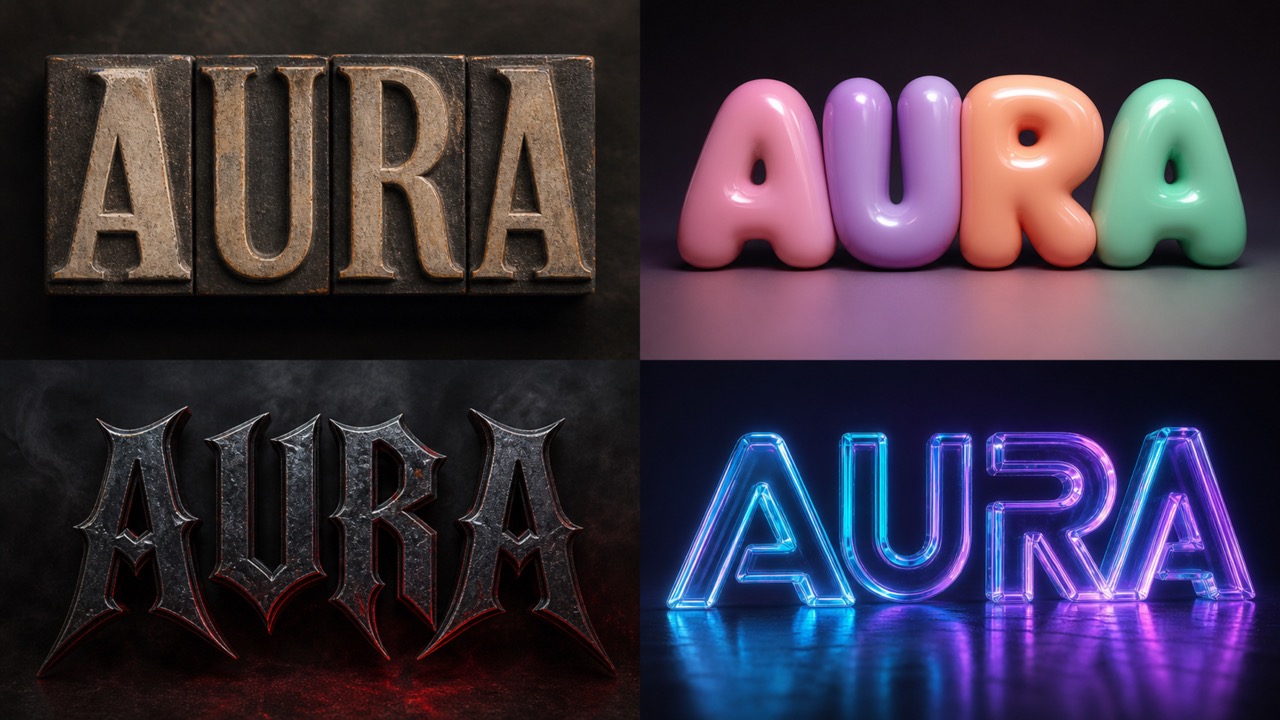
Build Cohesive Text Art from a Prompt
The font stylizer generator considers the whole image, not only individual letters. Ask for centered poster lettering, an arched title, stacked words, a glowing sign, a badge composition, or an editorial headline. Add details about the background and atmosphere so the result feels intentional. Because the font stylizer generator combines letter shape, layout, material, color, and lighting, you can create a unified design in a single workflow. This makes it easier to test an idea before committing time to manual effects and layer-by-layer styling.
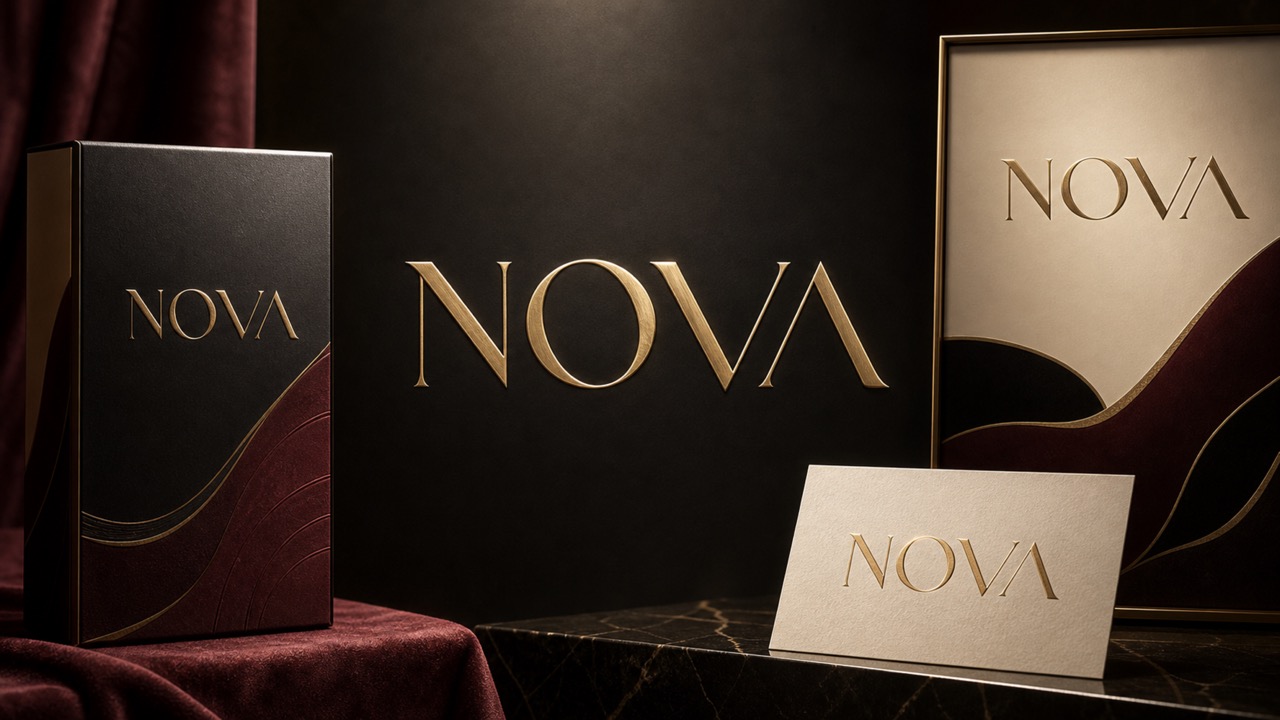
Generate Variations for Every Creative Direction
A single concept rarely needs only one execution. With the font stylizer generator, you can test elegant, energetic, minimal, nostalgic, cinematic, handcrafted, or futuristic versions of the same message. Keep the wording consistent while changing the visual prompt to compare directions fairly. The font stylizer generator supports quick exploration for campaigns, personal projects, presentations, and mood boards. Generate alternatives, identify the strongest qualities, then describe those qualities more precisely in your next prompt. This flexible loop helps you reach a convincing style without starting over in traditional design software.
Create Finished Typography Without Complex Tools
The font stylizer generator removes many technical steps that normally separate an idea from a polished typography image. You do not need to install fonts, build masks, paint textures, adjust dozens of effects, or understand advanced layer controls. Enter your wording, explain the desired treatment, and let the font stylizer generator produce a visual starting point. It is useful for fast concepts and finished creative assets alike. For the best outcome, check spelling, use concise text, and state which words should receive the strongest emphasis before generating.
What You Can Make with a Font Stylizer Generator
From everyday content to focused brand concepts, the font stylizer generator gives creators a fast way to turn a short phrase into memorable visual typography. The font stylizer generator also makes rapid creative comparison easier.
Social Posts and Video Covers
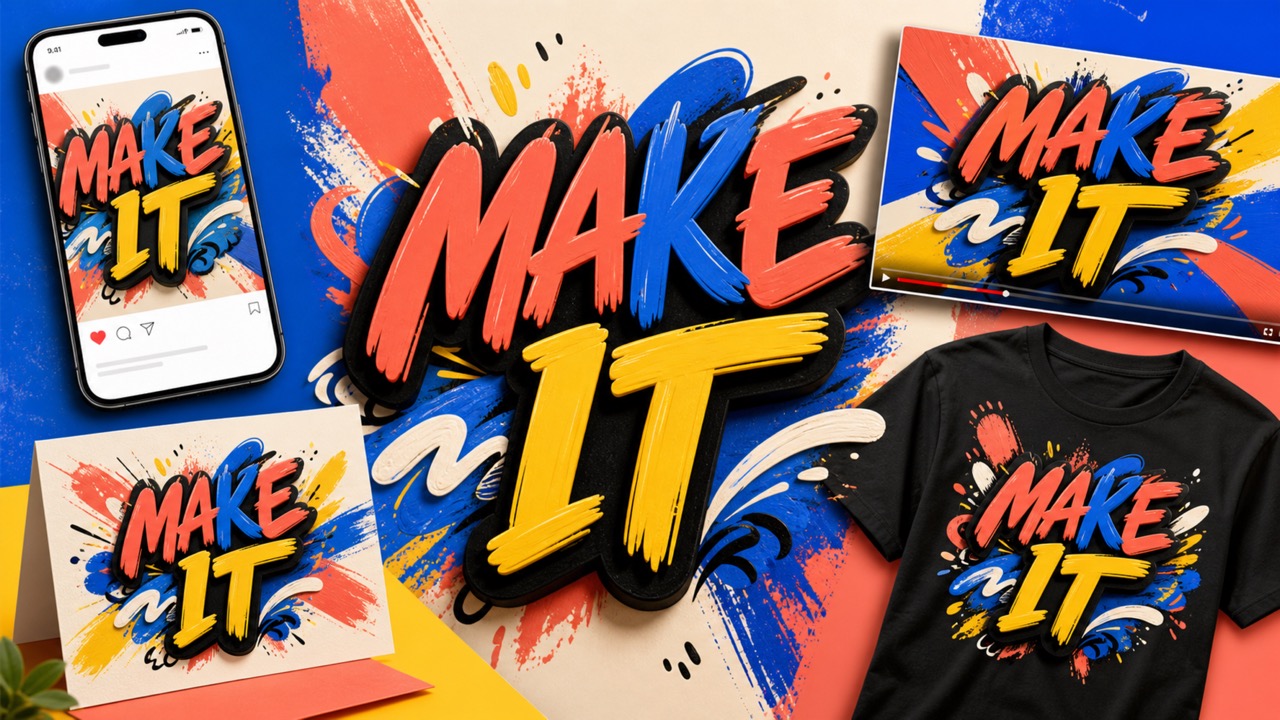
Use the font stylizer generator to create bold titles for Reels, Shorts, thumbnails, quote graphics, announcements, and profile campaigns. Match the lettering to the energy of the content, leave room for supporting imagery, and test several styles before publishing. A font stylizer generator can make recurring content feel consistent while giving each post a distinct visual hook.

Logos and Brand Concept Boards
The font stylizer generator is useful for early logo exploration, wordmarks, packaging directions, event identities, and campaign mood boards. Describe the audience, personality, industry, and desired finish so the typography feels relevant. While final identity work still benefits from professional review, the font stylizer generator helps teams visualize options and discuss a direction with greater clarity.

Posters, Invitations, and Covers
Create a striking event title, party invitation, album cover, book cover, menu header, or promotional poster with the font stylizer generator. Specify the occasion, visual era, colors, materials, and emotional tone. The font stylizer generator can combine decorative lettering with a complementary composition, giving you a stronger centerpiece for layouts that need immediate attention.

Merchandise and Personal Projects
Use the font stylizer generator for T-shirt concepts, stickers, labels, greeting cards, wallpapers, craft references, gaming names, and personalized gifts. Prompt for screen-print texture, embroidered lettering, metallic foil, hand-painted signs, or clean vector-like shapes. The font stylizer generator makes it easy to explore how the same words could feel across materials before you prepare final production artwork.
Why Creators Choose This Typography Workflow
These fictional user perspectives illustrate how the font stylizer generator can support different creative roles, from rapid concepts to polished campaign visuals. Each font stylizer generator example reflects a distinct workflow.
The font stylizer generator helps me turn campaign phrases into visual directions before our formal design review. I can compare expressive lettering ideas quickly and give the team a much clearer brief.
I use the font stylizer generator when a video cover needs more personality than a standard font. It gives me dramatic options fast, and prompt refinements make the next result much closer to my idea.
For event concepts, the font stylizer generator is a practical way to test elegant, playful, and vintage lettering before I settle on a theme. Clients understand the direction immediately.
The font stylizer generator lets me explore title treatments for covers without building every texture manually. I still control the art direction, but I reach strong starting points much faster.
When I need fresh merchandise ideas, the font stylizer generator shows how a phrase might look in embroidered, printed, chrome, or hand-painted styles. That range makes early product planning easier.
The font stylizer generator gives my class a friendly way to study how color, material, layout, and letter shape change the tone of a message. Students learn by comparing visible choices.





Font Stylizer Generator FAQ
Learn how the font stylizer generator works, how to write better prompts, and what to check before using generated typography in a public or commercial project. The font stylizer generator FAQ covers practical quality and usage questions.
A font stylizer generator is an AI-powered tool that turns entered words and a visual prompt into a styled typography image. Instead of applying only a conventional font, it can interpret materials, eras, moods, colors, lighting, decorative effects, and compositions. Use the font stylizer generator when you want expressive text art for a poster, title, cover, social graphic, concept board, or personal design. Results are image-based, so review letter accuracy and readability before final use.
Give the font stylizer generator the exact text first, then describe the desired style in concrete language. Mention the mood, color palette, material, visual era, layout, background, and level of readability. For example, request centered gold Art Deco lettering on a dark emerald background with clean spacing. The font stylizer generator responds more reliably to a focused direction than to a long list of conflicting effects. Keep important wording short and always verify spelling in the output.
You can use the font stylizer generator to explore logo and wordmark concepts, compare visual personalities, and prepare inspiration for a designer. Generated images may contain small inconsistencies and are not automatically production-ready vector files. Treat the font stylizer generator as a fast concept and visualization tool, then review originality, legibility, trademark considerations, and technical production requirements before adopting a design as a final brand identity.
The font stylizer generator may produce stronger results for some writing systems and shorter phrases than for others. Enter the exact characters you need and request clear, readable lettering. After generation, compare every character against your source text. If accuracy is weak, simplify the prompt, shorten the phrase, or generate again. The font stylizer generator creates visual interpretations, so human proofreading remains important for any language used in public-facing material.
Commercial suitability depends on the applicable Pixomi terms, the selected model's rules, your prompt, and the final design. The font stylizer generator does not replace legal review or guarantee exclusivity. Avoid requesting protected logos or close copies of living artists' work, and check the result for recognizable third-party material. Before commercial publication, confirm current usage rights and make any necessary refinements. The font stylizer generator is best used with original wording and broadly described visual directions.
Keep the text concise, place the exact wording at the beginning of your prompt, use quotation marks, and ask the font stylizer generator for clear, accurately spelled lettering. Remove unnecessary instructions that compete with the text. If an output contains an error, generate another version or simplify the style. The font stylizer generator can create compelling visual type, but complex words, long sentences, extreme distortion, and dense decoration can reduce character accuracy, so always proofread the final image.
Start the Font Stylizer Generator Today
Open the font stylizer generator, enter your words, describe the look you want, and turn a simple phrase into distinctive text art for your next creative project.
