
Upload a hoodie image and explore custom graphics, lettering, colors, patterns, and placements with AI.
More AI Image Generators
Explore our collection of specialized AI image generators designed for different creative needs and styles























Hoodie Designer for Custom Looks Online
Upload a hoodie photo, describe your graphic, text, color, or pattern, and explore a fresh apparel concept in seconds.
Hoodie Designer turns an existing hoodie image into a flexible creative canvas. Use the hoodie design maker to test artwork, lettering, placements, and color directions while keeping the garment recognizable and your idea easy to review. Hoodie Designer clarifies comparisons.
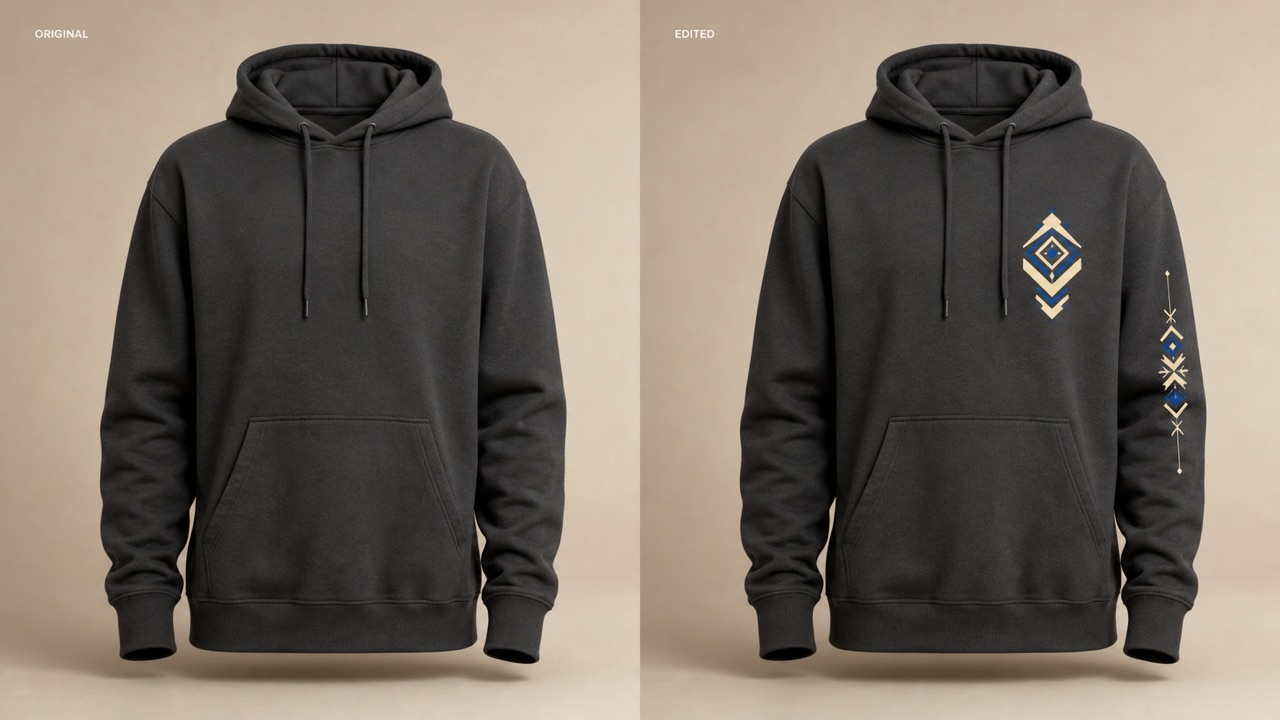
How to Use Hoodie Designer
Move from a plain garment photo to a focused custom hoodie design in three clear steps. Hoodie Designer combines your reference image with direct creative instructions, so every choice begins with the hoodie you actually want to change. Hoodie Designer clarifies the path.

Upload a Clear Hoodie Photo
Choose a front, back, or angled hoodie image with the garment clearly visible. A simple background and even lighting help Hoodie Designer understand the fabric, seams, pockets, hood, and printable areas. The hoodie design maker works best when folds do not hide the area you want to customize. If the original includes a person, explain whether the face, pose, and surroundings must remain unchanged. Hoodie Designer focuses on design.

Describe the Design Direction
Tell Hoodie Designer what to add or change: a chest emblem, oversized back graphic, sleeve lettering, repeating pattern, new base color, or coordinated front-and-back concept. Mention placement, scale, palette, mood, and any details that must stay untouched. This hoodie design maker responds better to a complete visual brief than a list of disconnected style words, especially when you want to design your own hoodie around a brand, event, or personal theme. Hoodie Designer follows those relationships.

Generate, Compare, and Refine
Create the first variation, then inspect how the graphic follows the garment and whether the message reads at a glance. Use Hoodie Designer again with one focused revision, such as reducing the logo, moving text higher, simplifying colors, or preserving more fabric texture. The hoodie design maker makes quick comparisons useful before you prepare artwork or discuss production with a printer. Hoodie Designer supports visual exploration, not automatic manufacturing approval. Hoodie Designer favors focused revisions.
Best AI Image Tools for Creative Projects
Explore creative tools for image, learn tips and tricks, and see how AI can be your assistant in turning concepts into finished projects.
Build a Hoodie Concept Around Every Creative Choice
Hoodie Designer helps you judge graphics, typography, color, and placement on a believable garment instead of imagining each element in isolation. The hoodie design maker keeps the workflow visual, direct, and easy to revise. Hoodie Designer adds garment context.
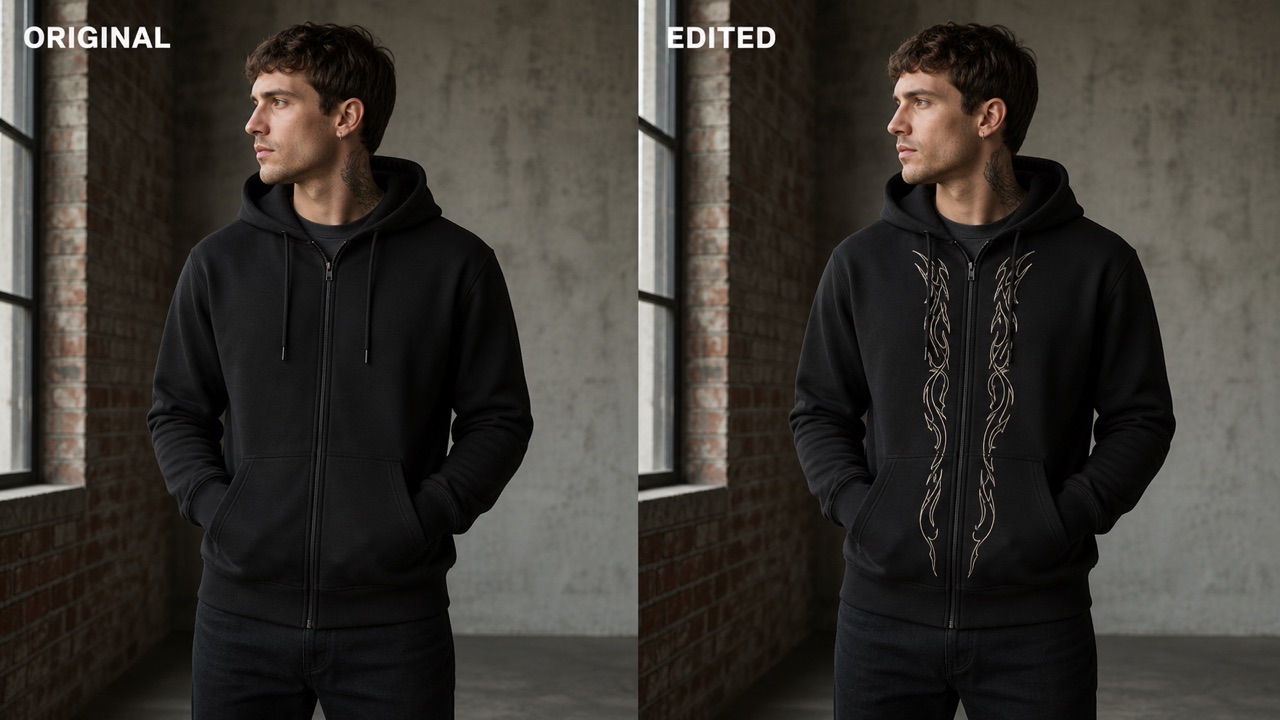
Keep the Hoodie Recognizable
Start with a hoodie photo you already like and ask Hoodie Designer to change only the design surface. The prompt can preserve the silhouette, hood shape, drawstrings, pocket, zipper, pose, lighting, and background while adding the requested artwork. That makes the hoodie design maker practical for testing a new visual direction without rebuilding the whole scene. State the protected details first, then describe the editable area. Hoodie Designer follows clear boundaries. For a zip hoodie, explain whether artwork should stop at the zipper or span both sides. For a modeled garment, ask Hoodie Designer to keep the person's identity and body position stable. Clear limits help the custom hoodie design feel connected to the original image rather than becoming an unrelated product shot. Hoodie Designer changes only named elements.
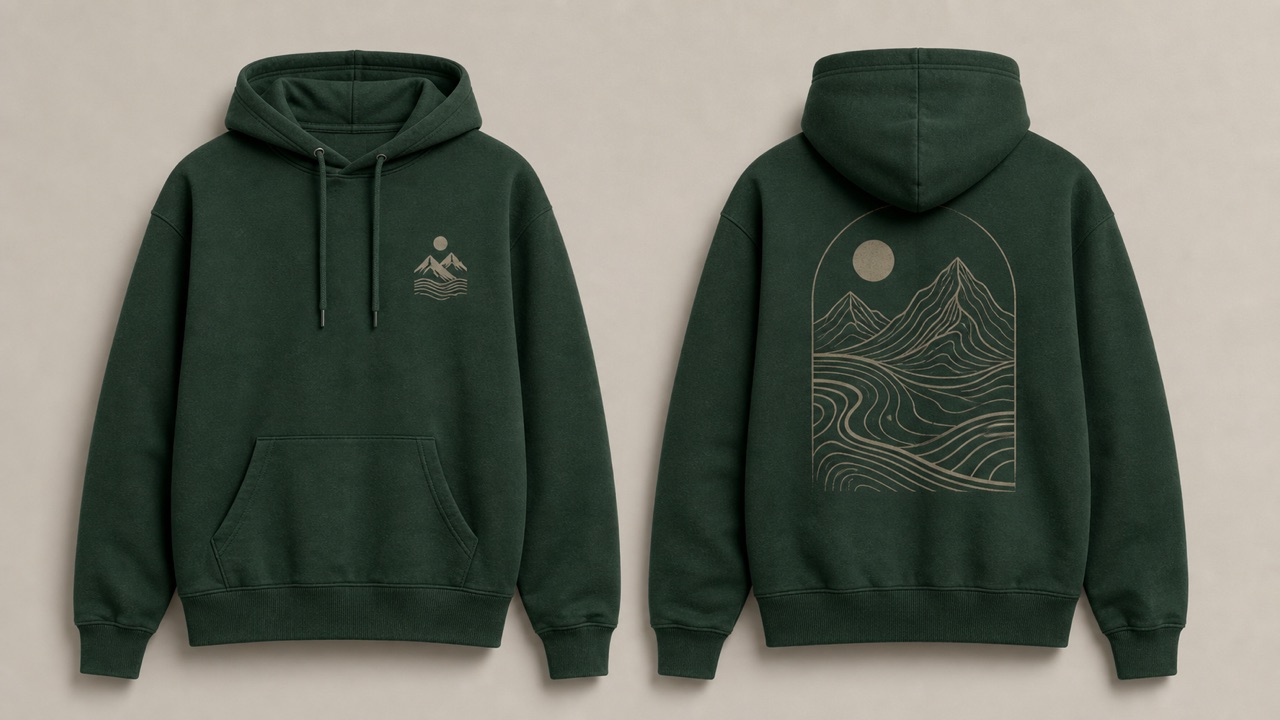
Place Logos and Graphics with Purpose
Use Hoodie Designer to explore a small left-chest mark, centered front illustration, oversized back graphic, sleeve motif, or coordinated placement system. Describe the visual weight you want and how much empty fabric should surround the artwork. The hoodie design maker can compare restrained branding with louder streetwear composition before you commit to one route. Hoodie Designer makes spacing decisions easier to see. Ask Hoodie Designer for a clean emblem, hand-drawn character, geometric pattern, collage, botanical motif, or abstract symbol that fits the garment's existing color. When you add logo to hoodie imagery, avoid claiming that a generated mark is an approved trademark or final print file. Treat each result as a concept to review, redraw, or prepare with the proper production tools. Hoodie Designer supports the concept stage, while final asset preparation remains separate.
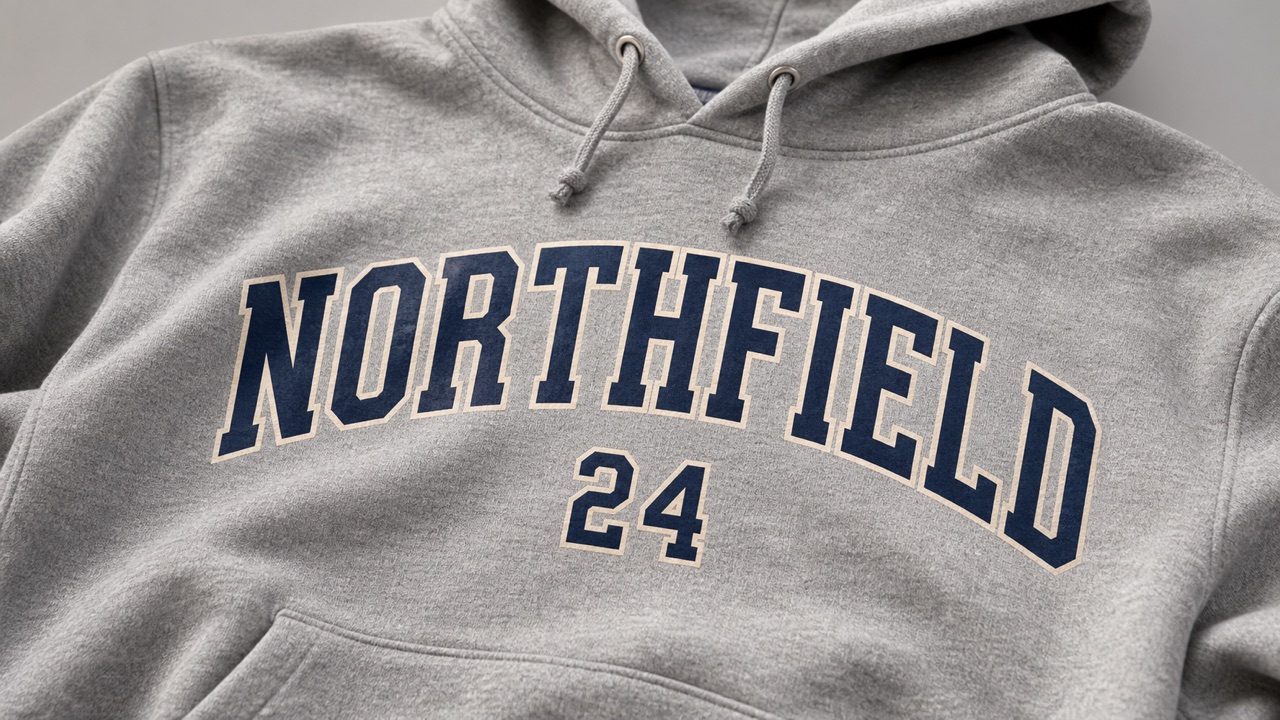
Shape Lettering That Belongs on the Garment
Typography changes the entire personality of a hoodie. Hoodie Designer lets you test collegiate arches, compact chest type, bold back statements, handwritten marks, number systems, or minimal monograms in context. Give the hoodie design maker the exact wording, capitalization, placement, color, and overall type mood. Keep phrases short when spelling accuracy matters, and verify every character in the result. Use Hoodie Designer to compare one clear hierarchy at a time: a main phrase with a small supporting line, a name with a number, or a centered wordmark with a simple symbol. This focused hoodie mockup approach reveals whether the message competes with seams, pockets, drawstrings, or the wearer's pose. Hoodie Designer helps you refine the visual hierarchy before rebuilding final type.
Explore Color, Pattern, and Collection Direction
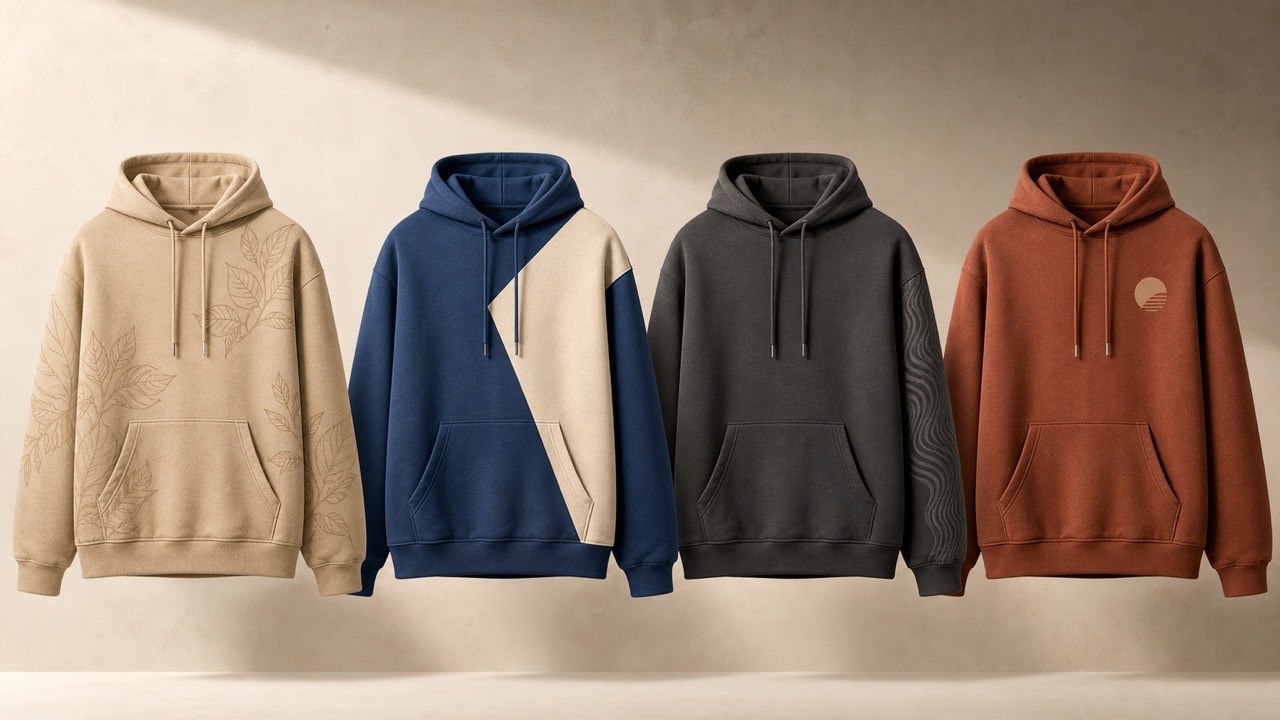
Ask Hoodie Designer to explore a new fabric color, contrast panels, tonal print, sleeve pattern, lining accent, or coordinated palette while preserving the garment construction. The hoodie design maker helps you see how the same idea shifts across muted neutrals, bright youth color, vintage wash, technical monochrome, or seasonal tones. You can use Hoodie Designer to build a small family of related concepts by keeping the graphic system stable and changing one palette variable at a time. For an all-over pattern, describe motif scale, spacing, direction, and which areas should remain plain. This disciplined approach makes personalized hoodie design comparisons easier to discuss with teammates, clients, or production partners. Hoodie Designer keeps the collection logic visible across variations.
What You Can Explore with Hoodie Designer
Hoodie Designer gives independent creators, teams, communities, and small brands a quick way to turn a rough direction into a visible apparel concept. The hoodie design maker is useful whenever placement and garment context matter. Hoodie Designer brings those choices into one reviewable image.

Streetwear and Small Brand Concepts
Use Hoodie Designer to explore the visual language of a capsule drop before preparing final art. Compare a quiet chest symbol with a large narrative back print, test how a collection name works across sleeves and body, or see whether one motif can support several colorways. The hoodie design maker helps founders discuss scale, balance, and personality with collaborators using a concrete image. Build each custom hoodie design around an audience and a single creative idea instead of filling every surface. Hoodie Designer can also show when a composition needs more breathing room or when the base garment color weakens contrast. Hoodie Designer helps the team choose a direction before technical production begins. Final trademarks, specifications, print separations, and manufacturing decisions still require appropriate professional review.
Teams, Clubs, Schools, and Events
Create a shared visual direction for a sports club, school group, reunion, volunteer team, conference, or community event. Hoodie Designer can combine a short name, year, number, mascot-inspired graphic, or location cue while keeping the layout readable. The hoodie design maker makes it easier to compare front-only, front-and-back, and sleeve-accent arrangements before collecting feedback. When you design your own hoodie for a group, keep essential text large enough to review and avoid placing critical details across seams or the pocket. Use Hoodie Designer to test a unified base concept, then plan personalized names or numbers separately with the printer that will produce the garments. Hoodie Designer keeps group feedback tied to visible placement choices.

Creators, Gifts, and Personal Style
Turn an inside joke, illustration, favorite phrase, travel memory, music theme, or personal symbol into a wearable concept. Hoodie Designer helps you decide whether the idea feels stronger as subtle embroidery-inspired art, a centered graphic, expressive type, or an all-over motif. The hoodie design maker keeps the garment visible, so you can judge how the concept interacts with real folds and proportions. Use Hoodie Designer to explore a personalized hoodie design for birthdays, milestones, creator merchandise, or one-off wardrobe inspiration. Hoodie Designer can turn a personal theme into several restrained visual options. If the concept uses someone else's artwork, logo, character, or likeness, confirm that you have the necessary permission before producing or selling it.

Product Mockups and Client Presentations
Use Hoodie Designer to make a clear visual reference for a pitch, mood board, product discussion, or early campaign concept. The hoodie design maker can place an approved design direction into a believable garment image so stakeholders can respond to scale, location, color, and overall tone. A focused hoodie mockup is often easier to evaluate than artwork floating on a blank page. Ask Hoodie Designer to preserve the camera angle and lighting across related versions, then change only one design variable for a fair comparison. Hoodie Designer makes that comparison easier to explain in a presentation. Generated visuals may contain small inconsistencies, so inspect logos, letters, seams, and anatomy before presenting them as anything beyond concept imagery.
Creative Decisions Become Easier to See
These fictional examples illustrate how different users might use Hoodie Designer during concept development. The hoodie design maker supports fast visual thinking while leaving final artwork and production judgment with the creator. Hoodie Designer makes early reactions more specific and actionable.
I used Hoodie Designer to compare a minimal chest mark with a much larger back illustration for a small streetwear release. Seeing both ideas on the same garment made the balance obvious. The hoodie design maker also helped me test three colorways without changing the core artwork. I kept the strongest version as a visual brief, then rebuilt the graphic properly for production. Hoodie Designer saved our team from discussing scale in vague terms and gave the printer a clearer starting conversation. Hoodie Designer made the decision feel grounded in the actual garment.
Our running club needed a hoodie that felt spirited without looking crowded. Hoodie Designer let us try the club name on the chest, a route-inspired line graphic on the back, and a small sleeve date. The hoodie design maker made feedback much more specific because members could point to placement and contrast. After choosing a custom hoodie design direction, we sent the idea to a professional supplier for file checks, personalization, and printing. Hoodie Designer helped everyone respond to the same visual reference.
A client had a strong illustration but no idea how it should live on apparel. With Hoodie Designer, I tested a centered front print, a cropped oversized back treatment, and a small companion symbol near the cuff. The hoodie design maker helped us recognize that the art needed more empty space around the face. Hoodie Designer became a quick presentation tool, while I handled the final typography, color separation, and production files in my normal design workflow.
I wanted a personalized gift based on a mountain trip, but my first idea had too many details. Hoodie Designer showed me that one contour line, a short place name, and a limited palette felt more wearable. The hoodie design maker helped me compare a subtle embroidered look with a bolder printed version. I used Hoodie Designer to settle the composition, then checked spelling, rights, garment options, and production limits with the shop making the hoodie.

Hoodie Designer FAQ
Get direct answers about reference images, prompts, graphics, text, mockups, and production expectations before you begin with Hoodie Designer.
Hoodie Designer edits a hoodie image according to your creative prompt. Upload a clear garment photo, then describe the graphic, lettering, placement, palette, or pattern you want to explore. The hoodie design maker produces concept imagery for review; it does not automatically create verified manufacturing files. Hoodie Designer is best used for visual direction and comparison.
Yes. Hoodie Designer is built around one uploaded image, so you can begin with a flat lay, product photo, modeled hoodie, or simple mockup. For better results, keep the garment visible and tell Hoodie Designer which construction, pose, identity, lighting, and background details must remain unchanged.
Start with the exact change, then add placement, scale, color, style, and protected details. Tell Hoodie Designer to add a small cream chest emblem, for example, while preserving the black fabric, seams, pocket, drawstrings, pose, and background. The hoodie design maker benefits from one coherent direction.
Yes, Hoodie Designer can visualize logos, symbols, numbers, and short phrases on a garment. Provide the exact wording and inspect every character after generation, because image models can make spelling errors. Only use artwork, trademarks, and names that you have permission to reproduce.
No. Hoodie Designer creates visual concepts and mockup-style images, not guaranteed vectors, separations, embroidery files, printable dimensions, or manufacturer-approved specifications. Use the hoodie design maker to choose a direction, then prepare and test final artwork with the requirements of your printer, garment, decoration method, and rights holder.
You can open Hoodie Designer online and begin through Pixomi's available generation flow. Current models, credits, limits, and terms may vary, so check the interface before planning repeated work. Start with one clear garment image and one focused design change for the easiest comparison.
Turn a Hoodie Photo into Your Next Design Direction
Open Hoodie Designer, upload a garment image, and describe the graphic, text, placement, color, or pattern you want to see. The hoodie design maker gives your custom hoodie design a clear visual starting point, ready to compare and refine. Hoodie Designer turns the next creative decision into something you can see.
