Halloween AI Prompts: 12 Spooky Photo Ideas You Can Copy and Customize
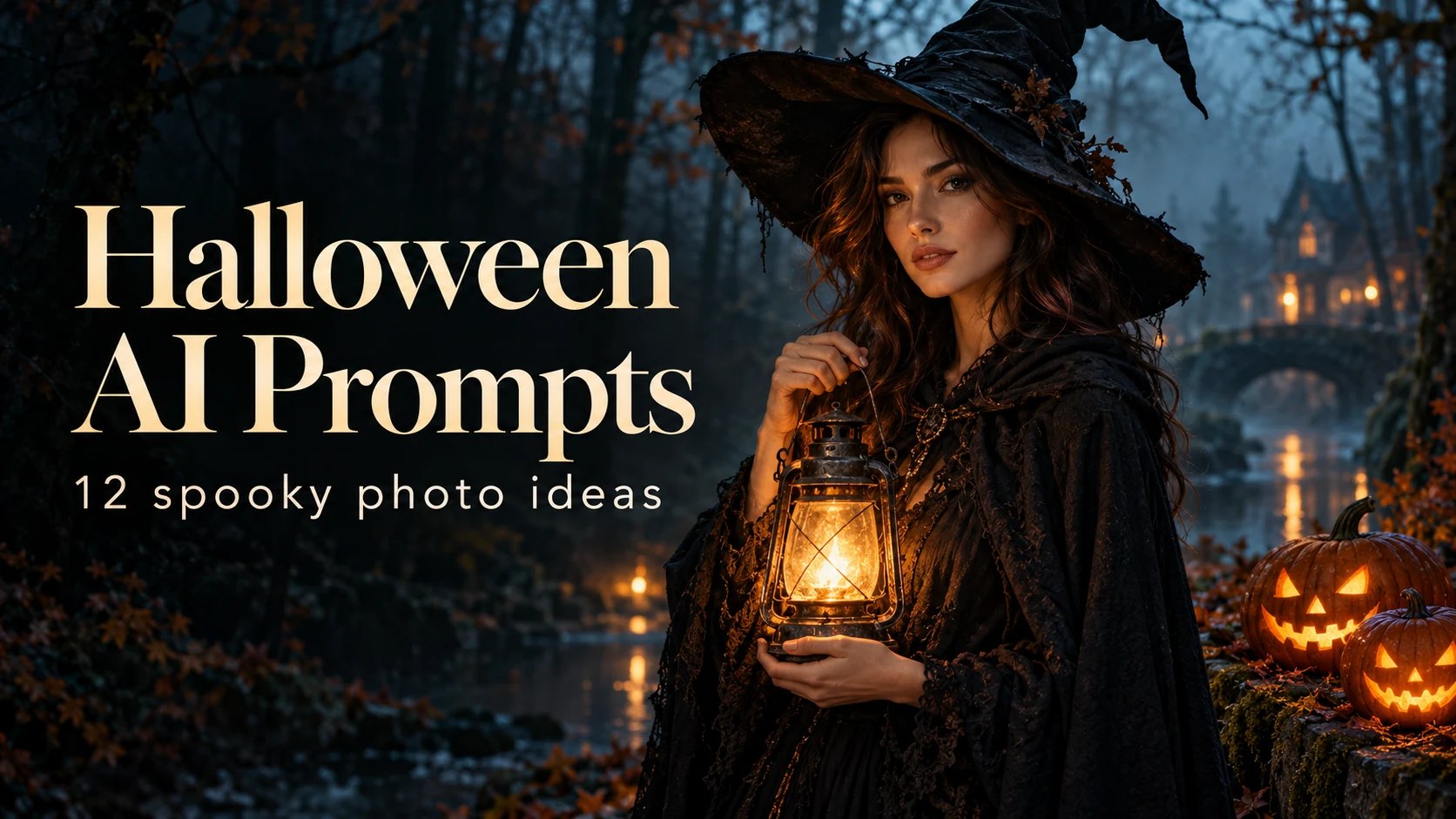
Copy 12 Halloween AI prompts for vampire and witch portraits, couples, pets, party photos, retro movie posters, and spooky food. Learn how to use a reference photo, keep faces recognizable, fix wrong costumes and misspelled text, and recreate each look with GPT Images 2.5.
Want a Halloween photo that looks like a movie still instead of a cheap filter? The difference is almost always the prompt. A good one names the costume, the setting, the light, and the camera look, and tells the model what must stay the same.
This guide collects 12 Halloween AI prompts you can copy today: vampire and witch portraits, a Victorian ghost, a costume party with friends, a couple's pumpkin patch shoot, a retro horror poster, a pet wizard, and a few scenes and treats that need no reference photo at all. You will also learn how to keep faces recognizable, make a look scary without gore, and fix the usual problems, such as the wrong costume or misspelled poster text.
You can try every prompt with GPT Images 2.5. For more ready-made looks, browse the full Halloween AI photo prompts collection.
How to Use These Halloween AI Prompts
Some prompts below work from text alone. Others are written for a reference photo, where the model changes the costume and scene but keeps the person.
For reference-photo prompts:
- Pick a clear, well-lit photo where the face is easy to see. A front-facing or slightly angled shot works best.
- Avoid sunglasses, heavy filters, and hands covering the face.
- Upload the photo, then paste the prompt.
- Generate, then fix only the part that looks wrong instead of rewriting the whole prompt.
Use photos of yourself, or of adults who agreed to be in the picture. Results vary by model, so expect to refine the first attempt.
A Simple Halloween Prompt Formula
Most strong Halloween prompts follow the same order:
Subject + costume + setting + lighting + camera look + what to preserve
A basic version looks like this:
Use the uploaded photo as the identity reference and keep the face recognizable. Dress the person as a witch in a foggy forest at dusk. Use soft blue evening light with a warm lantern glow, a realistic photograph, and natural skin texture. Do not change the person's identity.
Every prompt below is a longer, more specific version of that formula.
Portrait Prompts for Vampires, Witches, and Ghosts
Portraits are the most popular Halloween use case, and they depend most on the preservation line. Always tell the model which parts of the face must not change.
1. Vampire Aristocrat Portrait Prompt
Elegant beats bloody here. A candlelit mansion, rich fabric, and deep shadows do most of the work.
Use the uploaded photo as the identity reference. Preserve the person's recognizable face, skin tone, age, and natural proportions. Transform them into an elegant vampire aristocrat in a candlelit Gothic mansion. Dress them in a high-collared black velvet coat with a deep burgundy lining and a small silver brooch. Add subtle pale makeup, a hint of dark lip color, and small, tasteful fangs. Light the scene with warm candlelight from one side and deep shadows on the other, with a heavy red curtain and a dark wooden staircase behind them. Use a shallow depth of field and a cinematic 35mm film look. Keep it elegant, with no blood and no wounds. Do not change the person's identity.
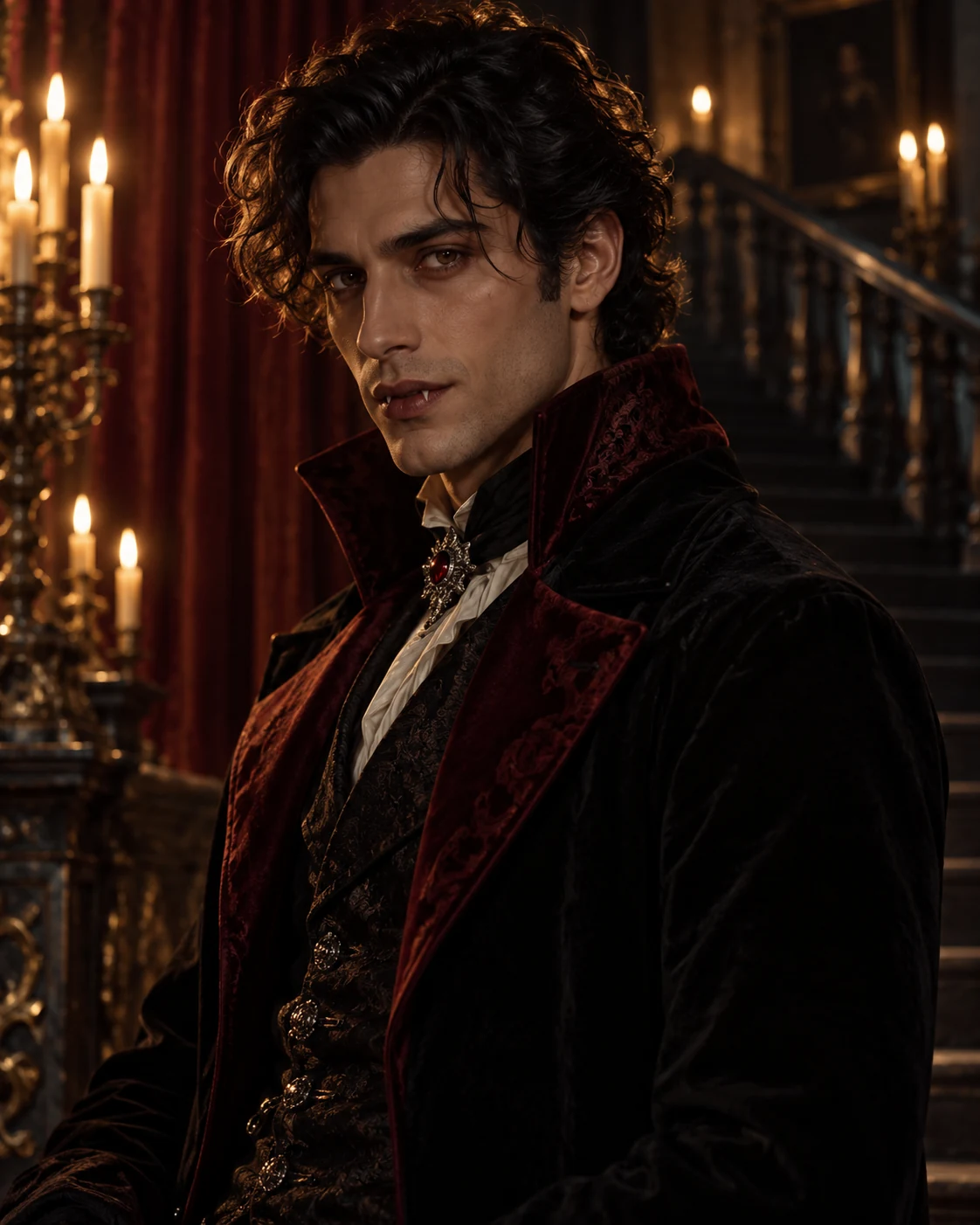
Illustrative example of the vampire aristocrat look. Create your own with GPT Images 2.5.
Want a different vampire? Swap the coat for a cape, a lace collar, or a modern black suit, and keep everything else the same.
2. Modern Witch in a Misty Forest Prompt
A lantern gives you a warm light source on the face, which helps the model keep the portrait natural.
Use the uploaded photo as the identity reference and keep the person's face, skin tone, and hairstyle recognizable. Dress them as a modern witch standing in a misty blue-hour forest at dusk. Use a fitted black dress with a long cloak, a worn leather witch hat, and a warm glowing lantern in one hand, with a few fallen autumn leaves around their feet. Use cool blue ambient light with warm lantern glow on the face, soft fog, natural skin texture, and a realistic photographic look. Frame the shot from the waist up. Do not beautify, reshape, or replace the face.
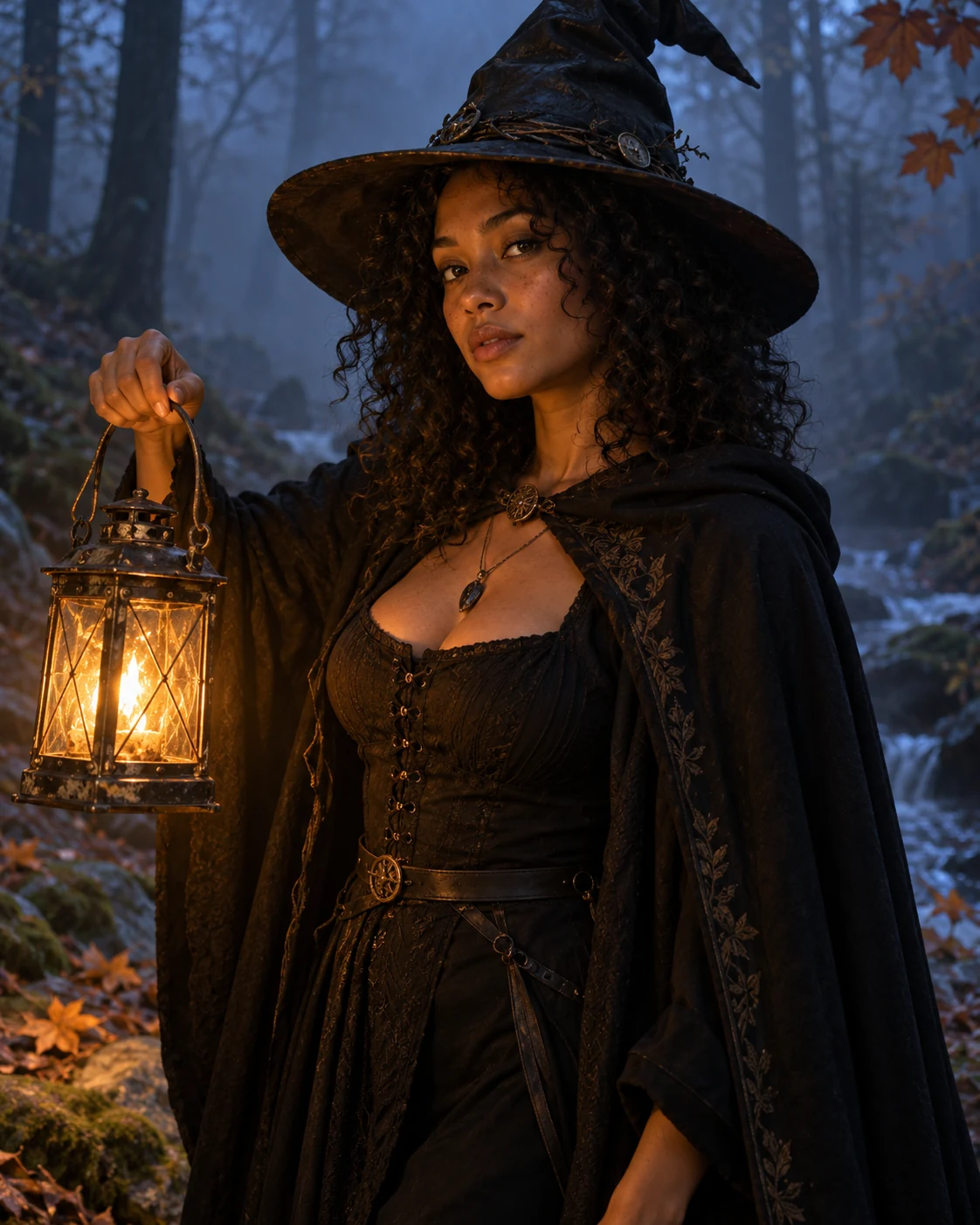
Illustrative example of the modern witch look. Try the prompt with GPT Images 2.5.
3. Victorian Ghost Portrait Prompt
This one does not need gore or a loud costume. An old photograph look and a transparent figure are enough.
Use the uploaded photo as the identity reference and preserve the face and expression. Recreate it as an antique Victorian studio portrait of a ghost. Use a black-and-white sepia tone, slightly soft focus, visible photographic grain and small scratches, and period clothing with a high collar. Make the figure translucent and faintly glowing, with the lower body fading into a hazy mist. Seat the person on an ornate chair in front of a plain painted backdrop. Keep the mood eerie and quiet, with no gore and no text. Keep the face clearly recognizable.
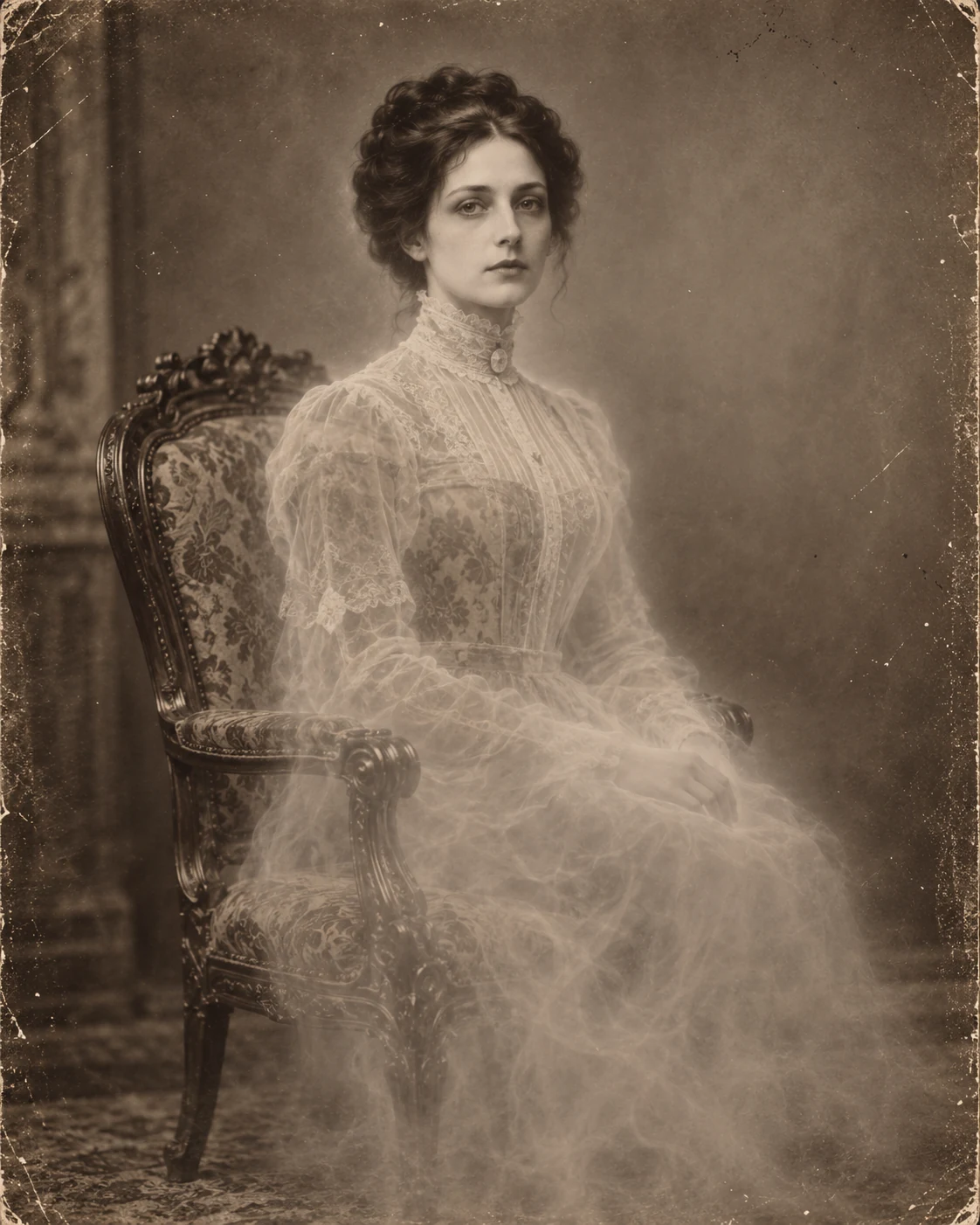
Illustrative example of the Victorian ghost look. Test it with GPT Images 2.5.
Party, Couple, and Group Photo Prompts
Photos with more than one person need a stronger instruction about who stays in the picture.
4. Direct-Flash Halloween Party Prompt
The early-2000s house party look comes from harsh flash, cluttered rooms, and slightly overexposed skin, not from heavy effects.
Use the uploaded group photo as the identity and composition reference. Preserve each person's face, skin tone, and position, and keep exactly the same number of people. Recreate them at a messy early-2000s Halloween house party, each in a different costume: a vampire, a witch, a skeleton, and a mummy. Use harsh on-camera flash, cool blue shadows in the background, red plastic cups on a cluttered table, paper bats taped to the wall, slightly overexposed skin, and the look of a compact digital camera. Keep the poses casual and candid, with some laughing. Do not add, remove, merge, or duplicate anyone.
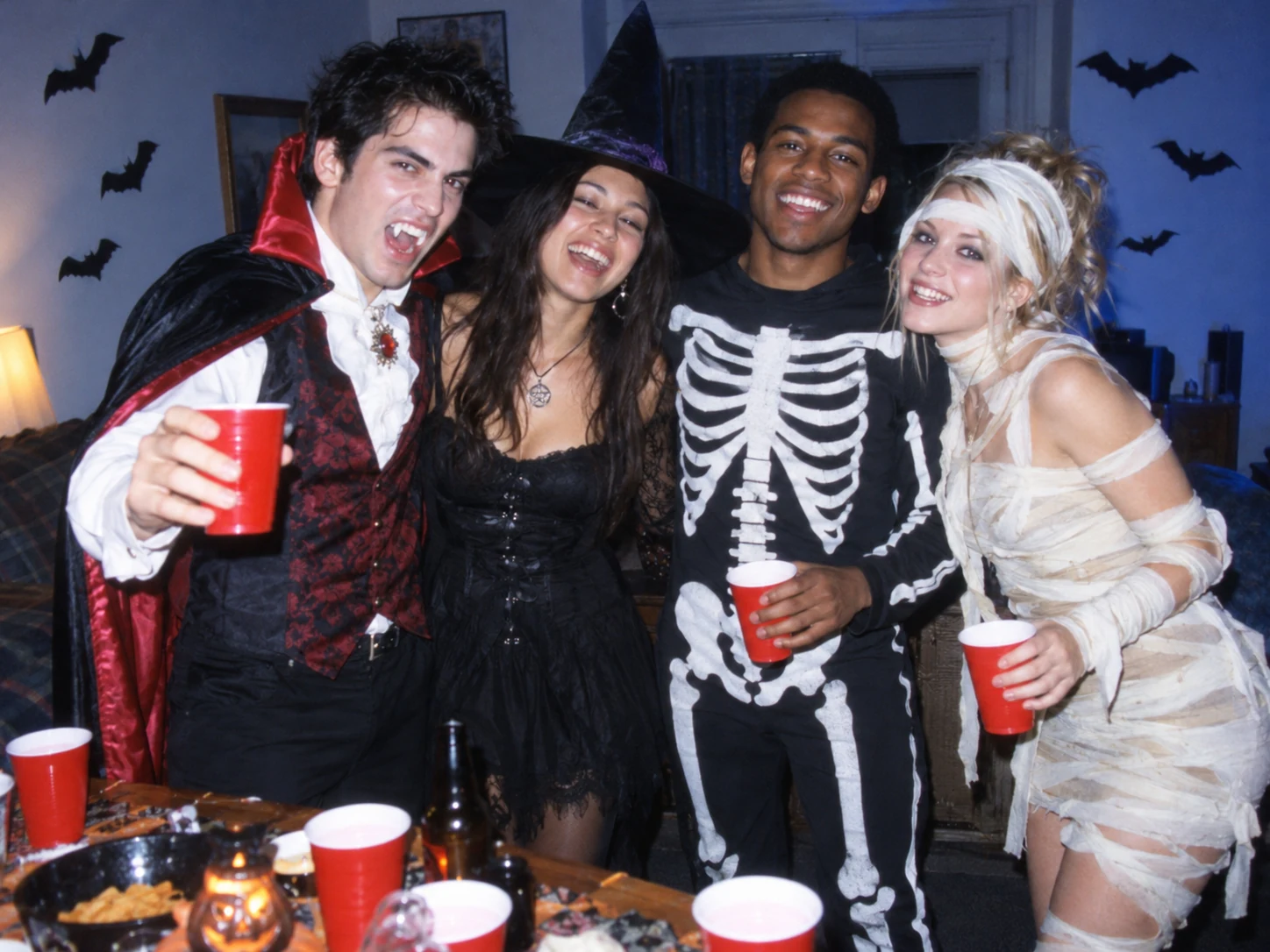
Illustrative example of the direct-flash party look. Recreate it with GPT Images 2.5.
If the model adds or removes a person, repeat the count in a follow-up: Keep exactly four people in the image.
5. Couple's Pumpkin Patch Prompt
Matching costumes and a shared setting make a couple's shot feel planned instead of pasted together.
Use the uploaded couple photo as the identity reference for both people. Preserve each person's face, skin tone, height difference, and pose. Dress them in coordinated Halloween costumes: a witch with a patched cloak and a pointed hat, and a wizard in matching dusty-purple robes. Place them in a pumpkin patch at golden hour, with rows of orange pumpkins, hay bales, warm backlight, soft fog near the ground, and string lights in the distance. Have them hold a carved pumpkin together in a natural, relaxed pose. Keep exactly two people in the image.
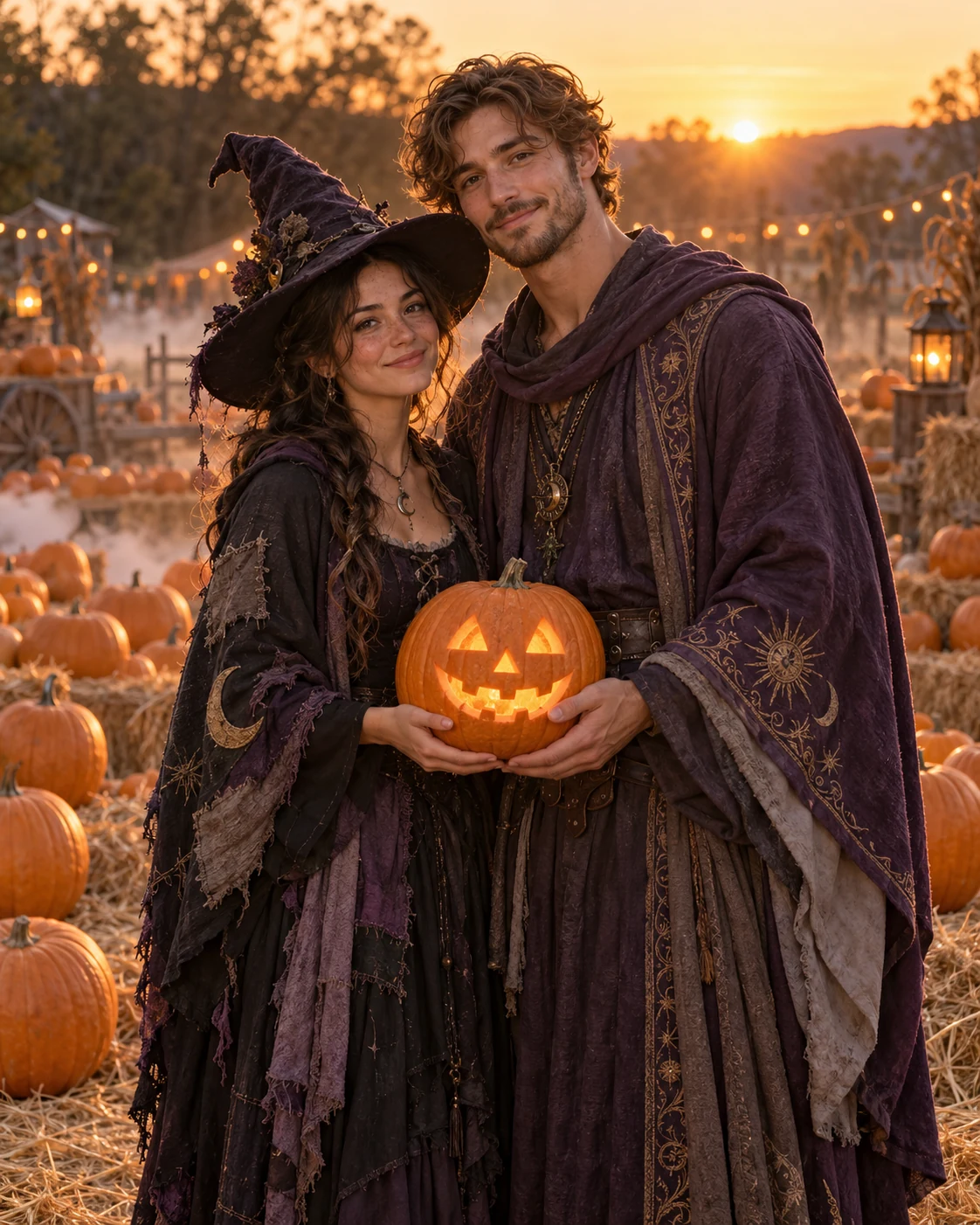
Illustrative example of the couple's pumpkin patch look. Make your own with GPT Images 2.5.
6. Polaroid Ghost Prank Prompt
A classic jump-scare joke, built to look like a real flash photo.
Take a photo using a Polaroid camera. The photo should look like a normal photo, without any clear subjects or props. The photo should have a slight blur effect, and the light source should be evenly distributed across the frame, such as a flash in a dark room. Replace the background with a simple white curtain. The subject is photographed with a person wearing a white ghost mask and a black robe. The ghost mask stands behind the subject, with one hand playfully placed on the subject's neck. The subject looks shocked, creating an eerie yet humorous atmosphere. Do not retouch the face.
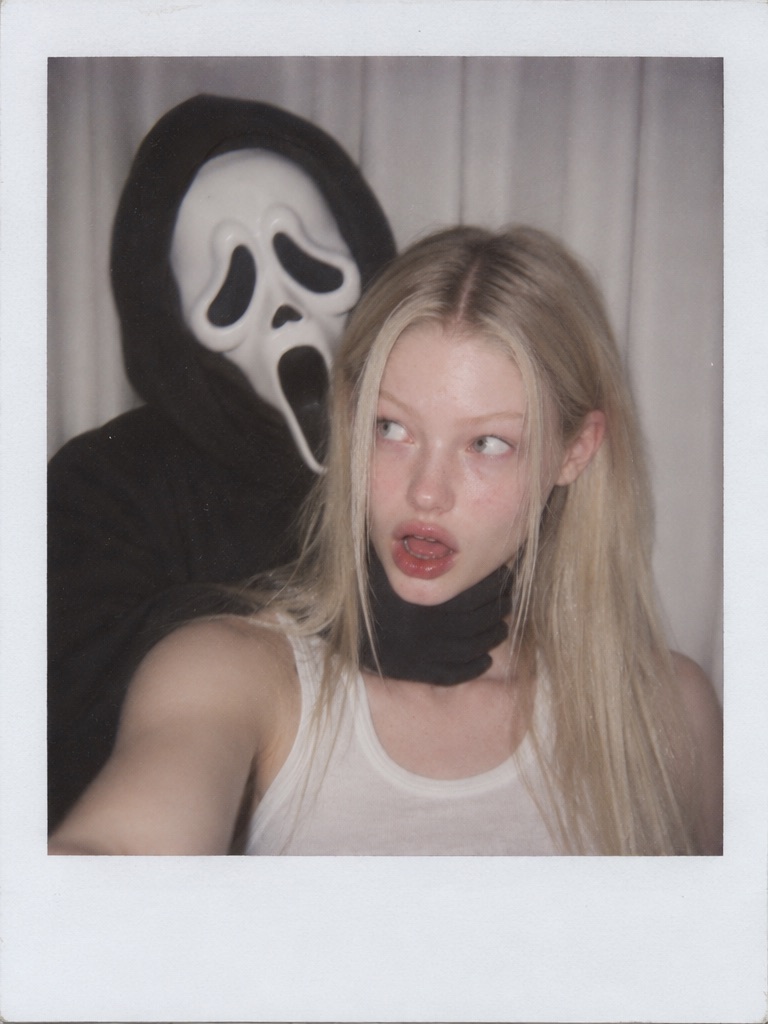
A flash-lit Polaroid ghost prank. Try a similar look with GPT Images 2.5.
Cinematic Scene Prompts
These prompts build a whole scene. Add a reference photo only if you want to appear in it.
7. Vintage Horror Bedroom Prompt
A cozy, ordinary room makes the spooky mood stronger. This one is about atmosphere.
A cinematic 4K horror shot in a cozy, vintage bedroom with soft amber lighting and pink satin bedding. A woman lies comfortably on a pink bed. She's talking on a beige vintage landline phone, twisting the cord with a calm, dazed expression. Beside her are a large bowl of popcorn and a brightly colored magazine.
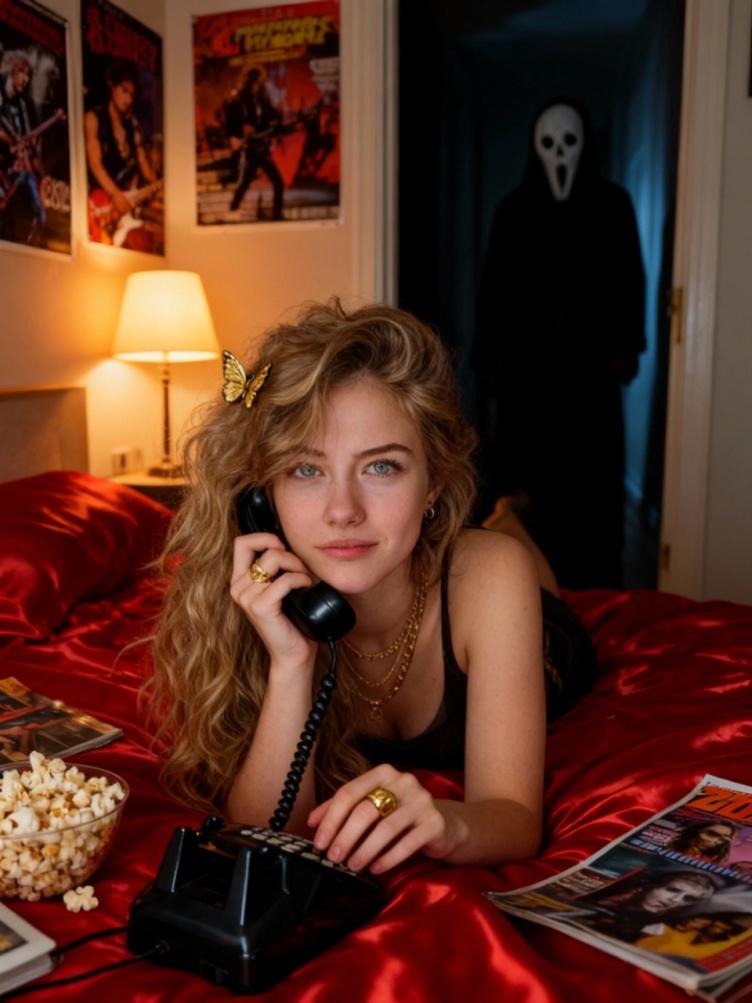
A cozy retro bedroom with a quiet sense that something is off. Create your own version with GPT Images 2.5.
To make it creepier, add a dim figure standing in the doorway of a dark hallway. Describe the figure and keep it in shadow.
8. Haunted Forest Path Prompt
Good for phone wallpapers, posters, and social media backgrounds.
A low-angle, cinematic shot of a misty, haunted forest path at night during Halloween. In the foreground, two intricately carved jack-o'-lanterns sit on a wet, stone-paved trail, their sinister grins glowing with a fierce, warm orange light. Scattered glass jar candles flicker along the path, casting dancing shadows and fiery reflections on the damp ground and scattered autumn leaves. Gnarled, ancient tree roots twist around the frame. In the soft-focus background, a foggy graveyard with faint tombstones and distant lanterns fades into a cool, eerie blue-grey mist. Moody, high-contrast lighting, rich textures, dark fantasy atmosphere.
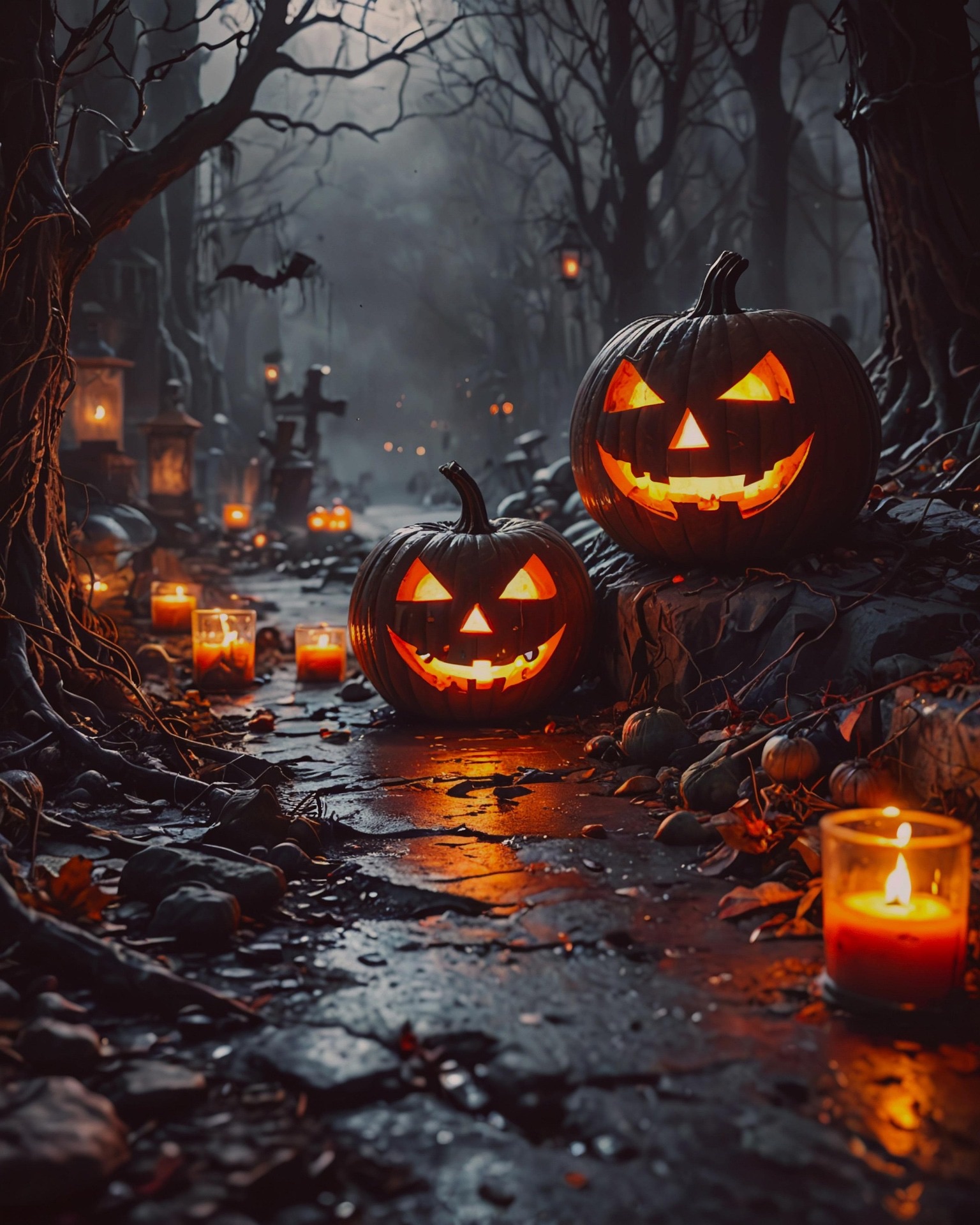
Glowing pumpkins, candle jars, and fog on a dark forest path. Test it with GPT Images 2.5.
9. Retro Horror Movie Poster Prompt
A poster is a fun way to star in your own scary movie. It also tests text, so check the spelling.
Use the uploaded photo as the identity reference and keep the face recognizable. Create a retro 1980s horror movie poster starring this person as the lead. They stand in the foreground holding a flashlight, with a large pale moon behind a haunted house. Use a painted-illustration texture, a bold distressed title area at the top that reads exactly "MIDNIGHT HARVEST", and a tagline at the bottom that reads exactly "THIS HALLOWEEN, DON'T GO HOME ALONE". Use deep orange and teal film-poster color grading and aged paper creases. Do not add any other text, logos, or rating marks.
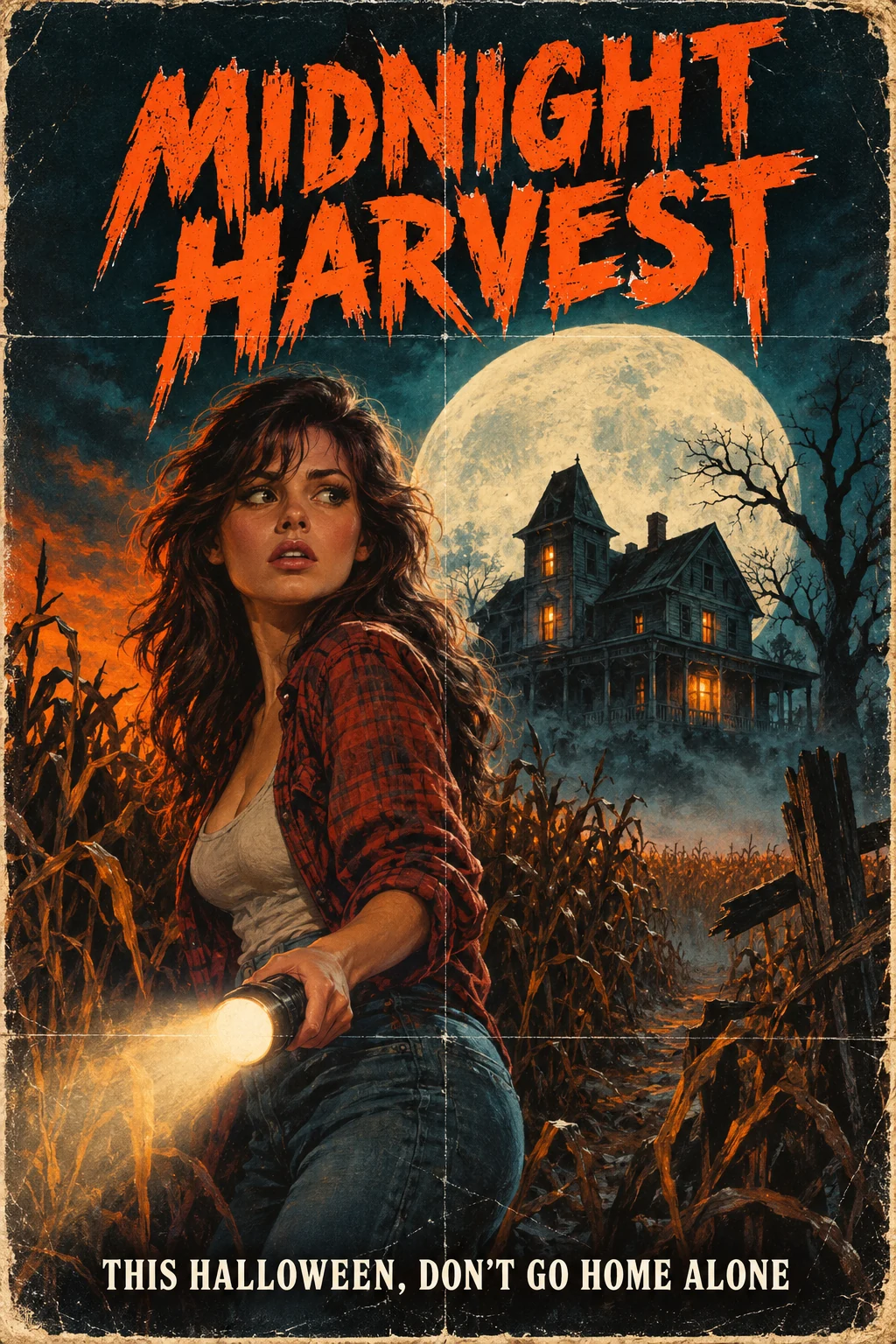
Illustrative example of the retro horror poster look. Try the prompt with GPT Images 2.5.
Pet and Cute Halloween Prompts
Cute prompts work best when the scary parts stay soft. Think warm light and friendly faces.
10. Pet Wizard Costume Prompt
Pets are a gap in most Halloween prompt lists, and they are easy to get right if you name the markings you want to keep.
Use the uploaded pet photo as the reference. Preserve the animal's breed, fur color and markings, eye color, and face shape. Dress the pet in a tiny deep purple wizard hat with gold stars and a small matching cape. Seat the pet on a wooden porch beside glowing jack-o'-lanterns on a warm autumn evening, with a shallow depth of field and a soft cinematic photographic look. Keep the pet comfortable and cute, not scary. Do not change the animal's breed or markings, and do not add any other animals.
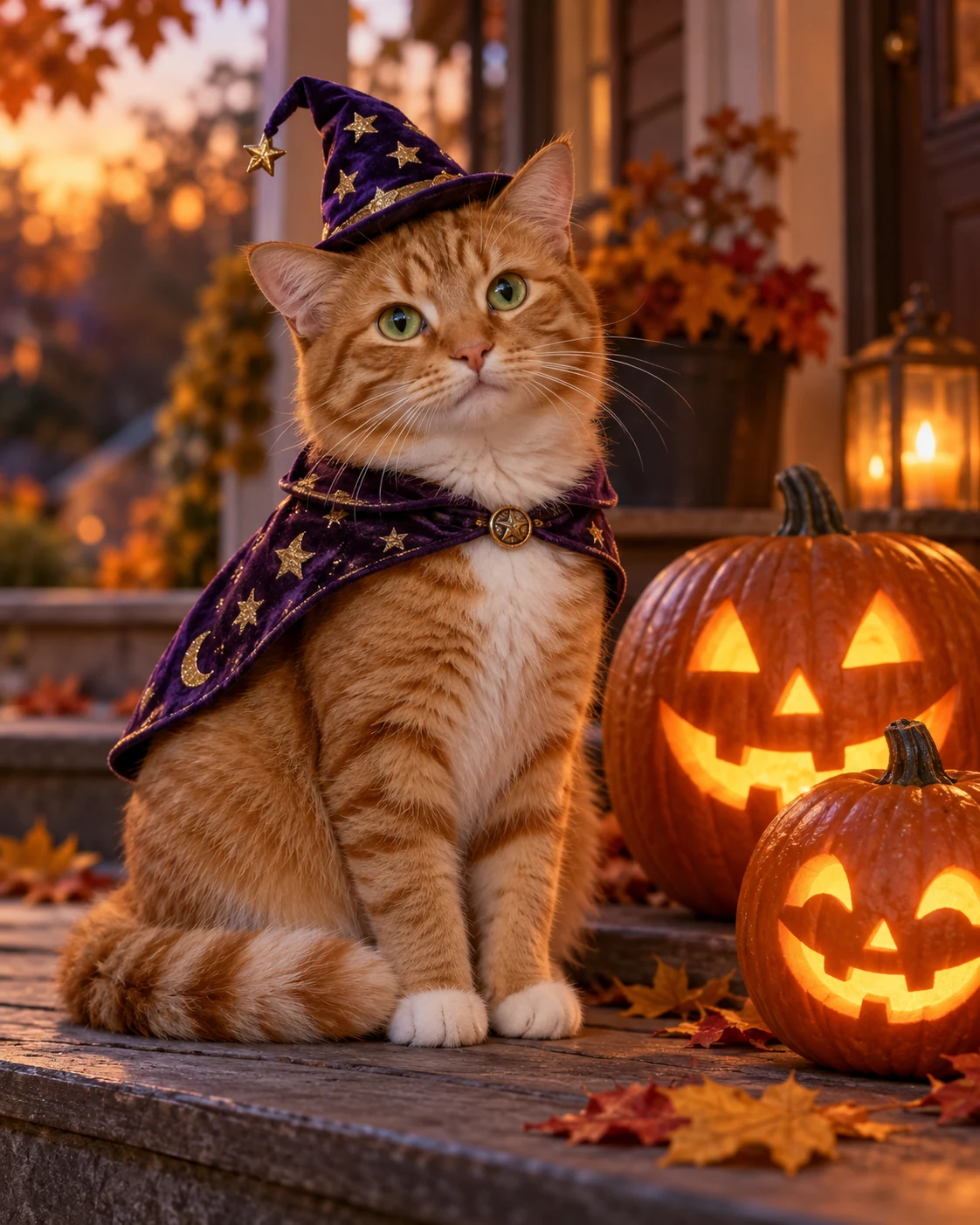
Illustrative example of the pet wizard look. Create your own with GPT Images 2.5.
11. Whimsical Witch Owl Prompt
A 3D animated film look turns a small animal into a character.
A close-up cinematic portrait of a small, whimsical owl perched on a gnarled tree branch at twilight. The owl has enormous, luminous amber eyes that glow with an inner warmth, framed by soft, intricately detailed feathers in shades of cream, grey, and ochre. It wears a slightly oversized, pointed witch's hat made of textured, deep indigo fabric, adorned with a magenta ribbon and a small golden accent. The lighting is soft and atmospheric, casting a gentle rim light on the owl's downy plumage and the velvety texture of the hat. The background is a moody, deep blue night sky filled with soft, dreamlike bokeh circles, evoking a sense of quiet magic and enchantment. The style is that of a high-end 3D animated film, focusing on rich textures, expressive character design, and a cozy yet mysterious atmosphere.
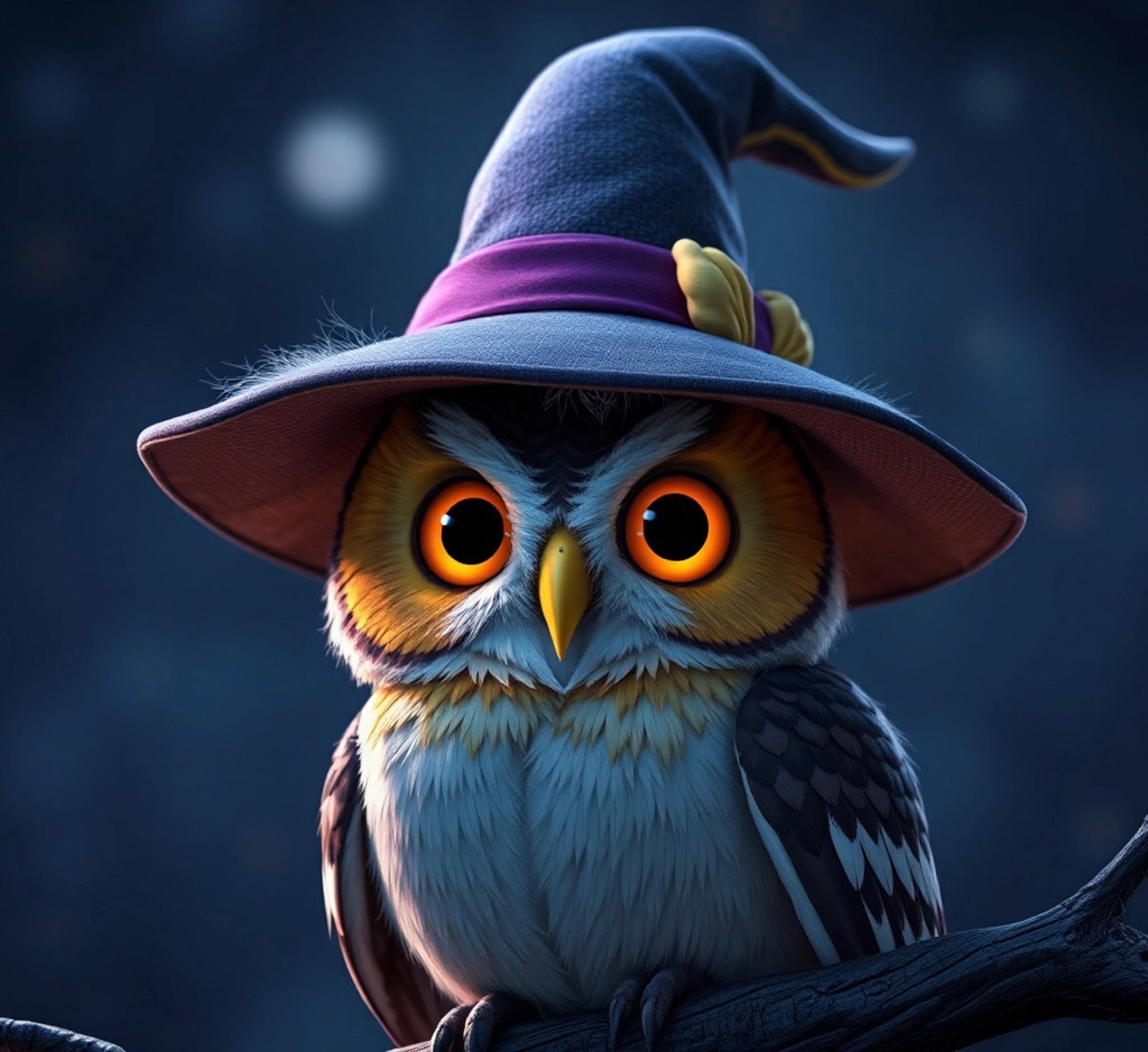
A small owl in a witch hat, rendered in a 3D animated film style. Make your own with GPT Images 2.5.
Spooky Food Photography Prompt
12. Ghost Strawberry Prompt
Halloween food photos get shared as much as costumes do. Name the surface, the props, and the light.
A moody, atmospheric culinary shot of a Halloween treat spread. The focal point is a circular oak cutting board featuring a small army of white-chocolate-dipped strawberry ghosts, their tiny black-dot eyes and mouths creating a charmingly eerie chorus. The lighting is low and dramatic, evocative of a dark cottagecore kitchen at twilight, with golden highlights catching the drips of white chocolate. Surrounding the board are dried maple leaves, a miniature dark green gourd, and the base of a flickering candle. The color palette is dominated by earthy browns, fiery oranges, and the stark, spectral white of the berries. The composition is tight and intimate, emphasizing the handcrafted, artisanal quality of the desserts against a backdrop of festive, shadowy clutter.
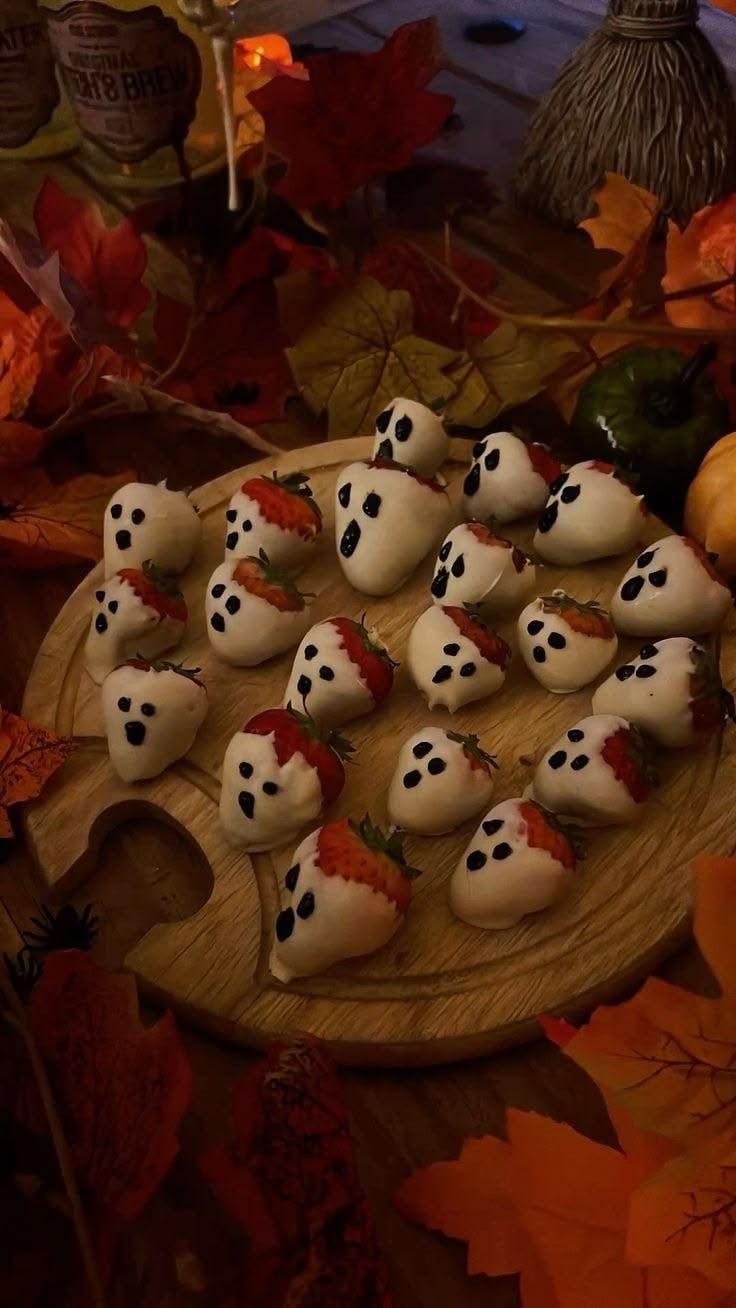
White-chocolate strawberry ghosts in a dark cottagecore kitchen. Try the prompt with GPT Images 2.5.
How to Keep Faces Recognizable
The most common problem with reference-photo prompts is identity drift. The costume looks right, but the person no longer looks like themselves.
Fix it with a correction prompt instead of starting over:
Keep the current costume, pose, background, lighting, and style unchanged. Restore the subject's facial identity from the uploaded reference image. Match the original face shape, eyes, eyebrows, nose, mouth, jawline, and skin tone. Do not beautify, reshape, age, or replace the face. Change only the facial identity accuracy.
The key phrase is change only. It tells the model to leave the parts that already work alone.
How to Make It Scary Without Gore
The best Halloween images build tension from light, framing, and mood, not from blood.
- Use deep shadows, fog, and a single warm light source.
- Hide the scariest element behind something, such as a doorway, a curtain, or a reflection.
- Add an "avoid" line to the prompt: No blood, no wounds, no graphic detail.
- Keep the expression calm or surprised instead of violent.
This also keeps the result easier to share on social platforms and safe to show to younger family members.
How to Fix the Wrong Costume
If the face and scene are right but the outfit is wrong, do not rewrite the whole prompt. Edit one thing:
Keep the face, identity, pose, background, lighting, and framing exactly unchanged. Replace only the costume with [describe the costume]. Do not change anything else.
If you have a separate costume reference image, say what each image does: Image 1 is the identity reference. Image 2 is the costume reference. Use only the clothing design from Image 2, and do not copy its face, body, or background.
How to Fix Misspelled Poster Text
Posters, signs, and party invitations are where AI text fails most often. Finish the image first, then fix the text on its own:
Keep the entire image unchanged except for the title text. Replace it with exactly: "MIDNIGHT HARVEST". Spell it correctly and fit it naturally into the existing space. Do not add any other words.
Short titles in capital letters usually come out better than long taglines.
Use Photos Responsibly
A few simple habits keep Halloween AI photos fun for everyone:
- Use photos of yourself, or of adults who agreed to be included.
- Choose original costumes and characters instead of copying a specific movie character, protected mask, or famous scene.
- Avoid logos and real brand names in the prompt.
- Review the result before posting it, and delete any version you would not want others to see.
Create Your Own Halloween Photo
Pick the look closest to your idea, add your own details, and change one thing at a time. If the costume is right but the light is flat, adjust only the lighting. If the scene is right but the face has drifted, run the identity fix.
You can create Halloween photos with GPT Images 2.5 using any prompt above, or explore more costumes, scenes, and food ideas in the Halloween AI photo prompts collection. Whether you want a vampire portrait, a couple's costume shoot, a pet wizard, or a haunted forest, start with one prompt and refine it until it feels like yours.