logo
0

AI Prompt Library

Discover the Best New AI Prompts

Explore a practical AI Prompt Library for image and video creation, browse by model, and continue in the matching Pixomi generator.

Popular Image Prompts

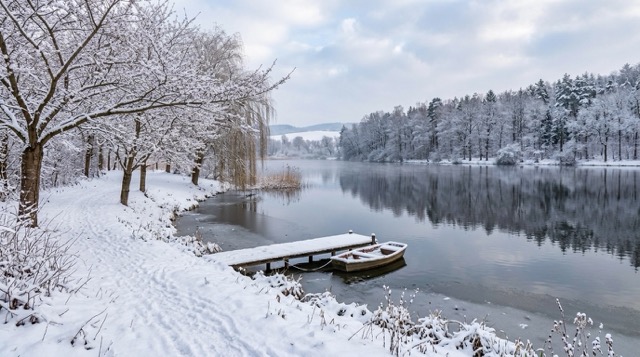
Winter Morning Scene Transformation

Winter Morning Scene Transformation

Transform the uploaded scene into a believable winter morning after fresh snowfall. Preserve the exact architecture, camera position, perspective, and placement of major objects. Add snow naturally to rooftops, branches, and horizontal surfaces, with uneven accumulation and subtle footprints on walkways. Replace summer foliage with seasonally appropriate vegetation. Use soft overcast daylight and realistic snow texture without obscuring important landmarks.

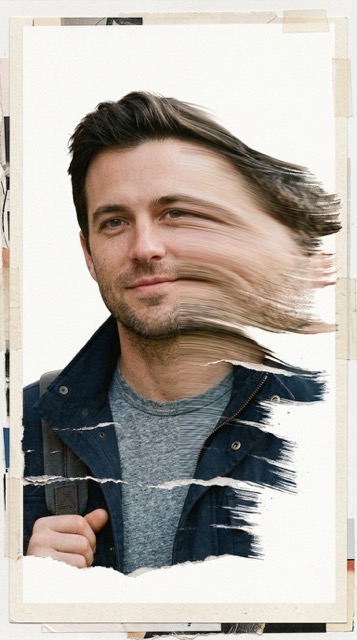
Surreal Mixed-Media Glitch Portrait

Surreal Mixed-Media Glitch Portrait

A surreal mixed-media portrait of reference, set against a clean, plain white background with visible fine-grain paper texture. The character's face is the subject of a controlled, stylized distortion. Instead of chaotic fragmentation, the facial features are horizontally stretched into smooth, flowing bands of color and texture, resembling a deliberate digital scanline effect or a long exposure photograph pushed sideways. Key identifying features (like eyes, mouth, or distinct accessories) remain partially recognizable within these stretched streaks, creating a sense of fluid motion rather than destruction. The aesthetic blends analog collage textures with digital glitch art, feeling tactile and composed.

Popular Video Prompts

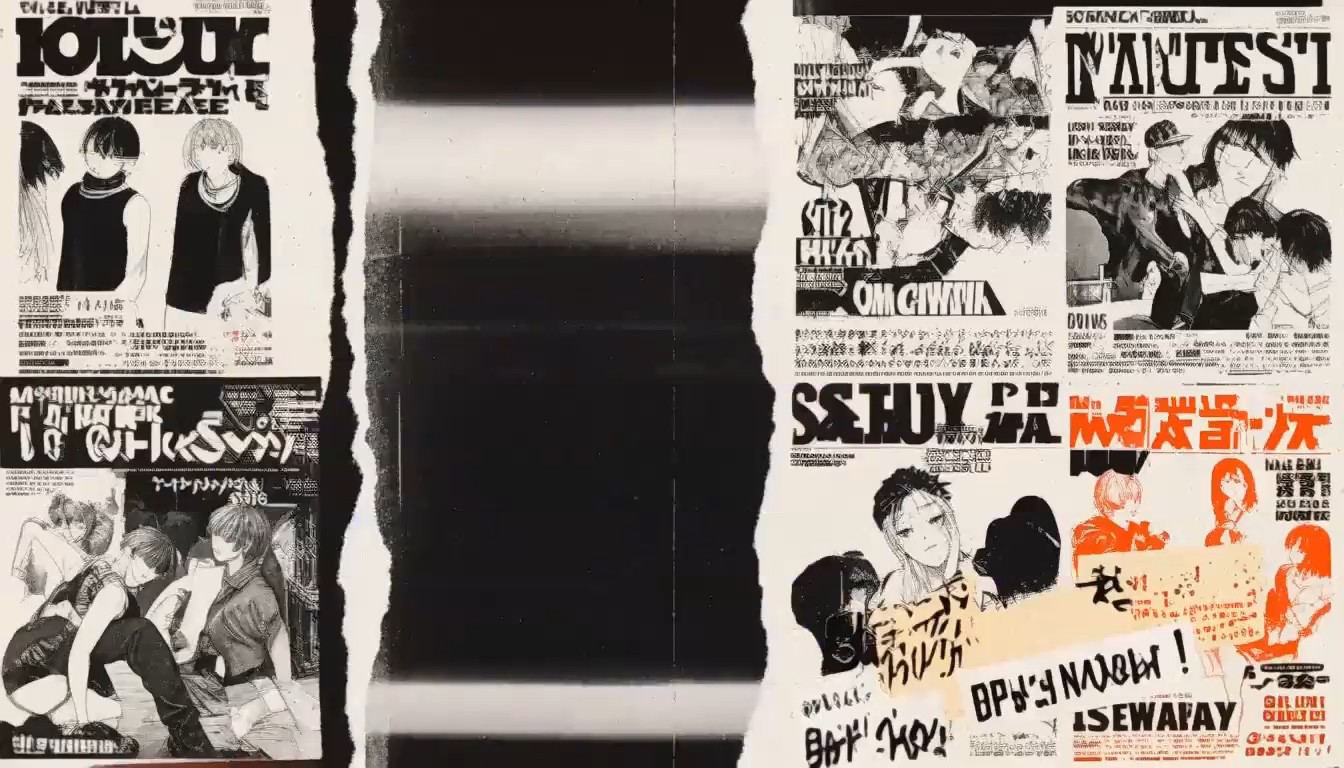
90s Underground Rave-Zine Anime MV

90s Underground Rave-Zine Anime MV

Generate a 15-second, 16:9 experimental anime music video built around a chaotic 90s underground rave-zine aesthetic. Feature a group of stylish 2D anime characters with distinctive streetwear designs, appearing across rapidly changing compositions made from torn magazine pages, photocopied manga panels, concert flyers, stickers, handwritten notes, ticket stubs and distressed urban textures. Use a limited black, off-white, fluorescent orange and electric blue palette, with occasional inverted negative frames. Animate the characters through bold editorial compositions: faces suddenly crop into extreme close-ups, full-body illustrations slide between ripped-paper layers, manga panels snap open and collapse, character silhouettes multiply like photocopy errors, and individual drawings break apart into rough halftone fragments before reconstructing on the next beat. Integrate oversized condensed English typography as part of the choreography. Words such as “NOISE,” “MOVE,” “BREAK,” “REPEAT,” “AFTER MIDNIGHT” and abstract numbers slam into frame, stretch vertically, rotate, overlap the characters and disappear behind paper layers. Add VHS tracking distortion, analog frame tearing, xerox grain, misregistered printing, rough halftone dots, marker scribbles, tape marks, film scratches and frame-by-frame doodles. Camera and editing should feel aggressively synchronized with a K-pop / hip-hop / breakbeat rhythm: punchy snap zooms, freeze frames, sudden reframing, rhythmic jump cuts, whip transitions and short bursts of controlled visual chaos. For the climax, all the collage fragments rapidly accumulate into a dense wall of posters. On the final beat, everything tears away simultaneously, revealing the main anime characters in a strong group pose against a minimal photocopied background. A huge distressed typographic title slams behind them and remains frozen for the final frame. Visual style: 90s manga editorial design, underground rave flyers, punk photocopy zines, Japanese street culture, analog VHS, rough halftone printing, mixed-media collage, bold typography, energetic contemporary anime MV.

Kiki Pixel Pop Anime Promo

Kiki Pixel Pop Anime Promo

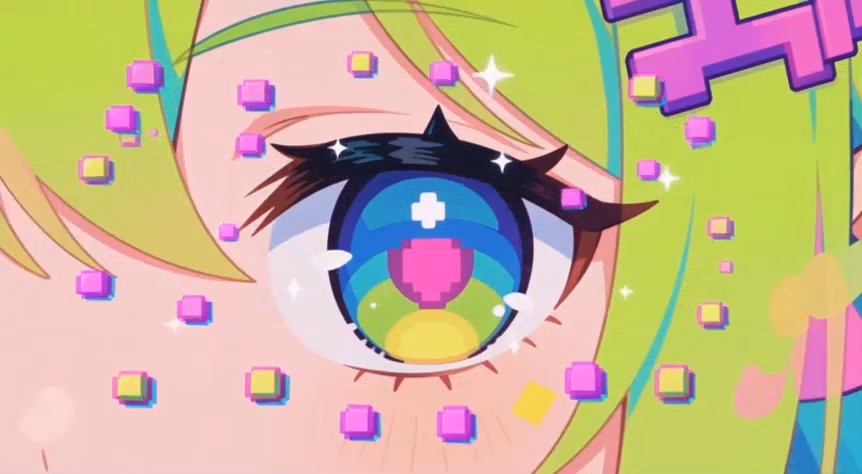
Create a 15-second horizontal kinetic anime-fashion promotional video. The character reference exclusively controls Kiki’s identity, hairstyle, clothing, accessories and colorful Pixel Pop aesthetic. Ignore the dark character-sheet layout, labels and printed words. Kiki has bright lime-yellow hair styled into two large colorful space buns with loose cyan, pink and purple ribbon-like strands, large multicolored eyes, a purple pixel hair clip and a playful expression. Preserve her oversized pink-cyan-purple-orange bomber jacket, white cropped graphic top, dark pleated shorts, neon utility belt and hanging straps, colorful knee patch, bright socks, huge pink-cyan-lime platform sneakers and matching pixel-game backpack. Keep her face, hairstyle, outfit, backpack and proportions consistent. Kiki carries no weapon and holds no combat equipment. Her hands remain free for dancing, pointing and playful game-inspired gestures. Set the video in a dark navy infinite arcade studio transformed by colorful pixel graphics. The floor is a reflective black-neon grid while the background rapidly switches between deep navy, electric cyan, hot pink, lime yellow and purple panels. Add floating pixel stars, hearts, controller buttons, tiny block particles, checkerboard wipes and glowing 8-bit trails. The atmosphere is bright, cheerful and energetic rather than dark or combat-oriented. The only readable text allowed is: “Kiki” “Minimax H3 Max” Preserve the exact spelling and capitalization of “Kiki” and “Minimax H3 Max.” Timeline: 0–1.5s — Extreme close-up of Kiki’s multicolored eye, lime bangs and purple pixel hair clip. Large bubbly pixel text “Kiki” assembles from cyan, pink and yellow blocks across the foreground, briefly framing her eye before scattering into tiny stars. 1.5–3s — Hard cut to a low full-body shot. Kiki performs one playful forward hop and lands with her colorful platform sneakers wide apart. Her backpack and hanging straps bounce naturally. Oversized white-and-cyan text “Minimax H3 Max” expands behind her while the floor emits a pixel ripple. 3–5s — Medium shot. Kiki makes a quick peace sign beside her face, points toward the camera and performs a small shoulder bounce. Bright pink “Kiki” typography pops beside her like a game reward while pixel hearts and stars burst around her sleeves. 5–7s — Full-body side view. Kiki performs a fast half-spin with both arms extended. Her space buns, colorful hair strands, jacket sleeves, backpack charms and belt straps swing outward. Huge “Minimax H3 Max” lettering rotates behind her and briefly passes in front of her shoes as a layered graphic element. 7–9s — Kiki steps close and reaches one open hand directly toward the lens. Use exaggerated wide-angle hand perspective while her smiling face remains sharply visible. The letters of “Kiki” break apart into multicolored pixel cubes, covering the screen and creating a blocky transition. 9–11s — Rapid sequence of three beat-matched dance poses: a sneaker step-tap that creates an 8-bit floor ripple, a cheerful shoulder bounce and a playful finger-point pose. Alternate between full-body and waist-up shots. “Kiki” and “Minimax H3 Max” sweep through the background in opposite directions. 11–13s — Close-up montage synchronized to the beat: one colorful sneaker stomps the reflective grid, the pixel hair clip flashes, a game-controller backpack charm swings past the lens, then Kiki gives a confident playful wink. Large lime-and-pink “Minimax H3 Max” text scales rapidly behind her. 13–15s — Final centered full-body shot. Kiki performs one small jump, lands with one hand on her hip and raises the other hand in a cheerful peace sign. Finish with a clean stacked composition: “Kiki” in a colorful rounded pixel font above “Minimax H3 Max” in bold white lettering with cyan and pink shadow layers. Hold the pose briefly for readability. High-quality stylized 3D anime rendering with crisp facial details, soft studio illumination, realistic fabric, hair, strap and backpack movement, reflective neon surfaces and colorful typography composited both behind and in front of the character. Use hard cuts, pixel-block wipes, snap zooms and typography transitions synchronized to an upbeat chiptune-electropop track. No dialogue, subtitles, captions, logos or watermarks beyond the two required text phrases. No weapons, guns, knives, combat poses, costume changes, missing backpack, hairstyle changes, extra characters, duplicated limbs, unreadable spelling

Cinematic Fashion Film: Day-in-the-Life Montage

Cinematic Fashion Film: Day-in-the-Life Montage

REFERENCE RULES Use @image2 as the opening-frame reference. Use @image4 @image5 @image6 and @image7 as identity, wardrobe, location and composition anchors for the beauty room, photography studio, runway and outdoor advertising shoot. Use @image9 as the required final-frame reference. The same fictional 27-year-old Western supermodel must remain recognizable throughout the entire video. Preserve her exact face, gray-green eyes, high cheekbones, light olive skin, dark-blonde hair, height and slender athletic proportions. She must never resemble a real celebrity or public figure. DAY-IN-THE-LIFE ENERGY Create a fast, elegant and relentless day-in-the-life montage: wake up and wash -> stride through the city -> makeup preparation -> studio photoshoot -> rush to the next venue -> runway show -> outdoor campaign shoot -> ride home -> wash and sleep. The dominant visual mechanism is a chain of reflections, flashes and physical wipes. Each transition must be caused by an existing element: bedding -> bathroom towel -> mirror reflection -> passing vehicle -> vanity light -> camera flash -> coat crossing the lens -> car door -> runway curtain -> flashbulb -> sunlight flare -> car-window reflection -> bathroom water -> bedside darkness. Do not use arbitrary dissolves or magical transformations. WARDROBE STATE RULE Wardrobe changes occur only while the frame is fully obscured by a flash, door, curtain, coat or mirror transition. Never morph clothing visibly on the body. Wardrobe sequence: charcoal-gray pajamas -> camel street coat with black turtleneck and tailored black trousers -> black salon robe -> crimson couture studio dress -> black travel coat -> black sculptural runway gown -> ivory trench with silver-gray tailored outfit -> the same ivory trench inside the return car -> charcoal-gray pajamas at home. SHOT 1 — WAKE, WATER AND IMMEDIATE DEPARTURE Begin exactly from @image2 . A smartphone vibrates on the bedside table. Her eyes open instantly and her hand stops the vibration. The camera snaps into a rapid push toward her face as she throws the duvet upward. The white bedding fills the entire frame and becomes a motivated wipe into the bathroom. As the fabric clears, she is already at the sink in charcoal-gray pajamas. Use the mirror as the main perspective. She splashes cold water onto her face, runs both hands backward through her hair and looks up sharply into her reflection. Water droplets strike the mirror and briefly blur the lens. She pulls a white towel across the mirror. When it clears, the bathroom reflection has become a bright storefront reflection on the city street. Keep the awakening and washing concise and physically readable. SHOT 2 — STREET POWER WALK INTO THE VANITY The same model strides quickly along the city pavement in the camel oversized coat, black turtleneck, tailored black trousers, boots, sunglasses and leather tote. Use a low lateral tracking shot close to her boots, then accelerate into a backward-facing medium shot as she crosses the street. Pedestrians and cyclists move around her at normal speed while she maintains a clean, confident line through the crowd. Her coat, hair and tote respond naturally to her pace. Storefront reflections repeatedly reveal her face from different angles without duplicating her. A black car passes extremely close across the foreground, completely covering the frame. Its dark reflective surface transforms naturally into the black edge of the illuminated vanity mirror. SHOT 3 — RAPID BEAUTY PREPARATION Reveal @image4 . Use a tight orbit around the vanity rather than a static mirror shot. A makeup brush sweeps across her cheek. A hair stylist tightens the sleek low ponytail. Lip color is applied in one precise motion. She remains still only long enough for each action to read, maintaining focused eye contact with her reflection. The camera passes behind a stylist’s shoulder and returns to the mirror as the final makeup light clicks on. The circular vanity bulb blooms into a full white flare. The white flare becomes a professional studio strobe. SHOT 4 — STUDIO PERFORMANCE AND THE RUSH OUT Reveal @image5 at the instant of the studio flash. The model performs two strong connected movements in the same crimson couture dress: a sharp turn that sends the fabric panel outward, followed by a controlled stop facing the camera. Use a fast low orbit synchronized with the fabric. The industrial fan drives the dress and hair motion. A photographer’s camera and black flags cross the foreground, creating strong depth and visual rhythm. At the next strobe flash, a black travel coat is thrown around her shoulders off-screen. She is already walking rapidly away from the set as the flash clears. The camera retreats down the studio corridor in front of her. She checks the time without revealing readable screen text and increases her pace. An assistant opens a black car door. She enters without stopping. The car door closes directly against the lens, cutting the image to black. SHOT 5 — CAR-DOOR MATCH CUT INTO THE RUNWAY The black frame opens as a backstage runway curtain parts in the same direction as the car door. The model emerges in the black sculptural runway gown from @image6 . The wardrobe change has occurred entirely backstage and off-screen. Use a low frontal camera traveling backward along the runway as she advances with powerful, precise steps. Halfway down the runway, arc quickly from a low frontal view into a close side profile, capturing the gown’s weight, silver shoulder detail and controlled arm swing. Audience cameras flash in irregular bursts. Her expression remains composed and professional. At the strongest flash, the runway disappears into white light. SHOT 6 — OUTDOOR CAMPAIGN AND RIDE HOME The white runway flash becomes a direct golden sun flare on the outdoor rooftop. Reveal @image7 with the model now wearing the ivory trench and silver-gray tailored outfit. The change happens between locations, never as a visible morph. A strong coastal gust catches the trench as she pivots toward the camera. Use a rapid low push-in followed by a controlled half-orbit. Her hair, trench panels and nearby diffusion fabric move from the same wind source. She takes two purposeful steps and lands in one decisive advertising pose as the photographer fires. Do not hold the pose. An off-screen assistant signals completion and she immediately turns toward a waiting black car. The ivory trench sweeps across the lens. When it clears, she is seated inside the same car at night, still wearing the ivory trench. City lights travel rapidly across her face and the window. She leans her head briefly against the glass. Her car-window reflection becomes her bathroom-mirror reflection. SHOT 7 — REMOVE THE DAY AND COMPLETE THE CYCLE In the bathroom mirror, she wipes the final trace of makeup from one eye. Use one rapid sequence of physically connected actions: cleansing water over her face, towel crossing the lens, hair released and becoming slightly damp. The towel lowers to reveal her back in the charcoal-gray pajamas from the morning. She walks directly into the dark bedroom and falls backward onto the white bed with genuine exhaustion. Match her landing position to @image9 . The camera follows down to mattress height. She reaches toward the bedside lamp, switches it off and closes her eyes. End in the same composition and physical position as the opening, now under deep blue night light. Hold darkness only briefly. NATURAL PACING Let the AI determine the natural internal duration of each shot within the total 15 seconds. Keep the morning routine and final bedtime concise. Give the strongest visual emphasis to the street walk, studio fabric movement, runway walk and wind-driven outdoor campaign. Maintain continuous forward momentum. Use short readable actions rather than random rapid cuts. CAMERA LANGUAGE Use: rapid facial push-in -> bedding wipe -> mirror perspective -> water-on-lens transition -> low street tracking -> backward walking shot -> vehicle wipe -> vanity orbit -> light flare -> low studio orbit -> corridor retreat -> car-door cut -> runway tracking -> profile arc -> flash transition -> rooftop push-in and half-orbit -> coat wipe -> intimate car tracking -> reflection match cut -> mattress-level final descent. Every movement must reveal action, space or emotional state. Do not use camera motion merely as decoration. PHYSICAL REALISM Preserve realistic anatomy, foot contact, walking cadence, fabric weight, hair inertia, water droplets, mirror reflections, car-window reflections, door movement and lighting direction. Background people remain secondary and must never duplicate the main model. AUDIO Use a fast alarm vibration, running tap water, towel movement, street traffic, boot steps, vanity tools, hair spray, camera shutters, studio fan, hurried corridor footsteps, car-door impact, runway heels, audience camera bursts, rooftop wind, muted car ambience and final running water. No dialogue, narration or lyrical music. A restrained electronic fashion beat may build from the city walk through the outdoor shoot, then stop cleanly when the bedside lamp switches off. The finished film must feel like one relentless but coherent professional day, not a collection of disconnected fashion images, slow beauty shots or generic static image animation.


Summer Fan Chase: Hand-Drawn Anime Sequence

Summer Fan Chase: Hand-Drawn Anime Sequence

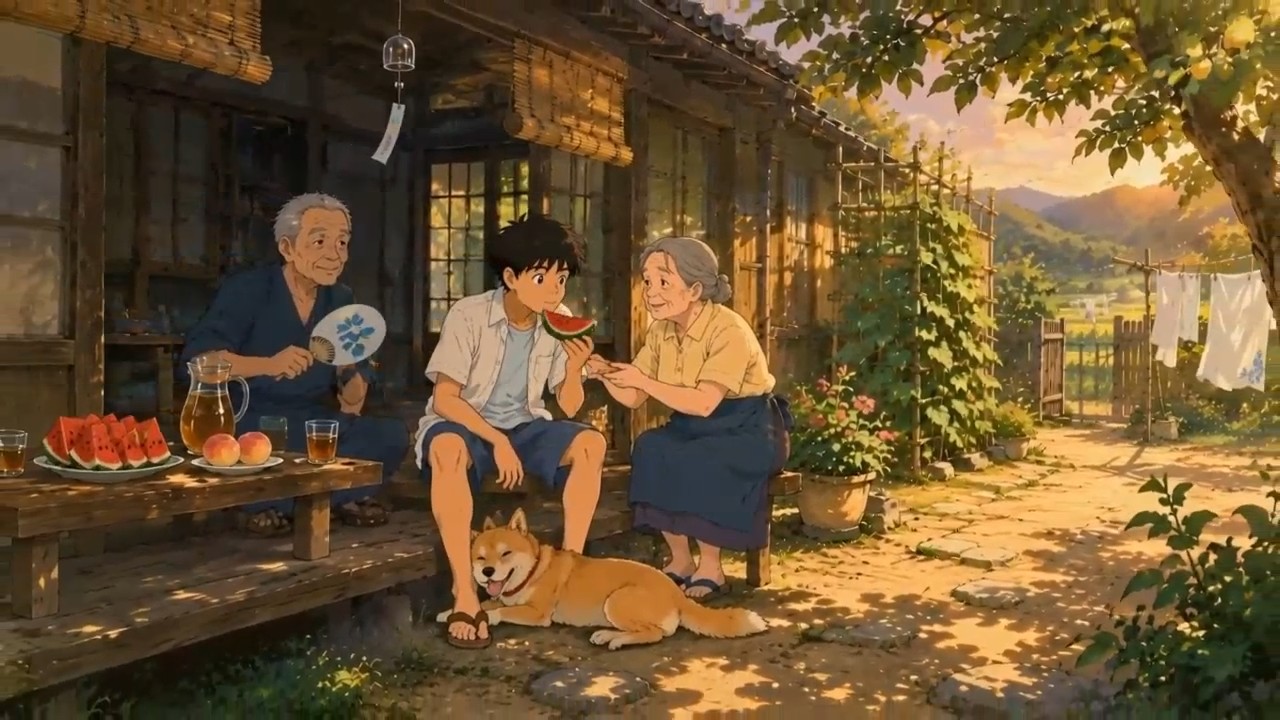
Create a 15-second original hand-drawn anime-style image-to-video sequence using no more than 5 coherent shots. REFERENCE RULES Use Keyframe A as the exact opening-frame reference. Use Keyframe B as the character-action, dog-running and courtyard-geography reference. Use Keyframe C as the required final-frame reference. Use the separate character references to preserve the exact boy, grandfather, grandmother and dog throughout the video. Preserve the hand-painted watercolor and gouache backgrounds, delicate pencil linework, traditional cel shading, warm rural summer palette and original character designs. Do not turn the supplied illustrations into photorealism, 3D animation or glossy modern CGI. ENTITY CONTINUITY Maintain exactly: - one 16-year-old boy; - one grandfather; - one grandmother; - one golden-tan Shiba-mix dog with one red collar; - one blue morning-glory uchiwa fan. The grandparents remain safely near the engawa throughout the chase. The fan follows one continuous state chain: one fan resting on the table -> the same fan held by the dog’s mouth -> the same fan released into the air -> the boy catches the same fan -> the grandfather holds the same fan in the final shot. Never show two fans at the same time. CORE COMEDIC MECHANISM The family prepares to eat watermelon -> the dog notices the fan -> the dog suddenly steals it -> the boy launches into a fast courtyard chase -> the dog releases the fan upward -> the boy catches it -> the grandfather calmly takes the recovered fan and uses it to cool everyone. The humor comes from the contrast between the boy’s energetic pursuit, the dog’s playful confidence and the grandparents’ relaxed amusement. SHOT 1 — WATERMELON HOOK AND THE DOG’S DECISION Begin exactly from Keyframe A. Start with a rapid macro glide over condensation rolling down a vivid red watermelon slice. The grandmother’s hand places the slice onto a plate. The camera continues past the fruit toward the boy, who leans forward eagerly. Before he can take the slice, rack focus behind his arm to the dog’s eye watching the blue morning-glory fan. The dog’s ears rise. It looks at the boy, looks at the fan, then makes one quick decision. Use a fast controlled push-in on the dog’s face, followed immediately by the dog springing forward and grabbing the bamboo edge of the fan. The boy’s hand reaches the empty space a fraction too late. The dog bolts out of frame, pulling the camera into a sharp motivated whip-pan. Start the comic action almost immediately. Do not linger on the food setup. SHOT 2 — LOW DOG-EYE CHASE Continue the whip-pan into a very low tracking shot beside the running dog. The dog races across the courtyard with the same fan held securely but gently in its mouth. Its paws kick up small dry leaves. Its ears, curled tail and red collar react naturally to the running motion. The boy jumps down from the engawa and chases after it. His open white overshirt, hair and shorts respond with believable weight and overlapping hand-drawn motion. The camera accelerates alongside the dog, passing close to a metal wash basin, stepping stones and potted flowers. These foreground objects create strong multiplane parallax. The dog curves around the persimmon tree. The camera performs a fast controlled half-orbit around the trunk and reveals the boy cutting across the opposite side to intercept it. The grandparents remain visible beneath the veranda in the deep background, reacting with restrained laughter. SHOT 3 — TABLE DODGE AND REVERSAL Use the boy’s white overshirt sweeping across the lens as a natural transition. The dog ducks beneath the low table and emerges from the other side. The boy stops himself just before colliding with the table, plants one hand on its edge and swings around it. Nothing on the table spills. The watermelon, peaches and cups shake slightly from the sudden movement but remain in place. The camera travels backward close to the ground as the dog runs directly toward it. The boy gains on the dog and reaches for the fan. At the final instant, the dog changes direction around the grandmother’s house slippers, playfully avoiding his hand. The boy pivots and continues rather than falling. Keep the action readable, agile and joyful, not chaotic slapstick. SHOT 4 — THE FLYING FAN PAYOFF Track sideways as the dog crosses a sunlit patch beneath the persimmon tree. The boy finally reaches close enough that the dog playfully releases the fan. The same fan spins once upward through a shaft of sunlight. Briefly follow the rotating fan from below. Sunlight flashes across the blue morning-glory painting while green leaves sweep behind it. Use a very short speed ramp only at the top of the fan’s arc. The boy steps beneath it and catches the bamboo handle cleanly with one hand. The dog immediately turns back, performs a playful bow and barks once, clearly satisfied with the game. The boy looks at the fan, then at the dog. His mock frustration breaks into laughter. Follow the fan downward as the boy lowers it, using its round surface to wipe naturally into the final scene. SHOT 5 — RETURN TO THE SHADE As the fan clears the lens, reveal the boy dropping onto the engawa between his grandparents. The grandfather calmly takes the same recovered fan from the boy and begins fanning the group with broad, rhythmic movements. The grandmother hands the boy the watermelon slice he missed at the beginning. He takes one large refreshing bite. The dog circles once at his feet, lies belly-down and rests its head on his ankle. A stronger summer breeze arrives at the same moment: the wind chime swings, the bamboo blind lifts, laundry billows, persimmon leaves turn in the sunlight and everyone’s clothing responds naturally. The camera moves backward along the veranda and rises into the composition of Keyframe C. End with the entire family beneath the shaded eaves, the grandfather fanning them, the boy eating watermelon, the grandmother smiling and the exhausted dog resting at his feet. Hold the final image only briefly. The ending is warm and satisfying without losing the energetic rhythm. NATURAL PACING Let the AI determine the exact duration of each shot within the total 15 seconds. Keep the fruit setup extremely short, give most of the runtime to the fan theft and physical chase, and reserve only the final few seconds for the warm family payoff. Use fast subject-driven camera movement rather than excessive cutting. CAMERA LANGUAGE Use: macro food glide -> rapid rack focus -> push-in -> whip-pan -> low dog-eye tracking -> tree-trunk half-orbit -> foreground clothing wipe -> backward ground tracking -> upward fan follow -> short speed ramp -> fan-surface wipe -> veranda pullback and crane rise. All camera moves must be motivated by the dog, boy, fan or physical foreground objects. Preserve readable courtyard geography and continuous screen direction. ANIMATION DIRECTION Fluid theatrical 2D character animation with strong key poses, clean silhouettes, expressive timing, realistic weight and controlled squash-and-stretch only on the dog’s running motion. Use hand-drawn overlapping motion in the boy’s hair, overshirt, dog’s ears, curled tail, laundry, bamboo blind, leaves and spinning fan. Keep faces, hands, paws, clothing shapes, linework and background painting stable between frames. AUDIO Dense midsummer cicadas, a faint wind chime, ice shifting in the barley-tea pitcher, dog paws against packed earth, dry leaves, fabric movement and the bamboo fan cutting through the air. Add one short dog bark, the boy’s breathless laughter and the grandparents’ restrained chuckling. No dialogue, narration, dramatic score or exaggerated cartoon sound effects. The finished video must feel like a lively miniature summer story, not slow scenic parallax, a generic family montage, static characters blinking, or disconnected anime shots.

Cinematic Forest Pursuit and River Reveal

Cinematic Forest Pursuit and River Reveal

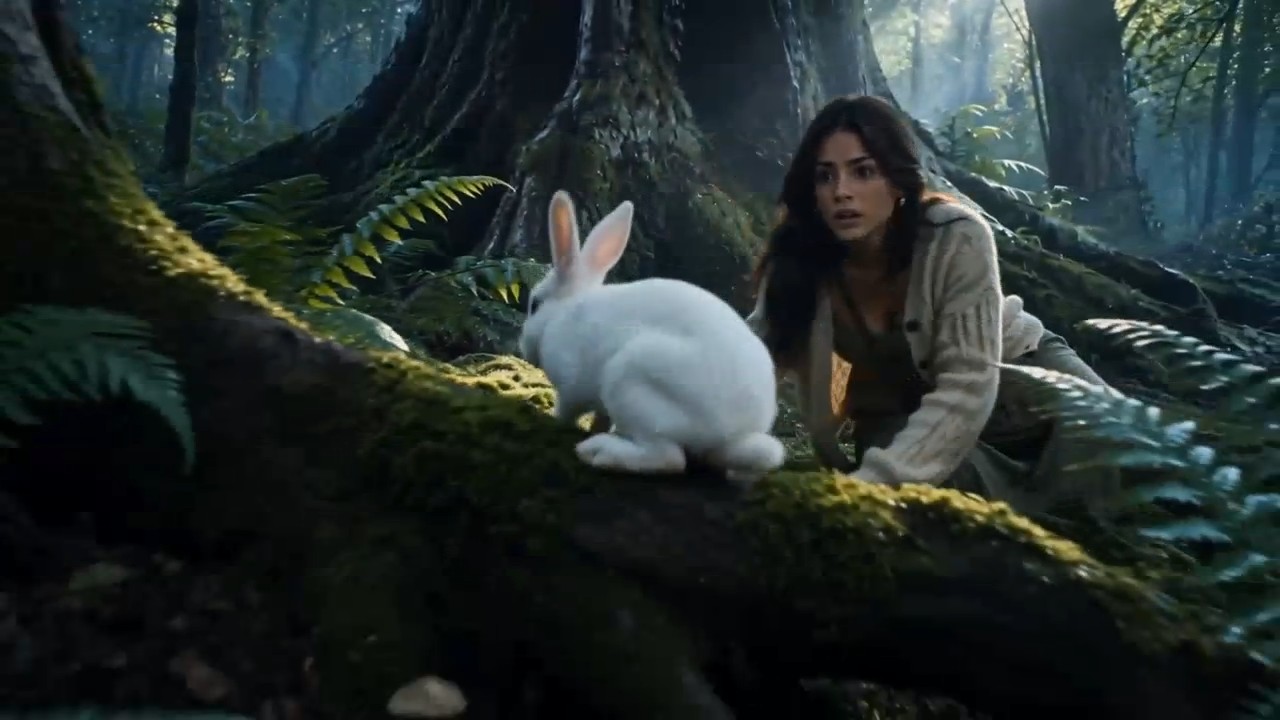
REFERENCE IMAGE RULES Use the supplied character portrait as the absolute identity and wardrobe reference. Use the supplied sleeping-in-the-forest image as the opening-frame reference. Use the forest environment image to preserve the geography, vegetation, dawn mist and cool blue-green lighting during the first part of the sequence. Use the river environment and final river image as the destination and last-frame reference. The video must begin from the supplied forest opening image and arrive naturally at the supplied river composition. Do not simply dissolve or morph between the two images. The woman must physically travel through a believable connected forest space. TONE AND ENERGY Cinematic magical realism with urgent physical movement, mounting tension and a warm emotional reversal. The opening must hook the viewer immediately. Start the main action within the first second. Use a fast, escalating rhythm: sudden awakening -> mysterious animal trigger -> rapid forward movement -> physical stumble and downhill slide -> explosive river reveal -> brief moment of wonder and relief. The forest initially feels as if it is closing in around her, but the final reveal shows that it has been guiding her. This is tense and adventurous, not horror, not slow meditation and not a dreamy fashion film. CHARACTER CONTINUITY Maintain the exact same young woman from all supplied reference images: identical face, age, body, shoulder-length dark brown hair, cream knitted cardigan, muted sage-green dress, brown lace-up ankle boots and olive canvas crossbody bag. The bag strap remains attached from her left shoulder to her right hip throughout the entire sequence. Her clothing progressively becomes slightly damp and muddy, but never changes design or color. Her emotional progression is: startled confusion -> frightened urgency -> physical determination -> sudden wonder -> visible relief. ENTITY CONTINUITY Maintain exactly one woman and one white rabbit during the forest journey. The same white rabbit reappears at the river. Exactly one young fawn and two small woodland birds may appear only in the final river section. No animal duplicates, replacements or spontaneous materialization. Every animal must enter the frame through a physically visible route. CORE CAUSE-AND-EFFECT CHAIN A branch snaps and wakes the woman -> the same white rabbit darts across her vision -> she follows it through the forest -> she stumbles and slides down a damp slope -> the rabbit passes through a curtain of ferns -> she pushes through the same ferns -> the river is revealed -> the rabbit calmly drinks beside the water -> a fawn and two birds appear -> she understands that the rabbit was guiding her. SHOT 1 — VIOLENT AWAKENING AND IMMEDIATE HOOK Begin exactly from the supplied opening image of the woman lying on wet moss. Extreme macro focus on a dew droplet falling from a fern and striking her cheek. A branch suddenly snaps off-screen. Her eyes open sharply and she inhales. She rolls onto one elbow and rises quickly, still disoriented. At the same instant, the camera rapidly pulls backward from the close-up into a low, slightly tilted medium shot, revealing dense trees and foreground ferns surrounding her. A white rabbit suddenly darts through the near foreground, crossing very close to the lens. The movement creates a natural whip-pan. The camera catches the rabbit landing briefly on a moss-covered root. It looks back once. The woman locks eyes with it. Before she can react, the rabbit runs deeper into the forest. Do not linger on the awakening. The rabbit must trigger forward movement almost immediately. SHOT 2 — FAST FOREST PURSUIT Use the rabbit’s whip-pan as the transition into an energetic low tracking shot beside the woman’s boots. She pushes herself upright and runs after the rabbit through the narrow opening between the trees. The camera races alongside her at knee height, extremely close to wet ferns and exposed roots. Foreground vegetation creates strong parallax and repeatedly sweeps past the lens. Cut within the same movement to an FPV-style camera traveling backward in front of her as she runs toward it. Her cardigan, dress hem, hair and bag react naturally to her speed. Her boots strike wet leaves and throw small droplets and pieces of moss backward. The rabbit remains visible only in brief readable glimpses ahead of her: crossing behind one tree, appearing on a root, then moving forward again. It never teleports. The forest feels compressed and urgent. Tree trunks pass close on both sides while the camera maintains her forward screen direction. SHOT 3 — STUMBLE, DROP AND SPEED RAMP Transition behind a dark tree trunk crossing the entire frame. The camera emerges into a fast side-tracking shot as her boot catches beneath a thick root. She stumbles forward, grabs a flexible branch and briefly swings around it rather than falling flat. The branch bends realistically under her weight and shakes loose a shower of dew. She regains one step, but the damp ground collapses beneath her next foot. The camera drops with her as she slides several meters down a fern-covered slope. Use one very brief controlled speed ramp at the instant her foot loses contact, then return immediately to real-time motion. She protects her face with one arm, turns onto her side and stops against soft moss. Her bag remains attached to her body. Before she can fully recover, the white rabbit rushes past the lower edge of the slope and disappears through a bright wall of ferns. The woman hears the river for the first time. She looks up sharply toward the sound, gets to her feet and charges after it. Keep the stumble physically believable and exciting, not comedic and not prolonged. SHOT 4 — FERN WIPE AND EXPLOSIVE RIVER REVEAL Track tightly behind her shoulder as she runs toward the bright ferns. She raises both arms to protect her face and pushes forcefully through them. The ferns sweep completely across the lens, creating a motivated full-frame transition. As the foliage clears, the camera bursts through with her and performs a fast controlled 180-degree arc: begin facing her exhausted expression while moving backward, then swing behind her shoulder and rise to reveal the crystal-clear river filling the space ahead. The enclosed cool forest suddenly opens into warm golden morning light, moving water and a wide horizon between the trees. She tries to stop on the wet bank, slides one short step, drops onto one knee and catches herself with one hand against the river stones. Her hand touches the water, producing one clear splash and realistic concentric ripples. The camera’s aggressive movement settles rapidly into a smooth close orbit as the sound and space open around her. SHOT 5 — ANIMAL REVEAL AND EMOTIONAL REVERSAL Continue from the orbit without a hard cut. The same white rabbit steps visibly from the riverside grass and calmly drinks near her hand. She initially tenses, recognizing it. Rack focus across the moving water to exactly one young fawn emerging from behind the pale tree on the opposite bank. The fawn takes two natural steps, stops and meets her gaze. Exactly two small birds descend into frame and land on a branch above the fawn, causing the branch to move slightly under their weight. The animals remain realistic and calm. Their spirit-like quality comes only from intelligent eye lines, coordinated stillness and soft natural rim light. They do not glow. The woman looks from the rabbit to the fawn and understands that she was being led rather than chased. Push quickly into an intimate close-up as her rapid breathing slows, her clenched jaw releases and her shoulders drop. A small genuine smile begins, restrained and emotionally believable. Complete the movement with a brisk crane rise and pullback toward the supplied final-frame composition: the woman beside the clear river, the same rabbit near her, the fawn across the water, two birds above and the sunlit path visible behind them. Hold the final composition only briefly, long enough for the emotional reversal to register without slowing the overall rhythm. CAMERA AND EDITING FINISH Use strong spatial travel rather than static zooming. Camera progression: rapid macro pullback -> whip-pan -> low lateral tracking -> backward FPV tracking -> trunk wipe -> falling camera with speed ramp -> foliage wipe -> controlled 180-degree reveal -> close orbit -> rack focus -> crane pullback. Every transition must be motivated by a physical foreground element or continuous character movement. Maintain the woman’s forward screen direction and continuous downhill geography. Use realistic handheld energy during the forest pursuit, then transition rapidly into controlled cinematic stability at the river. Allow the AI to determine the natural duration of each shot within the total 15 seconds. Keep the awakening extremely short, give the forest pursuit and fall most of the runtime, and reserve only the final few seconds for the river and emotional payoff. AUDIO No dialogue and no narration. Use a sharp branch snap, sudden inhale, rapid footsteps, wet leaves, fabric movement, breaking twigs, sliding soil and increasingly loud breathing. Introduce the sound of running water immediately after the downhill slide. At the river reveal, let the enclosed forest sound open suddenly into flowing water, wingbeats, light birdsong and a warm breeze. No slow sentimental music, horror stingers or magical chimes. The result must feel like an energetic miniature adventure with a clear reversal, not generic still-image animation, slow parallax, a woman calmly walking through a forest or a montage of unrelated scenic shots.

Browse by model

Browse collections

Other prompt pages

Latest Image Prompts

708 results
Loading...

Latest Video Prompts

102 results
Loading...

A practical AI Prompt Library for images, video and everyday ideas

Discover a useful example, understand why it works and create with the right model

Pixomi pairs each AI Prompt with its generated result and compatible model. Compare real examples instead of starting from an empty box, then browse AI Image Prompts, AI Video Prompts and ChatGPT prompts for planning. Study the structure, replace the subject or setting and continue in the matching Pixomi generator.

Explore AI Prompts by model and medium

Pixomi connects every example to practical context, helping you understand the wording and continue into the right creation workflow.

Find AI Image Prompts through the result you want

Find AI Image Prompts through the result you want

Browse portraits, products, ads, cinematic scenes, anime, architecture and landscapes through their results. Each card connects the preview to its model, helping you see how AI Image Prompts control subject, composition, lighting and style. Compare GPT Image, Seedream and Flux Kontext examples, then adapt the useful clauses to your project instead of copying every word.

Build AI Video Prompts around motion, timing and continuity

Build AI Video Prompts around motion, timing and continuity

AI Video Prompts should explain what changes over time: subject action, camera movement, pace, environmental motion and the intended ending. Review Veo, Kling, Seedance, Runway and Sora-style examples with their previews, then match the wording to the selected model. One coherent shot usually performs better than several conflicting actions in a short clip.

Use ChatGPT prompts to develop and refine creative direction

Use ChatGPT prompts to develop and refine creative direction

ChatGPT prompts can turn a rough brief into concepts, shot lists, constraints and a clear visual hierarchy before generation. Give ChatGPT the context, task and expected format, then convert the chosen direction into an image prompt or video prompt. This planning step makes the final AI Prompt easier to evaluate, revise and reuse.

Why model-aware prompt examples produce better starting points

There is no universal sentence that behaves identically in every generator. Pixomi keeps the model relationship visible so you can judge an example in the context where it was created.

Match the prompt to the model's strengths

Match the prompt to the model's strengths

Models interpret detail, order and camera language differently. Editing tools may need preservation rules, while video models often need one continuous action. Model-aware browsing lets you compare GPT Image, Seedream, Flux, Veo, Kling and Seedance examples in the context where they were created. The preview is not a guarantee, but it is better evidence than a generic AI Prompt copied without its workflow.

How to use the Pixomi AI Prompt Library

Move from visual inspiration to a model-ready generation in four deliberate steps. The process works for quick social content, detailed commercial production and early creative exploration.

1

Choose image, video or a broader planning task

Begin with the medium that matches your deliverable. Choose AI Image Prompts for a still composition, product shot, portrait, illustration or editing task. Choose AI Video Prompts when movement, timing and camera behavior are essential. If the idea is still unclear, begin with ChatGPT prompts that help define concepts, organize requirements or turn a business brief into visual directions. Starting with the correct task prevents unnecessary details from entering the wrong type of AI Prompt.

2

Browse by medium or model

Start with popular or latest image prompts, popular or latest video prompts, or open a model library when you want examples for a specific generator. This keeps visual inspiration, prompt text and the destination model connected.

3

Read the result and reverse-engineer the wording

Study both the preview and the prompt. Identify which words control the subject, environment, framing, lighting, movement and style. Notice whether the language is descriptive, instructional or ordered as a sequence. Check for model-specific inputs such as a reference image or opening frame. Then decide what must stay and what should change. Reverse-engineering an example teaches a transferable method and is more reliable than copying a fashionable phrase without understanding its role.

4

Open the model page, adapt the prompt and iterate

Follow the model link, choose an example and rewrite it around your goal. Make one meaningful change at a time so you can understand its effect. Adjust the subject before the style, the motion before atmospheric decoration, or the layout before small material details. Save useful versions and compare outputs. Iteration turns an AI Prompt into a repeatable creative system: a base structure can support several campaigns, aspect ratios, scenes or model versions without losing the core intention.

What can you create with an AI Prompt?

The library covers personal experiments and production work. These common use cases show how prompt structure changes with the intended result.

Product photography and e-commerce campaigns

Create catalog images, studio hero shots, packaging concepts and lifestyle campaigns. Effective AI Image Prompts specify the product, angle, surface, background, lighting, materials and must-keep details. Compare Flux Kontext for controlled edits with GPT Image and Seedream examples for commercial scenes. ChatGPT prompts can help prepare campaign themes and shot lists first.

Portraits, fashion and consistent characters

Develop portraits, avatars, fashion stories, anime characters and narrative concepts. Balance identity, expression, pose, wardrobe, environment, lens and lighting without combining contradictory styles. For an existing character, separate features that must remain from requested changes. AI Video Prompts can extend the direction with gesture, fabric motion and camera behavior.

Marketing, social media and brand communication

Plan social posts, ads, thumbnails, launch graphics and campaign variants. A marketing AI Prompt should connect composition to the audience, product benefit and message hierarchy. Use ChatGPT prompts for concepts and headlines, AI Image Prompts for art direction and AI Video Prompts for hooks, transitions and closing product moments.

Cinematic video, storyboards and moving scenes

Create establishing shots, travel sequences, product films and short narrative scenes. Strong AI Video Prompts describe one achievable shot with a clear subject, action, camera path and mood. Compare Veo, Kling, Seedance, Runway and Sora-style patterns. For a sequence, outline the shots with ChatGPT and write one focused prompt for each.

AI Prompt Library FAQ

Practical answers about finding, adapting and using prompt examples across language, image and video models.

An AI Prompt is an instruction or creative description given to a generative model. Good prompts state the task and useful constraints without irrelevant complexity. Image prompts describe subject, composition, setting and lighting; video prompts also describe action, camera movement and continuity. Clear clauses make an example easier to understand and revise.

Pixomi presents image and video prompts in separate Popular and Latest sections. Browse by model provides direct links to curated model libraries, while each prompt card keeps its preview, full prompt text and creation action together.

Usually not without adaptation. ChatGPT prompts request analysis or structured text, AI Image Prompts describe a visual state and AI Video Prompts add time-based behavior. Models also interpret detail and references differently. Reuse the concept and structure, but rewrite the instructions for the selected model and its controls.

Use ChatGPT as a planning partner. Provide the audience, deliverable and constraints, then ask for concepts, a shot list or a structured brief. Good ChatGPT prompts can identify contradictions and convert a long paragraph into model-ready visual language. Move the chosen direction into a compatible Pixomi image or video workflow.

AI Image Prompts describe a single visual state: subject, layout, viewpoint, lighting, material and style. AI Video Prompts describe change over time, adding action, speed, camera movement and an endpoint. Start with one shot and one main action, then add only the motion information required by the selected video model.

Use a published example as a starting point, then replace the subject, brand, setting and constraints with your own details. Verify rights to referenced names or materials. Results can vary even with identical wording, so save tested versions and compare newer examples in Latest prompts as models and the library evolve.

Turn a useful prompt into your next finished visual

Browse the AI Prompt Library, compare generated results and choose an example that matches your goal. Adapt the AI Prompt for ChatGPT, an image model or a video workflow, then continue with the corresponding Pixomi generator. Start with a proven structure, make the creative direction your own and improve it through focused iteration.

Video cover