
More AI Image Generators
Explore our collection of specialized AI image generators designed for different creative needs and styles
























Add Text to Photo Online
Upload a photo, describe the text you want, and generate a clean image with readable words in seconds.
Use add text to photo for captions, labels, posters, memes, product images, and mobile-friendly visuals. Keep the original image clear while turning simple wording into a polished, readable design that feels ready to share.
How to Add Text to Photo
The process is simple: upload, describe, choose size, and generate. These steps help you add text to photo for daily images, add text to a picture for designed visuals, and prepare add text to photo iphone graphics for small screens.

Upload Your Photo
Start add text to photo by uploading the image you want to edit. The tool uses your upload as the base, so when you add text to a picture, the original subject and scene remain the focus.

Write the Exact Text
Type the words you want added, then mention placement, size, font style, and color. For add text to photo iphone outputs, ask for larger readable letters, and for posters, ask for balanced spacing.

Choose the Output Size
Choose the size that fits your page, post, print, or story. A square edit can add text to a picture for feeds, while a vertical edit is useful when you add text to photo iphone content.

Generate and Refine
Click generate and review the result. If you need another style, edit the prompt and run add text to photo again, or ask the AI to add text to a picture with clearer color contrast.
Best AI Image Tools for Creative Projects
Explore creative tools for image, learn tips and tricks, and see how AI can be your assistant in turning concepts into finished projects.
Text Overlay Features
These features explain how to add text to photo with natural placement, readable typography, and channel-aware sizing. Use add text to a picture for clear visual messages, and adapt prompts for add text to photo iphone images when mobile readability matters.
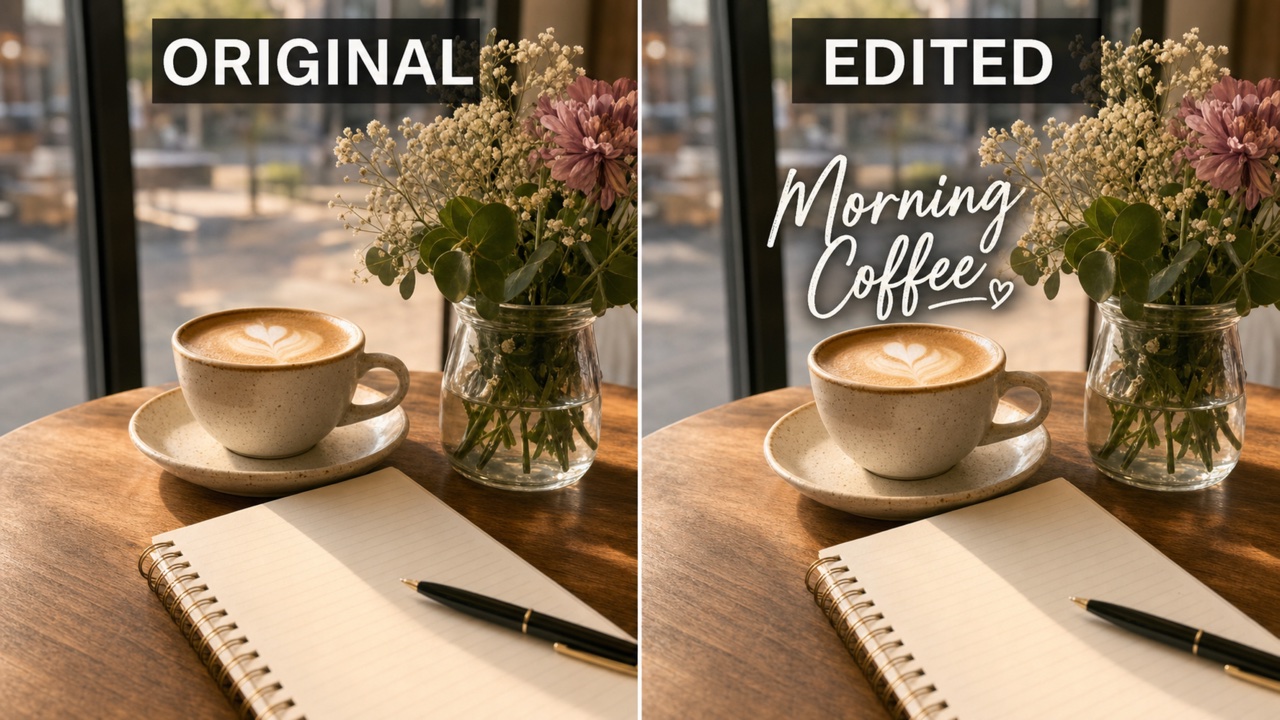
Keep the Photo Natural
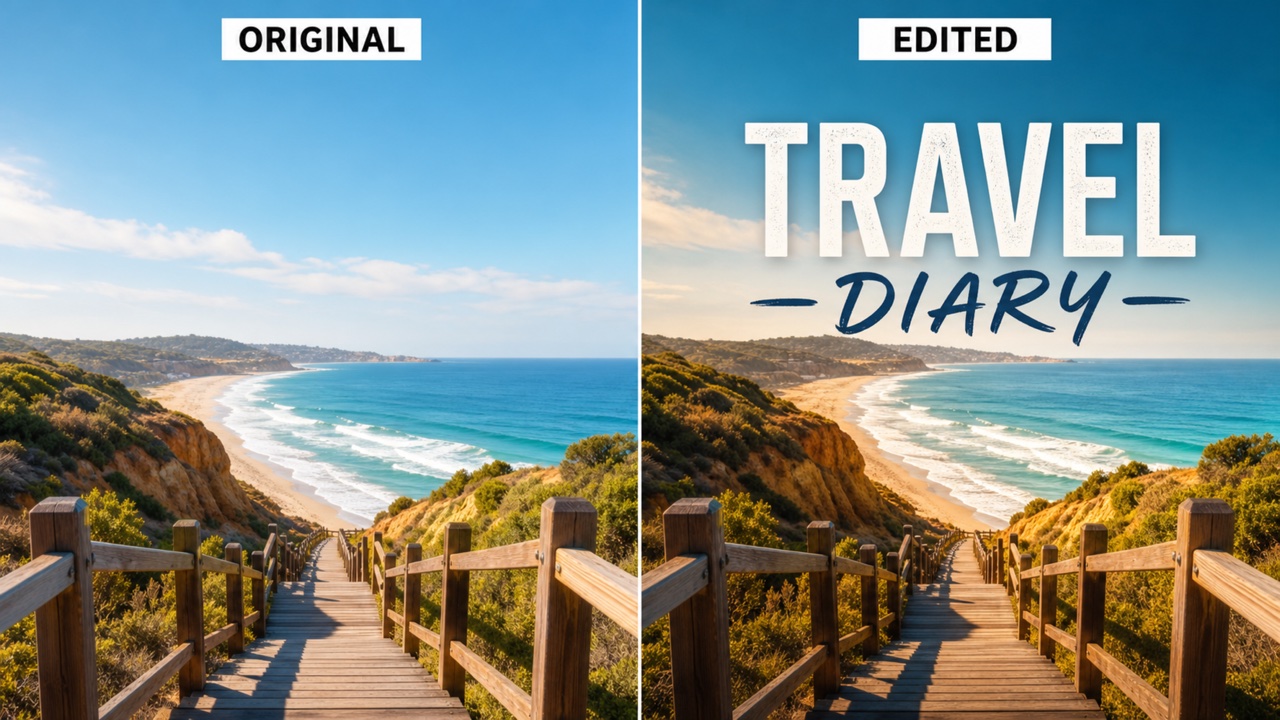
Pixomi is built for add text to photo edits where the uploaded image should still feel like the same photo. It can preserve the subject, background, lighting, and color tone while placing the new words where they make sense. Use it to add text to a picture as a subtle corner note, a bold headline, a centered quote, or a clean label that does not fight the image. For add text to photo iphone designs, ask for strong contrast and generous spacing so the result stays readable on a phone.
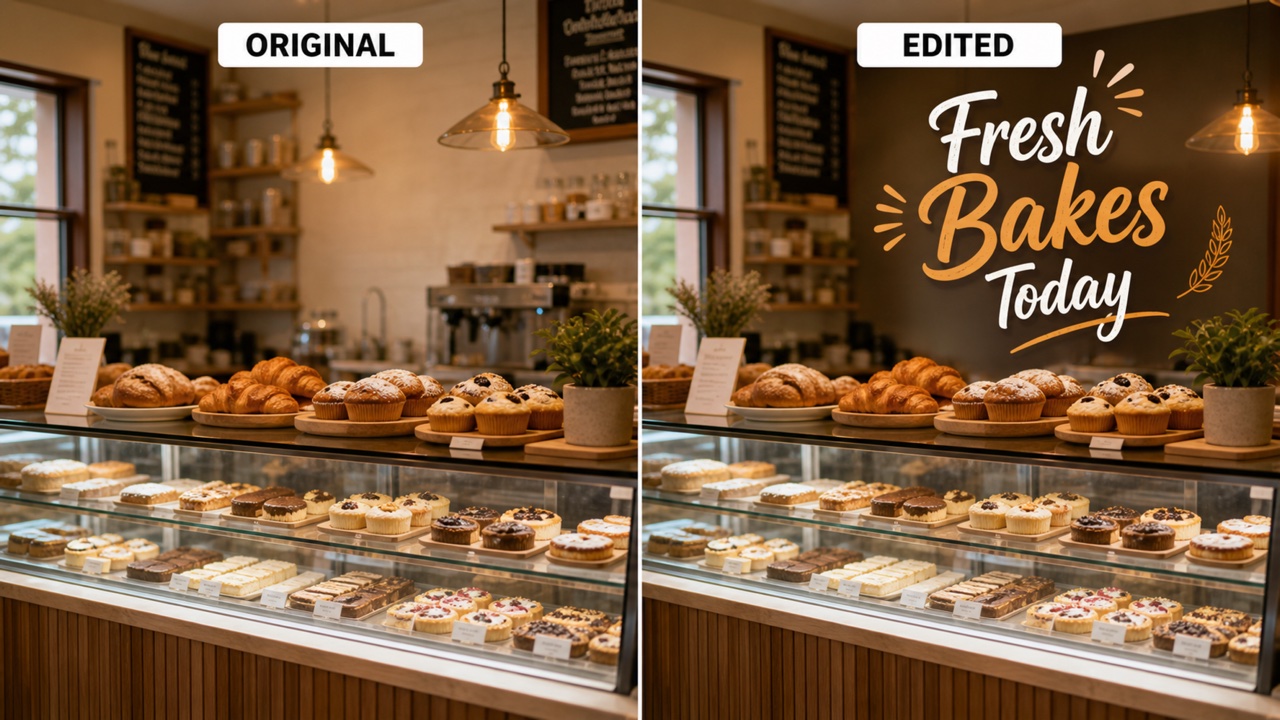
Control the Text Style
Your prompt can guide the typography, mood, and layout. Ask add text to photo for bold poster type, elegant script, clean product labels, meme captions, handwritten notes, or sticker-like lettering. When you add text to a picture, include the exact words, the location, and the feeling you want. If the image is for add text to photo iphone use, request larger letters, fewer words, and simple composition so the message is easy to scan.
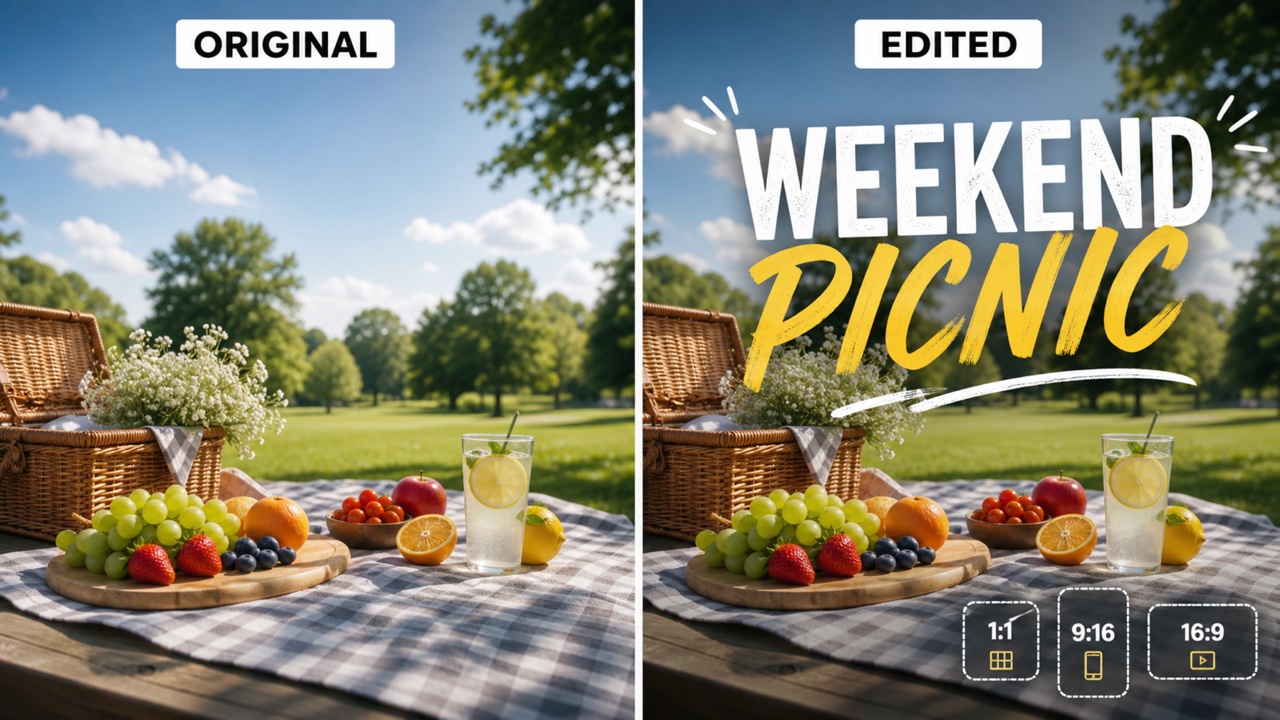
Make Sizes for Every Channel
A text overlay often needs to fit a specific channel. Use add text to photo for square feed images, landscape banners, portrait graphics, invitations, thumbnails, worksheets, and story-ready output. The same prompt can add text to a picture for a website banner or product page, then be adjusted for add text to photo iphone stories with vertical composition and larger type.
Finish Edits Without Design Software
You do not need layers, masks, font panels, or desktop design tools for quick edits. Upload the photo, describe the words, and use add text to photo to create a finished image. When the task is simple, add text to a picture with one direct sentence. When the output needs to work as add text to photo iphone content, keep the text short and ask for mobile-safe spacing.
Useful Text Overlay Ideas
A good text overlay solves a real communication need. Use add text to photo for everyday notes, creative graphics, product images, and teaching visuals. Use add text to a picture when the image needs a clear message, and use add text to photo iphone wording when the design must stay readable on mobile.

Social Captions
Create captions, quote cards, reels covers, and story images without rebuilding the design. Add text to photo for quick posts, add text to a picture for themed layouts, and use add text to photo iphone prompts when the final image will be read on a small screen.

Product Labels
Place product names, prices, feature callouts, or sale messages directly on photos. Add text to photo keeps the item visible while you add text to a picture for listings, storefront images, ads, and product explainers that need quick context.

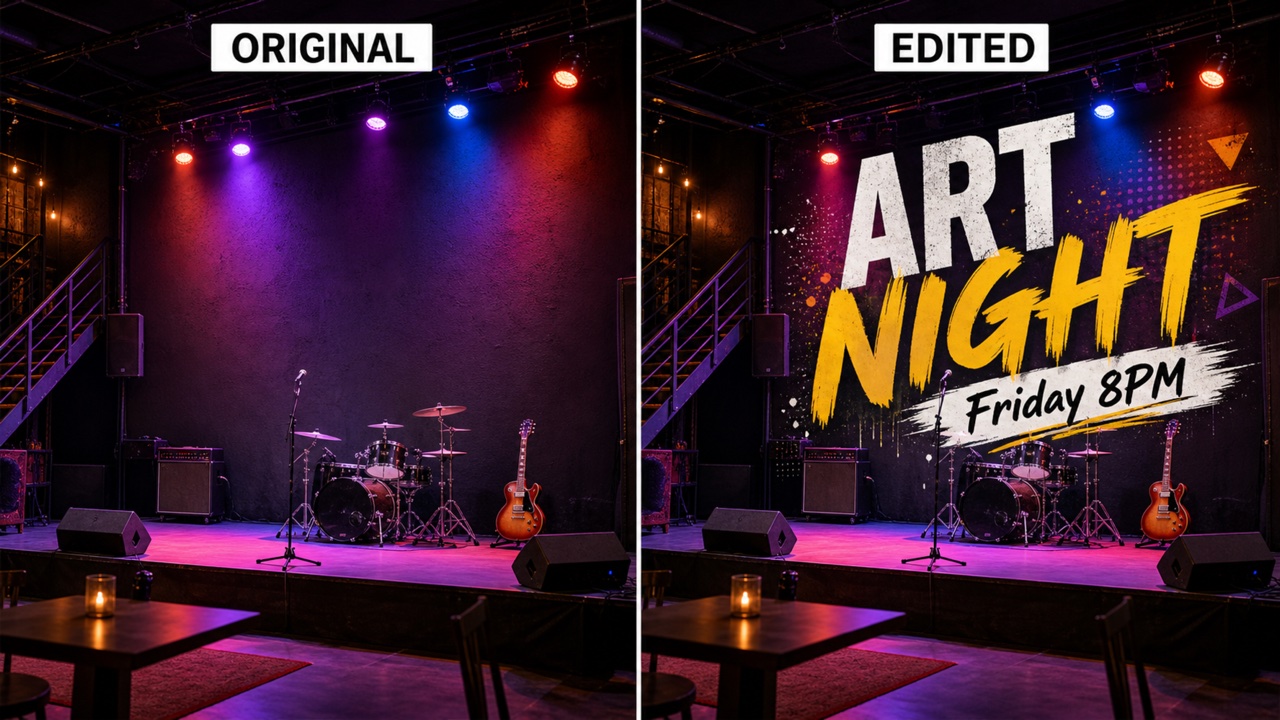
Posters and Event Graphics
Build flyers, invitations, classroom signs, and mini posters from an existing image. Use add text to photo for dates, titles, and venue notes, then add text to a picture again when you need a sponsor line, short quote, or extra callout.

Memes and Reaction Images
Turn photos into memes, joke cards, or quick reaction images with simple text placement. Add text to photo with short lines, or add text to a picture using a bold top-and-bottom caption style that stays readable.

Personal Memories
Add names, dates, travel notes, and personal messages to family photos, holiday pictures, and celebration images. Add text to photo iphone ideas are useful when you want a phone-friendly keepsake before sharing with friends.

Work and Education
Make lesson visuals, team reminders, presentation images, and annotated examples. Use add text to photo for headings and labels, and add text to a picture when the message needs to be understood at a glance in a slide, document, or training post.
Loved by Fast Visual Teams
People use add text to photo when they need visual messages quickly, but still want the image to feel polished. They add text to a picture for clients, stores, classrooms, social channels, and add text to photo iphone posts without turning the first screen into a long explanation.
Pixomi helps me add text to photo for campaign visuals without opening a full design suite. I can add text to a picture, test the wording, and send a clean draft fast. It keeps the first screen simple for stakeholders, then lets us refine the text style later.
For product launches, I use add text to photo to place prices and feature callouts. It also helps my team add text to a picture consistently across promo images. We can make a quick label, a sale graphic, and an add text to photo iphone story version from the same idea.
I plan add text to photo iphone posts every week. The tool lets me add text to photo with readable captions and add text to a picture for quick story graphics. Short prompts work best when I need a title, a date, or a quote that feels native to the image.
The best part is speed. I describe the words, placement, and tone, then add text to photo for banners or add text to a picture for simple launch assets. It is especially useful when the team only needs a clear visual message, not a full brand layout.
I needed signs, menus, and seasonal photos. Pixomi made add text to photo easy, and add text to photo iphone prompts helped me create mobile posts without extra apps. I can add text to a picture in a way that looks clean enough for my shop page.
I still use design tools for complex work, but add text to photo is great for quick drafts. When clients ask to add text to a picture, I can show options faster. For add text to photo iphone previews, the simple prompt controls are enough to test readable type.





Add Text to Photo FAQ
Questions about how to add text to photo, add text to a picture, and prepare add text to photo iphone images.
Upload your image, type the words you want added, choose a size, and generate. The workflow is built for add text to photo tasks where the original image should stay visible while the new words are added.
Yes. You can use the free tool to add text to a picture for captions, posters, memes, product photos, lesson graphics, and everyday notes.
Yes. For add text to photo iphone prompts, ask for larger type, high contrast, and mobile-friendly spacing so the final image is easy to read on a phone screen.
Tell the AI the exact text, placement, color, font mood, size, and layout. A prompt like add text to photo with a white headline at the top or add text to a picture with a small date in the corner works well.
The built-in workflow is designed to keep your uploaded image as the base. Add text to photo should preserve the subject and scene unless you ask for another edit, and add text to a picture should focus on the text overlay.
You can create quote images, product labels, invitations, thumbnails, social posts, announcements, classroom visuals, and add text to photo iphone story images. Use add text to photo for direct edits and add text to a picture when you want a clear visual message.
Start Editing Your Photo
Upload a photo, describe the words, and let Pixomi add text to photo in a clean, readable style. Use add text to a picture for quick visuals or add text to photo iphone posts when you need a mobile-friendly result.
