
More AI Image Generators
Explore our collection of specialized AI image generators designed for different creative needs and styles
























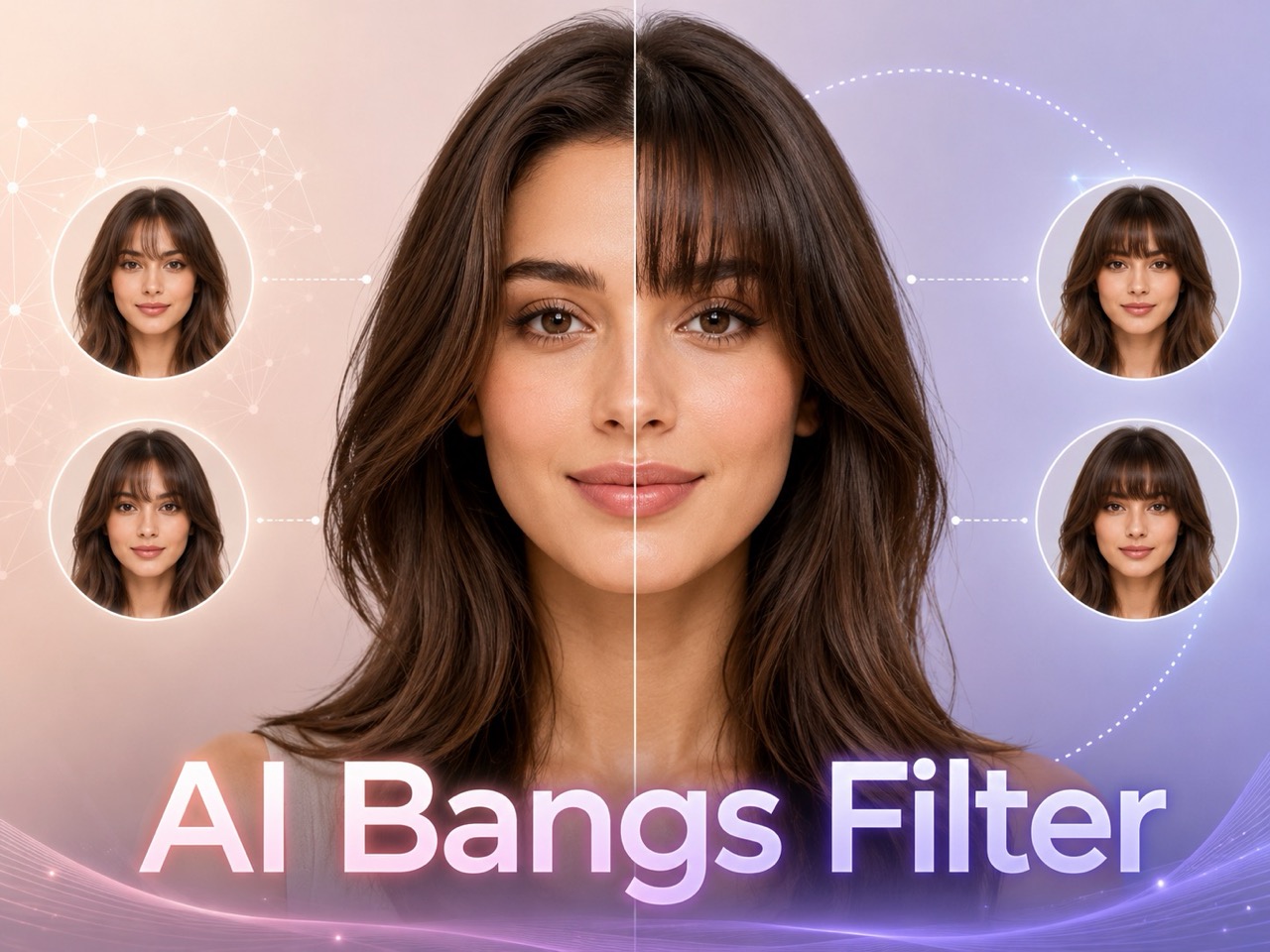
AI Bangs Filter: Preview Realistic Bangs from Photo
Upload a selfie, choose Air, Blunt, Curtain, Side-Swept, or Wispy Bangs, and generate a realistic fringe preview before your haircut. See your possible haircut clearly before changing your real hair.
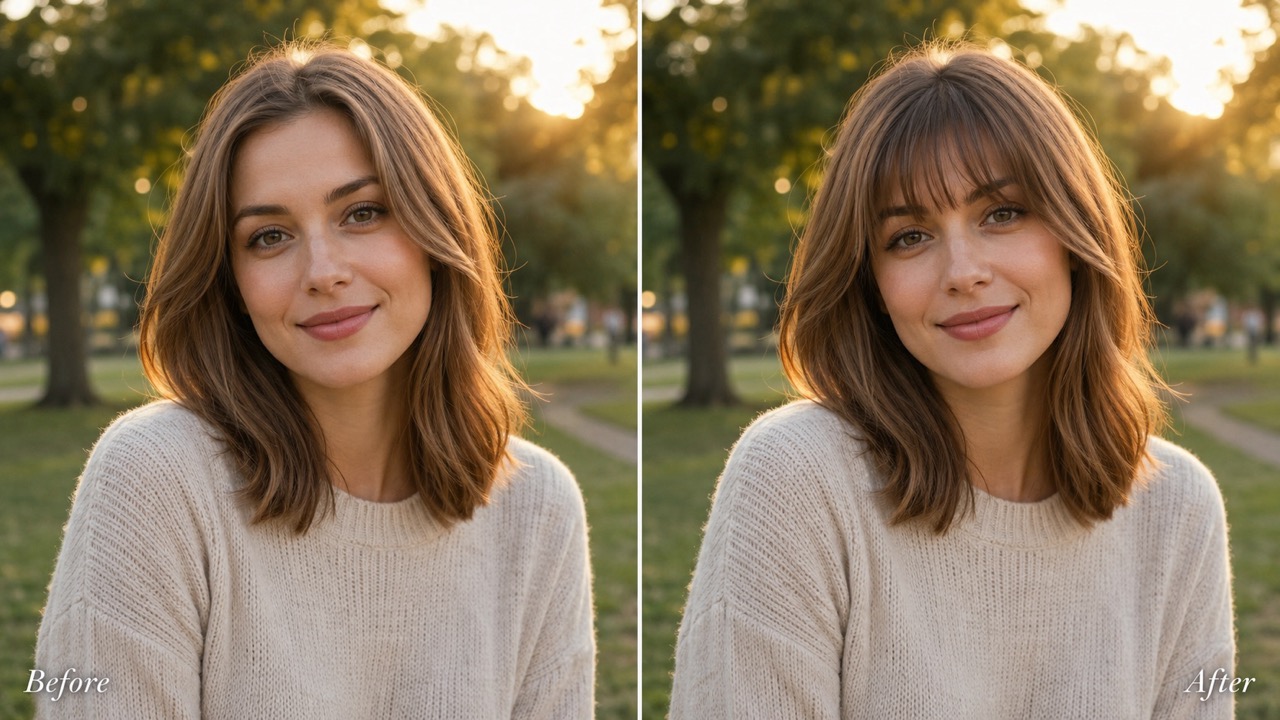
AI Bangs Filter helps you preview a fringe on your own photo before cutting. Use ai bangs filter online to compare styles, test face-framing balance, and try bangs online with natural hair texture. AI Bangs Filter keeps your face, pose, and background while changing only the front hair area.
How to Use AI Bangs Filter
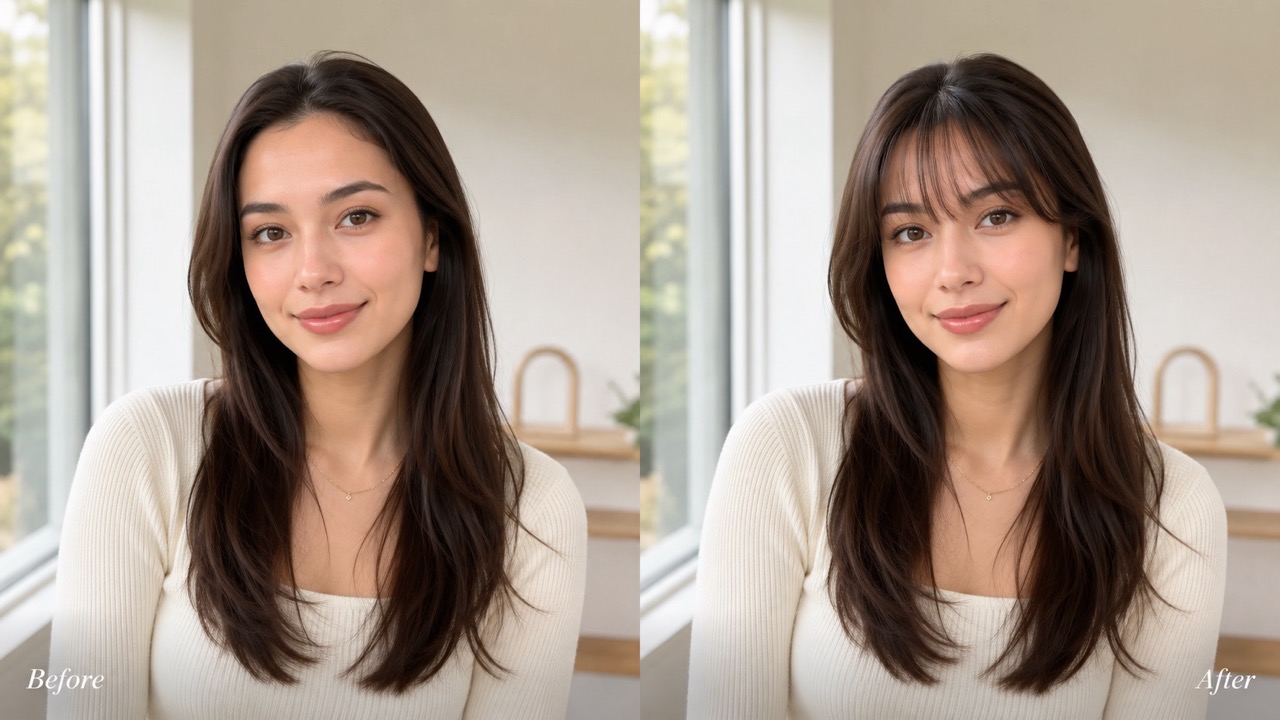
AI Bangs Filter follows a simple flow: upload a reference image, choose a bangs style, and generate. With ai bangs filter free access, users can try bangs online before making a real haircut decision. AI Bangs Filter is built for quick visual comparison, not guesswork. The process is short enough for casual testing but detailed enough for a useful beauty decision.

Upload Reference Image
Start AI Bangs Filter by uploading a clear portrait or selfie. Choose an image where your forehead and hairline are visible, because AI Bangs Filter needs that area to place fringe naturally. ai bangs filter online works best with steady lighting, a simple background, and hair that is not heavily covered by hats or filters. A slightly pulled-back or naturally worn hairstyle usually gives the cleanest edit, because the forehead line is easier to read.

Select Bangs Style
Choose the style you want inside AI Bangs Filter. Air Bangs create a soft Korean-inspired look, Blunt Bangs feel bold, Curtain Bangs frame the face, Side-Swept Bangs add movement, and Wispy Bangs look light. Use AI Bangs Filter to compare these options before deciding which fringe suits your face. This step matters because a small difference in fringe weight can change the entire mood of the portrait.

Click Generate Image
After choosing the style, click Generate Image. AI Bangs Filter edits the photo by blending the selected fringe with your existing hair color, direction, lighting, and face shape. You can try bangs online, review the result, then generate another version if you want a softer, fuller, or more face-framing look. If one result feels too dramatic, choose a lighter style and generate again for a more wearable preview.
Best AI Image Tools for Creative Projects
Explore creative tools for image, learn tips and tricks, and see how AI can be your assistant in turning concepts into finished projects.
What AI Bangs Filter Helps You Decide
AI Bangs Filter is made for real hairstyle decisions. Instead of browsing bangs photos on other people, AI Bangs Filter shows how fringe may look on your own face. ai bangs filter online helps turn uncertainty into a visual comparison. You can focus on shape, softness, coverage, and personal confidence instead of guessing from salon pictures.
Know If Bangs Suit Your Face Before You Cut
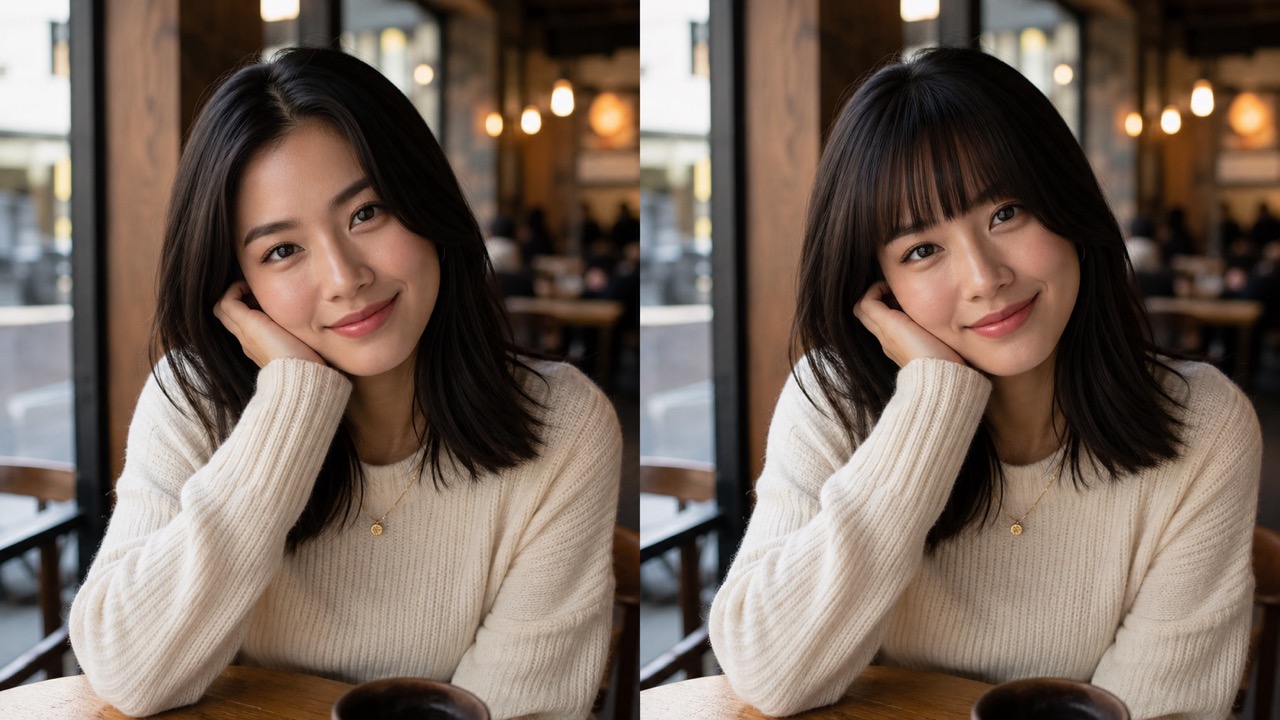
Bangs can change how your forehead, eyes, cheekbones, and jawline appear. AI Bangs Filter gives you a direct preview instead of asking friends to imagine the result. AI Bangs Filter helps you see whether a fringe shortens the face, softens sharp features, or makes the overall style feel heavier. For anyone nervous about a haircut, ai bangs filter online offers a low-pressure way to try bangs online before visiting a stylist. AI Bangs Filter also helps you notice whether your brows stay visible, whether the fringe opens the eyes, and whether the haircut feels youthful, polished, edgy, or too heavy for your usual style.
Compare Soft, Bold, and Face-Framing Bangs
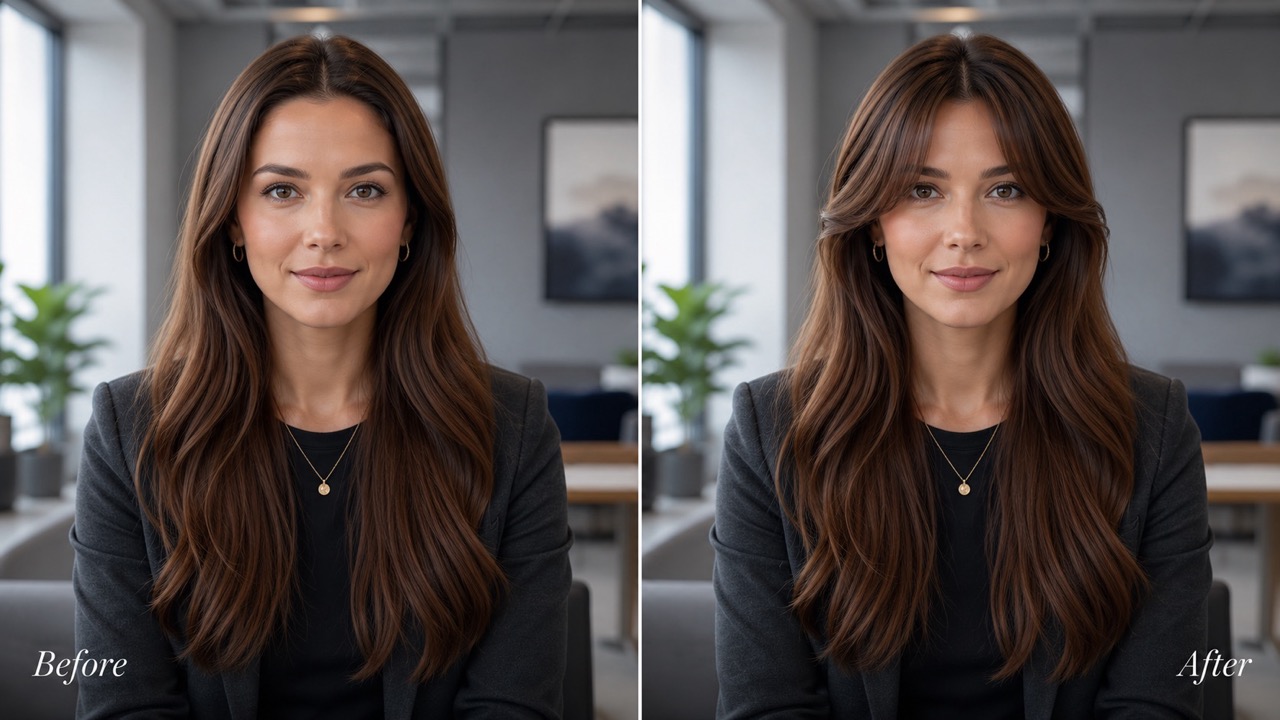
Different fringe styles create very different moods. AI Bangs Filter lets you move from airy and gentle to blunt and editorial in one workflow. AI Bangs Filter is useful when you are unsure whether you want visible forehead, a clean straight line, or soft side framing. With ai bangs filter free access, you can compare styles without making a permanent change. Use AI Bangs Filter to narrow the options before your haircut appointment. AI Bangs Filter makes these comparisons practical because every option is shown on the same face, pose, and lighting, so you judge the fringe shape instead of being distracted by different models.
Keep Your Real Identity While Changing the Fringe
A good bangs preview should not replace your face or turn the photo into a fantasy portrait. AI Bangs Filter focuses on changing only the front hair area while keeping your expression, skin tone, lighting, and background. AI Bangs Filter blends fringe into the existing hairstyle so the preview feels like a possible haircut. If you want realistic feedback, try bangs online with a natural selfie instead of relying on generic hairstyle inspiration photos. AI Bangs Filter is especially helpful when you want a preview that still looks like you, not a reshaped identity. That makes the result easier to trust and easier to discuss with others.
Who Should Use AI Bangs Filter?
AI Bangs Filter is helpful for anyone considering a fringe, preparing for a haircut, creating beauty content, or comparing face-framing styles. ai bangs filter online makes hairstyle testing easier because the preview is based on your uploaded photo. It works for everyday users and professionals who need a clearer way to discuss fringe shape, weight, and placement.

Before a Salon Visit
Use AI Bangs Filter before booking a haircut or showing a stylist reference photos. AI Bangs Filter gives you a personal preview, so the conversation starts with your own face instead of someone else's hairstyle. You can try bangs online, save the version you like, and explain whether you prefer Air, Curtain, Blunt, Side-Swept, or Wispy Bangs. AI Bangs Filter can also help you reject styles quickly, which is just as valuable as finding one you love. A visual no saves time before an appointment.

When You Fear Haircut Regret
Cutting bangs feels risky because the front hair changes your whole face. AI Bangs Filter gives you a preview before the scissors touch your hair. AI Bangs Filter helps users test length, fullness, and balance first. ai bangs filter free is especially helpful for anyone who wants confidence before making a visible change. It is useful for cautious users who like researching beauty changes, comparing alternatives, and avoiding impulsive decisions based on one attractive reference photo.

For Social Content and Style Polls
AI Bangs Filter can turn a simple selfie into engaging style content. Creators use AI Bangs Filter to post before-and-after looks, ask followers which fringe suits them, or test seasonal beauty changes. ai bangs filter online makes the process quick, while try bangs online posts can invite comments, votes, and styling feedback. AI Bangs Filter also helps creators build hairstyle transformation stories without cutting hair only for one video or photo idea.

For Stylists and Beauty Consultation
Stylists can use AI Bangs Filter to support consultations with clients who hesitate over fringe. AI Bangs Filter creates a shared visual reference, making it easier to discuss density, parting, and face framing. Instead of describing an abstract idea, clients can see a preview and choose a direction with more confidence. It supports more precise communication, especially when a client says they want bangs but cannot explain how thick, short, or soft they mean.
What Users Say About AI Bangs Filter
Users choose AI Bangs Filter when they want a realistic hairstyle preview before changing their hair. AI Bangs Filter helps reduce doubt, compare styles, and communicate better with stylists. The most common benefit is confidence: users can compare styles, show a clear reference, and avoid choosing from imagination alone.
I wanted curtain bangs for months but kept changing my mind. AI Bangs Filter finally showed how they would sit around my cheeks. AI Bangs Filter made the choice feel less scary, and I took the generated photo to my stylist. The result helped me explain exactly what I wanted without guessing. I liked that it did not change my face, makeup, or background, so the preview felt practical rather than exaggerated.
My forehead is small, so I worried bangs would feel heavy. AI Bangs Filter let me test Air Bangs and Wispy Bangs on my own selfie. ai bangs filter free made it easy to experiment. I realized a softer fringe suited me better than blunt bangs, which saved me from a haircut mistake. The comparison helped me choose a light look that matched my normal hair texture and daily style.
I used AI Bangs Filter for a beauty poll with my followers. AI Bangs Filter created several realistic options, and the side-swept version got the best response. It was much better than posting random hairstyle references because people could judge the look on my actual face. The comments were more useful because everyone reacted to options that actually matched my features.
I usually regret sudden hair decisions, so I used AI Bangs Filter before my appointment. AI Bangs Filter showed that blunt bangs looked too strong, while curtain bangs softened my face. Being able to try bangs online helped me walk into the salon with a clearer plan. My stylist also appreciated having a reference created from my own photo instead of a celebrity image.

FAQs About AI Bangs Filter
Learn how AI Bangs Filter works, which photos to upload, and how to get a better hairstyle preview. ai bangs filter online is designed for quick visual decisions.
AI Bangs Filter adds realistic bangs to your uploaded photo. AI Bangs Filter keeps your face and background while changing the front hair area.
A clear front-facing selfie works best. AI Bangs Filter needs visible hairline and forehead details for natural placement. AI Bangs Filter performs best when the image is not cropped too tightly.
AI Bangs Filter offers Air Bangs, Blunt Bangs, Curtain Bangs, Side-Swept Bangs, and Wispy Bangs. You can test each option on the same portrait for a fair comparison.
Yes. Use ai bangs filter online to preview styles from your browser and try bangs online before choosing a haircut.
AI Bangs Filter aims for realistic blending with your hair color, lighting, and face shape. Results depend on photo clarity. A clean photo gives the model more detail to match hair texture.
Yes. AI Bangs Filter is useful before a salon visit because it gives you a visual reference to discuss with your stylist. It gives both you and the stylist a shared direction before any cutting happens.
Preview Your Best Fringe with AI Bangs Filter
Use AI Bangs Filter to see how Air, Blunt, Curtain, Side-Swept, or Wispy Bangs may look on your own photo. ai bangs filter free lets you explore the idea, ai bangs filter online keeps the process simple, and try bangs online helps you decide before the haircut. Save the version that feels closest to your real taste, compare it with your usual hairstyle, and use that preview as a practical reference.
