
More AI Image Generators
Explore our collection of specialized AI image generators designed for different creative needs and styles
























AI Henna Generator for Original Mehndi Patterns
Use AI Henna Generator to turn a short description into a polished henna concept.
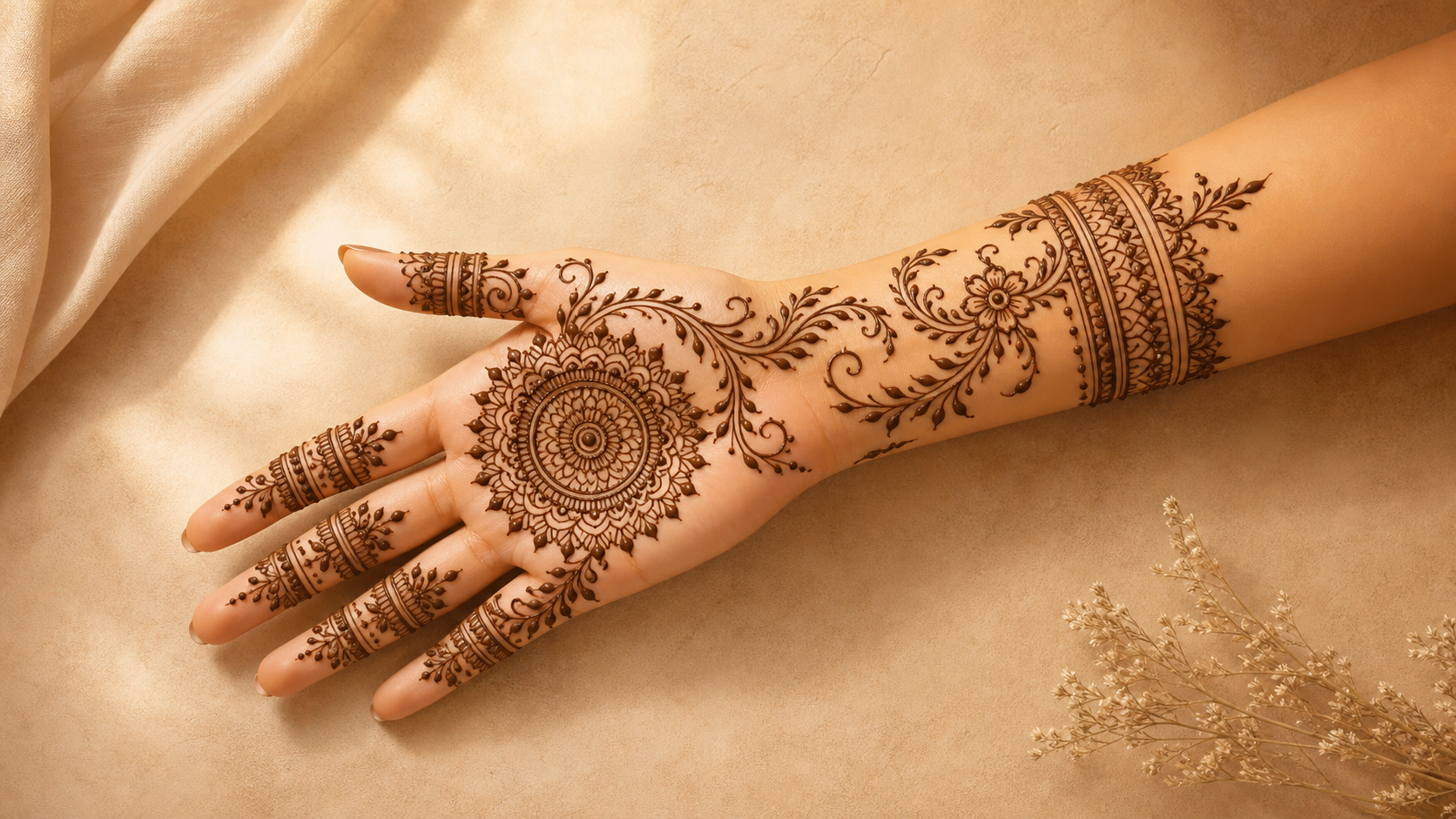
AI Henna Generator helps you move from a vague theme to a usable mehndi reference without copying an existing photo. Describe the body area, style, motifs, spacing, and mood, then get an original henna pattern shaped for palms, back hands, wrists, or forearms. Use AI Henna Generator when you need a fresh concept before sketching, practicing, or briefing a henna artist.
How to Use AI Henna Generator
AI Henna Generator keeps the workflow simple: describe placement, choose visual language, and review a new henna concept. AI Henna Generator turns those inputs into a placement-aware reference for planning, practice, or artist communication.

Describe the Placement
Start AI Henna Generator with the body area you care about, such as palm, back hand, wrist cuff, or forearm trail. Add the occasion, coverage level, and favorite motifs so the AI Henna Design Generator understands the shape before it builds the pattern.

Guide the Pattern Style
Tell AI Henna Generator whether you want Arabic vines, Indian bridal detail, mandala centers, geometric bands, floral trails, or a modern minimal look. The AI Henna Pattern Generator uses those words to balance line weight, density, and negative space.

Review the Original Result
Generate a fresh design and inspect how the motifs follow the selected body part. AI Henna Generator is intended for original pattern ideas, so prompts should request a new composition rather than a copy of any uploaded or reference image.
Best AI Image Tools for Creative Projects
Explore creative tools for image, learn tips and tricks, and see how AI can be your assistant in turning concepts into finished projects.
Features of AI Henna Generator
AI Henna Generator combines text-driven creativity with placement-aware composition, helping users explore original mehndi ideas for palms, back hands, wrists, fingers, and arms. The AI Henna Pattern Generator keeps each feature focused on practical design decisions.
Placement-Aware Designs for Hands and Arms
- AI Henna Generator treats placement as part of the creative brief, not an afterthought.
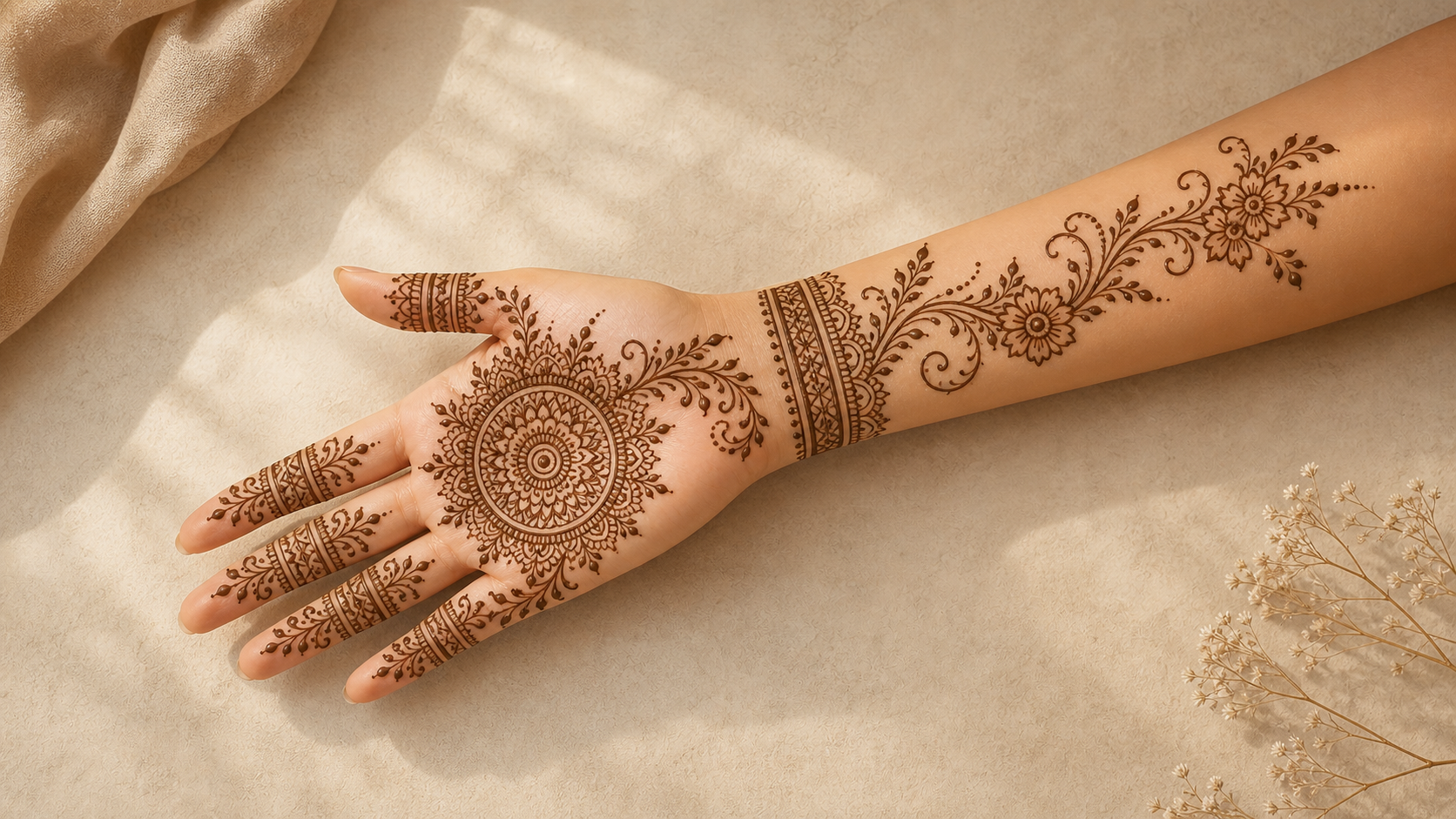
- For arms, AI Henna Generator can shape longer vines, cuffs, and flowing bands so the pattern feels intentional across the forearm.
- AI Henna Generator helps translate body-area wording into a composition that looks planned rather than pasted on.
Original Motifs from Text Prompts
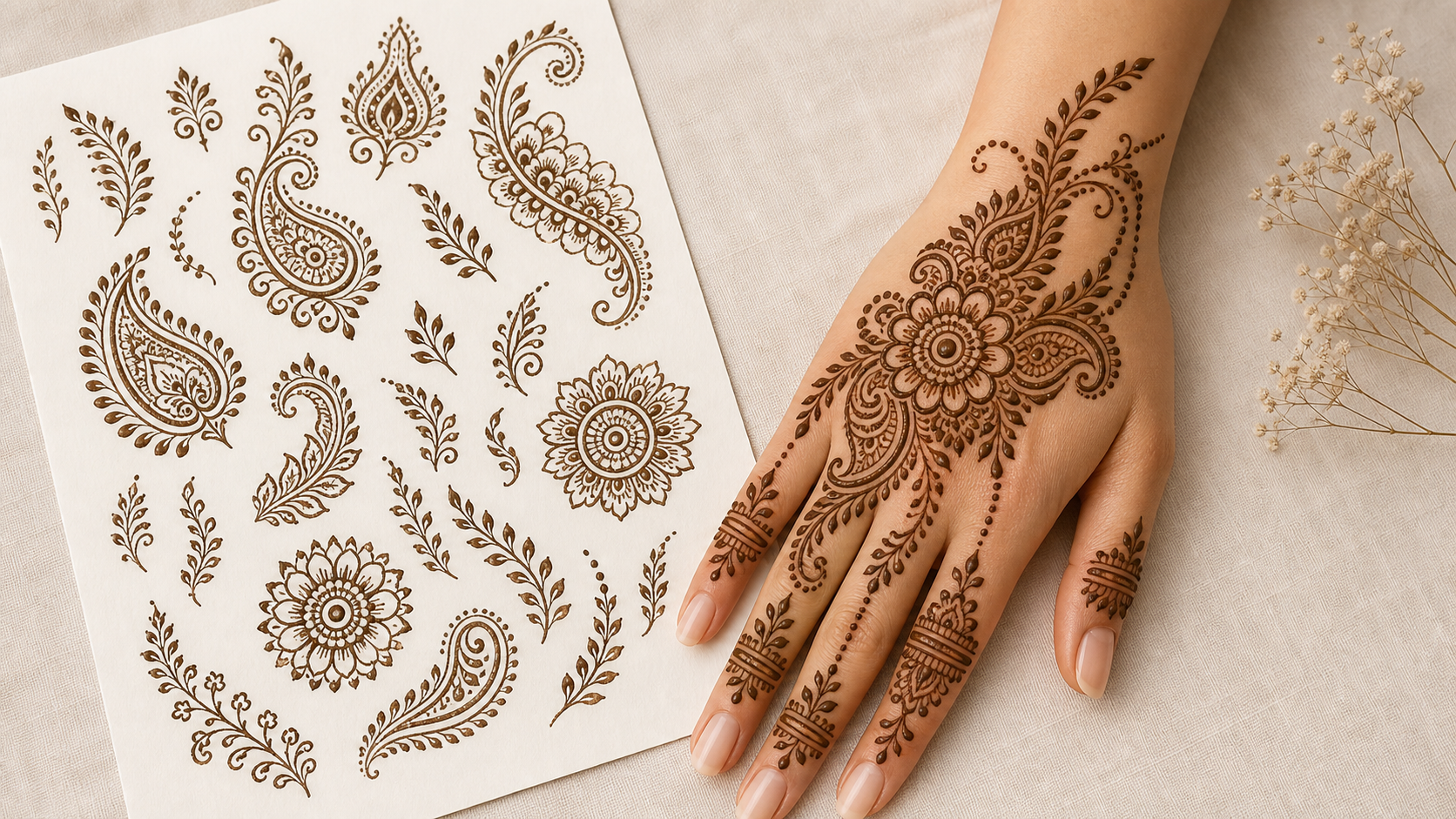
- Use AI Henna Generator to describe peacocks, florals, paisleys, dots, lacework, leaves, mandalas, cuffs, or geometric symmetry in plain language.
- AI Henna Generator turns those instructions into a fresh arrangement with consistent spacing and a clear focal point.
- Instead of tracing a reference image, AI Henna Generator creates a new visual direction inspired by the prompt, body placement, and requested density.
Styles for Bridal, Festival, and Everyday Looks
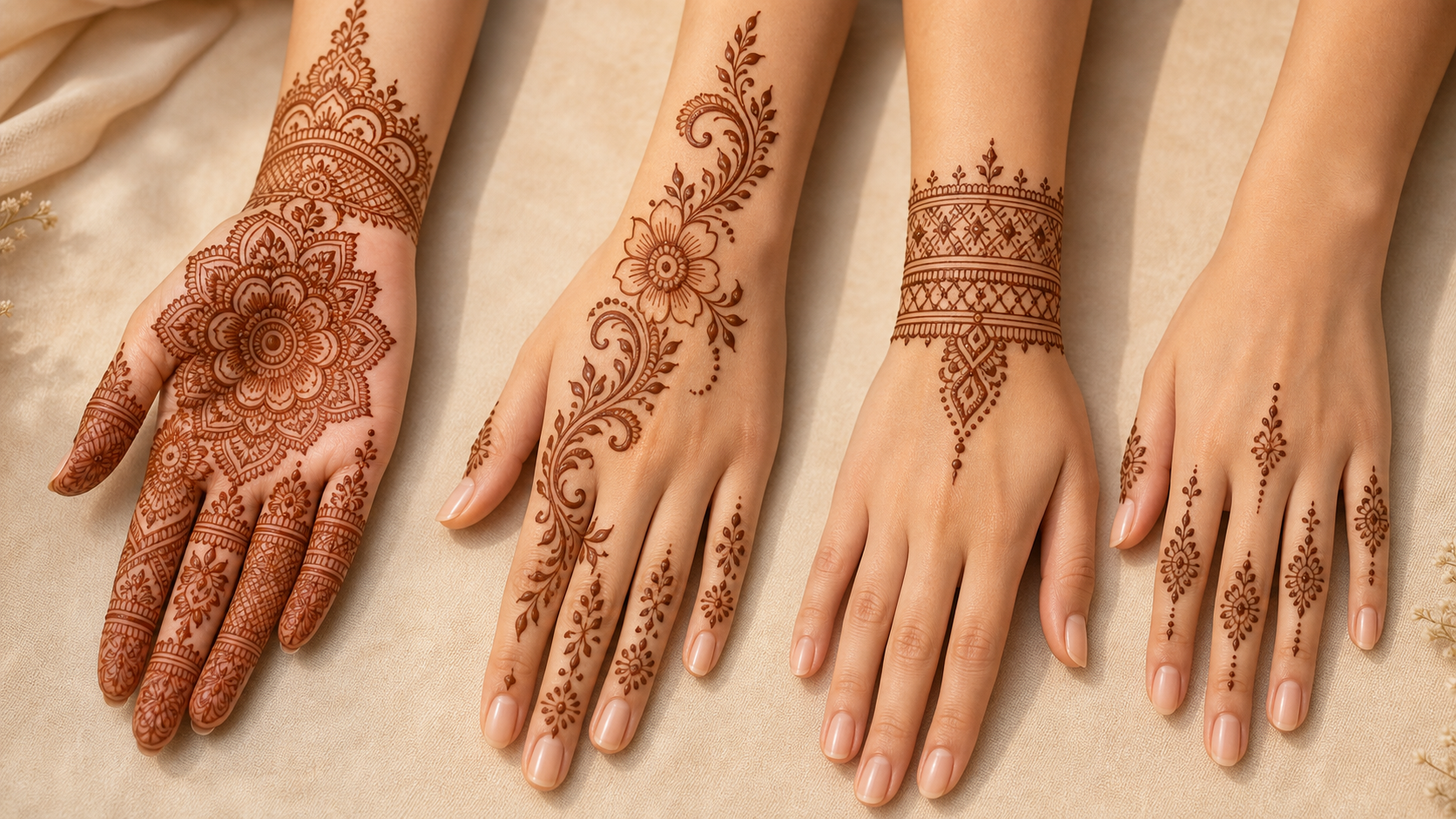
- AI Henna Generator can support dense bridal ideas, open Arabic floral trails, Moroccan-inspired geometry, finger-focused designs, and simple modern cuffs.
- For a wedding brief, ask AI Henna Design Generator for layered detail, mirrored balance, and traditional motifs.
- For a quick event look, ask AI Henna Generator for airy negative space and bolder lines.
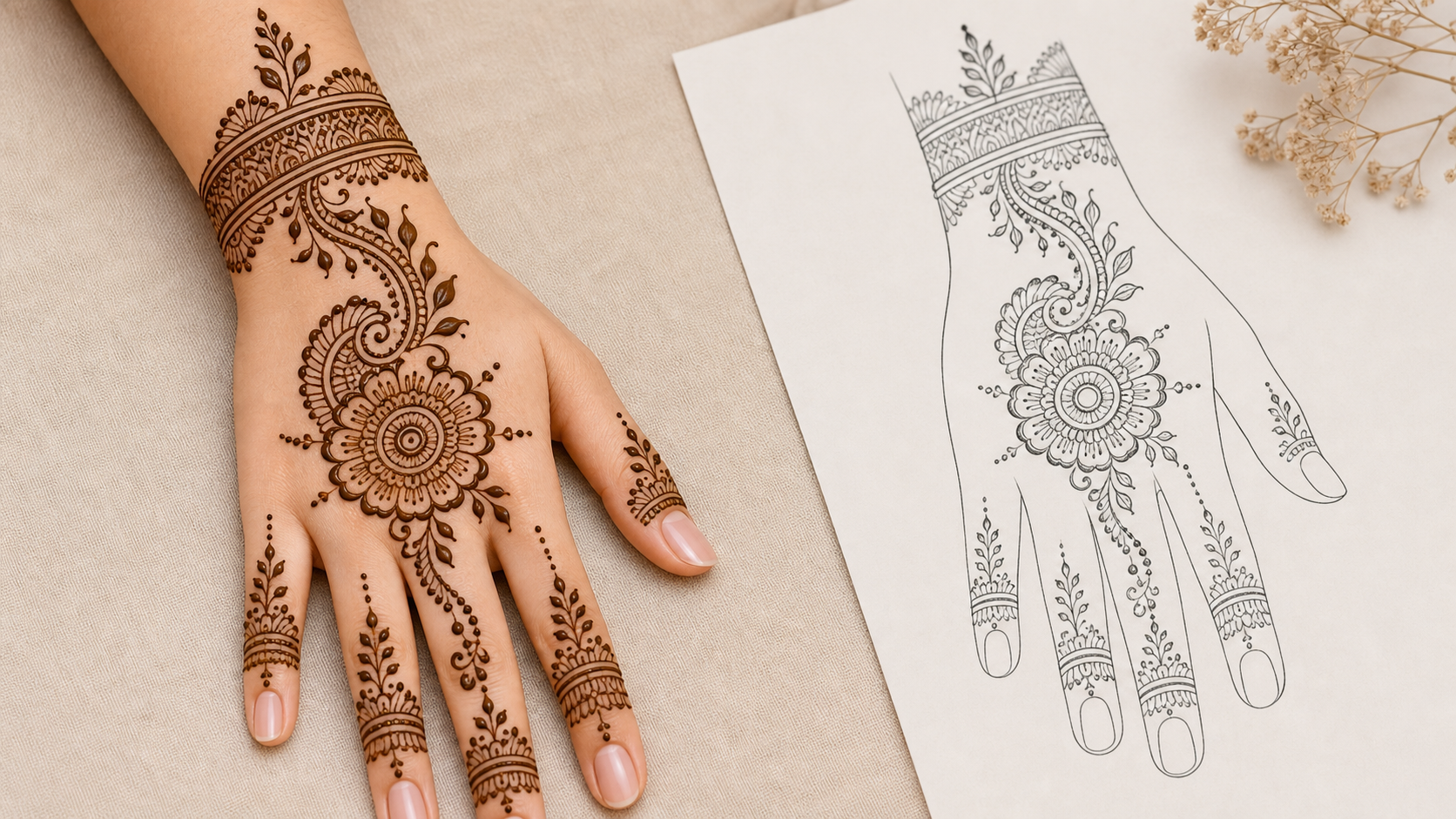
Clear References for Artists and Practice
- AI Henna Generator is useful when you need a visual reference before a session or practice drill.
- Beginners can ask for fewer motifs, larger spacing, and cleaner lines; experienced artists can prompt the AI Henna Pattern Generator for layered fills.
- Because AI Henna Generator starts from text, it can focus on a selected body area and avoid reproducing a sample photo.
Why Choose AI Henna Generator
AI Henna Generator gives creators, clients, and artists a faster way to explore fresh henna ideas while keeping the design brief tied to placement, motif choice, and visual balance. AI Henna Generator supports planning before anyone starts drawing.

Create a Bridal Mehndi Direction
Use AI Henna Generator to explore dense bridal layouts with paisleys, florals, mandalas, and balanced finger detail. Describe whether you want full-hand coverage, wrist-to-finger flow, or a lighter back-hand version, then use the result as a planning reference for the final hand-drawn work.

Plan a Minimal Hand Design
AI Henna Generator can create simple back-hand trails, fingertip accents, bracelet cuffs, and small palm motifs when you want something elegant but not crowded. Ask for open spacing, thin lines, and one focal motif so the AI Henna Design Generator keeps the pattern wearable.

Explore Arm and Wrist Patterns
For forearm or wrist ideas, AI Henna Generator can map longer compositions with vines, bands, dots, and repeating geometry. Mention whether the design should wrap like jewelry, climb along the arm, or sit as a cuff so the pattern follows the placement naturally.

Build Practice Prompts
Students can use AI Henna Generator to create practice references at different difficulty levels. Request beginner-friendly spacing, intermediate floral trails, or advanced fills, then study the output for motif order, flow lines, and how small dots or connectors complete the composition. The AI Henna Pattern Generator can return several practice directions from one theme.

Match a Theme or Occasion
AI Henna Generator works well when the design needs a mood, event, or cultural cue. Prompt for Eid florals, Diwali symmetry, a beach wedding hand design, a music festival wrist cuff, or a modern photoshoot look while keeping the final pattern original.
Brief a Henna Artist Clearly
When words alone are hard to explain, AI Henna Generator can turn a client brief into a visual starting point. Share the generated concept with an artist to discuss coverage, motif density, finger detail, and any adjustments needed for skin tone, timing, and cone technique. The AI Henna Design Generator keeps that conversation visual.
What Users Say About AI Henna Generator
Artists, learners, and event planners use AI Henna Generator to turn rough ideas into clear, original pattern references that are easier to review, revise, and discuss. AI Henna Generator makes that conversation easier.
I used AI Henna Generator to plan a back-hand design before a family celebration. The prompt let me ask for open Arabic vines and finger detail without copying a photo I liked. It gave my artist a clear direction and saved a long explanation.
As a beginner, I needed practice ideas that were not too dense. AI Henna Generator helped me request larger spacing, simple paisleys, and wrist cuffs. The AI Henna Pattern Generator results were easy to study before I tried drawing them by hand.
I wanted a modern arm pattern for a photoshoot, not a full bridal look. AI Henna Generator understood the placement and kept the design long and flowing. It was a practical way to compare ideas before choosing the final direction.
The AI Henna Design Generator was useful for client conversations. Instead of sending several unrelated inspiration images, I could build one original concept from the client's words and then discuss where to simplify the fingers and wrist.
AI Henna Generator helped me turn a vague request for floral palm art into a focused prompt with a mandala center and small leaf borders. It made the planning process feel organized without forcing me into a copied reference.
I use AI Henna Generator when I need several directions quickly. One prompt can become a minimal cuff, a palm mandala, or a forearm trail depending on the placement. That flexibility is helpful when clients are still deciding.
FAQs About AI Henna Generator
Find practical answers about prompts, placements, style options, originality, beginner use, artist collaboration, and safe real-world use after creating ideas with AI Henna Generator. These answers keep AI Henna Generator expectations realistic.
AI Henna Generator is a text-to-image concept tool for mehndi and henna pattern ideas. You describe the placement, motifs, style, and density you want, and the model creates an original visual reference. The AI Henna Design Generator is most useful for brainstorming palm, back-hand, wrist, finger, and arm designs before you sketch, practice, or brief a professional artist with AI Henna Generator.
For the best AI Henna Generator results, mention the body area first, then add style, motifs, and coverage. A strong prompt might include palm mandala, back-hand floral vine, wrist cuff, forearm trail, Arabic spacing, bridal density, or simple beginner lines. The AI Henna Pattern Generator works better when your prompt names both the surface and the pattern goal for AI Henna Generator.
Yes. AI Henna Generator can create ideas for palms, back hands, fingers, wrists, and forearms. Each area benefits from different composition choices: palms often work well with centered motifs, back hands need visible flow, fingers need smaller accents, and arms can use longer vines, bands, or geometric repeats that travel across the skin. The AI Henna Design Generator uses placement words to keep AI Henna Generator results coherent.
AI Henna Generator is designed to create fresh pattern concepts from your description, not to duplicate a sample image. You can describe the mood or structure you like, but the prompt should ask for a new composition. AI Henna Pattern Generator should be guided toward new motifs, so AI Henna Generator output stays useful as original inspiration and avoids looking too similar to a reference.
AI Henna Design Generator is useful for bridal, Arabic, Indian, Moroccan-inspired, geometric, floral, finger-focused, and minimal henna ideas. You can also combine styles, such as an Arabic vine with Indian-style fills or a modern wrist cuff with mandala accents. The AI Henna Pattern Generator can blend these choices when the prompt is specific, and AI Henna Generator keeps body placement central.
The AI Henna Pattern Generator can help beginners by producing simpler references with larger spacing, fewer motifs, and clear flow lines. Ask AI Henna Generator for easy practice patterns, basic dots, simple leaves, small paisleys, or a wrist cuff with clean negative space. The AI Henna Design Generator can then support paper tracing before paste or practice-cone work in stages.
Yes. Many users start with AI Henna Generator to create a visual brief, then ask a henna artist to adapt it for skin, timing, cone flow, and personal preference. Treat the generated image as a planning reference rather than a final stencil. AI Henna Design Generator outputs are best treated as conversation starters, and AI Henna Generator leaves room for artist refinement.
AI Henna Generator can suggest patterns, but it does not replace safety judgment around real henna products. If you plan to apply henna, use reputable natural paste, patch test when appropriate, and avoid products marketed as black henna with harsh additives. AI Henna Generator can inspire placement, but real paste decisions still require care, especially for children, pregnancy, allergies, or sensitive skin.
Create an Original Henna Pattern
Use AI Henna Generator to turn your placement, motif, and occasion ideas into a fresh mehndi reference for palms, back hands, wrists, or arms. Start AI Henna Generator when you want a concrete concept before drawing.
