
More AI Image Generators
Explore our collection of specialized AI image generators designed for different creative needs and styles
























AI Infographic Generator: Turn Ideas Into Clear Visuals
Use AI Infographic Generator to turn prompts, notes, data, or uploaded references into clean infographics for blogs, reports, lessons, and social posts.
AI Infographic Generator helps you convert raw ideas into structured visual explanations. Type a prompt, or upload an image with instructions, then create an infographic with sections, icons, charts, timelines, comparisons, and concise text. It is made for people who need clarity first, not random decorative artwork. AI Infographic Generator keeps the output focused on communication.
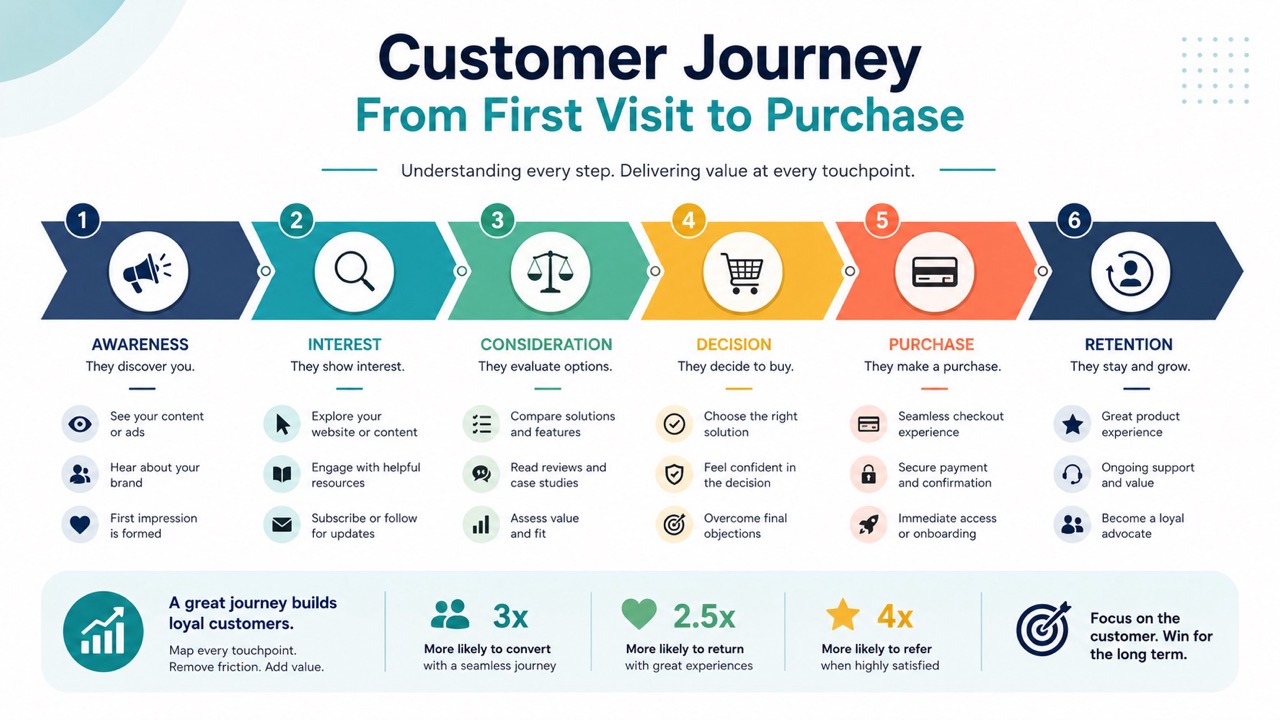
How to Use AI Infographic Generator
AI Infographic Generator follows a simple workflow: enter a prompt, or upload an image with a prompt, then generate. AI infographic maker keeps the process focused on content, structure, and visual clarity, so users can move from idea to usable infographic without designing every block manually. AI Infographic Generator is especially useful when a user knows the message but needs help turning it into a clean visual system. AI infographic maker also reduces the gap between a rough prompt and a shareable graphic.

Enter a Prompt
Start with Text to Image. Describe the topic, audience, data, structure, tone, and visual style you want. AI Infographic Generator reads your prompt and plans a clear infographic layout. Use AI infographic maker when you need quick structure from notes, lists, statistics, steps, or a rough idea. Mention whether the result should feel corporate, educational, playful, minimal, editorial, or social-friendly so the visual direction is easier to follow.

Upload an Image and Add Instructions
Switch to Image to Image when you have a reference, screenshot, draft, chart, old infographic, or visual example. Upload the image, then explain what should be redesigned, simplified, expanded, or kept. AI Infographic Generator uses the image and prompt together to create a more useful result. This is helpful when the source contains the right information but the layout, readability, or visual focus needs improvement.

Click Generate Image
Review your prompt, choose the basic output settings you need, and click Generate Image. AI Infographic Generator turns the input into a finished visual. Use the result for publishing, planning, teaching, marketing, or refining another prompt. If the first output needs changes, adjust the prompt with clearer section names, shorter labels, or a more specific layout request.
Best AI Image Tools for Creative Projects
Explore creative tools for image, learn tips and tricks, and see how AI can be your assistant in turning concepts into finished projects.
What AI Infographic Generator Helps You Create
AI Infographic Generator focuses on clarity, not decoration alone. AI infographic maker turns text, images, and ideas into visual explanations that are easier to scan, remember, and share. It helps users shape raw information into a clear visual order. AI Infographic Generator can turn a single topic into several visual directions, helping users compare structure before they commit. AI infographic maker supports faster creative decisions for content teams.
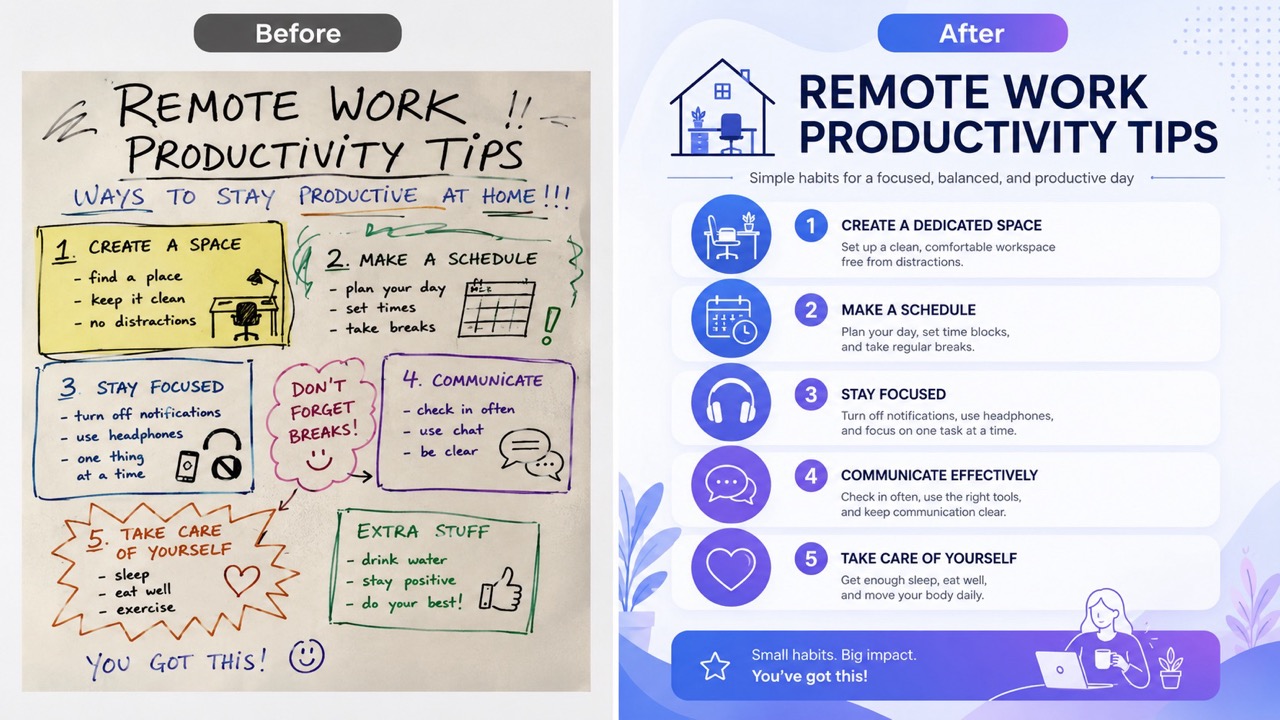
Turn Rough Notes Into Organized Infographics
AI Infographic Generator is useful when your idea is still messy. Paste a topic, outline, bullet list, lesson summary, or campaign message, and AI infographic maker can reshape it into a visual hierarchy. Instead of staring at a blank canvas, you get a title, sections, icon ideas, short labels, and a readable flow. Free AI infographic generator helps creators test early concepts before final design. Online AI infographic generator also works well for quick blog visuals, classroom explainers, business summaries, and social posts. It helps remove weak ordering, repeated points, and unclear grouping so the final visual feels easier to read. This is useful for early SEO content planning because a visual summary can reveal missing points, weak headings, or sections that need a clearer sequence.
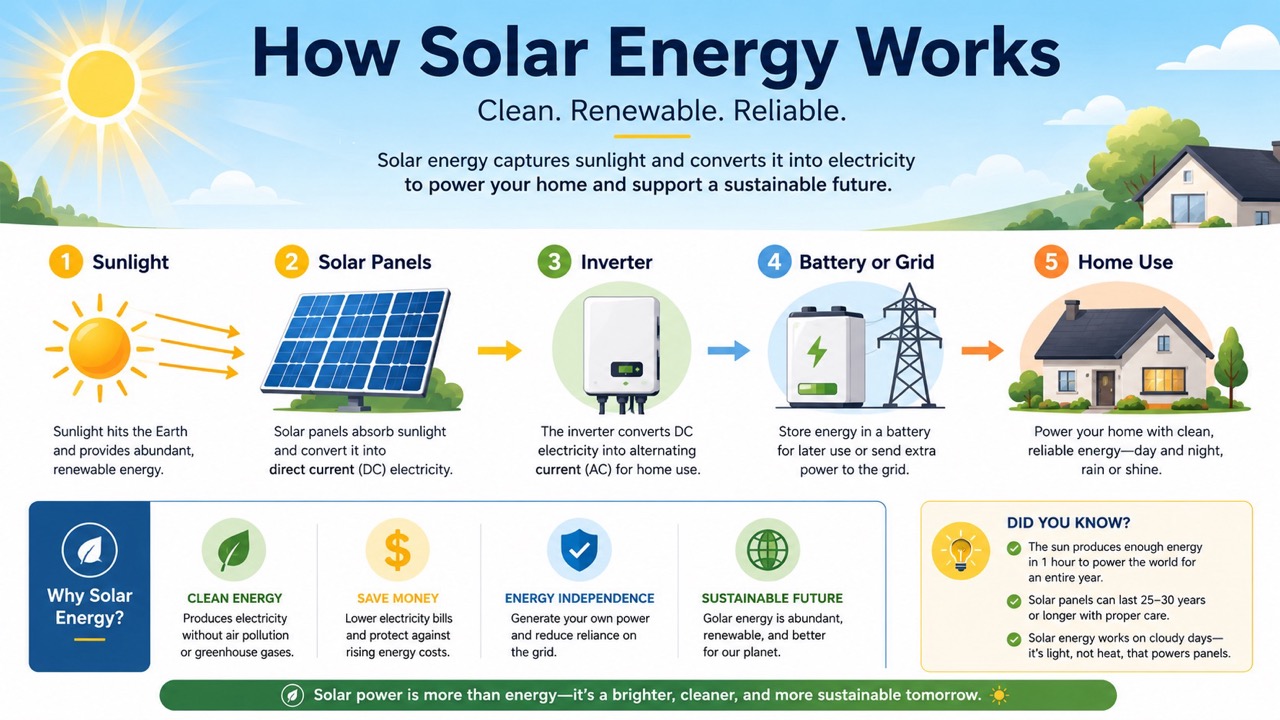
Redesign Existing Images Into Clearer Visual Stories
When you already have a screenshot, chart, old poster, rough slide, or reference image, AI Infographic Generator can turn that visual input into a cleaner infographic. Upload the image, add instructions, and guide the output toward a new layout, simpler text, better grouping, or stronger emphasis. AI infographic maker helps preserve the useful idea while improving how the information is presented. ai infographic generator free online is especially helpful for users who want image-guided redesign without rebuilding every element manually. Use it to refresh outdated visuals, simplify crowded sections, or transform a screenshot into a polished explainer. It can also help teams modernize internal materials when the original information is valuable but the design no longer matches the way readers expect to scan content.
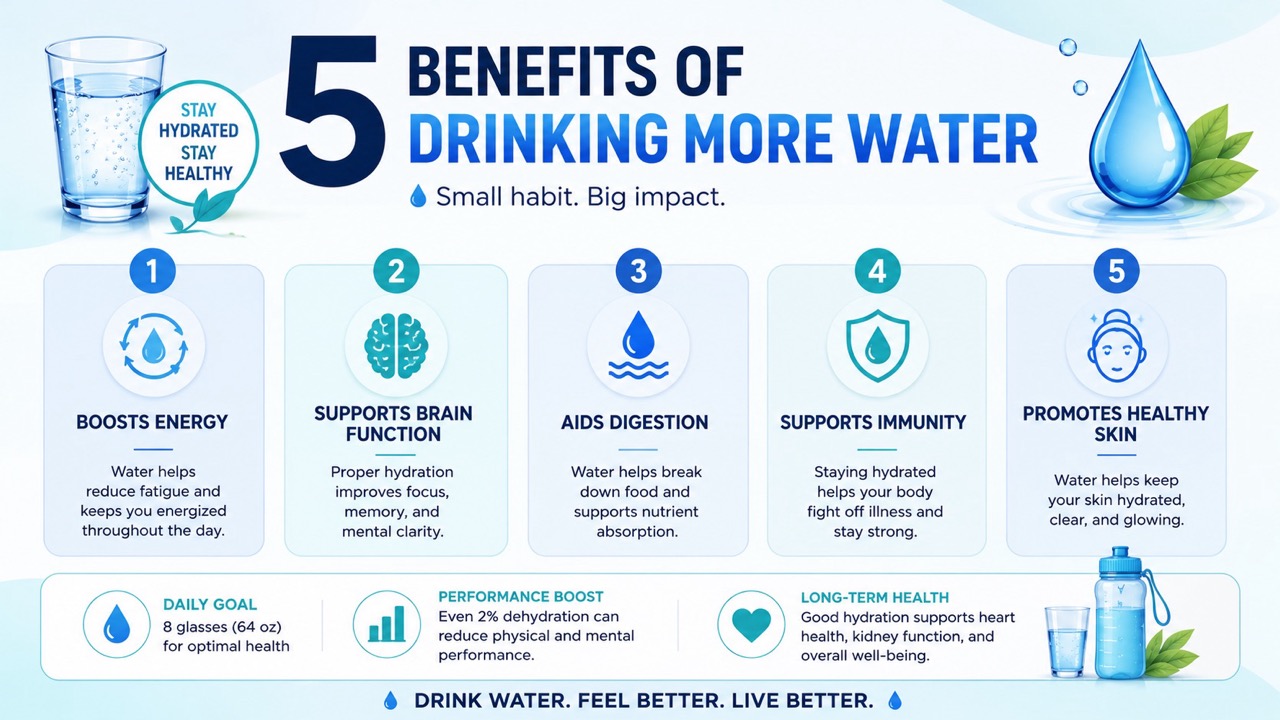
Explain Data, Processes, and Comparisons Faster
AI Infographic Generator is built for information that needs structure. Use it for steps, timelines, lists, pros and cons, before-and-after explanations, statistics, feature comparisons, and educational summaries. AI infographic maker can suggest sections that make the message easier to scan. Online AI infographic generator helps turn dense information into visuals that readers can understand quickly. Free AI infographic generator is a practical starting point for teams, bloggers, teachers, marketers, and founders who need visual communication without slow manual layout work. It also helps separate the main message from supporting details, making each part easier to follow. For complex subjects, this matters because readers often decide within seconds whether a visual is worth reading, saving, or sharing.
Who Uses AI Infographic Generator?
AI Infographic Generator supports people who need to explain ideas visually. AI infographic maker works for writing, teaching, marketing, strategy, reports, and social publishing. It is especially useful when information is correct but not yet easy to understand. AI Infographic Generator is practical when a long explanation needs to become one focused visual. It helps different users turn the same information into formats suited for readers, students, clients, or followers.

Bloggers and SEO Writers
AI Infographic Generator helps writers add useful visuals to long-form articles. Turn a section summary, checklist, or statistic into a scannable graphic that supports search intent. AI infographic maker is useful for explainers, how-to posts, comparison articles, and roundup content. Free AI infographic generator also helps test visual angles before choosing the final article image. Writers can use it to break up dense paragraphs and give readers a faster way to understand the core point. A strong visual can also improve dwell time by giving visitors another way to absorb the same answer.

Marketers and Growth Teams
AI Infographic Generator can convert product benefits, campaign insights, buyer journey steps, and report findings into easy-to-share visuals. Online AI infographic generator supports landing pages, email graphics, pitch materials, and social content. AI infographic maker is helpful when a message needs to be understood quickly by customers, partners, or internal teams. Marketers can turn one prompt into a visual angle for ads, newsletters, explainers, or sales enablement. This makes campaign communication less dependent on long paragraphs and more focused on memorable proof points.

Teachers and Course Creators
AI Infographic Generator helps explain lessons, timelines, concepts, formulas, and reading notes with visual order. A teacher can prompt a topic and receive a structured graphic for students. AI infographic maker can simplify dense learning material into sections, icons, labels, and short explanations. ai infographic generator free online fits quick teaching support and study guides. Course creators can also use it to preview module summaries, lesson recaps, and downloadable learning visuals. Visual summaries can support homework, review pages, course previews, and short explanations for learners who prefer structured material.

Founders, Analysts, and Consultants
AI Infographic Generator helps turn insights into presentation-ready visuals. Summarize a market map, workflow, user journey, benchmark, or strategy framework. AI infographic maker can organize information into comparison blocks, process diagrams, or data cards. Free AI infographic generator is useful for early drafts, while Online AI infographic generator helps teams move from raw notes to clearer communication. Consultants can use it before a meeting to explain a complex idea in one compact visual. It also makes workshops smoother because participants can react to a visual framework instead of interpreting raw notes.
What Users Say About AI Infographic Generator
Creators use AI Infographic Generator to make complex information easier to understand. AI infographic maker supports faster drafts, clearer layouts, and better visual storytelling. These users value practical structure more than decorative effects. AI Infographic Generator is often used as a first draft partner, giving users something concrete to evaluate. They can then revise the prompt, shorten the copy, or adjust the layout direction.
I used AI Infographic Generator for a blog post that had too many bullet points. The first result gave me a cleaner structure than my draft. AI infographic maker helped me turn the article section into a visual readers could scan quickly. I also tested Free AI infographic generator for alternate layouts before picking one. The biggest benefit was speed: I could see which points belonged together before editing the final copy. It made the editing stage more focused because the graphic exposed which details were necessary.
Our team needed a simple visual for a quarterly update. AI Infographic Generator turned a rough prompt into a clear timeline with short labels. Online AI infographic generator saved us from building the layout from scratch, and AI infographic maker made the information feel much easier to present. We used the output as a conversation starter, then refined the wording for our final deck. The visual made the update feel shorter, even though the underlying information stayed the same.
I uploaded an old class handout and asked for a clearer study infographic. AI Infographic Generator kept the main ideas but made the sections easier to follow. ai infographic generator free online is useful when I want a quick visual aid, and AI infographic maker helps me test different teaching formats. Students responded better because the information looked less crowded. I liked that I could ask for a simpler version without starting again.
I use AI Infographic Generator to turn client notes into quick concept visuals. It is especially helpful for processes and comparison graphics. Free AI infographic generator gives me a fast starting point, and Online AI infographic generator helps me explain the idea before investing more time in a final design. Clients understand options faster when they can see the structure visually. It helped me avoid overexplaining during the first review call.




FAQs About AI Infographic Generator
Learn how AI Infographic Generator works with prompts, uploaded images, layout instructions, and common infographic formats. AI infographic maker keeps visual creation simple and focused. AI Infographic Generator can work from a short brief or a detailed instruction set. AI infographic maker is most effective when prompts describe the audience, purpose, and preferred structure.
AI Infographic Generator creates visual infographics from text prompts or uploaded images with instructions. It organizes information into titles, sections, icons, charts, and readable layouts for faster understanding.
Yes. Use Text to Image when you only have a topic, outline, statistics, or notes. AI infographic maker can build a structured visual from that prompt.
Yes. Upload a reference image, draft, screenshot, chart, or old infographic, then add instructions. AI Infographic Generator can redesign, simplify, or reorganize it.
AI Infographic Generator is useful for timelines, comparisons, process graphics, data summaries, checklists, educational visuals, blog graphics, and marketing explainers.
Clear prompts work best. Include the topic, audience, key points, preferred style, colors, format, and whether you want a timeline, comparison, list, or process layout.
Use concise inputs and verify important facts before publishing. AI Infographic Generator can format information clearly, but users should check data and wording.
Create Clear Visuals with AI Infographic Generator
Use AI Infographic Generator to turn prompts, data, notes, or uploaded references into clear visual explanations. Try Free AI infographic generator, Online AI infographic generator, or ai infographic generator free online workflows for faster content visuals. Start with one idea, one image, or one outline, then generate a visual that makes the message easier to scan. AI Infographic Generator helps turn a confusing explanation into a visual path. Users searching for ai infographic generator free online can begin with a prompt, then refine the result for their exact use case.
