
More AI Image Generators
Explore our collection of specialized AI image generators designed for different creative needs and styles
























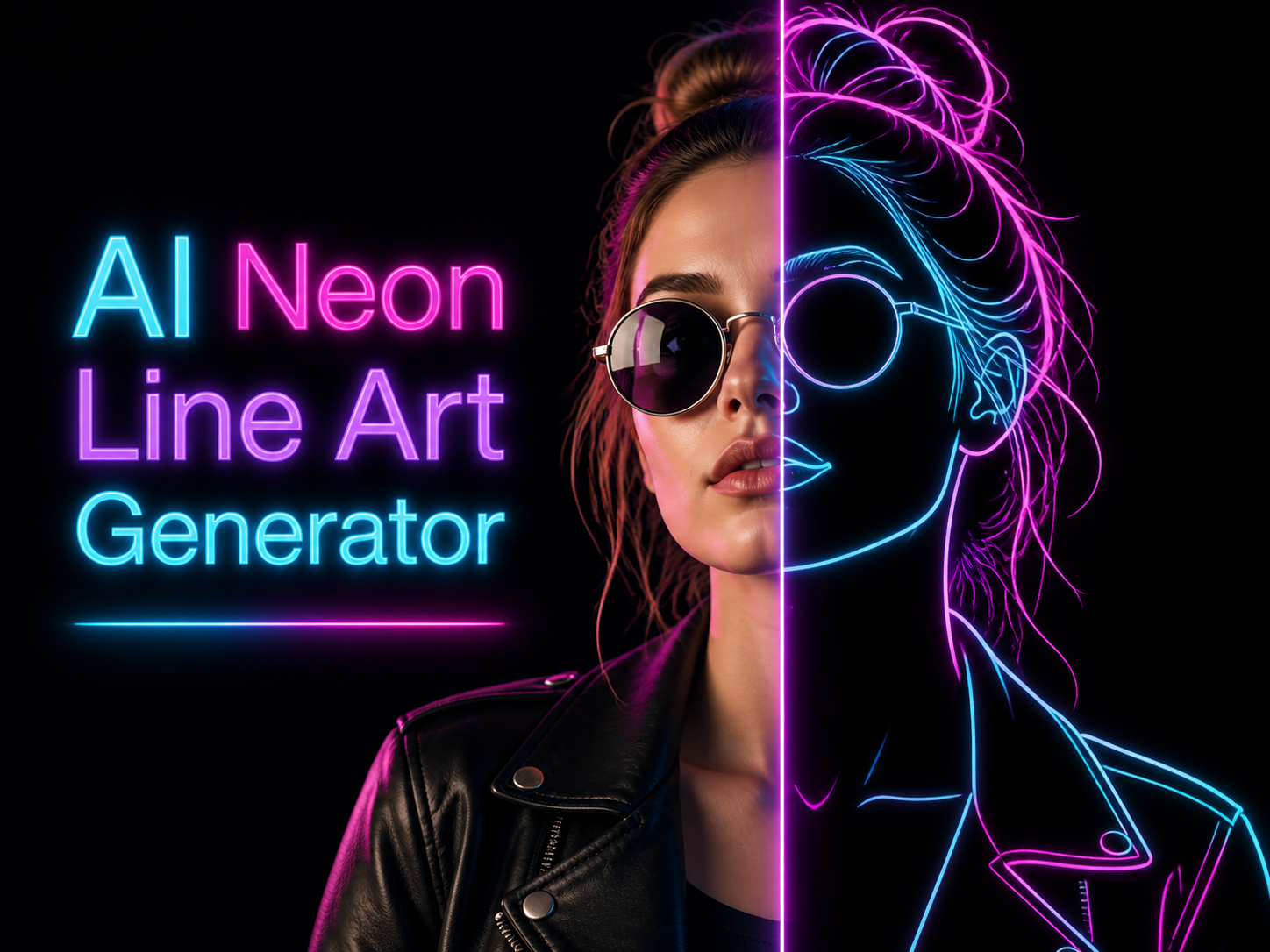
AI Neon Line Art Generator for AI Neon Art
Use AI Neon Line Art Generator to turn photos into luminous contour artwork.
AI Neon Line Art Generator converts an uploaded image into polished neon outline artwork while keeping the subject, pose, and key silhouette readable. Use AI Neon Line Art Generator when a normal photo needs a clean, futuristic visual treatment.
How to Create Neon Line Art
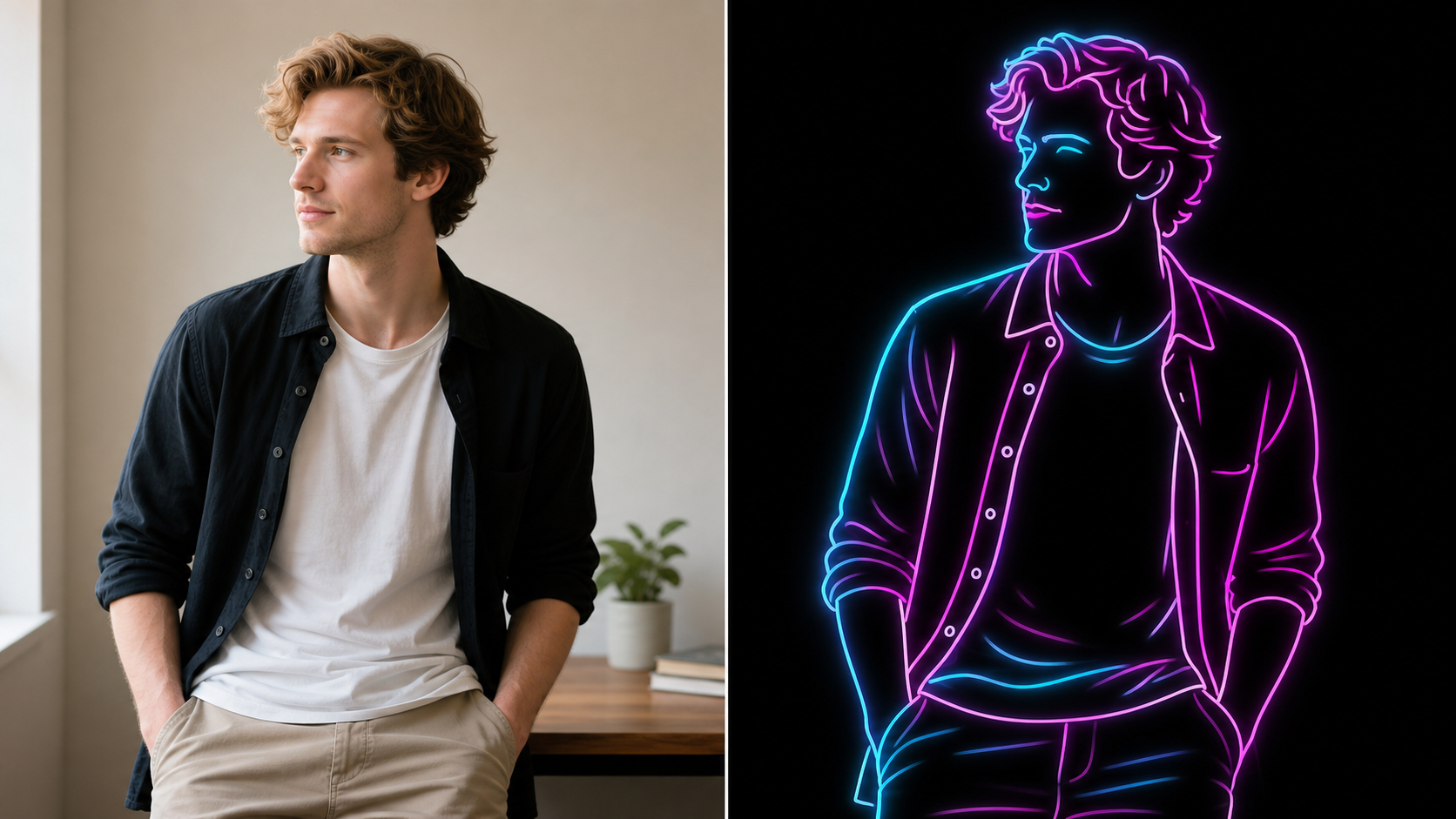
AI Neon Line Art Generator keeps the workflow direct: upload a source image, generate a glowing outline edit, then review the result. AI Neon Line Art Generator focuses on recognizable subjects and clean neon structure.

Upload to AI Neon Line Art Generator
Start with a photo where the main subject has a clear shape, visible edges, and enough contrast from the background. AI Neon Line Art Generator uses that upload as the source, so portraits, full-body shots, pet images, and product photos can become structured neon artwork instead of random abstract lines. A slightly cleaner source gives AI Neon Line Art Generator more reliable contours to interpret.

Generate the Neon Line Treatment
Run AI Neon Line Art Generator and let the model interpret contours, pose, clothing, objects, and scene boundaries. The AI Neon Generator can simplify fine details into smooth cyan, magenta, and violet strokes while placing the result on a deep black backdrop that makes the glow feel intentional. AI Neon Line Art Generator keeps the effect focused on line hierarchy, not decorative clutter.

Review the Glowing Result
Compare the original photo with the new neon outline version before using it in a creative project. AI Neon Line Art Generator is useful when you want a recognizable subject, cleaner edge rhythm, and a high-contrast graphic look for avatars, posters, profile visuals, or social posts. AI Neon Line Art Generator makes the transformation easy to judge in a before-and-after view.
Best AI Image Tools for Creative Projects
Explore creative tools for image, learn tips and tricks, and see how AI can be your assistant in turning concepts into finished projects.
Features of AI Neon Line Art Generator
AI Neon Line Art Generator turns photo structure into luminous linework with black-backdrop contrast, stylized color separation, and cleaner silhouettes. AI Neon Line Art Generator is built for recognizable photo-to-art transformations.
AI Neon Line Art Generator for Portraits
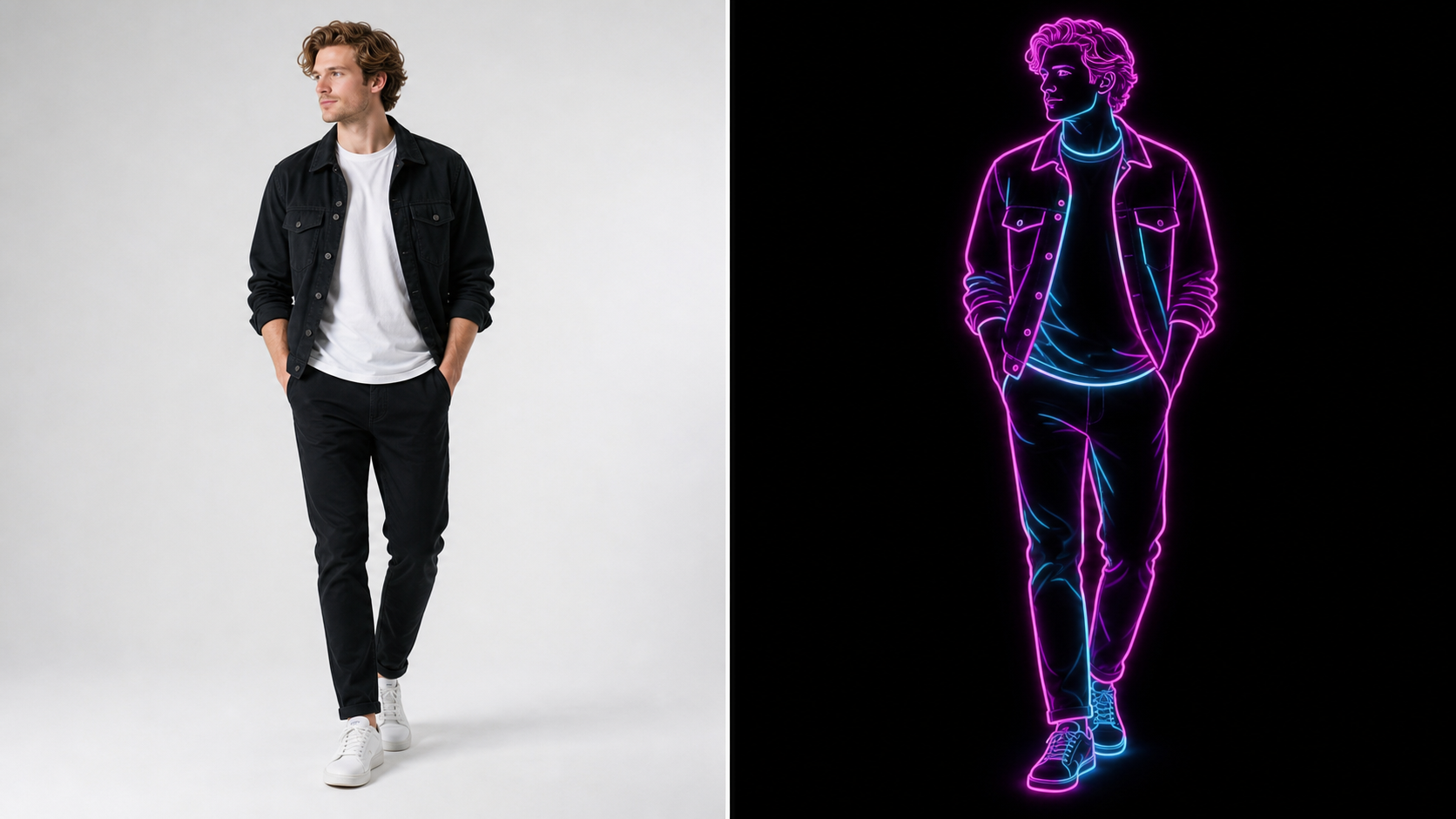
- AI Neon Line Art Generator can transform a selfie, couple photo, fashion portrait, or full-body image into glowing outline art while keeping the person recognizable.
- The model should preserve posture, hair shape, clothing edges, and the broad facial silhouette, then simplify tiny details into clean neon rhythm.
- Use this style when a portrait needs cyber-inspired energy without losing the original pose.
AI Neon Line Art Generator for Cyan and Magenta Glow
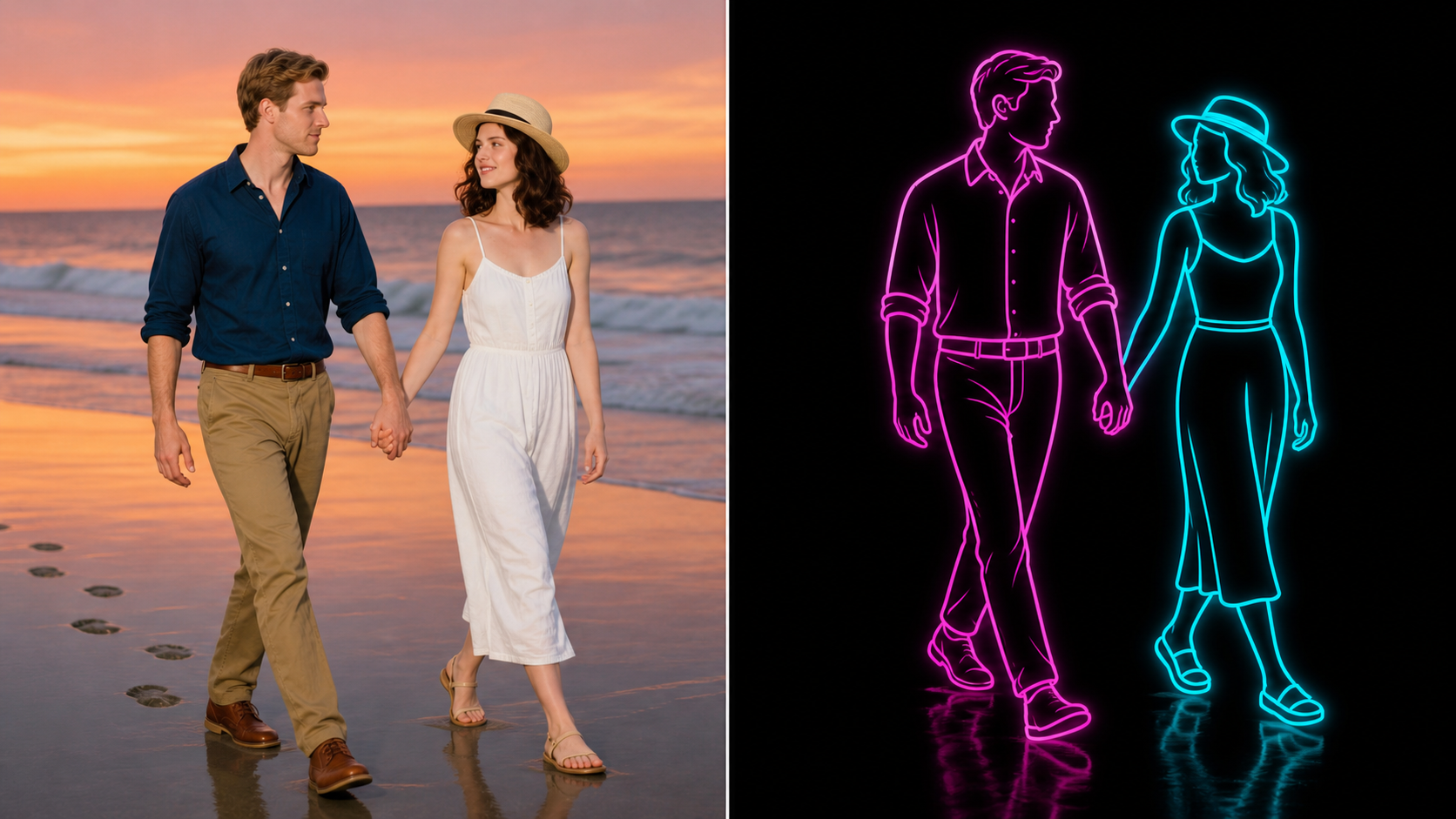
- AI Neon Line Art Generator creates a strong contrast between electric lines and a dark background, which helps every contour read at a glance.
- The AI Neon Generator can separate one subject with magenta strokes and another with cyan strokes, making group photos easier to scan.
- This approach works well for images that need a simple but memorable black-light identity.
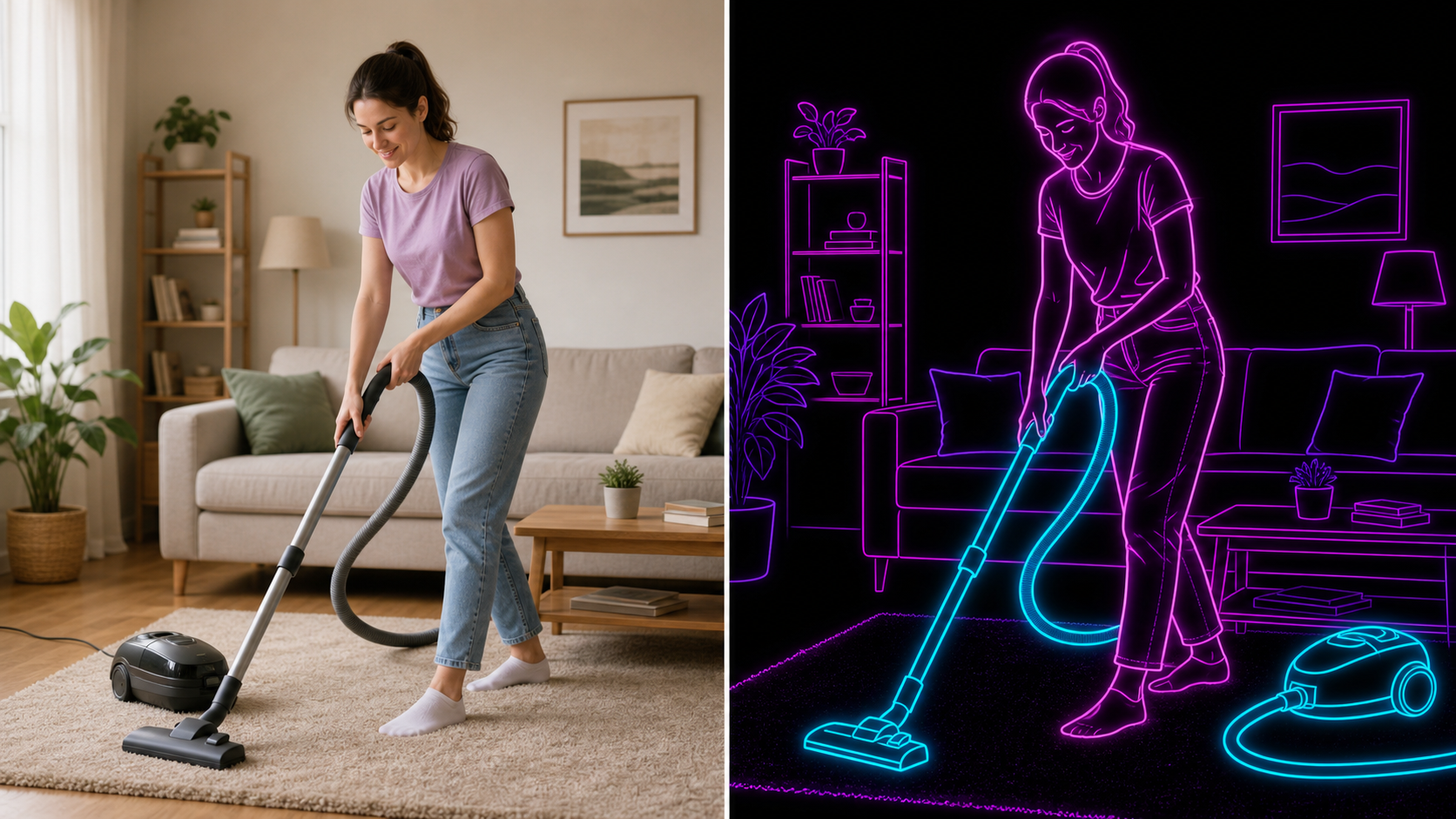
AI Neon Line Art Generator for Everyday Scenes
- AI Neon Line Art Generator is not limited to studio portraits. It can reinterpret cafe shots, beach walks, pet photos, workout images, and product scenes as simplified neon outlines.
- The edit should keep the core layout readable while removing background clutter that would weaken the graphic effect.
- Choose this treatment when an ordinary photo needs a cleaner, poster-like visual language.
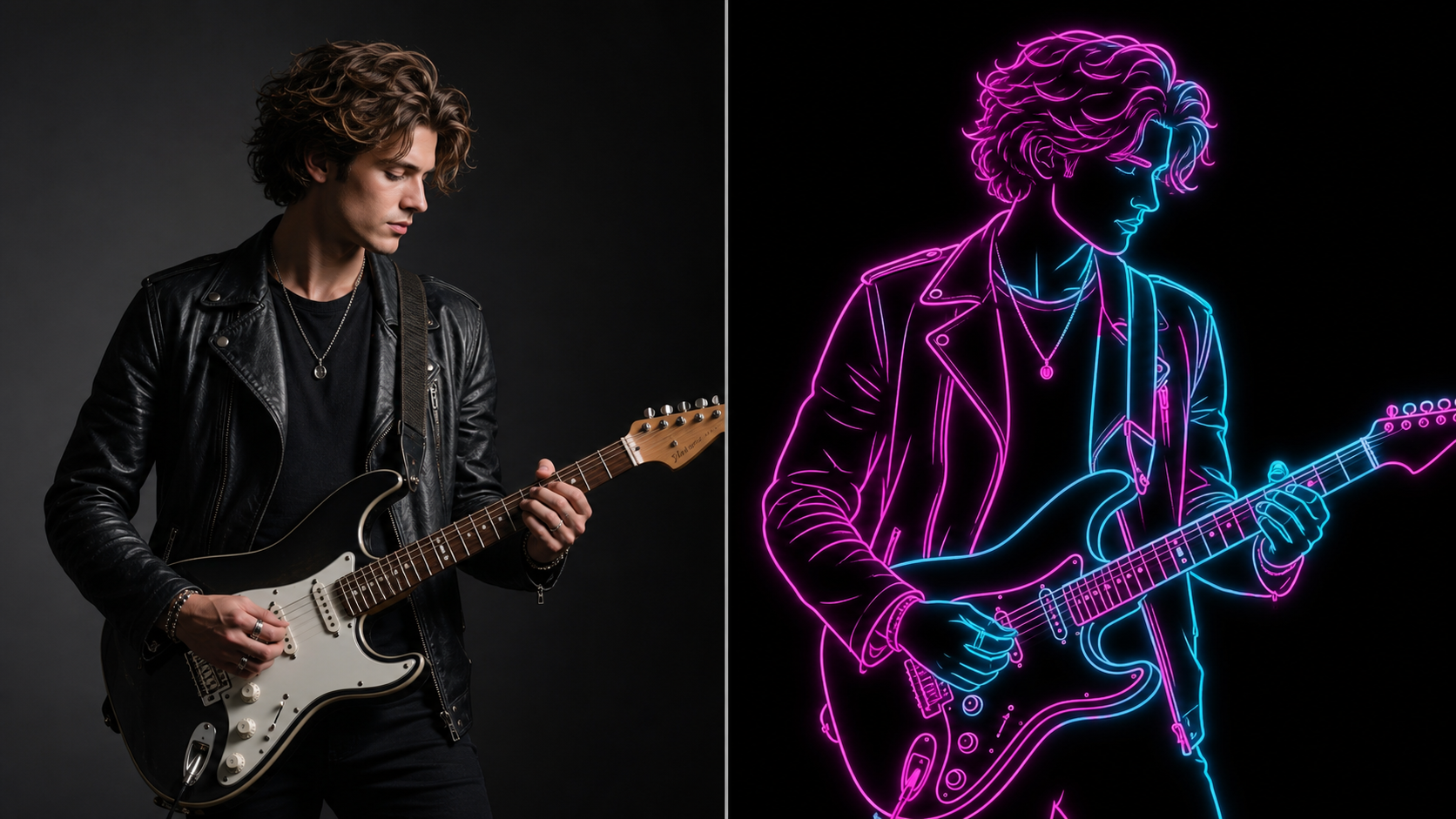
AI Neon Line Art Generator for Shareable Visuals
- AI Neon Line Art Generator helps creators make profile images, event graphics, playlist covers, story assets, moodboards, and print concepts feel more distinctive.
- The result can keep familiar subject cues while turning the photo into a luminous graphic asset.
- Use the AI Neon Generator when you need a bold visual hook but do not want to draw every contour manually.
Why Use AI Neon Line Art Generator
AI Neon Line Art Generator gives uploaded photos a focused neon identity without requiring manual tracing. AI Neon Line Art Generator is useful for creators who want recognizable sources and bold graphic output.

Neon Portrait Avatars
Use AI Neon Line Art Generator to make profile images feel more distinctive while still pointing back to the original person. A clean portrait upload can become a black-background outline piece with glowing hair, shoulders, clothing, and pose cues that feel stylish without turning the subject into an unrelated character. AI Neon Line Art Generator works best when the face outline and upper-body silhouette are clearly visible.

Couple and Group Photos
Group images can become more legible when each person is simplified into a separate glowing contour. AI Neon Line Art Generator can emphasize posture, spacing, hands, hats, dresses, jackets, and walking direction, giving relationship photos or team portraits a graphic treatment that still respects the source composition. AI Neon Line Art Generator also helps separate overlapping subjects with controlled color contrast.

Fashion and Outfit Concepts
AI Neon Line Art Generator can highlight wardrobe edges, sleeve folds, shoes, accessories, and body posture as bright strokes. That makes it useful for fashion moodboards, styling references, creator thumbnails, and outfit recaps where the clothing silhouette matters more than photographic texture. AI Neon Line Art Generator turns outfit structure into a cleaner visual signature without adding unrelated garments.

Social Covers and Posters
When a photo already has a strong pose or scene, AI Neon Line Art Generator can turn it into a dramatic poster-style visual. The dark background, simple contour hierarchy, and cyan-magenta glow help the subject stand out in feeds, story covers, playlist art, and event teasers. AI Neon Line Art Generator gives the layout a strong central focus without requiring a full redesign.

Pet and Product Outlines
The same neon treatment can work beyond people. AI Neon Line Art Generator can outline pets, sneakers, bottles, gadgets, bikes, and decor objects when the source photo has a clear silhouette. The effect is strongest when the model can trace distinctive shapes rather than guessing hidden details. AI Neon Line Art Generator is especially useful for objects with bold edges and recognizable profiles.

Creative Before and After Edits
AI Neon Line Art Generator is especially easy to understand in before-and-after layouts because the source photo and transformed result show the conversion clearly. Creators can use that comparison to explain a style experiment, pitch a campaign direction, or show how an ordinary image becomes neon artwork. AI Neon Line Art Generator makes the visual change obvious without extra explanatory copy.
What Creators Say About AI Neon Line Art Generator
Creators use AI Neon Line Art Generator for portraits, social visuals, fashion edits, and campaign concepts. AI Neon Line Art Generator gives familiar photos a sharper black-light style.
AI Neon Line Art Generator gave my portrait set a consistent nightlife mood without making every face look generic. I liked that the shoulders, hair shape, and outfit details still matched the original photos.
I used AI Neon Line Art Generator for a music release teaser and the result felt cleaner than a normal filter. The black background and glowing contours made the performer stand out immediately.
The AI Neon Generator was helpful for turning couple photos into stylized artwork. The final image kept the walking pose and clothing shapes, but the neon treatment made it feel like a custom poster.
AI Neon Line Art Generator helped me test several avatar directions from one headshot. The strongest result kept my hairline and jacket shape while removing distracting background detail.
For fashion recaps, AI Neon Line Art Generator is useful because it keeps outfit silhouettes readable. It turns sleeves, shoes, and accessories into bright design lines instead of flattening everything.
I needed a bold before-and-after example for a client concept. AI Neon Line Art Generator made the transformation obvious, and the neon outline gave the pitch a polished visual hook.
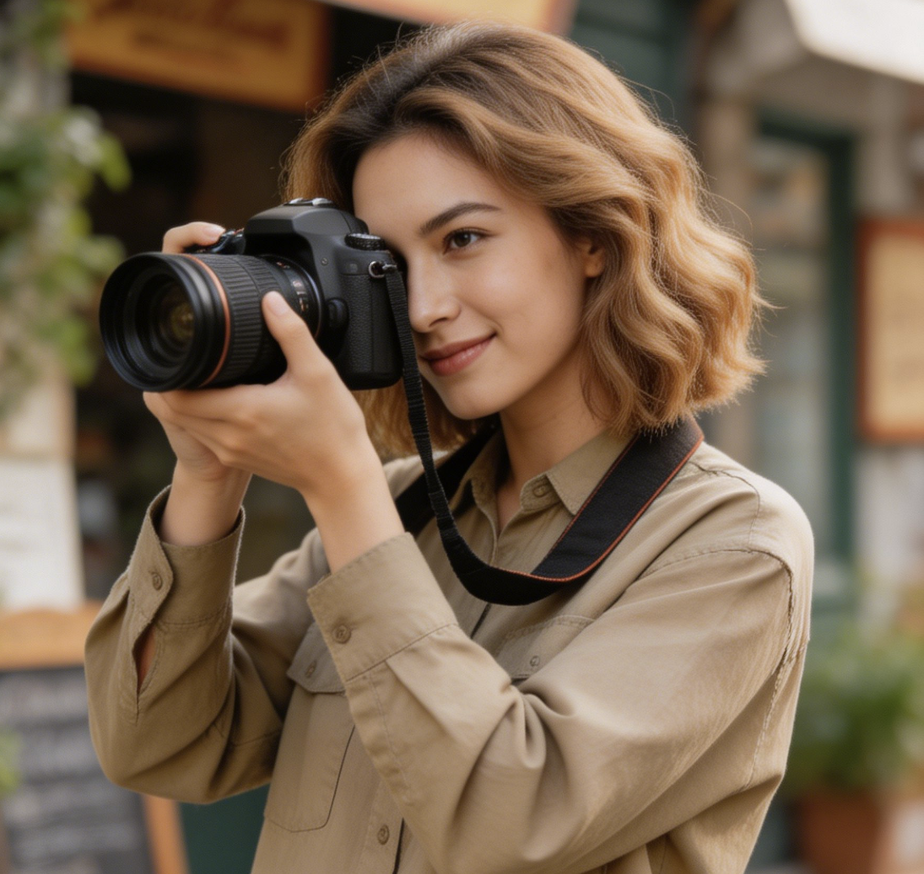
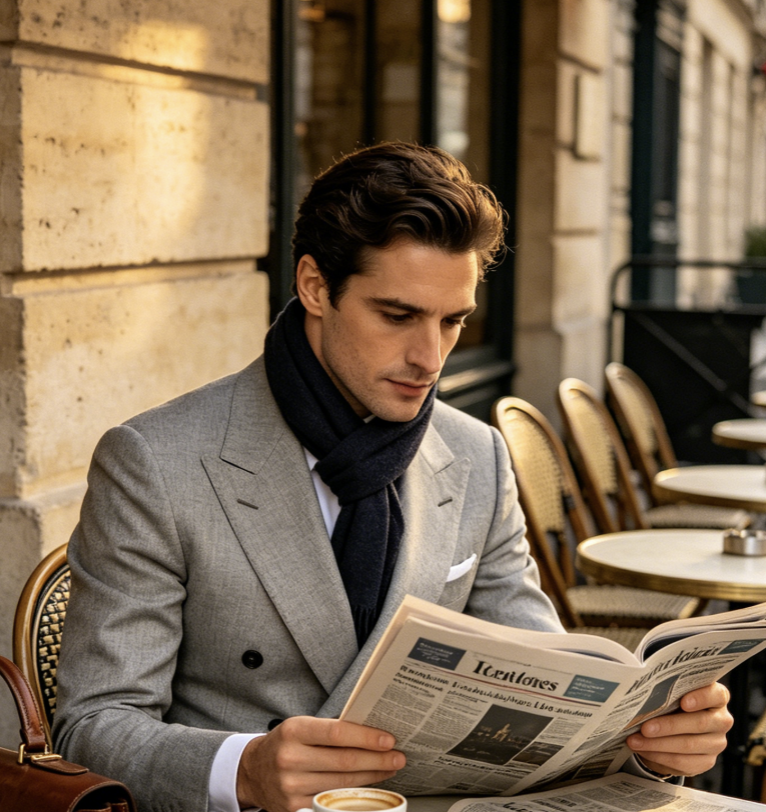

FAQs About AI Neon Line Art Generator
These answers explain how AI Neon Line Art Generator transforms uploaded photos, what images work best, and how to plan clearer neon outputs. AI Neon Line Art Generator favors readable silhouettes.
AI Neon Line Art Generator is a photo-to-art tool that converts an uploaded image into glowing contour artwork. Instead of painting over every detail, it identifies the subject shape, pose, clothing edges, and important scene lines, then simplifies them into luminous strokes on a dark background. The result is designed to feel like neon tubing or digital light trails while staying connected to the source photo.
AI Neon Line Art Generator works best with photos where the main subject is easy to read. Clear portraits, full-body fashion shots, couple photos, pet images, product photos, and simple lifestyle scenes usually provide strong contours. Very crowded backgrounds, hidden limbs, heavy blur, or extremely dark source images can make the model work harder, because the outline depends on visible structure.
The AI Neon Generator should preserve the broad identity cues of a portrait, including pose, hairstyle, body outline, clothing shape, and overall composition. The style intentionally removes many small facial details, so the output feels more like abstract neon line art than a realistic portrait. AI Neon Line Art Generator works best when the silhouette communicates the subject clearly before the transformation begins.
AI Neon Line Art Generator commonly uses cyan, magenta, blue, violet, and pink linework because those colors create a strong glow against black. The exact result can vary by source photo and settings, but the visual goal is consistent: bright outlines, simplified detail, clean negative space, and a futuristic contrast that makes the subject stand out quickly in small previews.
Yes. AI Neon Line Art Generator can work with objects and environments when the source photo has clear edges. Pets, sneakers, bottles, bikes, instruments, home decor, and street scenes can all become neon outlines. The most reliable inputs have a distinct subject, visible separation from the background, and enough lighting for AI Neon Line Art Generator to understand the main forms.
Use AI Neon Line Art Generator when you want a stylized output that still echoes the original image. It is useful for profile art, story covers, poster concepts, playlist artwork, creator thumbnails, and visual experiments. Because the effect is high contrast, AI Neon Line Art Generator works especially well when the final image needs to read clearly in a busy social feed.
AI Neon Line Art Generator usually performs better when the source photo has a single main subject or a simple group arrangement. If the image includes many overlapping people, reflective surfaces, tiny objects, or complex background patterns, the model may simplify or omit some details. Cropping the photo around the important subject can often produce a clearer neon result with stronger line flow.
AI Neon Line Art Generator creates a stylized interpretation rather than a literal vector trace. The output is meant to look like glowing digital line art, so it may simplify textures, shadows, and small features. That tradeoff is part of the aesthetic: the strongest results prioritize readable silhouettes, confident strokes, and a clean black-light look over photographic realism or technical tracing.
Create Glowing Neon Line Art Now
Upload a photo to AI Neon Line Art Generator and turn the subject into clean cyan, magenta, and violet line art with a dramatic black-light finish.
