
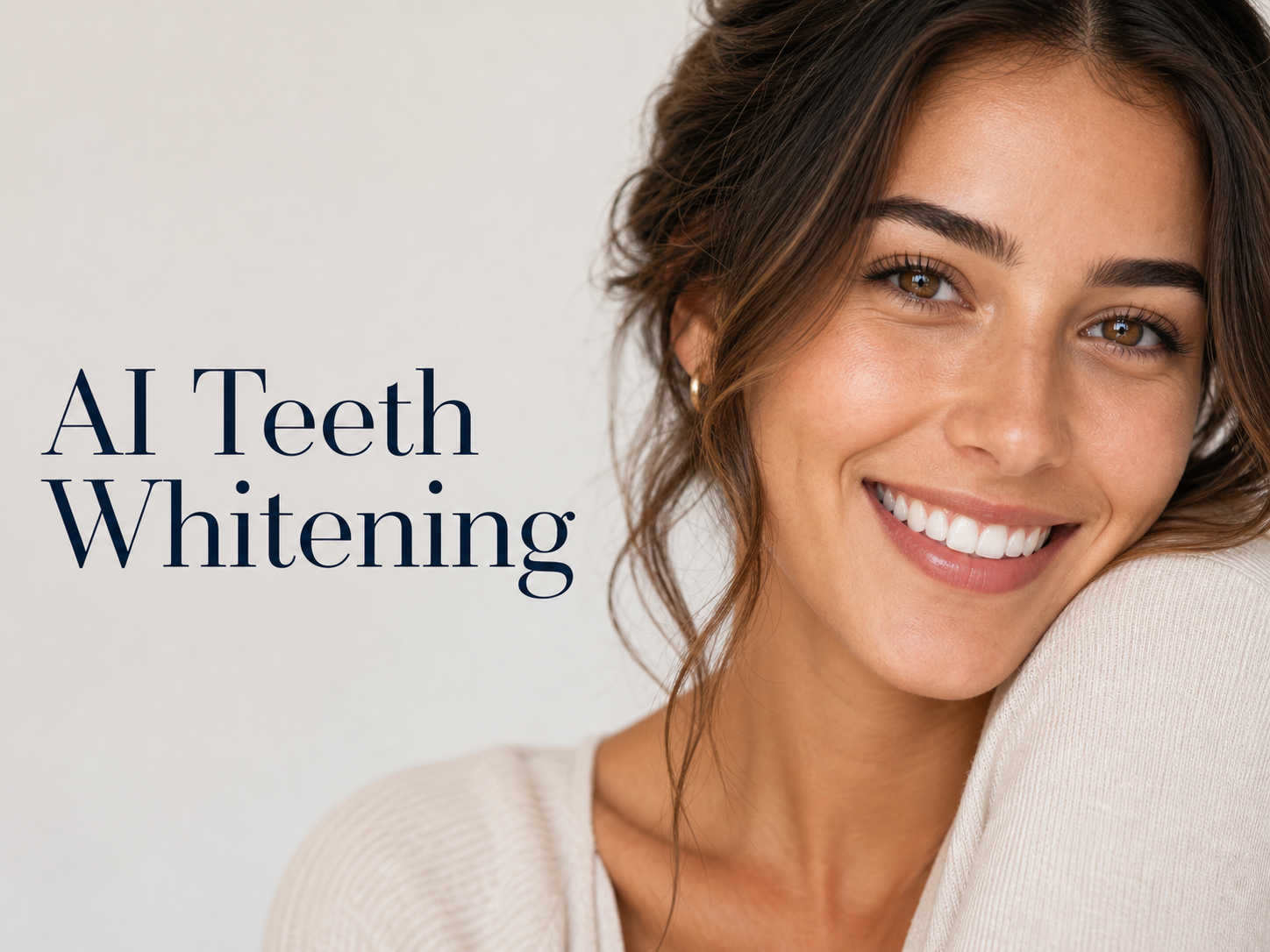
More AI Image Generators
Explore our collection of specialized AI image generators designed for different creative needs and styles
























AI Teeth Whitening for a Natural Bright Smile
Let AI Teeth Whitening brighten visible teeth with a clean, healthy-looking finish that keeps your smile believable.
Use AI Teeth Whitening to improve a selfie, headshot, group photo, or event image without the harsh fake-white look. AI Teeth Whitening focuses on visible teeth, helps reduce yellow tones, and keeps lips, skin, gums, lighting, and facial expression true to the uploaded photo.
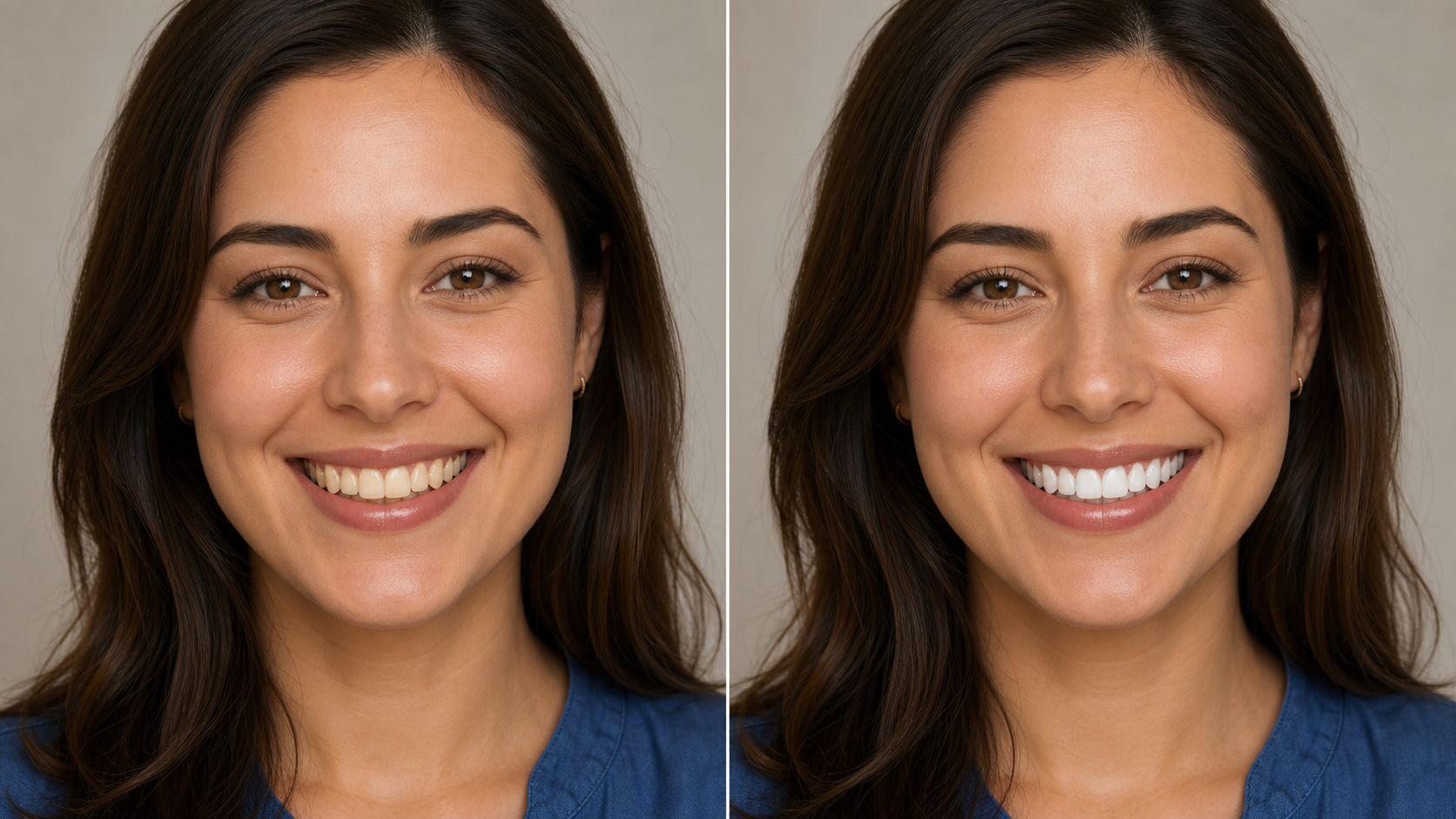
How to Use AI Teeth Whitening
The workflow keeps AI Teeth Whitening straightforward: upload a clear smile photo, let AI Teeth Whitening brighten only the teeth area, then compare the original with a natural-looking result before downloading.

Upload to AI Teeth Whitening
Start with a clear photo where the smile and teeth are visible. AI Teeth Whitening reads the portrait context before editing, so the Teeth Whitening AI can Whiten Teeth while respecting skin tone, lip color, enamel texture, and the direction of light.

Generate with AI Teeth Whitening
Run AI Teeth Whitening to brighten stained or yellow-looking areas in the smile. The goal is a natural lift, not a chalky overlay, so Whiten Teeth edits should stay balanced with the rest of the photo and avoid changing identity.

Compare and Save the Result
Review the before and after image, then save the version that looks most polished. AI Teeth Whitening is useful when you need to Whiten Teeth for a profile photo, social post, resume headshot, dating image, or family memory.
Best AI Image Tools for Creative Projects
Explore creative tools for image, learn tips and tricks, and see how AI can be your assistant in turning concepts into finished projects.
Features of AI Teeth Whitening
AI Teeth Whitening is built around targeted smile enhancement, realistic color balance, and identity preservation. AI Teeth Whitening helps brighten teeth in portraits while avoiding the overprocessed look common in heavy beauty filters.
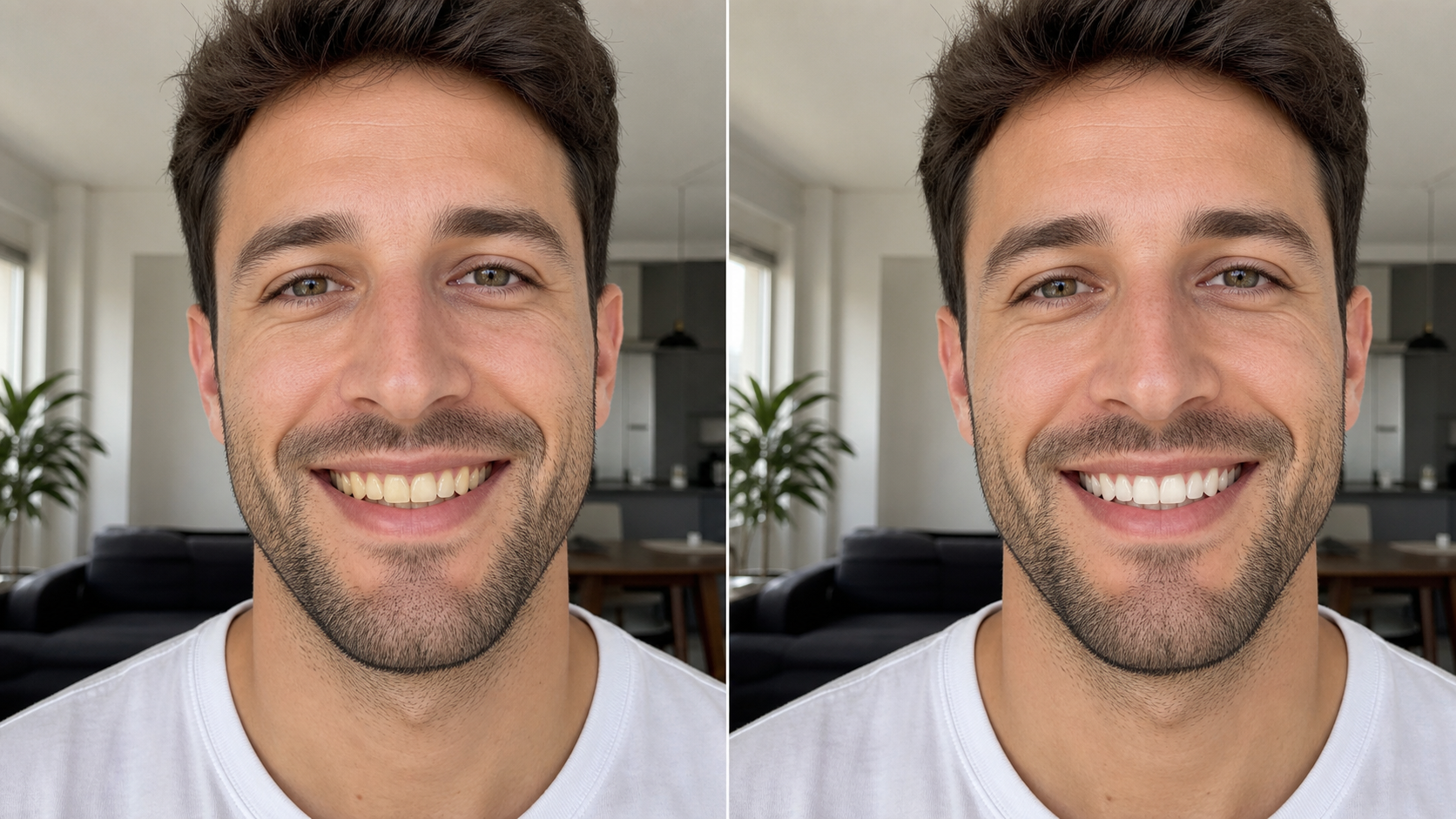
Natural Teeth Whitening AI Without Fake White
- AI Teeth Whitening brightens visible teeth while preserving realistic enamel shading, small texture details, and the warmth.
- The Teeth Whitening AI is guided to avoid flat paper-white teeth, gray casts, and obvious recoloring.
- Use AI Teeth Whitening when a photo already feels good but the smile looks dull because of lighting, coffee stains, camera color balance, or shadows.
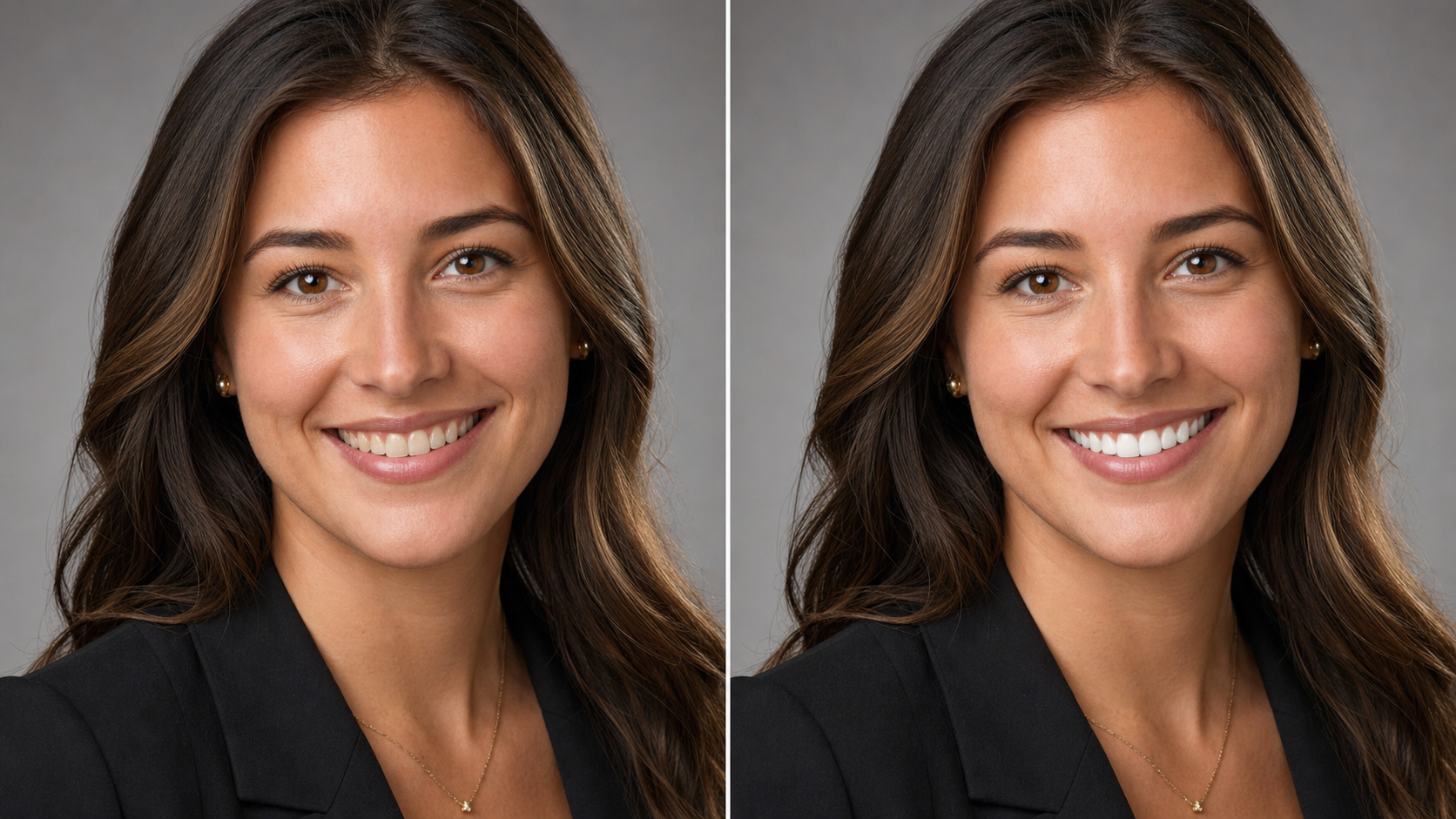
AI Teeth Whitening That Protects the Rest of the Face
- A useful smile edit should not bleach lips, lighten gums, reshape teeth, or smooth the whole face.
- AI Teeth Whitening is written for targeted editing, so the Teeth Whitening AI keeps skin, makeup, facial expression, clothing, and background stable.
- Use AI Teeth Whitening to Whiten Teeth while keeping the final image credible as the same original moment.
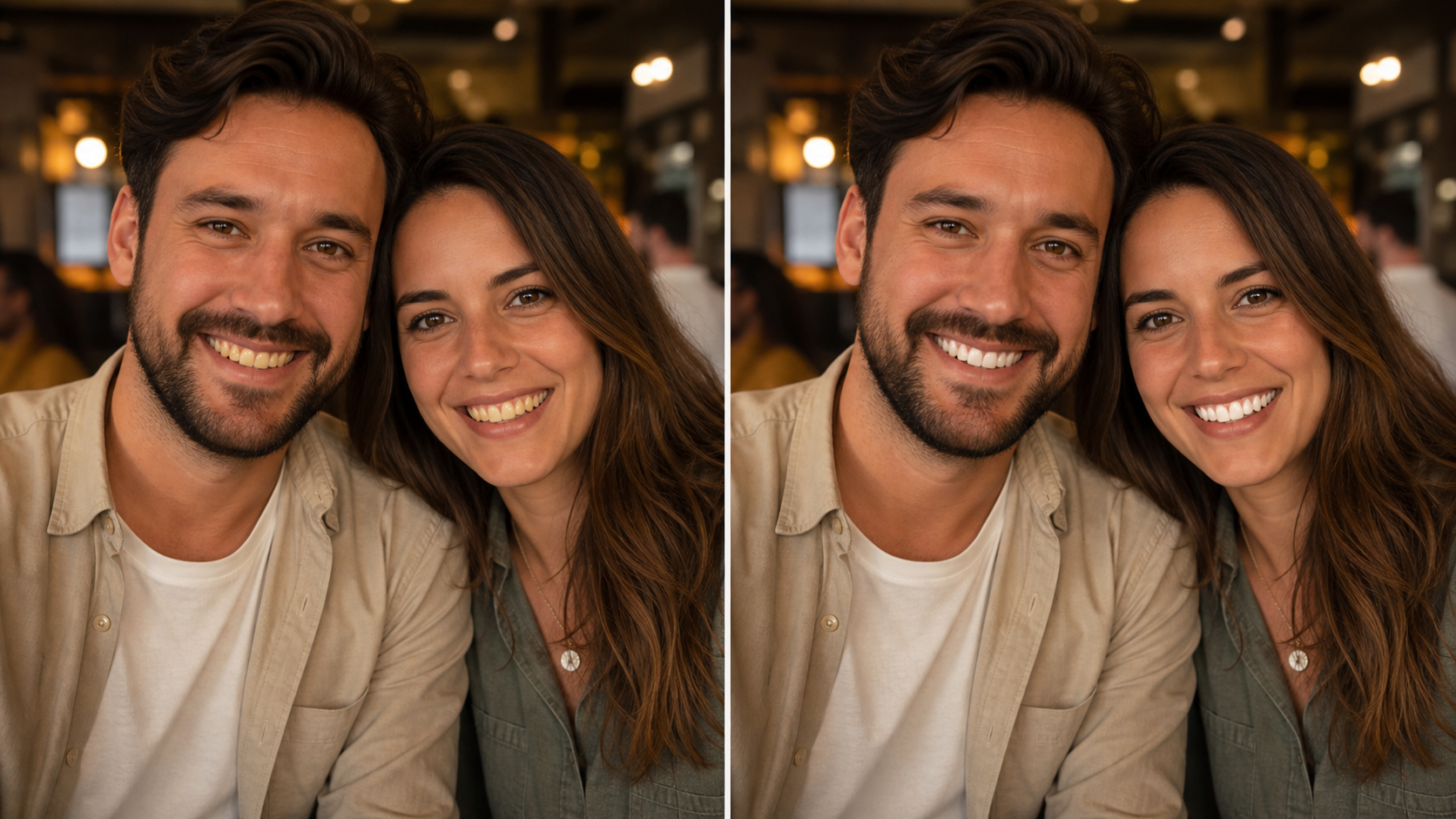
Balanced Brightness for Selfies and Group Photos
- AI Teeth Whitening can help when phone cameras, warm indoor bulbs, or strong shadows make smiles look more yellow than they do in person.
- Teeth Whitening AI can balance brightness across visible teeth while keeping individual tooth shape, edge definition, and natural light falloff.
- This makes AI Teeth Whitening practical for quick selfies, couple photos, graduation shots, and group images where several smiles need to remain natural.
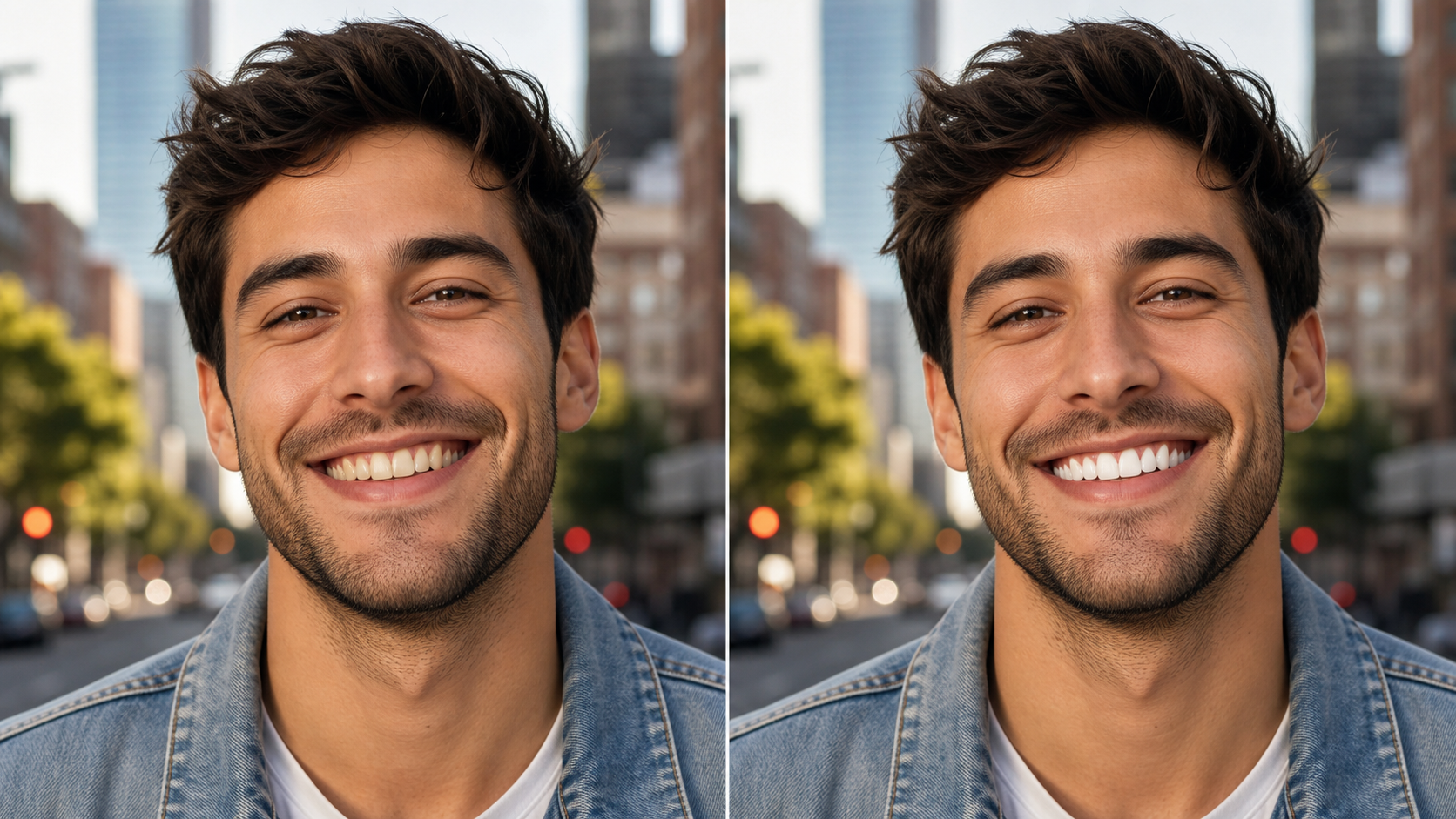
Share-Ready Smile Edits for Everyday Photos
- Use AI Teeth Whitening before posting portraits where a smile is central to the image.
- Because the Teeth Whitening AI is focused on a natural finish, the best result should look polished but not edited at first glance.
- AI Teeth Whitening gives you a cleaner smile presentation while preserving the mood, lighting, and personality of the source photo.
Why Choose AI Teeth Whitening
AI Teeth Whitening is for people who want a brighter smile in photos without obvious retouching. It helps Whiten Teeth for practical everyday images while keeping the edit targeted, balanced, and believable.

Refresh Profile Photos with AI Teeth Whitening
A profile photo often gets judged in seconds, and a dull smile can distract from an otherwise strong image. AI Teeth Whitening helps clean up yellow tones while keeping the portrait familiar. Use it before updating a resume headshot, LinkedIn image, school profile, creator bio, or team page where natural confidence matters.

Whiten Teeth for Social Selfies
Phone selfies can exaggerate discoloration because of bathroom mirrors, warm restaurant lighting, or low-light camera noise. AI Teeth Whitening gives those casual shots a more polished smile without rebuilding the whole face. The result works best when you want a cleaner post that still feels like the original moment.

Improve Event and Wedding Photos
Big events produce hundreds of smiling photos, and not every image has perfect lighting. AI Teeth Whitening can help selected portraits look more consistent before sharing albums or prints. It is especially useful for receptions, graduations, birthdays, reunions, and ceremonies where warm lights can make teeth appear dull.
Polish Dating and Lifestyle Images
Dating profiles and lifestyle portraits need to feel relaxed, not over-retouched. AI Teeth Whitening helps Whiten Teeth enough to make the smile feel brighter while leaving expression, skin texture, and photo atmosphere intact. That balance keeps the picture approachable instead of looking like a beauty filter was pushed too far.

Clean Up Creator and Brand Portraits
Creators, founders, coaches, and small teams often reuse portraits across websites, thumbnails, and social platforms. AI Teeth Whitening can make smile-focused images feel more finished without arranging a new shoot. It helps standardize portraits when lighting varies across sessions, phones, or locations.

Restore Warm or Dated Portraits
Older digital photos and scanned prints sometimes carry a yellow cast that affects the whole smile. AI Teeth Whitening can reduce that distraction while preserving the character of the original photo. Use the Teeth Whitening AI carefully for family portraits and memories where realism is more important than a dramatic makeover.
What Users Say About AI Teeth Whitening
People use AI Teeth Whitening for headshots, social photos, dating profiles, creator images, and event albums. Feedback centers on natural color, targeted editing, and results that look polished without looking artificial.
I used AI Teeth Whitening on a conference headshot where the lighting made my smile look yellow. The edit was subtle enough that nobody noticed the retouch, but the whole photo looked cleaner and more confident.
Most apps either do nothing or make teeth look painted. AI Teeth Whitening gave me a believable result for my profile photo, and it kept my lips, skin tone, and beard exactly the way they were.
I edit family pictures before sending albums to relatives. AI Teeth Whitening helped fix a few warm indoor photos where the smiles looked dull, but it did not erase the natural feel of the evening.
For dating photos, I wanted a better smile without looking filtered. AI Teeth Whitening was useful because the change was clean and realistic, so the image still felt honest when I compared the before and after.
I manage portraits for a small team website, and every image comes from a different camera. AI Teeth Whitening helped me make the smiles feel more consistent while keeping each person recognizable and natural.
I used the Teeth Whitening AI on a creator thumbnail and liked that it did not overdo the brightness. AI Teeth Whitening made the smile pop just enough for the image to feel more polished.




FAQs About AI Teeth Whitening
These answers explain how AI Teeth Whitening works, what photos perform best, how the Teeth Whitening AI preserves realism, and how to Whiten Teeth in pictures without making the result look artificial.
AI Teeth Whitening is an image editing tool that takes an uploaded photo and brightens visible teeth for a cleaner smile. It is meant for cosmetic photo editing, not dental advice or treatment. The best result keeps the person recognizable, preserves lips and skin, and makes the smile look naturally healthier instead of unnaturally white. For best clarity, choose a sharp source image with visible teeth and balanced light.
The Teeth Whitening AI analyzes the uploaded portrait, identifies the visible teeth area, and adjusts yellow or dull tones while respecting the surrounding face. AI Teeth Whitening should keep tooth shape, enamel texture, gums, lips, expression, and lighting consistent. A clear, well-lit source photo usually gives the model more information for a believable edit. The process works best when the mouth area is sharp and not hidden by motion.
No result should look like a flat white sticker. AI Teeth Whitening is guided toward a natural smile enhancement that balances brightness with the original lighting. If the photo is extremely dark, blurry, or heavily filtered, the model may have less detail to work with. Use a clear image when you want to Whiten Teeth without an obvious edit. The intended finish is clean, restrained, and easy to compare against the original.
AI Teeth Whitening works best on photos where teeth are visible, the face is reasonably sharp, and the lighting is not hiding the smile. Front-facing portraits, selfies, headshots, event photos, and casual group images can all work. Avoid extreme blur, closed-mouth expressions, heavy motion, or angles where the teeth are mostly blocked. Natural daylight or soft indoor light usually gives the model better color information.
The goal is targeted editing. AI Teeth Whitening should brighten the smile area while leaving skin tone, lips, gums, clothing, background, and facial structure alone. Any AI edit can vary by source quality, so compare the before and after result closely. If the edit feels too strong, try a clearer image or a more evenly lit photo. The comparison view helps you catch any color spill or unwanted face changes quickly.
Yes, you can use AI Teeth Whitening for practical portrait cleanup before sharing profile photos, dating images, team bios, school portraits, or creator thumbnails. Keep the edit tasteful and honest. A natural enhancement can make a smile look cleaner, but the strongest results are usually subtle enough that viewers focus on the person, not the retouch. It is especially helpful when the smile is central to the image composition.
For group photos, AI Teeth Whitening should be used with care because smiles may appear at different sizes and angles. The Teeth Whitening AI may perform best when the main faces are clear and not too far from the camera. Review each smile in the final image to confirm the edit still looks balanced across the group. Cropped, distant, or shadowed smiles may need a closer source image for cleaner detail.
AI Teeth Whitening is useful for cosmetic photo retouching, but it does not replace real dental care or professional whitening advice. It changes how teeth appear in an image, not the teeth themselves. Use it when you want to Whiten Teeth in a photo for presentation, profile use, or sharing, while keeping expectations realistic. For lasting color concerns, talk with a qualified dental professional instead.
Start AI Teeth Whitening Today
Upload a smile photo and use AI Teeth Whitening to create a brighter, healthier-looking result. The Teeth Whitening AI helps Whiten Teeth naturally while preserving the portrait you already like.
