
Top-down stock photograph of neatly arranged sliced salami on a clean white background. Flat-lay composition, crisp edges, bright high-key studio lighting and subtle shadows.
Flux Prompts: Edit Images With Ready-To-Use Ideas
Flux prompts help edit portraits, products, interiors, and landscapes. Copy an idea, adapt it to your photo, or open the image generator. Start creating!
Generate Prompt with AI
3 uses left today
Describe your idea and let AI create the perfect prompt for you
Loading...
No more prompts
Flux Prompts For Precise Image Editing
Make Every Edit Intentional
Explore Flux prompts for portraits, products, interiors, and landscapes. Each Flux image prompt gives you a clear starting point for changing a real photo while keeping the details that matter. Browse an idea, copy its wording, and make it your own.
Edit A Real Photo|Keep Important Details|Adapt Every Prompt|Move From Idea To Image
How To Use Flux Prompts
A strong edit begins with a source image and a specific change. This Flux prompts library helps you describe both. Select an idea close to your goal, replace its subject and scene details, then inspect the result before refining your next instruction. A Flux image prompt works best when it names what must stay and what should change.
1

Choose An Editing Goal
Browse Flux prompts by the kind of edit you want, such as a cleaner product background, a warmer portrait, or a different room mood. Look at the full result image to judge the visual direction. A Flux image prompt is a starting point, so choose the closest intent rather than expecting one sentence to fit every source photo.
2

Copy Or Open The Editor
Click Copy It to copy that prompt text. Click Use It to open the corresponding image generation page with the selected default model. Upload your source image there, paste or adjust the instruction, and make the requested change explicit. These Flux prompts are written for edits, so include the source details that need protection.
3

Refine The Result
Compare the output with your original image. If an identity, product shape, material, or layout drifted, say so in the next Flux image prompt. Change one variable at a time to learn what the model understood. Flux prompts become more useful when you keep the successful constraints and revise only the part that missed your goal.
Flux Prompts For Everyday Photo Edits
These complete images show the kind of destination you can describe. Each Flux image prompt below focuses on a practical edit while leaving room for your own source photo, brand style, and composition. Use the examples to define light, material, background, and fidelity rather than asking for an undefined improvement.
Refine Product Photography
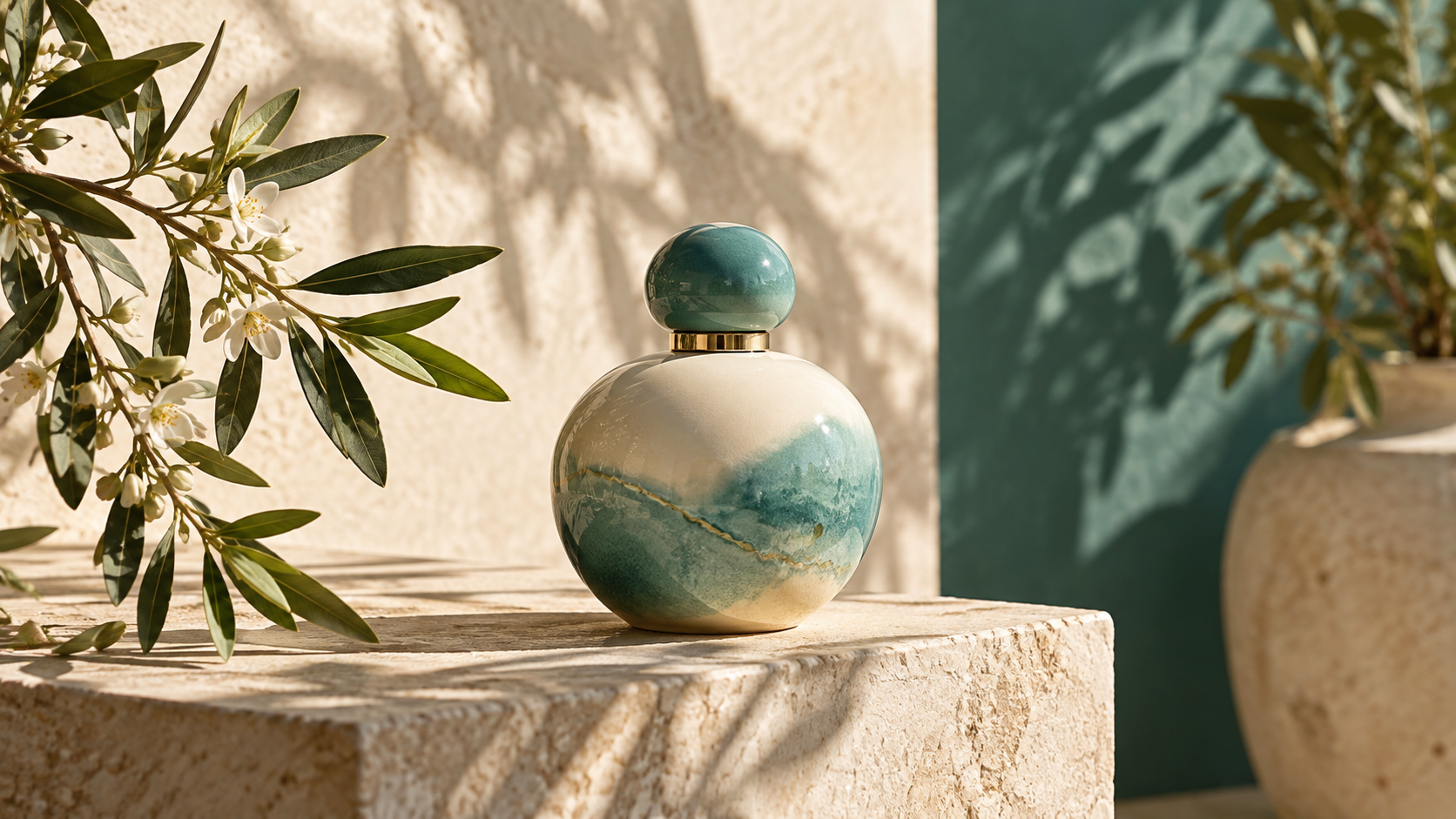
A strong product edit keeps the object recognizable and changes only the setting, lighting, or presentation. The perfume scene illustrates a clean commercial finish: readable glass edges, believable reflections, and soft botanical shadows. Try a Flux image prompt that names the exact product, preserves its label and silhouette, and requests one new surface or lighting direction. Flux prompts for products work better when you specify the camera angle and material details you need to retain. If the bottle shape changes, repeat the preservation rule and reduce the number of requested changes. When reading Flux prompts, separate the intended outcome from the constraints. A Flux image prompt can be more dependable when it asks for one visible change and names two or three source details that should stay in place. This gives you a clearer result to assess. Flux prompts make that decision easier to state.

Shape Portrait Atmosphere
Portrait edits need clear boundaries around identity. The city portrait shows a cinematic mood while retaining a natural face, realistic skin, and detailed clothing. A Flux image prompt can ask for evening light or a different backdrop while protecting facial structure, pose, hairline, and expression. Flux prompts should describe the new color and light in concrete terms, such as blue-hour street illumination and warm window accents. Inspect the eyes, hands, and fabric after each result. If they drift, add focused preservation language instead of rewriting the whole scene. Before using Flux prompts, inspect the source at full size. Note distinctive edges, textures, and colors that would be easy to lose. Carry those observations into your Flux image prompt so the model has a concrete visual boundary for the edit. Flux prompts keep the requested change in focus.

Restyle Interior Light
Interior edits are easier to judge when the room geometry stays coherent. The living room example uses warm window light, linen texture, and restrained greenery. In a Flux image prompt, identify the furniture, walls, windows, and camera position that must remain. Then request a specific change, perhaps a softer palette, different upholstery, or afternoon light. Flux prompts can guide a room toward a style without asking the model to rebuild its architecture. Check straight lines and object scale before selecting a result for presentation. Flux prompts help you describe the intended finish.
More Flux Image Prompt Directions
A useful library covers more than one subject. These examples extend Flux prompts into landscape atmosphere, food styling, and studio commerce. Each Flux image prompt names a visible outcome and gives you a way to decide which parts of the original should survive the edit.


Change A Landscape Mood
Keep The Scene, Change The Light
Mist, sunrise, and reflection can transform the mood of an existing landscape without moving mountains or trees. Use Flux prompts to state the original terrain, horizon, and camera view as fixed elements. A Flux image prompt should then describe the new weather, time of day, and color temperature. Look for natural water reflections and believable atmospheric depth. If the shoreline shifts, simplify the instruction and restate the composition you want to preserve. Flux prompts give the edit a clear boundary.
Style Food With Care
Make The Dish The Focus
Food edits benefit from appetizing texture and honest shape. The berry tart example shows soft side light, a rustic surface, and a restrained editorial mood. Write a Flux image prompt that keeps the dish and its ingredients intact while changing background, props, or lighting. Flux prompts for food should avoid vague words like better; describe the plate, crop, shadows, and surface. Review fine ingredients after generation so the result still represents the original dish. Flux prompts work best with a specific source.
Polish A Studio Product
Preserve The Product Details
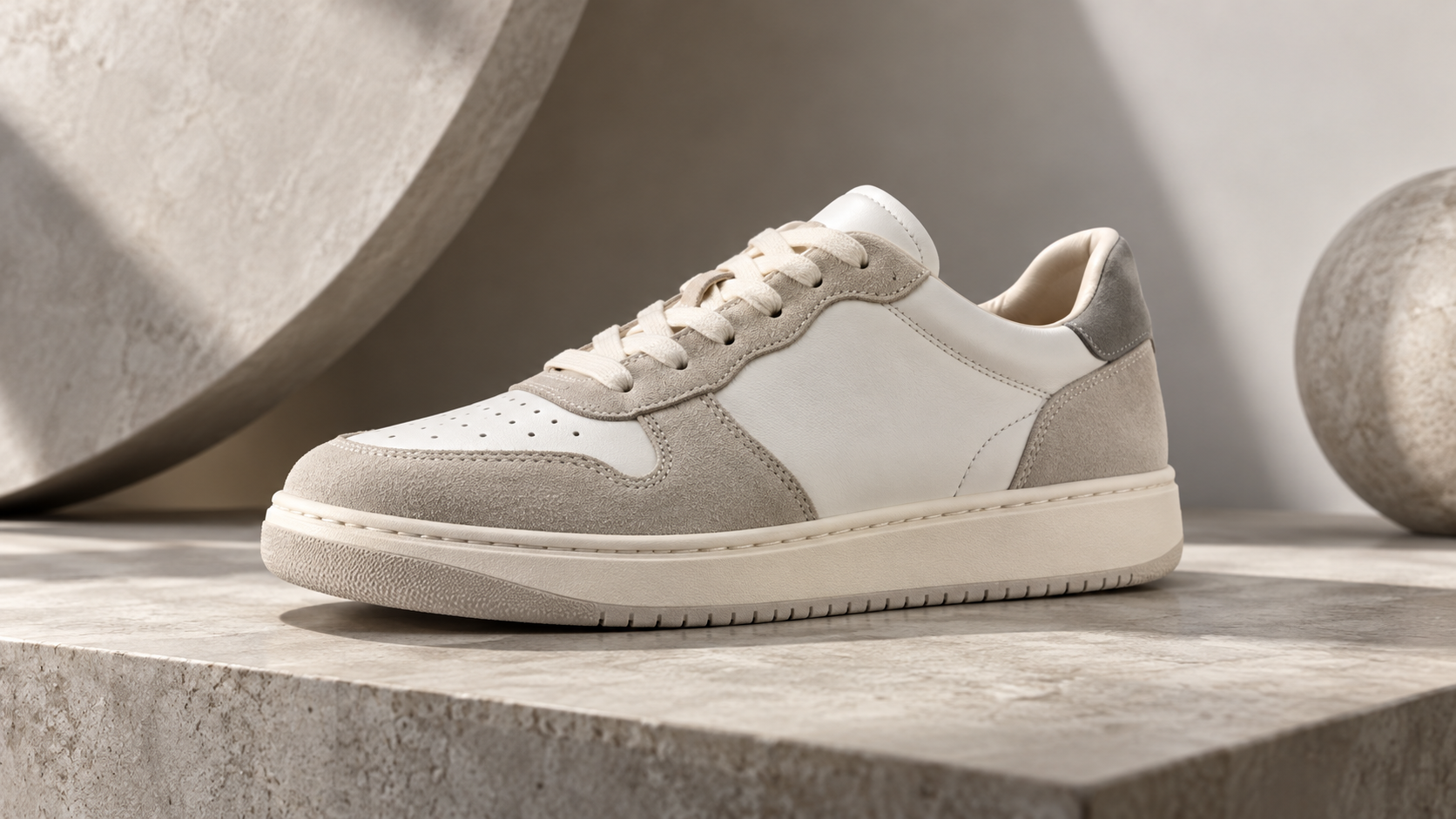
A studio edit can create a cleaner campaign image while preserving the product itself. The sneaker scene uses controlled shadows and a sculptural set that supports the shoe rather than hiding it. In your Flux image prompt, protect logo placement, color blocking, laces, and sole geometry when those details matter. Use Flux prompts to describe a specific stage, viewpoint, and lighting setup. If a brand detail is critical, inspect the output closely and revise with that detail stated again. Flux prompts can guide a second careful pass.
Where Flux Prompts Help Most
Choose a use case before you edit. Flux prompts can guide both small corrections and broader visual changes, but the right instruction depends on what the source image already contains. A Flux image prompt for a portrait should protect identity; one for a product should protect its shape and markings. Start with the outcome, then add only the constraints that protect the source.

Portrait Retouching
Adjust light, color, clothing atmosphere, or background while keeping the person recognizable. Flux prompts give you a way to describe subtle polish without turning a real face into a different one. A Flux image prompt should identify the features that must remain and the single change you want to see. Flux prompts encourage a close review of detail.

Product Campaigns
Place a real product in a cleaner setting or change its photographic mood. Flux prompts help specify material, scale, reflections, and shadow behavior. A Flux image prompt should protect labels, packaging geometry, and any feature the customer must be able to recognize. Flux prompts make the next revision more precise.

Interior Concepts
Test a new room palette, daylight quality, or furnishing treatment around an existing space. Flux prompts help keep the room believable by preserving walls, windows, and viewpoint. A Flux image prompt can focus on one material or light change before you attempt a complete restyle. Flux prompts support a consistent visual goal.

Creative Composites
Explore a new environment or art direction from a source image while protecting the subject. Flux prompts can describe how lighting and perspective should connect the subject to the scene. A Flux image prompt is most effective when it identifies the anchor elements and the exact visual change. Flux prompts turn an idea into an edit instruction.
Illustrative Editing Reactions
The following voices are illustrative examples of how different creators might use a prompt library; they are not verified customer reviews. Their comments show why Flux prompts are useful across distinct editing goals.
“
I start with the expression and face details I need to keep. Flux prompts help me write the lighting change clearly, and a Flux image prompt gives me a concise instruction to revise after I inspect the first result.
A product scene succeeds only if the object still looks like the item we sell. I use Flux prompts to describe background and shadow changes while repeating the label and shape constraints in each Flux image prompt.
I want to test a room mood without moving the windows or changing its proportions. Flux prompts make that boundary easy to state, and a Flux image prompt helps me focus on one finish at a time.
Small lighting changes can matter more than a new set. Flux prompts help me keep the dish honest while trying a warmer table and softer shadows. I review each Flux image prompt against the original ingredients.
I sometimes need to explore a different time of day for a scene. Flux prompts remind me to preserve the landform and camera view. A Flux image prompt with exact weather and light is easier to evaluate.
The best results come from a clear constraint, not a long list of effects. Flux prompts help me choose a direction, then I shorten each Flux image prompt until the requested edit is unmistakable.

Maya Chen
Portrait Photographer

Jonah Rivera
Product Art Director

Aisha Patel
Interior Stylist

Elliot Brooks
Food Photographer

Sofia Mendes
Travel Editor

Noah Kim
Creative Designer
Flux Prompts FAQ
These answers explain how to use the article and how to make an editing instruction more reliable. Flux prompts are examples to adapt to your own image. Each Flux image prompt should reflect your source, your desired change, and the details that must stay intact.
Browse the article and choose a direction close to your image. Click Copy It to copy the selected prompt text. Click Use It to open the corresponding image generation page, where you can work with the default Flux model and your uploaded image. Replace generic subject details with the facts of your photo. Flux prompts are most useful when you explain the intended edit and preservation rules together. A Flux image prompt should be checked against its result and revised if the model changes something important.
Name the source subject, the exact change, and the visual details that must remain. Add lighting, camera viewpoint, materials, and background only when they affect the outcome. Avoid conflicting requests such as changing the entire scene while demanding identical surroundings. Flux prompts can be short if the edit is narrow. A Flux image prompt for a portrait should mention identity preservation; a product prompt should mention packaging and geometry. Review the result and make the next instruction more specific where needed.
Yes. Treat each example as a structure rather than a fixed recipe. Swap in your own subject, location, visual style, and preservation constraints. Flux prompts can be adapted for personal images, commercial concepts, and design studies, subject to your own rights and review requirements. A Flux image prompt that succeeds on one photo may need different wording for another because composition and lighting differ. Make one focused change, inspect the result, and refine from there.
Start Editing With Flux Prompts
Find an editing idea that matches your source image, then turn it into a precise instruction. Flux prompts help you protect the parts you value while changing light, setting, or style. Copy a Flux image prompt to customize it, or use the page action to open the image generator and test your direction.
