
Minimax H3 Max Prompt: Copy AI Video Prompts Online Free
Explore Minimax H3 Max Prompt examples, copy ready AI video prompts, and practical templates for cinematic scenes, camera motion, product shots, and more.
Describe your idea and let AI create the perfect prompt for you

Cinematic 90s Café Time-Freeze Sequence
Photorealistic cinematic cozy 1990s-inspired American café, warm wooden interiors, red leather booths, chrome details, vintage coffee machines, large windows, soft morning sunlight, realistic customers, subtle handheld camera texture, rich lived-in detail, natural film grain. Use the provided reference image as the exact character lock for the girl. Preserve her facial identity, eye color, hairstyle, skin texture, body proportions, makeup, and outfit consistency throughout. 0–4s — [Medium Wide] The girl sits peacefully at a café table enjoying her coffee and a slice of cake. She smiles toward the camera, takes a sip, then stands up to grab a napkin. As she turns, she accidentally bumps into a waiter carrying a large tray of coffees and pastries. 4–9s — [Dynamic Tracking → Super Slow Motion] The collision sends everything flying. Coffee cups, pastries, whipped cream, spoons, and coffee droplets explode into the air. Suddenly, time freezes completely at the peak of the chaos. Every customer, the waiter, and every flying object remains perfectly suspended. Only the girl can move. She looks around in disbelief, slowly walks through the frozen coffee disaster, picks up one perfectly suspended croissant, looks directly into the camera, and casually takes a bite. 9–12s — [Smooth Tracking Shot] She calmly walks toward the café exit while eating the croissant. Frozen coffee droplets sparkle in the sunlight around her. She casually fixes her hair and continues walking as if nothing happened. 12–15s — [Medium Close-Up] Just as she reaches the door, time snaps back to normal. Cups crash onto tables, coffee splashes everywhere, pastries hit the floor, and the waiter reacts in shock. She turns toward the camera, raises her eyebrows, gives a tiny guilty smile and shrugs before walking out. Ultra-realistic coffee and pastry physics, realistic liquid splashes, accurate gravity, believable reactions, precise time-freeze effect, cinematic camera orbit, natural facial expressions, realistic reflections, shallow depth of field, warm cinematic lighting, subtle film grain, movie-level temporal coherence, 4K HDR, 24fps, 16 9 Negative Prompt: No subtitles, captions, logos, watermarks, duplicate people, distorted anatomy, extra fingers, facial changes, inconsistent outfit, flickering, cartoon style, unrealistic physics, floating objects outside the intentional freeze sequence, AI artifacts.

90s Underground Rave-Zine Anime MV
Generate a 15-second, 16:9 experimental anime music video built around a chaotic 90s underground rave-zine aesthetic. Feature a group of stylish 2D anime characters with distinctive streetwear designs, appearing across rapidly changing compositions made from torn magazine pages, photocopied manga panels, concert flyers, stickers, handwritten notes, ticket stubs and distressed urban textures. Use a limited black, off-white, fluorescent orange and electric blue palette, with occasional inverted negative frames. Animate the characters through bold editorial compositions: faces suddenly crop into extreme close-ups, full-body illustrations slide between ripped-paper layers, manga panels snap open and collapse, character silhouettes multiply like photocopy errors, and individual drawings break apart into rough halftone fragments before reconstructing on the next beat. Integrate oversized condensed English typography as part of the choreography. Words such as “NOISE,” “MOVE,” “BREAK,” “REPEAT,” “AFTER MIDNIGHT” and abstract numbers slam into frame, stretch vertically, rotate, overlap the characters and disappear behind paper layers. Add VHS tracking distortion, analog frame tearing, xerox grain, misregistered printing, rough halftone dots, marker scribbles, tape marks, film scratches and frame-by-frame doodles. Camera and editing should feel aggressively synchronized with a K-pop / hip-hop / breakbeat rhythm: punchy snap zooms, freeze frames, sudden reframing, rhythmic jump cuts, whip transitions and short bursts of controlled visual chaos. For the climax, all the collage fragments rapidly accumulate into a dense wall of posters. On the final beat, everything tears away simultaneously, revealing the main anime characters in a strong group pose against a minimal photocopied background. A huge distressed typographic title slams behind them and remains frozen for the final frame. Visual style: 90s manga editorial design, underground rave flyers, punk photocopy zines, Japanese street culture, analog VHS, rough halftone printing, mixed-media collage, bold typography, energetic contemporary anime MV.

Magical Girl J-Pop Anime MV
Create a 15-second horizontal 16:9 high-energy 2D magical-girl J-pop anime MV featuring the exact same heroine from the provided reference image. Preserve the reference image as the absolute authority for her character design, costume, proportions, colors and illustration style. CHARACTER LOCK: Keep the heroine visually identical throughout: short warm-brown hair with the same distinctive pointed bangs and upward curved hair tufts, large turquoise-blue eyes, white sailor-style headpiece with red circular ornaments and black ribbon, small white wing accessories, black-and-white sailor-inspired top with red trim, white pleated skirt, red-and-yellow leg details, and oversized red-white-yellow shoes. Preserve every major shape, color block and accessory consistently. Strictly maintain the reference’s bold retro 2D anime/cartoon aesthetic: thick clean outlines, flat saturated colors, minimal cel shading, simplified anatomy, large expressive eyes and strong graphic silhouettes. Do not redesign her into modern detailed anime. 0–2.5s — Open immediately with movement. Against a bright pastel-blue sky filled with large soft white clouds, the heroine runs lightly across a floating pink path surrounded by drifting cherry blossoms. Camera tracks smoothly beside her at medium distance. Her expression is joyful and energetic. Her short brown hair, sailor ribbon, skirt and small wings bounce gently with each step. She looks toward camera for a moment with a bright smile, then turns forward again as several cherry petals sweep past and lead naturally into the next scene. 2.5–5.0s — The pink path curves upward into the sky. She takes two quick steps and makes a light jump, transitioning naturally from running into floating flight. Her small white wings open as she rises. Several large magical cards appear around her at a safe distance, rotating slowly as complete rigid objects. She flies between them while cherry petals form broad flowing arcs around the composition. The camera follows in a smooth three-quarter tracking movement without aggressive shaking or rapid rotation. 5.0–7.5s — One large glowing card moves beneath her feet and becomes a magical flying platform. She lands lightly on it and rides upward through the clouds. She shifts her weight rhythmically with the J-pop beat, performs a playful half-turn, then opens both arms sideways while keeping her body balanced. The card follows a smooth curved flight path. Large pink hearts, golden stars, white feathers and sakura shapes appear in the distance, creating a dreamy magical-girl MV world. 7.5–10.0s — The card reaches the top of a broad arc and she performs one clean joyful jump into the air. Use a readable medium-wide composition. She completes one controlled full-body rotation while her skirt and ribbon follow naturally. Her hair must rotate as one coherent solid hairstyle with stable bangs, stable outer silhouette and consistent brown color. Do not separate the hair into individual flying strands. White wings briefly expand behind her while a large ring of cherry blossoms and magical cards rotates slowly in the opposite direction, creating an elegant magical composition. She lands smoothly back onto the flying card without interruption. 10.0–12.5s — The card descends toward a dreamy pastel world of pink clouds, blue sky and floating sakura petals. She steps off and immediately transitions into a short J-pop dance phrase on a glowing path: side step → small hop → half-turn → heel bounce → cheerful head tilt. Keep the camera at medium/full-body distance and let the choreography provide the energy. Her shoes create small heart-shaped light ripples with each landing. Magical cards float calmly in the background rather than rapidly crossing the foreground. 12.5–15.0s — She begins running forward again as the glowing path curves through the clouds. The camera follows from a smooth three-quarter angle. Cherry blossoms and white feathers drift around her while the magical cards gradually spread outward into the sky. She makes one final light jump, lands, continues running for two steps, then looks back toward camera and gives a cheerful wink while still moving forward. Her hair, skirt, ribbon and wings retain gentle momentum. A broad wave of cherry petals passes through the foreground and naturally fills the composition as the video ends. No freeze frame and no text. VISUAL DIRECTION: Bright nostalgic magical-girl anime opening mixed with an energetic J-pop MV. Clean 2D animation, bold stable outlines, flat colors, simple cel shading, bright blue skies, white clouds, pastel pink, cherry-blossom red, warm yellow and turquoise accents. Use cherry blossoms, magical cards, white feathers, hearts, stars, clouds and soft magical light as recurring visual motifs. Keep effects large, simple and readable rather than dense particle fields. MOTION & TEMPORAL STABILITY: Prioritize clean temporal consistency over excessive motion complexity. Character identity, anatomy, hairstyle, clothing and linework must remain stable frame-to-frame. The heroine’s hair must behave as several coherent solid 2D shapes. Preserve the exact bangs, hair tufts, overall silhouette and hair volume in every frame. Hair should bend and bounce gently as a unified mass, never dissolve, fragment, multiply, smear, melt or break into floating pieces. Maintain crisp continuous outlines around the face, hair, hands, clothing and shoes. Avoid temporal flickering, crawling linework, unstable edges, broken color regions or texture boiling. Use clean readable key poses with controlled in-between animation. Avoid extreme deformation during turns. CAMERA: Use smooth tracking, gentle arcs, controlled pushes and readable medium/full-body compositions. Camera motion should remain fluid and predictable. During fast character actions, reduce camera movement. During stronger camera movement, keep character movement relatively simple. Do not combine rapid character rotation, rapid camera rotation and dense moving backgrounds simultaneously. Use minimal natural motion blur. Preserve crisp 2D silhouettes during running, jumping and spinning. No aggressive whip pans, extreme crash zooms, violent camera shake or excessive rotational blur. EFFECT SEPARATION: Cherry petals, feathers and magical cards should remain spatially separated from the heroine’s face and hair whenever possible. Do not allow dense particles, cards or effects to repeatedly cross her facial features or hair silhouette. Background effects must remain clearly behind the character. AUDIO: Synchronize to bright nostalgic Japanese magical-girl J-pop with sparkling synths, energetic drums and uplifting melodic vocals. Add gentle magical chimes, card activation sounds, soft wing whooshes, footstep impacts and sparkling accents. IMPORTANT: Maintain the exact reference character and art style throughout. No outfit transformation, no hairstyle transformation, no extra characters, no realistic

Kiki Pixel Pop Anime Promo
Create a 15-second horizontal kinetic anime-fashion promotional video. The character reference exclusively controls Kiki’s identity, hairstyle, clothing, accessories and colorful Pixel Pop aesthetic. Ignore the dark character-sheet layout, labels and printed words. Kiki has bright lime-yellow hair styled into two large colorful space buns with loose cyan, pink and purple ribbon-like strands, large multicolored eyes, a purple pixel hair clip and a playful expression. Preserve her oversized pink-cyan-purple-orange bomber jacket, white cropped graphic top, dark pleated shorts, neon utility belt and hanging straps, colorful knee patch, bright socks, huge pink-cyan-lime platform sneakers and matching pixel-game backpack. Keep her face, hairstyle, outfit, backpack and proportions consistent. Kiki carries no weapon and holds no combat equipment. Her hands remain free for dancing, pointing and playful game-inspired gestures. Set the video in a dark navy infinite arcade studio transformed by colorful pixel graphics. The floor is a reflective black-neon grid while the background rapidly switches between deep navy, electric cyan, hot pink, lime yellow and purple panels. Add floating pixel stars, hearts, controller buttons, tiny block particles, checkerboard wipes and glowing 8-bit trails. The atmosphere is bright, cheerful and energetic rather than dark or combat-oriented. The only readable text allowed is: “Kiki” “Minimax H3 Max” Preserve the exact spelling and capitalization of “Kiki” and “Minimax H3 Max.” Timeline: 0–1.5s — Extreme close-up of Kiki’s multicolored eye, lime bangs and purple pixel hair clip. Large bubbly pixel text “Kiki” assembles from cyan, pink and yellow blocks across the foreground, briefly framing her eye before scattering into tiny stars. 1.5–3s — Hard cut to a low full-body shot. Kiki performs one playful forward hop and lands with her colorful platform sneakers wide apart. Her backpack and hanging straps bounce naturally. Oversized white-and-cyan text “Minimax H3 Max” expands behind her while the floor emits a pixel ripple. 3–5s — Medium shot. Kiki makes a quick peace sign beside her face, points toward the camera and performs a small shoulder bounce. Bright pink “Kiki” typography pops beside her like a game reward while pixel hearts and stars burst around her sleeves. 5–7s — Full-body side view. Kiki performs a fast half-spin with both arms extended. Her space buns, colorful hair strands, jacket sleeves, backpack charms and belt straps swing outward. Huge “Minimax H3 Max” lettering rotates behind her and briefly passes in front of her shoes as a layered graphic element. 7–9s — Kiki steps close and reaches one open hand directly toward the lens. Use exaggerated wide-angle hand perspective while her smiling face remains sharply visible. The letters of “Kiki” break apart into multicolored pixel cubes, covering the screen and creating a blocky transition. 9–11s — Rapid sequence of three beat-matched dance poses: a sneaker step-tap that creates an 8-bit floor ripple, a cheerful shoulder bounce and a playful finger-point pose. Alternate between full-body and waist-up shots. “Kiki” and “Minimax H3 Max” sweep through the background in opposite directions. 11–13s — Close-up montage synchronized to the beat: one colorful sneaker stomps the reflective grid, the pixel hair clip flashes, a game-controller backpack charm swings past the lens, then Kiki gives a confident playful wink. Large lime-and-pink “Minimax H3 Max” text scales rapidly behind her. 13–15s — Final centered full-body shot. Kiki performs one small jump, lands with one hand on her hip and raises the other hand in a cheerful peace sign. Finish with a clean stacked composition: “Kiki” in a colorful rounded pixel font above “Minimax H3 Max” in bold white lettering with cyan and pink shadow layers. Hold the pose briefly for readability. High-quality stylized 3D anime rendering with crisp facial details, soft studio illumination, realistic fabric, hair, strap and backpack movement, reflective neon surfaces and colorful typography composited both behind and in front of the character. Use hard cuts, pixel-block wipes, snap zooms and typography transitions synchronized to an upbeat chiptune-electropop track. No dialogue, subtitles, captions, logos or watermarks beyond the two required text phrases. No weapons, guns, knives, combat poses, costume changes, missing backpack, hairstyle changes, extra characters, duplicated limbs, unreadable spelling

Cinematic 3D Animation: Girl and Fluffy Cat Story
Create a 15-second cinematic 3D animated video based exactly on the provided storyboard. Keep the same characters, faces, outfits, proportions, and environment consistent throughout the entire video. The main characters are a cute blonde little girl wearing a pink floral dress and a fluffy white, blue-eyed cat wearing a small collar with a bell. 0–2 sec: The white fluffy cat comes close to the girl and tries to get her attention. The girl looks annoyed and turns her face away. 2–4 sec: The cat gently asks for a kiss with cute expressive gestures. The girl refuses, crosses her arms, and looks upset. The cat looks confused and sad. 4–6 sec: The girl walks to the sofa, sits down, opens a colorful storybook, and starts reading. The cat follows her and sits beside her. They appear to communicate through cute facial expressions and simple gestures. 6–8 sec: The cat tries to look at the book and talk to her, but the girl becomes annoyed and moves slightly away from the cat. The cat looks apologetic. 8–10 sec: The cat tries to make peace and gently approaches her. The girl remains angry, stands up, walks toward her bedroom, and closes the door. 10–12 sec: The fluffy white cat walks to the closed bedroom door and gently knocks on it repeatedly with its paw. The cat waits patiently outside. 12–13.5 sec: The door slowly opens. The girl looks at the cat with a slightly softened expression. The cat looks happy and hopeful. 13.5–15 sec: The cat gently kisses the girl's cheek. The girl finally smiles, hugs the cat, and kisses the cat back. End the video on this warm, emotional reconciliation moment. Do not show “The End” text or any title card. Style: high-quality cinematic 3D animation, adorable expressive characters, soft realistic fur, warm cozy home lighting, natural body movement, detailed facial expressions, smooth camera transitions, shallow depth of field, emotional storytelling, gentle playful atmosphere, polished animated-film quality. Important: Keep the cat white and fluffy in every shot, maintain the same girl and cat throughout, no character changes, no extra characters, no text overlays, no subtitles, and no “The End” screen.

Cinematic Mixed Media Record Store Animation
A 15-second cinematic sequence blending real-life photorealistic photography with expressive hand-painted animation. Visible watercolor, colored-pencil, and ink textures are part of the magic and always readable against the photographic world. Warm afternoon sunlight, shallow depth of field, smooth macro camera movement, tactile handmade animation details, whimsical magical realism. Global baseline: inside a cozy old record store with wooden shelves full of vinyl records, cassette tapes, handwritten labels, and vintage music posters. Everything begins completely photorealistic. The room feels warm, intimate, and sunlit, with soft dust in the air and natural reflections on wood, cardboard, and plastic. [Shot 1] Close macro: a real hand gently places a black vinyl record onto an old turntable. The camera glides in slowly as the needle lowers and touches the spinning record. At the exact contact point, a tiny streak of bright turquoise paint emerges from the groove, clearly hand-painted and textured. [Shot 2] Medium close-up: the painted turquoise streak circles around the vinyl, grows brighter, and transforms into a tiny hand-drawn blue bird made of loose watercolor washes, colored-pencil edges, and ink outlines. The bird lifts off from the turntable, leaving animated brushstrokes floating through the photographic room. [Shot 3] Tracking shot across the store: the bird flutters to a vintage concert poster on the wall and lands there. Its wings dissolve into painted musical notes that peel away from the poster, then swirl through the air in a graceful arc toward an open record sleeve on the counter. [Shot 4] Close-up on the record sleeve: the musical notes fall onto the cardboard and instantly transform into small colorful flowers and vines. The illustrated vegetation rapidly spreads across the sleeve surface, then pushes beyond its edges, climbing over the wooden counter with layered watercolor leaves and ink-drawn stems. [Shot 5] Wider magical reveal: the vegetation expands into a lush hand-painted miniature jungle emerging from the real wooden counter. Layered watercolor trees, oversized leaves, and tiny glowing insects grow out of the photographic environment while preserving the real store around them. [Shot 6] Final poetic close-up: several luminous painted butterflies rise from the miniature forest and flutter through the photorealistic record store. One glowing butterfly gently lands on the fingertip of the real person beside the turntable. Its wings softly move as tiny painted particles float around it. Seamless transformations, strong interaction between physical objects and 2D artwork, magical realism, visually poetic finish.
Minimax H3 Max Prompt: Copy Ready Video Ideas Faster
Explore practical MiniMax H3 Max Prompts and MiniMax H3 Max Prompt Examples for stronger video ideas. Learn how to organize action, camera direction, timing, atmosphere, and final framing without making every instruction unnecessarily long.
Use this prompt structure as a starting point when a video idea feels difficult to describe. The examples on this page show how clear subject details, movement, camera behavior, scene context, lighting, sound cues, and endings can work together. Browse different formats, copy the closest one, and customize only the creative variables that matter for your own scene. This makes Minimax H3 Max Prompt easier to adapt as your idea changes.
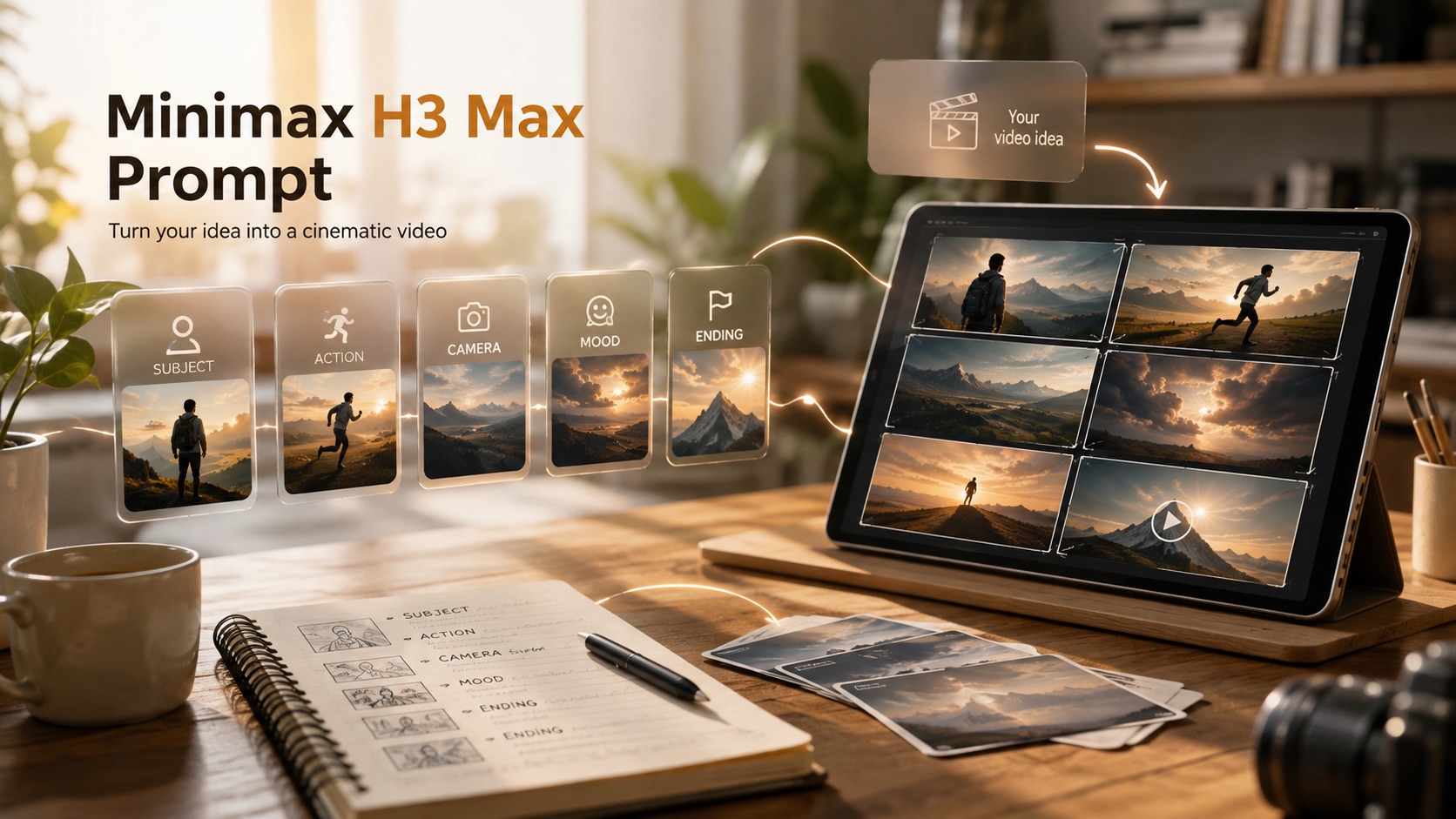
How to Write Better Video Prompts in 3 Simple Steps
A simple workflow keeps prompt writing manageable: choose a close example, customize the important variables, generate, and learn from the result. MiniMax H3 Max Prompt Examples show how different scenes can be organized, while MiniMax H3 Max Prompts give you reusable structures for new concepts. Follow H3 Max Prompt logic whenever movement, camera direction, or timing feels too vague. Minimax H3 Max Prompt stays easier to revise when each change targets one clear problem.

Choose a Prompt That Matches Your Scene
Start by browsing MiniMax H3 Max Prompts that resemble the clip you want. MiniMax H3 Max Prompt Examples can help you compare ways to describe a subject, location, action, camera move, mood, and ending. Pick the closest structure instead of starting from a blank box. If the concept still feels loose, use MiniMax H3 Max Prompt Template as a checklist before editing.

Copy, Paste, and Customize the Details
Copy the example, paste it into the video prompt field, and replace the details that should change. MiniMax H3 Max Prompt Guide can help you keep the action readable and prevent several unrelated ideas from competing in the same short clip. Preserve a clear order: establish the subject, explain what happens, describe camera behavior, and define the final visual beat. MiniMax H3 Max Prompts are easier to refine when each edit has one obvious purpose.

Generate, Review, and Refine
Generate the video, compare the output with your original intent, and identify the weakest instruction. If the movement feels unclear, simplify the action path. If framing feels random, specify the camera direction more precisely. MiniMax H3 Max Video Prompts can be improved through small controlled changes rather than complete rewrites. MiniMax H3 Max Prompt Generator can also help shape a rough idea before you refine it into a cleaner production-ready instruction.
What Better Prompt Structure Helps You Do
Good prompt writing is not about adding as many adjectives as possible. It is about making the scene easier to understand. MiniMax H3 Max Prompts help organize visual intent, while MiniMax H3 Max Prompt Examples give you concrete references for action, camera direction, atmosphere, and ending. Use this structure when you want a clearer starting point that remains easy to customize after the first generation. Minimax H3 Max Prompt works best when clarity matters more than sheer length.
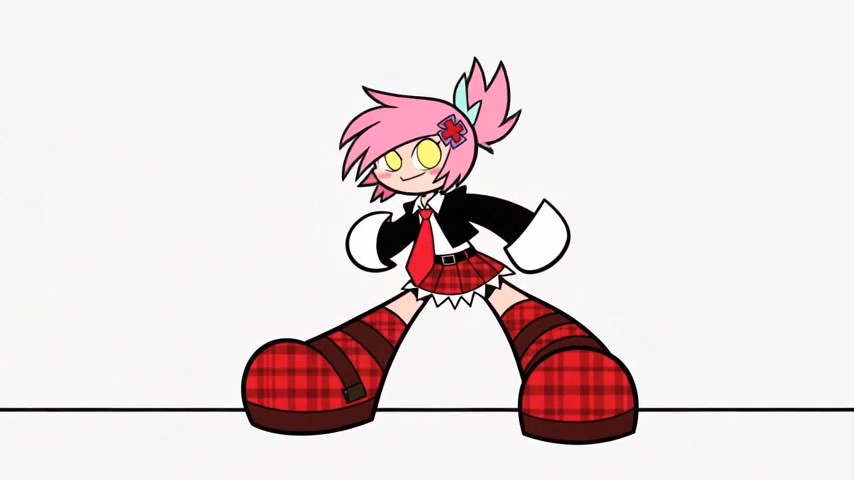
Turn Vague Ideas Into Clear Video Directions
A loose concept such as a woman running through a city or a product appearing on a table leaves many visual choices undefined. MiniMax H3 Max Prompt Examples demonstrate how to turn that idea into ordered instructions by naming the subject, environment, action, camera behavior, look, and ending. MiniMax H3 Max Prompts also reveal which details are useful and which ones only add noise. Use MiniMax H3 Max Prompt Template when you need the same dependable structure for several different concepts.
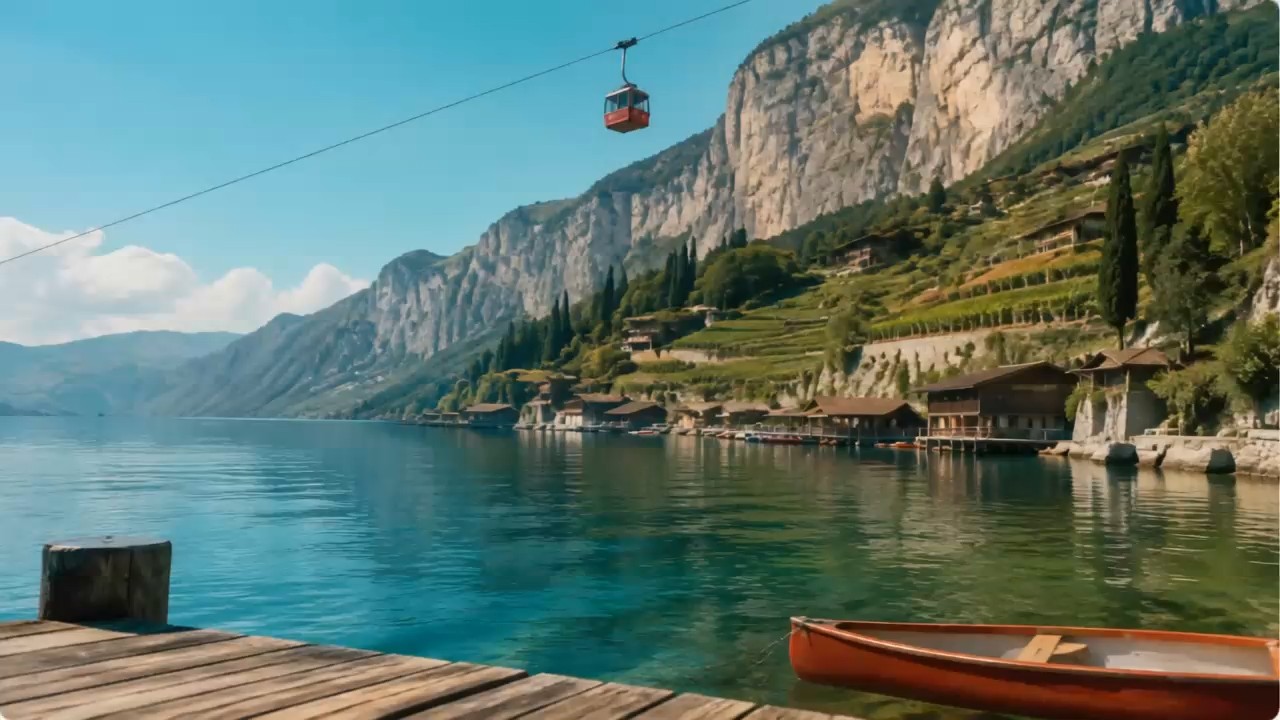
Control Motion and Camera More Clearly
Video instructions become easier to interpret when motion happens in a readable sequence. MiniMax H3 Max Video Prompts can describe a slow push-in, lateral tracking shot, handheld follow, orbit, crane move, or static composition while keeping the main action easy to follow. MiniMax H3 Max Prompt Examples show how camera cues can support the subject instead of distracting from it. H3 Max Prompt structure is especially useful for entrances, reveals, reactions, transformations, and action beats where timing matters.
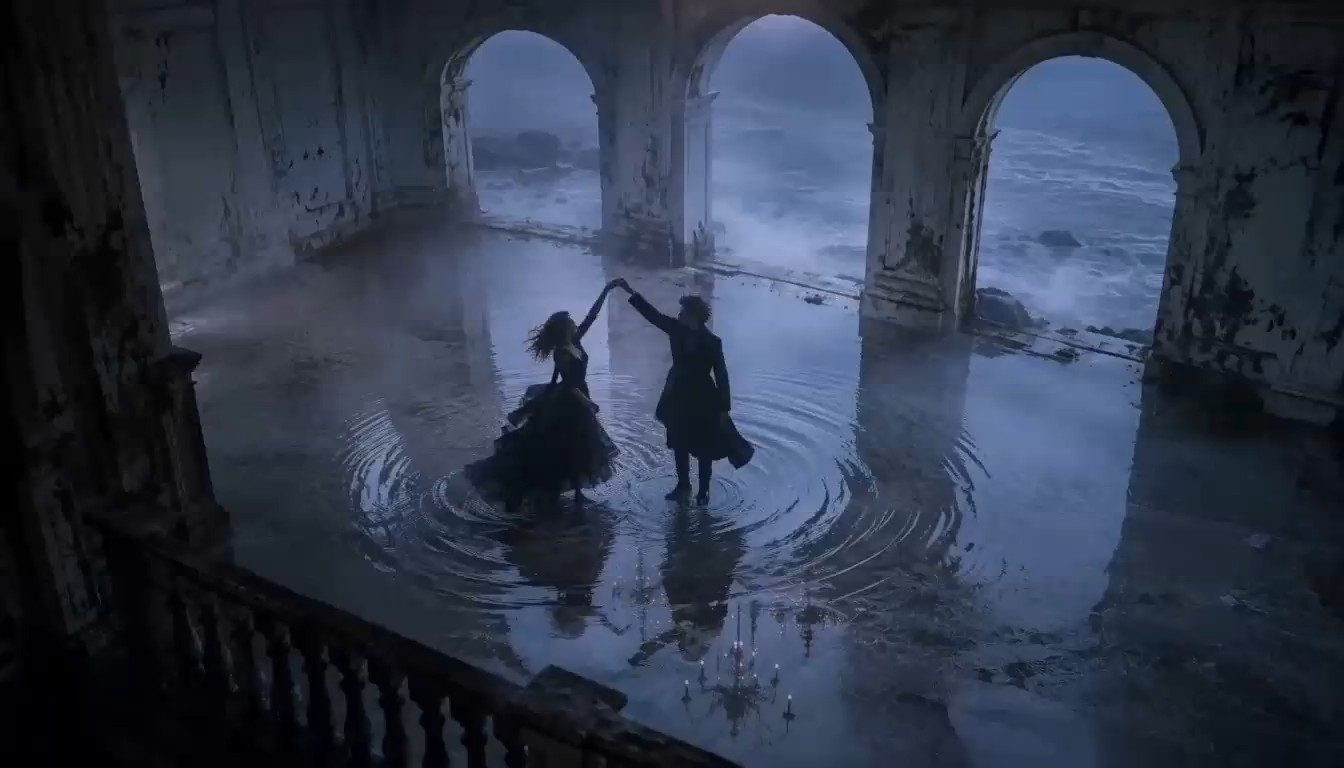
Reuse Strong Prompt Patterns Across Concepts
Once a structure works, you do not need to rebuild it for every new idea. MiniMax H3 Max Prompts can become reusable patterns for product reveals, fantasy scenes, emotional close-ups, travel moments, social clips, and cinematic actions. MiniMax H3 Max Prompt Examples make it easier to see which parts stay stable and which parts can change. MiniMax H3 Max Prompt Generator can provide a quick draft, while MiniMax H3 Max Prompt Template helps keep your own reusable formats consistent.
Who Can Use These Video Prompt Resources
These prompt resources can support individual creators, marketers, storytellers, and teams that need practical video wording without starting from zero. MiniMax H3 Max Prompts provide adaptable structures, and MiniMax H3 Max Prompt Examples make the logic easier to study. Whether you are planning a one-off clip or building a reusable library, a consistent structure can make iteration faster and more understandable. Minimax H3 Max Prompt can then serve as the shared starting format.

Creators Building Cinematic Short Clips
Creators can use MiniMax H3 Max Prompts to plan suspense, comedy, romance, fantasy, action, and dramatic reaction scenes. MiniMax H3 Max Prompt Examples help turn a visual idea into a short sequence with a recognizable beginning, movement, and final moment. When the camera needs to move, MiniMax H3 Max Video Prompts provide useful reference patterns. A focused prompt also makes it easier to compare several cinematic directions without changing every variable at once.

Marketers Testing Product Video Concepts
Marketing teams can adapt MiniMax H3 Max Prompts for product reveals, lifestyle scenes, close-up details, short ads, and visual concept tests. MiniMax H3 Max Prompt Examples show how to keep the product visible while still giving the scene purposeful motion and framing. A prompt generator can help create early variations quickly. For repeated campaign testing, a reusable template keeps the core structure stable so creative differences are easier to review.

Storytellers Shaping Character Moments
Character scenes often depend on expression, pace, body movement, interaction, and reaction. MiniMax H3 Max Prompt Examples show how those details can unfold over time instead of describing only a static appearance. MiniMax H3 Max Prompts can support entrances, close-ups, emotional pauses, transformations, and small story beats. Use the guide on this page when you need to keep identity, clothing, environment, action, and camera behavior aligned from the first moment to the final frame.

Teams Building Reusable Prompt Libraries
Teams can save successful MiniMax H3 Max Prompts as internal references for future projects. MiniMax H3 Max Prompt Examples make shared conventions easier to understand because teammates can see how subject, action, camera, look, and ending fit together. A reusable H3 Max Prompt format also reduces inconsistent wording when several people contribute ideas. This makes review faster and helps new team members learn from patterns that have already produced useful results.
What Users Say About These Video Prompt Resources
Creators use MiniMax H3 Max Prompts to make scene planning clearer and easier to refine. MiniMax H3 Max Prompt Examples help users compare camera behavior, pacing, and visual progression. When a concept is easier to read before generation, the result is easier to evaluate afterward. Minimax H3 Max Prompt also gives users a consistent reference point across revisions.
I used to write one-line instructions that sounded clear in my head but created messy movement. MiniMax H3 Max Prompt Examples helped me separate the setup, main action, camera move, and ending. I now use MiniMax H3 Max Prompts as references and change only the parts that matter. That makes each test easier to compare, and I spend less time rewriting a whole scene after one weak result.
For product concepts, I need a repeatable way to describe framing without making the prompt too long. MiniMax H3 Max Prompt Template gave me a useful order for product position, movement, camera, lighting, and final shot. I also use the generator for early drafts. The biggest improvement is that I can test several concepts while keeping the underlying structure consistent.
MiniMax H3 Max Prompts saved me time when I started experimenting with cinematic scenes. MiniMax H3 Max Prompt Examples showed me how much camera detail was useful without overpowering the action. MiniMax H3 Max Prompt Guide also helped me remove contradictory instructions. Now I build the scene around one dominant action, then add framing and atmosphere only when they support that action.
I like that the examples are practical enough to customize for everyday content. MiniMax H3 Max Prompts gave me starting points for social clips, concept tests, and mood-driven scenes. MiniMax H3 Max Prompt Examples are especially useful when I want to compare pacing or endings. Instead of adding more words, I now focus on clearer movement and one strong visual objective.



FAQs About Writing H3 Max Video Prompts
Use these answers to understand prompt structure, customization, motion, camera direction, and reusable workflows. MiniMax H3 Max Prompt Examples provide practical references, while MiniMax H3 Max Prompts make it easier to begin with a clear scene format instead of an empty prompt field.
This prompt format is a structured text instruction for an AI video scene. It can define subject, environment, action, camera behavior, visual style, timing, sound cues, and ending. MiniMax H3 Max Prompts are useful when you want a repeatable way to express a visual idea instead of relying on vague phrases that leave important choices undefined.
Start with the subject and setting, then describe the main action in a clear order. Add camera behavior, visual treatment, and a simple final beat only when they support the scene. MiniMax H3 Max Prompt Examples can show how different structures work in practice. MiniMax H3 Max Prompt Guide is useful when you need a checklist for keeping the instruction focused.
Yes. Copy one of the MiniMax H3 Max Prompts and replace the subject, location, movement, mood, lighting, or camera style while preserving the overall structure. Small controlled changes make it easier to understand why the next result changed. MiniMax H3 Max Prompt Examples are useful references when you want to test several variations without rebuilding the scene from scratch.
Describe movement in sequence and give the camera one understandable job. MiniMax H3 Max Video Prompts should make it clear what the subject does, how the camera responds, and what the viewer sees at the end. Avoid several unrelated actions happening at once. A concise H3 Max Prompt is often easier to control than a crowded instruction with conflicting motion.
MiniMax H3 Max Prompt Generator helps turn a rough idea into a more organized draft. It can provide a starting structure for subject, setting, action, camera direction, mood, and ending. Review the generated text before using it, remove unnecessary details, and keep only the instructions that directly support the scene you want.
MiniMax H3 Max Prompt Examples can support cinematic scenes, product visuals, social clips, character moments, fantasy, animation, action, realistic daily scenes, and experimental concepts. MiniMax H3 Max Prompts are most useful when you select an example close to your goal and customize the creative variables instead of copying every detail unchanged.
Start With Minimax H3 Max Prompt Today
Browse MiniMax H3 Max Prompts, study MiniMax H3 Max Prompt Examples, and copy a structure that matches your idea. Use Minimax H3 Max Prompt as a flexible starting point, adjust the subject, action, camera direction, and ending, then refine only what the generated result shows you needs improvement. Keep Minimax H3 Max Prompt focused on one visual objective.
