
Wan 3.0 Prompt Guide: Prompts for Wan AI Video
Explore the Wan 3.0 prompt guide with copy-ready Wan 3.0 prompt examples, video results, camera directions, audio ideas, creative tips, and one-click creation.
Describe your idea and let AI create the perfect prompt for you
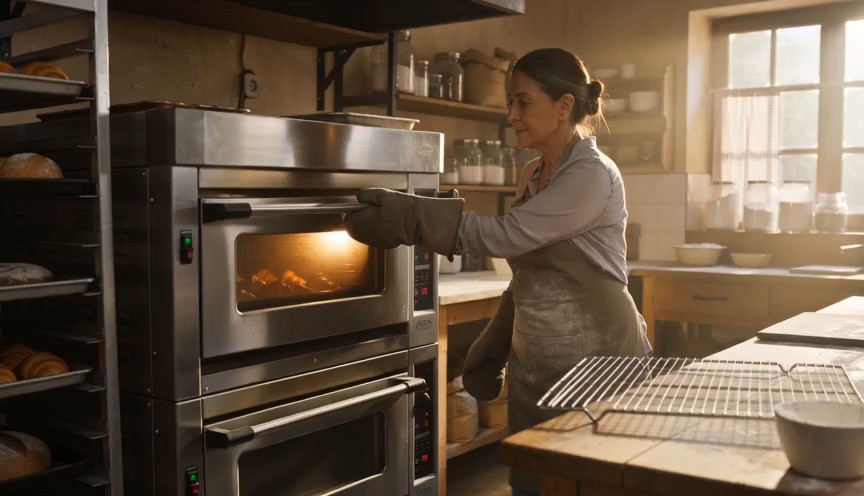
Create a warm, human bakery moment in three clear action beats. 0–3s: Medium-wide shot of a baker standing in front of
Create a warm, human bakery moment in three clear action beats. 0–3s: Medium-wide shot of a baker standing in front of an oven. Show the baker from head to knees, including both complete arms from shoulders to gloved hands. The baker opens the oven door and looks at a tray of baked croissants. 3–6s: The baker carefully removes the tray using both oven gloves and places it on a nearby metal cooling rack. 6–8s: Steam rises subtly from the croissants as the baker looks over the tray with a small, satisfied smile. Natural body mechanics, safe oven handling, stable face, correct fingers inside gloves, realistic heat and steam. No floating tray, isolated hands, extra arms, exaggerated steam, text or logos.
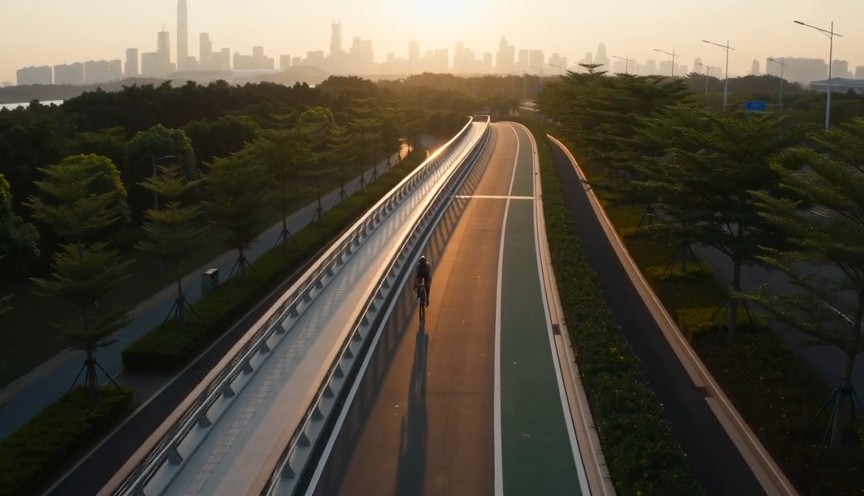
Create a fast but realistic four-shot cycling sequence. 0–2s: Low front three-quarter wide shot of an adult cyclist rid
Create a fast but realistic four-shot cycling sequence. 0–2s: Low front three-quarter wide shot of an adult cyclist riding through a protected city bike lane at sunrise. Show the complete rider, bicycle, helmet, torso, both arms connected naturally from shoulders to hands, and both legs operating the pedals. 2–4s: Side tracking shot at wheel height. The wheels rotate consistently and the cyclist’s pedaling cadence remains natural. 4–6s: Medium-wide shot as the cyclist passes close to the camera, with foreground railings creating fast parallax. 6–8s: High wide shot showing the cyclist continuing along the same lane. Sound: tire hum, chain movement and light city ambience. No riderless bicycle, disconnected hands, racing, stunts, traffic violations, body distortion, text or logos.
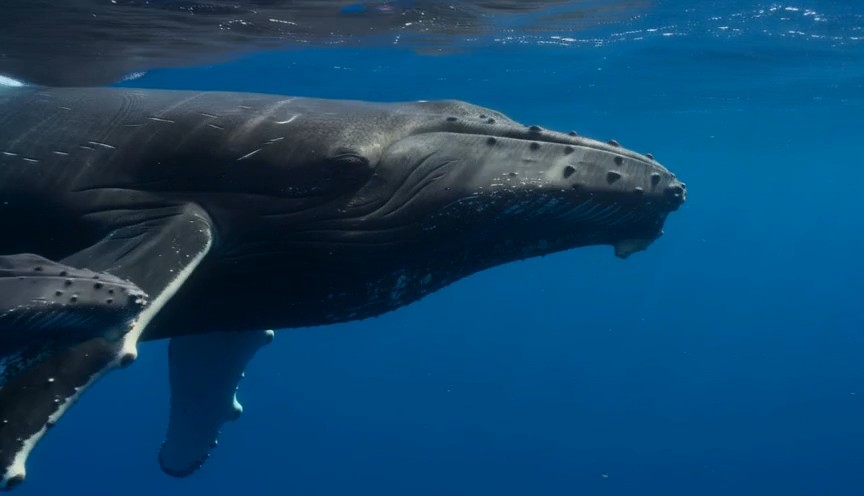
A calm natural-history underwater shot in clear tropical ocean water. 0–3 seconds: An adult humpback whale and its calf
A calm natural-history underwater shot in clear tropical ocean water. 0–3 seconds: An adult humpback whale and its calf swim into view from the left at a slow natural pace. 3–7 seconds: The camera glides parallel to them at a respectful distance. Sunbeams move naturally across their bodies while the calf remains close to the adult. 7–9 seconds: The calf gently rises a short distance toward the brighter surface while the adult continues forward below it. Accurate whale anatomy, realistic swimming mechanics, consistent scale, natural underwater color and suspended particles. No galaxy skin, glowing body, sudden size change, touching camera, text or logos.
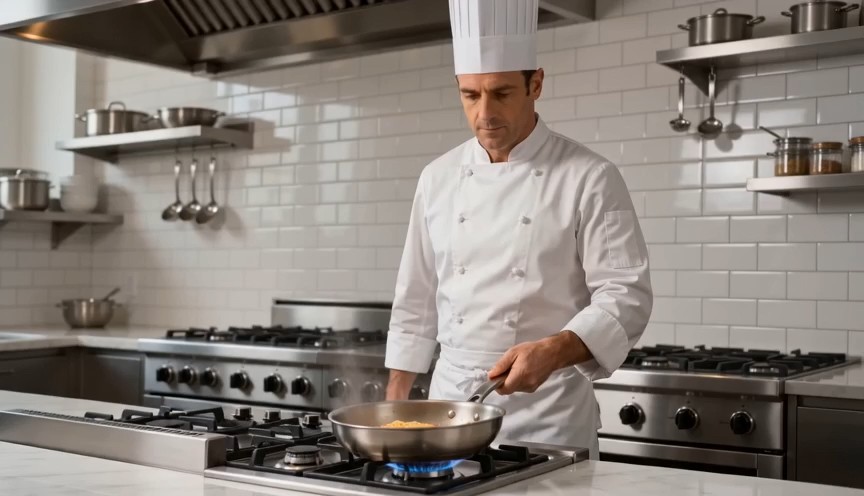
Create a bright restaurant food shot with one controlled cooking action. 0–2s: Medium-wide view of a professional chef
Create a bright restaurant food shot with one controlled cooking action. 0–2s: Medium-wide view of a professional chef standing at a stove. Show the chef from head to hips, with both complete arms visibly connected from shoulders to hands. One hand holds the pan handle; the other remains safely beside the body. 2–4s: The chef performs exactly one small forward-and-back pan motion, causing the pasta to rise a short distance and land back inside the same pan. 4–7s: Cut to a close-up as the chef places the pasta onto a white plate using metal tongs. Real cooking mechanics, modest pasta height, stable pan and natural steam. No floating pasta, endless tossing, isolated hands, leaking pan, oversized flames, extra utensils, text or logos.
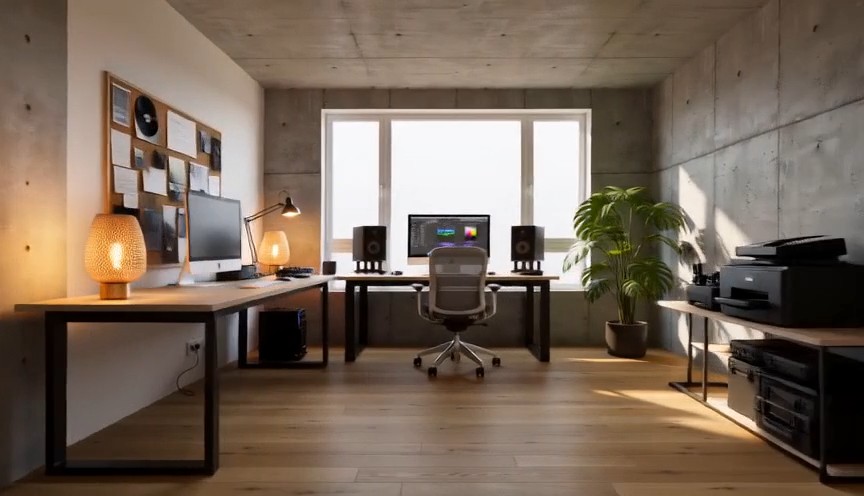
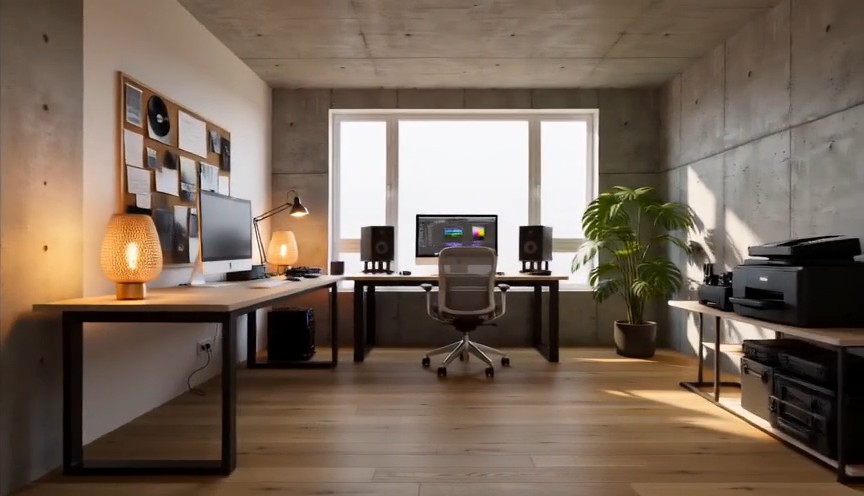
Create one continuous-looking lateral camera move through four realistic stages of the same room renovation. All changes
Create one continuous-looking lateral camera move through four realistic stages of the same room renovation. All changes occur through concealed match cuts. 0–2s: The camera moves slowly from left to right through an empty concrete room. Exposed walls, unfinished floor and one large window are clearly visible. At 2 seconds, a wide foreground column fully covers the frame. 2–4s: After the concealed cut, the same room has finished white walls and a natural oak floor but remains unfurnished. The camera continues at exactly the same speed. At 4 seconds, a second foreground column fully covers the frame. 4–6s: The same room now contains a desk, chair, shelving and ceiling lights, all resting naturally on fixed surfaces. At 6 seconds, a third foreground column fully covers the frame. 6–8s: The completed creative studio appears with warm lamps switched on, a plant beside the window and neatly arranged equipment. The camera settles into a wide final composition. Keep the window, walls, room dimensions and camera height identical. Renovation stages are separated by edits representing elapsed time. No furniture materializing in open view, floating objects, bending walls, spontaneous construction, people, readable screens, text or logos.
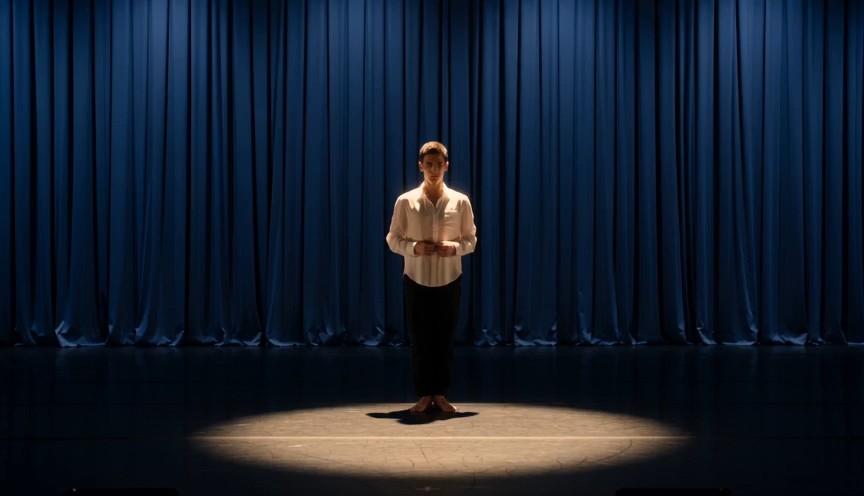
Create a single continuous full-body character-performance shot on a real theater stage. 0–2s: A contemporary dancer st
Create a single continuous full-body character-performance shot on a real theater stage. 0–2s: A contemporary dancer stands just outside a circular spotlight, visibly nervous but composed. Show the complete performer from head to shoes, with both arms naturally connected from shoulders to hands. 2–4s: The dancer hears one clear musical cue, takes a controlled breath and steps forward twice into the center of the light. 4–7s: The dancer performs one smooth 360-degree turn with both feet maintaining believable contact with the stage, then extends both arms into a balanced final pose. 7–8s: Hold the finished pose while the dancer’s clothing settles naturally. Warm spotlight, dark blue stage curtains, restrained facial acting, realistic body mechanics and fabric movement. No floating limbs, cropped hands, extra fingers, impossible rotation, duplicated performer, costume change, text or logos.
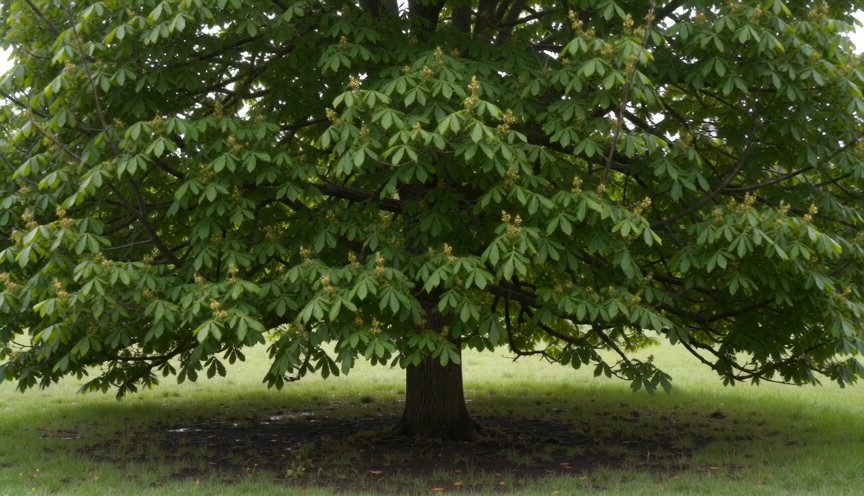
Create four locked-camera seasonal shots of the same mature deciduous tree, joined by clean hard cuts. 0–2s — spring: S
Create four locked-camera seasonal shots of the same mature deciduous tree, joined by clean hard cuts. 0–2s — spring: Sparse fresh green leaves, visible buds, damp grass and soft spring daylight. 2–4s — summer: The same tree has a dense canopy of mature green leaves. The trunk and branches remain identical. 4–6s — autumn: The canopy is thinner, with yellow and amber leaves. Several fallen leaves rest on the ground. 6–8s — winter: The same tree is completely leafless. All major branches are visible, with light snow on the ground and upper branch surfaces. Identical camera position, tree species, trunk, scale and framing. Seasonal changes occur only at cuts. Absolutely no leaves in winter, no snow on a summer canopy, no open-frame morphing, people, text or logos.
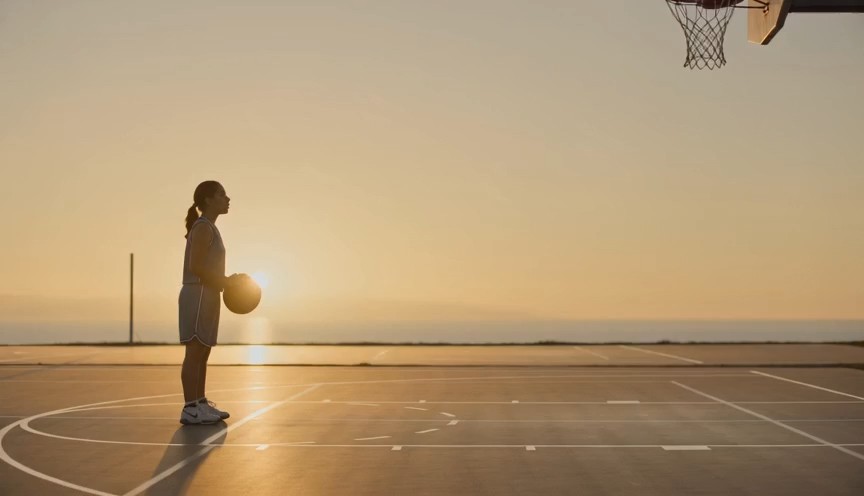
Create a realistic three-shot basketball sequence in a sunlit outdoor court. 0–2s: Full-body side view of one adult pla
Create a realistic three-shot basketball sequence in a sunlit outdoor court. 0–2s: Full-body side view of one adult player standing at the free-throw line. Show the complete body, both arms connected from shoulders to hands, both feet and the full basketball. 2–5s: The player bends the knees, raises the ball with both hands and releases one controlled free throw. The camera tilts upward to follow the ball. 5–7s: Cut to a close three-quarter view of the hoop as the same ball passes cleanly through the net and bounces once beneath it. Natural shooting mechanics, real gravity and consistent ball size. No extra ball, disconnected hands, changing uniform, impossible jump, altered hoop, text or logos.
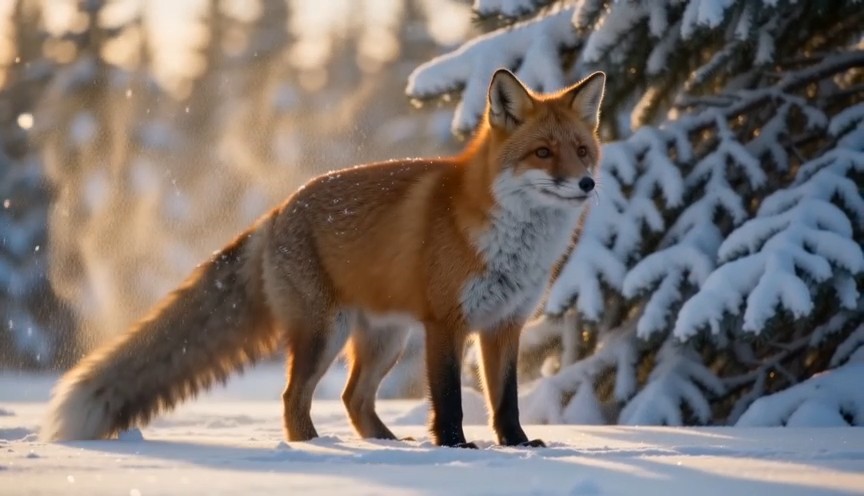
Create a natural wildlife shot at the edge of a snowy forest in soft morning light. 0–2s: A healthy red fox walks out f
Create a natural wildlife shot at the edge of a snowy forest in soft morning light. 0–2s: A healthy red fox walks out from behind a pine tree. Show its complete body, four legs and full tail. 2–5s: The fox stops and performs one natural full-body shake, dislodging a small amount of loose snow from its fur. 5–8s: It raises its ears, looks briefly toward an off-camera sound and then continues walking across the snow. Locked telephoto camera with a gentle focus adjustment, realistic fox anatomy, footprints and winter coat movement. Snow falls downward under gravity. No duplicated legs, oversized tail, human expression, glowing eyes, attacking camera, text or logos.
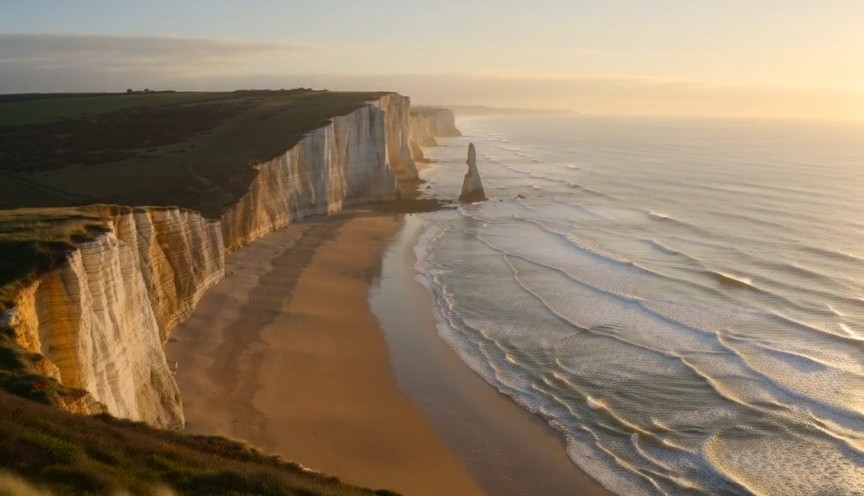
Create one continuous drone reveal over a real coastal landscape at golden hour. 0–3s: The drone moves forward at low a
Create one continuous drone reveal over a real coastal landscape at golden hour. 0–3s: The drone moves forward at low altitude behind a grass-covered dune. Only the dune and moving coastal grass are visible. 3–6s: The drone rises gradually above the dune, revealing a wide beach, limestone cliffs and ocean waves approaching the shore. 6–8s: The drone continues forward and holds the complete coastline in a balanced wide composition. Real wind direction, natural wave cycles, stable horizon and plausible drone movement. The reveal comes only from rising above the dune. No land transforming, reversed waves, floating rocks, artificial portals, people, text or logos.
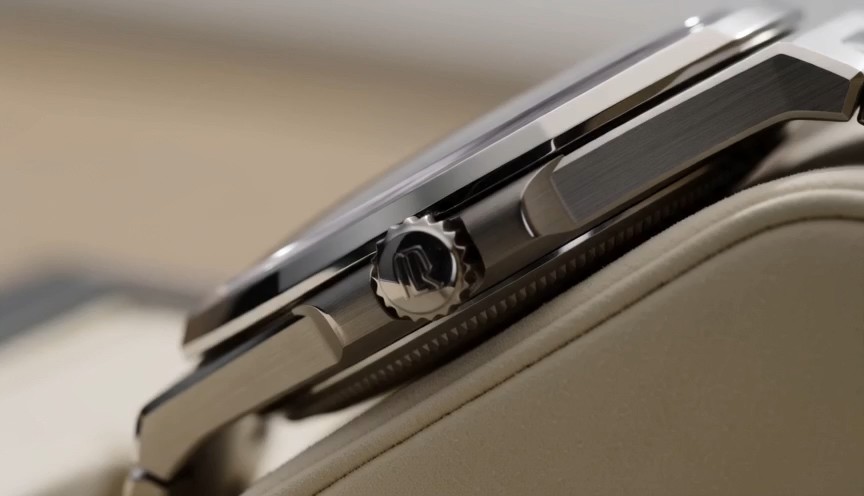
Create one uninterrupted macro product shot of a mechanical wristwatch secured upright on a cream display stand. 0–2s:
Create one uninterrupted macro product shot of a mechanical wristwatch secured upright on a cream display stand. 0–2s: Begin on the polished crown and brushed-steel case. The crown and case remain completely stationary. 2–4s: The camera slides slowly across the crystal, bringing the dial and moving second hand into focus. The second hand advances at a consistent mechanical rate. 4–6s: The camera settles into a centered view of the entire watch face while soft daylight reveals the metal texture. Only the second hand and visible internal mechanism may move. Accurate circular geometry, stable markings and realistic reflections. No melting metal, changing dial, duplicated hands, floating components, liquid, text outside the watch face or logos.
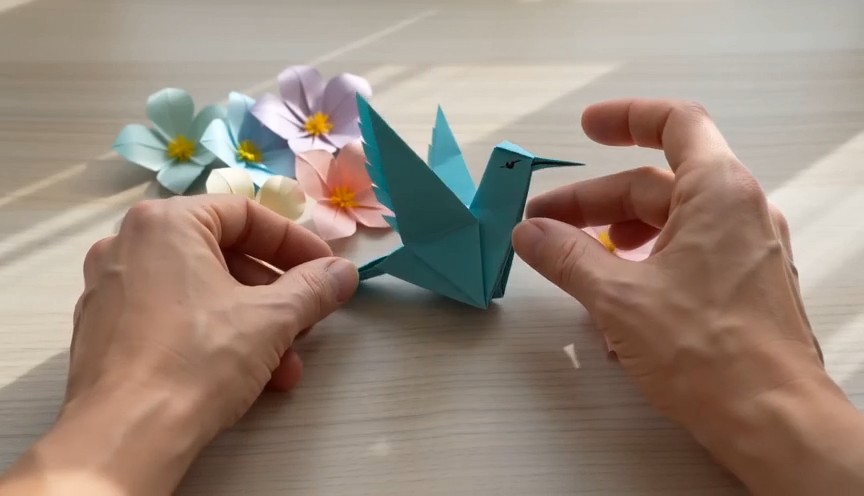
A tactile overhead craft video filmed beside a bright window. 0–2 seconds: Two real human hands place a square sheet of
A tactile overhead craft video filmed beside a bright window. 0–2 seconds: Two real human hands place a square sheet of turquoise paper flat on a pale wooden table and make the first fold. 2–6 seconds: A series of three clean match cuts shows the same hands completing progressively later folding stages. The paper remains the same color, size and material throughout. 6–8 seconds: The hands place the completed origami hummingbird upright beside several paper flowers and move out of frame. Real paper folds, anatomically correct hands, deliberate editing rather than magical self-folding, soft daylight. No floating paper, spontaneous transformation, moving paper bird, extra fingers, text or logos.
Wan AI 3.0 Video Prompt Guide with Wan Video Examples
Explore, copy, customize, and create with Wan AI 3.0 video
The Wan 3.0 prompt guide is a practical prompt library for creators exploring Wan AI 3.0 video without writing every idea from scratch. Browse Wan video examples for cinematic scenes, product ads, character action, camera movement, stylized visuals, and short-form storytelling. Each Wan AI 3.0 video entry pairs a reusable prompt structure with an effect preview, so you can copy the wording, replace the subject, setting, action, lens, lighting, and mood, then test a new result. The Wan 3.0 prompt guide is updated with new Wan video examples to help you discover more ways to use Wan AI 3.0 video.
How to Use the Wan 3.0 Prompt Guide
Turn inspiration into a testable Wan AI 3.0 video prompt in three simple steps. The Wan 3.0 prompt guide connects each creative idea with copy-ready Wan video examples, helping you study prompt structure, customize details, and start Wan AI 3.0 video generation faster.

Browse a Wan Video Example
Explore the Wan 3.0 prompt guide by scene type, camera behavior, subject action, visual style, lighting, or creative goal. Preview the matching Wan video examples and choose a Wan AI 3.0 video prompt that fits the result you want to build.

Copy and Customize
Copy the full prompt from the Wan 3.0 prompt guide, then change the subject, location, framing, motion, lens, atmosphere, timing, or style. Wan video examples are designed as reusable structures, so each Wan AI 3.0 video idea can become a new original variation.

Open Wan AI 3.0 Video and Create
Use the action button to open Pixomi AI Video Generator, choose Wan AI 3.0 video, paste the selected prompt, and review your generation settings. Compare the result with the Wan video examples, refine one instruction at a time, and return to the Wan 3.0 prompt guide for more ideas.
Wan Video Examples for Wan AI 3.0 Video Workflows
This Wan 3.0 prompt guide organizes reusable ideas around practical video creation goals. The Wan video examples show how subject detail, action order, camera language, lighting, environment, timing, and constraints can work together inside a Wan AI 3.0 video prompt. Copy one Wan AI 3.0 video example, preserve the useful structure, and replace the creative variables.
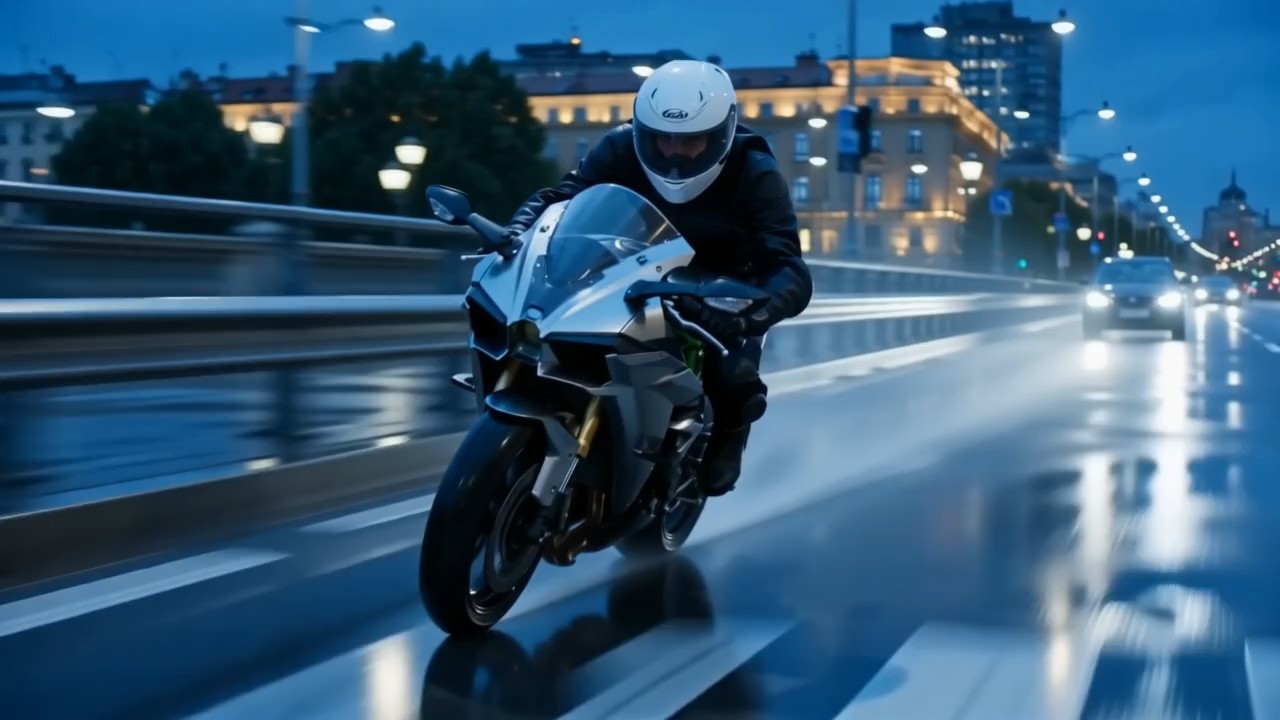
Cinematic Tracking Shot with Layered Motion
Use this Wan 3.0 prompt guide entry to coordinate subject movement, camera tracking, foreground motion, background depth, and lighting changes.
For Wan AI 3.0 video, state where the subject moves, how the camera follows, and what should remain visually stable. Wan video examples like this are useful for cinematic walking shots, travel sequences, sports moments, and dynamic establishing scenes. A strong Wan AI 3.0 video prompt gives the action a clear beginning, middle, and end.
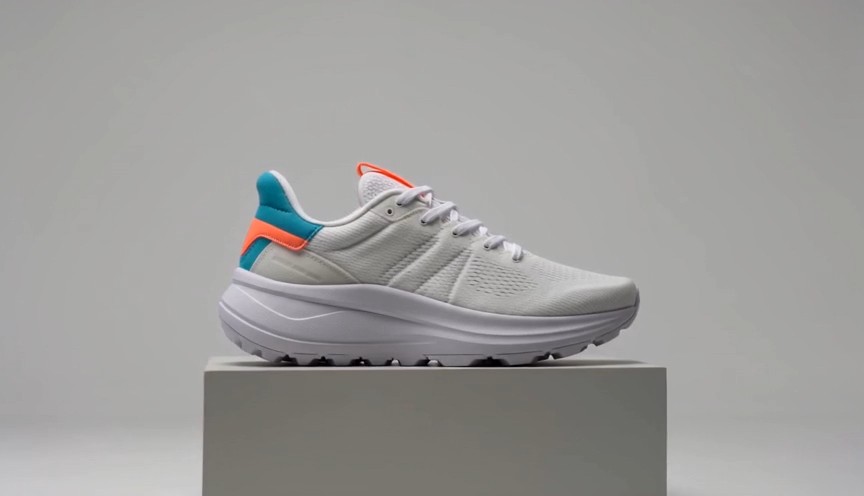
Product Commercial with Controlled Reveal
This Wan 3.0 prompt guide example is built for clean product-focused motion and advertising composition.
Describe the product material, reveal order, camera path, surface reflections, background simplicity, and final hero frame for Wan AI 3.0 video. Wan video examples can be adapted for cosmetics, electronics, fashion, food, or branded objects. Use Wan AI 3.0 video prompts with specific transformation steps instead of vague requests for a dramatic commercial.
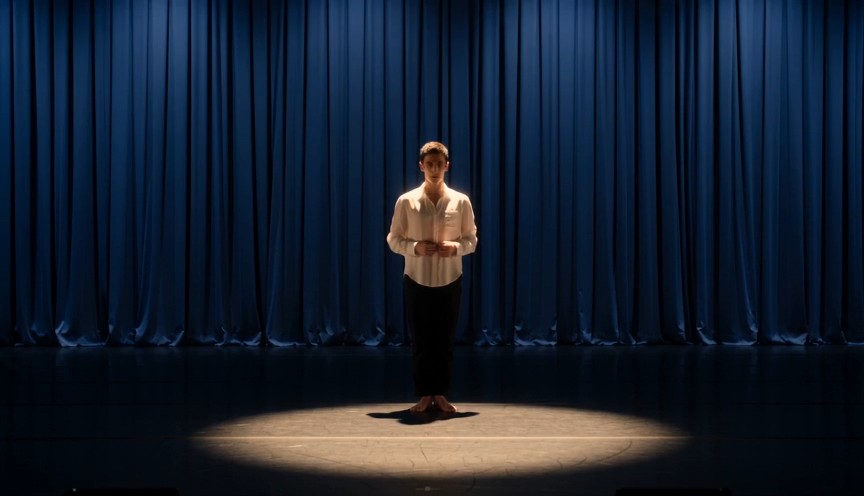
Character Performance with Clear Action Beats
Choose this Wan 3.0 prompt guide entry when body language, expression, movement, and camera timing must work together.
For Wan AI 3.0 video, define who acts, what the character does first, how the pose changes, and where the camera is positioned. These Wan video examples help creators plan fashion clips, lifestyle scenes, short narrative moments, and social content. Keep each Wan AI 3.0 video action sequence readable rather than stacking unrelated events.
Stylized Camera Move with Visual Transformation
Use this Wan 3.0 prompt guide workflow for creative transitions, stylized camera motion, or scene transformations.
A Wan AI 3.0 video prompt can separate the stable subject from the changing environment, lighting, texture, or camera angle. Wan video examples show how to describe transformation order and final composition clearly. For cleaner Wan AI 3.0 video results, define what changes, what stays fixed, and what the ending shot should look like.
FAQs About Wan 3.0 Prompt Guide
Find practical answers about the Wan 3.0 prompt guide, adapting Wan video examples, writing clearer Wan AI 3.0 video instructions, controlling camera movement, and improving prompt consistency.
The Wan 3.0 prompt guide is a curated library of copy-ready prompts paired with visual results and practical prompting notes. It helps creators explore Wan AI 3.0 video through repeatable structures for subject, environment, action, camera, lighting, style, timing, and constraints. The Wan video examples are starting points rather than fixed templates, so you can adapt each Wan AI 3.0 video prompt to a new idea.
Yes. Every entry in the Wan 3.0 prompt guide is designed to be copied and customized. Open a Wan AI 3.0 video workflow from the button, paste the prompt, and replace details that do not match your subject, scene, framing, motion, or style. Wan video examples work best when you keep the useful structure while changing the creative variables.
Start a Wan AI 3.0 video prompt with the main subject and setting, then describe the action sequence, camera position or movement, visual style, lighting, atmosphere, and final composition. The Wan 3.0 prompt guide uses grouped instructions so the prompt stays readable. Study several Wan video examples to see how detailed Wan AI 3.0 video instructions can remain clear without repeating the same idea.
Describe the camera as a physical relationship to the subject: starting distance, angle, direction, speed, tracking behavior, and ending frame. The Wan 3.0 prompt guide favors clear movement such as slow push-in, side tracking, orbit, overhead descent, or handheld follow. Wan video examples also show how a Wan AI 3.0 video prompt can connect camera motion with the subject action instead of treating them as separate requests.
For Wan AI 3.0 video, describe stable identity details, wardrobe, object design, environment, and framing before adding motion. Use the Wan 3.0 prompt guide to separate fixed details from changing actions. Compare your result with Wan video examples, then refine the smallest uncertain instruction first. This makes each Wan AI 3.0 video iteration easier to evaluate.
Yes. The Wan 3.0 prompt guide is designed as an expanding library for Wan AI 3.0 video creators. New Wan video examples can cover emerging visual trends, camera techniques, product concepts, character scenes, social formats, and creative effects. Return to the Wan 3.0 prompt guide when you want a fresh Wan AI 3.0 video prompt to copy and test.
How Creators Use the Wan 3.0 Prompt Guide
Creators across advertising, social media, motion design, and brand production use the Wan 3.0 prompt guide to turn ideas into structured Wan AI 3.0 video prompts. Their feedback shows how prompt examples can support faster testing, clearer creative direction, and more repeatable Wan AI 3.0 video workflows.
The Wan 3.0 prompt guide gives me a strong structure before I start a Wan AI 3.0 video test. The Wan video examples make camera direction and action timing much easier to communicate.
I use the Wan 3.0 prompt guide when turning campaign ideas into short Wan AI 3.0 video concepts. The Wan video examples help me move from a rough brief to a prompt I can actually test.
The most useful part of the Wan 3.0 prompt guide is how each Wan AI 3.0 video prompt separates subject, motion, camera, and visual style. The Wan video examples are easy to remix.
For daily social production, the Wan 3.0 prompt guide saves setup time. I can copy a Wan AI 3.0 video structure, replace a few details, and compare several Wan video examples quickly.
The Wan 3.0 prompt guide helps me write more deliberate Wan AI 3.0 video instructions instead of relying on vague style words. The prompt examples are practical for experimentation.
I like using the Wan 3.0 prompt guide for product and brand scenes. Each Wan AI 3.0 video example gives me a usable starting point, and the prompt examples make iteration more systematic.




What You Can Create with Wan AI 3.0 Video
Use the Wan 3.0 prompt guide for fast creative exploration and repeatable prompt testing. Prompt examples cover common video goals while leaving room for different brands, stories, subjects, visual styles, and formats. Each Wan AI 3.0 video idea can be copied, customized, generated, compared, and refined.

Cinematic Scenes
Build atmospheric Wan AI 3.0 video scenes with controlled camera movement, physical action, environmental depth, lighting changes, and a readable ending frame. The Wan 3.0 prompt guide helps organize complex ideas, while prompt examples show how each instruction contributes to the sequence.

Advertising and Product Videos
Create product reveals, material close-ups, transformations, lifestyle ads, and branded social clips with Wan AI 3.0 video. Use the Wan 3.0 prompt guide to define presentation order, camera behavior, and hero framing, then customize prompt examples around your product.

Character and Lifestyle Content
Plan fashion shots, everyday moments, expressive character scenes, and short narrative clips with Wan AI 3.0 video. The Wan 3.0 prompt guide helps separate appearance, action, environment, and camera direction. Prompt examples provide reusable structures for different characters and settings.

Creative Transitions and Social Effects
Use Wan AI 3.0 video for stylized transformations, visual loops, dramatic reframing, surreal transitions, and attention-grabbing social concepts. The Wan 3.0 prompt guide emphasizes sequence and final composition, while prompt examples help turn an effect idea into clearer generation instructions.
Turn Wan Video Examples into Your Next Wan AI 3.0 Video
Choose an idea from the Wan 3.0 prompt guide, copy the prompt, customize the creative details, and open Pixomi AI Video Generator to create with Wan AI 3.0 video. Start from reusable prompt examples, test variations, and return to the Wan 3.0 prompt guide whenever you need a new Wan AI 3.0 video direction.
