
A dark romantic castle standing on a cliff above a stormy sea, glowing red roses growing across black stone walls, lightning in the distance, dramatic moonlight, gothic fantasy atmosphere, cinematic scale, highly detailed architecture, painterly realism, no text, no logo, no watermark, 16:9, 4K
Z Image Turbo Prompt: Copy-Ready AI Prompt Library
Explore Z image turbo prompt examples with a practical Z-image turbo prompt guide. Copy prompts, preview effects, and create fast AI images on Pixomi AI.
Generate Prompt with AI
3 uses left today
Describe your idea and let AI create the perfect prompt for you
Loading...
No more prompts
Z image turbo prompt Library for Fast AI Image Ideas
Copy ready Z image turbo prompt examples with a practical Z-image turbo prompt guide for creators, marketers, and designers.
Build better visuals faster with Pixomi AI. This Z image turbo prompt page collects tested prompt ideas, effect previews, reusable wording, and direct buttons so you can move from inspiration to generation without rewriting from scratch. The Z-image turbo prompt guide helps you shape subject, scene, style, lighting, composition, mood, camera angle, text, and final polish for high speed image creation.

Updated Z-image Turbo Prompt Examples|Z-image Turbo Prompt Guide|Z-image Turbo Prompt Workflow
How to Use This Z image turbo prompt Page
This Z-image turbo prompt guide turns prompt browsing into a simple creative flow. Pick a visual direction, copy the Z image turbo prompt, adjust a few details, then generate and preview the result in Pixomi AI.
1

Choose a Prompt Style
Start with a Z image turbo prompt category that matches your goal, such as realistic portrait, cinematic product shot, poster design, bilingual text visual, or fantasy concept art.
2

Copy and Customize
Use the Z-image turbo prompt guide notes to replace the subject, scene, color palette, camera view, text phrase, or brand mood while keeping the prompt structure stable.
3

Generate & Preview
Paste the Z image turbo prompt into Pixomi AI, generate your image, and preview the first result before changing smaller details like lighting, layout, material, or background.
4

Download & Share
Save the best output, reuse the same Z-image turbo prompt guide pattern for more variants, then download and share the finished visual across campaigns, posts, ads, or design drafts.
Featured Z image turbo prompt Examples
Each card gives you a copy friendly Z image turbo prompt and a short Z-image turbo prompt guide note. Use these examples as starting points, then change the subject, text, or scene for your own project.
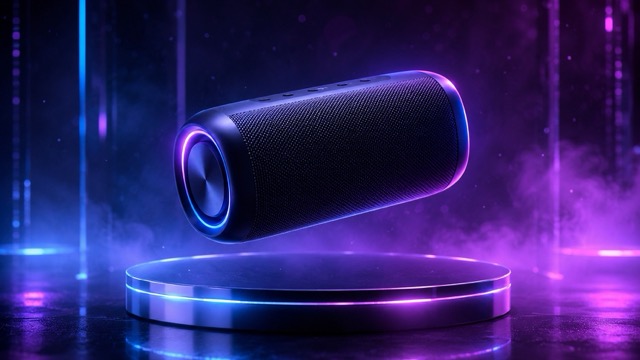
Cinematic Product Launch Prompt
Z image turbo prompt: A premium black wireless speaker floating above a reflective glass platform, soft blue rim light, dramatic studio shadows, tiny dust particles, luxury technology advertising style, clean composition, ultra detailed, no logo, no watermark. Z-image turbo prompt guide note: keep the product clear, add one material, one lighting style, and one campaign mood.

Realistic Portrait Prompt
Z image turbo prompt: A confident young creative director in a modern studio, natural skin texture, relaxed smile, neutral outfit, warm window light, shallow depth of field, editorial portrait photography, clean background, realistic details, high resolution. Z-image turbo prompt guide note: describe identity, pose, lighting, lens feel, background, and expression in one smooth sentence.
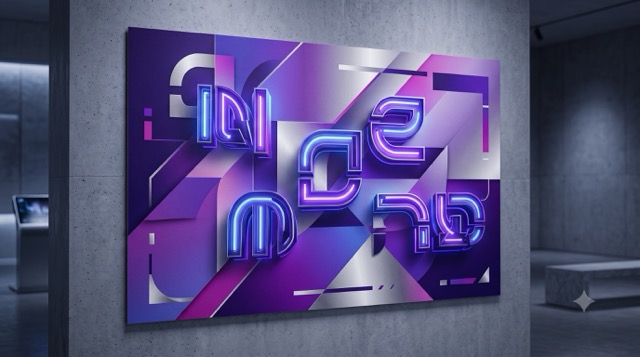
Poster With Text Prompt
Z image turbo prompt: A clean futuristic poster design with the words FUTURE MARKET clearly printed in bold modern typography, silver paper texture, gradient light, geometric background, premium event poster layout, strong visual hierarchy, sharp readable text. Z-image turbo prompt guide note: keep the text short, put the exact words in quotation marks if needed, and define typography style.
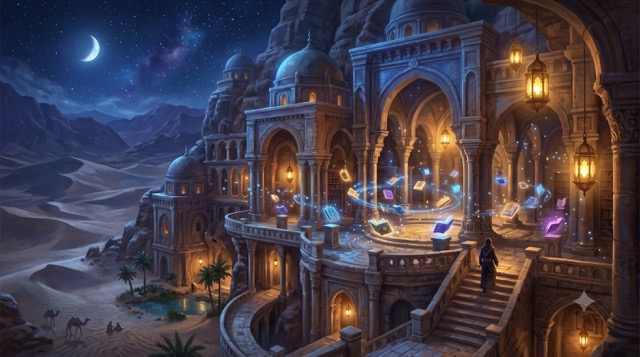
Fantasy Concept Prompt
Z image turbo prompt: A glowing desert library at night, floating crystal books, ancient stone arches, moonlight, warm lanterns, cinematic fantasy atmosphere, wide angle composition, intricate details, painterly realism, mysterious but peaceful mood. Z-image turbo prompt guide note: combine one location, one magical object, one time of day, and one emotional tone.
Z-image turbo prompt guide for More Creative Directions
Use this scroller as a compact Z-image turbo prompt guide. Every direction includes a reusable Z image turbo prompt pattern that helps you test new image styles without starting from a blank input box.
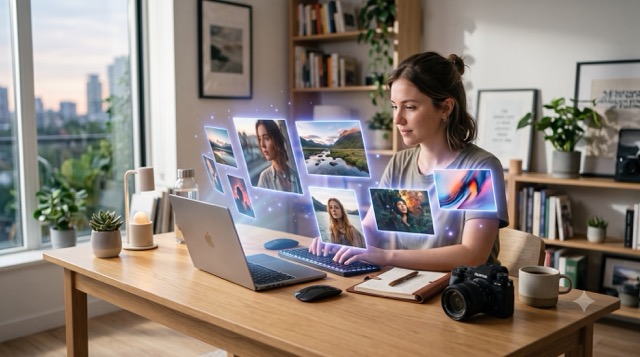
Photorealistic Scenes
Natural, sharp, believable
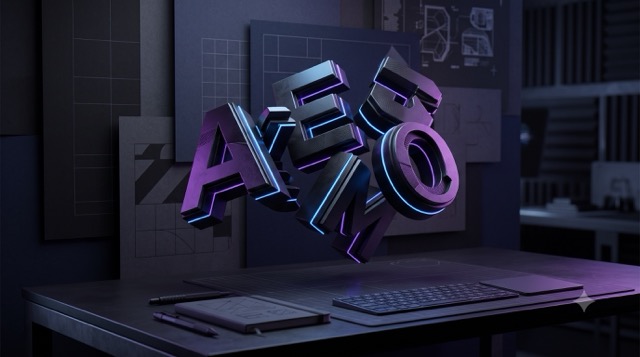
A strong Z image turbo prompt for realism should name the subject, environment, lighting, camera distance, and surface details. The Z-image turbo prompt guide approach works well for portraits, lifestyle scenes, food shots, travel visuals, and product mockups.
Readable Text Visuals
Posters and title graphics
For text based design, write a Z image turbo prompt with short wording, clear typography, strong spacing, and simple composition. This Z-image turbo prompt guide keeps the image focused on a readable phrase instead of crowded decoration.
Social Media Hooks
Fast visual ideas
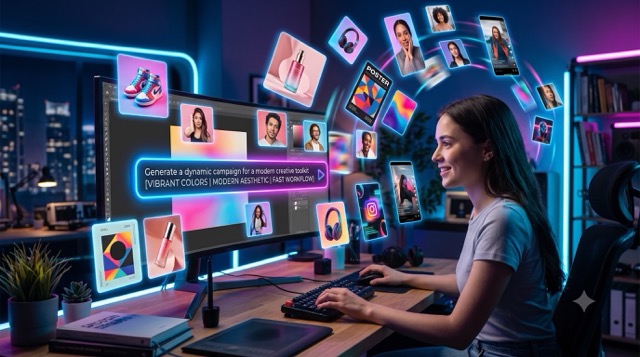
A social Z image turbo prompt should lead with a scroll stopping object, high contrast lighting, clean background, and mobile friendly framing. The Z-image turbo prompt guide can help you create thumbnails, tweet images, short post covers, and ad tests.
Brand Campaign Concepts
Commercial visuals
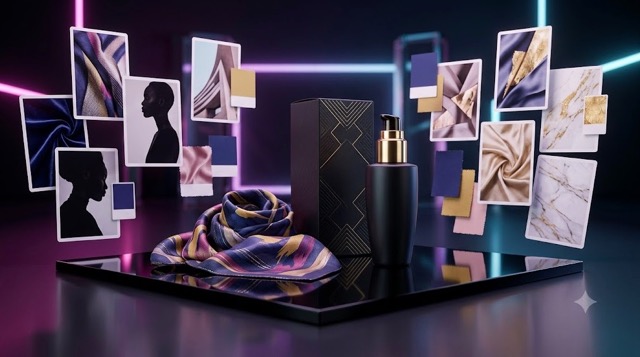
Use a Z image turbo prompt that defines brand mood, material, product position, background, and campaign energy. This Z-image turbo prompt guide is useful for launch banners, hero images, landing page assets, and ecommerce creatives.
Character and Story Art
Consistent worlds
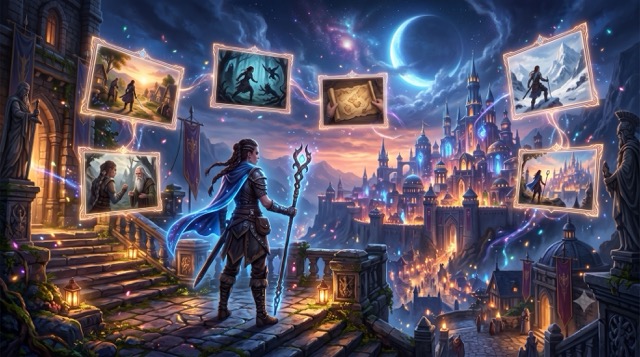
For story scenes, the best Z image turbo prompt names the character, action, location, color system, emotion, and visual style. The Z-image turbo prompt guide helps you keep a scene clear while leaving space for creative variation.
Who Should Use a Z image turbo prompt Library?
This page is built for anyone who wants a faster prompt workflow. A structured Z-image turbo prompt guide gives beginners a clean starting point and gives experienced creators a repeatable way to test image ideas.

SEO Landing Page Teams
Use a Z image turbo prompt to create hero images, feature visuals, comparison graphics, and prompt gallery previews for model pages inside Pixomi AI.

Ecommerce Sellers
Turn a Z image turbo prompt into product backgrounds, seasonal banners, launch posters, packaging concepts, and lifestyle shots without planning a studio shoot.

Social Media Creators
Use the Z-image turbo prompt guide to build repeatable thumbnail styles, carousel covers, meme inspired visuals, and scroll friendly campaign graphics.
Design Teams
A Z image turbo prompt can become a fast visual brief for moodboards, art direction tests, brand style exploration, and early creative review.

Blog Writers
Use a Z-image turbo prompt guide to create article covers, tutorial illustrations, featured images, and visual examples that match your topic.

Game and Story Creators
Build character sheets, setting concepts, item art, atmosphere references, and story moments from one reusable Z image turbo prompt structure.
Creators Using the Z image turbo prompt Page
These user stories show how a ready Z-image turbo prompt guide can speed up daily creative work while keeping outputs easier to control.
“
The Z image turbo prompt examples helped me test ten banner ideas before our design meeting. I used the Z-image turbo prompt guide notes to keep the product position and lighting consistent.
I needed quick product visuals for a new store section. One Z image turbo prompt gave me a strong base, and the Z-image turbo prompt guide made it easy to change colors for each collection.
For social posts, I do not want to write from zero every time. This Z image turbo prompt library gives me hooks, framing, and mood ideas that are ready to adapt.
The Z-image turbo prompt guide is practical because it explains what part of the prompt controls the result. I can brief my team with a Z image turbo prompt instead of a long moodboard.
I use Pixomi AI for article assets. A Z image turbo prompt from this page gives me a clean visual direction, and the Z-image turbo prompt guide helps me keep each cover on brand.
For concept art, the Z image turbo prompt patterns save time. I can swap the character, location, and emotion while the Z-image turbo prompt guide keeps the structure clear.

Olivia Hart
Brand Designer

Marcus Lane
Ecommerce Manager
Priya Nair
Social Media Strategist

Ethan Brooks
Art Director
Sofia Keller
UX Content Lead
Daniel Ortiz
Indie Game Producer
Z image turbo prompt FAQ
Use these quick answers as a Z-image turbo prompt guide before you copy your first idea into Pixomi AI.
A Z image turbo prompt is the text instruction you give the model to create an image. A good Z image turbo prompt usually includes subject, scene, style, lighting, composition, mood, and detail level.
This Z-image turbo prompt guide gives you ready examples and editable patterns, so you can copy a Z image turbo prompt, replace the main details, and generate a new image faster.
Yes. Many Z image turbo prompt examples here are written for product shots, posters, social ads, landing page banners, and brand campaign concepts. Always review the final image before publishing.
Pixomi AI can keep adding new Z image turbo prompt examples as more effects, styles, and user workflows appear. Check back for fresh prompt ideas and updated Z-image turbo prompt guide notes.
Start by changing the subject, setting, color palette, and text phrase. Keep the rest of the Z image turbo prompt stable for the first test, then adjust lighting and composition after preview.
No. This Z-image turbo prompt guide focuses on clear wording first. You can begin with a copy ready Z image turbo prompt and refine the image through simple text changes.
Start With a Z image turbo prompt Today
Choose a Z image turbo prompt, copy the wording, open Pixomi AI, and generate your first visual. Keep this Z-image turbo prompt guide open when you want faster tests, cleaner creative direction, and more reusable image ideas.
