GPT Images 2.5 Explained: What’s New and What Can It Do?
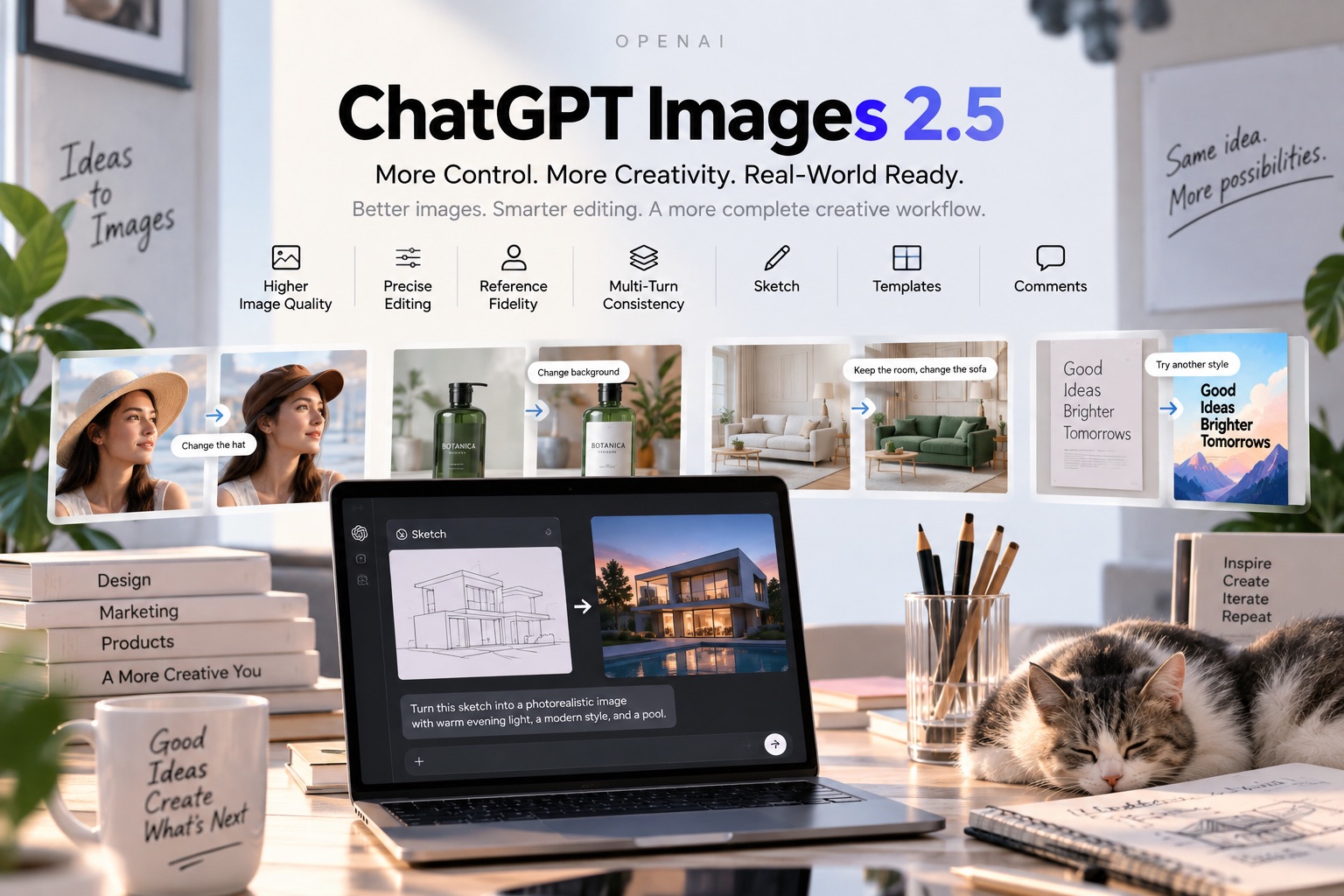
A practical look at ChatGPT Images 2.5, from Flare and Sunburst to faster generation, precise editing, stronger reference fidelity, multi-turn consistency, and real-world creative use cases.
AI image generation is getting better at producing impressive pictures from a single prompt, but creating the first image has never been the whole challenge. The harder part often comes next: changing one detail without affecting everything else, keeping a person recognizable after several edits, or turning a rough idea into a polished visual without repeatedly starting over.
Curious whether GPT Images 2.5 really delivers on its editing upgrades? You can now try GPT Images 2.5 free on Pixomi with your own prompts and reference images.
That is where ChatGPT Images 2.5 puts much of its attention.
OpenAI introduced ChatGPT Images 2.5 on September 8, 2026, with improvements to image fidelity, editing precision, generation speed, and consistency across multiple edits. The model also brings more natural lighting and textures, better handling of complex visual instructions, and stronger preservation of subjects from reference photos. OpenAI says image generation latency has been reduced by up to 50% compared with Images 2.0.
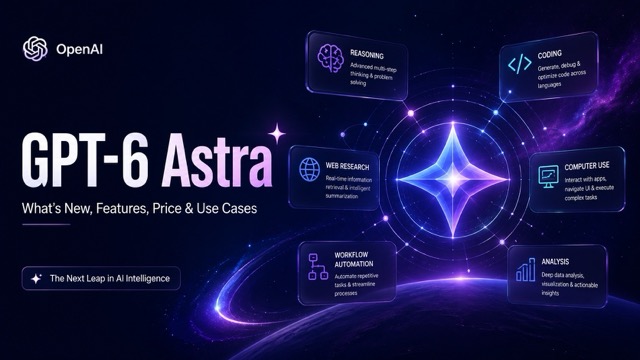
For everyday users, these changes appear through ChatGPT Images 2.5. Developers have two API models to choose from: GPT-Image-2.5 Flare and GPT-Image-2.5 Sunburst. The two share the same generation and editing improvements, but they are designed for slightly different creative workflows.
So what actually changed, and when does GPT Image 2.5 make a difference?
What Is GPT Images 2.5?
GPT Images 2.5 is OpenAI's latest generation of image creation and editing technology. It can generate new visuals from instructions, work with reference images, and make targeted changes to existing images.
The important distinction is that ChatGPT Images 2.5 is the name users encounter inside ChatGPT, while developers integrating the technology into websites, creative products, or automated workflows can access GPT-Image-2.5 Flare or GPT-Image-2.5 Sunburst through the API. Both API models became available alongside the September 2026 release.
The upgrade is not centered on a single dramatic feature. Instead, it improves several parts of an image workflow that frequently cause frustration: keeping a reference subject intact, following specific edit instructions, maintaining earlier changes, interpreting detailed compositions, and generating results faster.
Those improvements make the model especially interesting for workflows that go beyond one-shot text-to-image generation.
What’s New in GPT Images 2.5?
A prettier first generation is useful, but the more meaningful changes in GPT Image 2.5 become visible when you start refining an image. Instead of treating every new instruction almost like another generation request, the model is designed to work more reliably with what is already there.
1. Better Fidelity to Reference Images
Reference images are useful when you want AI to work with a particular person, product, object, room, or visual concept instead of inventing everything from scratch. The difficulty is keeping the important features of that reference recognizable after making larger changes.
GPT Image 2.5 improves this type of workflow.
According to OpenAI, subjects from reference photos are more likely to remain recognizable when transformed into different settings, visual styles, or compositions. Distinctive features are also more likely to carry through, while lighting and textures are designed to look more natural.
For example, imagine starting with a portrait and asking the model to place the person in a different environment. The background, clothing, lighting, and visual style may all change, but the person's defining facial characteristics should remain more stable.
The same idea applies outside portrait editing. A product photograph can be adapted for a new campaign setting while staying anchored to the original product, and an interior photo can be redesigned without unnecessarily changing every object in the room.
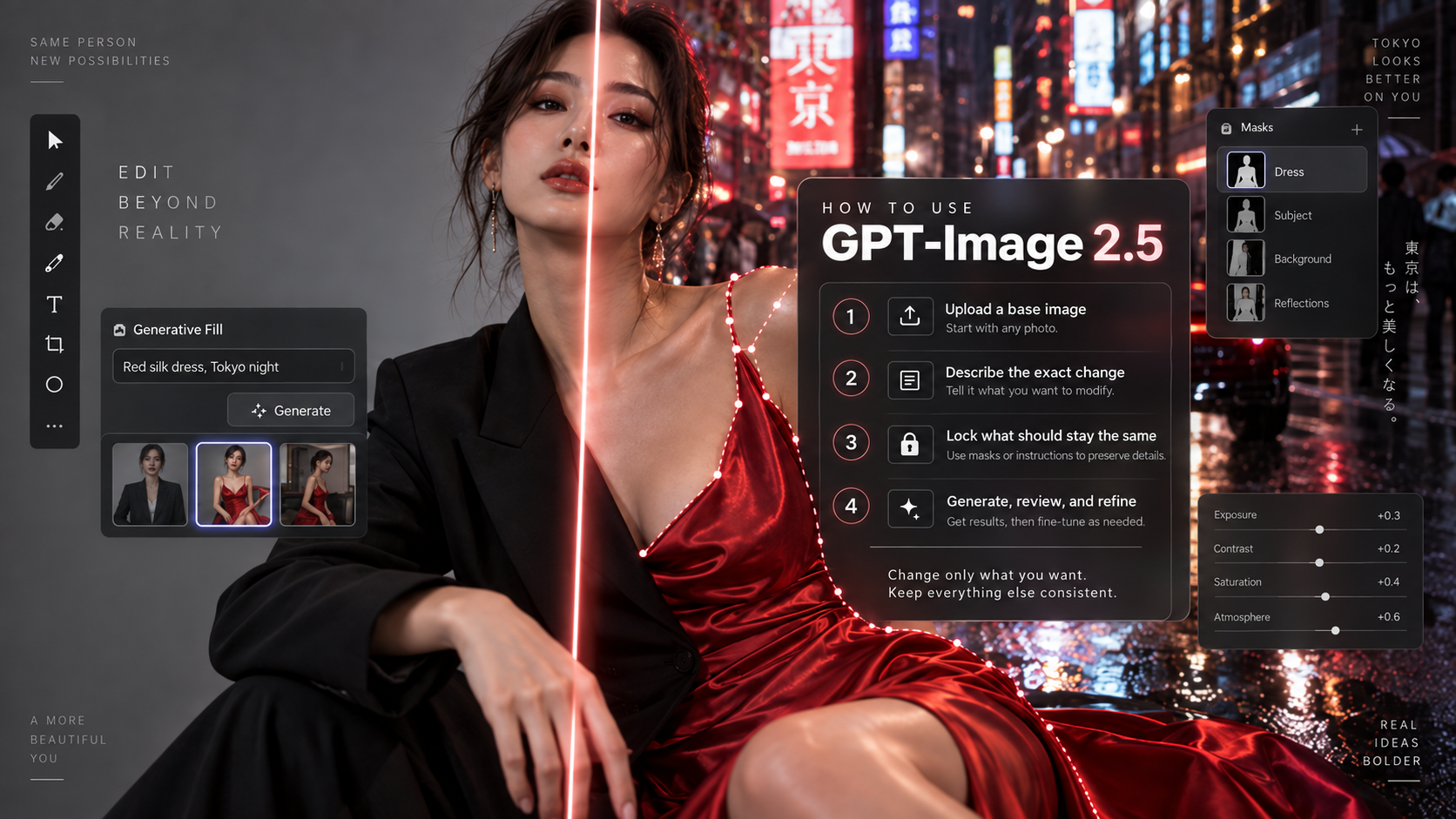
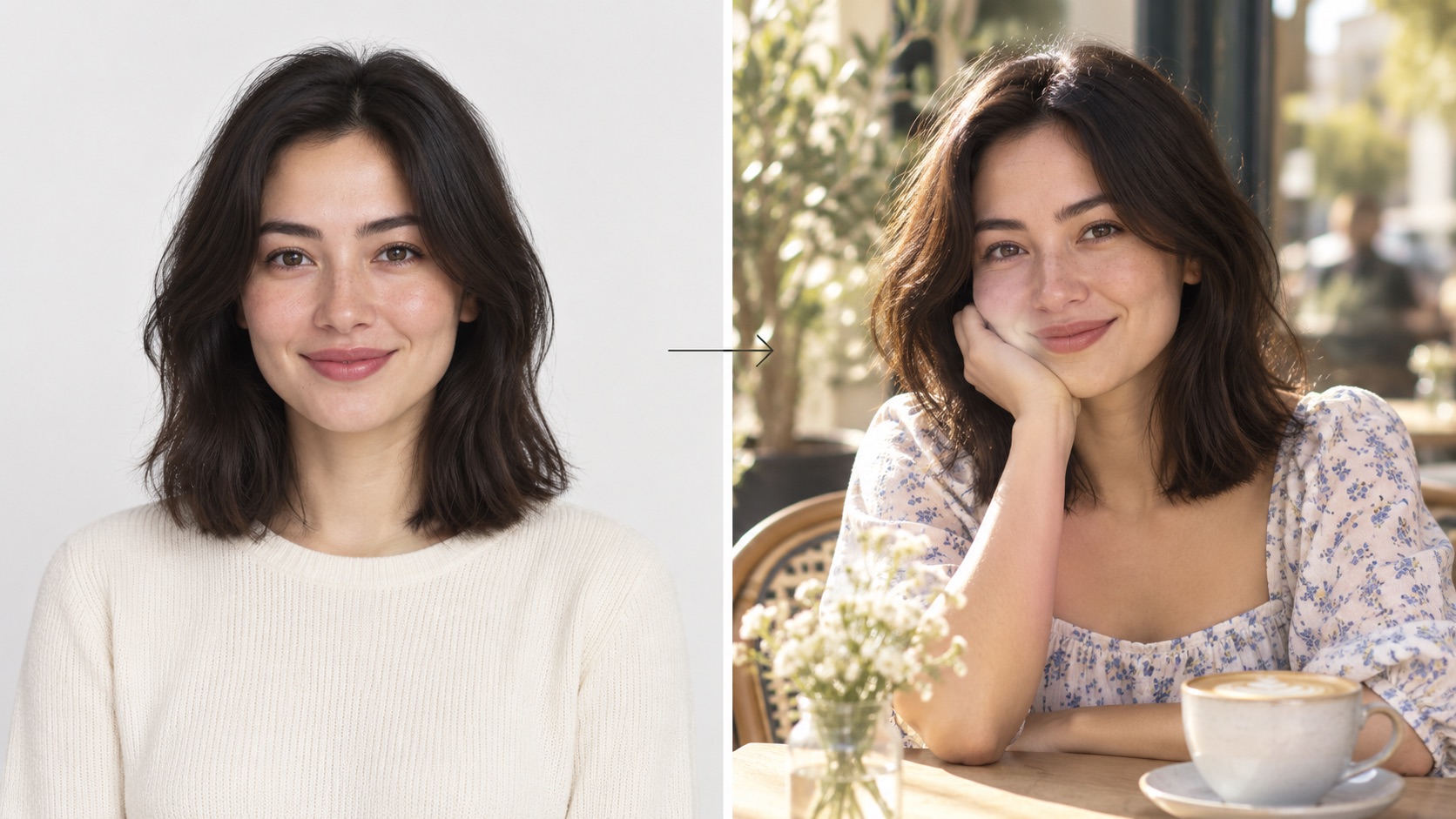 GPT Image 2.5 can preserve a subject’s recognizable features while changing the setting, clothing, and overall visual style.
2. More Precise Image Editing
One of the most practical improvements is the ability to change only the part of an image that needs changing.
Consider a simple instruction:
Change the black jacket to beige. Keep the face, pose, background, lighting, and composition unchanged.
This sounds straightforward, but image generation models have historically had a tendency to regenerate unrelated details. A clothing edit might subtly alter the person's face. Replacing text might also move surrounding elements. Changing one product could unexpectedly modify the background.
ChatGPT Images 2.5 is designed to reduce that behavior. OpenAI says the model is better at making focused edits while preserving surrounding details, even when the subject or background is relatively complex. For API workflows, a single product, background element, or piece of copy can be updated while the broader subject, composition, and brand treatment remain intact.
This makes the upgrade especially relevant for practical photo editing rather than just artistic generation.
You could use the same workflow to change the color of furniture, remove an unwanted object, replace a product background, update text on a marketing visual, or modify part of an outfit without rebuilding the entire image.
3. More Consistent Multi-Turn Editing
Most finished images are not created with one perfect prompt.
You might start with an original photo, replace the background, change an outfit, adjust the lighting, add an accessory, and then refine the composition. By the fifth edit, however, many image models begin drifting away from the earlier result.
ChatGPT Images 2.5 specifically targets this problem with improved multi-turn editing consistency.
OpenAI says earlier changes are more likely to remain consistent as additional edits are made, while image quality is better maintained over longer editing conversations.
That creates a workflow that looks more like:
Original image → Edit → Refine → Edit another detail → Fine-tune
rather than:
Original image → Regenerate → Fix unexpected change → Regenerate again
This may sound like a subtle difference, but it can have a major effect on how useful AI image editing feels in practice. When the model remembers what should stay unchanged, users can focus on improving the image instead of repeatedly repairing previous edits.
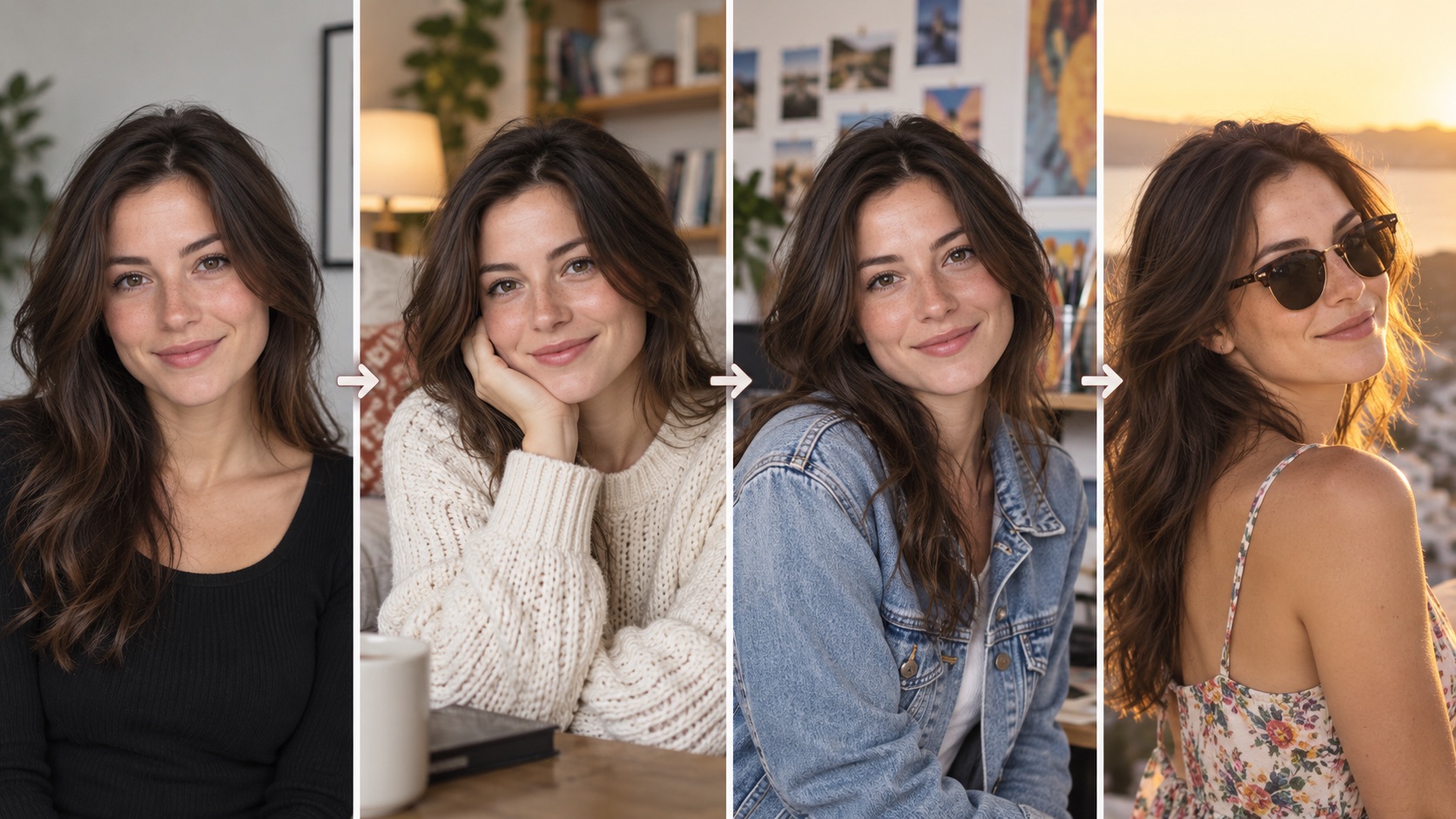 Multi-turn editing helps keep the same subject consistent as the background, outfit, accessories, and lighting change across multiple edits.
4. Faster Image Generation
Image generation speed matters most when you are iterating.
Waiting for one image may not feel particularly limiting, but designers, marketers, creators, and developers can easily generate dozens of variations while exploring an idea. Small reductions in generation time accumulate quickly.
OpenAI says ChatGPT Images 2.5 can reduce image generation latency by up to 50% compared with Images 2.0. Its API-focused Flare model is also positioned specifically around faster, high-quality generation.
That does not mean every image will always appear exactly twice as fast. Actual generation time can depend on the request and workflow. The larger point is that GPT Image 2.5 is built to make repeated generation and editing less disruptive.
That matters particularly for rapid prototyping, social media assets, visual experimentation, and applications where users may request several variations before choosing one.
5. Stronger Understanding of Layout and Style
Image generation is no longer limited to cinematic scenes and realistic portraits. People increasingly want AI to create posters, presentation graphics, product assets, interface concepts, infographics, and other visuals where the relationship between elements matters as much as the individual objects.
GPT Image 2.5 has improved handling of complex visual instructions and layouts. OpenAI also highlights better support for transparent backgrounds, stronger adherence to requested styles, and more accurate content when images contain real-world information.
That gives the model a broader creative range.
A prompt can specify a visual hierarchy, placement of important elements, overall design direction, and details that need to remain consistent across a series. This makes GPT Image 2.5 potentially more useful for structured graphics than a model that mainly excels at producing attractive standalone images.
GPT Image 2.5 Flare vs Sunburst
Developers using GPT Image 2.5 do not get just one model choice. OpenAI has introduced Flare and Sunburst, with each optimized for a different type of workflow.
| Feature | GPT-Image-2.5 Flare | GPT-Image-2.5 Sunburst |
|---|---|---|
| Main focus | Speed and high-quality everyday generation | Greater precision and creative control |
| Generation time | Faster | Longer |
| Editing | Precise editing and subject preservation | Tighter control across detailed edits |
| Best suited for | Social content, product experiences, visual search, prototypes, high-volume generation | Campaign creative, polished product imagery, detailed professional editing |
| General positioning | Default option for most applications | Premium visual workflows |
OpenAI describes Flare as the default choice for most applications. It combines the new model's quality and editing improvements with lower latency, making it suitable for applications where users generate or revise images frequently.
Sunburst, meanwhile, is aimed at workflows where editing precision is more important than getting the fastest result. OpenAI specifically points to production-ready campaign creative and polished product imagery as examples.
In simple terms, the choice can be thought of this way:
Choose Flare when speed and strong general-purpose image generation matter most. Choose Sunburst when you are willing to spend more time generating an image in exchange for tighter control over detailed creative edits.
What Can You Create With GPT Images 2.5?
The improvements become easier to understand when applied to real tasks. GPT Image 2.5 can still handle conventional text-to-image generation, but its stronger editing capabilities open up several more practical workflows.
Product Photography and Advertising
A product can be moved into a new setting, adapted for seasonal creative, or incorporated into an advertisement while preserving more of its original appearance. Backgrounds, surrounding props, and copy can also be edited independently.
For e-commerce and marketing teams, this makes AI useful not only for inventing product concepts but also for creating variations from existing visual assets.
Portrait and Photo Editing
Reference fidelity and targeted editing make portrait workflows particularly interesting. Users can experiment with clothes, environments, lighting, compositions, or creative styles while trying to preserve the person's recognizable appearance.
The same approach can work for profile images, family photos, editorial portraits, and other image-to-image transformations where identity matters. If you want to test these workflows directly, you can also generate and edit images with GPT Images 2.5 using your own prompt or reference image.
Posters, Social Graphics, and Campaign Assets
Better layout understanding allows GPT Image 2.5 to tackle images where several design requirements need to work together. A creator could specify the subject, composition, visual hierarchy, typography direction, background treatment, and overall style within the same creative brief.
Rather than generating an isolated piece of artwork, the goal can be a usable visual asset.
Transparent Assets and Design Elements
Improved transparent-background handling is useful for objects and design elements that will later be placed inside another composition.
This may include isolated products, decorative graphics, presentation elements, website visuals, or other assets that need to be reused across different backgrounds.
Infographics and Presentation Visuals
The model's improved interpretation of complex instructions also makes structured informational visuals a relevant use case. These tasks demand more than photorealism: individual elements need to follow a hierarchy and communicate a specific idea.
That could make GPT Image 2.5 useful during early concept development for infographics, explainers, presentation graphics, and visual storytelling.
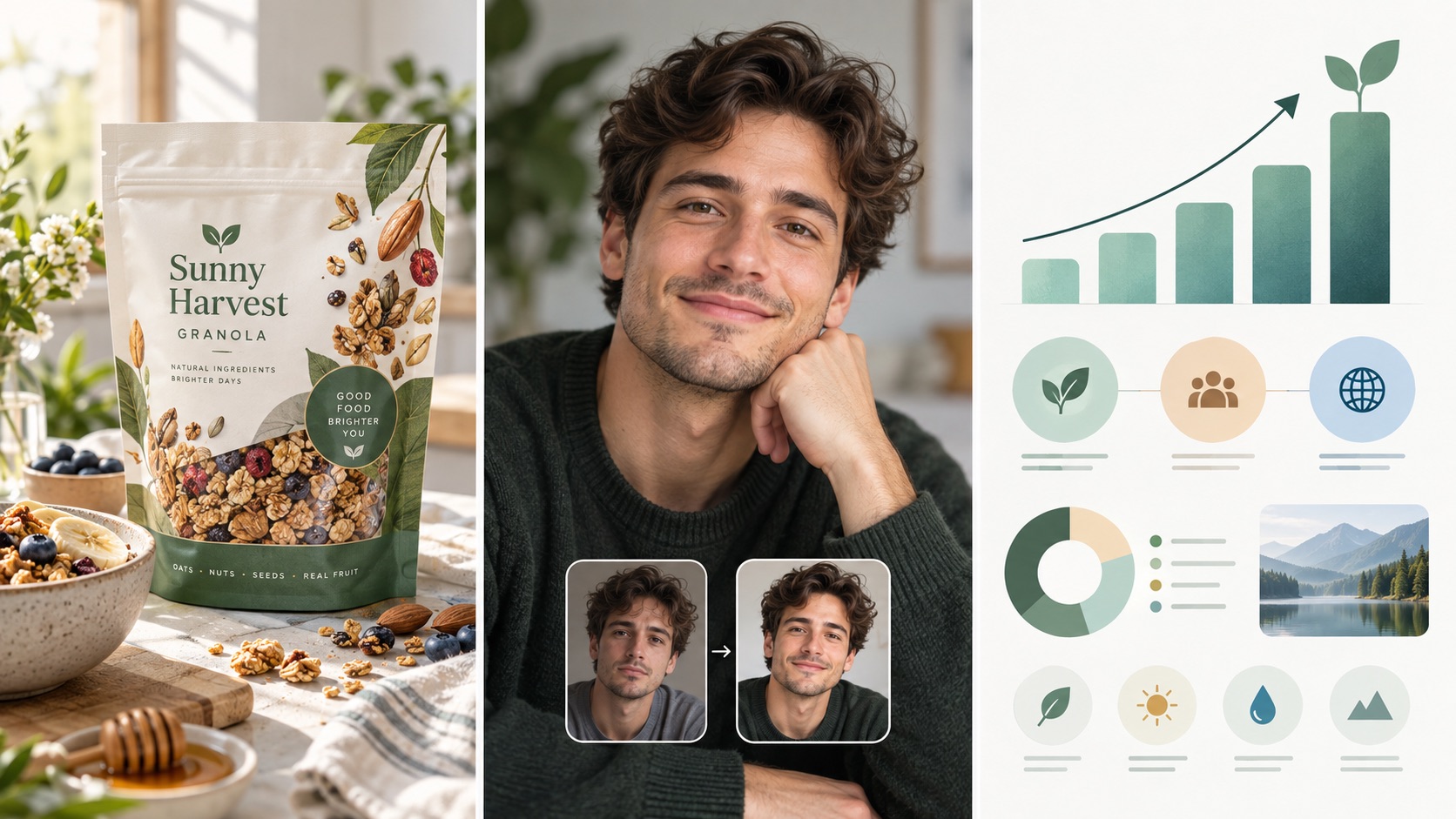 GPT Image 2.5 supports a wide range of creative workflows, from polished food packaging and portrait editing to structured infographic and presentation visuals.
New Ways to Create and Edit Images in ChatGPT
The GPT Image 2.5 launch also adds several creation tools to ChatGPT itself. These should be distinguished from the underlying API model because they are product features within the ChatGPT experience.
One of the most interesting additions is Sketch. Instead of describing every spatial relationship in words, users can draw a rough visual guide directly in ChatGPT and combine it with written instructions. A quick outline can show where furniture should sit in a room, the silhouette of an outfit, or the rough composition of an illustration. ChatGPT can then use that sketch as guidance for the finished image.
Templates provide another starting point. OpenAI has introduced templates for common creative formats such as posters and merchandise, allowing users to begin with a structure rather than an empty prompt.
Users can also place comments directly on an image to focus edits on specific areas, and shared images can include their prompts so another person can reuse the underlying idea with different photos or details.
Together, these features move image creation away from relying entirely on long text prompts. A prompt still matters, but visual references, sketches, templates, and direct editing instructions can all become part of the process.
GPT Images 2.5 vs GPT Image 2: What Really Changed?
Looking at the upgrade as a whole, GPT Image 2.5 is less about introducing a completely new type of image generation and more about making existing workflows more controllable.
| Area | GPT Image 2.5 Improvement |
|---|---|
| Reference images | Better preservation of recognizable subjects and distinctive details |
| Lighting and texture | More natural visual treatment |
| Focused edits | Better at changing requested elements while preserving surrounding content |
| Multi-turn editing | Earlier changes remain more consistent across later edits |
| Visual instructions | Better handling of complex creative briefs |
| Layouts | Improved support for structured compositions |
| Transparent backgrounds | Improved handling |
| Style adherence | More reliable alignment with requested visual direction |
| Generation speed | Up to 50% lower latency compared with Images 2.0 |
The overall direction is clear: less unwanted change and more intentional change.
That distinction matters because image generation quality eventually reaches a point where simply producing another attractive picture is not enough. Real creative workflows require revision. The more reliably an AI model can preserve the parts that already work, the more useful it becomes as an editing tool rather than just an image generator.
Who Is GPT Images 2.5 For?
GPT Image 2.5 has obvious uses for individual creators, but the improvements also target workflows that involve repeated production.
Content creators can move more quickly from an initial concept to social visuals, thumbnails, promotional images, or creative variations.
Marketers can adapt campaign assets, replace individual elements, and create multiple visual directions without rebuilding each concept from zero.
Designers can use the model for visual exploration, reference-led transformations, layout concepts, and iterative editing.
E-commerce teams may find the stronger subject preservation particularly useful for product imagery, where an edited scene is only valuable if the product itself stays accurate and recognizable.
Developers can choose between Flare for faster everyday generation and Sunburst for applications where more precise editing is worth longer generation times.
The model is therefore not limited to people who simply want to enter a prompt and receive an AI image. Its stronger use case may be people who already have an image—or an initial generation—and want to keep working on it.
Conclusion
GPT Images 2.5 represents an important shift in what makes an AI image model useful.
The first generation still matters. Sharper details, richer textures, more natural lighting, stronger style understanding, and faster generation all improve that initial result. But the more interesting improvements appear after the image has already been created.
Can you change one element without accidentally changing five others? Can the same person remain recognizable after several transformations? Can an earlier edit survive the next instruction? Can you refine a composition instead of repeatedly regenerating it?
GPT Image 2.5 is designed to make the answer to those questions more consistently yes.
With Flare providing a faster general-purpose option and Sunburst focusing on more precise creative workflows, OpenAI is also giving developers a clearer choice depending on how images will actually be used. Meanwhile, tools such as Sketch, templates, comments, and prompt sharing expand the ways people can communicate visual ideas inside ChatGPT.
The result is an image system that is becoming less about prompt once and hope for the right picture, and more about a continuous creative process:
create, edit, preserve, refine, and repeat.
For creators who care about control as much as generation quality, that may be the most meaningful change in GPT Images 2.5.