
MiniMax H3 Prompting Guide: Prompts & Ideas for MiniMax
Explore the MiniMax H3 prompting guide with copy-ready MiniMax H3 prompt examples, video results, camera directions, audio ideas, and one-click creation.
Describe your idea and let AI create the perfect prompt for you
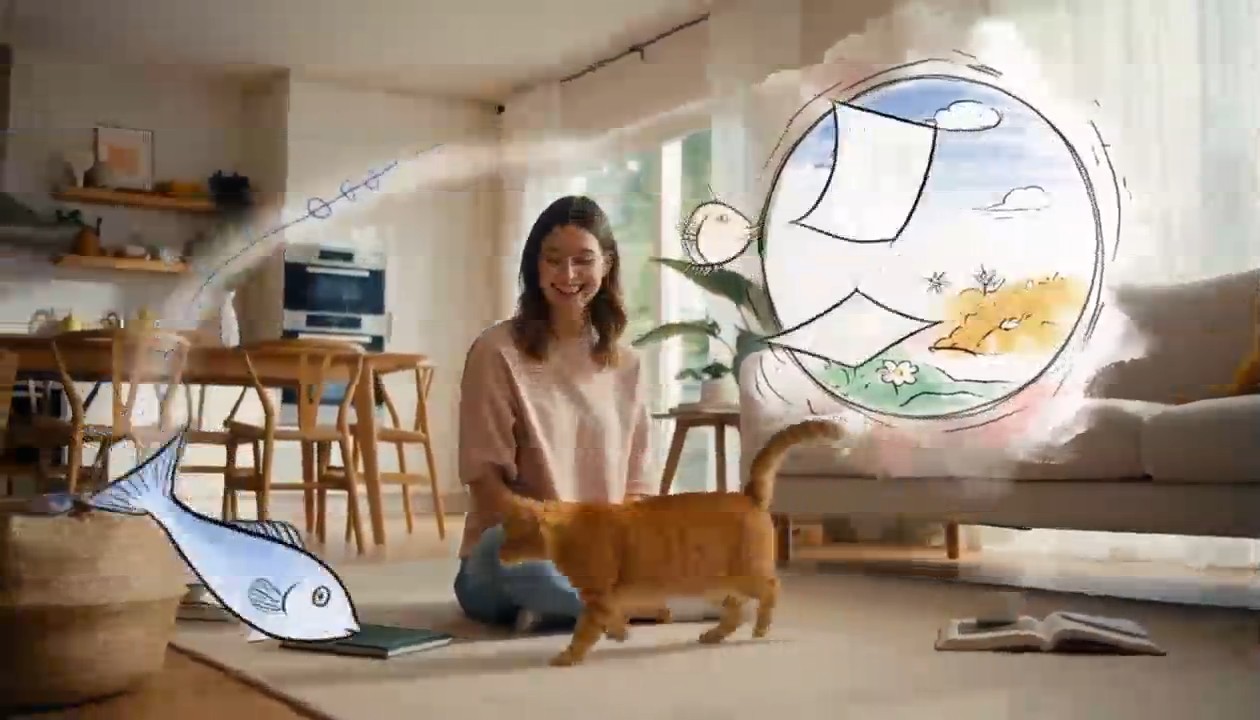
Surreal Hand-Drawn VFX Living Room
integrated_multimodal_description: [Shot 1] Live-action cinematic footage blended with surreal hand-drawn 2D VFX animation. A young adult woman in relaxed home clothes sits on the rug of a bright, cozy contemporary living room with her playful orange tabby cat beside her. Warm daylight enters through large windows, illuminating a sofa, coffee table, houseplants, cushions, books, and natural wooden furniture. The camera begins in a medium-wide shot and slowly performs a gentle arc shot around them. The woman playfully draws a circle in the air with one finger. A rough black pencil line remains suspended behind her fingertip, visibly trembling like a frame-by-frame hand-drawn animation. She completes the circle, and it opens into a floating illustrated portal made from charcoal strokes, colored-pencil hatching, watercolor stains, eraser marks, and rapidly redrawn sketch lines. Loose pages, tiny stars, flowers, spirals, and whimsical hand-drawn fish swim out of the portal and move through the real living room, passing naturally behind furniture and in front of the subjects with correct spatial occlusion. The cat notices a scribbled blue fish and follows it across the rug. Its ears turn, eyes track the moving drawing, tail swishes, and paws press naturally into the carpet. The illustrated fish darts around a table leg, leaving an animated trail of blue pencil loops. The cat pounces and taps it with one paw. At the moment of contact, the drawing bursts into a soft explosion of hand-painted color, ink splashes, chalk dust, animated stars, and curling sketch lines. The colorful lines race across the rug and climb the sofa, briefly transforming the edges of the furniture, the woman, and the cat into lively hand-drawn outlines while their bodies remain photorealistic and recognizable. Laughing silently, the woman catches one glowing illustrated ribbon between her hands and gently guides it toward the cat. The ribbon spirals around the cat without restraining it, then folds itself into a tiny hand-drawn crown floating above its head. The remaining doodles quickly rewind into the portal like animated pencil strokes being erased in reverse. The portal closes with a small watercolor pop. End with the woman petting the cat as it sits proudly beneath the wobbling illustrated crown; both look toward the camera while one tiny sketched star continues bouncing above them. Maintain one continuous, physically coherent camera move with no cuts. The woman and cat remain live-action and photorealistic throughout; only the supernatural VFX elements use the expressive hand-drawn style. Emphasize imperfect pencil contours, visible redrawing between frames, charcoal texture, colored-pencil shading, watercolor bleeds, ink splatters, playful line boil, and intentional stop-motion-like timing. Preserve consistent human anatomy, facial appearance, clothing, cat markings, room layout, lighting direction, furniture geometry, and object placement. No identity drift, body morphing, extra limbs, duplicated pets, floating furniture, random scene changes, text, subtitles, logos, or watermarks. overall_soundscape: Quiet living-room ambience with soft fabric movement, gentle cat pawsteps on the rug, a curious meow, delicate pencil-scratching sounds synchronized with every drawn line, paper fluttering as the portal opens, chalky swishes as the illustrated creatures move, and a soft watercolor pop when the portal closes. The woman gives a brief natural laugh after the cat catches the drawn fish. non_diegetic_music: A playful light rhythm performed with pizzicato strings, soft marimba, and sparse bell tones, gradually adding energy as the drawings fill the room before resolving into one gentle final chime.
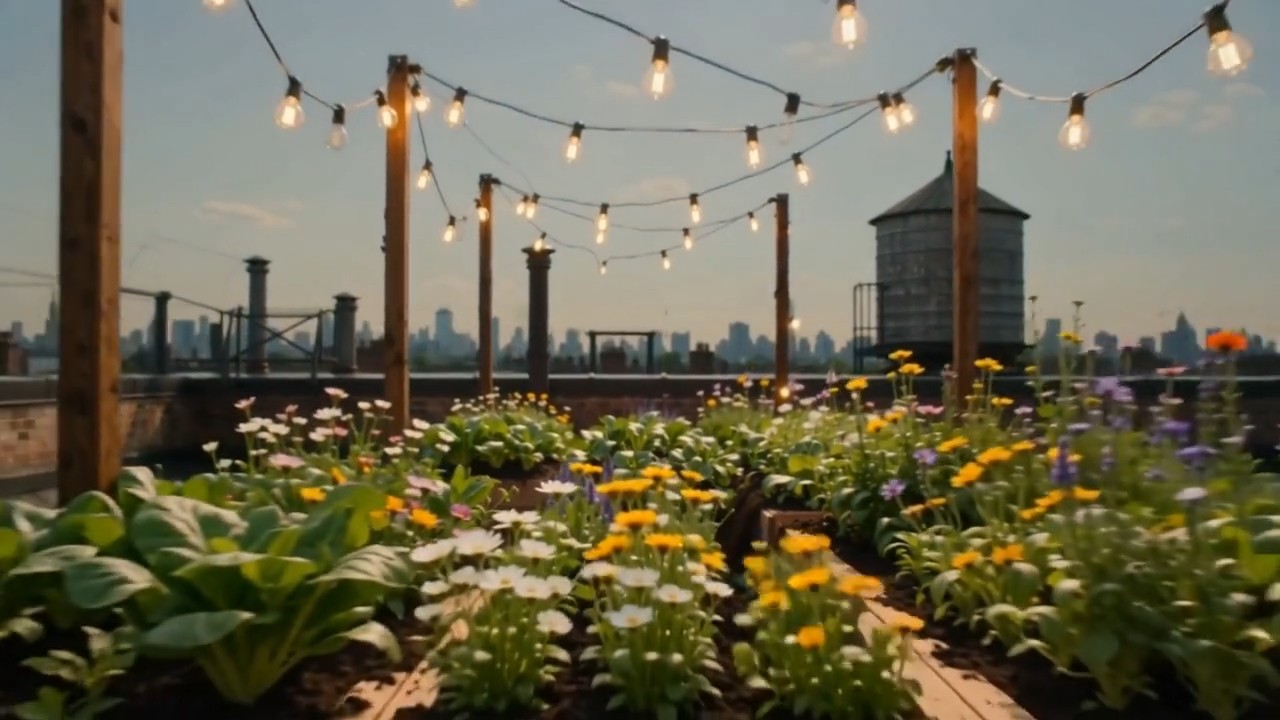
Create one continuous time-compressed transformation from the first frame to the last frame. Wooden planters slide into
Create one continuous time-compressed transformation from the first frame to the last frame. Wooden planters slide into position, soil fills naturally, seedlings emerge and grow into dense vegetables and flowers, string lights rise between posts, shadows move from morning to evening, and the camera performs a slow forward dolly without changing direction. Preserve the rooftop architecture and frame composition. Layer soft construction sounds, wind, birds, and a gentle musical build
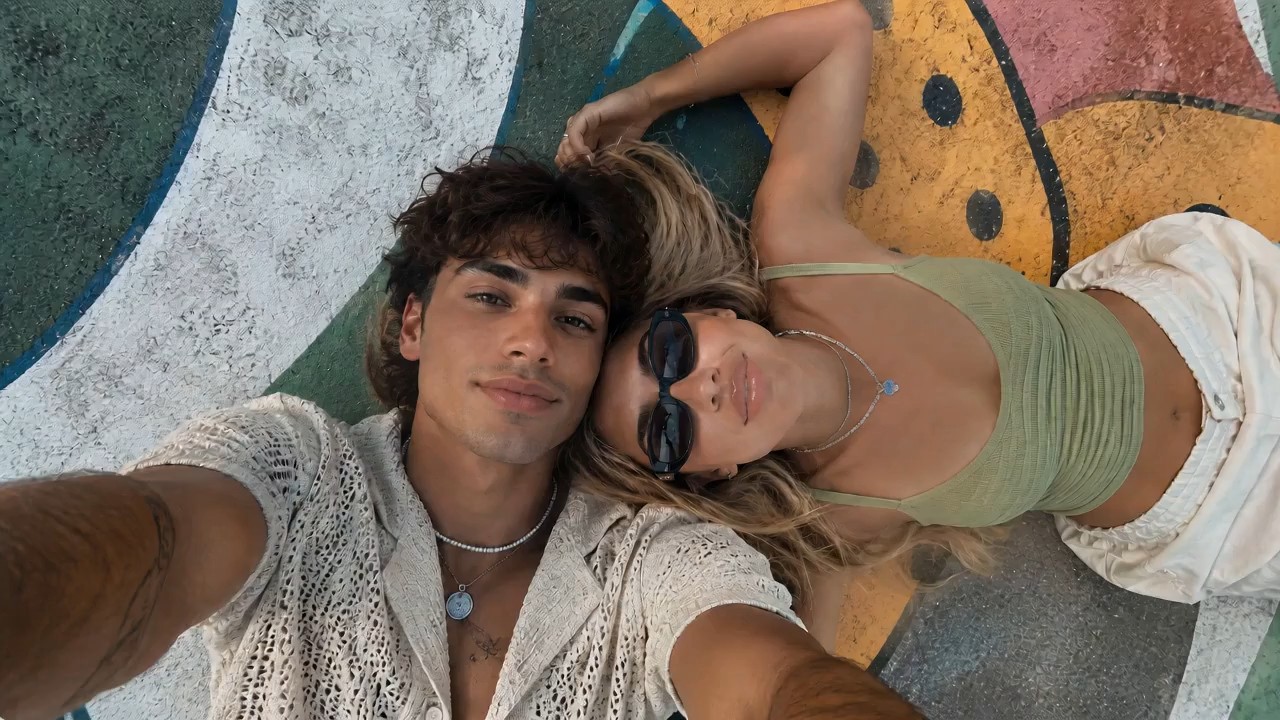
Use the reference image as the starting frame and preserve the same overall vibe: two stylish young people lying close t
Use the reference image as the starting frame and preserve the same overall vibe: two stylish young people lying close together outdoors on a painted mural surface, relaxed, cool, sunlit, summery, and visually aesthetic. Create a dynamic, visually striking selfie-style video where the camera is always being held in the young man’s hand, as if he is filming them himself from above. The perspective must remain handheld and first-person from the boy’s outstretched arm, but the angle and motion should keep changing in cool and creative ways to create different visual effects. Start with the original top-down selfie composition, both faces close together, calm and stylish. Then the boy subtly rotates his wrist, causing the frame to slowly tilt and roll, creating a dreamy floating feeling. He brings the camera slightly closer to their faces for an intimate close-up, then lifts it higher for a wider overhead perspective showing more of the colorful mural background. Add smooth but noticeable hand-driven motion: slight orbit-like swings, playful tilts, soft dips, angle flips, and controlled handheld rotation, all still clearly feeling like the camera is in his hand. At one moment, the camera swings to a diagonal angle, making the composition feel more fashion-editorial. Then it glides lower and closer to the girl’s sunglasses and lips for a stylish detail moment, before shifting back to both of them together. Add a brief dramatic rotation or half-spin of the frame driven by his wrist movement, then stabilize into another overhead selfie. The camera should feel lively and expressive, with changing perspectives that make the same moment look fresh from multiple angles. Their expressions can subtly change: relaxed, playful, slightly smiling, naturally interacting with the camera. Hair moves slightly, sunlight feels warm and soft, and the entire video should feel effortlessly cool and photogenic. Visual style: trendy, cinematic, high-end social media fashion aesthetic, handheld selfie energy, smooth but expressive motion, natural sunlight, youthful summer mood, polished and visually engaging. Preserve realism and the core appearance of both people, while making the camera movement feel creative and premium. No text, no subtitles, no watermark.
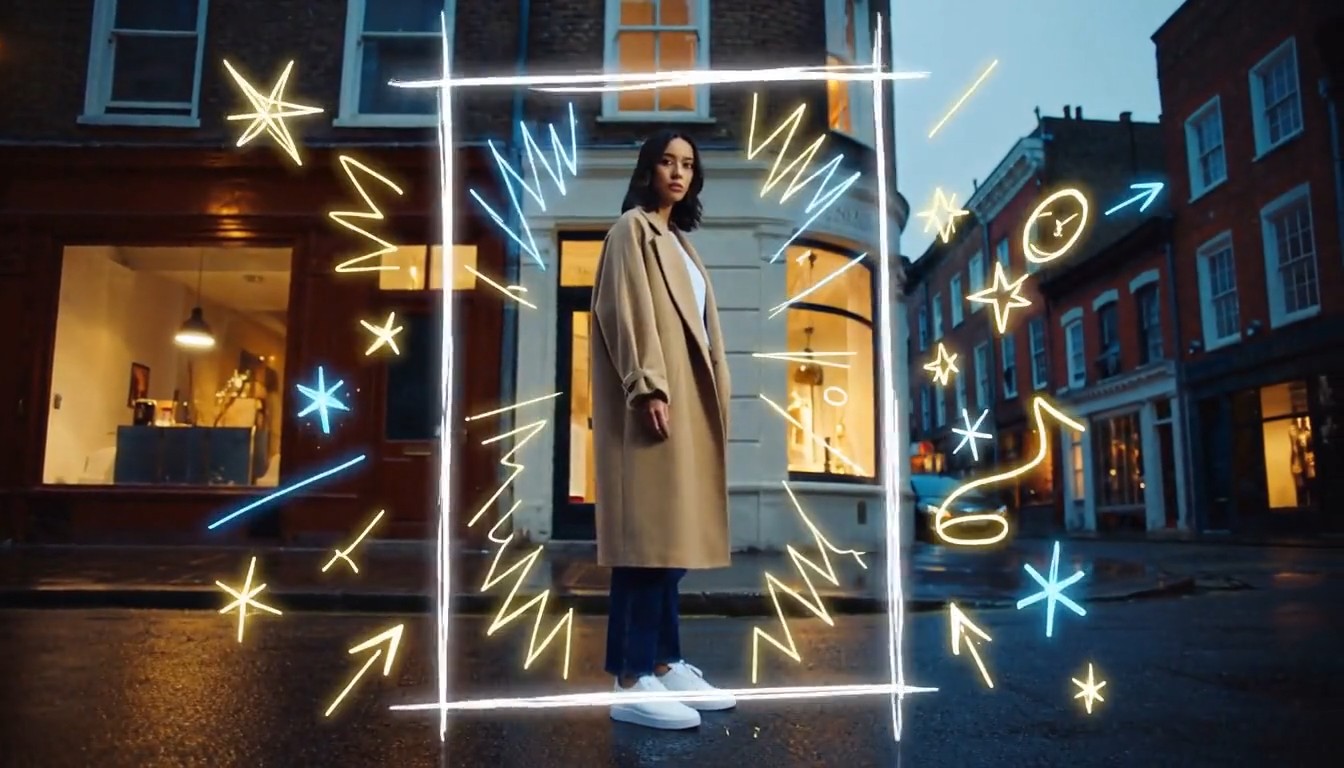
Create a cinematic mixed-media video that seamlessly combines photorealistic live-action footage with luminous hand-draw
Create a cinematic mixed-media video that seamlessly combines photorealistic live-action footage with luminous hand-drawn animation. A stylish young person walks through a real urban street at dusk while the camera smoothly follows from a slightly low side angle. The environment is fully realistic: textured buildings, passing pedestrians, reflective pavement, shop windows, soft evening light, and natural handheld movement. As the person moves forward, glowing hand-drawn lines begin appearing around them in real time. Loose animated strokes trace the outline of their body, shoes, clothing, and hair. Bright sketch-like arrows follow their movement, while small stars, sparks, waves, handwritten symbols, and playful illustrated shapes emerge from nearby objects. When the person passes a streetlamp, a glowing animated spiral wraps around the lamp and releases floating illustrated fireflies. Their footsteps create hand-drawn light ripples across the pavement. A sketched bird flies out from a wall mural, transforms into a luminous animated creature, circles around the person, and then dissolves into sparkling brush strokes. The animated elements must feel physically connected to the live-action world: wrapping around objects, hiding behind the subject, reflecting subtly on nearby surfaces, reacting to movement, and leaving short glowing trails. The illustrations should look intentionally hand-drawn, with imperfect lines, visible brush texture, frame-by-frame motion, and energetic scribble animation. End with the person stopping and turning toward the camera. A large glowing hand-drawn frame rapidly sketches itself around them, while multiple animated lines, stars, and abstract symbols burst outward before settling into a clean final composition. Visual style: photorealistic live-action combined with luminous 2D doodle animation, contemporary fashion commercial, creative mixed media, energetic yet polished, warm cinematic lighting, neon white, electric blue and golden glowing strokes, smooth camera movement, expressive frame-by-frame animation, strong depth and realistic interaction between animation and environment, 4K, no subtitles, no watermark, no visible interface.
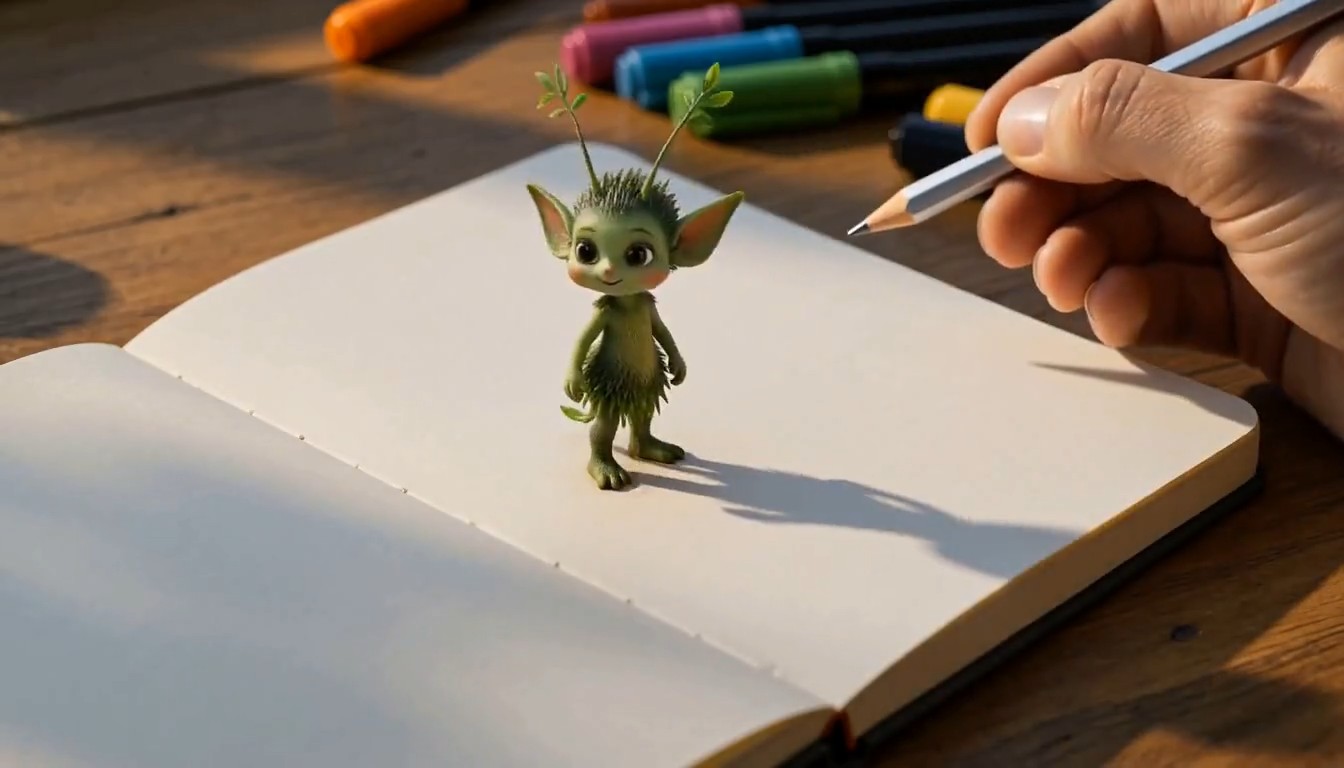
A cinematic creative desk scene. The camera focuses on a person drawing on paper at a wooden desk in a cozy studio. The
A cinematic creative desk scene. The camera focuses on a person drawing on paper at a wooden desk in a cozy studio. The hand moves naturally with pencil and markers, carefully sketching a charming illustrated subject on the page. As the drawing is completed, the illustrated subject magically rises off the paper, transforming into a small fully three-dimensional version of itself. It keeps the same design language as the drawing, but now appears as a lively miniature 3D object or character standing on the desk. It starts moving naturally, looking around with curiosity. The person continues drawing a second new subject on the paper beside it. As soon as the second drawing is finished, it also transforms from flat illustration into a stylized 3D form and pops up from the page onto the desk. The newly created 3D subject begins interacting with the first one in a playful and charming way. Their interaction feels lively, imaginative, and seamless, as if the drawings have come to life. Visual style: highly creative, magical realism, warm studio lighting, detailed desk environment, visible art tools, smooth hand movement, elegant transformation effect from 2D drawing to 3D object, whimsical and polished animation, cinematic camera focus, shallow depth of field, smooth motion, delightful and imaginative atmosphere, no subtitles, no text overlay.
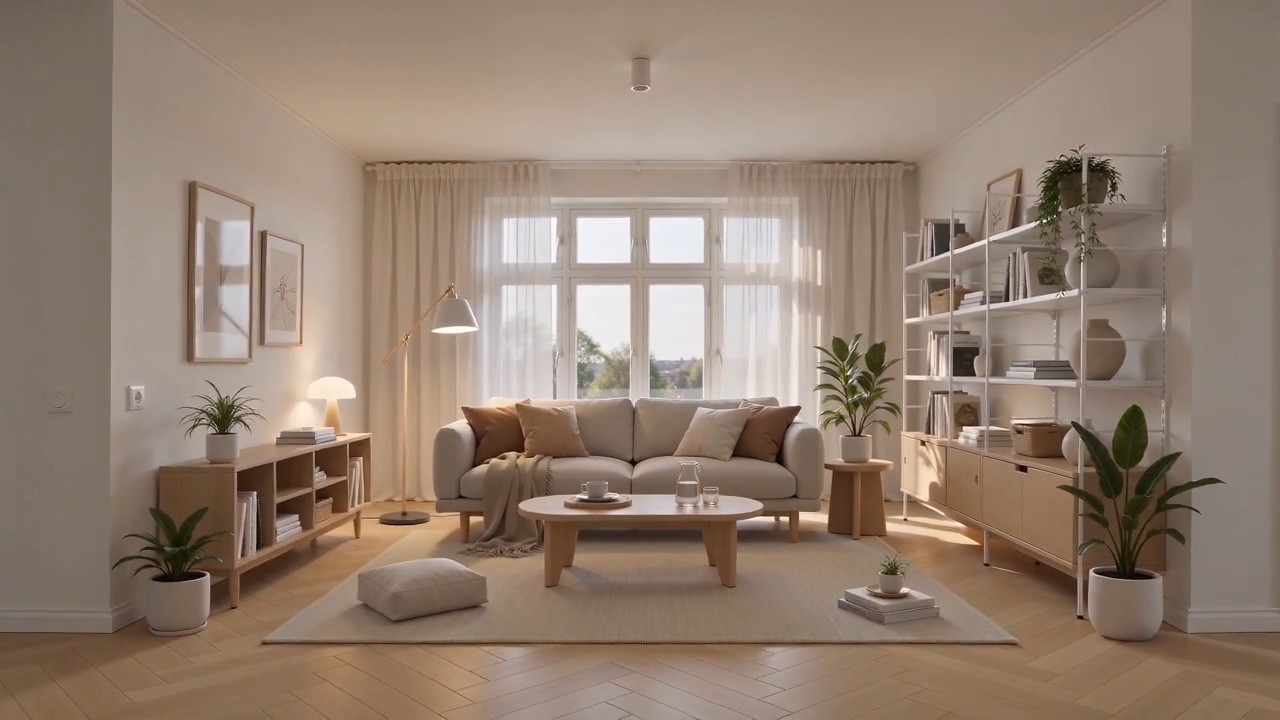
Create a polished home furnishing commercial inspired by Scandinavian IKEA-style interior design. The video begins wit
Create a polished home furnishing commercial inspired by Scandinavian IKEA-style interior design. The video begins with a completely empty, bright modern room. White walls, light oak flooring, large windows, soft natural daylight, clean architectural lines, and no furniture or decoration. The camera slowly pushes forward through the empty space. As the camera continues moving, the interior gradually comes to life. A neutral-colored rug smoothly unfolds across the floor. A minimalist sofa rises gently into position, followed by a light wood coffee table, side tables, a floor lamp, shelving units, curtains, cushions, and soft throws. Each furnishing appears through elegant, visually satisfying transitions, such as sliding into place, unfolding, assembling itself, or softly materializing. Continue adding smaller home details: framed wall art aligns itself on the wall, books and decorative objects appear on shelves, indoor plants grow into place, tableware settles neatly onto the coffee table, and warm ambient lights switch on one by one. Every product should feel practical, affordable, stylish, and coordinated. The room gradually transforms from an empty shell into a complete, comfortable, beautifully styled living space. End with a wide hero shot revealing the fully furnished room, featuring a balanced Scandinavian color palette, warm wood textures, soft textiles, organized storage, natural greenery, and inviting lighting. Visual style: premium home furnishing advertisement, Scandinavian minimalism, clean and functional design, smooth product-reveal transitions, realistic materials, warm natural light, soft shadows, precise composition, satisfying assembly animation, calm but uplifting pacing, high-end commercial quality, photorealistic, 4K. Camera movement: start with a slow forward dolly through the empty room, maintain a smooth continuous motion while products appear, then gently pull back into a wide final composition showing the complete interior. No people, no clutter, no subtitles, no watermark, no distorted furniture, no floating objects after placement.
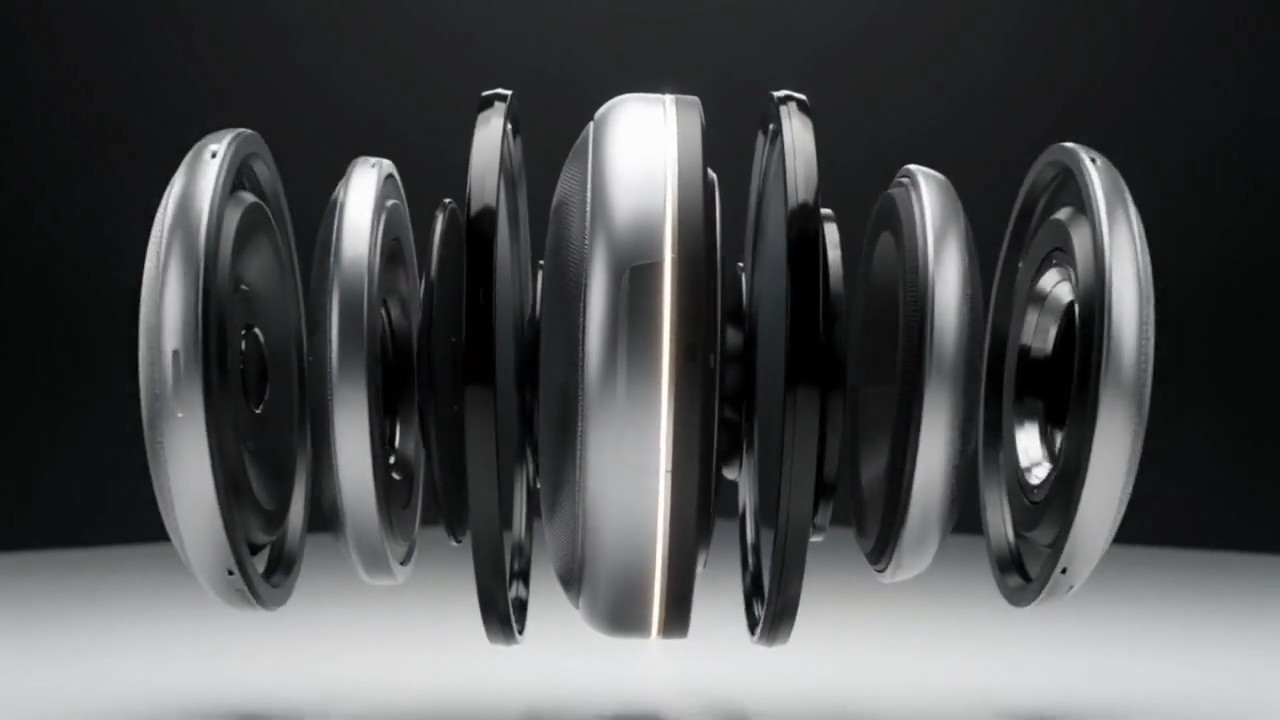
A matte silver wireless speaker floats above a seamless white studio surface. The camera makes a slow 120-degree orbit a
A matte silver wireless speaker floats above a seamless white studio surface. The camera makes a slow 120-degree orbit as separated metal, fabric, and glass components glide inward and assemble with precise mechanical timing. A soft pulse of light travels around the speaker rim, then the product lands gently as fine dust moves outward. Minimal premium commercial style, crisp material detail, soft overhead lighting, subtle stereo assembly sounds, no extra objects, 8 seconds, 16:9.
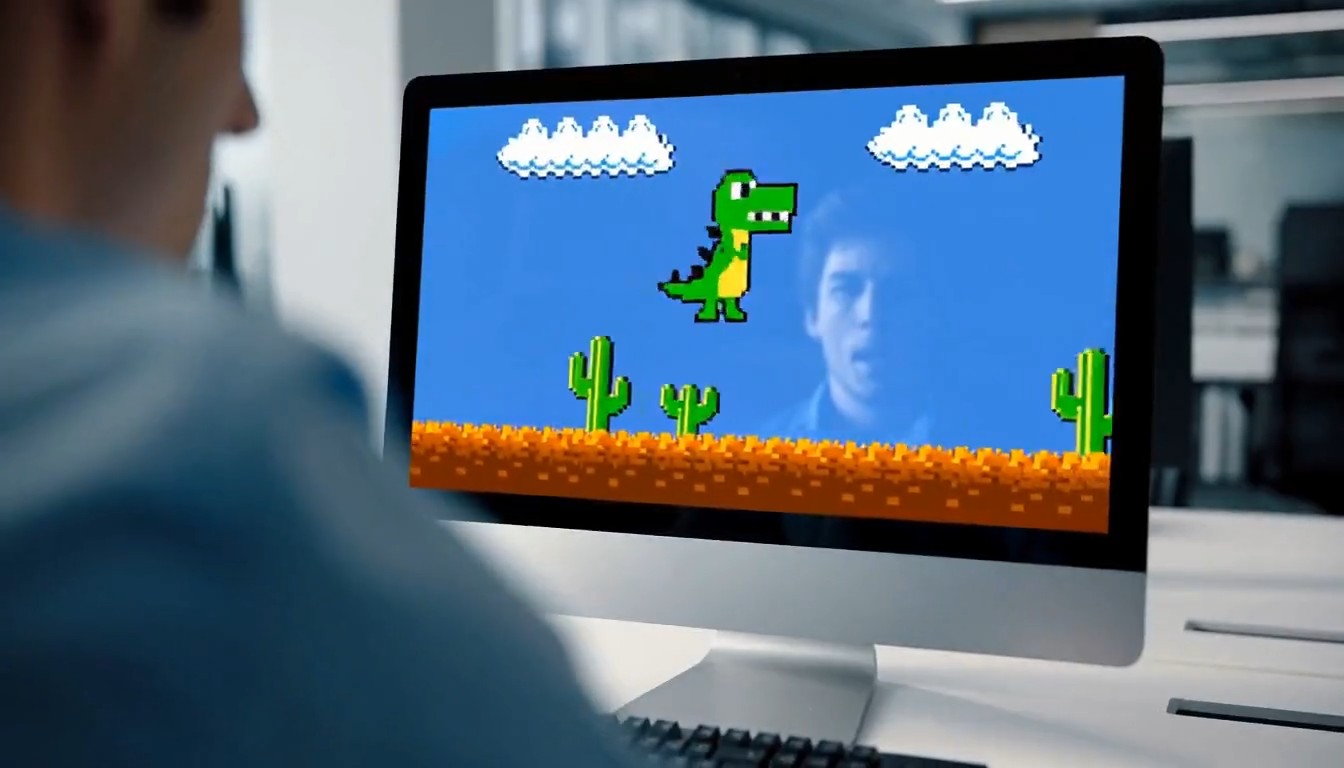
A 10-second cinematic office comedy scene with a strong tonal shift. Start with an intense, high-pressure atmosphere. A
A 10-second cinematic office comedy scene with a strong tonal shift. Start with an intense, high-pressure atmosphere. A young programmer sits in a modern office, seen in a close shot, staring nervously at his computer screen while typing rapidly on the keyboard. His body language is tense and focused. Cut to a tight close-up of his hands hitting the keyboard quickly and urgently. Then cut to a close-up of his face: serious eyes, tight jaw, intense concentration. Then an extreme close-up of sweat forming on his forehead, emphasizing the pressure and suspense. Next, the camera quickly pulls back to reveal the whole office. Multiple coworkers are also at their desks, all staring at their screens and furiously typing with the same intense, serious energy. The entire room feels like a high-stakes mission, with fast pacing, tense expressions, and dramatic urgency. Then suddenly, the mood flips. The first programmer throws both hands into the air and cheers in victory. One by one, the other office workers also begin celebrating, cheering, laughing, and reacting with exaggerated relief. The atmosphere transforms from tense and dramatic into lighthearted and absurd. For the final reveal, the camera quickly turns toward the computer screen and shows that they were all intensely playing a simple offline single-player video game. The reveal should be funny and unexpected. Style: cinematic, realistic office environment, expressive acting, dynamic editing, intense suspense at first, then humorous tonal shift, slightly exaggerated comedy, clean modern office, natural lighting, fast cuts, dramatic close-ups, polished commercial-like visuals, no subtitles, no text overlay.
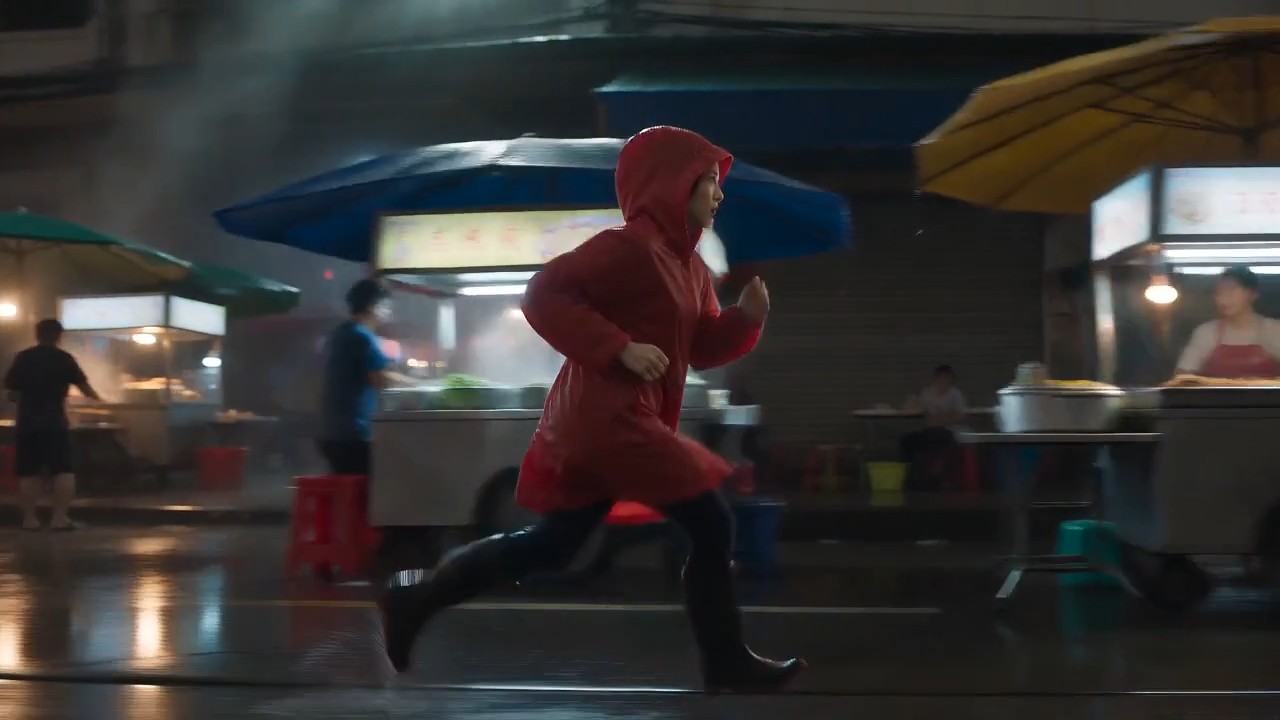
A lone female courier in a red raincoat runs through a rain-soaked night market, weaving between food stalls as the came
A lone female courier in a red raincoat runs through a rain-soaked night market, weaving between food stalls as the camera tracks beside her at waist height. Neon reflections ripple across wet pavement, steam drifts through frame, vendors turn as she passes, realistic footfalls, distant scooters, rain striking canvas awnings, tense cinematic score, natural motion blur, high-contrast thriller lighting, continuous
MiniMax H3 Prompting Guide with Copy-Ready Video Examples
Explore, copy, customize, and create with MiniMax H3
The MiniMax H3 prompting guide is a practical library for creators who want stronger video results without writing every prompt from scratch. Browse MiniMax H3 prompt examples for cinematic scenes, product ads, character performance, native audio, motion reference, and precise video edits. Use the MiniMax H3 prompt examples as written or replace the subject, setting, camera, sound, and style details to match your idea.

How to Use the MiniMax H3 Prompting Guide
Turn inspiration into a finished clip in three simple steps. The MiniMax H3 prompting guide connects every idea with reusable MiniMax H3 prompt examples, so you can study the structure, customize the details, and start generating faster.

Browse a Prompt Example
Explore the MiniMax H3 prompting guide by scene type, visual style, camera behavior, character action, audio design, or editing task. Preview the matching result and choose the MiniMax H3 prompt examples closest to your creative direction.

Copy and Customize
Copy the full prompt, then change the subject, location, duration, framing, movement, dialogue, sound effects, or mood. This guide keeps the prompt structure clear, while the MiniMax H3 prompt examples remain flexible enough for original projects.

Open MiniMax H3 and Create
Click the prompt button to open the MiniMax H3 page and place the selected prompt in the prompt box. Review your references and generation settings, then create, compare, and refine. New MiniMax H3 prompt examples make this library useful for repeated experimentation.
MiniMax H3 Prompt Examples for Creative Video Workflows
This MiniMax H3 prompting guide organizes reusable ideas around the model’s multimodal workflow. These MiniMax H3 prompt examples show how subject detail, action, camera language, lighting, sound, timing, and reference instructions can work together. Copy one example, preserve its structure, and replace the creative variables.

Cinematic Tracking Shot with Native Sound
- Use this MiniMax H3 prompting guide example to coordinate subject movement, camera tracking, environmental motion, and synchronized sound.
- These MiniMax H3 prompt examples work best when the action path and camera relationship are stated clearly. This guide recommends describing sound sources inside the scene instead of adding vague requests such as “good audio.”

Product Commercial with Controlled Transformation
This MiniMax H3 prompting guide entry is built for clean advertising visuals and object-focused motion.
Use MiniMax H3 prompt examples like this to define the product material, transformation order, camera path, final hero pose, and sound cues. This guide also suggests naming what must stay absent to protect a minimal composition.

Character Performance and Spoken Dialogue
Choose this MiniMax H3 prompting guide example when facial emotion, body language, dialogue, and atmosphere must feel connected.
These MiniMax H3 prompt examples specify who speaks, the exact line, emotion, camera timing, and background audio. This guide favors short dialogue that fits comfortably within the clip duration.
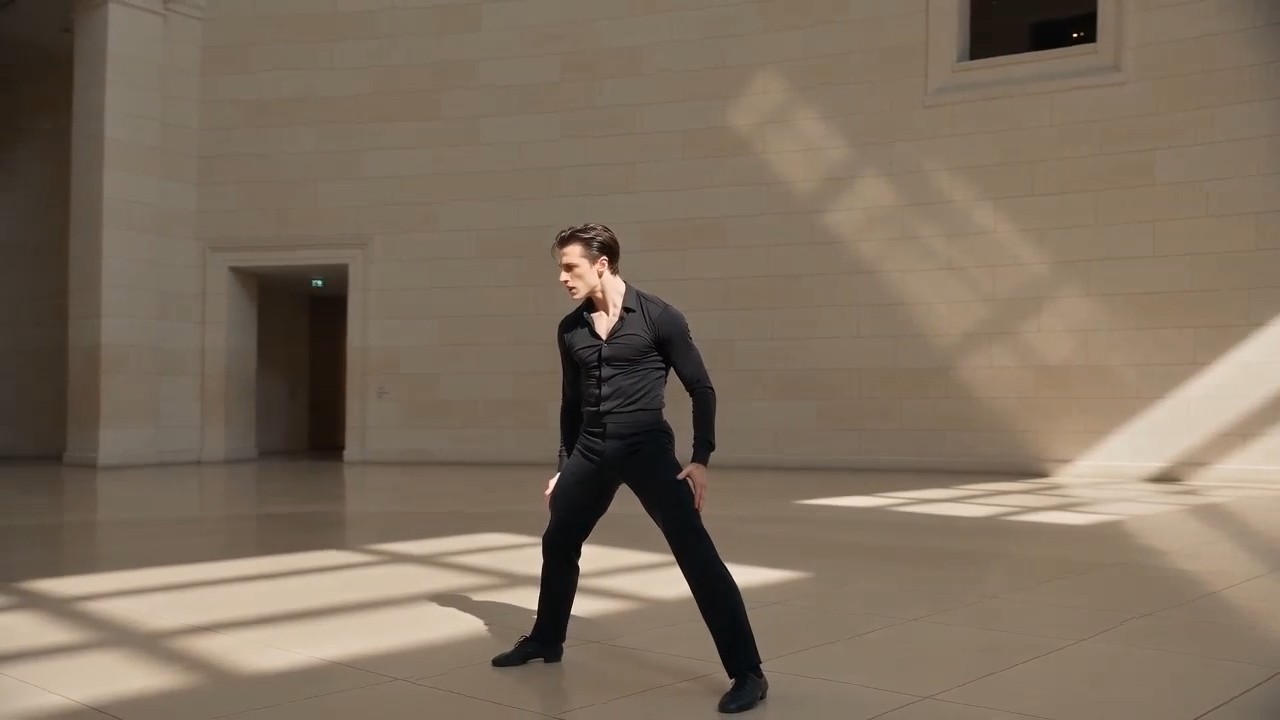
Motion and Camera Reference Transfer
Use this MiniMax H3 prompting guide workflow with a character image and a reference video that demonstrates the desired choreography and camera path.
MiniMax H3 prompt examples should assign a clear purpose to each reference. The MiniMax H3 prompting guide avoids asking one asset to control identity, motion, style, and sound simultaneously.
MiniMax H3 Prompting Guide FAQ
Find practical answers about using the MiniMax H3 prompting guide, adapting MiniMax H3 prompt examples, organizing references, and writing clearer generation or editing instructions.
The MiniMax H3 prompting guide is a curated library of prompts paired with video results and practical explanations. It helps you understand how complete prompts combine subjects, actions, environments, camera language, lighting, timing, sound, dialogue, and reference roles. Instead of treating MiniMax H3 prompt examples as fixed templates, use them as tested structures that can be adapted to new scenes.
Yes. Every entry in the MiniMax H3 prompting guide is designed to be copied and used as a starting point. You can open the generator from the prompt card and place the text in the prompt box. Before generating, review the MiniMax H3 prompt examples and replace details that do not match your intended subject, assets, duration, aspect ratio, or creative style.
A useful structure is subject and setting, followed by action, camera, visual style, lighting, temporal sequence, audio, dialogue, format, and constraints. The MiniMax H3 prompting guide uses this order because each instruction has a clear role. Study several MiniMax H3 prompt examples to see how detailed prompts remain readable when related information is grouped rather than repeated.
State what each asset should control. An image may define character identity or composition, a video may guide performance or camera motion, and audio may guide voice, rhythm, or atmosphere. The MiniMax H3 prompting guide labels these relationships in plain language. Strong MiniMax H3 prompt examples avoid conflicting reference roles and explain which source has priority when two assets contain different cues.
Describe stable identity details, wardrobe, environment, object design, and framing before describing motion. Add constraints for what should remain unchanged, especially during transformations or edits. The MiniMax H3 prompting guide also recommends a clear action sequence instead of several unrelated events. Compare MiniMax H3 prompt examples with your result, then revise the smallest uncertain instruction first.
Yes. The MiniMax H3 prompting guide includes generation and editing workflows. For edits, identify the exact person, object, background, light, dialogue, voice, effect, or sound to change, then protect everything else. MiniMax H3 prompt examples often use phrases such as ‘replace only,’ ‘keep unchanged,’ and ‘preserve timing’ to reduce unintended changes.
How Creators Use the MiniMax H3 Prompting Guide
Creators across production, advertising, social media, design, and storytelling use the MiniMax H3 prompting guide to move from an idea to a structured prompt. Their feedback shows how MiniMax H3 prompt examples support faster testing and clearer creative direction.
The MiniMax H3 prompting guide gives me a reliable starting structure for camera, action, and sound. I can adapt the MiniMax H3 prompt examples to client concepts without rebuilding every shot description.
I use the MiniMax H3 prompting guide when turning product briefs into short visual tests. The MiniMax H3 prompt examples make transformations and final hero shots much easier to communicate.
The strongest part of the MiniMax H3 prompting guide is the separation between identity, motion, camera, and audio references. The MiniMax H3 prompt examples help me avoid mixed instructions.
I can copy a scene from the MiniMax H3 prompting guide, replace a few creative variables, and test it immediately. The MiniMax H3 prompt examples are practical enough for daily social production.
For character scenes, the MiniMax H3 prompting guide reminds me to define emotion, dialogue length, camera timing, and ambience together. Those MiniMax H3 prompt examples produce more intentional iterations.
The editing section of the MiniMax H3 prompting guide is especially useful. Its MiniMax H3 prompt examples show how to protect the original shot while requesting one specific visual or audio change.






What You Can Create with MiniMax H3 Prompt Examples
Use the MiniMax H3 prompting guide for fast creative exploration or production-ready planning. The MiniMax H3 prompt examples cover common video goals while leaving room for different brands, stories, subjects, formats, and reference assets.

Cinematic Scenes
Build atmospheric shots with controlled camera movement, physical action, lighting changes, dialogue, ambience, and music. The MiniMax H3 prompting guide helps organize complex scenes, while MiniMax H3 prompt examples reveal how each instruction affects the final sequence.

Advertising and Product Videos
Create product reveals, transformations, material close-ups, lifestyle ads, and branded social clips. Use the MiniMax H3 prompting guide to define presentation order and sound cues, then customize MiniMax H3 prompt examples around your product and campaign.

Character and Motion Reference
Guide identity, acting, choreography, camera movement, voice, or editing rhythm with separate reference assets. The MiniMax H3 prompting guide clarifies asset roles, and MiniMax H3 prompt examples show how to combine references without weakening creative control.

Video and Audio Editing
Replace or refine selected people, objects, settings, effects, dialogue, voices, and ambience while protecting the rest of a clip. The MiniMax H3 prompting guide emphasizes targeted instructions, and MiniMax H3 prompt examples provide clear editing language.
Turn MiniMax H3 Prompt Examples into Your Next Video
Choose an idea from the MiniMax H3 prompting guide, copy the prompt, customize the creative details, and open MiniMax H3 to generate your result. Start with proven MiniMax H3 prompt examples and spend more time refining the video instead of staring at an empty prompt box.
