
Create a 15-second vertical 9:16 live-action “dress-up game” video. The reference video controls the fixed camera, full-body composition, character actions, interface layout, transformation timing and editing rhythm. The character reference controls the character’s face, body proportions, straight black bangs, two thick braided pigtails and final worn outfit. The five UI slot assets exclusively control the exact thumbnail content and locked slot order. Ignore the white turnaround-sheet background and layout of the character reference. Use a fixed, slightly high-angle wide camera with the character’s full body centered and visible throughout. Set the video inside a bright strawberry-themed Lolita dressing room: warm cream walls, cherry-red scalloped trim, white lace curtains, a red gingham armchair, an ivory wardrobe with red handles, a vintage vanity, strawberry cushions and a delicate tea set. Soft warm daylight, clean shadows and a coordinated cream, strawberry-red and pale-pink palette. Cute, refined and cozy, never dark or gloomy. 0–3.5s: The character stands sleepily in loose cream satin pajamas with red piping. She already has the exact face, straight bangs and two braided pigtails from the character reference, but she is not wearing the final headbow. A large red pixel-art arcade claw descends from the top of the frame. The claw is made of glossy cherry-red metal segments, deep burgundy pixel outlines, cream-white highlights and red heart-shaped joints. It gently closes around her shoulders, activates her with red heart sparkles, releases her and retracts upward. 3.5–5.8s: She slowly raises her head, yawns, rubs her eyes and stretches both arms overhead. A red-and-cream pixel progress bar appears near the bottom and rapidly fills. Add playful activation beeps and small strawberry-red sparkles. 5.8–12.8s: A retro pixel-game interface appears. Display “DRESS UP” in the upper left, three red heart icons, one small red close button in the upper right and one static vertical inventory menu along the left edge. The inventory menu contains exactly five equally sized slots arranged vertically. The five attached UI slot assets are mandatory ready-made thumbnails. Insert each asset directly into its assigned slot without redrawing, reinterpreting or replacing its garment. Preserve the original garment silhouette, crop, orientation, colors and details. Place every asset on a cream square with a consistent cherry-red pixel border. Locked top-to-bottom slot order: Slot 1: the ivory-white inner blouse with its ruffled hem, delicate collar and front button details. Slot 2: the cream strawberry-print suspender Lolita dress with shoulder straps, red chest bow, full bell-shaped skirt, pink decorative bows, vivid-red strawberry border and white lace hem. Slot 3: the cherry-red cropped knitted cardigan with long sleeves, fitted waist, front buttons and small ribbon decorations. Slot 4: the white ruffled ankle socks and glossy strawberry-red Mary Jane shoes with ankle straps and large front bows. Slot 5: the symmetrical cream-white and strawberry-red lace headbow with its original curved shape, ruffled edges and red printed details. All five thumbnails must appear once and only once. They remain visible, static and unchanged for the entire dress-up sequence. Selecting a slot only adds a small red glow, check mark or highlight around that same slot. Never regenerate, duplicate, merge, replace, shuffle or swap the five thumbnails. Do not derive additional UI thumbnails from the full character reference. Dress-up timeline: 5.8–7.2s — Select slot 1. The pajama top is instantly replaced by the exact ivory-white inner blouse shown in UI slot 1. 7.2–8.4s — Select slot 2. The pajama bottoms disappear and the exact strawberry suspender Lolita dress shown in UI slot 2 appears over the blouse. Preserve the blouse underneath. 8.4–9.7s — Select slot 3. The exact cherry-red knitted cardigan shown in UI slot 3 appears over the existing dress. 9.7–11.1s — Select slot 4. The exact white ruffled socks and red Mary Jane shoes shown in UI slot 4 appear together in one transformation. 11.1–12.8s — Select slot 5. The exact cream-and-red lace headbow shown in UI slot 5 appears on top of the character’s head, matching the final character reference in shape, scale and placement. Each selection uses one crisp instantaneous hard cut with a small burst of red hearts and cream sparkles. Previously equipped pieces remain unchanged while the next item is added. The item appearing on the character must visually match its corresponding attached UI asset. The character makes small surprised reactions and briefly glances toward the selected slot. 12.8–15s: The character now matches the complete front-view styling in the character reference. She performs a small joyful bounce, lightly lifts both sides of her strawberry skirt and finishes with a cute V-sign. Large red-and-cream pixel text “COMPLETE!” appears across the center, surrounded by hearts, strawberries and sparkling particles. Realistic live-action texture with a polished social-media aesthetic. All claws, interface borders, icons, hearts, progress bars and selection highlights use the same strawberry-red, burgundy and cream visual system. Keep the face, braids, body proportions and equipped clothing consistent in every frame. No duplicated thumbnails, no repeated dress, no second footwear icon, no question mark, no extra inventory slots, no shuffled order, no generic substitute garments, no dissolving clothes, no body morphing, no extra characters and no dark lighting. Playful retro-game music, claw-machine sounds, menu clicks and sparkle chimes; no dialogue.
Seedance 2.5 Prompt: Copy AI Prompt to Video.
Copy ready Seedance 2.5 prompt examples, paste into Seedance 2.5, choose resolution, and generate cinematic AI videos faster from prompt with scene control.
Describe your idea and let AI create the perfect prompt for you
Seedance 2.5 prompt: Copy Ready AI Video Ideas Faster
Build cinematic clips faster with Seedance 2.5 prompt examples, practical guidance, and fresh Seedance 2.5 prompts for creators who want clearer scenes, stronger motion, and better results.
Seedance 2.5 prompt resources help you move from rough ideas to polished video instructions. Browse ready structures, learn what details matter, and adapt each prompt to your own story, whether you are planning action, emotion, fantasy, travel, or product visuals.
How to Use Seedance 2.5 prompt in 3 Simple Steps
Seedance 2.5 prompt guide turns copying into a repeatable workflow: copy the page prompt, enter the seedance 2.5 page, paste the prompt, choose resolution, and click generate. This prompt guide for seedance 2.5 keeps the process simple. Use it as a checklist whenever a scene feels too vague or crowded.

Copy a Prompt From This Page
Choose a Seedance 2.5 prompt that matches your scene goal, then copy it directly from the page. Each example is written to show subject, action, camera movement, atmosphere, and ending clearly, so you can adjust names, setting, or mood without rebuilding the structure. Start with the closest example, then make small edits instead of rewriting everything from scratch.

Open the Seedance 2.5 Page and Paste
Go to the seedance 2.5 page and paste Seedance 2.5 prompt into the prompt box. Follow prompt guide for seedance 2.5 when editing: keep the subject consistent, describe motion in order, and avoid mixing too many ideas into one short clip. A focused scene usually performs better than a crowded request with competing actions.

Select Resolution and Generate
Select your preferred resolution, review Seedance 2.5 prompt one more time, then click generate. After the result appears, compare the video with your goal, refine weak details, and reuse the strongest parts of Seedance 2.5 prompt guide for the next attempt. Treat each output as feedback for better wording.
What Seedance 2.5 prompt Helps You Do
Seedance 2.5 prompt guide is built for people who want stronger video instructions without guessing every detail. Browse Seedance 2.5 prompts, study the structure, copy what fits, and adapt the wording to match your own scene. The goal is not to fill the prompt box with more words, but to choose sharper details that guide motion and emotion.
Turn Vague Ideas Into Clear Video Directions
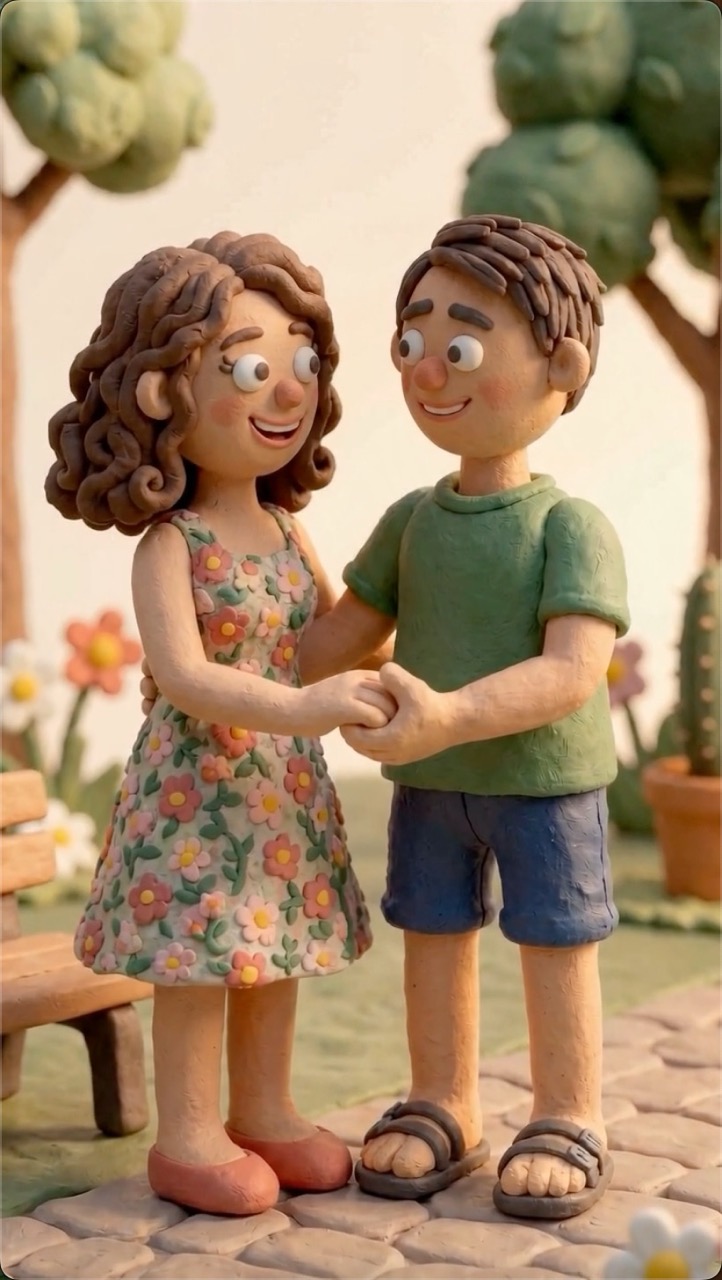
Many creators know the scene they want but struggle to describe it. Seedance 2.5 prompt examples give you a usable pattern for subject, setting, camera, action order, mood, and final beat. Seedance 2.5 prompt guide helps you see why each detail matters, while Seedance 2.5 prompts on the page give practical starting points for fast experiments. Instead of guessing which words to include, you can follow a proven scene outline and spend more energy on creative choices. This matters because video generation reacts strongly to order. A well-arranged line can make the same idea feel clearer, more cinematic, and easier to revise after the first result.
Create Better Continuity From Start to Finish
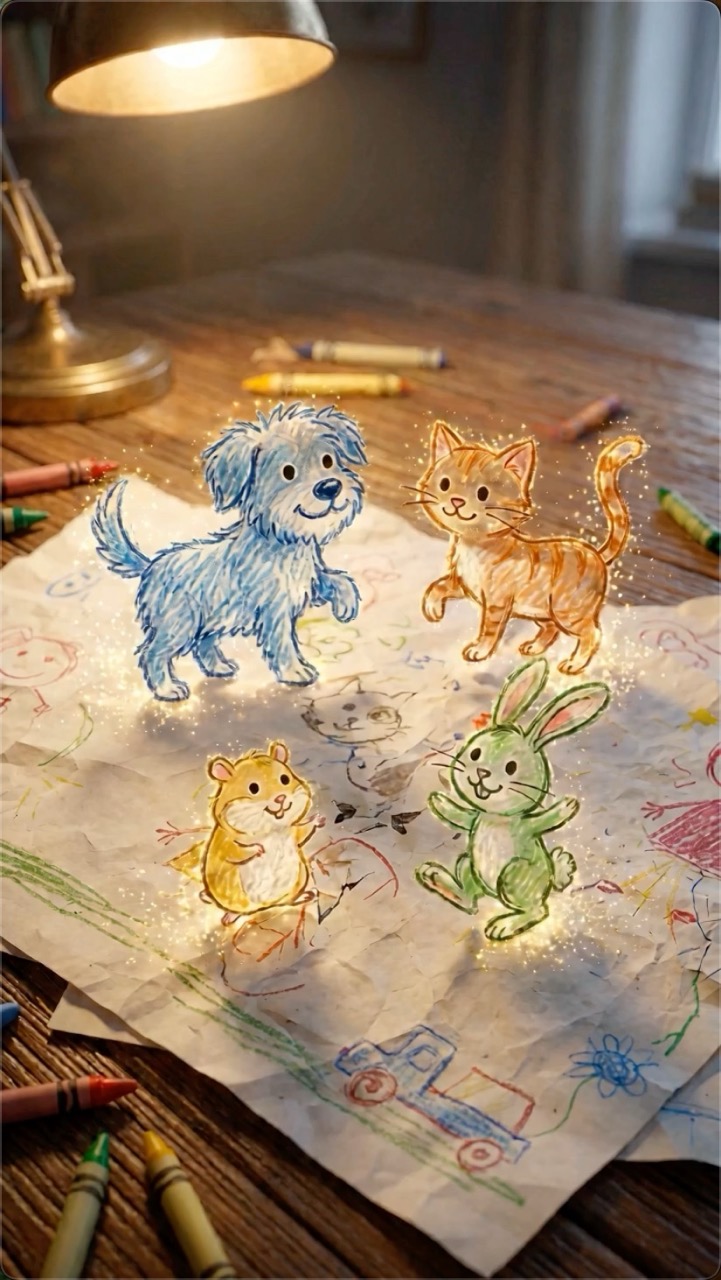
Video prompts often fail when action jumps too quickly or the character changes mid-scene. Seedance 2.5 prompt guide focuses on continuity: what appears first, what moves next, and how the final moment should feel. Use prompt guide for seedance 2.5 to keep clothing, lighting, camera angle, and emotional progression aligned in one shot. This is especially useful for scenes with running, turning, reacting, transforming, or revealing something important. When continuity is clear, the viewer understands the intended story beat without needing extra context or multiple disconnected shots.

Learn Prompt Patterns You Can Reuse
This resource is useful because it teaches repeatable prompt thinking, not just one-time copying. Seedance 2.5 prompt can become a template for chase scenes, product reveals, emotional close-ups, fantasy shots, and realistic daily moments. Seedance 2.5 prompt guide shows how to swap subjects, environments, and motion while keeping the same reliable structure. Over time, you build a personal library of patterns that can support many different video ideas. Reusable patterns also make collaboration easier, because another creator can understand your intent quickly and adjust only the creative variables.
Who Can Use Seedance 2.5 prompt
Seedance 2.5 prompt guide supports creators, marketers, storytellers, and teams that need practical video wording. This prompt guide for seedance 2.5 helps users turn simple ideas into clearer generation-ready instructions. It is designed for fast copying, easy customization, and better learning from each video result.

Creators Building Cinematic Short Clips
Use Seedance 2.5 prompt when you need a scene with visible motion, mood, and camera direction. Seedance 2.5 prompt guide helps creators plan the shot before generation, so the final clip feels like a complete moment instead of a random visual test. It is helpful for suspense, comedy, romance, action, and dramatic reaction scenes where timing matters. The structure encourages you to name the environment, describe the character’s movement, and end with a readable reaction.

Marketers Testing Product Video Concepts
Seedance 2.5 prompt can outline product reveals, lifestyle scenes, and brand-safe visual ideas without starting from a blank box. Seedance 2.5 prompt guide keeps the product visible, the setting relevant, and the camera movement purposeful for quick campaign exploration. Teams can test several angles, compare results, and choose which concept deserves more refinement. This saves planning time when a campaign needs many visual directions before a final style is selected.

Storytellers Planning Character Moments
Character videos need more than appearance. Seedance 2.5 prompt lets you describe expression, hesitation, pace, and reaction. Use prompt guide for seedance 2.5 to shape emotional timing, then adapt Seedance 2.5 prompts for different personalities, locations, and endings. This makes it easier to create a scene that feels intentional rather than a disconnected portrait. It also helps keep the audience focused on the character’s feeling, not just the background or costume.

Teams Creating Repeatable Prompt Libraries
Teams can use Seedance 2.5 prompt examples as reusable internal references. Seedance 2.5 prompt guide makes the format easier to share because it explains what to include, what to remove, and how to keep every request clear for future video concepts. A shared format also reduces confusion when multiple people write prompts for the same project. A consistent format makes review faster and helps every teammate learn from successful examples.
What Users Say About Seedance 2.5 prompt
Creators use Seedance 2.5 prompt guide to improve clarity, pacing, and consistency. These experiences show how Seedance 2.5 prompt can make AI video planning faster and less frustrating. The feedback also highlights a common benefit: better structure leads to fewer wasted generations.
I used to write short prompts that looked fine but produced messy motion. Seedance 2.5 prompt examples helped me slow the scene down and explain what happens first, next, and last. Seedance 2.5 prompt guide made my chase clip much easier to control. I also started noticing which details were unnecessary, so later prompts became cleaner. Now I begin with a scene arc instead of a loose description.
For product concepts, I need wording that is specific without becoming too long. Seedance 2.5 prompt gave me a clean structure for product placement, lighting, camera angle, and action. Seedance 2.5 prompt guide also helped me remove details that confused the result. The biggest benefit is speed: I can test more ideas in less time. My drafts now have fewer contradictions and a clearer final frame.
Seedance 2.5 prompts saved me time when testing different cinematic ideas. I copied one, changed the setting, and got a stronger result than my old prompt. Seedance 2.5 prompt guide is especially useful for learning how to describe camera movement naturally. It helped me move from random wording to a repeatable creative process. I can also compare variations more fairly because the structure stays consistent.
I like that each Seedance 2.5 prompt feels practical, not overloaded. The page helped me understand scene rhythm and final reactions. Prompt guide for seedance 2.5 is now my reference whenever I need a polished AI video idea quickly. I can adapt a prompt for social posts, concept tests, or mood boards without feeling stuck. It feels practical for everyday content planning, not only advanced production work.



FAQs About Seedance 2.5 prompt
Find quick answers about Seedance 2.5 prompt guide, how to customize prompts, and how Seedance 2.5 prompts help turn video ideas into usable instructions. Keep these tips in mind when editing examples for your own scenes.
Seedance 2.5 prompt is a ready text instruction for generating AI video scenes. It describes subject, action, setting, camera movement, mood, and ending in a clear order so the result has a stronger visual direction. Good wording makes the intended shot easier to interpret.
Seedance 2.5 prompt guide helps you understand how each part of a prompt works, so you can copy, edit, and improve prompts with more confidence instead of relying on guesswork. It is useful when you want to learn the logic behind better examples.
Yes. Copy a Seedance 2.5 prompt, change the subject, place, action, or style, then keep the order clear before generating. Small edits usually work better than replacing everything at once. Review the final sentence carefully because endings often shape the clip’s mood.
Use prompt guide for seedance 2.5 to define one main action, stable character details, clear camera movement, and a simple final moment. Keep the movement sequential and avoid conflicting directions. A single action path is easier to render than several competing actions.
Seedance 2.5 prompts are useful for cinematic scenes, product shots, emotional moments, travel visuals, fantasy clips, and realistic daily actions. They work best when each scene has one clear visual purpose. You can adapt tone, location, and camera style to fit your concept.
Seedance 2.5 prompt guide is updated to keep examples fresh, practical, and aligned with common creator needs for clearer AI video generation. Check back when you need new scene structures. Regular updates give you more references for new ideas.
Start With Seedance 2.5 prompt Today
Copy Seedance 2.5 prompt, follow Seedance 2.5 prompt guide, and build clearer AI video scenes faster. Use prompt guide for seedance 2.5 whenever you need a structured starting point. Start with a proven example, adjust the creative details, choose resolution, and generate.
