
Turn color photos into polished black-and-white images online with precise tonal control.
More AI Image Generators
Explore our collection of specialized AI image generators designed for different creative needs and styles


















Grayscale Image Converter for Striking Black-and-White Photos
Turn color into timeless monochrome online
Transform your vibrant color photography into timeless, striking black-and-white art. Use Grayscale Image Converter to seamlessly remove color while meticulously preserving facial details, intricate textures, natural lighting, and original composition. Whether you are looking to desaturate an image for a vintage feel or create a high-contrast editorial portrait, upload your photo, describe your preferred mood, and let our advanced tool create a polished, professional-grade monochrome result in seconds. Experience effortless image transformation today with this industry-leading solution.
How to Use Grayscale Image Converter
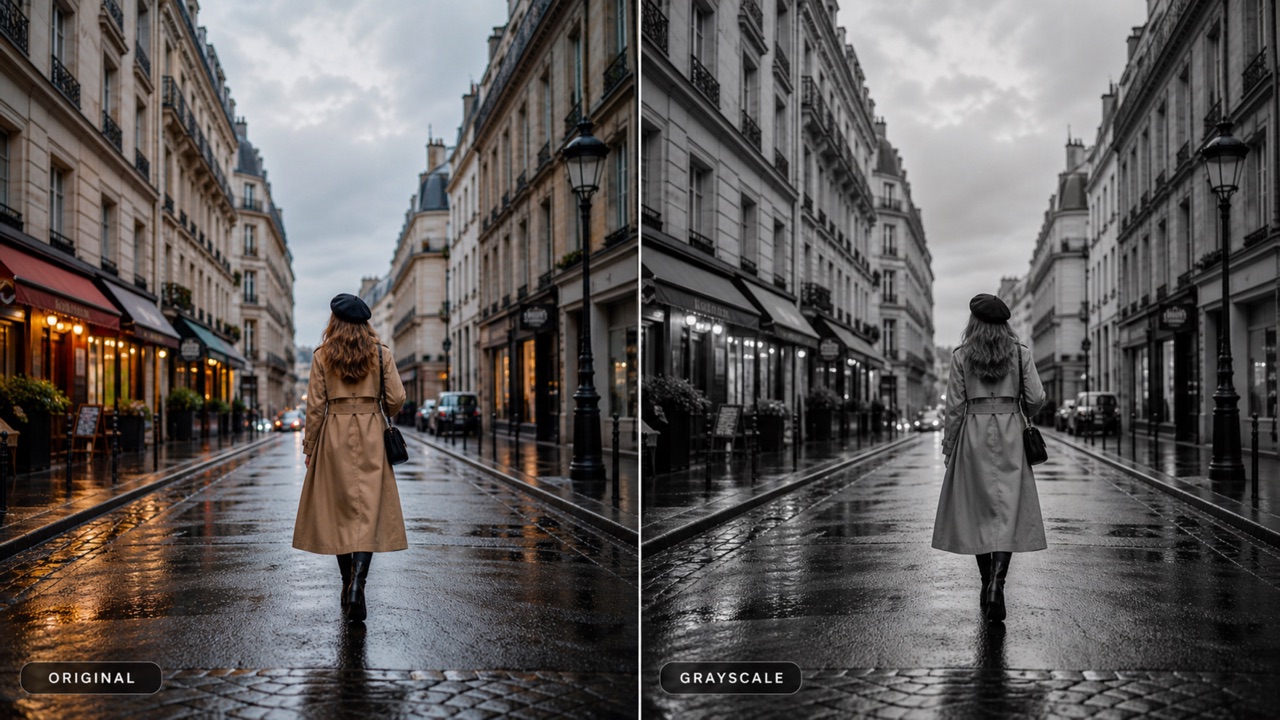
This monochrome image maker follows a simple upload, describe, and generate workflow. With this tool, no complex layers or manual channel mixing are required.

Upload One Image
Choose a portrait, product shot, landscape, artwork, or social photo. Grayscale Image Converter uses the uploaded image as the source and keeps its original subject and composition.

Describe the Monochrome Look
Tell the Grayscale Image Converter black and white filter whether you want soft tones, dramatic contrast, vintage film grain, deep blacks, bright highlights, or a clean neutral conversion.

Generate and Download
Start Grayscale Image Converter, review the black-and-white output, and download the finished image. Refine your prompt if you want a different tonal balance.
Best AI Image Tools for Creative Projects
Explore creative tools for image, learn tips and tricks, and see how AI can be your assistant in turning concepts into finished projects.
Make More Than a Simple Desaturated Image with Grayscale Image Converter
Grayscale Image Converter balances convenience with creative control, helping every monochrome image keep its visual purpose. Rely on Grayscale Image Converter for stunning black-and-white outputs.
Preserve Detail While Removing Color
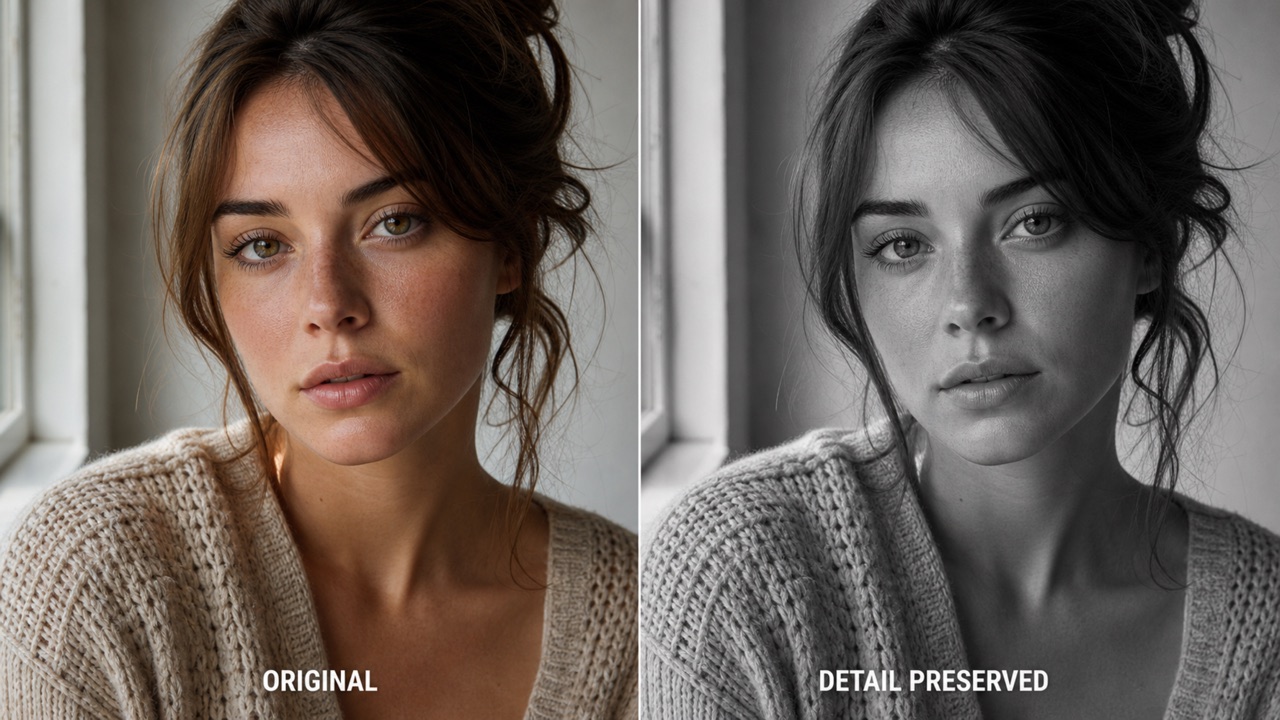
A basic desaturation filter can flatten a photo. Grayscale Image Converter is designed to retain important texture, edges, lighting structure, facial identity, and background detail while removing color. Use Grayscale Image Converter for photographs where skin texture, fabric, architecture, clouds, or product surfaces must remain clear. The result feels intentional rather than washed out, making it ideal for both quick edits and presentation-ready visuals.
Choose Soft, Dramatic, or Film-Inspired Tone
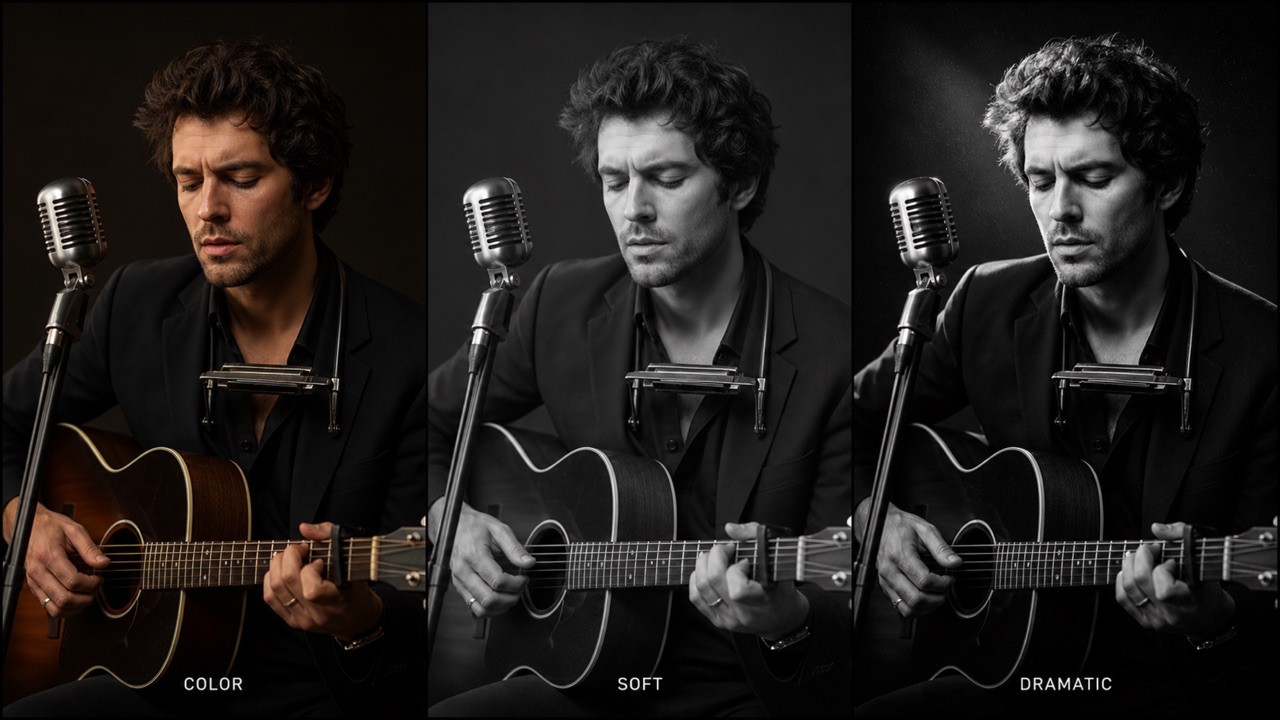
Black and white is not one fixed style. Ask the converter for gentle gray transitions, crisp editorial contrast, moody cinema shadows, bright high-key portraits, or subtle film grain. Grayscale Image Converter combines the conversion rule with your prompt, giving you more creative direction than a one-click filter. If the first result is too dark or too flat, run Grayscale Image Converter again with a clearer tonal request.
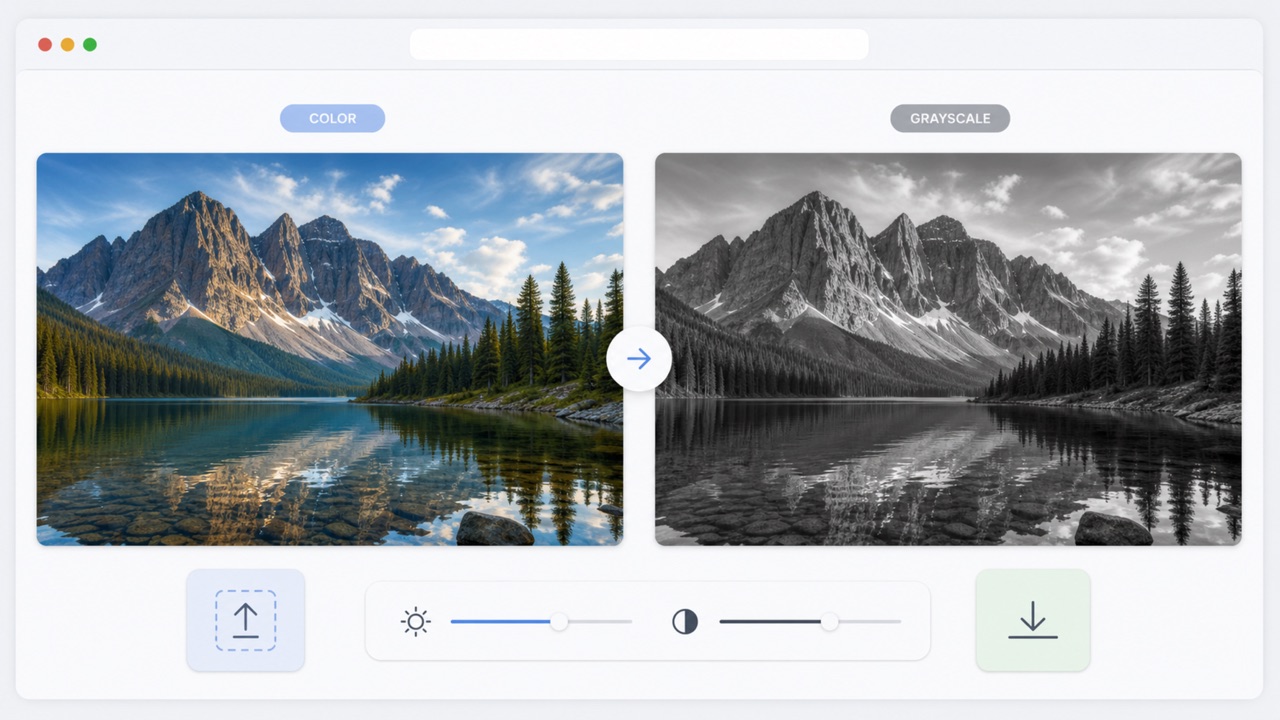
Convert Online Without Complex Editing Software
Grayscale Image Converter keeps the workflow focused: upload one image, add optional direction, and generate. You do not need to learn adjustment layers, channel mixers, curves, or masking. Grayscale Image Converter is useful when you need a fast monochrome version for a post, mockup, article, portfolio, print concept, or client review. Open Grayscale Image Converter in your browser whenever a color photo needs a clean black-and-white alternative.
Who Uses Grayscale Image Converter?
From hobbyists to professionals, a wide range of creatives rely on Grayscale Image Converter for everyday image adjustments, commercial brand design, and educational workflows. Discover how removing color via Grayscale Image Converter can refine your visual storytelling.

Portraits and Profile Photos
Use Grayscale Image Converter to create highly expressive, dramatic portraits with perfectly balanced skin tones, dimensional lighting, and a clearly recognizable identity. Turning pictures to black and white online can effortlessly elevate professional corporate headshots, artistic musician profiles, heartfelt memorial images, and timeless personal photography. Our tool ensures every delicate shadow is rendered perfectly.

Products and Brand Visuals
Run your e-commerce product photos through Grayscale Image Converter for elegant, high-end catalog layouts, sophisticated packaging concepts, inspiring mood boards, and minimalist marketing campaign drafts. This smart desaturate image online utility, powered by advanced AI, meticulously preserves intricate geometric shapes and subtle surface details while simplifying the overall color palette.

Social, Editorial, and Blog Images
Grayscale Image Converter helps digital creators, influencers, and graphic designers establish a highly consistent, moody monochrome look for social media feeds, long-form articles, magazine covers, event announcements, and dynamic story graphics. Turn your color image to b&w using Grayscale Image Converter whenever bright hues distract from the core subject or primary narrative message.

Art, Print, and Photography Studies
Utilize Grayscale Image Converter to thoroughly study tonal values, shape contrast, dramatic silhouettes, and light distribution before sketching, painting, printing, or extensive retouching. Analyzing an image in grayscale makes it exponentially easier for art students and professionals to judge complex tonal relationships, and Grayscale Image Converter makes this process wonderfully seamless.
Why Creators Choose Grayscale Image Converter
From quick mood board previews to highly polished monochrome marketing assets, Grayscale Image Converter helps creative professionals focus purely on tone, texture, and visual storytelling.
Grayscale Image Converter gives my portrait preview galleries a highly refined, classic tonal range without drastically altering the main subject's appearance. I can quickly test a softer, ethereal vibe or a much more dramatic, high-contrast direction before sending files off for a formal client review, and Grayscale Image Converter keeps my entire post-processing workflow incredibly fast.
I frequently use Grayscale Image Converter for early editorial layout drafts, especially when vibrant colors in a photograph compete heavily with a bold headline or typographic element. The resulting conversion consistently stays crisp, clear, and rich in detail, and having an adjustable black and white filter online like Grayscale Image Converter helps my team accurately compare several different visual moods in a matter of minutes.
Grayscale Image Converter is incredibly useful for preparing accurate value studies from our reference photos in class. My art students can immediately see exactly how light and shadow interact across complex forms, while this accessible web-based desaturation tool completely removes the intimidating technical barriers often associated with learning complex photo software.
Our packaging design concepts almost always need a clean, sophisticated monochrome option to show clients structure over styling. Grayscale Image Converter preserves delicate material textures and sharp edges remarkably well. Because it is so reliable, I can drop the output directly into a layout immediately, and easily jump back to Grayscale Image Converter if we need to explore an alternate contrast level.
Grayscale Image Converter lets me effortlessly build a cohesive, highly aesthetic black-and-white social media series from a completely mismatched batch of colorful source photos. I just type in a short, descriptive mood prompt, click generate, and enjoy the streamlined output. With Grayscale Image Converter, I only ever need to use the desaturate picture tool a second time if a specific Instagram post requires deeper shadows.
For generating quick documentary contact sheets, Grayscale Image Converter creates instant, high-quality previews that manage to retain all the critical details of the original scene. Scanning these monochrome outputs helps me objectively decide exactly which specific frames carry enough emotional weight to deserve a much more extensive manual RAW edit later on. Grayscale Image Converter is indispensable for my work.






Grayscale Image Converter FAQ
Learn exactly how Grayscale Image Converter handles high-resolution uploads, detailed tonal direction, strict subject preservation, and practical everyday commercial use.
Grayscale Image Converter effortlessly turns any uploaded color image into a stunning monochrome masterpiece while purposefully aiming to preserve its original subject, intricate composition, surface texture, underlying lighting structure, and finest micro-details. To further customize the output, you can also describe a specific preferred contrast level, vintage grain effect, or overall cinematic mood.
Absolutely. You can simply open Grayscale Image Converter directly in your internet browser and start the complete conversion workflow instantly, entirely without needing to download or install expensive desktop editing software. Keep in mind that specific availability, daily generation limits, and user account requirements may vary depending on your currently active Pixomi service plan.
Grayscale Image Converter can be successfully used with a massive variety of subjects, including close-up portraits, glossy e-commerce product images, sweeping outdoor landscapes, modern architecture, fine artwork reproductions, appetizing food photos, and many other common digital image types. Providing a clear, sharp, and well-exposed source file initially usually guarantees the best results.
Yes, you certainly can. Ask Grayscale Image Converter for ultra-low or starkly high contrast, beautifully soft silvery gray tones, deeply dark cinematic shadows, intensely bright editorial studio light, nostalgic vintage film character, or even a subtle analog film grain. Providing highly specific, descriptive text directions helps Grayscale Image Converter precisely shape and mold the final b&w output to your exact vision.
The smart AI image to monochrome generator within Grayscale Image Converter is strictly prompted under the hood to preserve your original subject's exact identity, framing crop, structural geometry, background elements, and overall scene composition. However, because AI models can still slightly interpret visual data in unique ways, we highly recommend that you review the resulting image carefully and regenerate with Grayscale Image Converter using stricter instructions if needed.
Grayscale Image Converter can certainly support robust commercial graphic design and marketing workflows. However, please note that you always remain solely responsible for possessing the legal rights and correct licensing to the original uploaded source imagery, as well as checking current Pixomi usage terms and acquiring necessary model permissions before publishing the final black-and-white image generated.
Create a Timeless Black-and-White Image Today with Grayscale Image Converter
Upload a single color photo to Grayscale Image Converter, clearly describe the exact monochrome mood or vintage contrast style you want to achieve, and watch as our AI generates a beautifully polished, high-resolution grayscale result right in your browser. Transform your colorful memories into striking, dramatic monochromatic art instantly without needing a background in professional photography. Make this your ultimate monochrome editor.
