
More AI Image Generators
Explore our collection of specialized AI image generators designed for different creative needs and styles























Nose Piercing Filter: Preview Your New Look
Try studs, hoops, and rings on your own photo before making a real-world choice.
Upload a clear portrait and use the Nose Piercing Filter to explore realistic jewelry in seconds. The Nose Piercing Filter keeps your face recognizable while helping you compare flattering styles with no commitment.

How to Use the Nose Piercing Filter
The Nose Piercing Filter turns a simple selfie into a fast virtual try-on. Upload, describe, and compare without complex photo-editing software.

Upload a Clear Portrait
Choose a front-facing or three-quarter selfie with visible nose details. The Nose Piercing Filter works best when lighting is even and the face is not covered by hair, hands, or heavy shadows.

Describe Your Piercing Style
Tell the Nose Piercing Filter whether you want a nostril stud, hoop, septum ring, gemstone, metal color, size, or side placement. Clear instructions give the Nose Piercing Filter a precise creative direction.

Generate and Compare
Start the Nose Piercing Filter and review the result. Try another metal, placement, or shape until the Nose Piercing Filter produces a look that feels balanced with your features and personal style.
Best AI Image Tools for Creative Projects
Explore creative tools for image, learn tips and tricks, and see how AI can be your assistant in turning concepts into finished projects.












Explore Nose Jewelry Before You Commit
The Nose Piercing Filter combines fast AI editing with practical style comparison, giving you more ways to evaluate jewelry, placement, and overall balance.
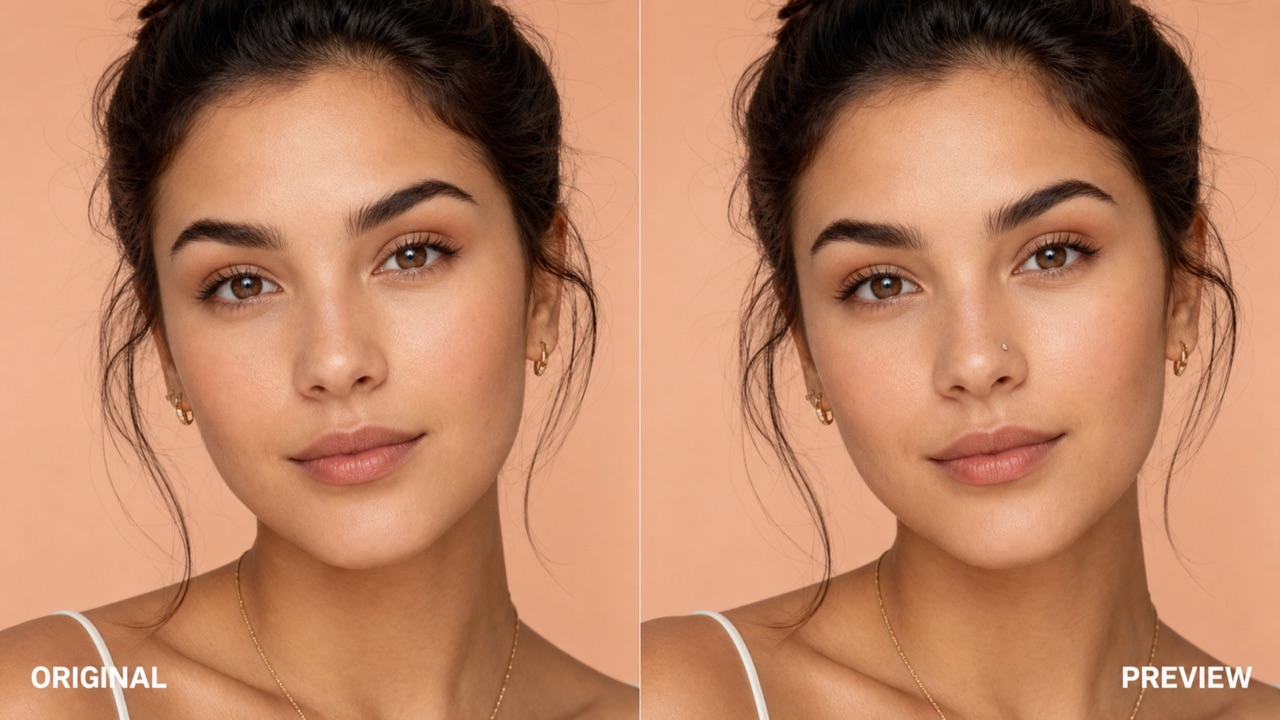
See Jewelry That Looks Naturally Placed
A virtual piercing should follow the shape, angle, lighting, and texture of your face. The Nose Piercing Filter aims to place jewelry with believable scale and reflections while preserving your identity. Use the Nose Piercing Filter to judge whether a tiny stud, delicate hoop, or statement ring complements your nose and overall proportions. Because the Nose Piercing Filter creates a visual preview rather than a physical outcome, you can explore confidently before discussing placement and suitability with a professional piercer.
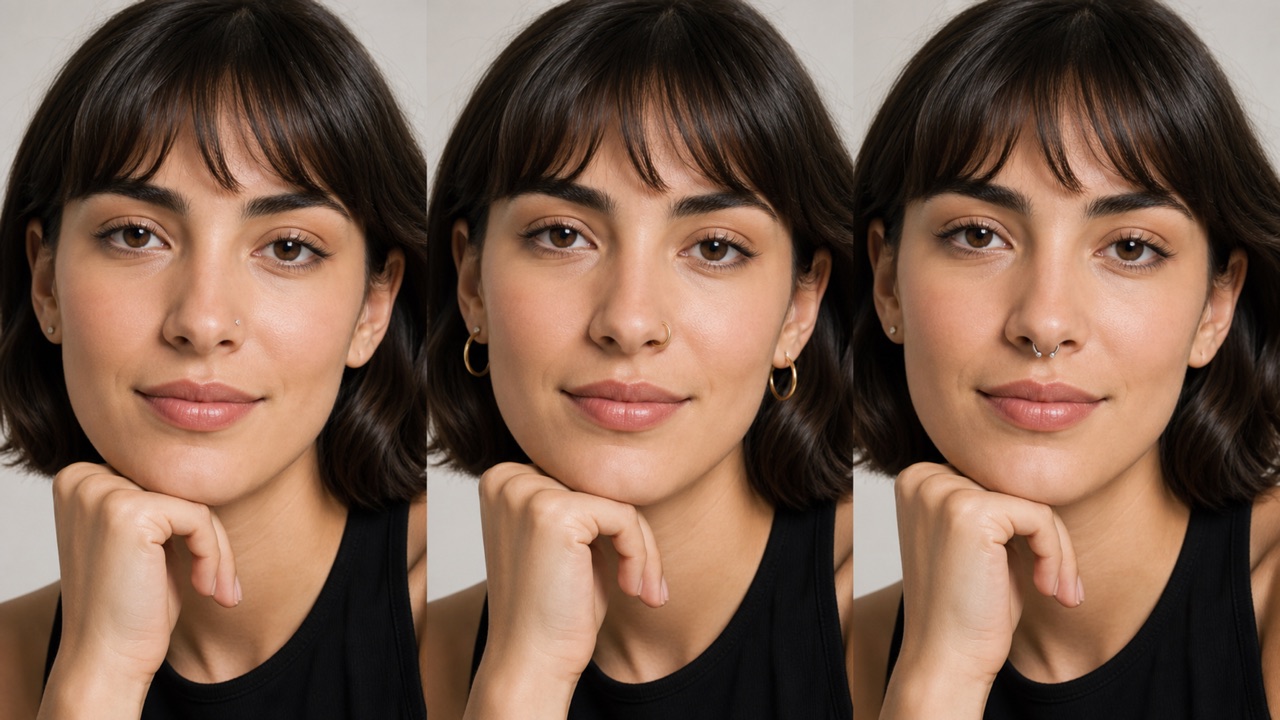
Compare Studs, Hoops, and Septum Rings
Different jewelry can change the mood of the same portrait. Ask the Nose Piercing Filter for a minimal silver stud, a warm gold hoop, a sparkling gemstone, or a bold septum ring. Then run the Nose Piercing Filter again with one detail changed. This controlled comparison makes the Nose Piercing Filter useful for narrowing choices without buying several pieces first. The Nose Piercing Filter also helps you discuss a reference look more clearly with a piercer, stylist, friend, or photographer.
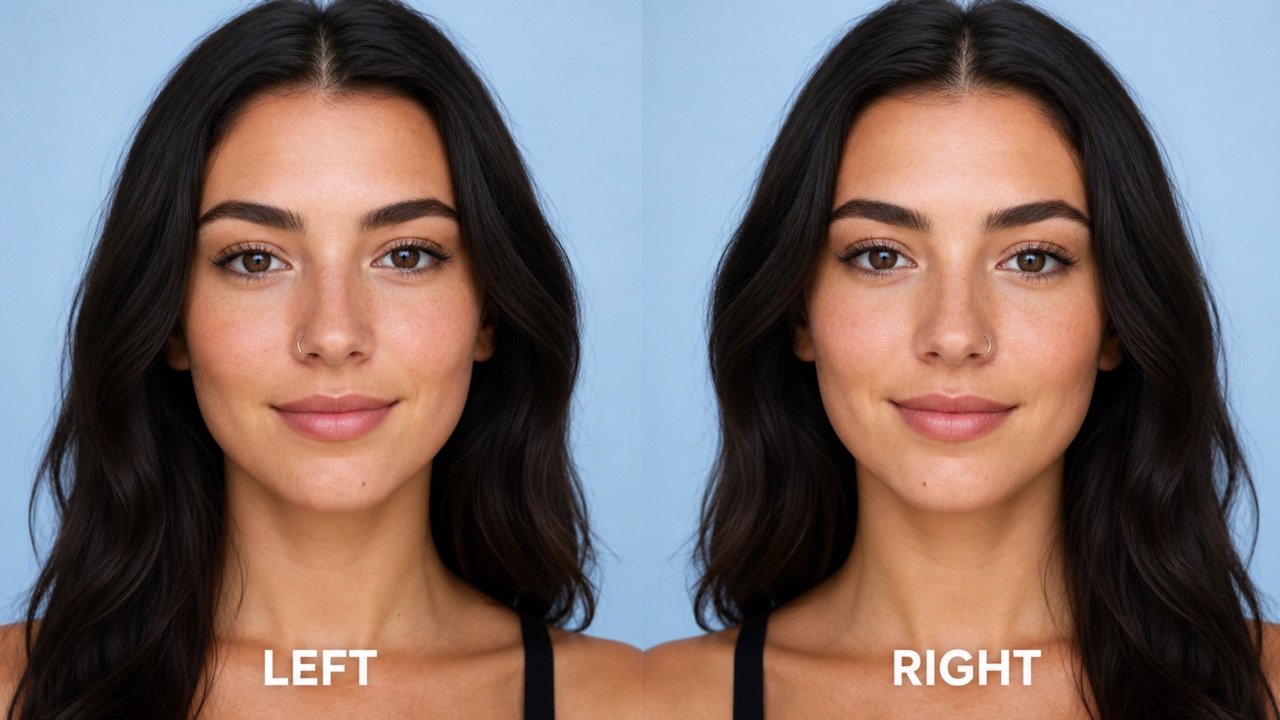
Test Placement Without Changing Your Face
Placement matters as much as jewelry style. Use the Nose Piercing Filter to explore left or right nostril options, higher or lower positions, and subtle changes in ring diameter. The Nose Piercing Filter is designed to keep facial structure, expression, skin tone, hair, and background consistent while changing the requested jewelry. With the Nose Piercing Filter, you can compare options on a familiar photo instead of guessing from a generic model. Results are creative previews, so always consult a qualified piercer about anatomy, healing, and safe placement.
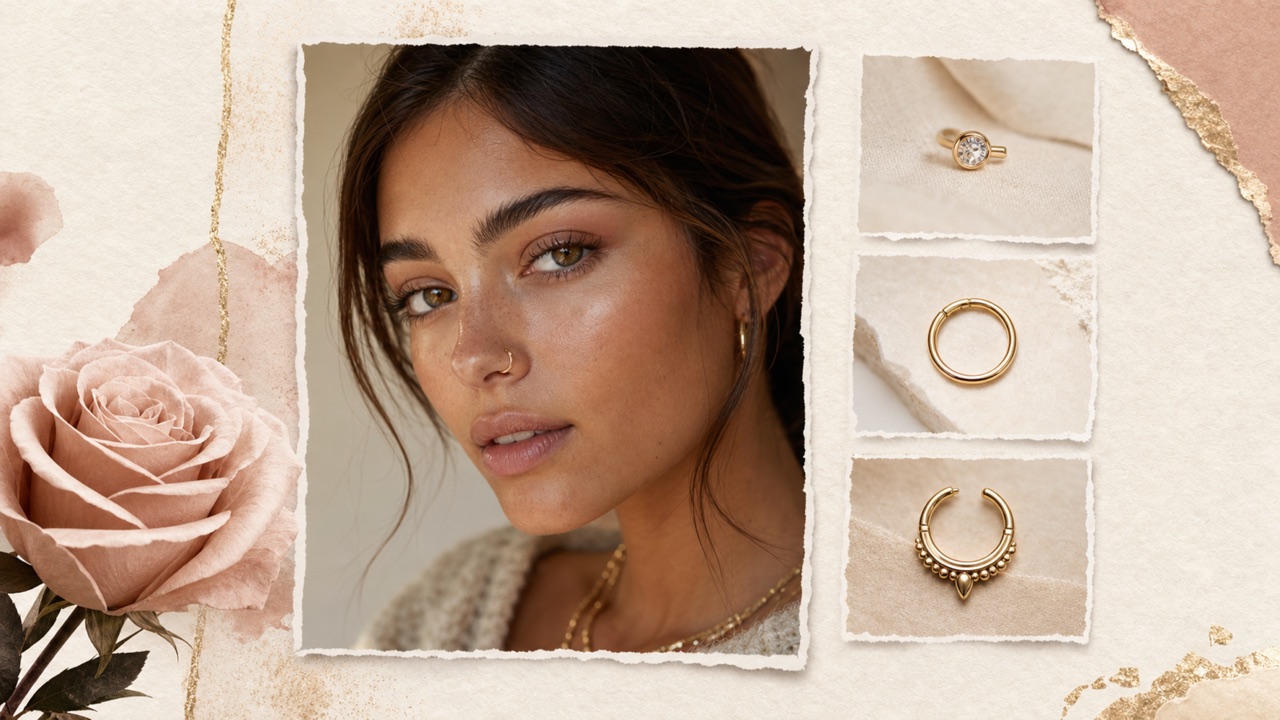
Create Shareable Style References Fast
Turn an idea into a visual reference before an appointment, shoot, costume test, or style conversation. The Nose Piercing Filter lets you communicate the intended metal, shape, scale, and placement more clearly than words alone. A Nose Piercing Filter result can help organize inspiration, compare a few favorites, or plan accessories around a chosen look. Keep in mind that the Nose Piercing Filter is for visualization and does not replace professional advice, consent, aftercare guidance, or an in-person anatomy assessment.
Ways to Use the Nose Piercing Filter
From personal style research to creative planning, the Nose Piercing Filter makes visual exploration quick, private, and easy to repeat.

First-Time Piercing Research
If you are curious but undecided, the Nose Piercing Filter offers a low-pressure first look. Compare subtle and expressive options before booking a consultation, while remembering that the Nose Piercing Filter cannot assess anatomy or healing.

Jewelry Shopping Shortlists
Use the Nose Piercing Filter to narrow metal colors, shapes, and visual sizes before shopping. A Nose Piercing Filter preview can make a mood board more personal and reduce random trial and error.

Creative Shoots and Costumes
Photographers, makeup artists, and costume creators can use the Nose Piercing Filter for fast concept tests. The Nose Piercing Filter helps teams compare accessories without changing the original styling plan.

Sharing With Friends
Create several versions with the Nose Piercing Filter and ask trusted friends which look feels most like you. The Nose Piercing Filter makes each option easier to see and discuss than a text description.
How Creators Explore New Piercing Looks
People use the Nose Piercing Filter to compare styles, clarify ideas, and prepare better visual references before making creative or real-world decisions.
The Nose Piercing Filter helped me compare a tiny gold stud with a silver hoop on the same selfie. I brought the clearer reference to my consultation and felt much more prepared.
I used the Nose Piercing Filter for a portrait concept and tested jewelry scale before the shoot. The quick variations saved time and kept the creative discussion focused.
The Nose Piercing Filter made it easy to see whether a septum ring matched my usual makeup. I liked being able to change one detail at a time without altering my whole face.
For a costume mood board, the Nose Piercing Filter gave our team a useful visual reference in minutes. We compared bold and minimal options before choosing the final direction.
I was unsure which nostril suited the look I wanted. The Nose Piercing Filter let me compare both sides on a familiar photo and made my questions for the piercer more specific.
The Nose Piercing Filter was a simple way to test accessory ideas for a character design. The results were helpful as visual concepts, and the workflow was easy to repeat.






Nose Piercing Filter FAQ
Find practical answers about photos, prompts, jewelry choices, result quality, responsible use, and the limits of a Nose Piercing Filter preview.
A Nose Piercing Filter is an AI image-editing experience that adds virtual nose jewelry to an uploaded portrait. It creates a visual style preview; it does not perform medical assessment or guarantee how a physical piercing will look or heal.
Use a sharp, well-lit portrait where your nose is clearly visible. Tell the Nose Piercing Filter the jewelry type, metal color, size, side, and placement you want. Start simple, then change one detail per version for easier comparison.
Yes. Ask the Nose Piercing Filter for nostril studs, hoops, or septum rings and describe the desired finish. Availability and output quality may vary by image, prompt, and selected model.
The built-in instruction tells the Nose Piercing Filter to preserve facial identity, expression, skin tone, hair, composition, and background while adding only the requested jewelry. AI results can still vary, so review every output carefully.
No. The Nose Piercing Filter is a creative visualization tool. Ask a qualified professional piercer about anatomy, safe placement, jewelry materials, sterile technique, risks, healing time, and aftercare before making a physical change.
You can use a Nose Piercing Filter result as a personal style reference or creative concept, subject to Pixomi's current terms and any rights connected to the source photo. Only upload images you are allowed to use.
Find Your Nose Piercing Look Today
Upload a portrait, describe your favorite jewelry, and let the Nose Piercing Filter turn your idea into a realistic visual reference in seconds.
