
More AI Image Generators
Explore our collection of specialized AI image generators designed for different creative needs and styles







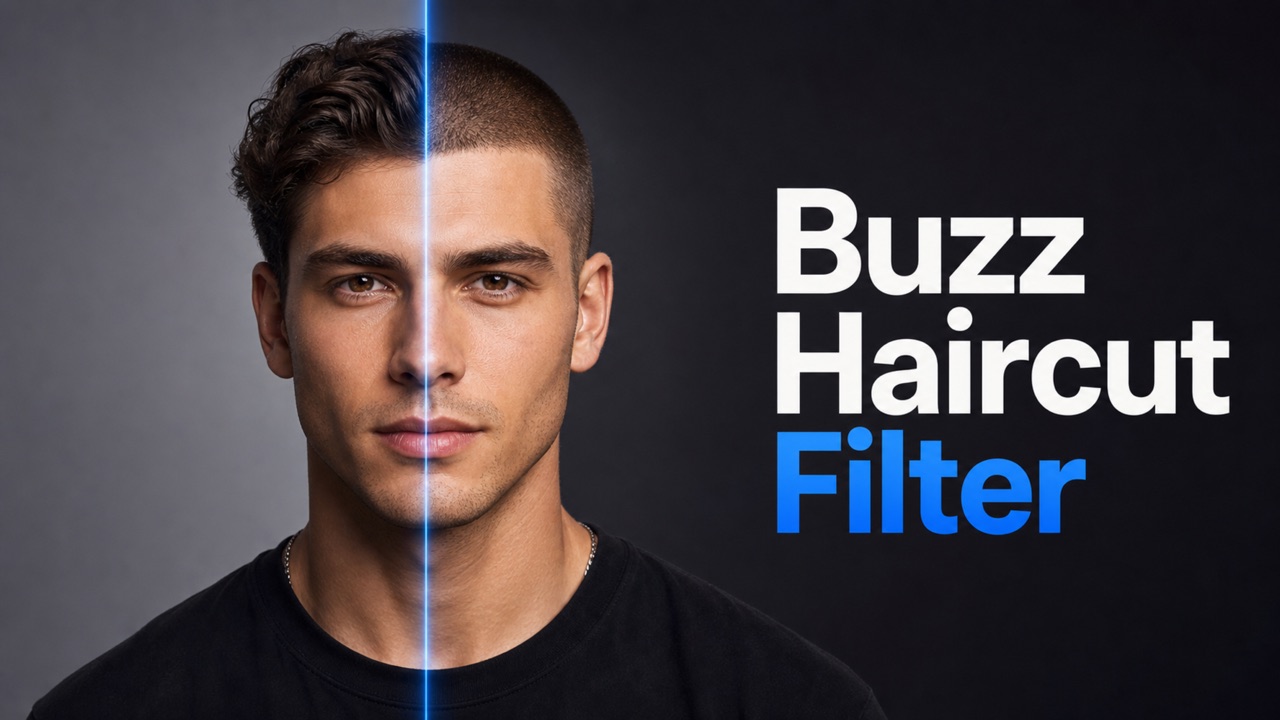
Buzz Haircut Filter for an Instant Short-Hair Preview
Upload a portrait and see a realistic close-cropped look before you visit the barber.
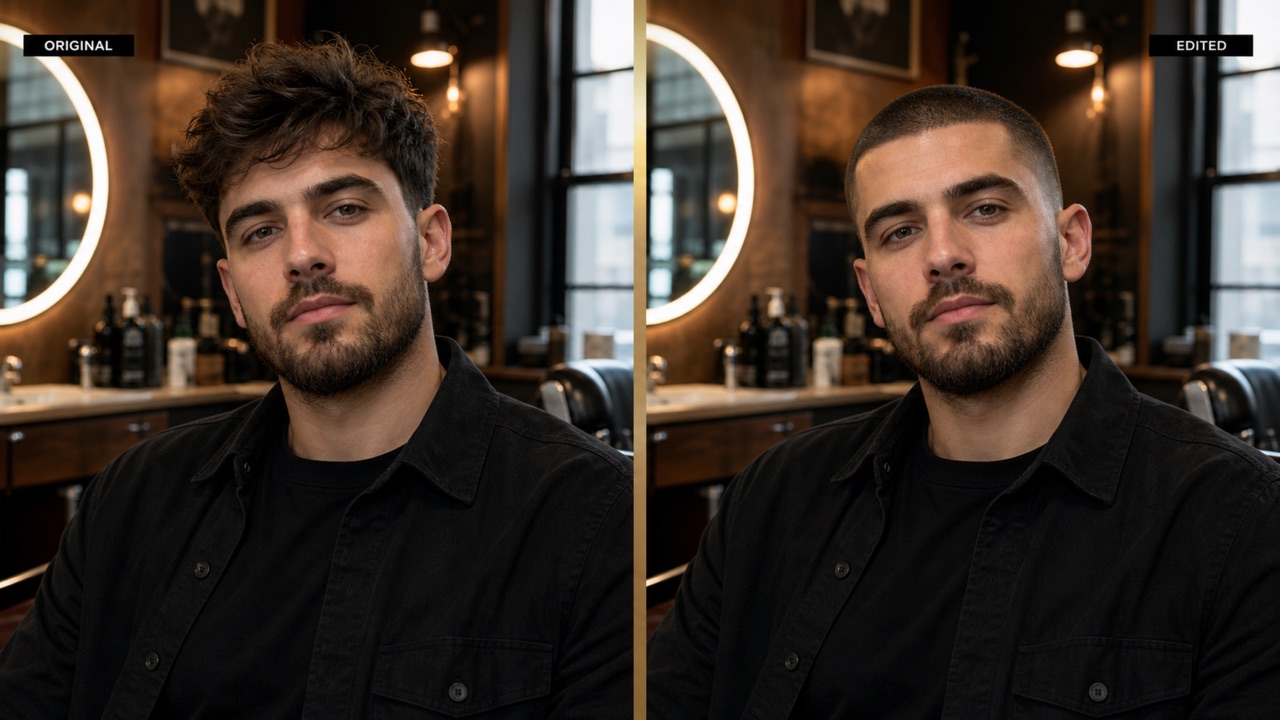
Use the buzz haircut filter to turn one clear portrait into a natural buzz cut haircut preview. The buzz haircut filter preserves your face and setting, so you can compare the short-hair look confidently before making a real change.
How to Use the Buzz Haircut Filter
The buzz haircut filter keeps the workflow simple: upload one portrait, optionally describe the finish, generate, and compare. In minutes, it turns uncertainty into a useful buzz cut haircut preview you can review before committing.

Upload Your Photo
Upload a clear front-facing or three-quarter portrait with your face, hairline, and hairstyle fully visible. Good lighting and a simple background help the buzz haircut filter recognize your facial features and head shape for a more natural result.

Choose an Image Size
Select the image size that best fits your intended use. Choose a portrait, square, or landscape format before generating your buzz cut preview for profile pictures, social posts, or personal hairstyle comparisons.

Generate Your Buzz Cut
Click generate and let the buzz haircut filter create a realistic buzz cut while preserving your face, expression, pose, clothing, lighting, and background. Preview your new hairstyle online and save the result you like.
Best AI Image Tools for Creative Projects
Explore creative tools for image, learn tips and tricks, and see how AI can be your assistant in turning concepts into finished projects.



Why This Buzz Haircut Filter Feels Practical
The buzz haircut filter is designed for a focused transformation, consistent identity, and easy comparison. Instead of guessing how a close-cropped style may suit you, use the buzz haircut filter to create a visual reference from your own portrait.
Preserve Your Face While Changing the Hair
- The buzz haircut filter focuses on hair, not a full portrait redesign.
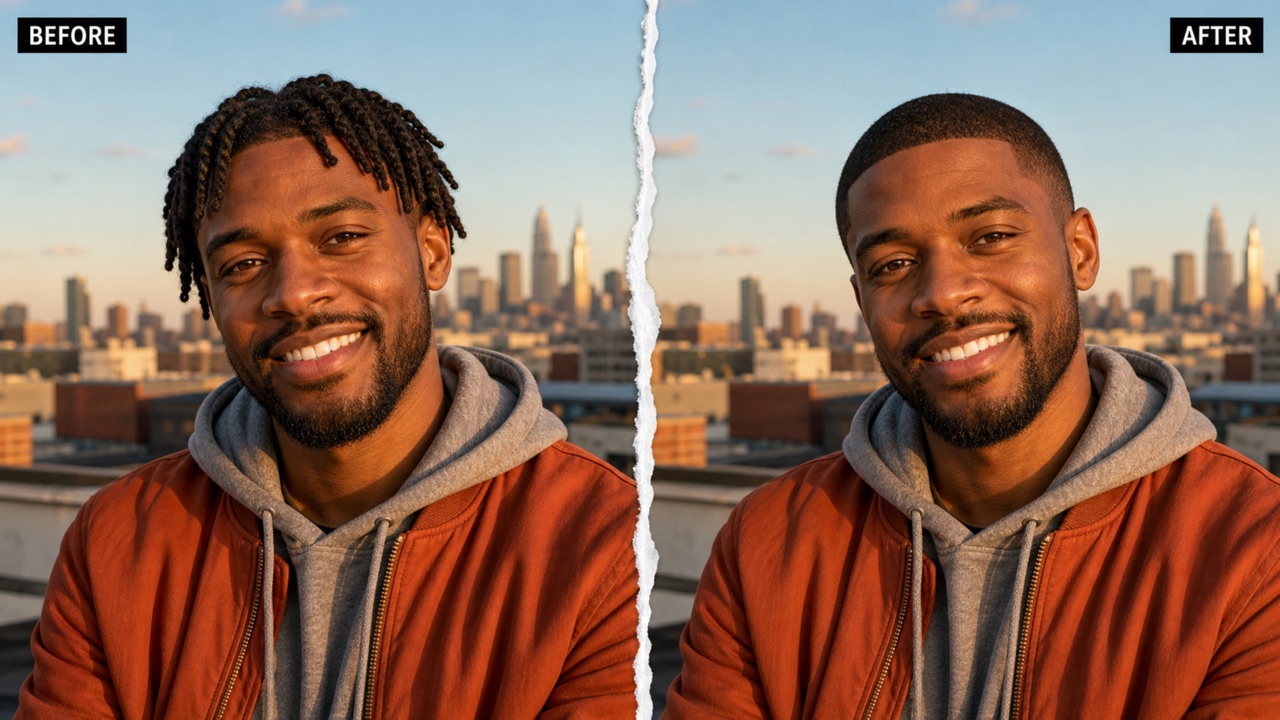
- It keeps your facial structure, expression, skin tone, pose, clothes, accessories, lighting, and background recognizable.
- A natural buzz cut haircut should follow the existing hairline, scalp shape, and viewing angle.
- Use the buzz haircut filter when you want an honest preview rather than a completely different person.
- The resulting edit is designed to look integrated with the original portrait.
Explore Close-Cropped Styles Before the Barber
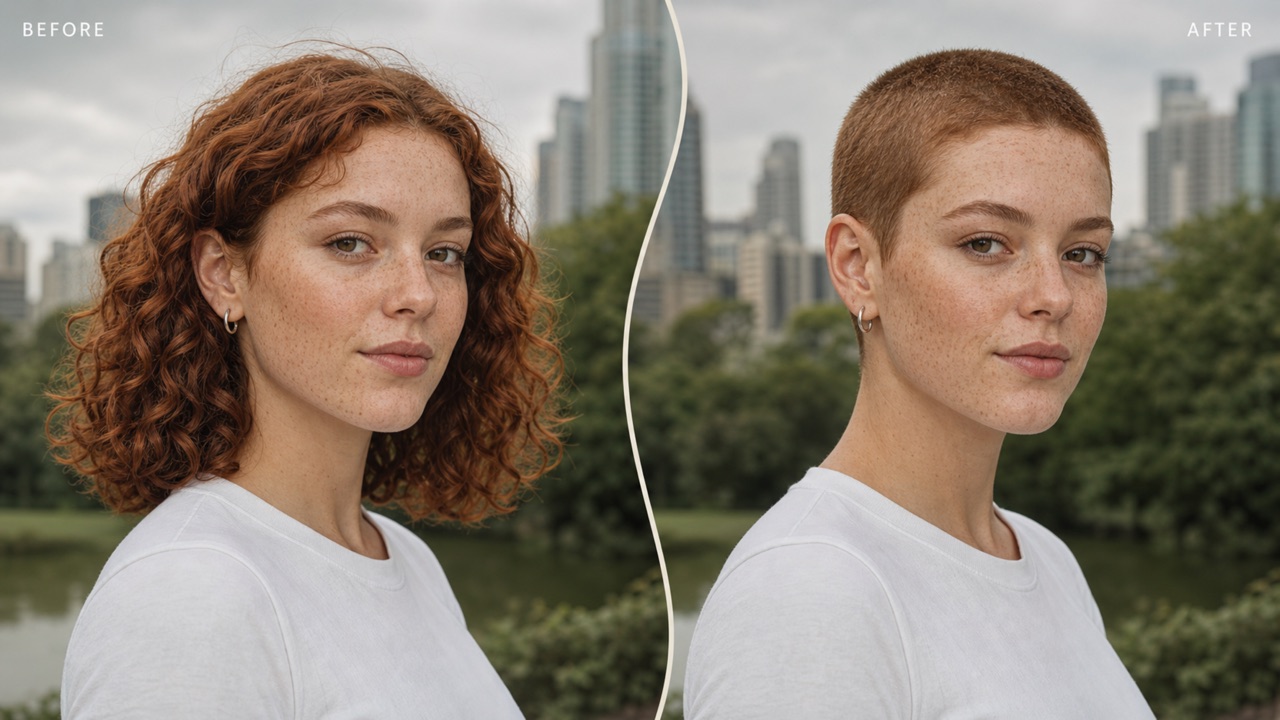
- Try the buzz haircut filter when you are curious about going shorter but are not ready to commit.
- Ask for an even crop, a subtle fade, a crisp edge, or a slightly textured finish.
- The buzz haircut filter helps you judge how a buzz cut haircut works with your forehead, jawline, beard, glasses, and personal style.
- Save a style reference and use it to explain the direction you want during a real appointment.
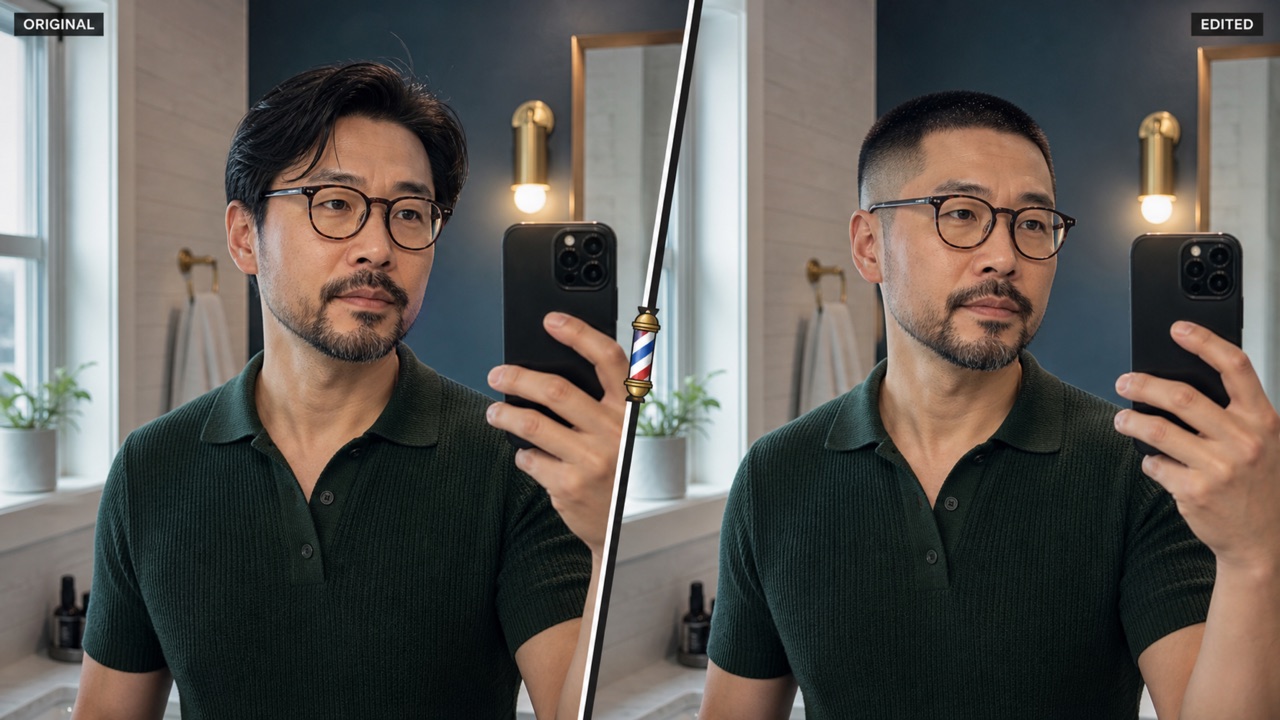
Get a Realistic Result from One Portrait
- The buzz haircut filter needs only one suitable portrait, so you do not have to build a complex project.
- Clear hair edges, natural light, and an unobstructed head help this tool produce a convincing edit.
- The generated buzz cut haircut blends with the portrait's direction, contrast, and color.
- Because the buzz haircut filter preserves the surrounding scene, your buzz cut haircut preview remains easy to compare with the original.
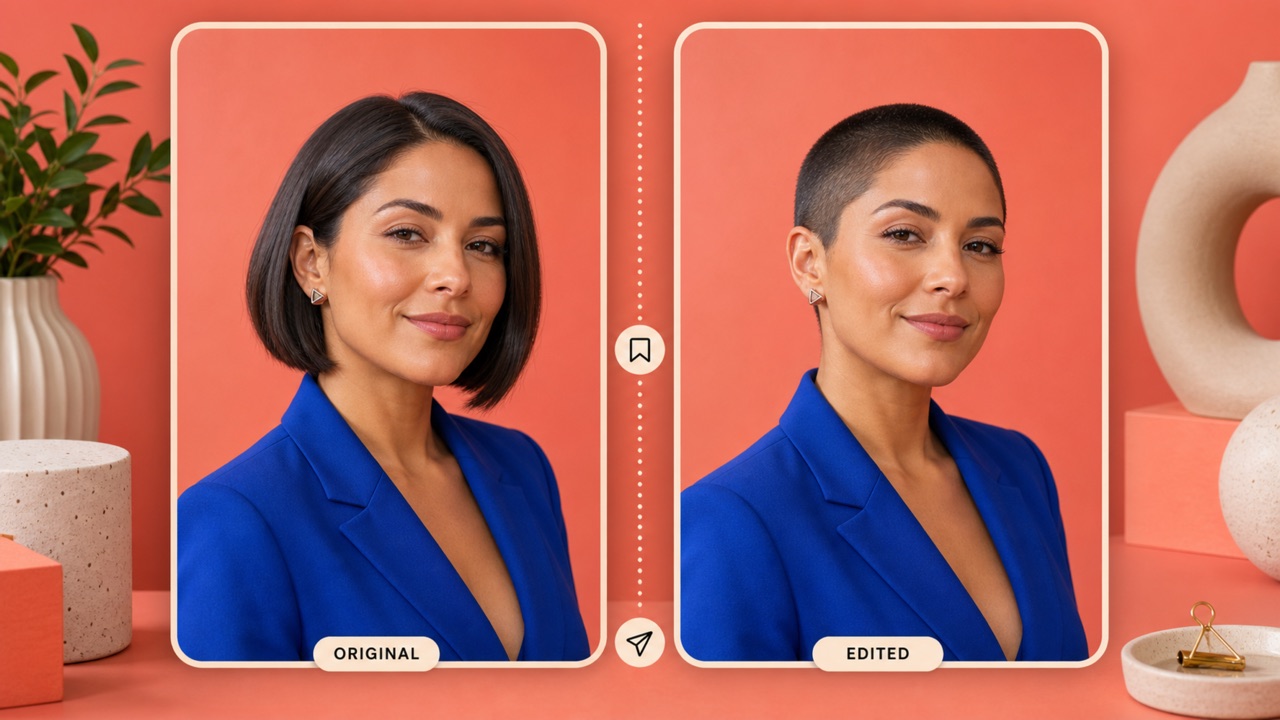
Create a Shareable Haircut Reference Online
- Use the buzz haircut filter online whenever you want quick visual feedback from people you trust.
- Share the before-and-after result with friends, family, a barber, or a stylist.
- A buzz cut haircut reference can make conversations about length, fade, and shape more specific.
- The buzz haircut filter is useful for personal restyles, character concepts, profile-image planning, and appearance experiments.
- Download the preferred preview and keep it ready for your next appointment.
Ways to Use a Buzz Haircut Filter
From a serious barber decision to a casual style experiment, the buzz haircut filter creates an immediate visual answer. Each buzz cut haircut preview is based on your own portrait, making the result more personal and useful.

Pre-Barber Style Decisions
Use the buzz haircut filter before a haircut appointment to decide whether a close crop feels right. Bring the buzz cut haircut preview to your barber and discuss length, edge, fade, and shape with a clearer shared reference.

Personal Makeover Planning
The buzz haircut filter helps you explore a bolder or cleaner personal style without changing your real hair first. Compare the buzz cut haircut with your current look, facial hair, glasses, and usual wardrobe.

Profile and Casting Concepts
Creators, performers, and photographers can use the buzz haircut filter to plan profile photos or character directions. A buzz cut haircut preview makes it easier to assess whether a shorter silhouette supports the intended mood.

Friends and Family Feedback
Generate a result with the buzz haircut filter and share it before making the cut. A realistic buzz cut haircut comparison gives your circle something concrete to react to instead of relying on imagination.

Barber Consultation References
The buzz haircut filter can turn a vague idea into a visible consultation aid. Show the preferred buzz cut haircut result to a barber, then talk through guard length, fade height, lineup, and maintenance.

Low-Risk Style Experiments
Use the buzz haircut filter for playful appearance experiments, seasonal changes, or creative portrait concepts. The buzz haircut filter lets you inspect a buzz cut haircut while your real hairstyle remains untouched.
What People Say About the Buzz Haircut Filter
People use the buzz haircut filter to reduce uncertainty and communicate a style idea clearly. A personal buzz cut haircut preview can support better conversations, quicker decisions, and more confident creative planning.
I used the buzz haircut filter before filming a makeover series. The face and lighting stayed recognizable, and the buzz cut haircut looked natural enough to help me choose the direction. It made the decision feel much less risky.
A client brought me a result from the buzz haircut filter and it made our consultation faster. We could discuss where the buzz cut haircut should sit around the hairline and how short to go. It gave us a clear starting point.
The buzz haircut filter helped our team test a sharper editorial look without reshooting the portrait. The generated buzz cut haircut matched the pose and overall mood. I liked that the buzz haircut filter stayed focused on the hairstyle.
I had never worn my hair very short, so the buzz haircut filter was exactly what I needed. Seeing a buzz cut haircut on my own face was more useful than browsing reference photos. The buzz haircut filter gave me confidence to book the appointment.
For a portrait concept, the buzz haircut filter gave me a quick way to assess silhouette and styling. The buzz cut haircut blended well with the original light. The buzz haircut filter also helped the subject understand the final creative direction.
I compared two ideas with the buzz haircut filter before changing my look for work. The buzz cut haircut preview felt consistent with my glasses and beard. The buzz haircut filter turned a hard-to-imagine choice into a simple visual comparison.






Buzz Haircut Filter FAQ
Learn how the buzz haircut filter uses one portrait to create a buzz cut haircut preview, what input works best, what details you can request, and what to expect from the final image.
A buzz haircut filter is an AI image tool that replaces the visible hairstyle in an uploaded portrait with a close-cropped look. The buzz haircut filter keeps the face and scene recognizable while creating a buzz cut haircut preview for comparison.
Upload one clear portrait, optionally describe the preferred length or fade, and click generate. The buzz haircut filter analyzes the portrait and produces a buzz cut haircut result. Review the before-and-after image, then download the version you like.
Use a clear front-facing or three-quarter portrait with good lighting and visible hair. Avoid hats, heavy motion blur, large objects covering the head, or extreme shadows. These conditions help the buzz haircut filter create a more convincing buzz cut haircut.
The buzz haircut filter is designed to preserve identity, expression, skin tone, pose, clothing, accessories, background, and lighting as closely as possible. It focuses the edit on producing a buzz cut haircut, although generated details can vary.
You can mention an even crop, subtle fade, crisp lineup, softer edge, or a little texture in your prompt. Keep the request concise so the buzz haircut filter can focus on the buzz cut haircut rather than changing unrelated parts of the portrait.
Use the buzz haircut filter as a visual planning aid, not a guarantee of an exact real-world result. Hair density, growth direction, head shape, barber technique, and lighting affect how a real buzz cut haircut will look.
Yes. The buzz haircut filter works online and is designed for quick, low-barrier experimentation. Upload a suitable portrait and create a buzz cut haircut preview before making a permanent change.
You can share a generated preview for personal feedback or show it during a barber consultation. Check applicable usage terms before commercial use. The buzz haircut filter is especially useful when a buzz cut haircut idea needs a clear visual reference.
See Yourself with a Buzz Cut Today
Upload a portrait and let the buzz haircut filter create a realistic buzz cut haircut preview in moments. Use the buzz haircut filter to compare your look, collect feedback, and plan your next haircut with greater confidence.
