
AI Prompt Generator
Turn an image, a text idea, or a video clip into a ready-to-use prompt. Choose your language, level of detail, and target model to shape your next creation.
Image to Prompt
Generated prompt
Your generated prompt will appear here.
More AI Video Generators
Explore our collection of specialized AI video generators designed for different creative needs and styles
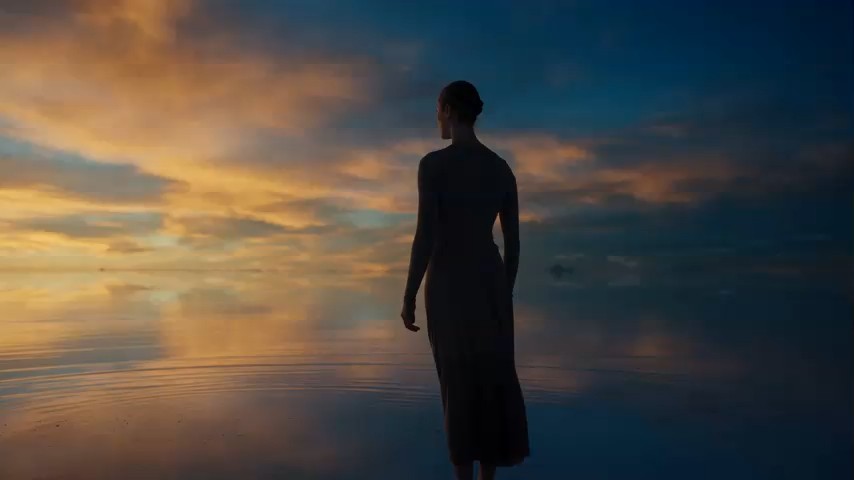
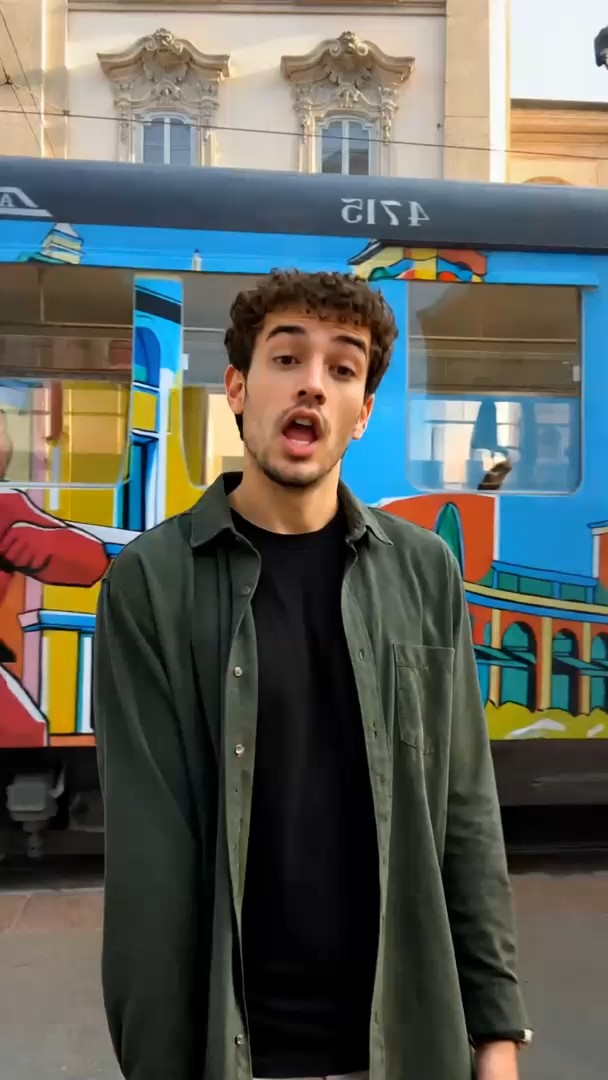
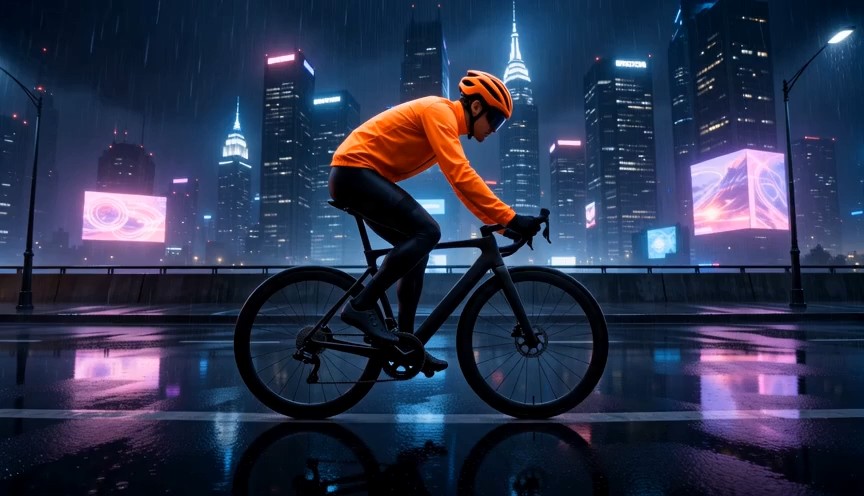
AI Prompt Generator
Turn Images, Ideas, And Videos Into Creative Prompts
AI Prompt Generator turns reference images, written ideas, and video clips into structured prompts for image or video creation. Choose your output language, detail level, and target model, then review and reuse the generated text.
How To Use AI Prompt Generator
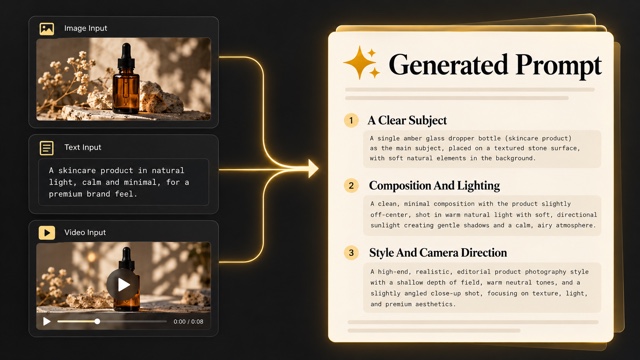
Start with the material you already have. AI Prompt Generator brings three entry points into one workflow, so a reference photo, a rough sentence, or a short clip can become a useful creative brief. Choose image to prompt generator for still references or video to prompt generator for motion references. You can also describe an original idea without uploading media. AI Prompt Generator keeps each starting point accessible without changing the purpose of the final text.

Choose Your Starting Point
Select Image To Prompt, Text To Prompt, or Video To Prompt. AI Prompt Generator accepts a picture when the visual direction already exists, written text when you need to develop an idea, or a clip when movement matters. Use image to prompt generator to describe a frame; use video to prompt generator to describe an unfolding scene. Start with the clearest source available. AI Prompt Generator works best when the source has one clear focal subject.

Set The Creative Direction
Tell AI Prompt Generator what you want to create, then choose the output language, concise or detailed wording, and an available target generation model. Additional instructions can clarify mood, composition, or other requirements. AI prompt generator for images should emphasize the finished frame. An AI video prompt generator should make action and camera movement easier to understand. AI Prompt Generator keeps your requested outcome central as you adjust the output.

Generate And Review The Text
Generate a draft with AI Prompt Generator and read it before using it. Compare the subject, setting, lighting, and style with your original intention. With image to prompt generator, check the description against the photo. With video to prompt generator, check the order of events and camera behavior. Remove invented details and replace vague instructions with visible, specific requirements.

Copy And Continue Creating
Use AI Prompt Generator to prepare instructions for your next creation step. Copy the result, download the text, or use the available continue-creating action. A prompt is a starting brief, so refine it for the destination model and check that model’s own settings. Save useful wording from image to prompt generator and video to prompt generator for future projects.
Best AI Video Tools for Creative Projects
Explore creative tools for video, learn tips and tricks, and see how AI can be your assistant in turning concepts into finished projects.


Three Ways To Build A Better Prompt
AI Prompt Generator connects visual references, original ideas, and moving footage to a single practical outcome: clearer instructions. Use image to prompt generator when the look is already visible, text expansion when it exists in your imagination, and video to prompt generator when the action matters. These illustrations show creative concepts, not verified tool outputs. AI Prompt Generator gives you a shared place to compare these approaches.
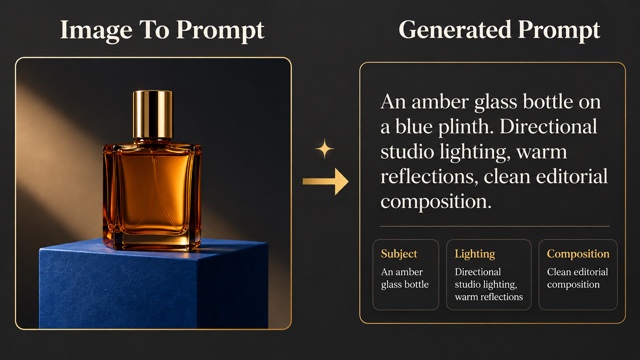
Image To Prompt: Describe The Details That Shape A Frame
Start with a product photo, portrait, illustration, or composition reference. AI Prompt Generator translates visible information into a draft covering the subject, environment, style, lighting, and framing. Image to prompt generator helps name the visual choices you might otherwise describe only as a mood. For a bottle on a blue plinth, identify the transparent amber glass, directional studio light, clean background, and relationship between the object and its shadow.
Use generate prompts from images as a practical way to study a reference, then change the elements that should differ in your own concept. AI Prompt Generator does not recover a hidden original instruction or guarantee the same result. An image to prompt generator produces an interpretation of what is visible. Choose AI prompt generator for images when a still composition is the goal, or select a video creation target to adapt the reference into a motion-oriented brief. Add your own requirements before generating. Review image to prompt generator wording in AI Prompt Generator before transferring it to another tool.
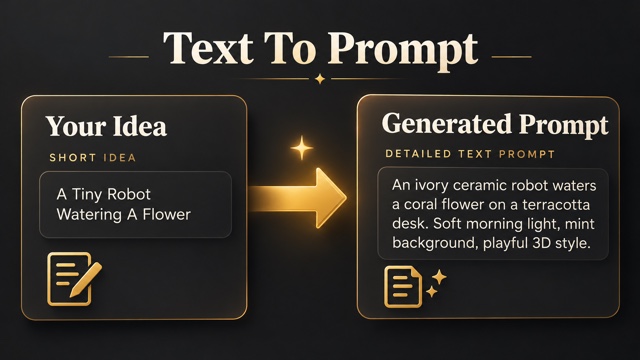
Text To Prompt: Expand An Idea Into A Clear Brief
A short idea can name a subject without explaining the scene. AI Prompt Generator helps turn that starting point into a more usable instruction. Begin with a ceramic robot watering a flower, then specify the setting, materials, mood, and framing you want. Text to prompt generator gives you a structured draft to evaluate instead of a blank prompt box. AI Prompt Generator lets you choose a creation target, output language, detail level, and available model destination.
Unlike image to prompt generator, this route starts with your words and needs no reference picture. Unlike video to prompt generator, it can develop an imagined action without analyzing a source clip. Use AI prompt generator for images to shape a single frame, or AI video prompt generator to develop a subject performing a readable action. Text to prompt generator can support a new campaign concept, character idea, or scene description. Keep the core request specific and use additional instructions for the details that matter. AI Prompt Generator is most useful when your first sentence names a concrete subject.
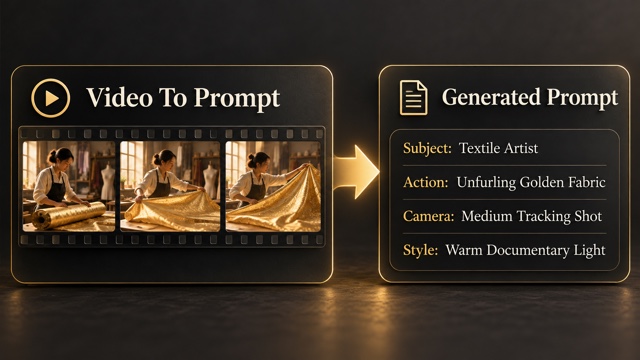
Video To Prompt: Capture Action And Camera Direction
A moving reference contains information that one frame cannot explain. AI Prompt Generator helps describe the subject, scene, motion, camera behavior, and visual style of a short clip. Video to prompt generator gives you a written starting point for studying how an action develops. For a craftsperson unfurling fabric, describe the initial hold, the fabric opening, and the final shape rather than listing disconnected visual adjectives.
Use convert video to prompt to turn observed movement into an editable brief. AI Prompt Generator offers analysis-depth choices in the video workflow; choose the available option that fits the detail you need and review the displayed credit requirement. An AI video prompt generator should distinguish subject movement from camera movement. Image to prompt generator can help with a still reference, while video to prompt generator addresses the changes across time. The result is text for a subsequent creation step, and it cannot guarantee an exact recreation of the source footage. Review video to prompt generator wording in AI Prompt Generator for the key change that happens on screen.
Put AI Prompt Generator To Work
Choose a workflow around the creative decision you need to make. AI Prompt Generator can help you explain an existing look or develop a new one. Image to prompt generator supports composition references, while video to prompt generator supports motion references. Both give collaborators concrete wording to review. Image to prompt generator and video to prompt generator support different kinds of reference material in AI Prompt Generator.

Product And Campaign Concepts
Use AI Prompt Generator to describe materials, lighting, and product placement before exploring a campaign direction. Image to prompt generator can turn a still-life reference into a brief you adjust for your own product. AI prompt generator for images helps separate the object, background, and camera choices. Generate prompts from images to study the setup, then replace reference-specific details with your own requirements.
Original Characters And Illustrations
Use AI Prompt Generator to develop a character’s appearance, setting, and visual treatment from a short idea. Text to prompt generator helps articulate the details, while image to prompt generator can describe an existing style reference. AI prompt generator for images gives you a draft to refine across concepts. Generate prompts from images when you want to discuss visible features in precise language.

Social Clips And Story Ideas
Use AI Prompt Generator to describe a simple action with a clear beginning and outcome. Video to prompt generator can help analyze a reference clip, and text to prompt generator can develop a scene from scratch. An AI video prompt generator is useful when timing and camera direction matter. Convert video to prompt to study the movement, then adapt the brief for your own story.
Shared Creative Briefs
Use AI Prompt Generator to make a visual direction easier to discuss with a designer, editor, or teammate. Combine the observations from image to prompt generator with a written description of the changes you want. Use video to prompt generator when the brief depends on movement. Choose a useful output language, review the draft together, and keep the agreed subject, style, and composition in one reusable text.
Creative Perspectives On AI Prompt Generator
Illustrative names and reactions explain possible workflows. These are fictional examples, not verified customer endorsements.
AI Prompt Generator gives a visual discussion a concrete starting point. I like being able to compare the written description with a reference and decide which details really belong in the brief.
The distinction between a finished image and a usable instruction is helpful. AI Prompt Generator keeps my attention on the subject, action, and camera choices I need to explain before production.
A rough idea feels easier to develop when I can review a structured draft. AI Prompt Generator makes the description something I can question and improve instead of treating the first wording as final.
AI Prompt Generator helps frame the questions I need to ask about a clip. Clear motion language is more useful to my planning than a long list of style adjectives.




AI Prompt Generator Questions And Answers
Understand the three starting points, the available controls, and what a generated prompt can help you do.
AI Prompt Generator creates text instructions for a later image or video generation step. It combines Image To Prompt, Text To Prompt, and Video To Prompt in one place. Image to prompt generator describes a still reference, text expansion develops a written idea, and video to prompt generator analyzes a clip. AI Prompt Generator helps organize the brief; it does not make the finished image or video in the prompt-output panel. Review the text, adjust the details, and use it in the destination generator.
Choose Image To Prompt in AI Prompt Generator, upload a clear JPEG, PNG, or WebP within the displayed limit, and select the relevant output options. Image to prompt generator uses the visible subject and composition as its starting point. To generate prompts from images effectively, use a source with readable details and explain any changes in additional instructions. AI prompt generator for images is useful for describing a reference, but it cannot reveal the exact original prompt, seed, or hidden model settings.
Yes. Choose Video To Prompt in AI Prompt Generator and upload a supported MP4 within the displayed size and duration limits. Video to prompt generator focuses on the subject, scene, motion, camera, and visual style. Choose the available analysis depth that matches your needs, then review the result against the clip. Convert video to prompt when an action sequence matters more than one still frame. An AI video prompt generator gives you a descriptive draft, not a guarantee of matching footage or a frame-perfect reconstruction. Video to prompt generator works best with a clearly visible action.
Yes. AI Prompt Generator includes a text-only starting point. Text to prompt generator expands your idea into a structured draft for the selected image or video creation goal. Choose from the target generation models currently shown in the form, or use General purpose. The selection adapts the wording; it does not run that destination model inside the prompt-writing step. AI prompt generator for images emphasizes a frame, while AI video prompt generator wording can emphasize action and camera behavior. Review any model-specific settings separately.
AI Prompt Generator lets you choose an output language and switch between concise and detailed wording. Additional instructions give image to prompt generator or video to prompt generator more context about your intended mood, composition, or other requirements. Keep these instructions focused: name the essential changes and remove contradictory requests. More detail is useful only when it improves the brief. AI Prompt Generator produces a draft you should review for unsupported assumptions, vague adjectives, and details that do not match your source or intention.
AI Prompt Generator displays a required-credit amount before generation. Check that amount and your account balance rather than assuming unlimited or free use. Image to prompt generator and video to prompt generator create descriptive interpretations, so they cannot guarantee an identical result in another model. A strong reference and clear instructions can improve the brief, but the destination model, inputs, and settings still affect the outcome. Use AI Prompt Generator to prepare and refine your direction, then evaluate the actual image or video separately. Treat video to prompt generator results as creative direction you can revise.
Start Your Next Idea With AI Prompt Generator
Bring a reference image, a short written idea, or a video clip. AI Prompt Generator helps turn it into a prompt you can review, refine, and use. Choose image to prompt generator for a frame or video to prompt generator for an action, then take a clearer brief into your next creation. With AI Prompt Generator, image to prompt generator and video to prompt generator are one choice away.
