
More AI Video Generators
Explore our collection of specialized AI video generators designed for different creative needs and styles




AI Video Upscaler Free for Clearer High-Resolution Video
Enhance video resolution from 720p to 4K with smoother high-frame-rate detail
AI video upscaler free helps creators enhance video resolution without a complex editing suite. Upload a clip, choose the output level, and let AI video upscaler free improve clarity, edges, textures, and motion while you enhance video resolution for modern screens.
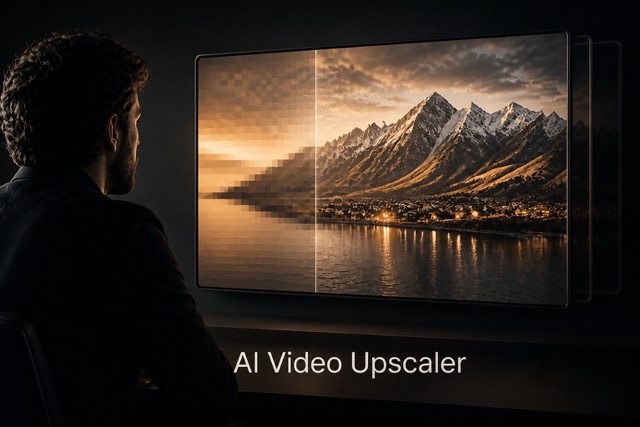
How AI Video Upscaler Free Works
AI video upscaler free turns a demanding post-production task into four clear steps. Upload, select quality, process, and enhance video resolution for cleaner viewing on phones, monitors, televisions, and projectors.

Upload a Source Clip
Add the video you want to improve. AI video upscaler free analyzes frames and scene details so you can enhance video resolution from a clear, stable source.

Choose Output Quality
Select 720p, 1080p, 2K, or 4K based on your screen and delivery needs. AI video upscaler free makes it simple to enhance video resolution for each destination.

Upscale and Smooth
Start processing and allow AI video upscaler free to refine visible detail, reduce distracting softness, and enhance video resolution with scene-aware high-frame-rate treatment.

Preview the Result
Review the sharper output, check motion and fine detail, then export. AI video upscaler free lets you enhance video resolution again if another format better fits your project.
Best AI Video Tools for Creative Projects
Explore creative tools for video, learn tips and tricks, and see how AI can be your assistant in turning concepts into finished projects.


Why Choose AI Video Upscaler Free
AI video upscaler free combines practical output choices with scene-aware processing. Enhance video resolution for everyday HD, detailed 2K or 4K delivery, and smoother motion without learning a complicated professional workflow.
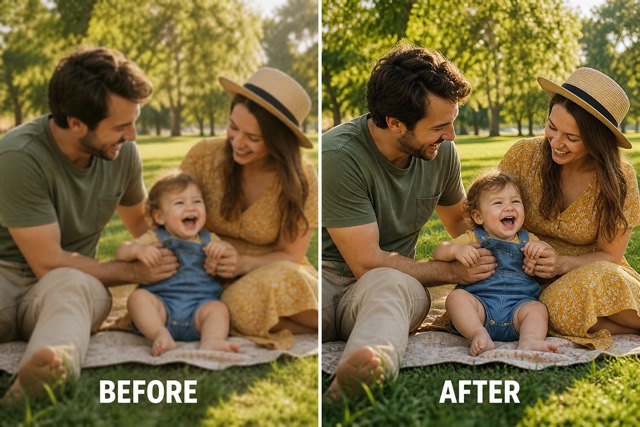
AI Video Upscaler Free for 720p and 1080p
Use AI video upscaler free when older clips look soft on current displays. AI video upscaler free can enhance video resolution to 720p or 1080p, strengthening perceived edges and texture while helping enhance video resolution without manually rebuilding every frame.
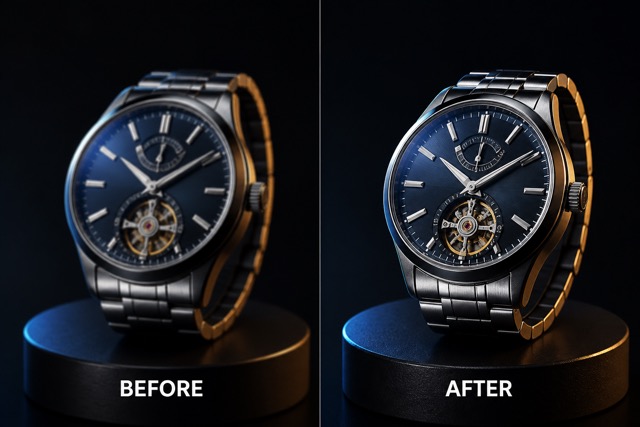
AI Video Upscaler Free for 2K and 4K
Prepare footage for larger screens with AI video upscaler free. AI video upscaler free uses scene-aware enhancement to enhance video resolution toward 2K or 4K, helping enhance video resolution while keeping subjects, backgrounds, and visual intent coherent.
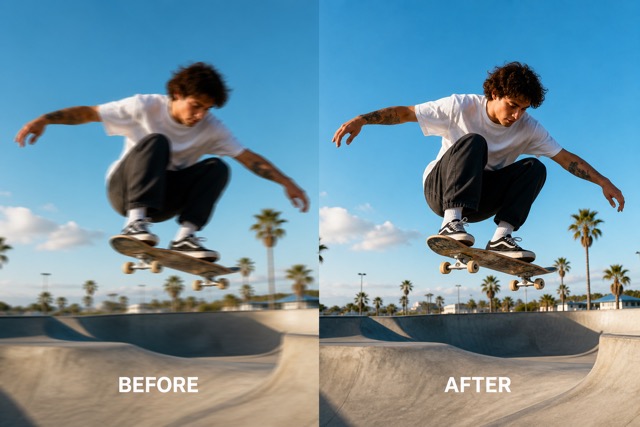
AI Video Upscaler Free for Smoother Motion
Fast action can expose judder and weak frame detail. AI video upscaler free supports high-frame-rate results up to 120fps, while AI video upscaler free works to enhance video resolution and enhance video resolution consistently across moving scenes.
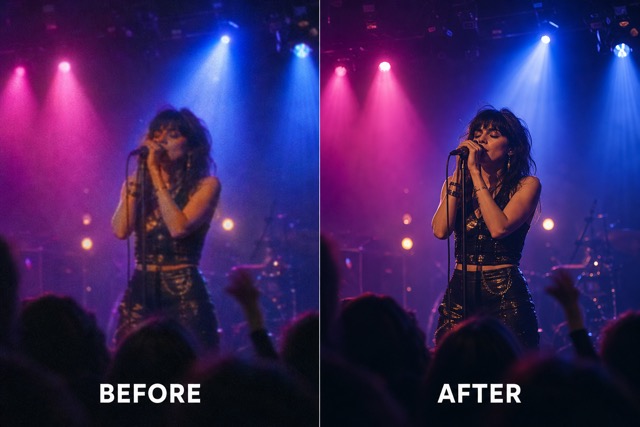
AI Video Upscaler Free With Scene-Aware Detail
Different scenes need different treatment. AI video upscaler free evaluates changing subjects, lighting, texture, and motion. AI video upscaler free can enhance video resolution while helping enhance video resolution without forcing the same sharpening pattern onto every frame.
Ideas for AI Video Upscaler Free
AI video upscaler free supports personal memories, social content, commercial footage, and creative archives. Choose the right target quality and enhance video resolution for the way each clip will be watched.

Restore Family Videos
Use AI video upscaler free to refresh treasured recordings and enhance video resolution for comfortable viewing on modern televisions, laptops, and shared family archives.

Upgrade Social Clips
Give short-form posts a cleaner finish with AI video upscaler free, then enhance video resolution before cropping or publishing to high-density mobile screens.

Improve Product Footage
Let AI video upscaler free clarify surfaces, silhouettes, and small product details as you enhance video resolution for ecommerce pages, presentations, and advertisements.

Prepare Event Highlights
Process concerts, sports, weddings, and travel recaps with AI video upscaler free to enhance video resolution and make large-screen playback feel more polished.
Remaster Creative Projects
Use AI video upscaler free to revisit music videos, documentaries, and portfolio work, then enhance video resolution for new distribution formats and audiences.
Illustrative Reactions to AI Video Upscaler Free
These fictional examples show how different creative roles might use AI video upscaler free to enhance video resolution for archives, campaigns, events, products, social posts, and portfolio work.
AI video upscaler free gave my older interview footage a cleaner look, and I could enhance video resolution for a 4K timeline without rebuilding the edit from scratch.
I used AI video upscaler free on product clips before a campaign launch. It helped enhance video resolution so textures and small packaging details read better on larger screens.
AI video upscaler free made archived travel footage feel easier to reuse. The option to enhance video resolution gave my new montage a more consistent visual finish.
For fast social deadlines, AI video upscaler free is straightforward. I can enhance video resolution and prepare a sharper vertical crop without opening a heavy desktop workflow.
AI video upscaler free helped my event recap hold up on a conference display. I could enhance video resolution while preserving the energy and motion of the original footage.
I tested AI video upscaler free on an old music performance and used it to enhance video resolution before a portfolio update. The result felt clearer and easier to present.






AI Video Upscaler Free FAQ
Learn how AI video upscaler free works, what quality levels it supports, and how to enhance video resolution for clearer HD, 2K, 4K, and high-frame-rate output.
AI video upscaler free is an online tool that analyzes uploaded footage and creates a higher-resolution result. Use AI video upscaler free to enhance video resolution for 720p, 1080p, 2K, or 4K delivery while improving perceived detail and clarity.
Upload a supported clip, choose the target quality, and start processing. AI video upscaler free handles the frame analysis, so AI video upscaler free can enhance video resolution without a manual frame-by-frame editing workflow.
Yes. AI video upscaler free supports output choices including 720p and 1080p, and AI video upscaler free can enhance video resolution toward 2K or 4K when that output better fits your screen or project.
AI video upscaler free supports high-frame-rate results up to 120fps. AI video upscaler free can enhance video resolution and motion presentation together, although perceived improvement will still depend on the quality and movement in the source clip.
The strongest source is stable, clearly exposed, and not excessively compressed. AI video upscaler free can improve softer footage, but AI video upscaler free cannot recover information that was never captured when you enhance video resolution.
Use AI video upscaler free for family recordings, social posts, event recaps, product footage, creative archives, and portfolio updates. AI video upscaler free helps enhance video resolution for the display and distribution format you plan to use.
Try AI Video Upscaler Free Online
Upload your clip to AI video upscaler free and enhance video resolution for the screen that matters. AI video upscaler free makes it easy to enhance video resolution from 720p through 4K, while AI video upscaler free helps enhance video resolution with smoother high-frame-rate detail.
