
More AI Image Generators
Explore our collection of specialized AI image generators designed for different creative needs and styles















AI Abstract Photo Editor: Turn Photos Into Abstract Art
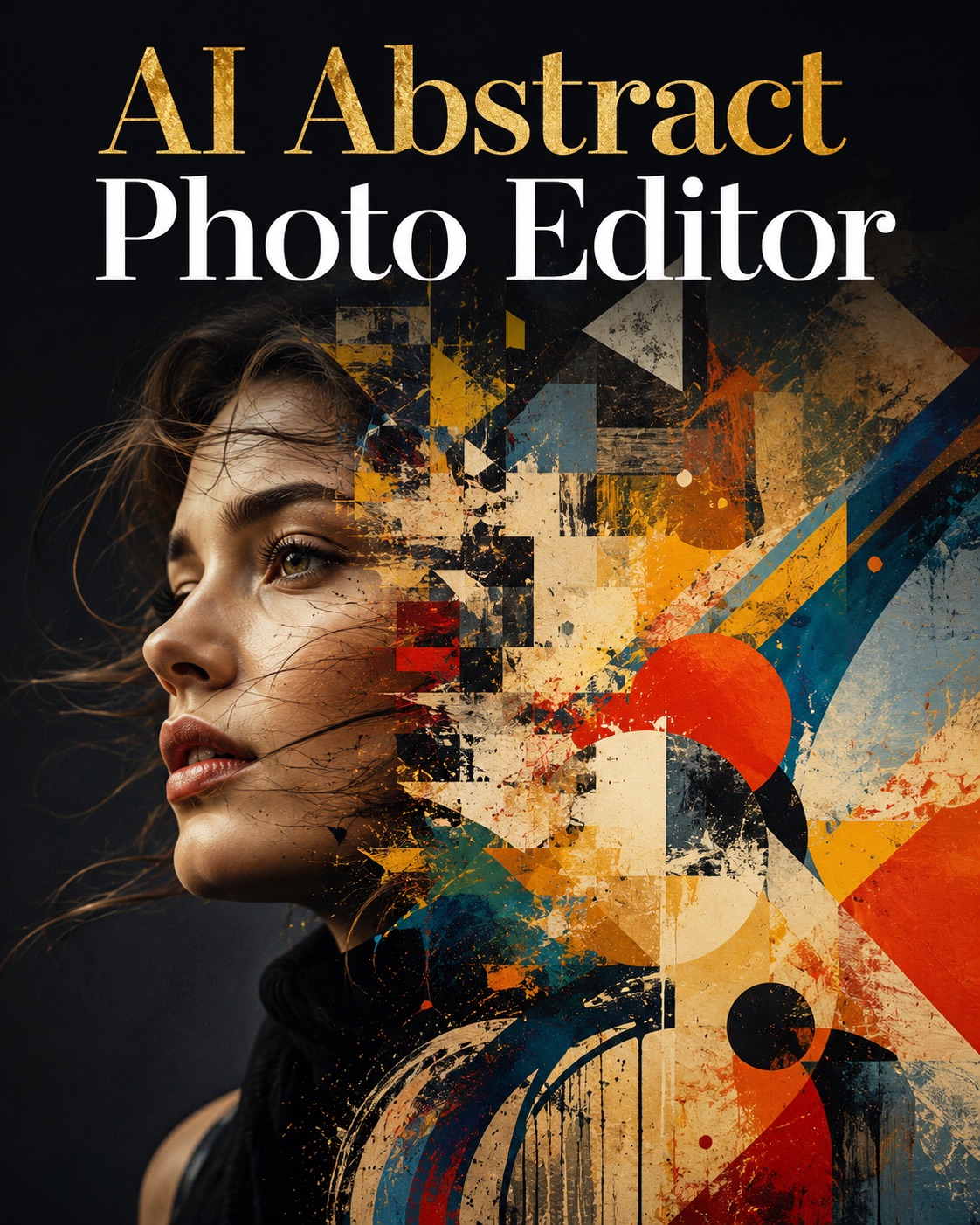
Use AI Abstract Photo Editor to reshape an uploaded image with geometric, fluid, cubist, expressionist, minimal, surreal, neon, or monochrome abstraction while keeping the original subject visually connected to the result. AI Abstract Photo Editor keeps the photo itself at the center of the creative process. AI Abstract Photo Editor keeps style selection simple for fast experimentation.
AI Abstract Photo Editor turns an existing picture into expressive abstract artwork without starting from a blank prompt. Upload one image, choose a style, adjust creative controls if needed, and generate four visual interpretations. It works as a focused AI Abstract Art Maker for portraits, objects, pets, landscapes, interiors, and everyday photos. Photo to Abstract Art stays image-guided.
How to Use AI Abstract Photo Editor in 3 Steps
AI abstract photo editor online follows a simple image-first workflow: upload, select an abstract style, adjust optional creative settings, and generate. You do not need to write a full art prompt to turn photo into abstract art online. AI Abstract Photo Editor removes the need to invent complex art terminology, while AI abstract photo editor online keeps the process centered on visual choices.

Upload One Image
Start AI Abstract Photo Editor by dragging an image into the upload area or selecting one from your library. This first step keeps the workflow focused on Photo to Abstract Art rather than text-only generation. AI Abstract Photo Editor works best when the uploaded image gives the generation a strong focal point. For Photo to Abstract Art, simple backgrounds can also help major forms remain readable.

Choose an Abstract Style and Settings
Select one of eight styles: Geometric Abstract, Fluid Abstract, Cubist Abstract, Expressionist, Minimal Abstract, Surreal Abstract, Neon Abstract, or Monochrome Abstract. AI Abstract Photo Editor also lets you choose an aspect ratio and adjust model version, Stylization, Variety, and Weirdness. Use lower values for a more controlled Photo to Abstract Art result or raise them when you want stronger reinterpretation. AI Abstract Photo Editor makes these adjustments optional, so a preset alone is enough to start. Photo to Abstract Art can stay restrained or move toward a more stylized interpretation.

Generate Four Abstract Variations
Click Generate Image after your style and creative settings are ready. AI Abstract Photo Editor processes the uploaded image and returns four interpretations in one request, giving you several directions to compare without rebuilding the setup. AI Abstract Photo Editor makes iteration practical because the same source can be tested across multiple styles. An AI Abstract Art Generator gives you room to compare composition, color, and abstraction before choosing a favorite. Photo to Abstract Art becomes easier to evaluate when several variations share the same source.
Best AI Image Tools for Creative Projects
Explore creative tools for image, learn tips and tricks, and see how AI can be your assistant in turning concepts into finished projects.
Create More with AI Abstract Photo Editor
AI Abstract Photo Editor combines image-guided transformation, curated abstract styles, and adjustable creativity so you can move from a recognizable source photo to a controlled artistic result. It works as both an AI Abstract Art Maker and a focused AI Abstract Art Generator for photo-based experimentation. AI Abstract Photo Editor is especially useful when you want repeatable style exploration from one reference. Photo to Abstract Art stays image-led, while an AI Abstract Art Generator expands the range of possible interpretations. AI Abstract Photo Editor also makes Photo to Abstract Art easier to repeat across different source images.
Reinterpret Real Photos Without Losing the Main Subject
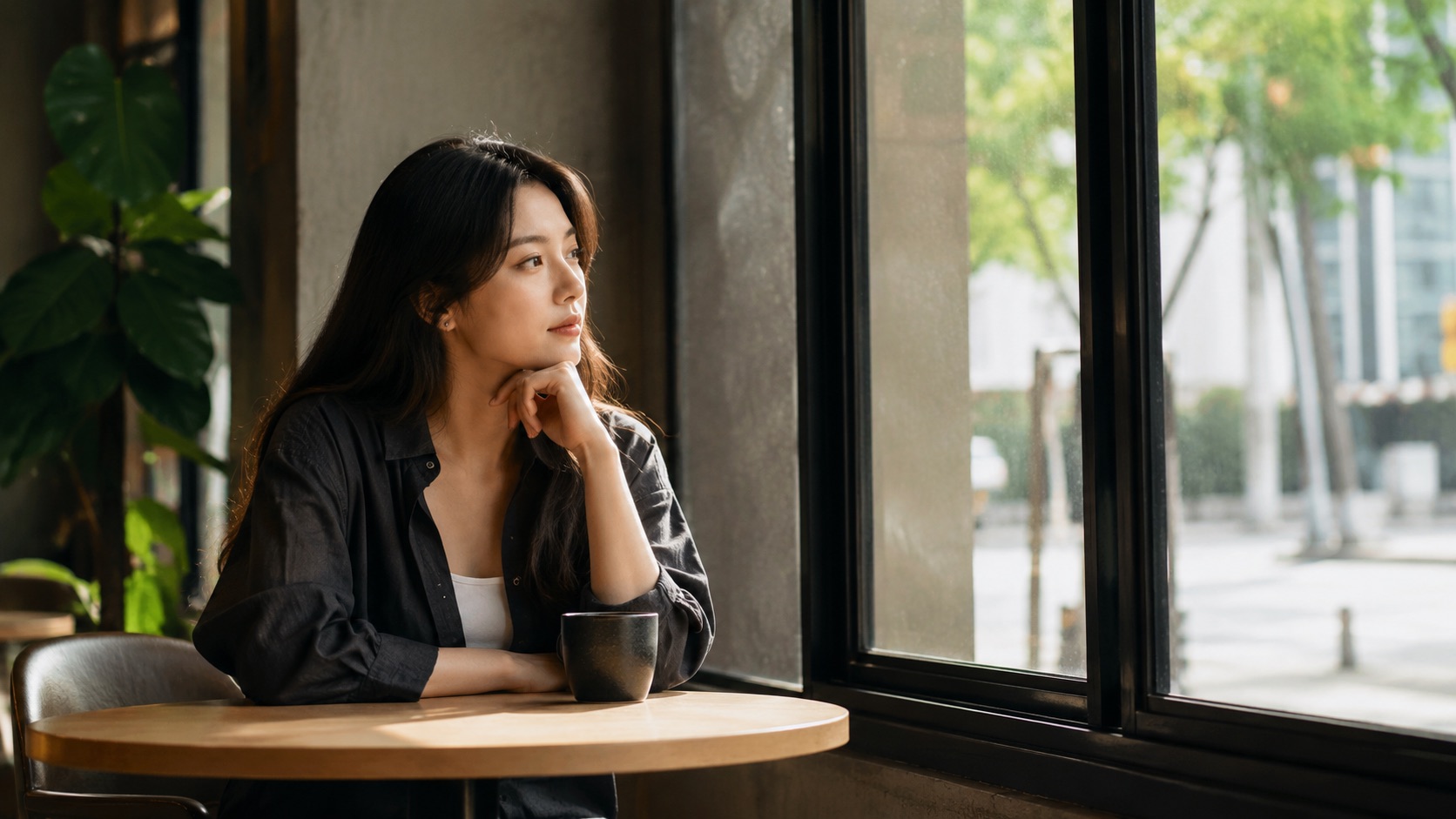
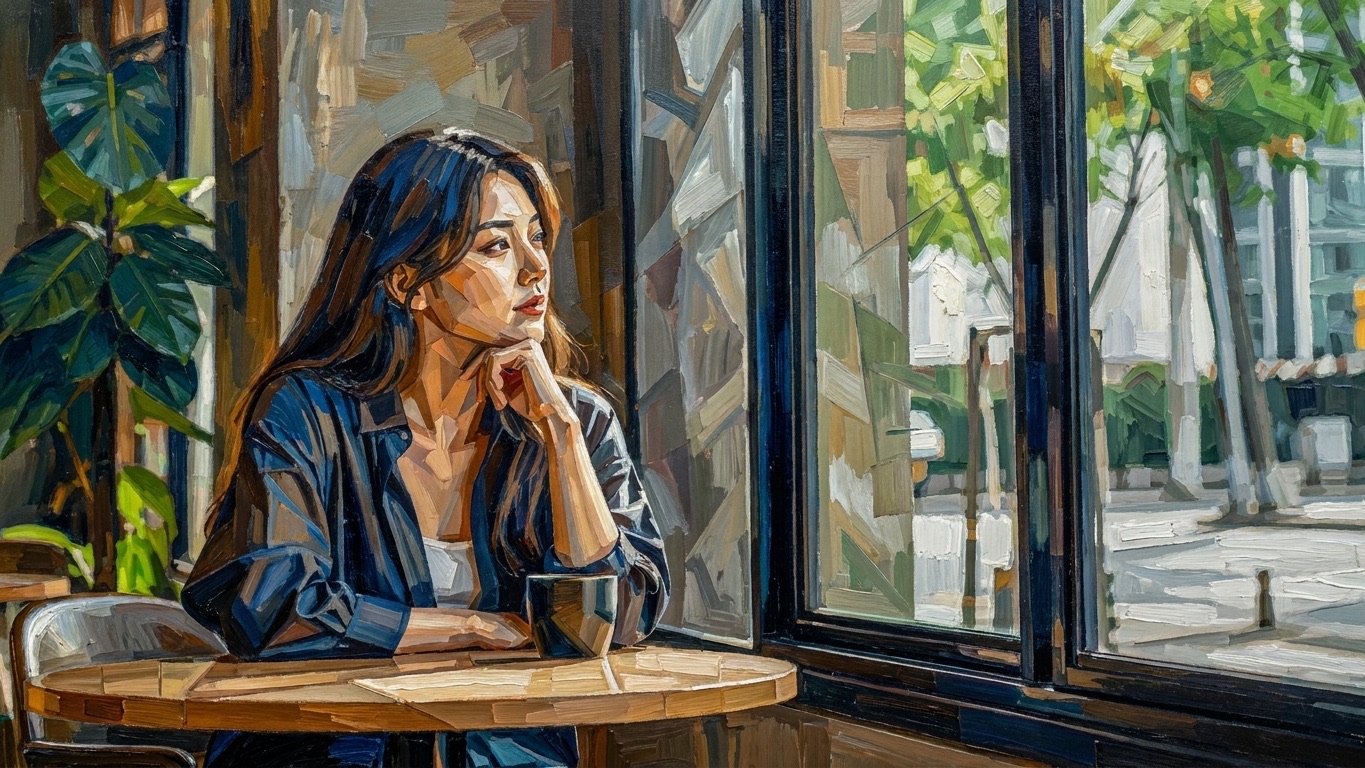
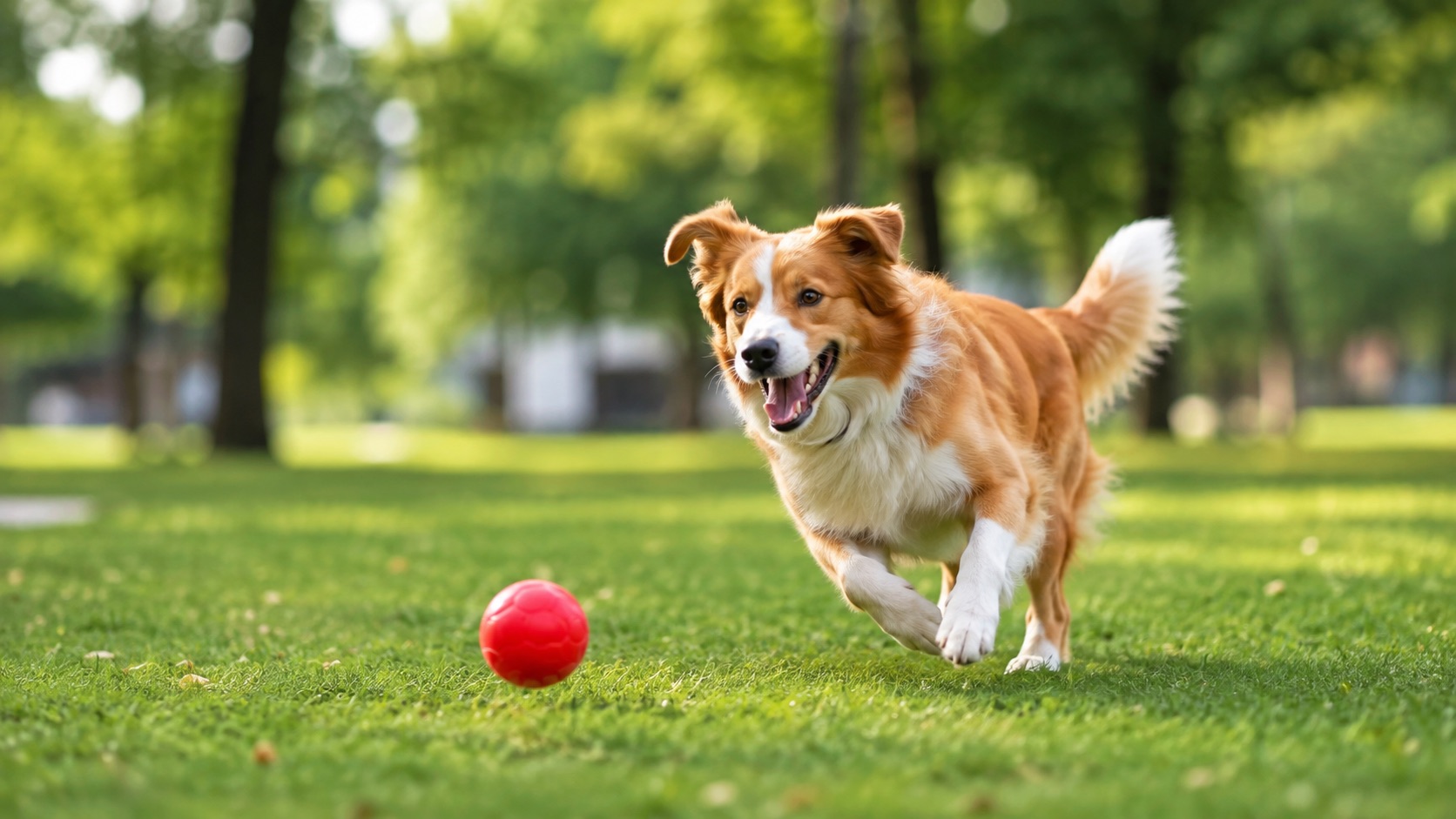
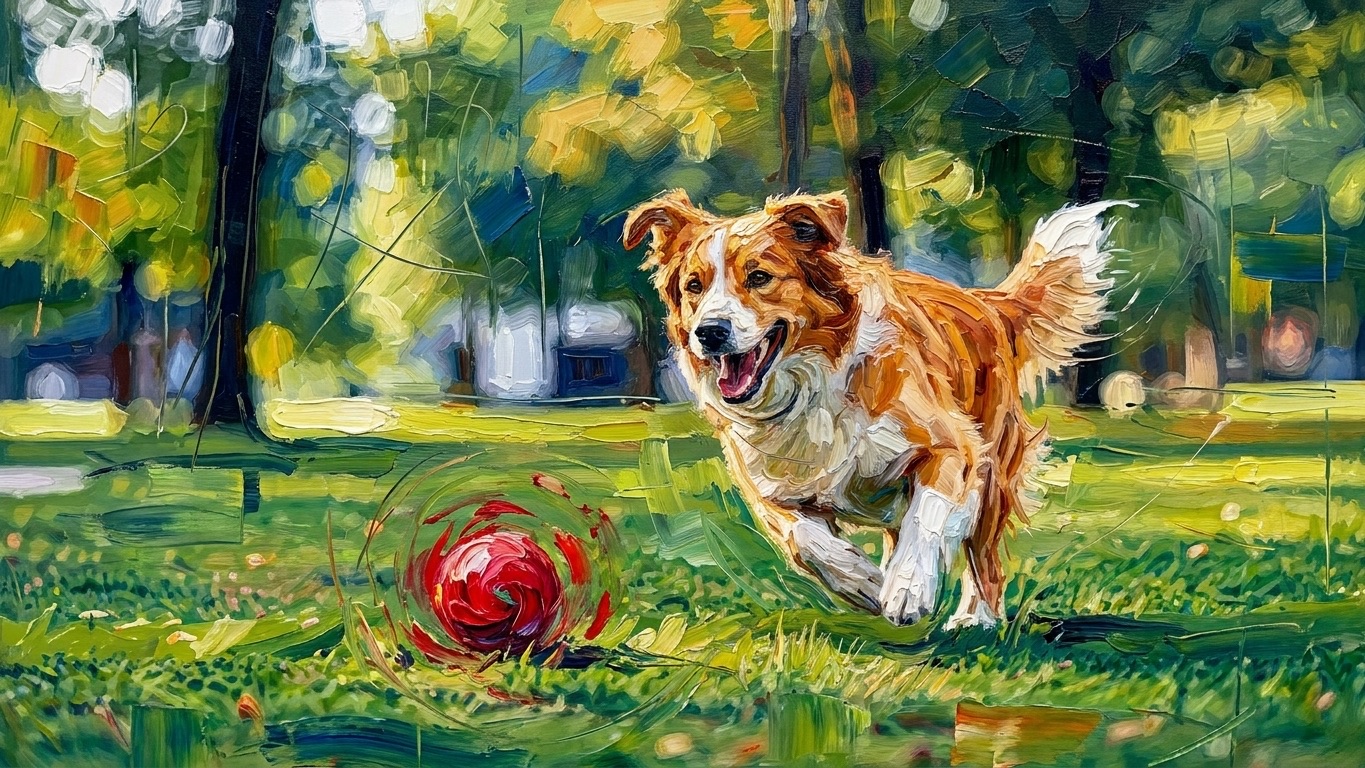
AI Abstract Photo Editor is useful when you want abstraction without making the source image unrecognizable. This makes Photo to Abstract Art practical when you want a clear connection between source and output. AI Abstract Art Generator from Photo workflows are helpful when the original composition already works and only the artistic language needs to change. AI Abstract Photo Editor can preserve a subject’s identity while changing how that identity is expressed. An AI Abstract Art Generator can explore several treatments from the same visual foundation. An AI Abstract Art Generator is most useful here when variation supports the reference rather than replacing it.
Explore Eight Distinct Directions Instead of One Generic Filter
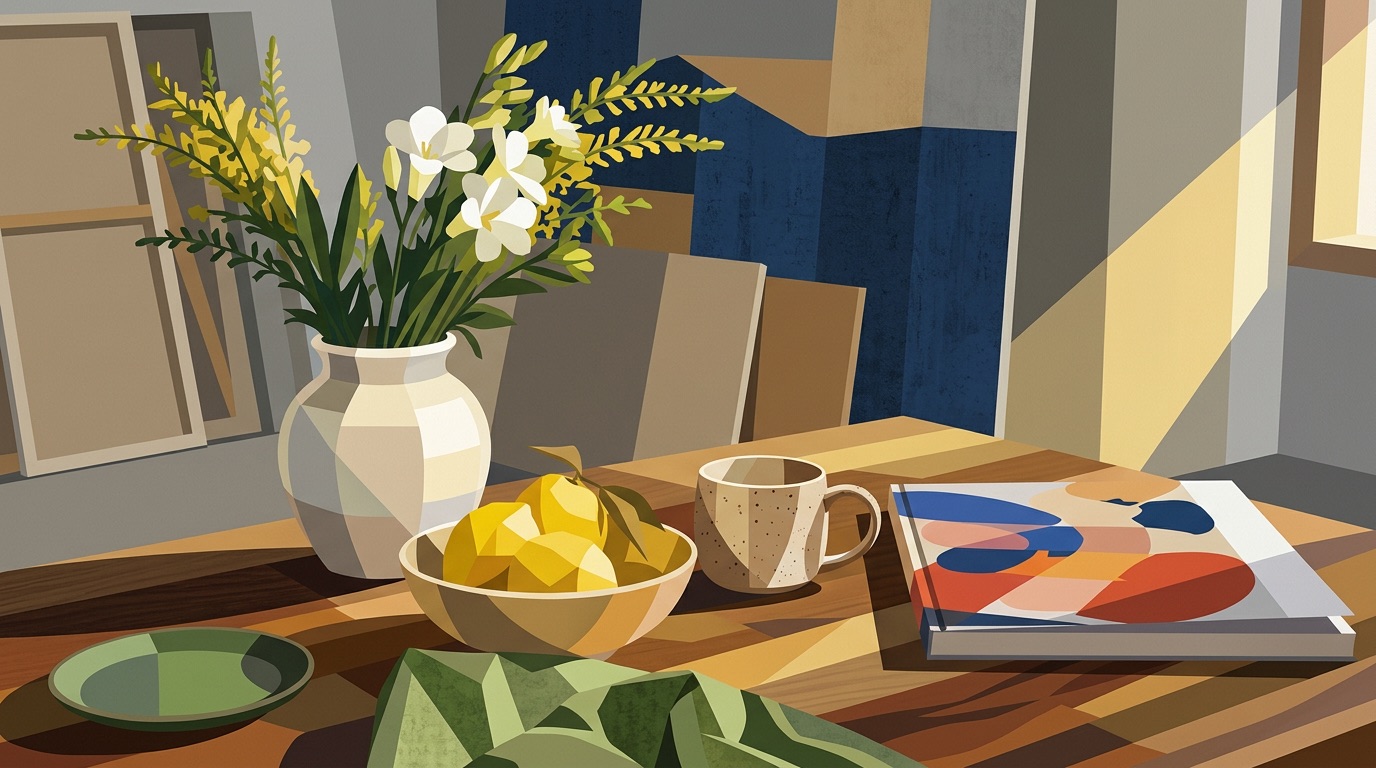
AI Abstract Photo Editor gives each transformation a defined visual direction. Geometric Abstract emphasizes segmented shapes, Fluid Abstract favors flowing color, Cubist Abstract fractures perspective, Expressionist increases gestural energy, Minimal Abstract simplifies forms, Surreal Abstract introduces dreamlike distortion, Neon Abstract adds luminous contrast, and Monochrome Abstract focuses on tone and texture. AI Abstract Art Maker presets let you compare these interpretations quickly. This makes turn photo into abstract art online useful for posters, profile imagery, editorial graphics, moodboards, and art experiments. AI Abstract Photo Editor helps you move between looks without rebuilding the image, while an AI Abstract Art Generator produces alternatives within the selected direction.
Control How Far the Image Moves Away From Reality
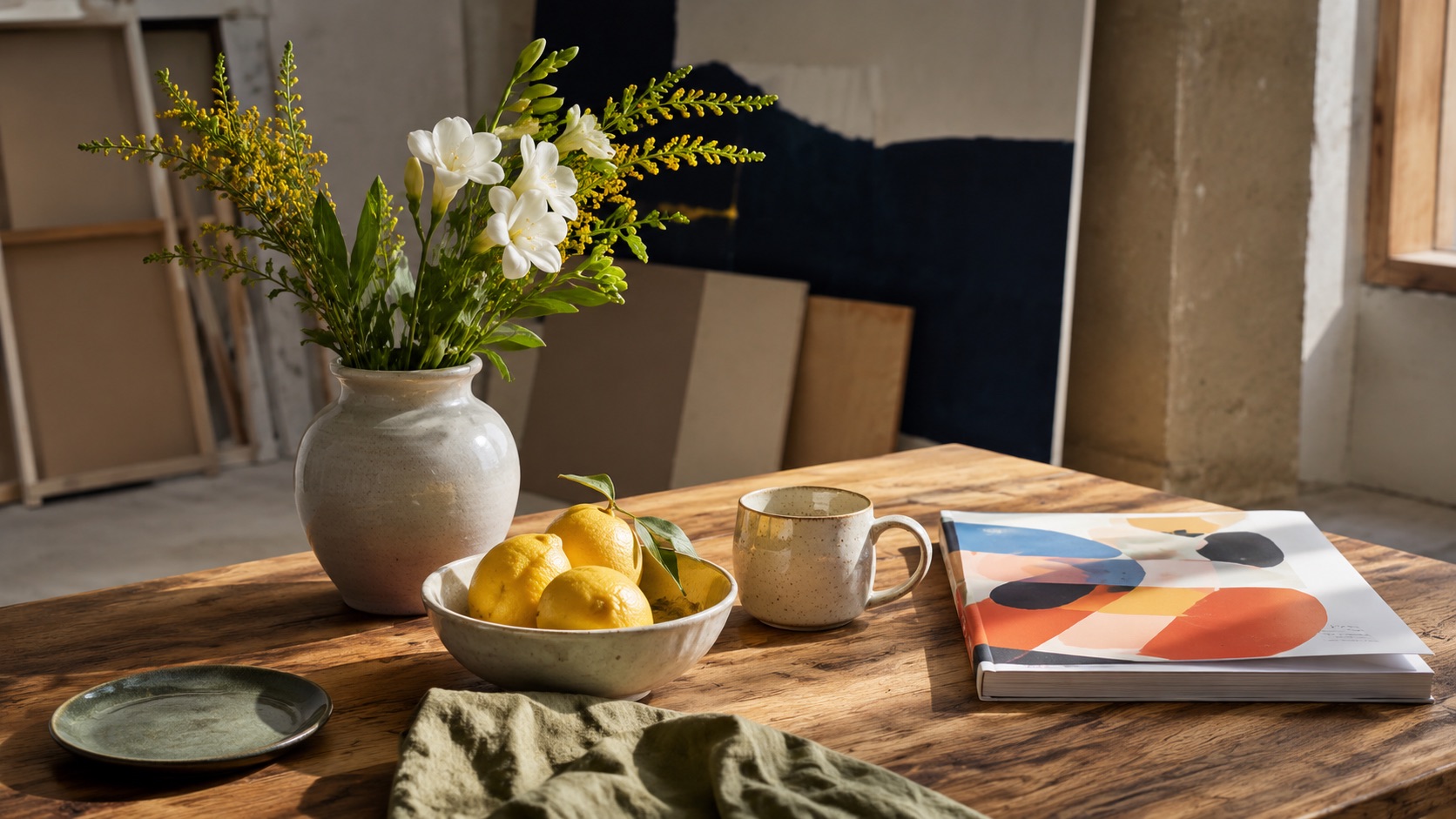
AI Abstract Photo Editor is not limited to choosing a preset. Stylization changes how strongly the selected artistic language influences the image, Variety broadens differences between results, and Weirdness can push forms into less predictable territory. These controls help decide whether Photo to Abstract Art should stay close to the source or become more experimental. AI abstract photo editor online can therefore support restrained redesigns and bold transformations. For an AI Abstract Art Generator from Photo, that balance matters because different images tolerate different levels of abstraction. AI Abstract Photo Editor keeps these controls optional after the core style choice.
Practical Uses for AI Abstract Photo Editor
AI Abstract Photo Editor supports personal art, visual experimentation, creative references, and content design. Whether you want Photo to Abstract Art for a portrait or an AI Abstract Art Maker for everyday imagery, the source photo remains central to the process. AI Abstract Photo Editor makes Photo to Abstract Art accessible without requiring manual style prompting.

Creative Portrait Transformations
Use AI Abstract Photo Editor to reinterpret portraits while keeping the face, pose, or silhouette as a visual anchor. Different abstract styles can shift the mood without changing the composition. Photo to Abstract Art can turn an ordinary portrait into a profile image, poster concept, album visual, or editorial-style artwork. AI Abstract Art Generator from Photo keeps the original image relevant while changing its artistic identity. AI Abstract Photo Editor also helps compare restrained and expressive abstraction, while an AI Abstract Art Generator offers several directions from the same portrait. Photo to Abstract Art can also help test alternate visual identities before a design direction is finalized.

Abstract Landscapes and City Scenes
Landscapes, architecture, and city photos contain strong lines, color zones, and depth, making them useful inputs for AI Abstract Photo Editor. Different styles can soften structure or emphasize rhythm and form. When you turn photo into abstract art online, a familiar location can become wall art, a concept background, or a visual study. AI Abstract Art Maker presets help explore those directions without describing every detail. AI Abstract Photo Editor can preserve recognizable horizons, streets, or building masses while an AI Abstract Art Generator explores alternative visual rhythms.

Objects, Pets, Food, and Everyday Photos
AI Abstract Photo Editor is not restricted to portraits. A pet, bicycle, flower arrangement, meal, shoe, chair, or other everyday subject can anchor an abstract composition while the chosen style reshapes color, form, and texture. This Photo to Abstract Art workflow is useful when you want something more personal than generic abstract imagery. AI abstract photo editor online makes familiar subjects suitable for creative posts, prints, covers, and experiments. AI Abstract Photo Editor can make a snapshot feel more designed, while an AI Abstract Art Generator produces multiple treatments of the same subject.

Design Exploration and Visual Moodboards
Use AI Abstract Photo Editor when an existing image has the right subject but not the right visual mood. Generate abstract versions to explore color language, shape treatment, energy, and composition before choosing a direction. An AI Abstract Art Generator can compare conservative and experimental interpretations from the same source. AI Abstract Art Generator from Photo is useful for moodboards because every output stays connected to one reference. AI Abstract Photo Editor keeps those comparisons consistent, while Photo to Abstract Art supports early visual exploration.
What Users Say About AI Abstract Photo Editor
Users choose AI Abstract Photo Editor when they want recognizable source imagery, distinct abstract styles, and enough creative control to explore more than one direction from the same photo. AI Abstract Photo Editor is particularly useful when the goal is exploration without losing the visual identity of the upload. AI Abstract Photo Editor keeps each test connected to the image you selected.
I used AI Abstract Photo Editor on a travel photo with a strong composition. The Geometric Abstract option kept the buildings recognizable but changed the mood completely. Having four versions made Photo to Abstract Art feel more intentional than applying a basic effect.
The Fluid Abstract style worked well for a pet photo. AI Abstract Photo Editor kept the pose readable while turning the background and fur into flowing color. I had tried an AI Abstract Art Generator before, but starting from my own image felt more personal. AI Abstract Art Maker presets also saved me from writing a long prompt.
I wanted to turn photo into abstract art online for a poster and did not know how to describe the style. AI Abstract Photo Editor made it easier because I could choose Surreal Abstract, adjust Stylization and Weirdness, and compare four outputs.
I use AI abstract photo editor online for quick moodboard directions. Monochrome and expressionist options create very different interpretations from the same source. AI Abstract Art Generator from Photo gives me a stronger starting point than generating unrelated abstract images.




AI Abstract Photo Editor FAQs
Find quick answers about styles, image inputs, creative controls, and Photo to Abstract Art generation with AI Abstract Photo Editor. AI Abstract Photo Editor is built for visual style selection rather than text-only creation.
Upload one image, choose an abstract style, adjust optional creative settings, and click Generate Image. AI Abstract Photo Editor returns four variations from the same source. AI Abstract Photo Editor lets you repeat the same workflow with another preset whenever you want a different direction.
AI Abstract Photo Editor includes Geometric, Fluid, Cubist, Expressionist, Minimal, Surreal, Neon, and Monochrome Abstract styles. AI Abstract Photo Editor uses each preset as a distinct artistic direction rather than a generic effect.
No. AI Abstract Photo Editor is designed around style selection, so you can turn photo into abstract art online without writing a detailed prompt. AI Abstract Photo Editor supplies the style direction through presets, while an AI Abstract Art Generator handles the transformation from the uploaded source.
Yes. Stylization, Variety, and Weirdness let you control how strongly AI Abstract Photo Editor departs from the source image and how different the generated variations can become. AI Abstract Photo Editor keeps these controls optional, so you can also generate directly from a selected style. An AI Abstract Art Generator can then interpret those settings across multiple outputs.
Portraits, pets, objects, landscapes, architecture, interiors, and other clear photos can all work well for Photo to Abstract Art transformations. AI Abstract Photo Editor benefits most from images with a clear focal subject and readable visual structure. Photo to Abstract Art usually benefits from visible subject boundaries.
A general AI Abstract Art Generator may create art from text alone. AI Abstract Art Generator from Photo starts with your uploaded image, so the result can retain recognizable visual structure. AI Abstract Photo Editor is therefore better suited to reference-led transformation than a purely text-led AI Abstract Art Generator.
Create Abstract Art with AI Abstract Photo Editor
Upload an image to AI Abstract Photo Editor, choose the abstract direction that fits your idea, and generate four creative variations. Use AI Abstract Art Maker presets for a fast start or adjust the creative controls when you want a more experimental result. AI Abstract Photo Editor lets you repeat the same process with another photo whenever you want a new direction.
