
More AI Image Generators
Explore our collection of specialized AI image generators designed for different creative needs and styles
























AI Product Photography: Build Better Product Scenes
Create Ecommerce Scenes with AI Product Photography
Use AI Product Photography to transform a clear source image into polished studio, lifestyle, seasonal, and ecommerce scenes. The AI Product Image Generator keeps the product central while you control background, surface, props, lighting, camera angle, shadows, and mood—without intentionally changing its shape, packaging, materials, colors, or visible details.
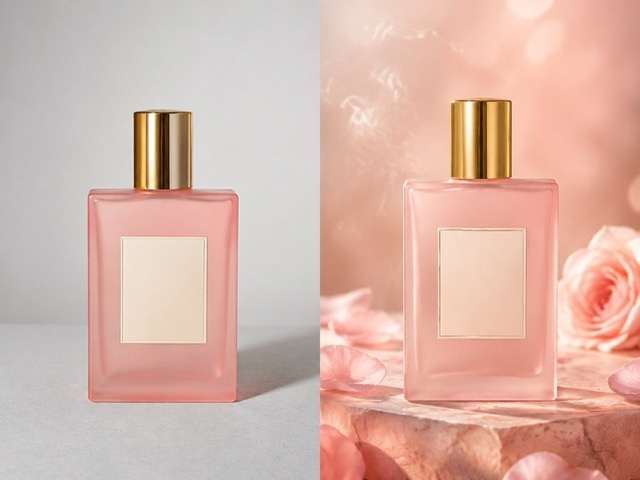
How to Create AI Product Photography
Use AI Product Photography in a simple workflow that starts with product accuracy, adds a purposeful scene, and ends with careful commercial review.

Upload for AI Product Photography
Choose a sharp source with visible edges, labels, materials, and proportions so AI Product Photography has reliable visual information to preserve.

Direct AI Product Photography
Tell AI Product Photography, used as an AI Product Image Generator, about the surface, background, props, lighting, camera view, and mood without redesigning the item.

Review AI Product Photography
Review AI Product Photography at full size, comparing packaging, text, logos, colors, shape, reflections, and material details with your source.
Best AI Image Tools for Creative Projects
Explore creative tools for image, learn tips and tricks, and see how AI can be your assistant in turning concepts into finished projects.





Practical Controls for AI Product Photography
Use AI Product Photography to build ecommerce imagery by defining what must stay accurate and what may change around the uploaded item.
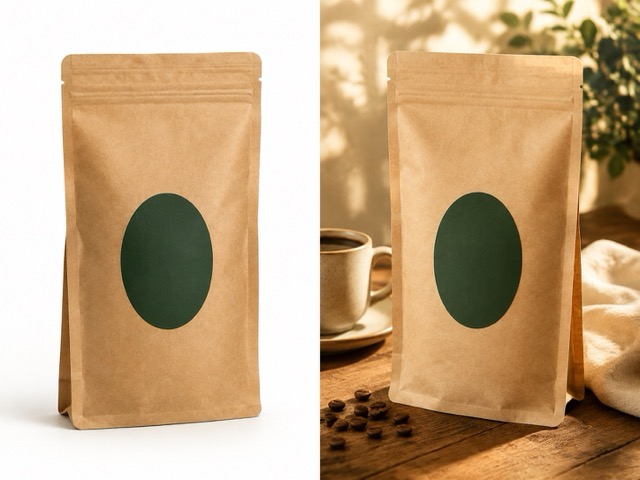
Keep the Uploaded Product as the Source of Truth
AI Product Photography begins with preservation. Ask the system to retain the item’s exact shape, proportions, colors, materials, logo, label text, packaging details, and visible construction. AI Product Photography, working as an AI Product Image Generator, should change only the requested environment, props, lighting, shadows, reflections, or composition. A clean source image makes those boundaries easier to understand. After generation, compare small typography, seams, openings, controls, and edges with the original rather than judging only the overall mood. This product-first workflow helps an AI Product Photo Generator create useful concepts without quietly inventing a different item or unsupported product variation.
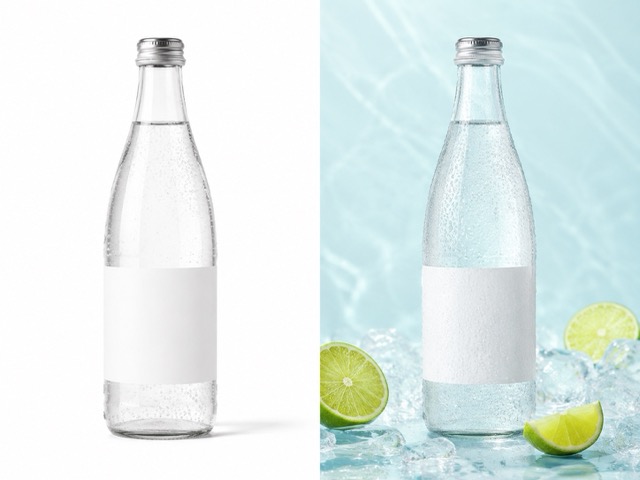
Move from Plain Backgrounds to Intentional Settings
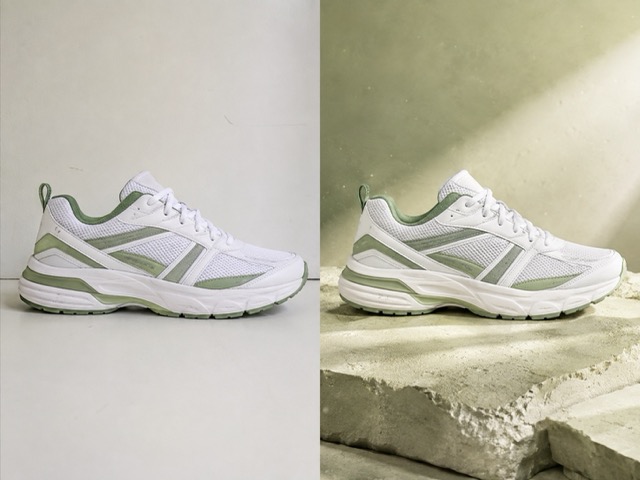
AI Product Photography can place a simple source shot into a clean studio, warm kitchen, modern bathroom, outdoor table, or other relevant setting. Describe the surface, surrounding space, distance, lighting direction, and mood while keeping props secondary. AI Product Photography, working as an AI Product Image Generator, works more coherently when the scene explains how the product might be presented without suggesting uses it does not support. Use realistic scale, contact shadows, and perspective as review criteria. With Product Photography AI, a believable environment should strengthen the item’s story while preserving its design, not overwhelm it with decorative objects or visual effects.
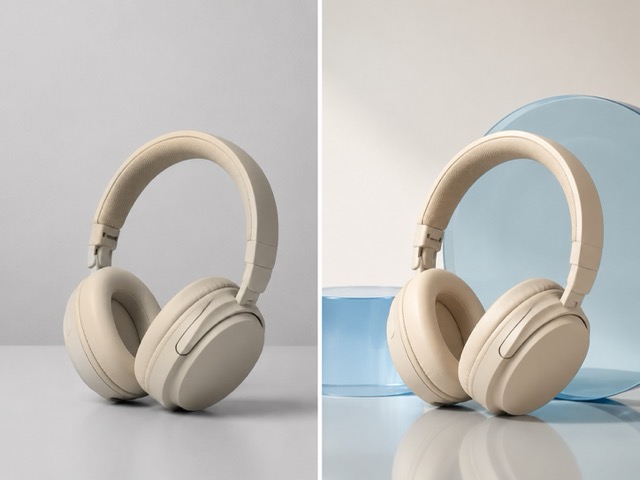
Adapt Composition for Ecommerce and Campaign Needs
A single product may need a centered marketplace image, a close lifestyle crop, or a composition with breathing room for separate page copy. AI Product Photography lets you describe those framing goals while protecting the item itself. Tell AI Product Photography, used as an AI Product Image Generator, whether the product should remain dominant, where negative space is useful, and what camera angle is appropriate. Generate Product Photos from One Image only when the source shows enough detail for the requested view. Avoid asking for hidden sides or packaging information that the image cannot establish, and verify that scale, proportions, logos, and labels remain credible in every selected result.
Control Light, Shadow, Reflection, and Surface Mood
Lighting often determines whether AI Product Photography feels premium, playful, natural, or clinical. Specify soft window light, diffused studio light, gentle rim light, or another understandable setup, then name the supporting surface and desired contrast. AI Product Photography, working as an AI Product Image Generator, can interpret those choices around the uploaded product, but every result needs inspection for floating objects, conflicting shadows, warped reflections, and unrealistic material response. For AI Product Photography for Ecommerce, clarity normally matters more than dramatic effects. Keep the item sharp and legible, use restrained props, and select lighting that reveals texture without changing the product’s color or design.
Where AI Product Photography Adds Real Value
Use AI Product Photography when you need visual options, faster creative exploration, or consistent presentation without misrepresenting the item itself.

Create Cleaner Ecommerce Listing Visuals
Marketplace listings benefit from a clear hero product, believable scale, and an uncluttered background. AI Product Photography can turn a basic source image into centered studio concepts or restrained lifestyle alternatives while keeping the item dominant. Specify surface color, shadow softness, camera distance, and negative space, then verify packaging text, logos, colors, edges, and materials. The result should improve presentation without inventing variants, accessories, claims, or contents. Check realistic contact shadows and perspective before publishing.

Develop Lifestyle Concepts for Social Campaigns
Social content often needs more atmosphere than a plain catalog image. AI Product Photography can explore a morning routine, workspace, travel, seasonal, or gifting setting that fits the real product category. Provide a concise brief covering mood, surface, lighting, framing, and a few relevant props. Keep the product accurate and handle campaign copy separately so creative visualization remains distinct from verified features, instructions, or usage claims. Keep scale realistic and props secondary to the item.
Prototype Seasonal Merchandising Ideas
Teams can use AI Product Photography to preview spring, summer, holiday, launch, or gifting compositions before producing final campaign assets. Describe seasonal colors, lighting, props, and environment without altering the packaging or adding promotional text. The AI Product Image Generator makes the direction visible, while brand reviewers compare the result with the source. Select concepts for accuracy and brand fit rather than novelty alone. Review reflections and contact shadows before selecting a direction.

Prepare Creative Briefs for Production Teams
AI Product Photography turns an open-ended written brief into visual drafts that photographers, designers, and marketers can discuss. Create a small set of distinct concepts showing surface choice, prop balance, camera position, shadow direction, and negative space. Mark the outputs as references, then verify labels, materials, geometry, and scale against approved assets or physical samples. The strongest drafts clarify production direction without pretending to be finished product evidence. Keep the product visually dominant throughout.
How Teams Can Apply AI Product Photography
These AI Product Photography workflows demonstrate responsible ways different roles can explore product scenes while preserving accuracy and human review.
As an ecommerce manager, I would use AI Product Photography to test clean listing backgrounds and lifestyle options from an approved product image. AI Product Photography, working as an AI Product Image Generator, helps make the creative direction visible, but I still compare every label, logo, color, and proportion with the source before considering a result for the store.
For social planning, AI Product Photography can quickly show whether a warm kitchen, minimal desk, or outdoor setting supports the campaign idea. I keep the item unchanged, limit props, and use AI Product Photography, used as an AI Product Image Generator, for visual discussion rather than treating generated details as verified product information.
AI Product Photography gives my design team a concrete composition to critique before layout work begins. We check negative space, contrast, and hierarchy while protecting the source product. A focused AI Product Image Generator brief is far more useful than asking for a generic premium image with no visual constraints.
When planning a seasonal shoot, I can use AI Product Photography to compare several moods without changing the actual package. The generated scene helps everyone discuss lighting and props. I still rely on approved product assets and careful review, especially where labels, reflections, or transparent materials are involved.
For a small shop, AI Product Photography can make creative exploration more approachable. I begin with one accurate photo, describe a restrained scene, and reject any result that changes the item. AI Product Photography, working as an AI Product Image Generator, is useful because it supports better decisions, not because it removes the need for product knowledge.




AI Product Photography Questions and Review Tips
Learn how AI Product Photography uses source images, scene prompts, product protection, and output review before commercial use.
AI Product Photography creates new visual settings around an uploaded product image. You can request studio backgrounds, lifestyle environments, seasonal scenes, revised lighting, props, or composition while preserving the item’s design. It is useful for ecommerce concepts, social planning, campaigns, and creative briefs. Compare logos, labels, colors, materials, shape, scale, and construction with the source, and never use it to invent features or packaging facts.
Choose a sharp, well-exposed image with clear edges, accurate color, and enough resolution to inspect labels and materials. Avoid heavy obstruction, glare, or deep shadow. Tell the AI Product Image Generator to preserve the exact shape, proportions, packaging, logo, text, colors, and visible details. If the new composition reveals a side absent from the source, upload another approved view instead of asking the system to guess.
You can request preservation of logos, label text, packaging, colors, and materials, but every result still needs close review. Small typography, reflective surfaces, transparent packaging, repeated patterns, and seals can drift. Compare the output at full size and use verified assets whenever legal, nutritional, technical, or safety information must remain exact. A visually plausible label should never be assumed to be factually accurate.
State that the uploaded product is the source of truth, then list allowed changes such as background, surface, props, lighting, shadow, reflection, framing, and mood. Ask the AI Product Image Generator to keep the item dominant, correctly scaled, and realistic. Avoid embedded text and unrelated campaign ideas. Generate several focused directions, compare them, and refine the strongest composition instead of changing every element at once.
AI Product Photography Free can help test product-scene generation, but current access, quotas, downloads, and commercial terms depend on the service. A free result is not automatically finished advertising. Review visual accuracy, brand fit, usage rights, product claims, platform rules, and required disclosures. The publisher remains responsible for ensuring that packaging, features, accessories, scale, and context do not mislead the audience.
AI Product Photography can create clean concepts and secondary lifestyle images, but marketplace rules for backgrounds, accuracy, and editing vary. Check the relevant requirements first. Keep the product centered, sharp, correctly scaled, and free from invented accessories or promotional text. Compare every result with approved photography and current product information. A verified source photo may remain safest for main images containing regulated or exact packaging details.
Turn an Accurate Product Photo into a Stronger Visual Direction
Start AI Product Photography with one clear source, then guide AI Product Photography, used as an AI Product Image Generator, toward a focused, reviewable scene.
