
More AI Image Generators
Explore our collection of specialized AI image generators designed for different creative needs and styles
























AI Photo Angle Changer: Create New Camera Views
Use AI Photo Angle Changer without repeating the entire shoot
One useful photograph can become the starting point for a completely new viewpoint. AI Photo Angle Changer reconstructs portraits, products, vehicles, rooms, and creative artwork from another camera position. Upload an image, select a front, side, three-quarter, high, low, or top-down view, and Change Camera Angle in Photo while preserving the subject’s recognizable identity and design. Unlike a basic rotation tool, AI Photo Angle Changer changes the viewer’s position around the scene, generating information that was not visible in the original frame. It helps creators test compositions, build visual variations, and reduce avoidable reshoots with a simple browser workflow.
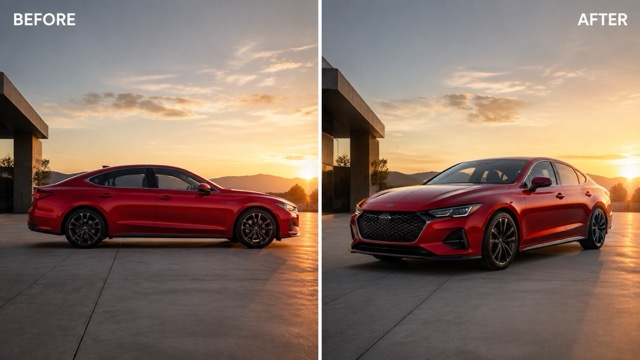
How to Use AI Photo Angle Changer
Upload a clear image, choose one camera viewpoint, and review the reconstructed details before downloading your new perspective.

1. Upload to AI Photo Angle Changer
Upload a clear portrait, product, vehicle, interior, or artwork. State which identity, design, colors, and background details must remain unchanged.

2. Select an AI Photo Angle Changer View
Choose a specific front, side, three-quarter, high, low, or top-down view. Add close, medium, or wide framing when needed.

3. Review AI Photo Angle Changer Results
Compare the result with the source. Check identity, proportions, materials, lighting, text, and newly visible surfaces before downloading.
Best AI Image Tools for Creative Projects
Explore creative tools for image, learn tips and tricks, and see how AI can be your assistant in turning concepts into finished projects.





AI Photo Angle Changer Is More Than Image Rotation
AI Photo Angle Changer creates a genuinely new viewpoint instead of rotating existing pixels, while protecting the details that define your subject.
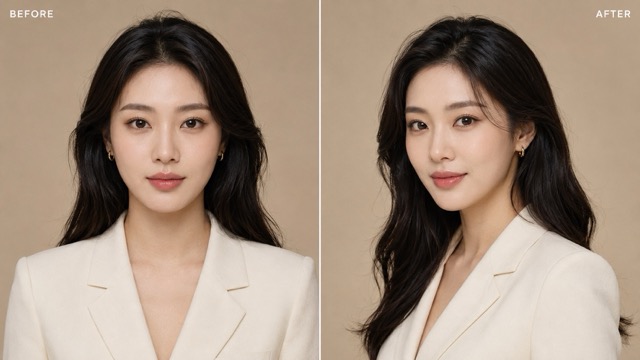
Create New Portrait Perspectives
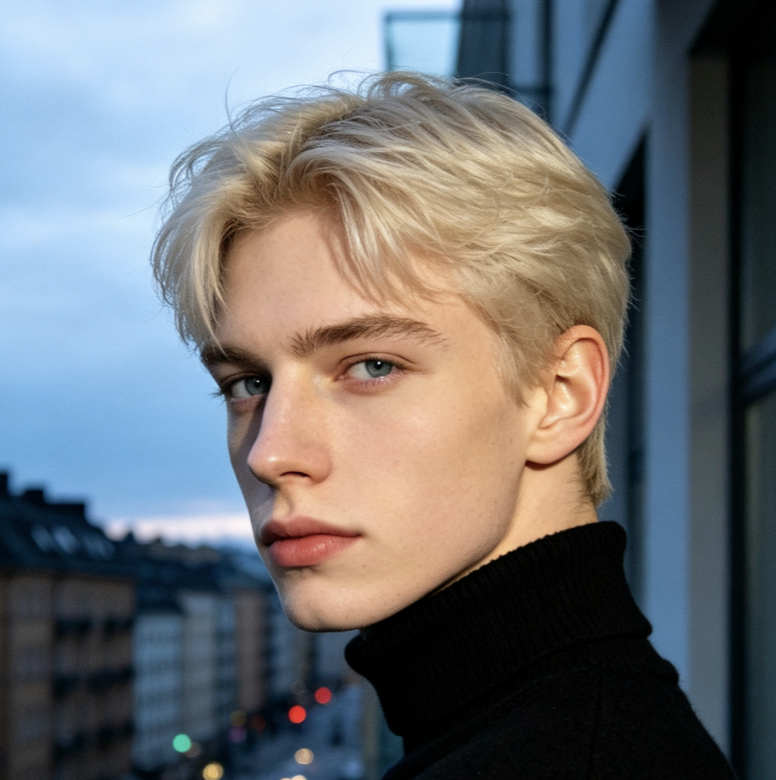
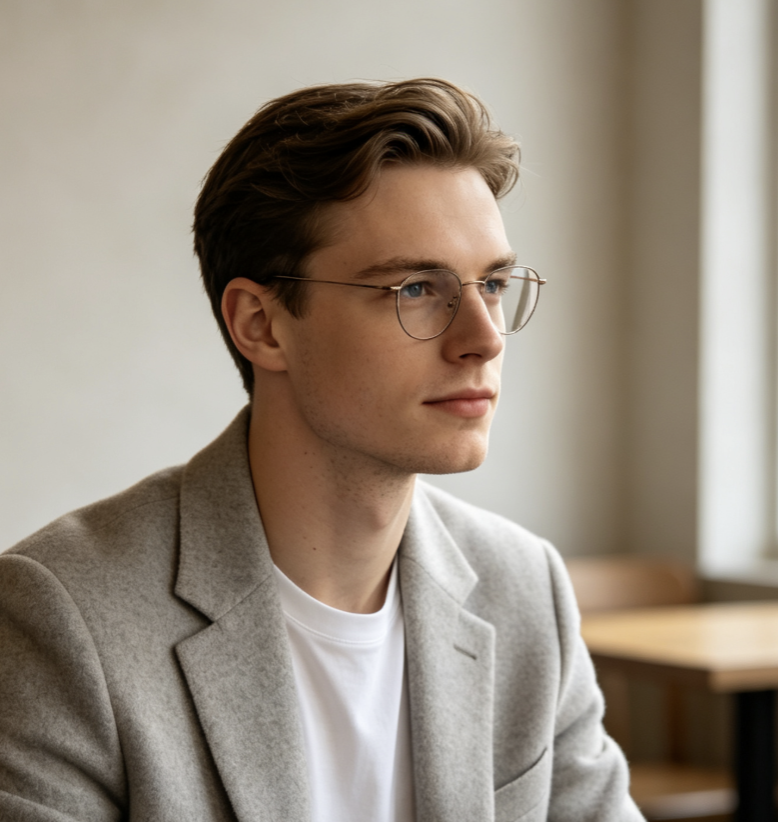
A three-quarter, side, elevated, or low-angle portrait can add depth to an editorial layout or campaign. AI Photo Angle Changer recreates the viewpoint while preserving facial identity, eye color, hairstyle, expression, skin texture, clothing, accessories, body proportions, and lighting. Moderate movements are safer when the source shows limited facial information because extreme rear views require more reconstruction. This workflow supports avatars, character concepts, album art, fashion layouts, creator graphics, and portrait exploration. Compare distinctive facial features and wardrobe details before using the result. When identity is critical, generate several moderate angles instead of jumping directly from a close frontal portrait to an unsupported back view.
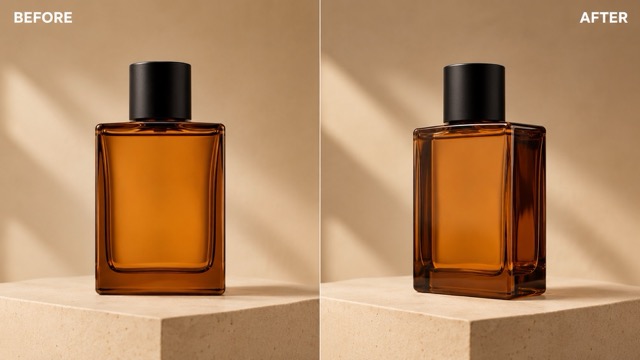
Generate Product Views from One Image
AI Photo Angle Changer can turn one front product image into a three-quarter, side, elevated, or top-down concept. Ask it to preserve dimensions, silhouette, packaging color, seams, ports, materials, label layout, and studio light. Highlights and shadows should follow the reconstructed surface. Because the new view may reveal areas missing from the source, treat it as generated content rather than verified documentation. Check every logo, word, connector, pattern, opening, and structural feature against the real product. The tool suits mockups, advertising drafts, marketplace concepts, and composition tests. Use moderate angle changes when accuracy matters, and photograph the physical item when unseen details must be exact.
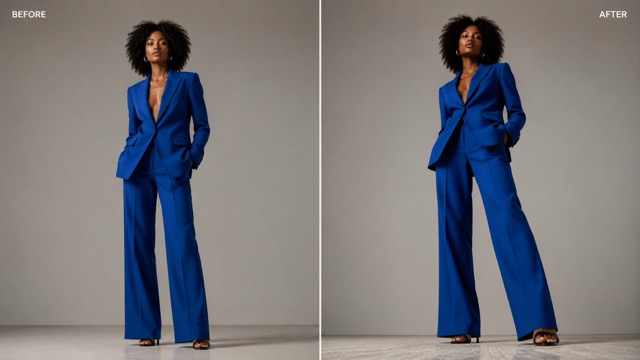
Move the Camera Higher or Lower
A low angle can add presence to a person, vehicle, or building, while a high angle reveals layouts, tabletops, and floor space. AI Photo Angle Changer lets you test both without moving the physical camera. Specify the elevation, tilt, distance, and framing, then preserve body proportions, pose logic, clothing, shadows, perspective, and ground contact. The system must reconstruct surfaces revealed from above or below, so inspect shoes, hems, ceilings, tabletops, undersides, and vertical lines. Avoid pairing an extreme new angle with unchanged eye-level geometry. Perspective, scale, and lighting should all agree with the selected virtual camera position.
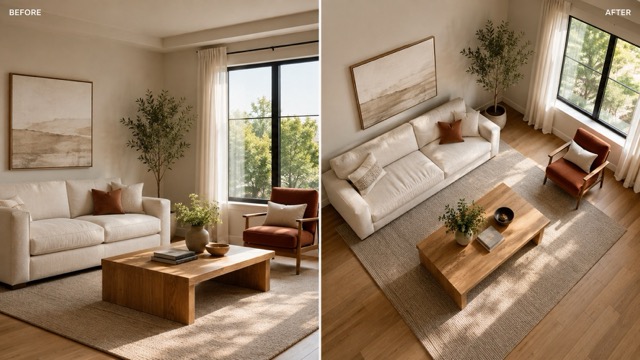
Control Framing and Visual Story
Camera angle and shot distance work together. A close-up emphasizes expression or detail, a medium shot balances subject and context, and a wide view reveals the environment. AI Photo Angle Changer can combine one clear viewpoint with close, medium, or wide framing. Preserve the subject’s scale and keep important objects in logical positions. Expanding the frame requires generating content outside the source, so specify what should appear and avoid unsupported brand, architectural, or factual details. This workflow helps create thumbnails, storyboards, pitch visuals, social campaigns, and preproduction studies by showing how different camera choices guide attention before another shoot.
Where AI Photo Angle Changer Adds Creative Value
Use AI Photo Angle Changer to explore new views for fashion, products, vehicles, interiors, illustrations, storyboards, and campaign concepts.
AI Photo Angle Changer for Fashion
Creators can use AI Photo Angle Changer to test front, side, three-quarter, high, or low portrait views while keeping the same model and outfit. Ask to Change Camera Angle in Photo without altering identity, expression, body shape, garment color, fabric, accessories, or background. The results can support mood boards, editorials, social graphics, and lookbook concepts, but close inspection is important where exact garment construction matters.

AI Photo Angle Changer for E-Commerce
AI Photo Angle Changer can turn a standard product shot into additional creative viewpoints for listing concepts, advertisements, and social media. Use it to Change Camera Angle in Photo toward a three-quarter, side, top-down, or slightly elevated view. Preserve materials and proportions, then verify all text, logos, ports, patterns, and structural features against the real product before commercial publication.

AI Photo Angle Changer for Spaces
A new viewpoint can reveal shape, circulation, and scale. AI Photo Angle Changer can explore a front three-quarter vehicle view, elevated room view, or lower architectural perspective. When you Change Camera Angle in Photo, protect wheel count, body panels, doors, windows, furniture positions, straight lines, and lighting direction. Generated unseen areas should be reviewed as creative reconstruction rather than measured documentation.

AI Photo Angle Changer for Storyboards
Directors, designers, artists, and marketers can use AI Photo Angle Changer to compare camera choices before production. Change Camera Angle in Photo to create high, low, close, wide, over-the-shoulder, or three-quarter concept frames from a visual anchor. Preserve characters, props, costume, setting, and light so each variation belongs to the same scene. The output can guide planning while remaining clearly separate from a final factual photograph.
How Creators Use AI Photo Angle Changer
See how creators explore new perspectives while preserving important subject details and reviewing reconstructed areas before publication.
I had a strong front-facing portrait but needed a three-quarter composition for an editorial layout. AI Photo Angle Changer helped me Change Camera Angle in Photo while keeping the model’s identity, hair, expression, and wardrobe recognizable. I used a moderate shift and checked the face closely before including it in the concept deck.
A product mockup needed a slightly elevated angle, but the sample was no longer available. AI Photo Angle Changer gave me a useful advertising draft. I asked it to Change Camera Angle in Photo and preserve the bottle shape, cap, label placement, and amber glass, then verified every visible detail against the real product.
For a fashion mood board, I wanted to compare eye-level and subtle low-angle views. AI Photo Angle Changer let me Change Camera Angle in Photo without arranging another test shoot. Keeping the shift restrained helped maintain believable body proportions, clothing, and lighting.
I use AI Photo Angle Changer during storyboard exploration. It helps me Change Camera Angle in Photo from a standard frame to higher or wider concepts while preserving the character and environment. The variations make camera discussions more concrete before the production team commits resources.
A vehicle campaign needed an additional front three-quarter concept. AI Photo Angle Changer created a convincing option from a side image. I used it to Change Camera Angle in Photo, but carefully reviewed lights, panels, mirrors, wheels, and branding because those unseen areas required reconstruction.



AI Photo Angle Changer FAQ
Find quick answers about supported angles, identity preservation, product views, prompts, and the difference between perspective change and rotation.
AI Photo Angle Changer uses a source image to generate a view from a different apparent camera position. You can request front, side, three-quarter, high, low, top-down, close, or wide perspectives. When you Change Camera Angle in Photo, AI reconstructs depth and surfaces that may not appear in the original. The result is a newly generated viewpoint, not a simple rotation of existing pixels.
A rotator spins or straightens the existing canvas without revealing a new side of the subject. AI Photo Angle Changer changes perspective by moving the virtual camera and reconstructing what that view might contain. Use rotation to fix orientation or a tilted horizon. Use AI to Change Camera Angle in Photo when you need a three-quarter product view, side portrait, elevated room view, or another genuinely different viewpoint.
AI Photo Angle Changer can create front, left or right three-quarter, side, back, high-angle, low-angle, and top-down views, depending on the source and requested output. You can also specify close-up, medium, or wide framing. To Change Camera Angle in Photo more reliably, request one clear direction and preserve important subject details instead of combining several incompatible camera positions.
Identity preservation is an important goal, but larger angle changes demand more reconstruction. Tell AI Photo Angle Changer to preserve facial features, eye color, hair, expression, skin, body proportions, clothing, accessories, and lighting. When you Change Camera Angle in Photo, compare distinctive features with the source. Moderate three-quarter shifts generally provide more reliable identity context than extreme rear views generated from a single frontal portrait.
Yes. AI Photo Angle Changer can create creative side, three-quarter, elevated, or top-down product views. Preserve dimensions, silhouette, color, materials, label placement, and studio lighting in the prompt. However, unseen surfaces are generated. Before using the result commercially, verify text, logos, openings, ports, patterns, parts, and product claims against the real item rather than assuming the new view is technically exact.
Try: use AI Photo Angle Changer to Change Camera Angle in Photo to a right three-quarter view at eye level with medium framing; preserve the same subject, identity, expression, proportions, clothing, product design, colors, materials, background, and lighting; reconstruct perspective naturally; do not add, remove, duplicate, or redesign any defining element. Add specific protected details for your subject and inspect newly visible areas after generation.
Use AI Photo Angle Changer to Find a Better View
Do not let one camera position limit the next creative decision. Upload a clear source, choose a coherent viewpoint, and use AI Photo Angle Changer to explore front, side, three-quarter, high, low, or top-down perspectives. Protect the details that define the subject, Change Camera Angle in Photo with precise direction, and review every reconstructed surface before sharing the result.
