
More AI Image Generators
Explore our collection of specialized AI image generators designed for different creative needs and styles























Recolor Any Photo with the Best Image Color Changer
Upload any image and use our AI editor to recolor it in seconds. Our Image Color Changer supports one click recoloring and prompt based editing for precise results.
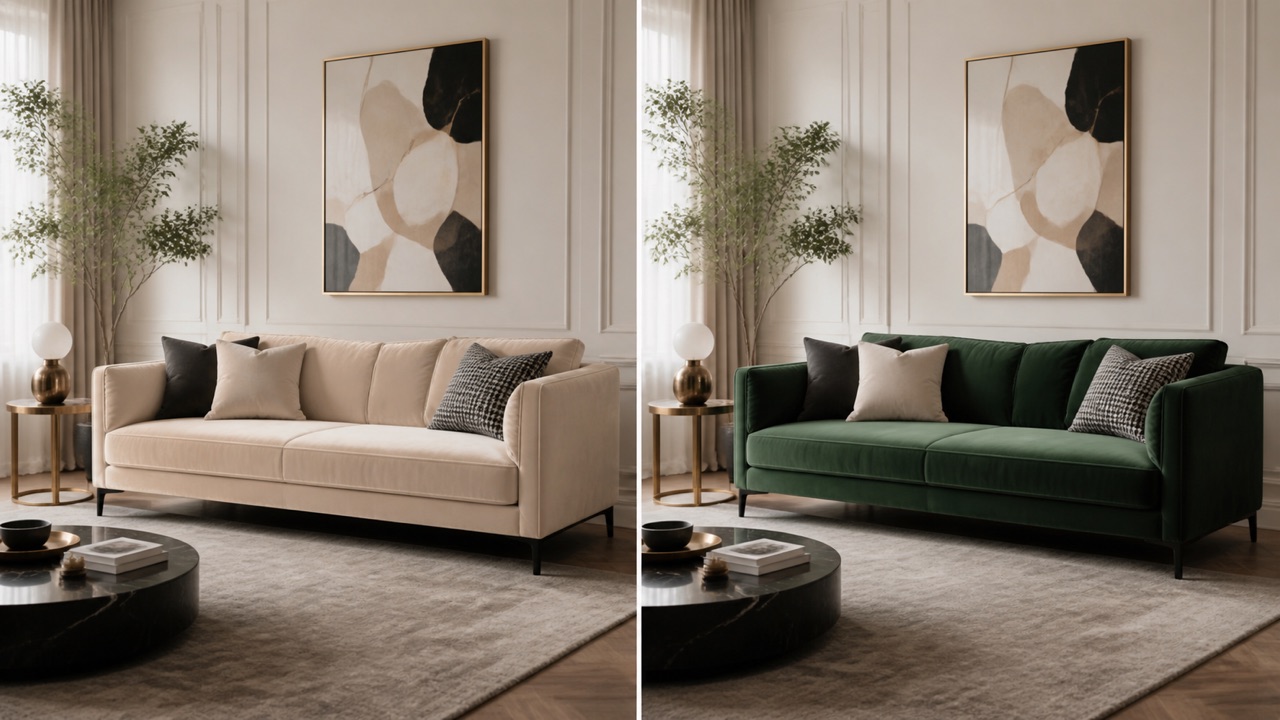
our AI editor is an advanced Image Color Changer for fast and flexible editing. You can use this Image Color Changer to recolor clothes furniture cars walls hair products and more. If you want to AI recolor image results instantly, just upload and click. If you want to change image color online with more control, add a text prompt to target a specific area. Image Color Changer turns a rough color idea into a visual reference that teams can discuss before spending time on production.
How to Use Image Color Changer
Image Color Changer follows a simple, focused workflow: upload one photo, state exactly what needs a new color, generate the edit, and review the result before downloading.

Upload Your Photo
Upload the photo you want to edit. A clear image helps the tool preserve the original subject, composition, lighting, materials, and background while it focuses on the requested color change.
Describe What to Recolor
In the prompt, name the exact object or area that needs a new color and state the target shade. For example: “Change only the sofa upholstery to forest green; keep everything else unchanged.”

Click Generate
Click Generate Image to send your photo and color instruction to the selected AI model. The tool applies the requested recolor while keeping non-target details as consistent as possible.

Review Your New Color
Check the generated image to confirm that the chosen area, shade, texture, highlights, and shadows look right. Refine the prompt and generate again if you want another color variation.
Best AI Image Tools for Creative Projects
Explore creative tools for image, learn tips and tricks, and see how AI can be your assistant in turning concepts into finished projects.






Features of Our Image Color Changer
our AI editor combines speed, control, and visual accuracy in one powerful Image Color Changer. Whether you want one click automation or detailed prompt editing, this Image Color Changer helps you AI recolor image content naturally. It is built for creators, marketers, designers, and everyday users who want to change image color online without learning complex editing software. Before a reshoot, Image Color Changer gives photographers and art directors a quick way to evaluate whether a color direction deserves production.
One Click Recolor for Fast Edits
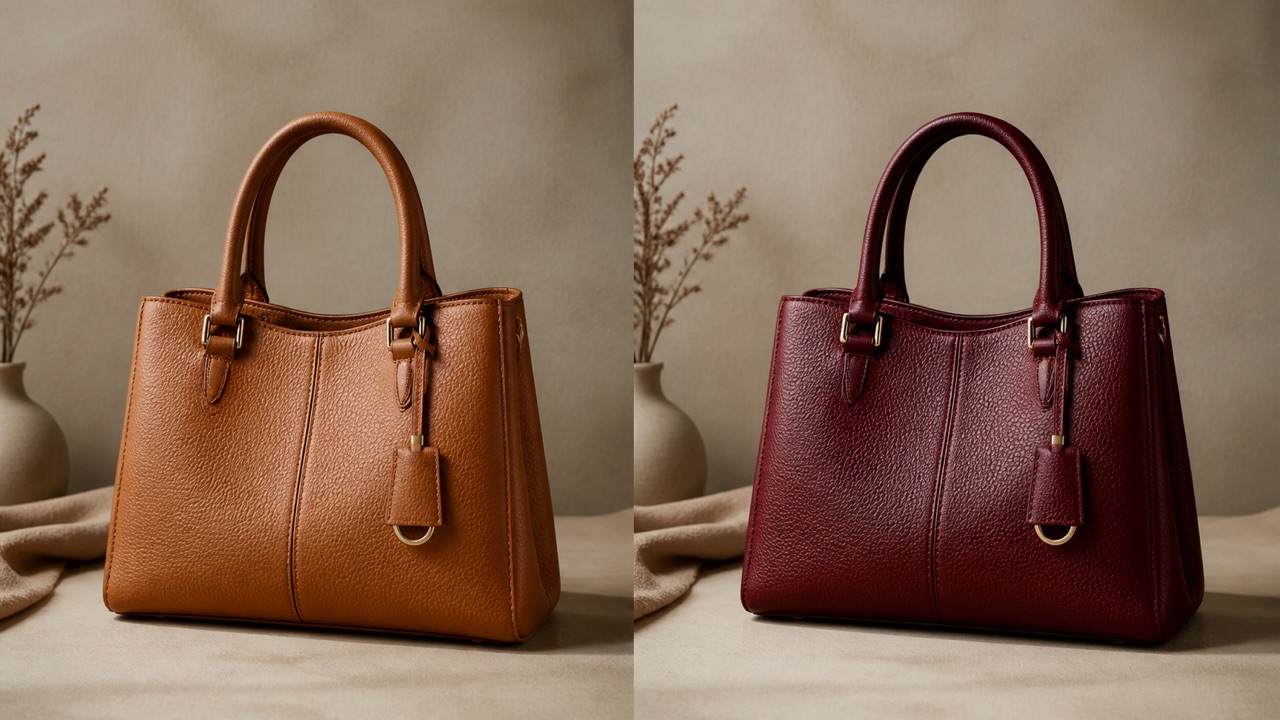
Our Image Color Changer can automatically detect the most relevant editable area and apply a clean new color in seconds. This Image Color Changer is ideal for users who do not want to write prompts and simply want fast results. With one upload, the Image Color Changer can AI recolor image content for clothes, products, rooms, cars, and more. If you want to change image color online with minimal effort, this feature gives you the fastest path from upload to result. For quick testing, fast variation building, and simple visual updates, this Image Color Changer makes it easy to AI recolor image assets and change image color online at scale. For retail work, Image Color Changer can create a believable product variation without hiding the stitching, finish, or important brand details.
Prompt Based Local Recoloring
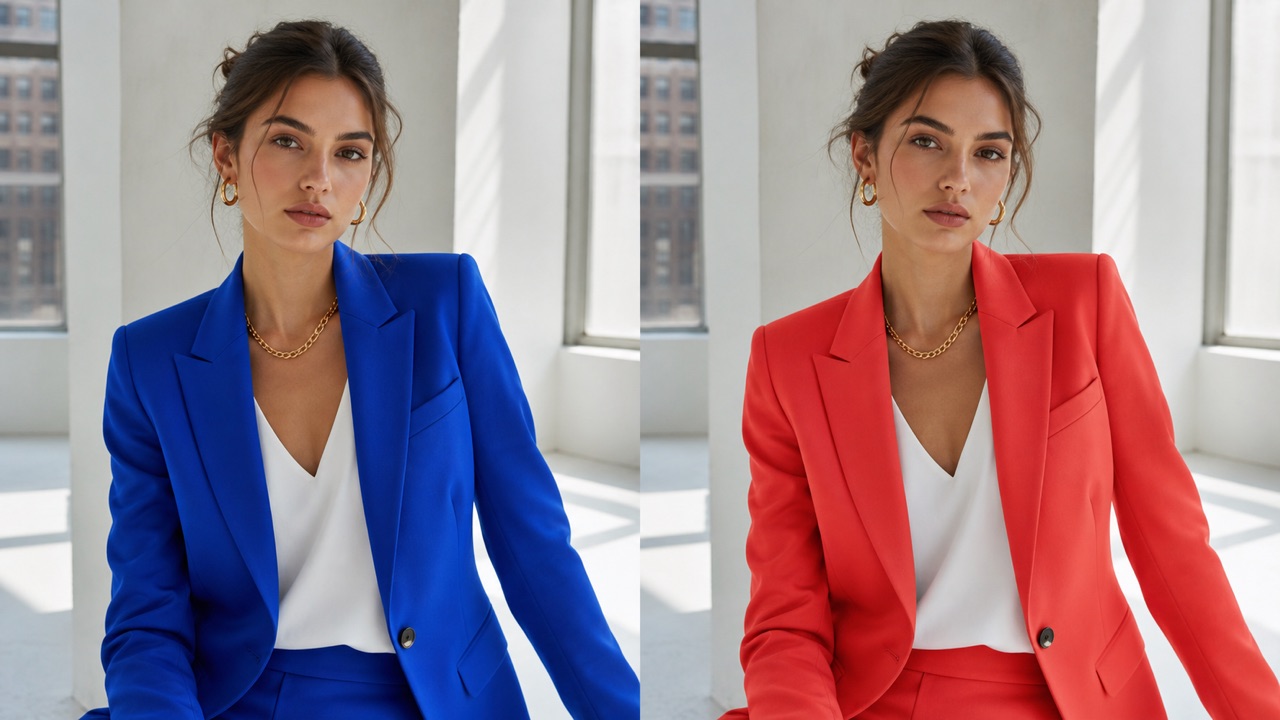
This Image Color Changer also supports prompt control for users who need more precise editing. You can AI recolor image regions with instructions like change only the dress to red, make the sofa dark green, or turn only the wall warm beige. This Image Color Changer is designed to follow specific color requests while protecting non target areas. For users who want to change image color online with more control, this feature is essential. It lets you AI recolor image details without changing the rest of the composition, so the Image Color Changer stays flexible for both simple and advanced editing. When accuracy matters, this Image Color Changer helps users change image color online with targeted prompt based control. Image Color Changer is useful when a photo needs one visual adjustment rather than an entirely new composition or a complicated manual retouch.
Natural Texture and Lighting Preservation
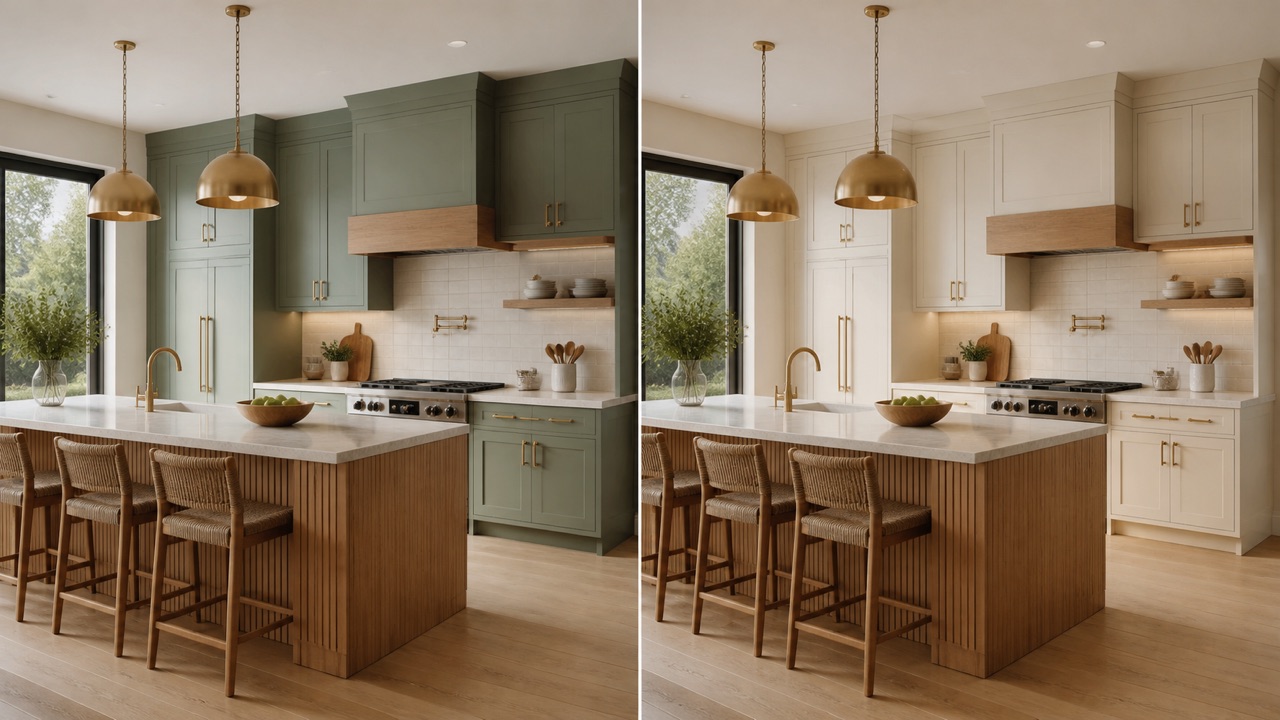
A strong Image Color Changer should do more than swap colors. Our Image Color Changer preserves texture, folds, shadows, reflections, highlights, and overall image quality so every output feels realistic. When you AI recolor image content with our AI editor, the goal is not only to change color but to keep the material believable. This is especially important for fabric, hair, painted surfaces, glossy products, and interior photos. If you want to change image color online without making the image look fake, this Image Color Changer is built for that. It helps users AI recolor image content while maintaining natural visual consistency, making this Image Color Changer ideal for realistic edits and professional presentations. Marketing teams can use Image Color Changer to keep a campaign concept consistent while exploring a seasonal shade or regional color preference.
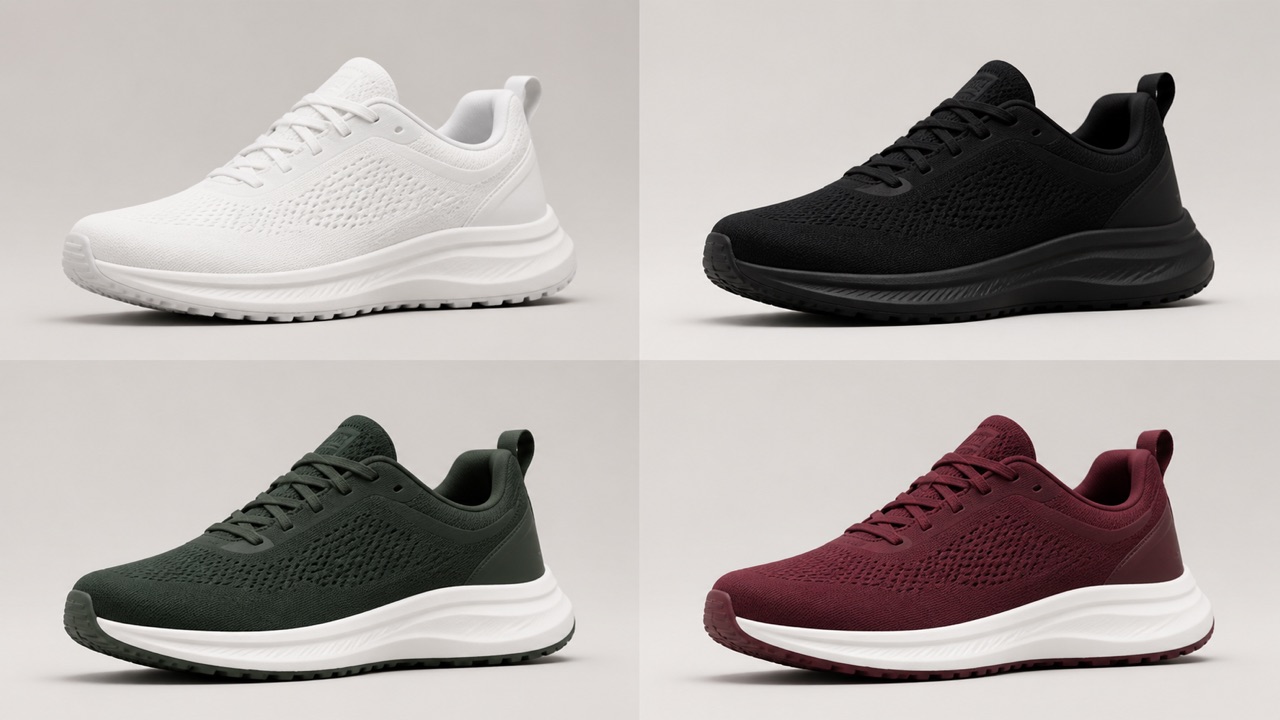
Works for Fashion Products Rooms and More
From clothes and hair to furniture, cars, packaging, accessories, and interiors, this Image Color Changer works across many visual scenarios. Brands can use this Image Color Changer to create product variants. Designers can AI recolor image concepts for campaigns and mockups. Home users can change image color online to preview room ideas before making real decisions. Because this Image Color Changer supports both one click and prompt workflows, it adapts well to commercial, creative, and personal use. No matter whether you want to AI recolor image details for ecommerce, marketing, styling, or inspiration, this Image Color Changer gives you a flexible way to change image color online from one simple workflow. Image Color Changer helps creators maintain the mood of a scene, because the light and surrounding details remain part of the visual decision.
Best Use Cases for This Image Color Changer
Our Image Color Changer is designed for many real visual editing needs. Whether you want fast creative testing or precise commercial editing, this tool helps you AI recolor image content naturally and efficiently. Image Color Changer gives social teams a fast way to explore color-led posts while preserving the people, products, and story already approved.
Fashion Recolor
Use our Image Color Changer to test different clothing colors while keeping the model’s identity, pose, fabric texture, folds, and overall styling intact. It is ideal for outfit previews, fashion concepts, online shops, and social media visuals. Image Color Changer lets home planners preview color choices in the actual room, making scale, contrast, and daylight easier to judge.
Furniture and Room Styling
AI recolor image elements like sofas, walls, cabinets, curtains, and home decor to preview new interior design ideas. This is a simple way to test multiple room styles before making real decorating decisions. Fashion teams use Image Color Changer to explore a garment colorway while retaining the drape, fit, styling, and expression of the original shot.

Product Variants
Change image color online to generate multiple product color versions for e commerce listings, ads, and campaign assets. Our Image Color Changer helps brands create more visual options without reshooting the same product again and again. Image Color Changer provides a practical bridge between an early moodboard and a polished visual mockup that a client can understand.

Hair and Beauty Testing
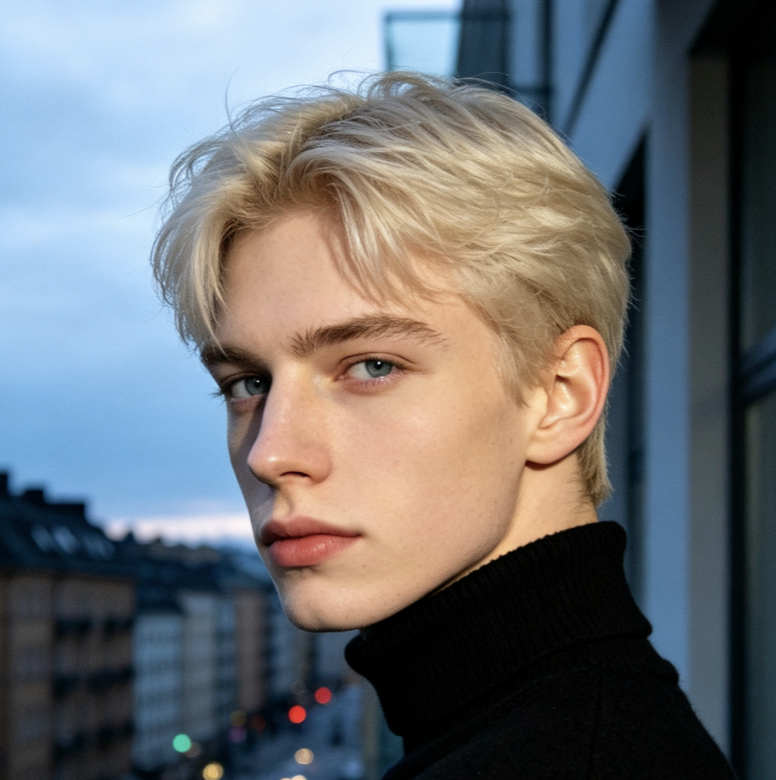
This Image Color Changer helps users preview new hair colors, makeup tones, and beauty directions before making real changes. It is perfect for trying bold looks while preserving facial features, lighting, and skin detail. Instead of rebuilding a catalog layout, Image Color Changer can update a key product color and keep the rest of the photography intact.
Car and Object Recolor
AI recolor image subjects like cars, bikes, bags, shoes, and accessories with prompt level control. You can quickly test new finishes, seasonal styles, or branding directions while keeping the original shape and material appearance unchanged. Image Color Changer is designed for specific instructions, so saying what must stay unchanged is just as helpful as naming the new shade.

Creative Mood Exploration
Change image color online to explore different creative moods for campaigns, concept art, social content, and design presentations. Our Image Color Changer makes it easier to test color direction, visual tone, and audience appeal in just a few clicks. When a first draft feels close but not exact, Image Color Changer rewards a refined prompt that identifies the object, tone, and finish.
What Users Say About Our Image Color Changer
Creators and teams use our AI editor every day to AI recolor image content faster. Use Image Color Changer when the goal is a controlled recolor that respects the original image instead of replacing its character.
This Image Color Changer lets me test outfit palettes in seconds. I can AI recolor image drafts fast and keep skin tone and texture natural. Brand designers can use Image Color Changer to check whether a signature color works across packaging, clothing, interiors, and lifestyle photography.
I use this Image Color Changer for product mockups. It is the fastest way to change image color online for ad testing. Image Color Changer helps visual communicators compare options clearly, rather than relying on a verbal description of a color change.
The prompt mode is excellent. I can AI recolor image areas like walls and sofas without changing the whole room. For personal projects, Image Color Changer offers an approachable way to experiment with a new look before making a real-world commitment.
This Image Color Changer saves my team a lot of editing time. We change image color online instead of creating each version manually. Image Color Changer can support multiple rounds of exploration, provided each prompt keeps the requested edit focused and easy to verify.



FAQ About Our Image Color Changer
Learn how this Image Color Changer works and how to get better results. Image Color Changer helps make color exploration collaborative, because every variation starts from the same familiar visual reference.
An Image Color Changer is a tool that changes colors in an uploaded picture while keeping structure texture and quality intact. our AI editor can AI recolor image content automatically or through a text prompt.
Yes. This Image Color Changer supports one click editing. You can upload an image and let the system AI recolor image areas automatically.
Yes. You can change image color online by typing a prompt such as change only the jacket to blue or turn only the sofa olive green.
Yes. Our Image Color Changer is designed to preserve folds shadows reflections and material details so the recolor looks realistic.
Portraits product photos room photos vehicles and fashion shots all work well. Clear images usually help the AI recolor image result look more precise.
Yes. You can try our AI editor to change image color online and preview how the Image Color Changer performs before going deeper.
Start Recoloring Images with our AI editor
Use Pixomi Image Color Changer to recolor any photo instantly. AI recolor image results with one click or change image color online with prompt control today. From a single uploaded photo, Image Color Changer can create a confident starting point for design, commerce, planning, or creative storytelling. Image Color Changer gives you a straightforward final step from uploaded photo to a useful recolored result. Image Color Changer keeps this final recolor workflow simple and focused.
