
More AI Image Generators
Explore our collection of specialized AI image generators designed for different creative needs and styles























3D Bubble Text Generator: Make Puffy Lettering Pop
Create Glossy Letters with the 3D Bubble Text Generator
Give every word more personality with an online 3D bubble text generator built for fast visual creation. Enter the exact text you want to feature, describe a color palette, material, mood, and background, then let AI shape your idea into rounded lettering with believable depth, highlights, and soft shadows.
How to Use the 3D Bubble Text Generator
Create rounded lettering fast. Enter text, choose a style, and refine the result with a simple 3D bubble text generator workflow.

1. Enter Text in the 3D Bubble Text Generator
Type the exact word or short phrase you want the 3D bubble text generator to display. Put important spelling in quotation marks, then describe the shape and mood. Short text gives letters more room for bold volume and clean spacing. For longer phrases, request a centered two-line layout. Mention uppercase, lowercase, logo, or headline styling.

2. Style Your 3D Bubble Text Generator Design
Tell the 3D bubble text generator how the letters should look. Combine glossy plastic, jelly, chrome, marshmallow, foil, or bubble gum with a clear palette. Add highlights, extrusion, soft shadows, or reflections for depth. Finish with a simple pastel, dark, white, or poster-style background. Focused choices keep the effect coherent.

3. Refine Your 3D Bubble Text Generator Result
Generate a design, then check spelling, spacing, contrast, and edges. If readability is weak, simplify the prompt or request a front-facing layout. If the text looks flat, add stronger highlights, rounded extrusion, or a soft shadow. Change one variable at a time until the 3D bubble text generator matches your intended style.
Best AI Image Tools for Creative Projects
Explore creative tools for image, learn tips and tricks, and see how AI can be your assistant in turning concepts into finished projects.






Explore 3D Bubble Text Generator Styles
Use the 3D bubble text generator to explore cute, nostalgic, luxurious, energetic, or rebellious typography by adjusting volume, material, lighting, color, background, and mood.
Glossy 3D Bubble Text Generator Effects
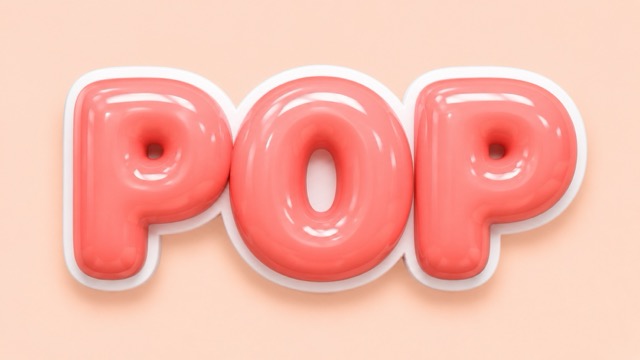
Create the soft, inflated look people expect from a 3D bubble text generator with rounded letterforms, thick depth, bright highlights, and a candy or vinyl surface. A white outline improves separation, while pastel backgrounds add warmth. For logo concepts, keep the layout centered and simple. Sample prompt: Create “POP” in chunky glossy coral-pink bubble letters, rounded inflated shapes, candy-plastic finish, white outline, soft reflections, gentle shadow, pale peach background, clear spelling.
Y2K Chrome 3D Bubble Text Generator
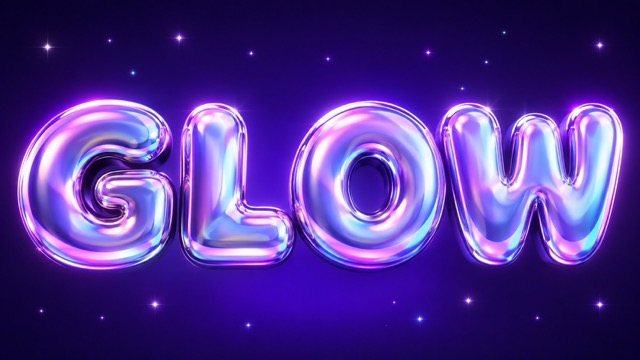
Bring early-2000s energy to posters, music artwork, and fashion campaigns. A Y2K 3D bubble text generator can combine inflated typography, chrome-pearl reflections, pink-purple-blue gradients, and star highlights. Use a dark backdrop for dramatic silver or pastels for dreamy pop. Sample prompt: Design “GLOW” as iridescent Y2K bubble text, rounded puffy forms, liquid chrome surface, pearl pink and lavender reflections, star highlights, dark violet gradient background, centered and readable.
Kawaii 3D Bubble Text Generator Styles
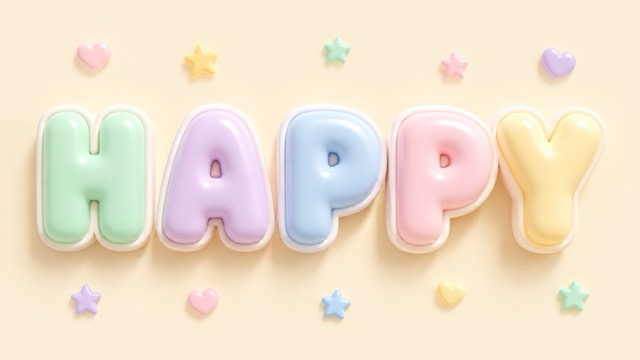
Use the AI 3D bubble text generator for cheerful designs with pastels, pillow-like volume, rounded corners, sparkles, and soft lighting. Marshmallow texture feels tactile, while gloss adds a toy-like finish. Keep decorative shapes away from the letters for clarity. Sample prompt: Render “HAPPY” in kawaii marshmallow bubble letters, pastel mint, lavender, baby blue, and blush pink, smooth highlights, tiny stars, white border, cream background, joyful mood, clear uppercase spelling.
Graffiti 3D Bubble Text Generator Effects
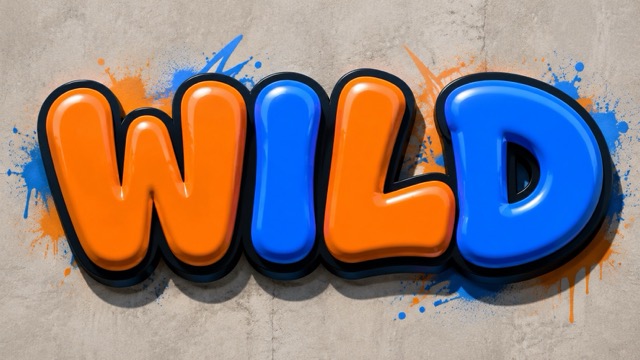
Build street-art titles with thick outlines, color blocking, spray accents, and deep shadows, or create glossy slime with wet reflections. The 3D bubble text generator can also explore lava, ice, glass, foam, or metallic balloon materials. Short text and strong contrast work best. Sample prompt: Generate “WILD” as graffiti 3D bubble lettering, chunky inflated forms, orange and electric blue blocks, dark outline, glossy highlights, deep shadow, subtle spray accents, front-facing layout, crisp readable letters.
Best 3D Bubble Text Generator Use Cases
Rounded 3D lettering creates an immediate focal point. Use the 3D bubble text generator for social content, logos, events, and merchandise. Match aspect ratio, contrast, spacing, and detail to the final placement while leaving room for cropping or supporting elements.

3D Bubble Text Generator for Social Content
Turn a short hook, episode name, or reaction word into the center of a post. Use square compositions for feeds, vertical layouts for Stories and Reels, and wide arrangements for thumbnails. A bright outline and strong shadow keep bubble letters visible at small sizes. Test several colors and materials with the 3D bubble text generator, keep the phrase concise, protect letters from the edges, and choose a contrasting background.

3D Bubble Text Generator for Logos and Stickers
Explore a wordmark for a sticker shop, beauty label, dessert brand, toy project, or side business. A 3D bubble logo generator workflow lets you compare glossy plastic, chrome, jelly, and marshmallow treatments quickly. Ask for centered, isolated lettering, a simple background, and a clean outer edge. Before using any AI-generated design as a trademark or commercial identity, review originality, spelling, licensing terms, and reproduction quality.

3D Bubble Text Generator for Events
Make birthday names, party themes, event titles, music-night headlines, and seasonal greetings more festive. Balloon letters suit celebrations, while chrome or neon bubble text sharpens a concert poster. Use the 3D bubble text generator for the main title, then add dates and addresses in your regular editor for accuracy. A clear hierarchy works best: one expressive headline, a calm background, and smaller functional text.
3D Bubble Text Generator for Merchandise
Visualize text treatments for T-shirts, bags, notebooks, covers, packaging, and creator merchandise. The AI 3D bubble text generator helps communicate a direction before production. Try one word across several materials, then compare what fits the audience and printing method. For physical products, treat the image as concept art until you check resolution, background separation, color behavior, and the printer’s requirements.
Creators Find Their Bubble Style Faster
From quick content hooks to early brand concepts, the 3D bubble text generator makes visual experimentation feel approachable. These creator perspectives show how a clear prompt can shorten the distance between an idea and a usable direction.
I wanted cheerful titles for short videos, but rebuilding glossy effects took too long. The 3D bubble text generator let me test candy, jelly, and chrome directions from one word. I finish the layout in my editor, but choose the headline style much faster.
I describe the exact name, colors, material, and background, then refine the strongest result. 3D Bubble Text Generator is useful when a client wants to compare cute and premium moods before choosing a campaign direction.
For party graphics, puffy lettering creates an immediate focal point. I use the AI 3D bubble text generator for the celebratory word, then add practical details separately. The poster stays playful without risking mistakes in dates or venue information.
I needed a Y2K music title but lacked time to model it. Describing pearl chrome, inflated shapes, and violet reflections produced useful ideas. The 3D bubble text generator helped me communicate the direction before final production.
My students see how one word changes when they adjust material or lighting. The 3D bubble text generator makes abstract choices visible, so discussions about contrast, hierarchy, texture, and readability are easier to understand.





3D Bubble Text Generator FAQ
Find concise answers about bubble typography prompts, readable lettering, creative styles, commercial use, and output formats before starting your design.
A 3D bubble text generator is an online creative tool that turns a word or short phrase into image-based lettering with rounded volume, surface texture, highlights, shadows, and visual depth. Instead of manually drawing each character or building a text effect layer by layer, you describe the desired look in a prompt.
Begin the prompt with the exact text and place it in quotation marks. Ask for exact spelling, clear uppercase or lowercase characters, front-facing lettering, balanced spacing, and no additional words. Short words usually generate more reliably because each character has more visual space.
Strong prompts describe five elements: exact text, letter shape, material, lighting, and background. For example: Create the word “JUICY” in thick rounded 3D bubble letters, translucent raspberry jelly material, glossy wet highlights, soft studio lighting, gentle shadow, clean pale-pink background, centered and highly readable.
Yes. Those styles all belong naturally within the 3D bubble lettering category.
You can use the 3D bubble text generator to explore logo directions, campaign graphics, merchandise concepts, and other commercial ideas, but review the platform’s current usage and licensing terms before publishing or selling the result. Also check that the design does not imitate a protected brand, character, or existing logo.
A traditional bubble font is an installable typeface with reusable characters that you can edit as live text. A real 3D text tool may create geometry that can be rotated, animated, printed, or exported as formats such as OBJ or STL. This 3D bubble text generator creates a rendered typography image based on your prompt. It gives you richer materials, lighting, and illustrative effects without requiring 3D modeling skills.
Turn Your Next Word Into 3D Bubble Art
Start with a name, slogan, hook, or headline and give it a surface people want to look at. The 3D bubble text generator makes it easy to explore glossy candy, dreamy Y2K, soft kawaii, reflective chrome, or energetic graffiti lettering through one clear prompt. Generate a direction, review the details, refine the style, and create a bold visual centerpiece for your next project.
