
Elevate Your Visual Assets with Modern ToolsQwen Image 3.0
Precision AI Image Generator for Creative Studios
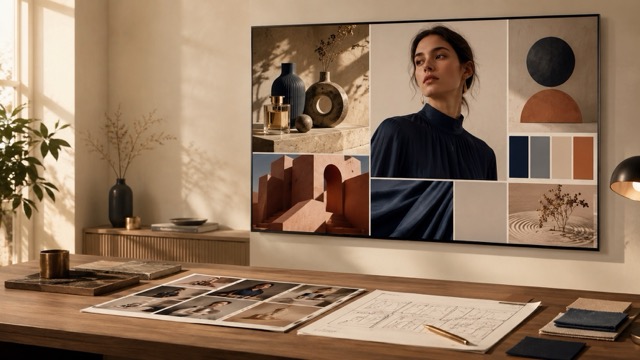
Refine layouts, typography, lighting, and selected visual details with focused image-editing tools designed for practical creative workflows and repeatable revisions.
More AI Image Generators
Explore our collection of specialized AI image generators designed for different creative needs and styles
























Qwen Image 3.0: Generate Detailed Visuals and Refine Complex Layouts
Advanced AI Image Generator for Complex Layouts
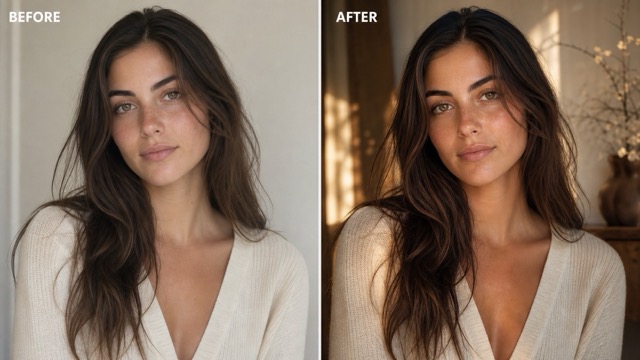
Welcome to the dedicated studio for Qwen Image 3.0, an advanced AI image generator designed for structured compositions and targeted visual edits. Upload a photograph, concept sketch, or wireframe, then use focused prompts to refine it without losing essential context. The workflow supports promotional assets, storyboard frames, interface mockups, and other projects that depend on consistent layouts. Qwen Image 3.0 can adjust typography, lighting, spatial relationships, and selected design elements while preserving the original visual direction.
How to Edit with Qwen Image 3.0
Follow three simple steps to edit with Qwen Image 3.0. Upload a clear reference image, describe the changes you want, and review the generated result. Focused prompts help preserve the subject, perspective, and unaffected areas across repeated edits.

Upload Image
Select a clear reference image for Qwen Image 3.0 to analyze. Keep the main subject fully visible and use a well-lit file so the model can understand the composition, lighting, and spatial relationships before applying your requested edits.

Enter Prompt or Generate
Enter focused instructions describing the elements you want to change. Mention the desired style, color, lighting, or layout, and clearly state which subjects or background areas should remain unchanged to reduce unwanted distortion.

Download
Review the generated image and confirm that it matches your creative direction. Check the subject, structure, and edited details, then download the result for client presentation, further refinement, or use in your production workflow.
Best AI Image Tools for Creative Projects
Explore creative tools for image, learn tips and tricks, and see how AI can be your assistant in turning concepts into finished projects.






Core Features of Qwen Image 3.0
Explore the powerful capabilities built into Qwen Image 3.0. As a versatile AI image generator, this engine empowers digital artists, marketers, and designers to execute complex compositional tasks with consistent structural control across every Qwen Image 3.0 project.
Long Prompt Understanding for Complex Creative Briefs
The architectural framework behind Qwen Image 3.0 is designed to interpret intricate compositional briefs with high fidelity.
- Native models interpret extensive creative context up to roughly 4.5K tokens in limited preview.
- The underlying text-to-image model maintains structural harmony across multi-element scenes with this AI image generator.
- Reference an official Qwen Image 3.0 prompt guide to craft clear directions that balance subject retention with new design elements in Qwen Image 3.0.
Complex Layouts for Posters and Infographics
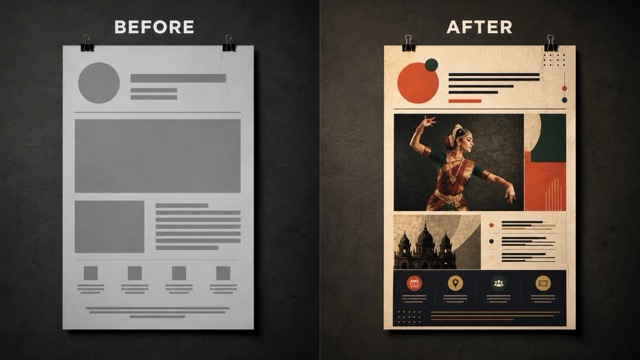
When designing structured visual layouts, Qwen Image 3.0 delivers dependable spatial alignment and balance.
- Functions effectively as an AI poster generator by organizing visual hierarchy cleanly.
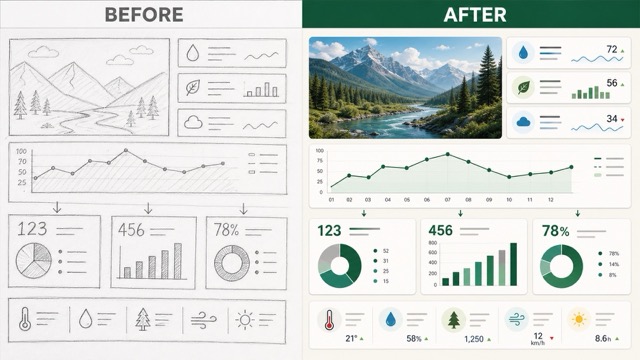
- Operates as a reliable AI infographic generator for data-heavy graphics.
- Preserves coordinate relationships across complex arrangements so new elements integrate naturally with reference image geometry via this AI image generator in Qwen Image 3.0.
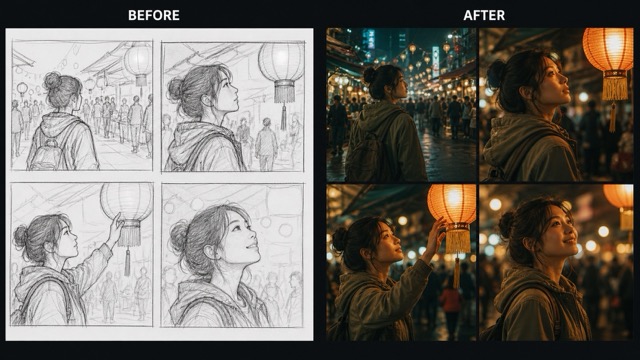
Realistic Detail and Clear Small Text
Rendering legible typography and authentic material textures is a core strength of Qwen Image 3.0.
- Features advanced small text image generation across diverse multilingual font styles.
- Accurately renders surface textures, shadows, and reflections to match realistic environmental lighting using this AI image generator.
- Maintains sharp boundaries and clean typographic edges during targeted visual editing passes with Qwen Image 3.0.
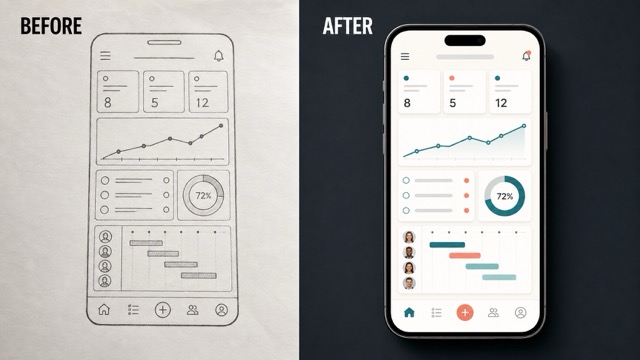
Unified Generation and Image Editing Workflows
Bridging generative exploration with surgical visual refinement provides a flexible creative environment for production teams.
- Leverages versatile image-to-image editing capabilities guided by reference photographs.
- Adapts smoothly as an AI UI design generator for rapid interface prototyping.
- Enables iterative design adjustments on uploaded assets without resetting the entire compositional canvas in Qwen Image 3.0 using this AI image generator for Qwen Image 3.0.
Why Choose Qwen Image 3.0 for Production Workflows
Use Qwen Image 3.0 to develop structured visuals faster, maintain design consistency, and adapt one idea across multiple creative formats.

Move From Concept to Structured Visual Faster
Transform an uploaded sketch or reference image into a more polished visual concept. Ask Qwen Image 3.0 to refine lighting, proportions, perspective, and surface details while keeping the core composition intact. This shortens early production work and gives concept artists room to compare multiple variations before committing to a final direction.

Keep Creative Direction Coherent Across Complex Layouts
Use a reference image to preserve subject identity, camera perspective, and the established color palette across revisions. You can update selected backgrounds, lighting, or regional design elements without rebuilding the complete composition or allowing the overall visual direction to drift. This helps multi-asset campaigns stay visually aligned from the first draft through later deliverables.
Make Text-Heavy and Information-Rich Graphics Easier to Prototype
Upload a wireframe to prototype posters, infographics, and other information-rich graphics. Qwen Image 3.0 can help organize labels, icons, and visual sections with clearer hierarchy and alignment, giving teams a practical starting point for detailed design work. This reduces manual setup before designers refine typography and data presentation.

Adapt One Idea for Marketing, Storyboards, and UI Planning
Adapt a single reference image for several creative purposes without rebuilding the composition. Repurpose a concept for marketing visuals, adjust scene blocking for storyboard frames, or develop early UI layouts while retaining the original style and structural direction. This makes the same visual direction easier to carry between marketing and production teams.
Illustrative Perspectives on Qwen Image 3.0
See how creative professionals could use Qwen Image 3.0 in everyday design work.
We upload product photos and apply seasonal theme changes while keeping packaging, logos, and brand colors consistent. This gives our team a faster way to revise campaign assets without recreating the original composition.
I use Qwen Image 3.0 to turn rough pencil thumbnails into clearer storyboard frames and test visual changes quickly. It helps preserve camera angles, spatial relationships, and scene continuity across a sequence.
It helps me develop mobile dashboard concepts directly from hand-drawn wireframes. The generated layouts keep cards, columns, and typography organized, which makes early design reviews easier for the product team.
I can adjust background lighting, costume textures, or selected details without redrawing the full illustration. This makes it easier to respond to client feedback while keeping the original composition and character design intact.
It helps organize educational diagrams and add clear labels or callouts without disrupting the original layout. The consistent structure gives me a stronger draft to review before preparing the final teaching graphic.




Frequently Asked Questions About Qwen Image 3.0
Get quick answers about Qwen Image 3.0, its editing workflow, and supported use cases.
Qwen Image 3.0 is Alibaba's third-generation visual model for text-to-image generation and image editing. It is designed to handle complex layouts, realistic material details, and legible multilingual typography across commercial and creative graphics.
Pixomi currently provides an image-editing workflow. Upload an existing base image, enter focused instructions, and generate the requested modification. This interface does not currently accept text-only requests or extended multi-thousand-token prompts, so concise directions work best.
The native model includes optimizations for small multilingual text and aims to maintain spelling, hierarchy, and alignment during generation or editing. Results can still vary, so check every word and typographic detail before publishing the image.
Yes. Qwen Image 3.0 is designed for multi-element compositions such as posters, infographics, and UI wireframes. It can preserve spatial logic while integrating requested changes, although clear prompts are important for defining what should change and what must remain fixed.
Technical documentation lists native visual outputs up to 2048×2048 pixels and support for multiple reference images. These specifications describe the underlying model, so the resolutions and settings available through a third-party integration may differ.
The native preview can follow detailed creative briefs, but Pixomi's current editing workflow works best with concise instructions tied to an uploaded reference image. For a complicated request, divide the work into prioritized changes and review each result before continuing.
Refine Your Visuals with Qwen Image 3.0
Upload a reference image, describe the changes you need, and use Qwen Image 3.0 to refine the structure, style, and visual details.
