
More AI Image Generators
Explore our collection of specialized AI image generators designed for different creative needs and styles























Instant Neon from One Uploaded Photo A neon-style image starts with one uploaded image and one click on Generate.
Upload a photo. Click Generate. Get an automatic glow. Each neon-style image uses the uploaded image as the source for an automatic visual transformation.
Pixomi transforms one uploaded image into an electric neon-style result in a simple, focused flow. There is nothing to write and nothing to configure: the photo supplies the visual information, and Generate starts the transformation. A neon-style image adds luminous night-time atmosphere without requiring any text entry. Every neon-style image keeps the original subject central while adding vivid electric light.
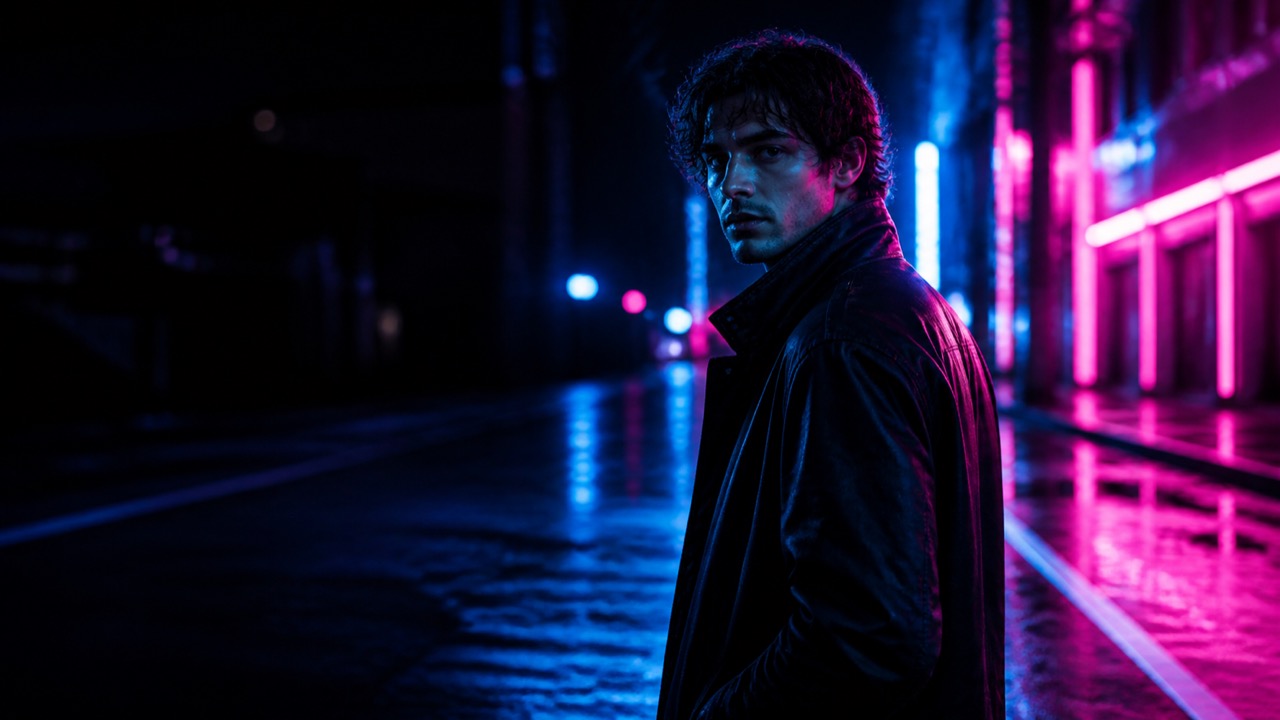
Three Steps to an Automatic Neon Result Each neon-style image is built for a simple upload-and-generate workflow.
The page is built around one straightforward action sequence. Upload a photo, click Generate, and receive a neon-style image. Pixomi analyzes the source image automatically, so the experience stays quick and uncomplicated. A neon-style image gives a still image an automatic electric-night character. One neon-style image can make a portrait, product, or street scene feel instantly more luminous.

Upload Your Photo A neon-style image preserves the source image as the foundation of the finished look.
Select one portrait, product image, travel photo, street scene, or creative picture. A clear source image gives Pixomi useful detail for the automatic transformation.
Click Generate Every neon effect photo is created without manual directions, color choices, or text fields.
Click Generate after your photo is ready. Pixomi reads the uploaded image and begins the automatic neon transformation without showing a text field.

Get Your Result A neon effect photo makes automatic light and color feel connected to the original scene.
View the generated image when it is ready. The finished result adds a luminous neon atmosphere while keeping the original photo as its visual basis.
Best AI Image Tools for Creative Projects
Explore creative tools for image, learn tips and tricks, and see how AI can be your assistant in turning concepts into finished projects.






Automatic Glow, Built from Your Image Each neon effect photo turns an uploaded photo into a polished neon-style image in seconds.
Pixomi does not ask you to define a visual treatment. It reads the uploaded photo and creates a neon-inspired result from what it finds in the subject, lighting, edges, and scene. The page is designed for a single upload followed by a single Generate click. A neon effect photo brings bright glow and dark contrast together in one generated result. A neon effect photo offers a quick visual transformation when an image needs more energy.
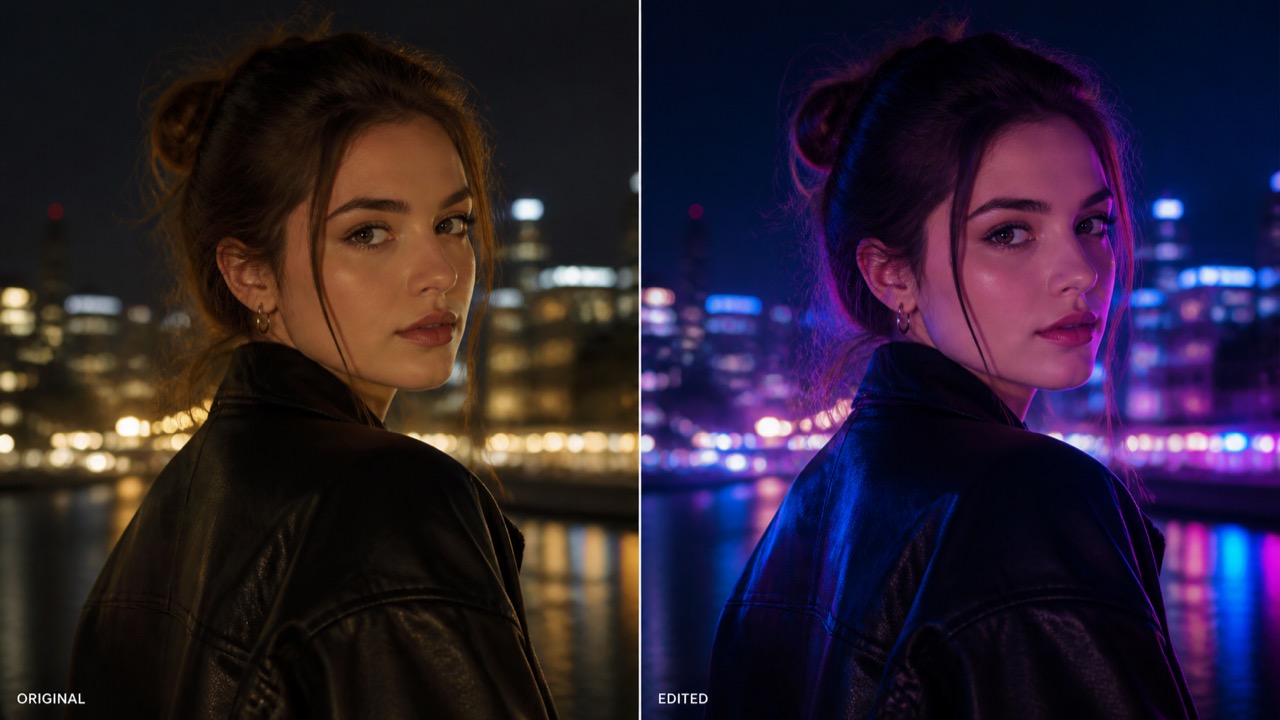
Automatic Electric Atmosphere A neon effect photo uses the uploaded subject, layout, and lighting as its visual starting point.
The generated image uses bright glow, deep contrast, and luminous color to create an after-dark feeling from your original photo. Pixomi handles the visual transformation automatically, keeping the workflow focused on the image rather than a set of manual controls. Each neon effect photo is made for fast results, not a complicated editing workflow. A neon effect photo can give ordinary photography a clean futuristic atmosphere automatically. Every neon effect photo begins with the same simple action: upload a photo and click Generate.
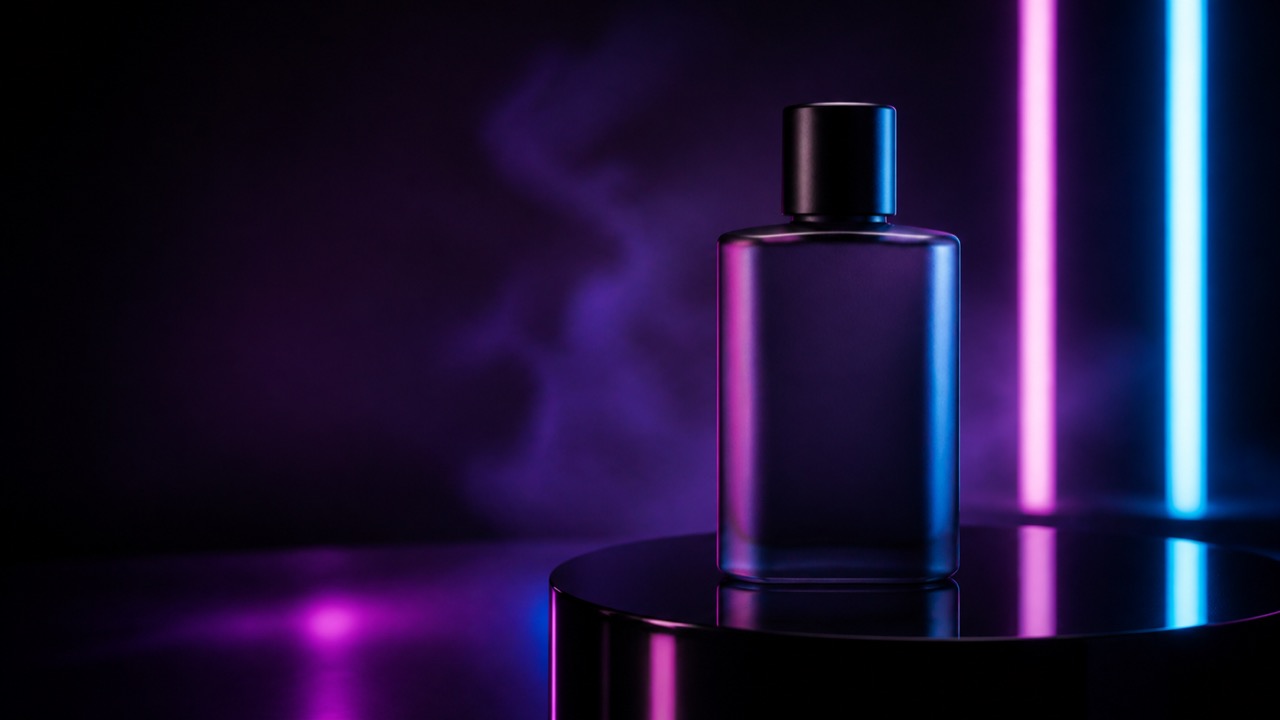
Your Original Image Stays Central A neon effect photo starts with one uploaded image and one click on Generate.
The source photo remains the visual foundation of the result. People, products, buildings, and recognizable scene details continue to matter, while the generated glow gives the image a more striking look. This makes the outcome feel connected to the upload. Each neon effect photo uses the uploaded image as the source for an automatic visual transformation. A neon effect photo adds luminous night-time atmosphere without requiring any text entry. Every neon effect photo keeps the original subject central while adding vivid electric light.
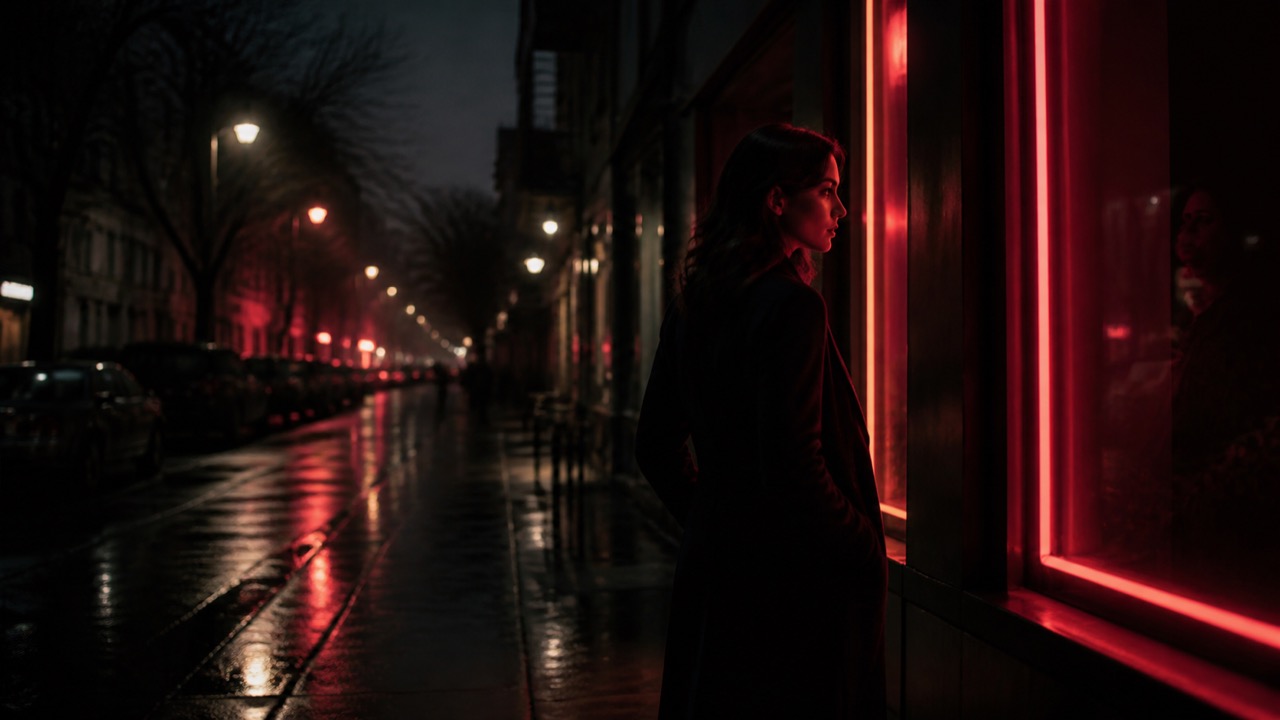
No Manual Text Entry A neon effect photo is generated automatically from the image details Pixomi detects.
The page removes the extra writing step. Upload the photo and click Generate; Pixomi automatically creates the neon-style treatment. It is a practical route for anyone who wants a visually stronger image without learning a complex editor. With one upload, a neon effect photo turns familiar visual detail into a glowing result. A neon effect photo creates a striking after-dark treatment from the photo already on screen. Each neon effect photo is built for a simple upload-and-generate workflow.
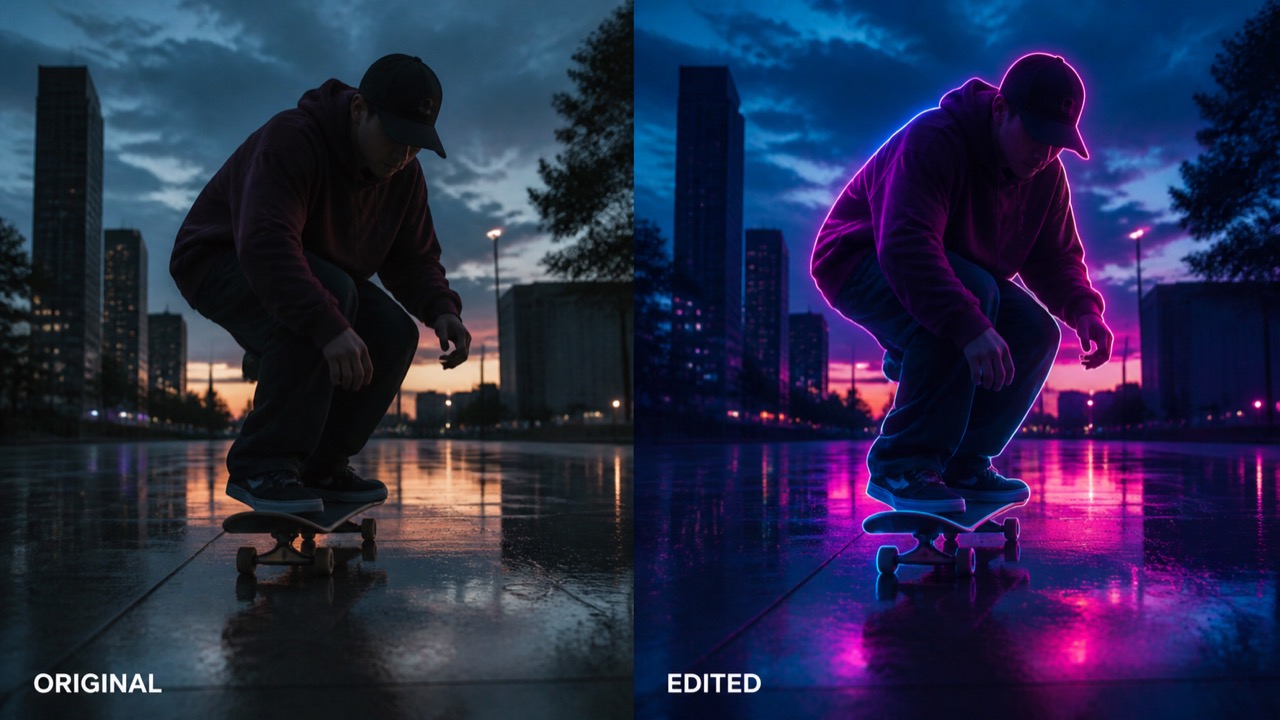
A Fast Visual Transformation A neon effect photo gives a still image an automatic electric-night character.
From a single image, Pixomi creates an immediate new visual direction that is ready to view and download. The automatic workflow is useful when you want a quick neon treatment for a creative post, concept image, or presentation visual. One neon effect photo can make a portrait, product, or street scene feel instantly more luminous. A neon effect photo preserves the source image as the foundation of the finished look. Every neon effect photo is created without manual directions, color choices, or text fields.
One Upload, Many Image Types A neon effect photo makes automatic light and color feel connected to the original scene.
The same automatic workflow works across everyday images and creative visuals. Upload the source photo, click Generate, and let Pixomi build the neon-style result from the image itself. Each neon effect photo turns an uploaded photo into a polished neon-style image in seconds.

Portraits and Profile Images A neon effect photo brings bright glow and dark contrast together in one generated result.
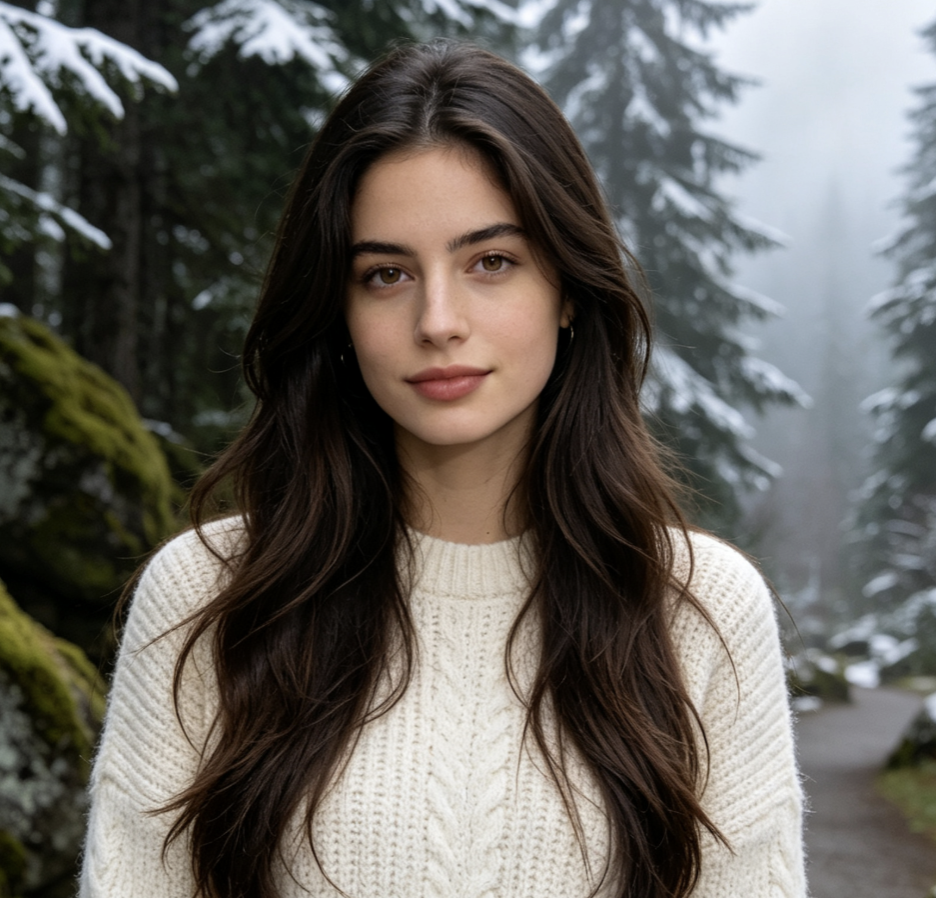
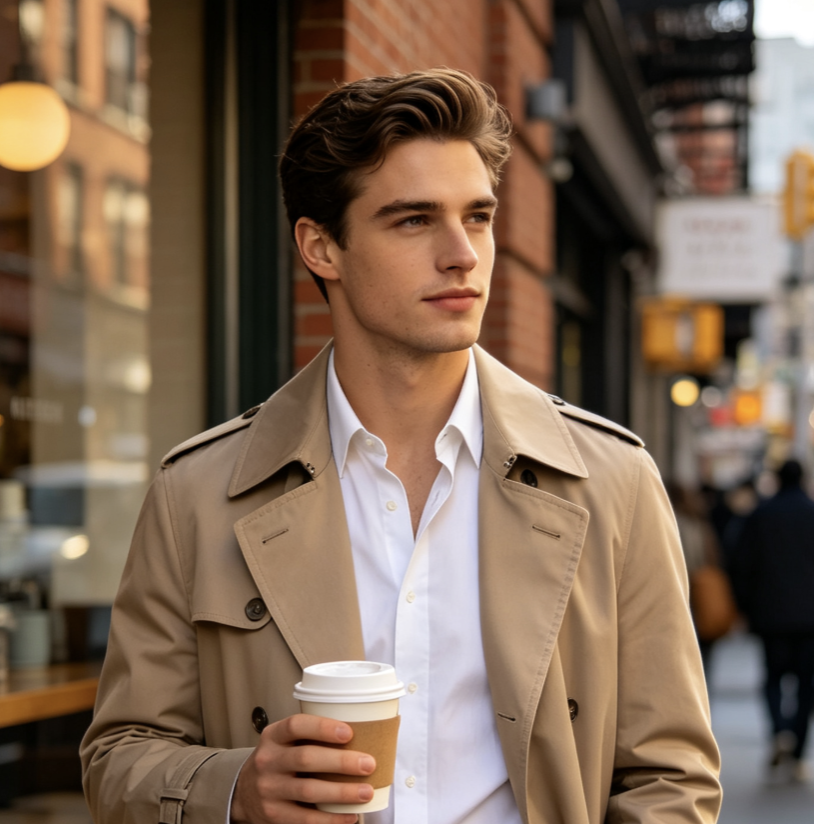
Turn a familiar portrait into a luminous image while the person remains recognizable. The automatic result can give a profile photo, artist image, or social post a more energetic visual presence. A neon effect photo offers a quick visual transformation when an image needs more energy. A neon effect photo uses the uploaded subject, layout, and lighting as its visual starting point.

Products and Display Images Each neon effect photo is made for fast results, not a complicated editing workflow.
Use an uploaded product image as the starting point for a neon-style visual. The automatic treatment can add a stronger after-dark mood while keeping the product at the center of the composition. A neon effect photo can give ordinary photography a clean futuristic atmosphere automatically. Every neon effect photo begins with the same simple action: upload a photo and click Generate.

Street and Travel Photography A neon effect photo starts with one uploaded image and one click on Generate.
City scenes, evening photos, and travel images can become electric visual moments in one Generate action. Pixomi uses the uploaded surroundings, architecture, and reflections as part of the result. Each neon effect photo uses the uploaded image as the source for an automatic visual transformation. A neon effect photo adds luminous night-time atmosphere without requiring any text entry.

Music and Event Visuals Every neon effect photo keeps the original subject central while adding vivid electric light.
Upload artwork, a performer photo, or an event image to create a fast neon-style variation. The result is useful when a visual needs stronger energy for a cover, post, or announcement. A neon effect photo is generated automatically from the image details Pixomi detects. With one upload, a neon effect photo turns familiar visual detail into a glowing result.

Creative Posters and Concepts A neon effect photo creates a striking after-dark treatment from the photo already on screen.
Start with an existing poster-like image or scene and generate a bright neon treatment automatically. The source image keeps the core story visible while the new atmosphere increases impact. Each neon effect photo is built for a simple upload-and-generate workflow. A neon effect photo gives a still image an automatic electric-night character.

Social Images and Thumbnails One neon effect photo can make a portrait, product, or street scene feel instantly more luminous.
A single photo can become a more noticeable social visual without a separate editing workflow. Upload it, generate the result, and use the new neon-style image where an eye-catching look helps. A neon effect photo preserves the source image as the foundation of the finished look. Every neon effect photo is created without manual directions, color choices, or text fields.
A Simple Workflow for Brighter Images A neon effect photo makes automatic light and color feel connected to the original scene.
Creators use one uploaded image and Generate to reach a fast neon-style result without extra editing steps. Each neon effect photo turns an uploaded photo into a polished neon-style image in seconds.
I uploaded one portrait and clicked Generate. The result gave the image an electric atmosphere while keeping the person recognizable, which made it easy to use as a quick creative variation. A neon effect photo brings bright glow and dark contrast together in one generated result. A neon effect photo offers a quick visual transformation when an image needs more energy. A neon effect photo uses the uploaded subject, layout, and lighting as its visual starting point.
The workflow is refreshingly direct: one product image in, one neon-style result out. It gave our team a visual direction quickly without adding a writing or setup task. Each neon effect photo is made for fast results, not a complicated editing workflow. A neon effect photo can give ordinary photography a clean futuristic atmosphere automatically. Every neon effect photo begins with the same simple action: upload a photo and click Generate.
For a music visual, I wanted a faster route from an ordinary image to something with more energy. Uploading the photo and clicking Generate made the process feel immediate. A neon effect photo starts with one uploaded image and one click on Generate. Each neon effect photo uses the uploaded image as the source for an automatic visual transformation. A neon effect photo adds luminous night-time atmosphere without requiring any text entry.
I use the page when I need a quick luminous version of an existing image. The generated result stays connected to the uploaded scene, so it works well for early creative inspiration. Every neon effect photo keeps the original subject central while adding vivid electric light. A neon effect photo is generated automatically from the image details Pixomi detects. With one upload, a neon effect photo turns familiar visual detail into a glowing result.

Questions About Automatic Neon Generation A neon effect photo creates a striking after-dark treatment from the photo already on screen.
This page uses a one-photo, one-click workflow. Here is what happens before and after Generate. Each neon effect photo is built for a simple upload-and-generate workflow.
Upload one photo and click Generate. Pixomi automatically analyzes the image and creates a neon-style result from its subject, lighting, and visible details. No manual text entry is needed. A neon effect photo gives a still image an automatic electric-night character. One neon effect photo can make a portrait, product, or street scene feel instantly more luminous.
No. The page is designed to work without a text field. Your uploaded photo is the source information, and clicking Generate starts the automatic transformation. A neon effect photo preserves the source image as the foundation of the finished look. Every neon effect photo is created without manual directions, color choices, or text fields.
No. This version automatically creates the neon color treatment from the uploaded image. It does not include color-selection controls or manual visual settings. A neon effect photo makes automatic light and color feel connected to the original scene. Each neon effect photo turns an uploaded photo into a polished neon-style image in seconds.
Portraits, product images, city scenes, travel photos, posters, and creative pictures all work as useful starting points. A clear source image helps the automatic result stay connected to the original scene. A neon effect photo brings bright glow and dark contrast together in one generated result. A neon effect photo offers a quick visual transformation when an image needs more energy.
Pixomi uses the uploaded photo as the source for the transformation. The generated image adds a neon-style atmosphere while keeping the main subject and composition central. A neon effect photo uses the uploaded subject, layout, and lighting as its visual starting point. Each neon effect photo is made for fast results, not a complicated editing workflow.
You can upload a photo and start the automatic neon workflow from this page. Available generation options and credits are shown in the generator before you create a result. A neon effect photo can give ordinary photography a clean futuristic atmosphere automatically. Every neon effect photo begins with the same simple action: upload a photo and click Generate.
Upload One Photo. Generate Neon Automatically.
Start with the image you already have. Upload it, click Generate, and get a vivid neon-style result with no manual text entry.
